Hue is an open-source, Apache-2.0 licensed SQL Assistant service for databases and data warehouses, built for data analysts, data engineers, and platform teams that need a shared, browser-based way to query and explore data instead of installing a separate client for every engine.
What it is
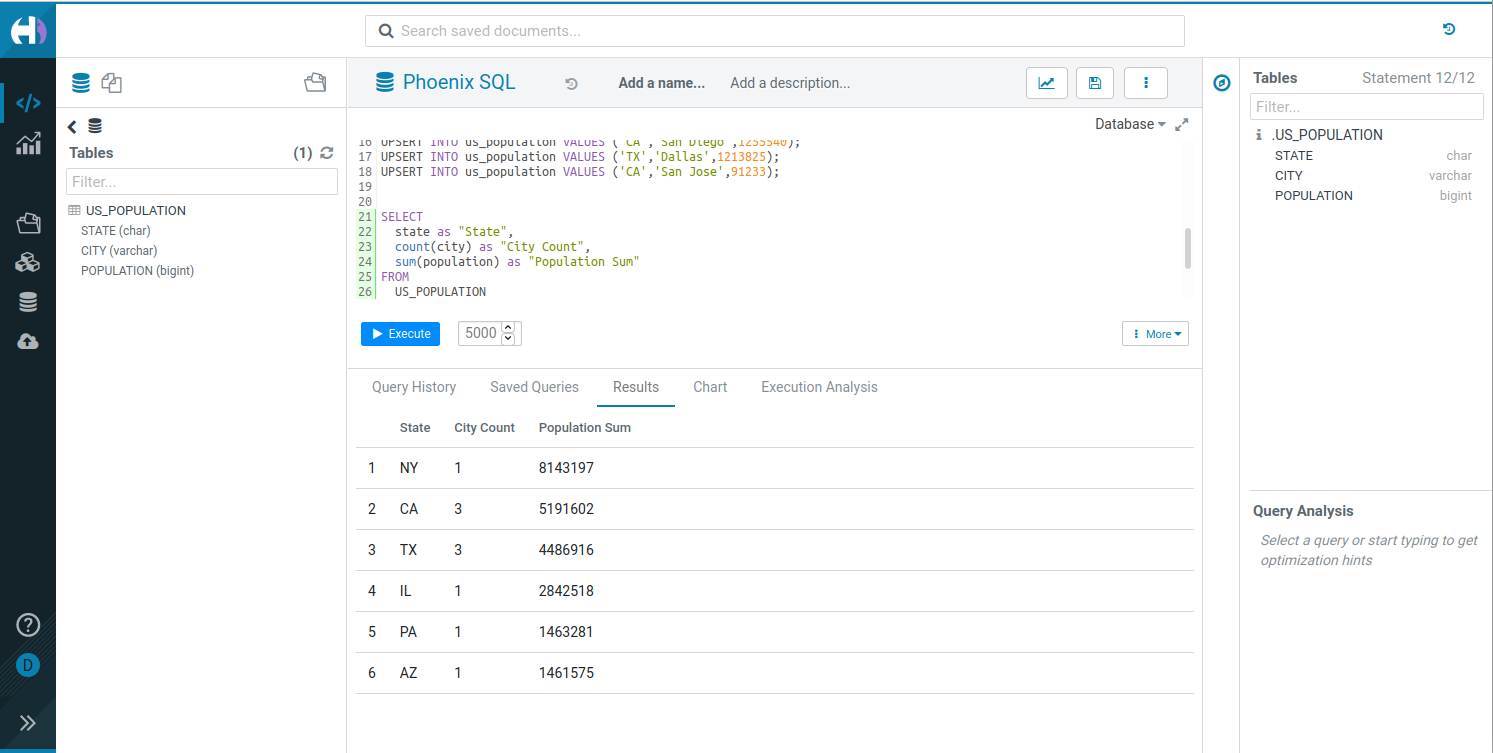
Hue is a mature SQL Assistant for querying databases and data warehouses. It is written in JavaScript, published under the Apache-2.0 licence from the cloudera GitHub organization, and carries the tagline "Query. Explore. Share." Beyond a query editor, it ships a set of browsers: a File Browser, a Job Browser, a Table Browser, and a Table Importer. It lives firmly in the Hadoop and data-warehouse ecosystem, with documented connectors for Apache Hive, Impala, Trino/Presto, Phoenix SQL/HBase, Spark SQL, MySQL, and PostgreSQL, and it integrates with YARN and Livy Spark for job execution.
The concrete problem it solves is fragmented, per-engine query access. Without a shared front end, each analyst needs a separate client for Hive, another for Impala, another for Trino, and separately managed access to HDFS, S3, ABFS, Ozone, or Google Storage files. Hue replaces that collection of disconnected tools with one web service where users write SQL with syntax highlighting and autocomplete, browse the underlying files and tables, and monitor the queries and jobs they submitted. Organizations use it to answer questions through self-service querying and report executing hundreds of thousands of queries daily.
Key capabilities
- Interactive SQL editing with syntax highlighting and autocomplete.
- File Browser for navigating and operating on HDFS, S3, ABFS, Ozone, and Google Storage (GS) files.
- Job Browser for monitoring and managing Hive queries, Impala queries, YARN applications, and Livy Spark jobs.
- Table Browser for exploring and managing database tables, schemas, and metadata.
- Table Importer that creates Hive and Impala tables from CSV or Excel files, uploaded from the local system or imported from remote filesystems including HDFS, S3, ABFS, Ozone, and GS.
- Multiple database connectors, including Hive, Impala, MySQL, and PostgreSQL, plus documented integrations for Trino/Presto, Phoenix SQL/HBase, and Spark SQL.
- SQL Scratchpad for building a custom editor, and a Query Service deployable on Kubernetes with a documented API.
Who uses it and how
- Enterprises running self-service analytics: the README reports 1000+ customers worldwide, including top Fortune 500 organizations, executing hundreds of thousands of queries daily.
- Evaluation and small deployments via a single Docker container, started with
docker run -it -p 8888:8888 gethue/hue:latest and reachable at http://localhost:8888.
- Production query service on Kubernetes, installed from the Helm chart with
helm repo add gethue https://helm.gethue.com followed by helm install hue gethue/hue.
- Data platform teams that configure the connectors for whichever warehouses and databases their analysts need to reach.
- Developers embedding a query experience into their own product using the SQL Scratchpad component.
Getting started
Start the server with Docker using the published image, docker run -it -p 8888:8888 gethue/hue:latest, then configure the databases to query. Kubernetes deployments use the Helm chart, or the live demo at demo.gethue.com can be tried first.
How it compares
The facts provide no list of paid products that Hue replaces, and the README excerpt names no competing tools. Hue therefore stands alone in this registry.
When to use it — and when not to
A self-hoster must run the Hue server and configure each connector for the databases and warehouses they want to query; the provided README excerpt does not spell out the supporting dependencies, so those must be checked against the installation documentation before committing. Teams that do not run Hive, Impala, Trino/Presto, Spark SQL, or a comparable warehouse will get little from the browsers, which are tied to that ecosystem. The licence is clear and recent commits exist, but the brief README excerpt is thin on operational detail, which is the main caution here.
project readme (upstream, from github) — read inline
Hue - SQL Assistant for Databases and Data Warehouses







Query. Explore. Share.
🗄️ Overview
Hue is a mature SQL Assistant for querying Databases & Data Warehouses, trusted by:
- 1000+ customers worldwide
- Top Fortune 500 enterprises
Organizations use Hue to quickly answer questions via self-service querying, executing hundreds of thousands of queries daily.
Key Features
- ✏️ Interactive SQL editing with syntax highlighting and autocomplete
- 📁 File Browser for navigating and operating on HDFS, S3, ABFS, Ozone, and Google Storage (GS) files
- 📊 Job Browser for monitoring and managing Hive queries, Impala queries, YARN applications, and Livy Spark jobs
- 🗃️ Table Browser for exploring and managing database tables, schemas, and metadata
- 📤 Table Importer for creating Hive and Impala tables from CSV/Excel files, with support for uploading from local system or importing from remote filesystems (HDFS, S3, ABFS, Ozone, GS)
- 🔗 Multiple database connectors including Hive, Impala, MySQL, PostgreSQL, and more
🔗 Useful Links
🚀 Getting Started
Try Hue Now
Choose one of these deployment options to start the server, then configure the databases you want to query:
🐳 Docker
Start Hue instantly:
docker run -it -p 8888:8888 gethue/hue:latest
Hue will be available at http://localhost:8888
📖 See the Docker Guide or watch the Quick Start Video
☸️ Kubernetes
helm repo add gethue https://helm.gethue.com
helm repo update
helm install hue gethue/hue
📖 Read more about configurations in the Kubernetes docs
💻 Development Setup
Quick Start with Docker
Use the Dev Environment Docker for the fastest setup.
Manual Setup
- Install dependencies
- Clone and build:
git clone https://github.com/cloudera/hue.git
cd hue
make apps
build/env/bin/hue runserver
Hue will be available at http://localhost:8000
📖 Read more in the development documentation
🧩 Components
Hue offers several powerful components:
- SQL Editor - Interactive query interface
- SQL Parsers - Syntax handling for multiple dialects
- REST/Python/CLI APIs - Programmatic access to all functionality
📖 Learn about components and APIs
🤝 Contributing
We welcome contributions! Please see our CONTRIBUTING.md guide to get started.
📜 License
Apache License, Version 2.0