English · 简体中文 · हिन्दी · Español · Français · العربية · Português · Русский · 日本語 · Deutsch · 한국어 · Italiano · Polski · Nederlands · Türkçe · Українська









Six apps to watch a show. Now it's one.
HolyArrs is one self-hosted app for your shows, movies and music.
Browse like a streaming app, ask for what you want, and it handles the rest.
About 15 MB to download · about 140 MB of RAM idle with 10,000 titles · amd64, arm64, armv7
The six apps it replaces download 718.2 MB together.
Quick start · Why · What it does · Moving from other apps · The manual · Help
🚀 Running in two minutes
Save this as docker-compose.yml in a new folder on a local disk:
name: holyarrs
services:
  holyarrs:
    image: holyarrs/holyarrs:latest
    container_name: holyarrs
    environment:
      - PUID=1000
      - PGID=1000
      - TZ=America/New_York
    volumes:
      - /your/local/path:/config
      - /path/to/movies:/movies #optional
      - /path/to/tv:/tv #optional
      - /path/to/music:/music #optional
      - /path/to/downloads:/downloads #optional
    ports:
      - 6262:6262
    restart: unless-stopped
docker compose up -d
Open http://your-server:6262 and make the owner account. A short setup walks you through folders, a downloader and a Source.
No API keys to hunt down. No second container. Every setting is explained in the manual further down.
💡 Why I built it
A normal media server runs six apps: Sonarr, Radarr, Lidarr, Bazarr, Prowlarr and Seerr.
That's six logins, six ports, six update cycles and six API keys to copy between them. When a show doesn't land, you check six places to find out why.
I wanted one app. One login, one port, one place to look.
So I built it.
| App | Download (amd64) | Idle RAM | Logins | Web ports |
|---|---|---|---|---|
| Sonarr | 87.9 MB | 1 | 1 | |
| Radarr | 91.0 MB | 1 | 1 | |
| Lidarr | 121.3 MB | 1 | 1 | |
| Prowlarr | 80.8 MB | 1 | 1 | |
| Bazarr | 156.4 MB | 1 | 1 | |
| Overseerr | 180.8 MB | 1 | 1 | |
| Six together | 718.2 MB | 6 | 6 | |
| HolyArrs | 14.9 MB | ~140 MiB | 1 | 1 (6262) |
About 48 times smaller. Compressed registry download, linuxserver.io images, amd64, measured 2026-11-08. Idle RAM measured with 10,000 titles and 55,000 movies and episodes.
🎬 Ask for a title, and it shows up in your library
Someone asks for a title. HolyArrs searches your Sources, picks the best release with your Pick rules, sends it to your downloader and files it in your library. Your media server hears about it when it lands.
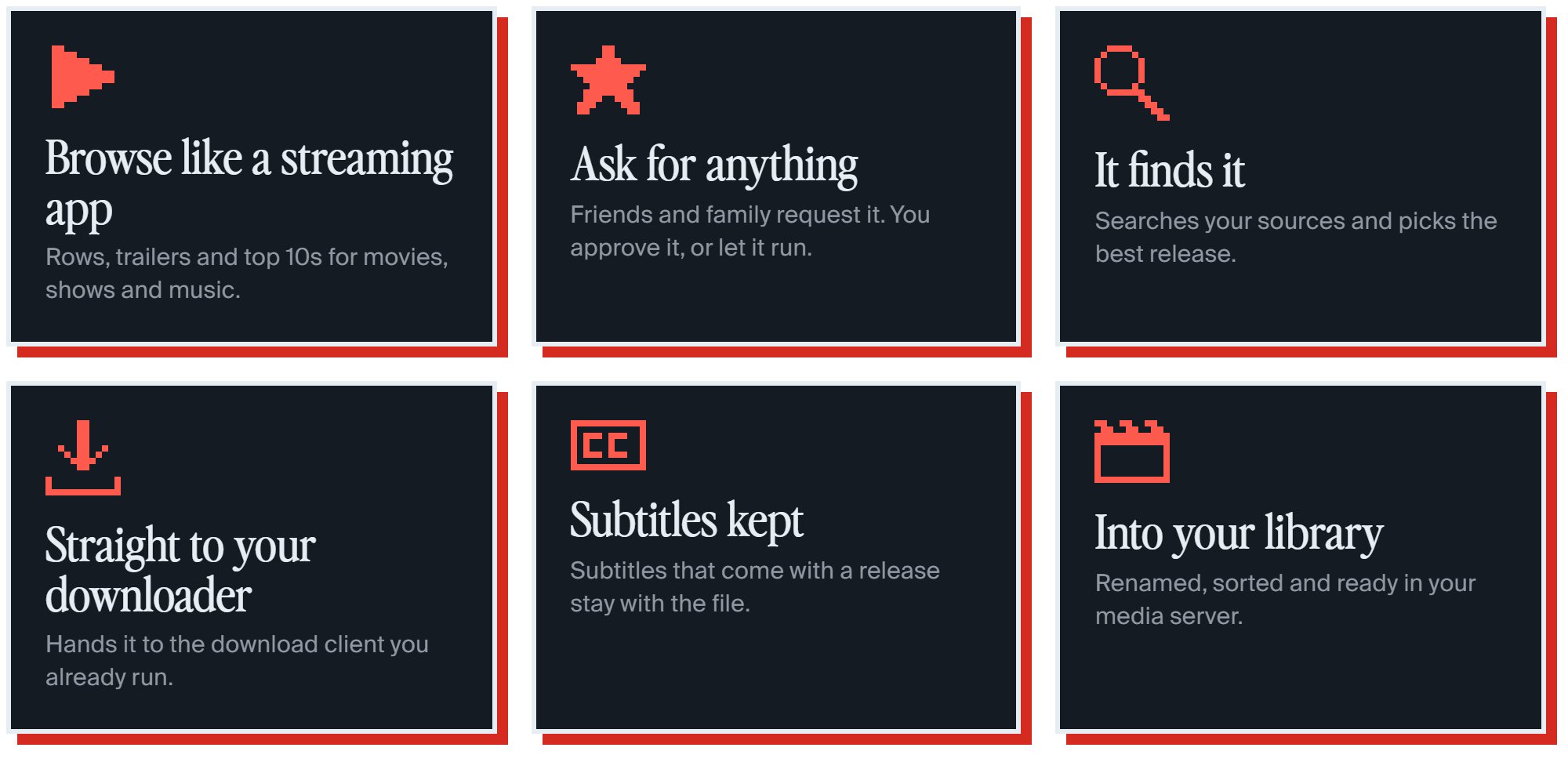
| 🍿 Explore | Browse like a streaming app. Hover a title and the trailer plays. |
| 🙋 Requests | A whole show or one season. You approve, or let trusted people skip the queue. |
| 🎯 Pick rules | You decide which release wins: size, quality, language. |
| 💬 Subtitles | In the languages you pick, kept with the file. Finding them online comes after 1.0. |
| 📅 Calendar | What's airing next for everything you follow. |
| 🚚 Move your setup | From Sonarr, Radarr, Lidarr, Prowlarr, Bazarr, Seerr, Overseerr, qBittorrent and SABnzbd. Try it first, undo it later. |
| 🔌 Old-app API | Prowlarr can keep pushing Sources to HolyArrs once you turn it on. |
| 🗝️ No API keys needed | Titles, artwork and charts come from the HolyArrs metadata server. |
| 🔒 Encrypted keys | Stored passwords and keys are locked with a master key that lives in your config folder. |
| 🪶 Tiny | An image of about 15 MB with nothing but HolyArrs inside. |
See every page in motion
 Home · Everything waiting on you, at a glance. |
 Title page · Trailer, cast and one button to ask. |
 Requests · Approve what friends and family ask for. |
 Downloads · Every grab, live, in one table. |
🤝 It works with what you already run

- Downloaders: qBittorrent, Transmission, Deluge, SABnzbd, NZBGet
- Media servers: Plex, Jellyfin, Emby
- Sources: any Torznab or Newznab indexer, or Prowlarr or Jackett
- Moves your setup from: Sonarr, Radarr, Lidarr, Prowlarr, Bazarr, Seerr, Overseerr, qBittorrent, SABnzbd
🚚 Bring your old setup with you
Open Settings > Move from other apps, add each old app's address and API key (or a backup zip), pick what comes over, run Try it, then Move. You can undo a move later.
| From | What comes over |
|---|---|
| Sonarr, Radarr, Lidarr | Library folders, titles, quality profiles as Pick rules, exclusions, naming, indexers and download clients |
| Prowlarr | Indexers as Sources |
| Bazarr | Default subtitle languages |
| Seerr, Overseerr | People and their waiting or approved requests |
| qBittorrent, SABnzbd | Downloaders |
HolyArrs only reads your old apps and changes nothing in them, so you can run both side by side until you trust it.
Keys and passwords stay behind; you type them in again or import them from a file. Custom formats, tags and history don't come over. Media files never move. Step by step: Move from other apps.
🧭 What it doesn't do yet
- Downloading by itself. HolyArrs connects to qBittorrent, SABnzbd and the others. It doesn't replace them.
- AI or MCP features. Not in 1.0.
- Phone and TV apps. Not built. The web app works on a phone.
- Music in Explore is still being built.
What's next is on the roadmap. You vote, I build. Post ideas on r/HolyArrs.
❓ Questions people ask first
Do I keep qBittorrent or SABnzbd? Yes, for now. HolyArrs connects to the downloader you already run. A built-in downloader is planned for a later release.
Can Sonarr and Radarr keep running while I try it? Yes. HolyArrs reads them once and never changes them.
Is it free? Yes. It's free and open source.
📖 The manual
Everything below is reference. The full guides live at docs.HolyArrs.com.
Supported architectures
Pulling holyarrs/holyarrs:latest gets the right image for your machine.
| Architecture | Available | Runs on |
|---|---|---|
| amd64 | ✅ | Most PCs, servers and NAS boxes |
| arm64 | ✅ | Apple silicon, newer Raspberry Pis, ARM servers |
| armv7 | ✅ | Older 32-bit ARM boards |
On a NAS? See Unraid, Synology and other NAS boxes.
Version tags
Images live on Docker Hub as holyarrs/holyarrs.
| Tag | Use it for |
|---|---|
latest |
The newest release. |
1.0.16 |
One exact version. It never moves. |
Usage
docker compose (recommended)
name: holyarrs
services:
  holyarrs:
    image: holyarrs/holyarrs:latest
    container_name: holyarrs
    environment:
      - PUID=1000
      - PGID=1000
      - TZ=America/New_York
    volumes:
      - /your/local/path:/config
      - /path/to/movies:/movies #optional
      - /path/to/tv:/tv #optional
      - /path/to/music:/music #optional
      - /path/to/downloads:/downloads #optional
    ports:
      - 6262:6262
    restart: unless-stopped
docker cli
docker run -d \
  --name=holyarrs \
  -e PUID=1000 \
  -e PGID=1000 \
  -e TZ=America/New_York \
  -p 6262:6262 \
  -v /your/local/path:/config \
  -v /path/to/movies:/movies `#optional` \
  -v /path/to/tv:/tv `#optional` \
  -v /path/to/music:/music `#optional` \
  -v /path/to/downloads:/downloads `#optional` \
  --restart unless-stopped \
  holyarrs/holyarrs:latest
Container settings go in compose. Everything else is set in the app.
Parameters
Each one is written :. Change the left side only.
| Parameter | Function |
|---|---|
-p 6262:6262 |
The web app. |
-e PUID=1000 |
The user HolyArrs runs as. See User and group. |
-e PGID=1000 |
The group HolyArrs runs as. |
-e TZ=America/New_York |
Your time zone, for the calendar, schedules and logs. Etc/UTC when left out. |
-e UMASK=022 |
Optional. Permission bits new files leave out. Use 002 when a group must write too. |
-v /config |
Databases, settings, the master key, backups and logs. Local disk only, never a network share. |
-v /movies |
Optional. A movie Library folder. |
-v /tv |
Optional. A shows Library folder. |
-v /music |
Optional. A music Library folder. |
-v /downloads |
Optional. Your downloader's download folder. |
--read-only=true |
Optional. Only /config and /tmp need to be writable. |
--user=1000:1000 |
Optional. Start as a fixed user. PUID and PGID are then ignored. |
More variables (reverse proxy, URL base, save path): Environment variables.
Environment variables from files
Put FILE__ in front of any variable to read its value from a file, such as a Docker secret:
environment:
  - FILE__HOLYARRS_ALLOWED_HOSTS=/run/secrets/holyarrs_hosts
User and group
PUID and PGID must match the user that owns your media folders. Find them with:
id youruser
# uid=1000(youruser) gid=1000(youruser)
HolyArrs never changes the owner of your media or download folders. Give that user write access to them, because HolyArrs makes folders and moves files.
Application setup
Open http://your-server:6262 and make the owner account right away. There is no default password. Until you make it, whoever opens HolyArrs first becomes the owner.
The setup that opens next asks for your folders, a downloader and a Source. Guide: First run.
Media folders
The four optional mounts are the easy way to start. The cost: each mount is its own filesystem inside the container, so every import is a full copy.
Want instant moves that take no extra space? Mount one parent folder with downloads and Library folders inside it, and give your downloader the same mount at the same path. Guide: Folders.
Docker Desktop on Windows and Mac
Use a named volume for /config. Media folders can stay host folders. Guide: Install.
Keep your master key safe
holyarrs.key in your config folder is what opens your stored passwords and keys. Backups don't include it, so keep a copy somewhere else. As the owner, open Settings > Backups and choose Download key kit. See Backups.
Updating
docker compose pull
docker compose up -d
If the new version changes how data is stored, HolyArrs makes a backup first. To go back to it: docker exec holyarrs /holyarrs restore --pre-update, then docker restart holyarrs. Never remove /config during an update. See Updates.
Security
- The owner account is made at first visit. There is no default password.
- Stored passwords and keys are encrypted with
holyarrs.key. - The image has no shell inside it.
- Don't forward port 6262 on your router. Use a VPN such as Tailscale, or a reverse proxy with HTTPS.
- Report security problems privately: SECURITY.
Support info
The image has no shell, so docker exec -it holyarrs /bin/bash won't work. HolyArrs' own commands do:
Follow the log:
docker logs -f holyarrsCheck your setup. Every line says
OK,WARNorFAIL, and eachWARNorFAILsays how to fix it:docker exec holyarrs /holyarrs doctorLocked out of the owner account:
docker exec -i holyarrs /holyarrs reset-ownerVersion number:
docker inspect --format '{{ index .Config.Labels "org.opencontainers.image.version" }}' holyarrs
Troubleshooting
| You see | Do this |
|---|---|
| Permission denied on media folders | PUID and PGID don't match the owner of those folders. Run id youruser, put those numbers in compose and recreate the container. |
| Errors with the config folder on a network share | The database needs a local disk. Move /config to a local path. Media folders on a share are fine. |
| Port 6262 is already in use | Change the left side only, for example 6263:6262, and open http://your-server:6263. |
| HolyArrs can't reach qBittorrent or SABnzbd | Inside a container, localhost means the container itself. Use the downloader's container name on the same Docker network, or the host's IP address. |
| Imports are copied | Mount one shared parent folder. See Media folders. |
More: Troubleshooting.
Where to ask
| You have | Go to |
|---|---|
| A question | Discord |
| An idea or a vote | r/HolyArrs and the roadmap |
| A bug | Issues (bugs and roadmap only) |
| A security problem | SECURITY |
| Anything else | support@HolyArrs.com |
Contributing
Read CONTRIBUTING, then Architecture and Setup. Open an issue before a big change.
On your first pull request a bot asks you to accept a short licence agreement (CLA.md). One click, once.
Licence
HolyArrs is free and open source under the GNU AGPL-3.0.
Want to build it into a closed product? Email support@HolyArrs.com for a commercial licence.
Keep it going
HolyArrs is free, but it isn't free to run. Every install talks to a metadata server I pay for every month. Sponsors cover that, and buy more hours for the things you vote for.


Built by CoderLuii.
If HolyArrs saves you from running six apps, a star helps other people find it.