HitKeep is a free, open source web & product analytics project written in Go and released under MIT. It has 88 GitHub stars, 8 forks and 9 open issues, and was last pushed yesterday. On this registry it ranks #25 of 25 tracked projects in Web & Product Analytics, with 5 head-to-head comparisons available.

What is HitKeep?

HitKeep is a 100% open-source, MIT-licensed, AI-native web analytics platform written in Go that self-hosts as a single binary with embedded DuckDB and NSQ, or runs as a managed cloud service in EU or US regions, and it is built for teams that want cookieless traffic, conversion, and AI-visibility reporting under their own control.

What it is

HitKeep is a web analytics product that unifies traffic, conversions, Search Console data, and AI visibility in one Go binary. It lives in the Go and DuckDB ecosystem: the storage engine is embedded DuckDB, the messaging layer is embedded NSQ, and the whole installation ships without a separate database, queue, or cache to operate. The complete product is MIT-licensed, so custom tracking domains and team SSO sit in the same public codebase rather than a separate proprietary edition.

The concrete problem it solves is fragmentation and lock-in. A typical analytics stack means a hosted pageview counter or self-managed analytics server, plus a database, a queue, and a cache that someone has to run and back up, plus a proprietary tier where custom tracking domains and SSO actually live. HitKeep replaces that combination with one binary and open export formats, so the data stays useful outside the tool through complete takeout, APIs, webhooks, share links, and permissions.

Key capabilities

  • Cookieless browser tracker that sets no analytics cookies, respects Do Not Track, and collects focused website analytics without building a cross-site identity.
  • AI-native channel reporting that keeps crawler fetches, AI-referred visits, and chatbot outcomes distinct, with Ask AI built on cited aggregate evidence and a read-only MCP server for governed analytics access by approved assistants.
  • Full reporting chain from acquisition through pages, automatic and custom events, goals, funnels, ecommerce revenue, UTM and QR campaigns, Search Console, and Web Vitals.
  • Automatic interaction events for outbound clicks, file downloads, and form submissions, plus custom events for signups, purchases, and qualified leads.
  • Data sovereignty features: open exports, complete takeout, APIs, webhooks, share links, and permissions.
  • Custom tracking domains and team SSO delivered in the same public MIT codebase.
  • Deployment as one Go binary with embedded DuckDB and NSQ, with Homebrew (PascaleBeier/hitkeep/hitkeep), Docker Compose (compose.yml), and AMD64/ARM64 release binaries as supported paths.

Who uses it and how

  • Self-hosters who want full data sovereignty run the single Go binary on their own infrastructure and keep analytics traffic inside their own boundary.
  • Teams that do not want to operate it use HitKeep Cloud in a managed EU or US region while keeping the same product surface.
  • Privacy-conscious site owners deploy the cookieless tracker and rely on Do Not Track handling instead of consent-heavy cookie analytics.
  • Product and ecommerce teams follow acquisition through pages, goals, funnels, and ecommerce revenue, using UTM and QR campaigns and custom events for signups, purchases, or qualified leads.
  • Organisations exposing an instance publicly run it behind HTTPS and trusted proxies and pair that with the documented backup and configuration references.

Getting started

On Apple silicon macOS or x86_64 Linux, install with Homebrew: brew install PascaleBeier/hitkeep/hitkeep, then verify with hitkeep --version. For a production-oriented self-hosted setup, download compose.yml and .env.example, replace paste-the-generated-value-here with a long random value, run docker compose up -d, and open http://localhost:8080.

How it compares

No competing products are named in the facts for this entry, and no list of paid products it replaces is provided. On the evidence available it stands alone in this registry.

When to use it — and when not to

A self-hoster operates the binary, manages the .env secret across restarts, terminates HTTPS behind a trusted proxy, and owns backups and restore, though there is no separate database, queue, or cache to run. HitKeep is deliberately web-focused: it favours aggregate traffic and conversion evidence over visitor profiles, and it does not offer session replay, mobile SDKs, or built-in experimentation, so teams needing those should look elsewhere. Public signals are also early-stage — 88 stars, 8 forks, and 9 open issues — which is worth weighing before a large deployment.

project readme (upstream, from github) — read inline

AI native, sovereign, privacy-first web analytics in one binary.

100% open source under MIT, HitKeep unifies traffic, conversions, Search Console, and AI visibility with custom tracking domains, SSO, open exports, and no separate database, queue, or cache.

Self-host · Documentation · Cloud · Website

Latest release Continuous integration status MIT license Docker pulls OpenSSF Best Practices badge

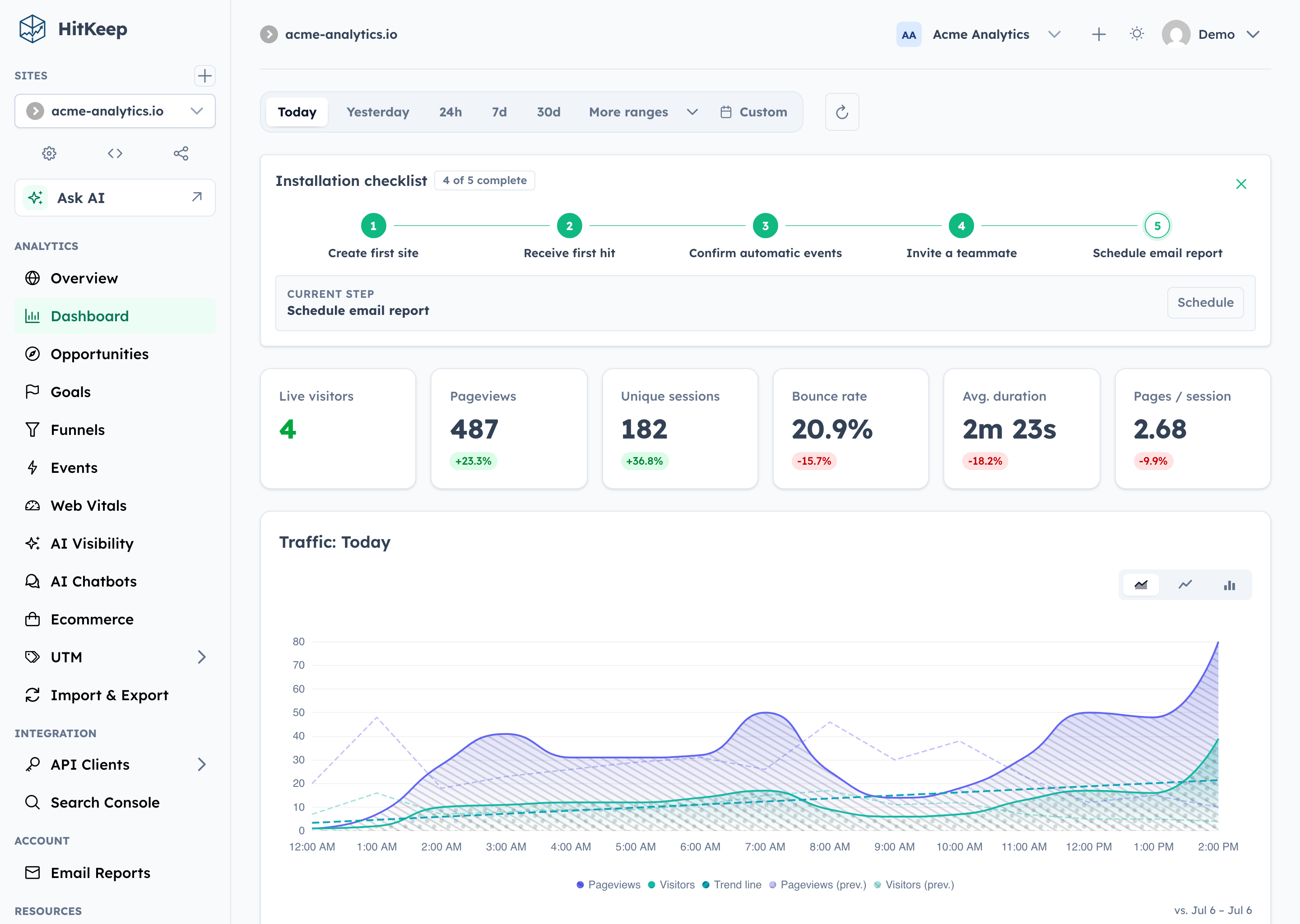
HitKeep dashboard showing setup progress, traffic metrics, conversion reports, and analytics navigation

Why HitKeep

  • 100% open source. The complete product is MIT-licensed. Custom tracking domains and team SSO live in the same public codebase—not in a separate proprietary edition.
  • Full data sovereignty. Self-host one Go binary with embedded DuckDB and NSQ, or export your data in open formats. Complete takeout, APIs, webhooks, share links, and permissions keep the data useful outside HitKeep.
  • AI-native analytics. HitKeep treats AI as a first-class traffic channel: crawler fetches, AI-referred visits, and chatbot outcomes remain distinct. Ask AI uses cited aggregate evidence, while read-only MCP gives approved assistants governed analytics access.
  • Privacy by default. The browser tracker sets no analytics cookies, respects Do Not Track, and collects focused website analytics without building a cross-site identity.
  • Reporting that reaches the outcome. Follow acquisition through pages, automatic and custom events, goals, funnels, ecommerce revenue, UTM and QR campaigns, Search Console, and Web Vitals.

Self-host the complete open-source product, or use HitKeep Cloud in a managed EU or US region when you do not want to operate it yourself.

HitKeep is web-focused. It favors aggregate traffic and conversion evidence over visitor profiles, session replay, mobile SDKs, or built-in experimentation. The result is a smaller collection boundary and operating surface without stopping at a basic pageview counter.

Quick Start

On Apple silicon macOS or x86_64 Linux, install HitKeep with Homebrew:

brew install PascaleBeier/hitkeep/hitkeep
hitkeep --version

Follow the Homebrew installation guide to configure and start HitKeep. On Linux ARM64, use the published ARM64 binary or Docker instead.

For a production-oriented self-hosted setup, download the Docker Compose file and environment template:

mkdir hitkeep && cd hitkeep
curl -fsSLo compose.yml https://raw.githubusercontent.com/PascaleBeier/hitkeep/main/examples/compose.yml
curl -fsSLo .env https://raw.githubusercontent.com/PascaleBeier/hitkeep/main/examples/.env.example

Open .env and replace paste-the-generated-value-here with a long random value from your password manager. Then start HitKeep:

docker compose up -d

Open http://localhost:8080 and create the first account. Keep .env private and retain the same secret across restarts.

Before exposing an instance publicly, follow the Docker Compose guide for HTTPS and trusted proxies, then review backups and the configuration reference. For a native Linux service, download an AMD64 or ARM64 binary from GitHub Releases and follow the binary installation guide.

Track Your First Site

Create a site in the dashboard, then add the tracker to your pages:

<script async src="https://analytics.example.com/hk.js"></script>

Pageviews and supported automatic interaction events—outbound clicks, file downloads, and form submissions—start flowing immediately. Use the custom events guide for product-specific actions such as signups, purchases, or qualified leads.

Explore HitKeep

See AI visibility, ecommerce, Search Console, and Ask AI

AI visibility
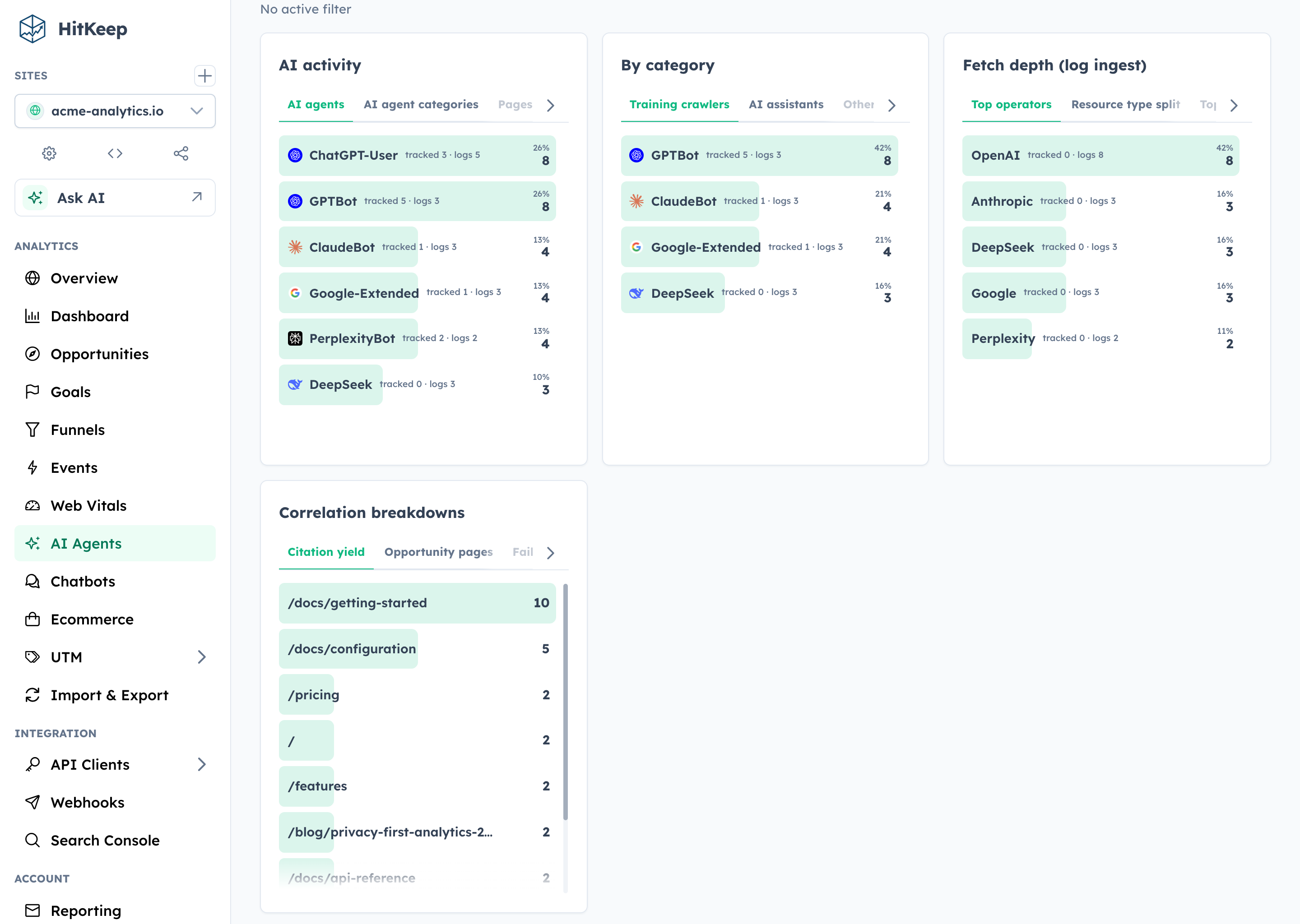
HitKeep AI visibility report separating crawler fetches, AI referrals, and related activity

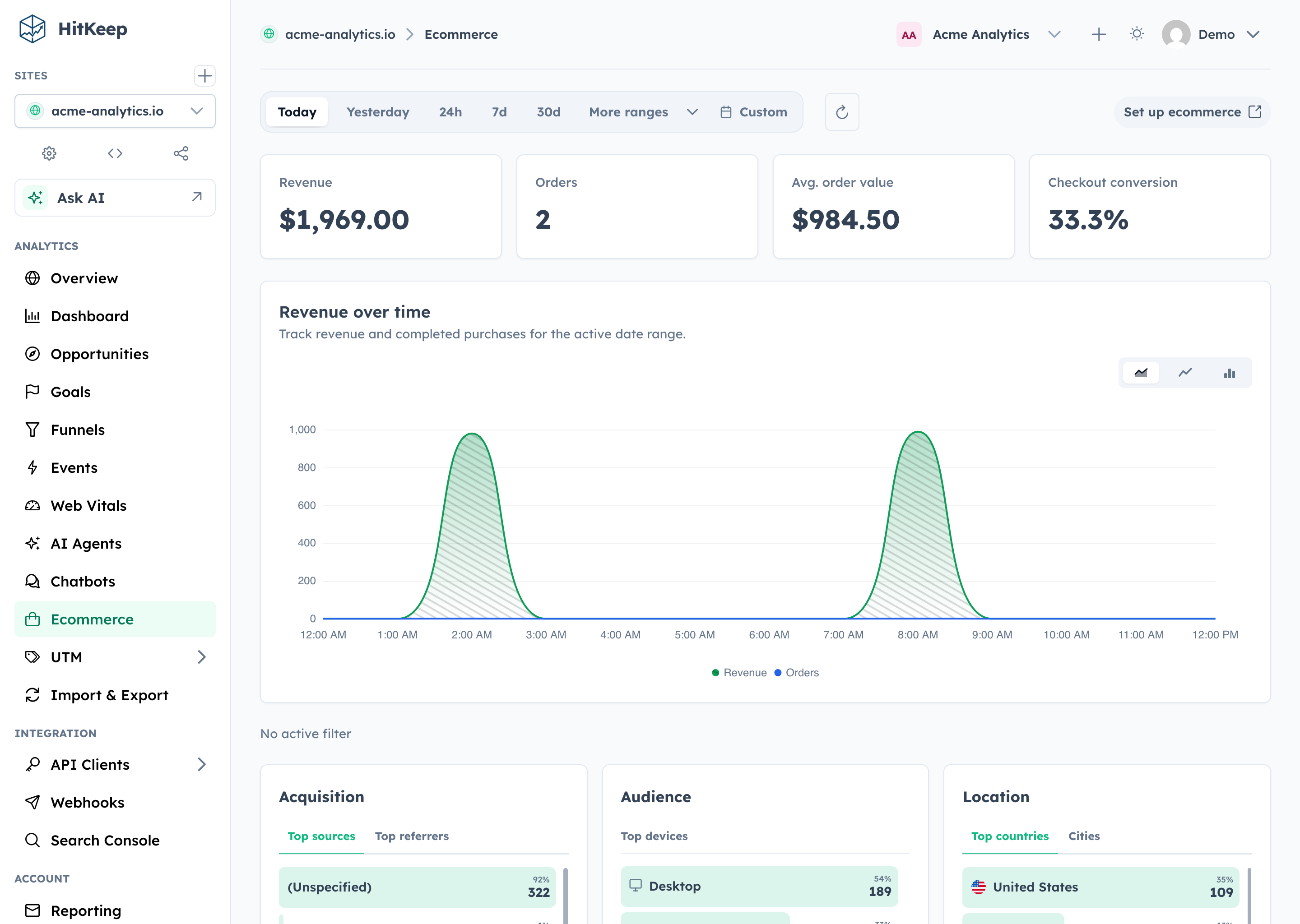
Ecommerce

HitKeep ecommerce analytics showing revenue KPIs, trends, top products, and revenue sources

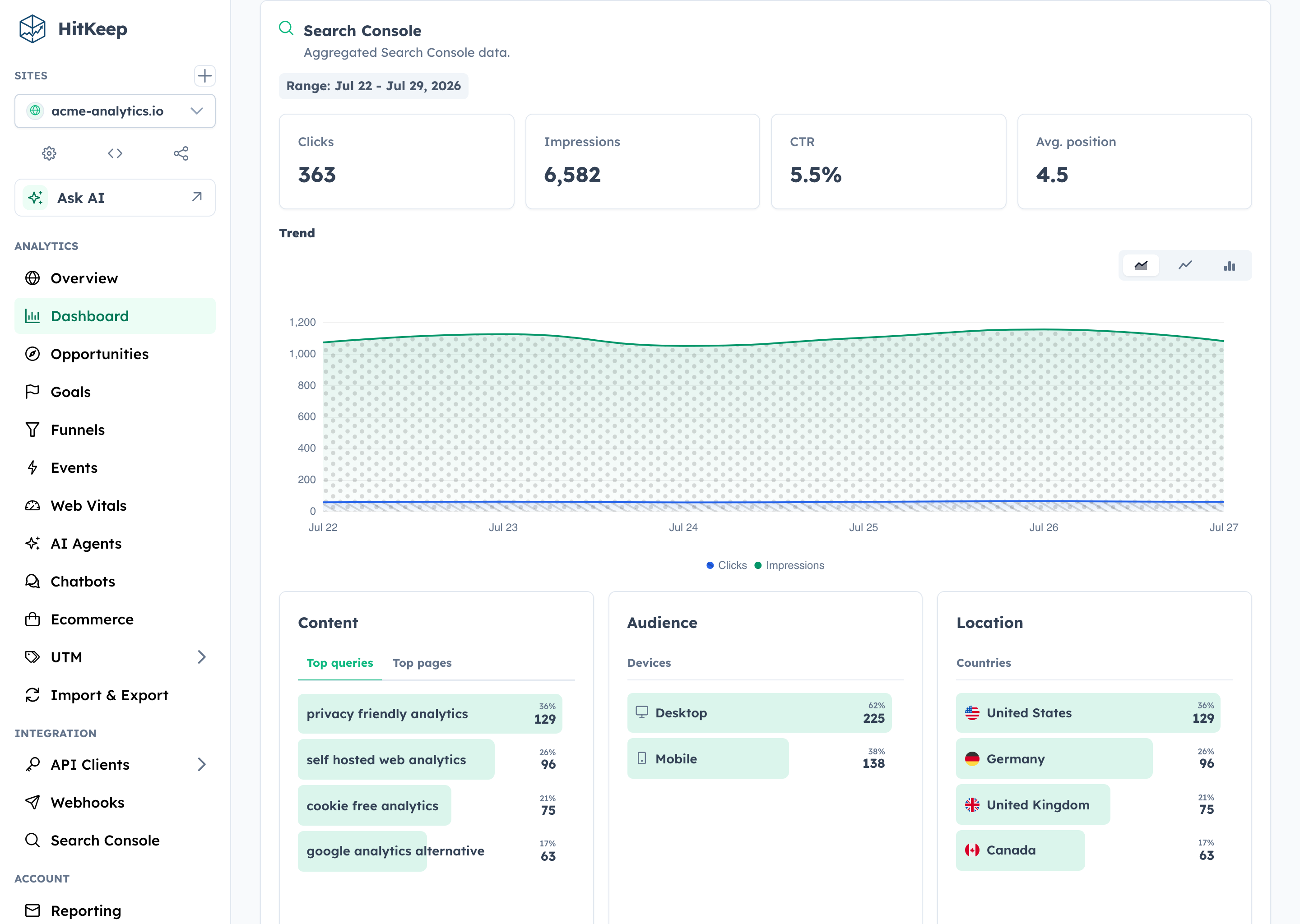
Search Console

HitKeep Search Console report showing clicks, impressions, click-through rate, position, and query trends

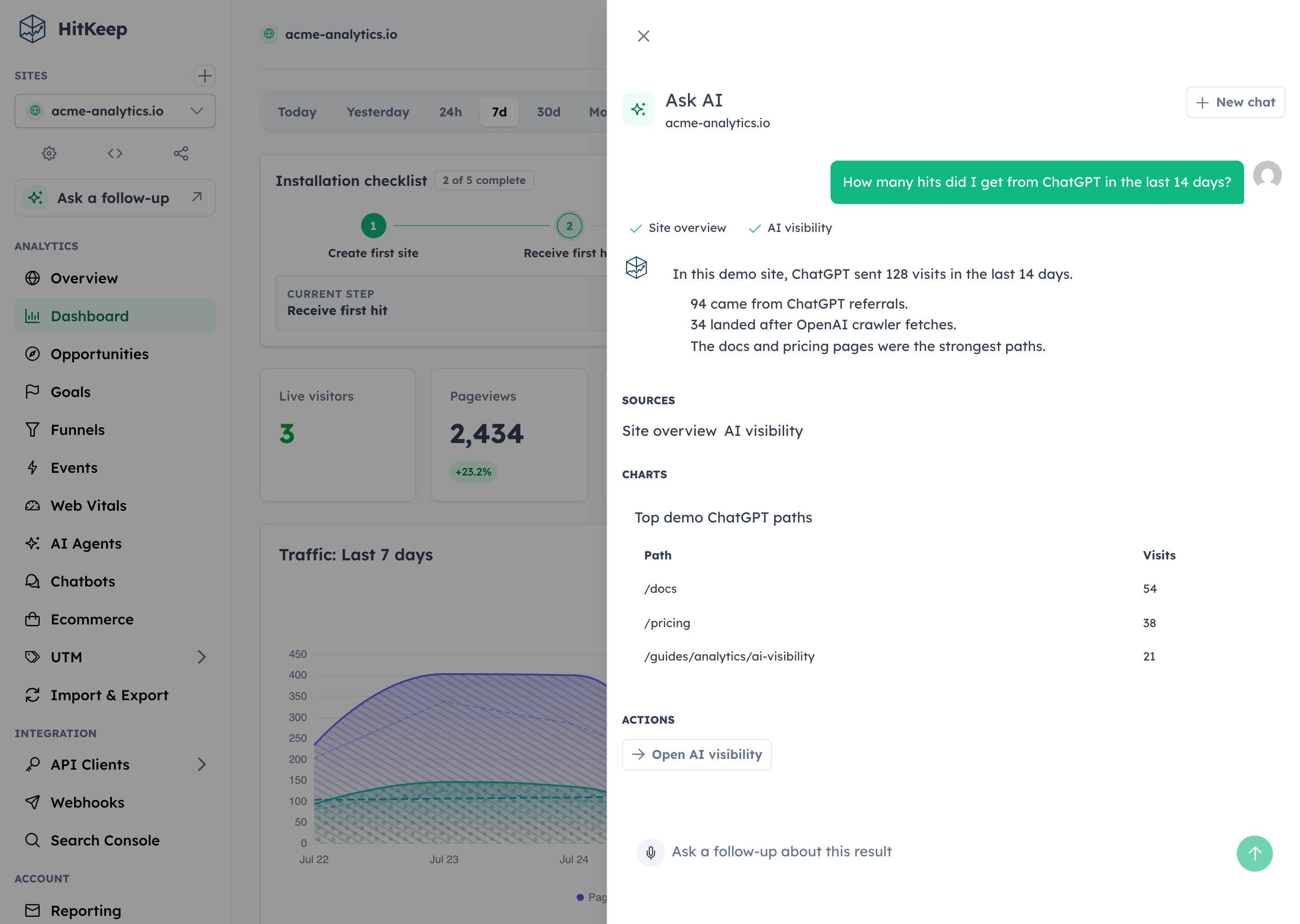
Ask AI

HitKeep Ask AI answer with completed analytics tools, cited evidence, a table, and a safe dashboard action

Documentation, Community, and Support

Find answers in the documentation, report reproducible bugs through GitHub Issues, and disclose vulnerabilities privately through the security policy.

Contributor quick path

Run ./hk setup, then start seeded development with ./hk dev --seed or use ./hk dev --detach. Capture product proof with ./hk screenshot; inspect ./hk catalog commands --output json and ./hk catalog configuration --output json instead of copying mutable workflow facts. Validate with ./hk qa pr. The Compose stack and complete workflow live in CONTRIBUTING.md.

License

HitKeep is distributed under the MIT License.

Frequently asked questions

Is HitKeep free to use?

HitKeep is open source under the MIT licence. There is no licence fee and no seat count — you can self-host it or, where the project offers one, pay a vendor for a managed version instead.

What does HitKeep do?

Privacy-first analytics you own completely

What is HitKeep written in?

HitKeep is primarily written in Go. Its source is publicly available at https://github.com/PascaleBeier/hitkeep, and it has 88 GitHub stars.