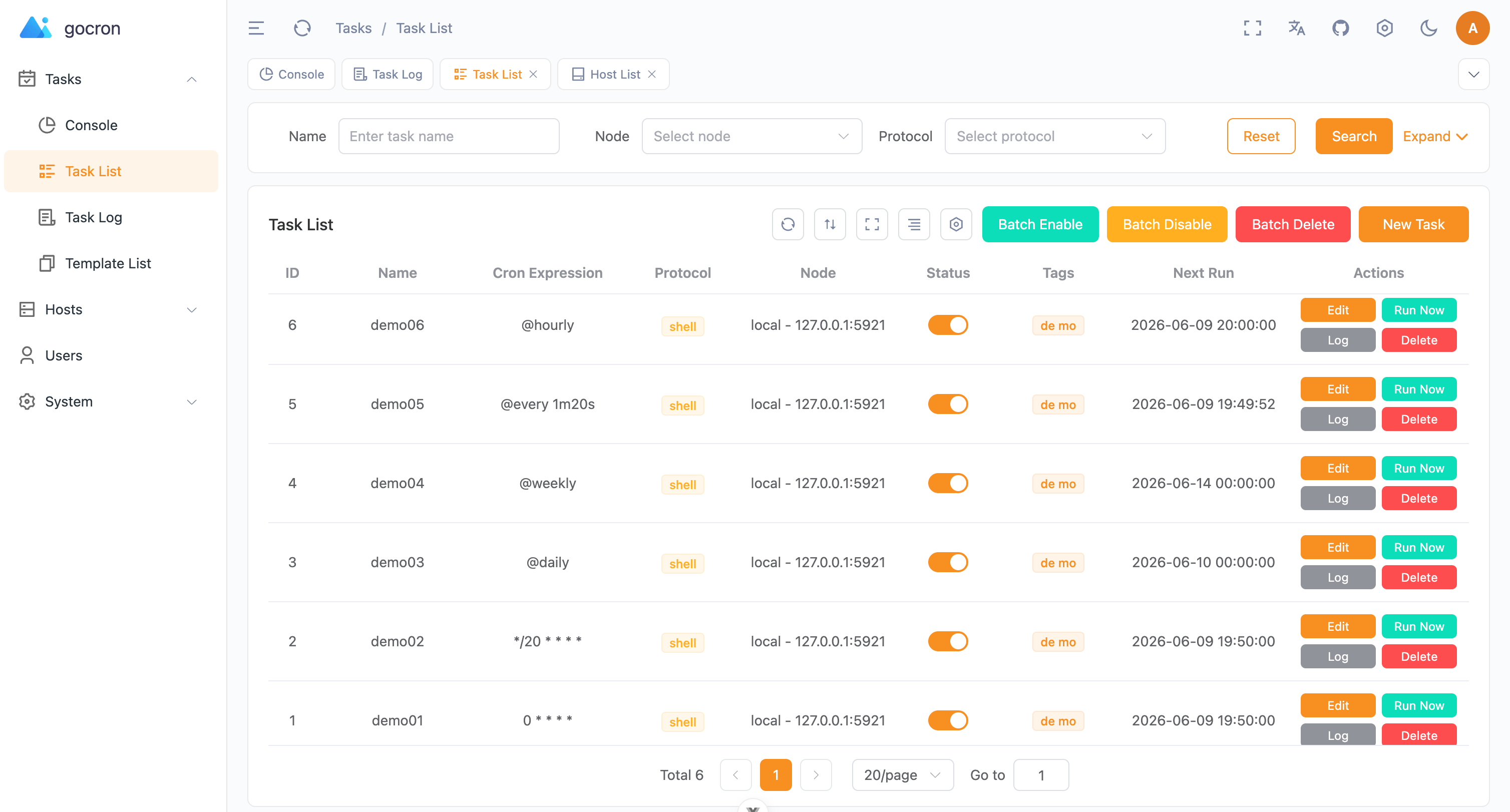
gocron is a lightweight, MIT-licensed distributed scheduled task management system written in Go, intended for operators and platform teams who want to run, observe and control cron-style jobs across more than one machine instead of maintaining per-host Linux crontab entries.
What it is
gocron is a scheduled task management system developed in Go and released under the MIT License, published as an open-source project with a web interface, a documented API reference, and an optional high-availability mode. It lives in the Go tooling ecosystem — its topic list names go, gin, goland, go-cron and go-crontab — and it keeps its state in a relational database rather than in per-host files. Task definitions, execution logs, users, permissions and notification settings all sit behind the same web interface, and the documentation ships in both English and Simplified Chinese.
The specific thing it replaces is Linux crontab. Plain crontab keeps each schedule on the host that runs it, with no central view, no execution history beyond whatever the job itself writes, no retry policy, no dependency between jobs, and no permission model. gocron moves scheduling into a service backed by MySQL, PostgreSQL or SQLite, so a task is defined once, runs on registered agent nodes, can be retried on failure, can depend on another task, and can be inspected from a browser with stdout and stderr captured.
Key capabilities
- Supports Crontab expressions with second-level precision, giving finer granularity than standard five-field cron.
- Provides a web interface for task management together with task dependency configuration, configurable retry policies for failed tasks, user and permission management, and Two-Factor Authentication.
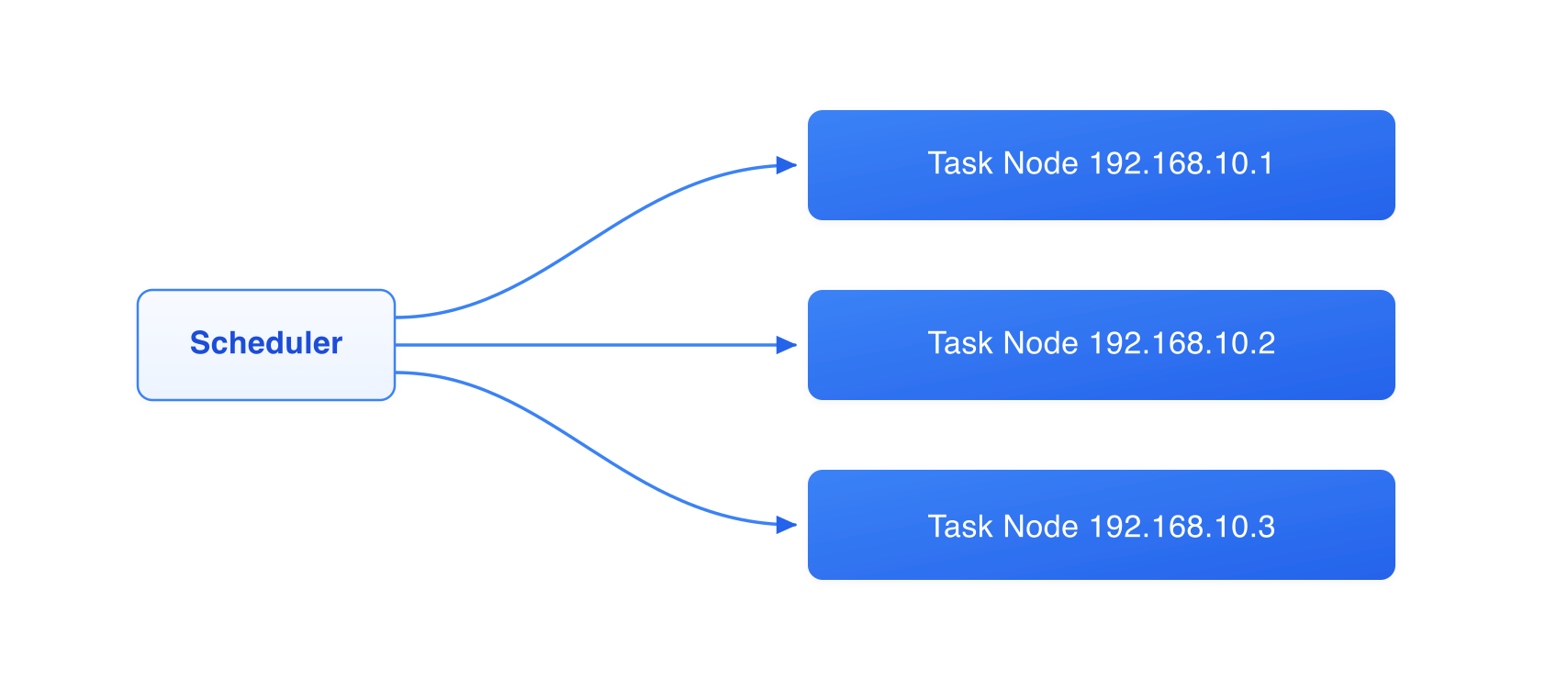
- Delivers high availability through database-lock-based leader election, with automatic failover in seconds and no extra configuration when multiple instances point at the same MySQL or PostgreSQL database.
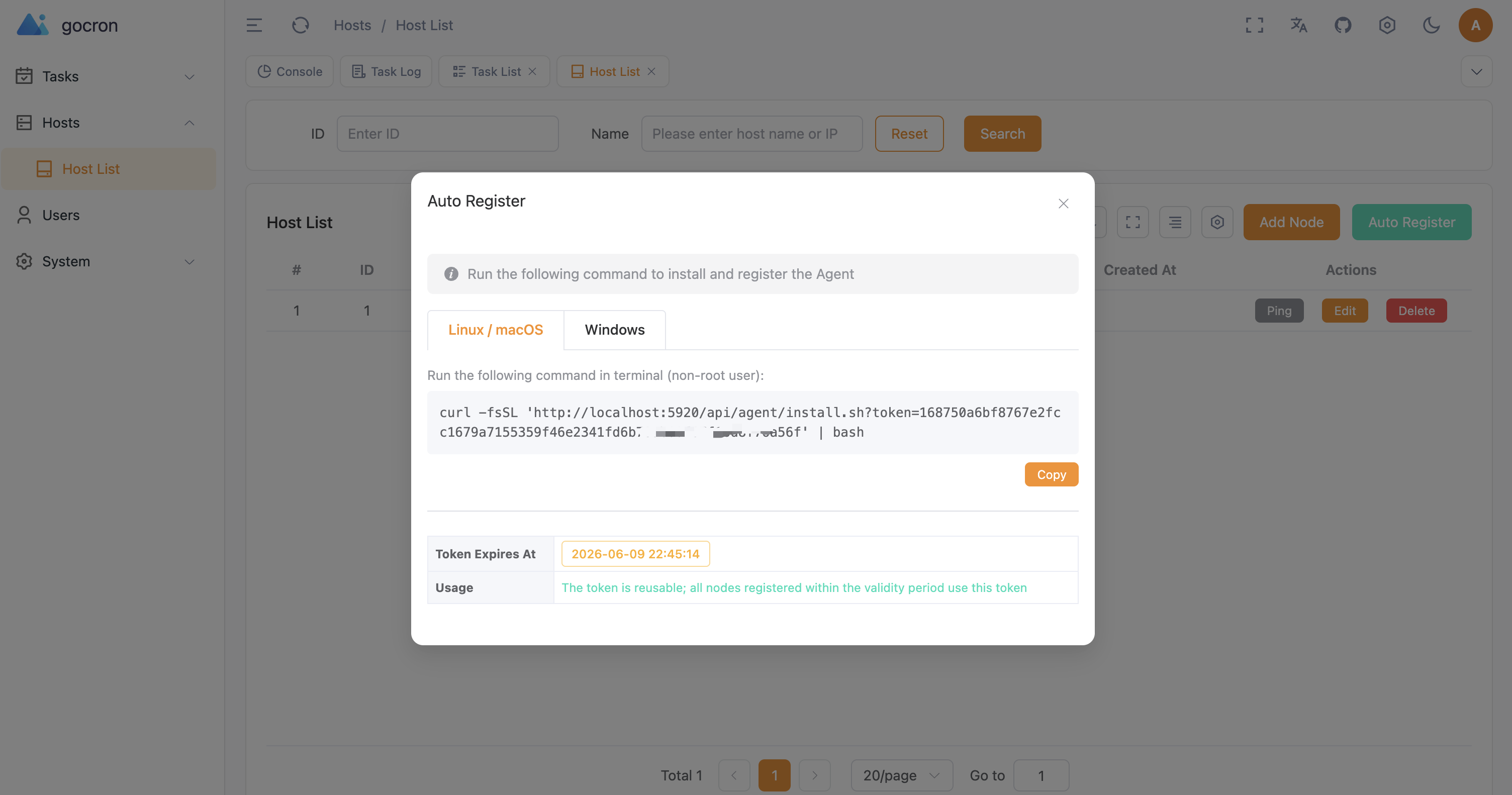
- Offers agent auto-registration with one-click installation for Linux and macOS task nodes.
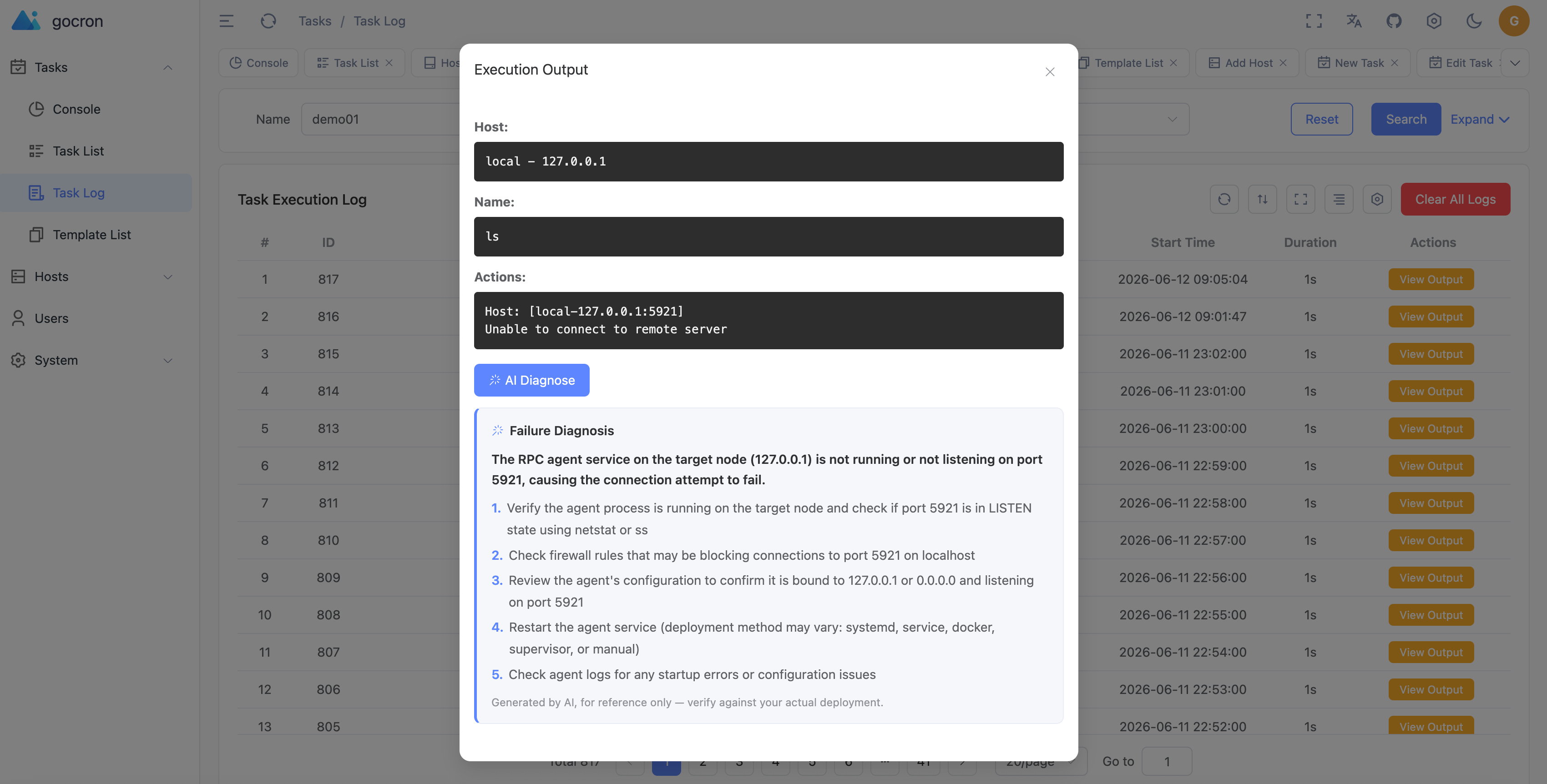
- Speaks the Model Context Protocol so AI clients such as Claude Desktop and Cursor can manage gocron remotely through web-managed access tokens, and adds AI assist for natural-language-to-cron conversion, failure-log diagnosis, and an in-app ops chat assistant that queries tasks, logs, hosts and templates against any OpenAI-compatible model, including self-hosted and local endpoints.
- Streams real-time task output from Shell (RPC) stdout and stderr in the Execution Output dialog while a job runs, with reconnect catch-up and acknowledged cancellation, and manages logs with auto-cleanup, redacted and size-limited live output, persisted efficiently across MySQL, PostgreSQL and SQLite; notifications go out over Email, Slack and Webhook.
- Runs on MySQL, PostgreSQL or SQLite, and sets
GOMEMLIMIT automatically from the container cgroup memory limit to reduce OOM kills in Docker and Kubernetes.
Who uses it and how
- Operations teams replacing per-host crontab across Linux and macOS fleets, where agent auto-registration makes adding a task node a one-click install rather than a manual rsync of crontab files.
- Teams that need failover: deploying multiple gocron instances against one shared MySQL or PostgreSQL database, for example
./gocron web --port 5920 on one node and ./gocron web --port 5921 on another, with leader election handled automatically.
- Kubernetes shops using the Helm chart in managed mode with two replicas by default, where a Kubernetes Service load-balances Web and API traffic, database bootstrap is coordinated once, and no shared PVC is required.
- Single-node installations that keep SQLite for simplicity, without the HA characteristics of the shared-database configuration.
- AI-client users who drive the scheduler from Claude Desktop or Cursor over MCP, or who use the in-app assistant to turn natural language into cron expressions and to diagnose failing jobs.
Getting started
Clone the repository and run docker compose up -d, which builds the image from source locally, then open the web interface at http://localhost:5920. For production the README recommends binary deployment, and the installation guide covers Binary, Docker, Kubernetes and Development methods.
How it compares
The README positions gocron explicitly as a replacement for Linux crontab, so the central contrast is between a per-host, file-based scheduler with no central view and a database-backed service with a web interface, execution logs, retries, dependencies, notifications and access control. No other distributed scheduler or commercial product is named in the supplied facts, so gocron stands alone in this registry on that axis.
When to use it — and when not to
A self-hoster must operate a database — MySQL or PostgreSQL if high availability matters, since SQLite is recommended only for standalone deployments — and must configure SMTP, Slack or Webhook credentials if notifications are wanted. Skip it if crontab on a single host is genuinely sufficient, or if adding another database-backed service to the stack is not worth the central visibility. Note also that configuration and API detail live on the external documentation site rather than in the README, that the Docker Compose path builds the image from source locally, and that contributor commits are gated by a commitlint hook, so pnpm run commit must be used instead of git commit.
project readme (upstream, from github) — read inline

gocron
A lightweight distributed scheduled task management system developed in Go, designed to replace Linux-crontab.


English · 简体中文
AI Failure Diagnosis
📖 Documentation
Full documentation is available at: document
✨ Features
- Web Interface: Intuitive task management interface
- Second-level Precision: Supports Crontab expressions with second precision
- High Availability: Database-lock-based leader election, automatic failover in seconds
- Task Retry: Configurable retry policies for failed tasks
- Task Dependency: Supports task dependency configuration
- Access Control: Comprehensive user and permission management
- 2FA Security: Two-Factor Authentication support
- Agent Auto-Registration: One-click installation for Linux/macOS
- MCP Support: Remote management by AI clients (Claude Desktop, Cursor, etc.) via the Model Context Protocol, secured with web-managed access tokens
- AI Assist: Natural-language to cron expression, AI-powered failure-log diagnosis, and an in-app AI ops chat assistant (query tasks/logs/hosts/templates, diagnose failures), backed by any OpenAI-compatible model (configurable endpoint, also works with self-hosted/local models)
- Multi-Database: MySQL / PostgreSQL / SQLite support
- Container-Aware Memory: Automatically sets
GOMEMLIMIT from the container's cgroup memory limit to reduce OOM kills in Docker/Kubernetes
- Real-Time Task Output: Stream Shell (RPC) stdout/stderr in the Execution Output dialog while a job is running, with reconnect catch-up and acknowledged cancellation
- Log Management: Complete execution logs with auto-cleanup; live output is redacted, size-limited, and persisted efficiently across MySQL / PostgreSQL / SQLite
- Notifications: Email, Slack, Webhook support
🚀 Quick Start
The fastest way to try gocron is Docker Compose (builds the image from source locally):
# 1. Clone the project
git clone https://github.com/gocronx-team/gocron.git
cd gocron

# 2. Start services
docker compose up -d

# 3. Access Web Interface
# http://localhost:5920
For production, binary deployment is recommended. See the Installation Guide for all methods (Binary, Docker, Kubernetes, Development).
🔷 High Availability (Optional)
Deploy multiple gocron instances pointing to the same MySQL/PostgreSQL database. Leader election is automatic — no extra configuration needed. The Helm Chart runs in managed mode with two replicas by default: Kubernetes Service load-balances Web/API traffic, database bootstrap is coordinated once, and no shared PVC is required. SQLite remains available for standalone deployments.
# Node 1
./gocron web --port 5920

# Node 2 (same database)
./gocron web --port 5921
See the High Availability Guide for setup details, K8s deployment, and environment variable overrides.
🤝 Contributing
Contributions are welcome! See CONTRIBUTING.md for the full guide.
One thing to note: commit messages are validated by a git hook
(commitlint), so use the
interactive commit tool instead of git commit:
pnpm install      # first-time setup (installs git hooks)
pnpm run commit   # create a properly formatted commit
📄 License
This project is licensed under the MIT License. See the LICENSE file for details.