 GitComet







Fastest Open Source Git GUI
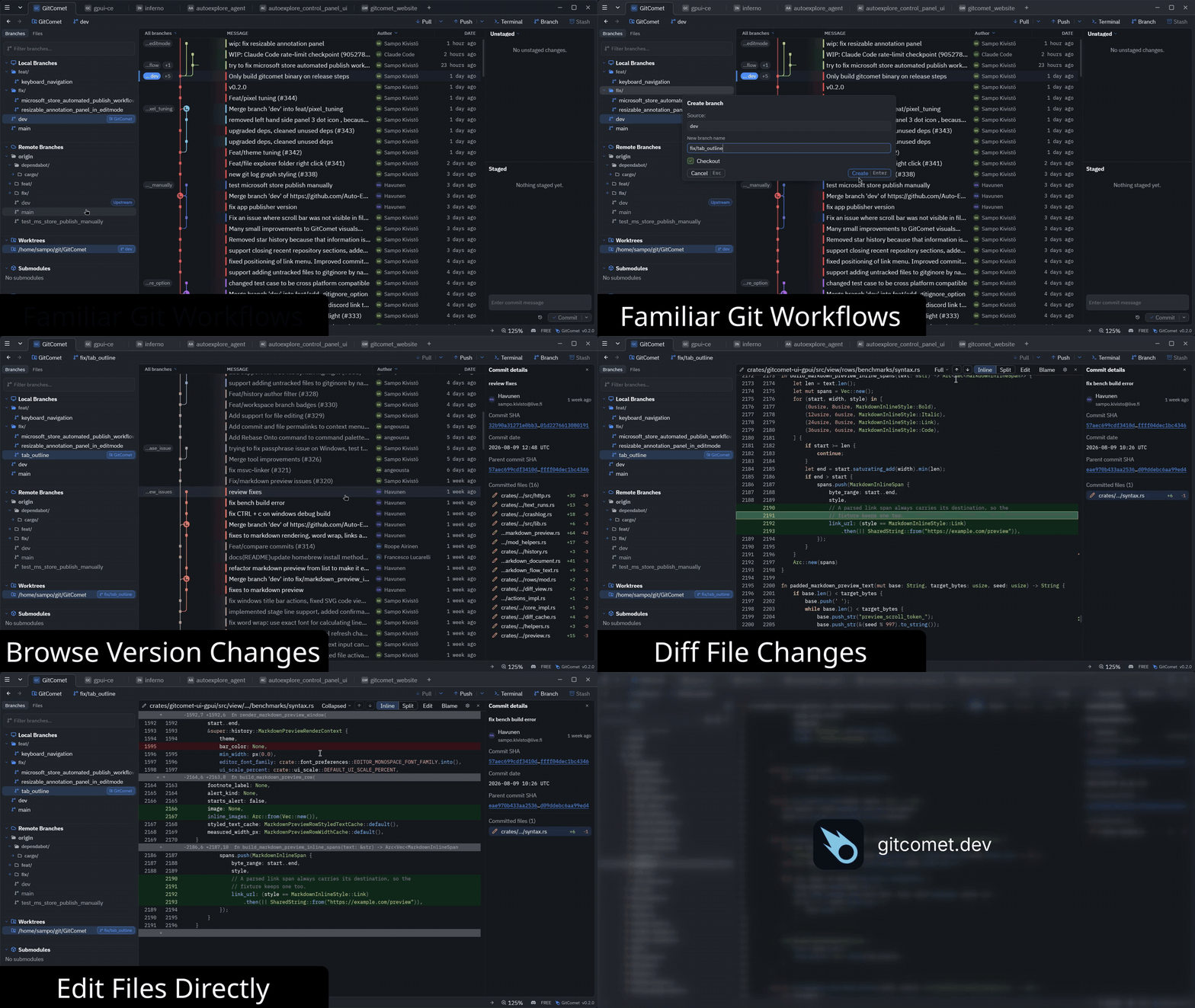
GitComet is built for teams that want fast Git operations with local-first privacy, familiar workflows, and open source freedom.
Available for Linux, Windows, and macOS.
Download
Download the latest prebuilt binaries/installers from GitHub Releases.
Windows
Download the latest Windows installer or portable binary from GitHub Releases.
Install from the Microsoft Store:

Homebrew (macOS / Linux)
App and gitcomet command from tap:
brew install --cask gitcomet
On Linux, the cask installs the AppImage build. If your system cannot launch AppImages, use the APT repo, AUR package, release tarball, or .deb instead.
AUR (Arch Linux)
git clone https://aur.archlinux.org/gitcomet.git
cd gitcomet && makepkg -si
GURU (Gentoo Linux)
emerge --ask dev-vcs/gitcomet
apt (Debian/Ubuntu)
curl -fsSL https://apt.gitcomet.dev/gitcomet-archive-keyring.gpg | sudo tee /usr/share/keyrings/gitcomet-archive-keyring.gpg >/dev/null
curl -fsSL https://apt.gitcomet.dev/gitcomet.sources | sudo tee /etc/apt/sources.list.d/gitcomet.sources >/dev/null
sudo apt update
sudo apt install gitcomet
If you install a Linux tarball or Homebrew binary on Debian, Ubuntu, or WSLg instead of the official apt package, install the GUI runtime libraries separately:
sudo apt install libxcb1 libxkbcommon0 libxkbcommon-x11-0
Requirements
GitComet requires a local Git installation of 2.50 or newer.
GitComet User Survey
We’re running this short survey to better understand how people use our Git GUI client in their daily work. Your feedback will help us improve the product and prioritize the features that matter most.
Why GitComet
GitComet started from frustration with existing tools on huge codebases like Chromium. We could not find a product that stays responsive and functional when browsing large repositories and file diffs.
Editions (planned)
Open Source
- Price: €0 forever
- Usage: Free for personal and commercial use
- Includes:
- Full local-first desktop workflow
- Git remotes, pull/push, staging, commits
- Worktrees, branching, and full history
- Multi-repository browsing
- Inline and side-by-side diffs
- 2-way and 3-way merge tools
Professional
- Price: €20 lifetime access (limited-time early adopter offer)
- Includes everything in Open Source, plus:
- Claude Code, Codex, and GitHub CLI integrations
- Code test coverage workflows
- GitHub and Azure DevOps integrations
- Priority improvements during early access
- Join waitlist: gitcomet.dev/#editions
Build from source
cargo build -p gitcomet --features ui-gpui,gix
cargo run -p gitcomet --features ui-gpui,gix -- /path/to/repo
Contributing
Developer setup, workspace layout, testing, and coverage docs live in CONTRIBUTING.md.
Using as a Git difftool / mergetool
GitComet can be used as a standalone diff and merge tool invoked by git difftool and git mergetool. It supports both headless (algorithm-only) and GUI (interactive GPUI window) modes.
Setup / uninstall (recommended)
# Configure Git globally to use GitComet for both difftool + mergetool
gitcomet setup

# Remove GitComet integration safely
gitcomet uninstall
- Use
--localto target only the current repository instead of global config. - Use
--dry-runto print the commands before applying changes.
This setup registers both headless and GUI variants with guiDefault=auto, so Git chooses GUI when display is available and falls back to headless otherwise.
setup/uninstall are designed to be idempotent.
Show detailed setup/uninstall behavior and manual commands
Built-in setup writes these Git config entries:
GITCOMET_BIN="/absolute/path/to/gitcomet"

# Headless tool: algorithm-only merge/diff for CI, scripts, and no-display environments
git config --global merge.tool gitcomet
git config --global mergetool.gitcomet.cmd \
  "'$GITCOMET_BIN' mergetool --base \"\$BASE\" --local \"\$LOCAL\" --remote \"\$REMOTE\" --merged \"\$MERGED\""
git config --global mergetool.trustExitCode true
git config --global mergetool.gitcomet.trustExitCode true
git config --global mergetool.prompt false

git config --global diff.tool gitcomet
git config --global difftool.gitcomet.cmd \
  "'$GITCOMET_BIN' difftool --local \"\$LOCAL\" --remote \"\$REMOTE\" --path \"\$MERGED\""
git config --global difftool.trustExitCode true
git config --global difftool.gitcomet.trustExitCode true
git config --global difftool.prompt false

# GUI tool: opens focused GPUI windows for interactive diff/merge
git config --global merge.guitool gitcomet-gui
git config --global mergetool.gitcomet-gui.cmd \
  "'$GITCOMET_BIN' mergetool --gui --base \"\$BASE\" --local \"\$LOCAL\" --remote \"\$REMOTE\" --merged \"\$MERGED\""
git config --global mergetool.gitcomet-gui.trustExitCode true

git config --global diff.guitool gitcomet-gui
git config --global difftool.gitcomet-gui.cmd \
  "'$GITCOMET_BIN' difftool --gui --local \"\$LOCAL\" --remote \"\$REMOTE\" --path \"\$MERGED\""
git config --global difftool.gitcomet-gui.trustExitCode true

# Auto-select GUI tool when DISPLAY is available, headless otherwise
git config --global mergetool.guiDefault auto
git config --global difftool.guiDefault auto
Built-in setup stores previous user values for shared generic keys under gitcomet.backup.* (when needed).
Built-in uninstall restores those backups only when the key still has the setup-managed value. If the user changed a setting after setup, uninstall preserves that user-edited value and then removes GitComet-specific keys.
CLI modes
Difftool:
gitcomet difftool --local <path> --remote <path> [--path <display_name>] [--label-left <label>] [--label-right <label>]
Also reads LOCAL/REMOTE from environment as a fallback when invoked by Git.
Mergetool:
gitcomet mergetool --local <path> --remote <path> --merged <path> [--base <path>] [--label-local <label>] [--label-remote <label>] [--label-base <label>]
Also reads LOCAL/REMOTE/MERGED/BASE from environment. Base is optional for add/add conflicts.
Compatibility
KDiff3 and Meld invocation forms are supported (--L1/--L2/--L3, -o/--output/--out, --base, positional arguments), so GitComet can be a drop-in replacement.
Themes
GitComet supports built-in themes and user-provided custom themes.
Built-in themes are embedded in the GitComet binary. Custom themes are loaded from JSON bundle files in your per-user themes directory, which GitComet creates on startup.
The full theme guide, including file locations, schema details, example bundles, and override behavior, now lives in THEMES.md.
Crash logs
GitComet writes panic logs and abnormal-exit recovery state to:
- Linux:
$XDG_STATE_HOME/gitcomet/crashes/(fallback:~/.local/state/gitcomet/crashes/) - macOS:
~/Library/Logs/gitcomet/crashes/ - Windows:
%LOCALAPPDATA%\gitcomet\crashes\(fallback:%APPDATA%\gitcomet\crashes\)
On Linux, the directory normally is ~/.local/state/gitcomet/crashes/.
GitComet creates a process-specific session-in-progress-.log before it
starts the GPUI runtime. A native abort, terminated UI, or GPUI event loop exit
without an explicitly requested user shutdown leaves that marker behind; Rust
panics also write panic-*.log. Error-level runtime diagnostics are mirrored to
last-runtime-error-.log, including their source location and a backtrace,
so fatal errors logged and consumed by the UI runtime remain reportable.
Recovery ignores markers owned by still-running GitComet processes, so one open
instance cannot consume another's crash state.
On the next launch, GitComet snapshots recovered data as
pending-startup-report.log and retains it until the user reports or dismisses
the notification, so a failed subsequent launch cannot discard the report before
its notification is visible.
GitComet presents the report in the next UI launch and also prints its prefilled GitHub issue URL and log path to the launching terminal. The report includes app version, platform, structured failure details, and a trimmed backtrace.
Prior work and ideas inspired by:
SourceTree, GitKraken, Zed, GPUI, KDiff3, Meld, Github Desktop, Git, Gix, Rust, Smol, and many more.
This project has been created with the help of AI tools, including OpenAI Codex and Claude Code.
Star History
License
GitComet is licensed under the GNU Affero General Public License Version 3
(AGPL-3.0-only). See LICENSE-AGPL-3.0.
Copyright (C) 2026 AutoExplore Oy
Contact: info@autoexplore.ai