FlyEnv
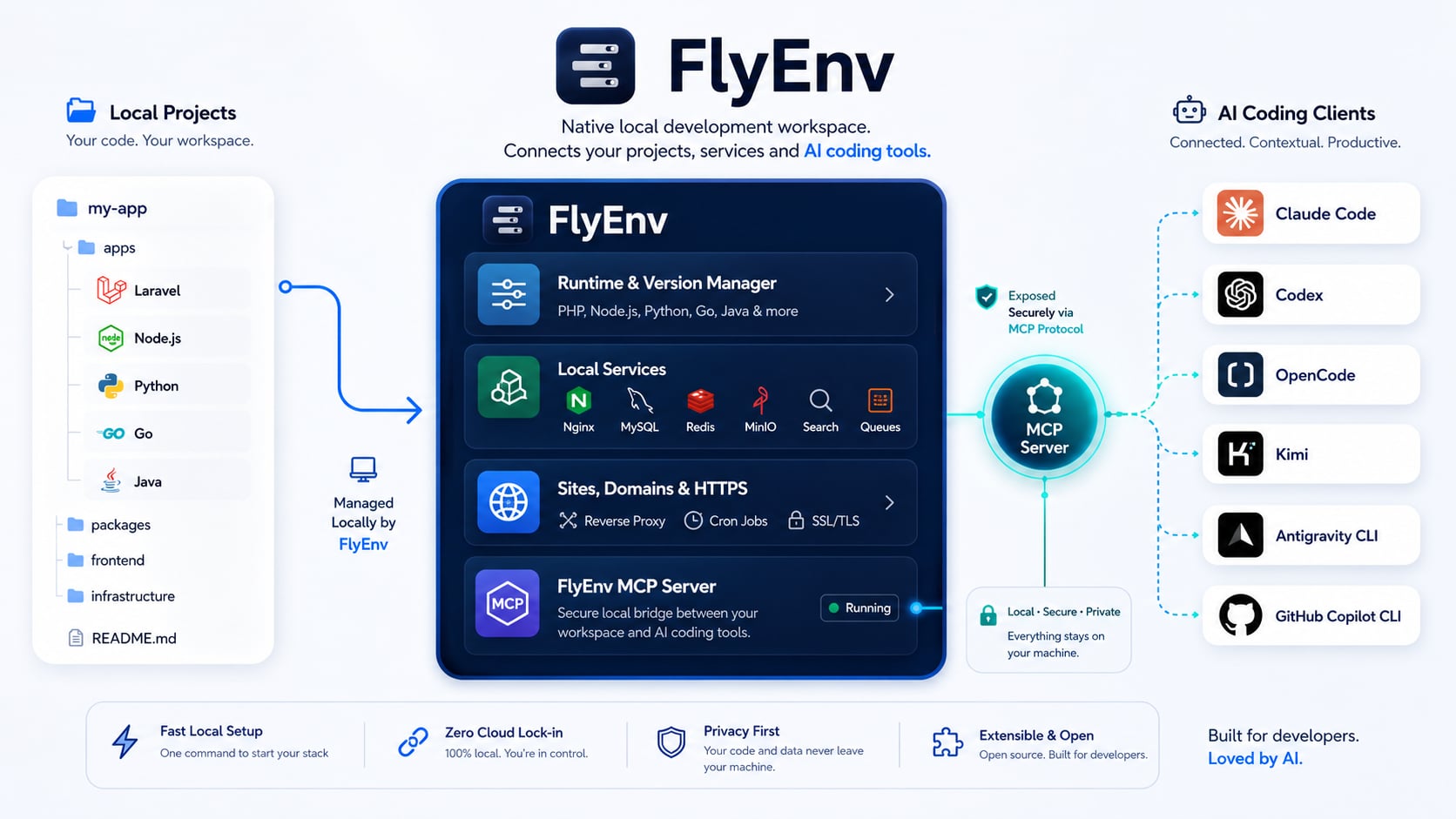
Run Your Complete Local Development Stack Natively
FlyEnv is a native local development environment for Windows, macOS, and Linux.
A modern alternative to XAMPP, MAMP, Laragon, and Laravel Herd — built for more than PHP.
Manage PHP, Node.js, Python, Java, Go, databases, web servers, local sites, HTTPS, AI coding tools, and MCP from one desktop app.


Download · Demos · Quick Start · Website
Why FlyEnv?
FlyEnv brings the local development tools you normally manage separately into one native desktop workspace.
- No container setup required for everyday local development — run installed services directly on your operating system.
- One workspace for your stack — runtimes, databases, web servers, queues, search, storage, local sites, and developer tools.
- Per-project runtime versions — switch PHP, Node.js, Python, and other environments by project.
- Local domains and HTTPS — create local sites such as
myapp.testwith certificates and reverse proxies. - AI-ready local development — manage AI coding CLIs and expose selected local environment capabilities through the built-in FlyEnv MCP Server.
- Cross-platform — Windows, macOS, and Linux.
If XAMPP, MAMP, Laragon, or Laravel Herd already make sense to you, FlyEnv solves a similar local-development problem — but across a broader stack.
Coming from XAMPP, MAMP, Laragon, or Laravel Herd?
| If you are familiar with... | FlyEnv may fit when you need... |
|---|---|
| XAMPP / MAMP | More runtimes, databases, web servers, project-level versions, and local development services |
| Laragon | A cross-platform workflow across Windows, macOS, and Linux, plus broader runtime/service coverage and AI/MCP workflows |
| Laravel Herd | A broader environment beyond PHP/Laravel, including Node.js, Python, Java, Go, databases, infrastructure services, and AI/MCP |
| Docker Desktop | Native local services and a desktop workflow when you do not need container parity for the task |
Docker and FlyEnv solve overlapping but different problems. Use Docker when containerized reproducibility or production parity is the goal; use FlyEnv when you want a native local development workspace with less setup overhead.
What Can You Run?
FlyEnv can manage complete local project stacks, not just one runtime.
- Laravel — PHP, MySQL/PostgreSQL, Redis, Node.js, Nginx, HTTPS
- Django / Python web apps — Python, PostgreSQL, Redis, Nginx, HTTPS
- ERPNext — Python, MariaDB, Redis, Nginx
- Gitea — Gitea, MySQL, Nginx, HTTPS
- Local databases and services — PostgreSQL, MongoDB, Redis, RabbitMQ, Elasticsearch, ClickHouse, Neo4j, Qdrant, MinIO/RustFS
- AI coding workflows — Claude Code, Codex, OpenCode, Kimi, GitHub Copilot CLI, and FlyEnv MCP Server
Core Capabilities
Local stack management
- Languages & runtimes: PHP, Node.js, Python, Java, Go, .NET, Flutter, Ruby, Rust, Erlang, Bun, Deno, Zig
- Databases: MySQL, MariaDB, PostgreSQL, MongoDB, ClickHouse, Neo4j, Qdrant
- Web & app servers: Nginx, Apache, Caddy, FrankenPHP, Tomcat
- Cache & messaging: Redis, Memcached, RabbitMQ
- Search & infrastructure: Elasticsearch, Meilisearch, Typesense, ZincSearch, Consul, Etcd, R-Nacos, Temporal
- Object storage: MinIO, RustFS
- AI & automation: FlyEnv MCP Server, Claude Code, Codex, OpenCode, Kimi, GitHub Copilot CLI, Ollama, n8n, Hermes Agent, CLIProxyAPI
- Other tools: Cloudflare Tunnel, Mailpit, Cron Jobs, Git, MkCert, DNS Server, FTP Server, Static HTTP Server
Project workflows
- Switch runtime versions per project
- Define project start/stop commands and ports
- Create local domains
- Enable HTTPS
- Configure reverse proxies
- Open configs and logs
- Group services and projects into reusable startup workflows
AI coding & MCP
- Manage supported AI coding clients from FlyEnv
- Register the built-in FlyEnv MCP Server
- Let supported AI clients inspect selected services, sites, configs, logs, versions, and lifecycle actions
- Keep AI workflows and local project infrastructure in the same workspace
Installation
Windows
- Installer: FlyEnv-Setup-4.18.3.exe
- Portable: FlyEnv-Portable-4.18.3.exe
macOS
brew install flyenv
Linux
For the latest packages, see GitHub Releases.
Interface Preview
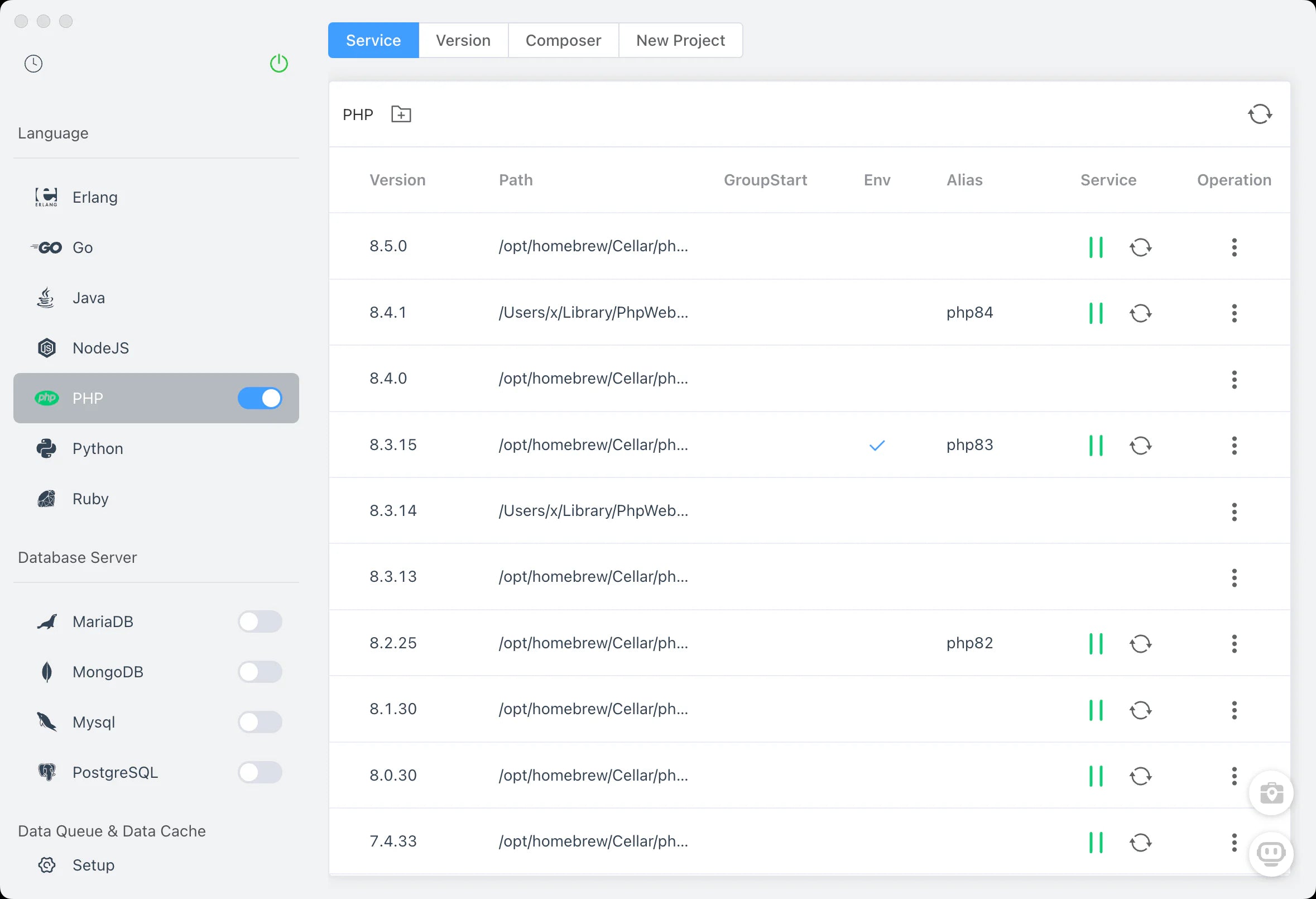
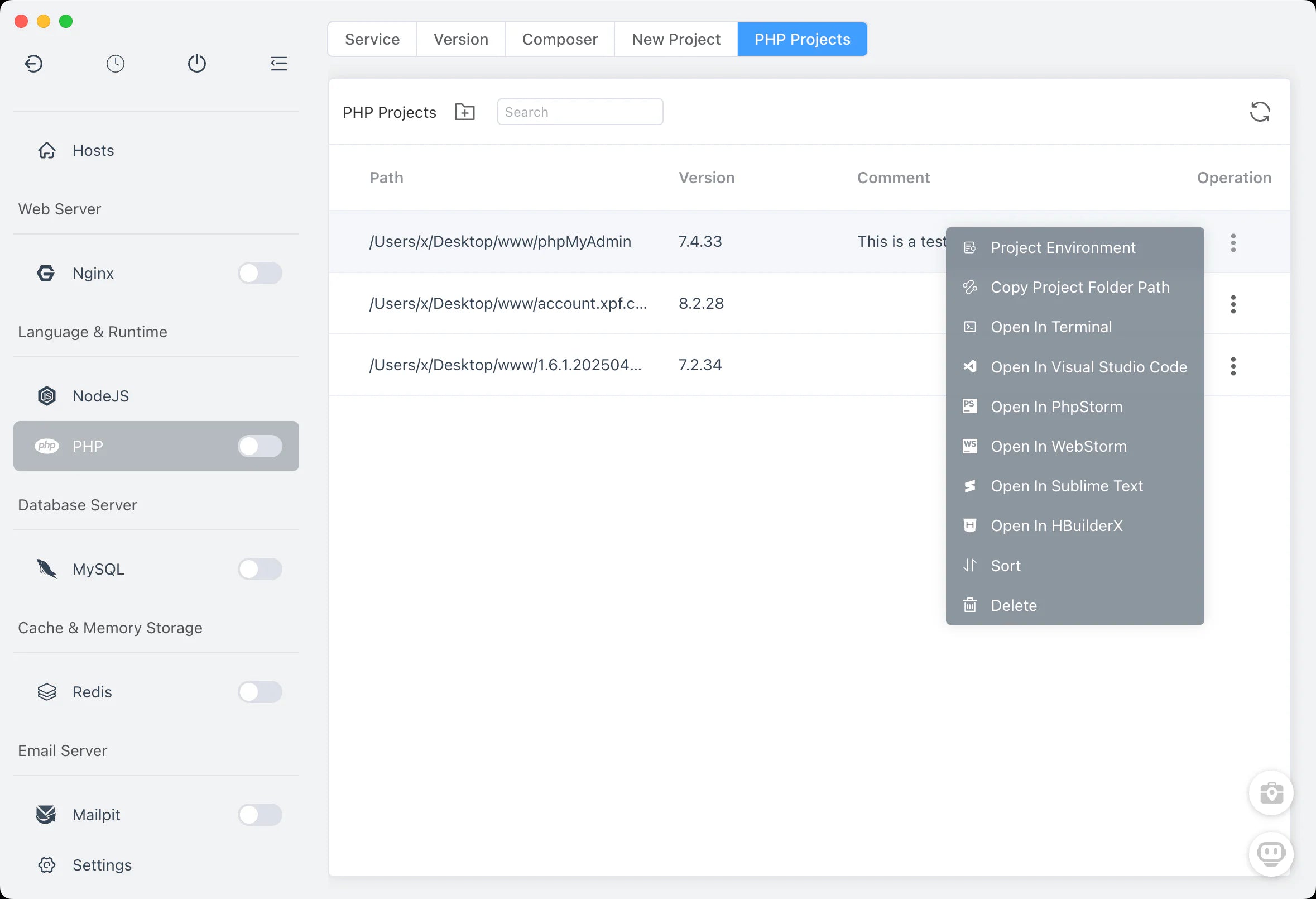
| Service Management | Version Switching |
|---|---|
 |
 |
Open Source & Build Transparency
FlyEnv is open source under the BSD 3-Clause License.
Installation packages are built through GitHub Actions.
Free Windows code signing is provided by SignPath.io, with the certificate provided by the SignPath Foundation.
Development & Contribution
git clone git@github.com:xpf0000/FlyEnv.git
cd FlyEnv
yarn install
yarn run dev
See the Development Guide.
Community & Support
- Website: https://flyenv.com
- Demos: https://flyenv.com/demos
- Guide: https://flyenv.com/guide/
- GitHub Discussions: https://github.com/xpf0000/FlyEnv/discussions
- Discord: https://discord.gg/u5SuMGxjPE
- Facebook Group: https://www.facebook.com/groups/908637655411162
- Architecture Analysis: https://deepwiki.com/xpf0000/FlyEnv
License: BSD 3-Clause