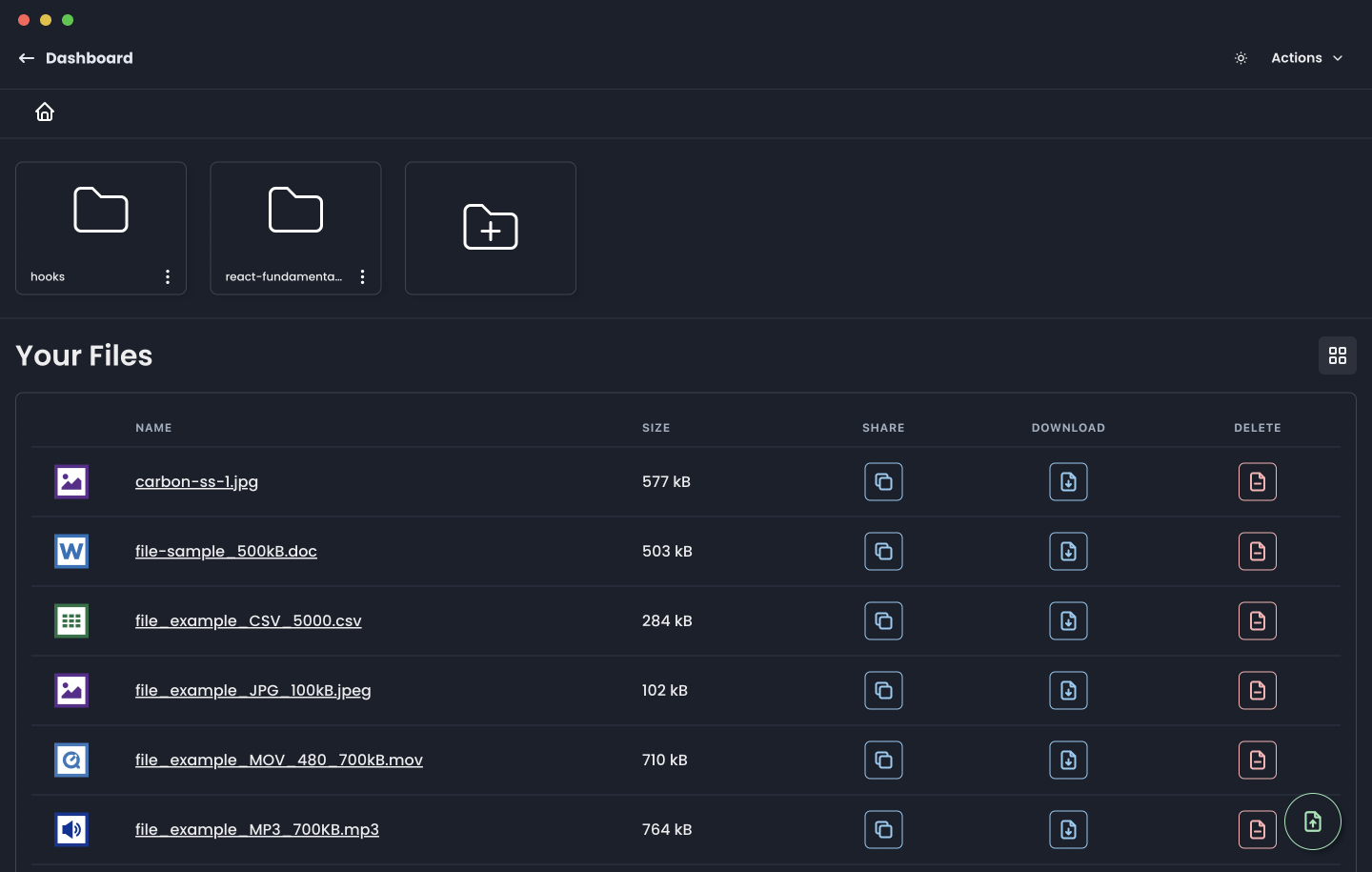
Firefiles is an open-source, self-hosted alternative to Dropbox: a TypeScript and Next.js web application that turns your own cloud storage buckets — such as AWS S3, Backblaze, or Firebase Cloud Storage — into a single browser-based drive with a familiar file-system interface, built for people who want Dropbox-style file management while keeping their files in storage they already own.
What it is
Firefiles lives in the Next.js and React ecosystem and is released under the AGPL-3.0 licence. The repository describes it as "The open-source alternative to Dropbox", and the README states that it "lets you setup a cloud drive with the backend of your choice and lets you seamlessly manage your files across multiple providers." Rather than shipping its own storage layer, it sits on top of storage you already pay for. The topic list names aws-s3, backblaze, firebase, and firebase-cloud-storage, and the README claims AWS S3 support directly. The front end is built with TypeScript, React, and Next.js, with Vercel present in the project's tech stack.
The concrete problem it solves is file management spread across separate provider consoles. Each bucket vendor ships its own console, its own sharing model, and its own preview behaviour, so anyone holding storage in more than one place ends up juggling multiple interfaces. Firefiles replaces that with one modern file-system interface for storage buckets: browse, manage files in the browser, download and share, preview, and tag and filter. The thing it replaces is the vendor-hosted drive and the per-provider web console over it.
Key capabilities
- A modern file-system interface for your storage buckets.
- Manage files in the browser rather than from a desktop client.
- Download and share files directly from the interface.
- File previews for stored objects.
- File tagging and filtering, available when the underlying provider supports it.
- AWS S3 support, with Backblaze and Firebase Cloud Storage named in the topic list.
- Dark theme.
Who uses it and how
- Individuals and small teams who already hold an AWS S3 bucket and want browser-based file management without paying for another storage tier.
- Multi-provider setups: the topic list covers aws-s3, backblaze, firebase, and firebase-cloud-storage, so files can be managed across more than one backend from one place.
- Self-hosters comfortable deploying a Next.js and React application, with Vercel listed in the project's stack.
- Contributors: the hacktoberfest and hacktoberfest2023 topics signal an open contribution workflow, and the repository carries 57 forks and 14 open issues.
- Community help runs through the project's Discord server, linked at the top of the README.
Getting started
A hosted instance is available at https://firefiles.app. The project is open source under AGPL-3.0 and can also be deployed from the TypeScript and Next.js source, though the README excerpt does not spell out install commands.
How it compares
Dropbox is the product the README names as the thing Firefiles replaces, but the two differ on ownership. Dropbox is a proprietary hosted service where files live on vendor infrastructure, while Firefiles is AGPL-3.0 open source and points at storage you already control, so your data stays in your own bucket. The trade is operational: Dropbox works with no setup, whereas Firefiles asks you to bring a backend and, if self-hosting, to run the application yourself.
When to use it — and when not to
Use it when you already have an S3, Backblaze, or Firebase bucket and want one browser interface over it, and be prepared to supply that storage and, if self-hosting, to operate the Next.js application, since nothing in the README suggests a bundled database, storage tier, or mail service. Tagging and filtering only work where the provider supports them. Anyone wanting zero-setup sync, a desktop client, or fully managed hosting should look elsewhere, and the README itself is short — the excerpt gives no install or configuration steps, so expect to read the source before deploying.