FastGPT is a free, open source ai interaction & interfaces project written in TypeScript and released under a custom open-source licence. It has 29,682 GitHub stars, 7,319 forks and 172 open issues, and was last pushed 11 hours ago. On this registry it ranks #21 of 76 tracked projects in AI Interaction & Interfaces, with 5 head-to-head comparisons available. It gained 46 stars over the last 6 tracked days.

FastGPT — Build powerful AI knowledge bases with ease

What is FastGPT?

What it is

FastGPT is an open-source AI knowledge base platform built on large language models (LLMs). It provides integrated tools for data ingestion, vector retrieval (RAG), and visual workflow orchestration, enabling users to construct and deploy question-answering applications without writing extensive backend code. The platform runs on Next.js and supports integration with multiple LLM providers including OpenAI, Claude, DeepSeek, Qwen, and others.

It solves the problem of high-friction AI application development by abstracting away infrastructure complexity. Developers and teams can avoid building custom data pipelines, embedding services, or retrieval logic from scratch, and instead use its visual editor (Flow) to assemble AI workflows. This reduces time-to-deployment for knowledge-intensive applications like internal chatbots, documentation assistants, or customer support agents.

Key capabilities

  • Ingest and preprocess multiple document formats (PDF, DOCX, HTML, Markdown, etc.) into structured knowledge bases
  • Perform hybrid retrieval using vector search and keyword matching via RAG
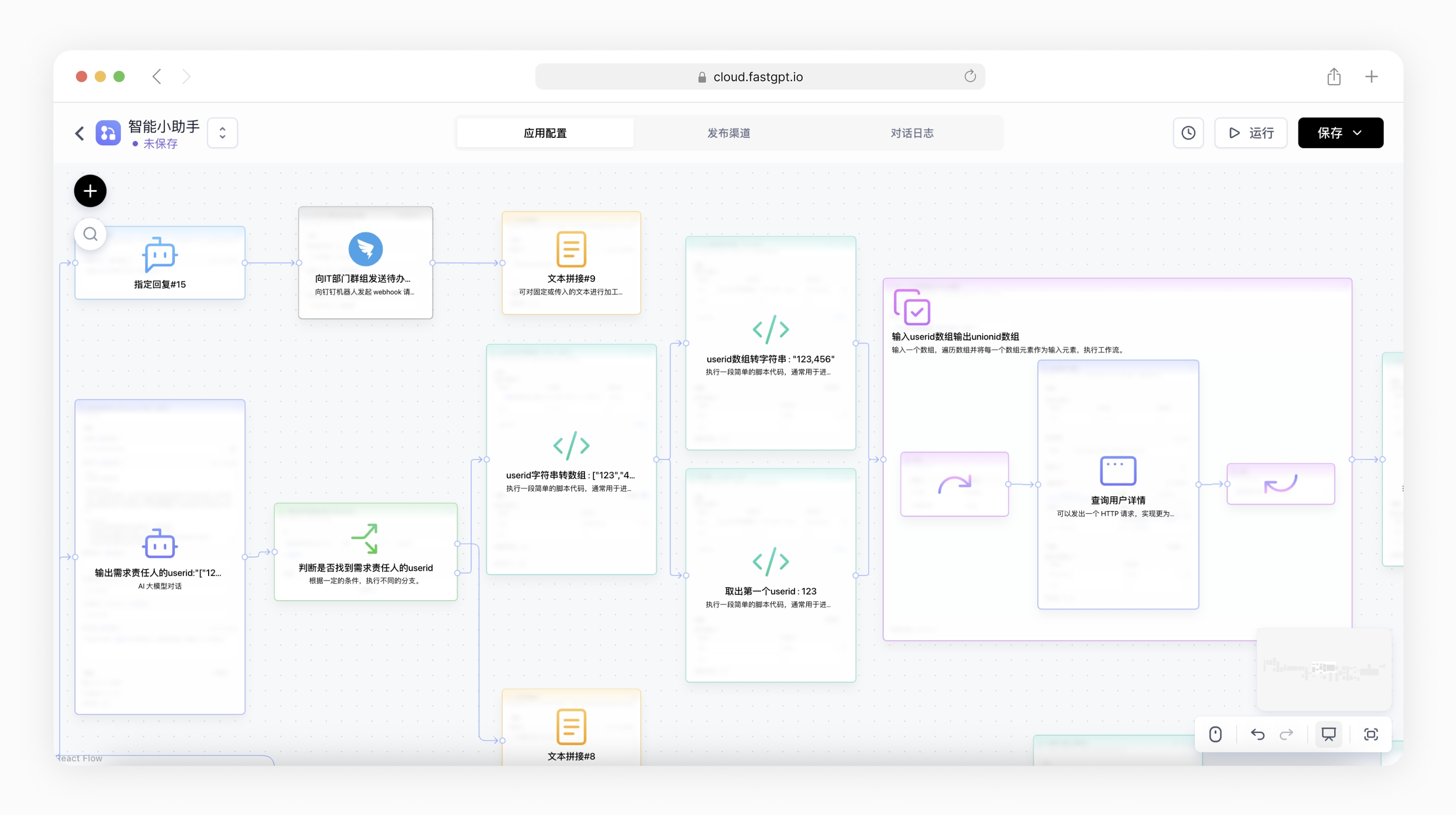
  • Visual workflow orchestration with Flow editor for chaining LLM calls, tools, and conditional logic
  • Support for multi-model routing and fallback with integrated proxy (AI Proxy) for cost and latency optimization
  • Expose APIs for integration with external systems via OpenAPI-compliant endpoints
  • Deploy as a self-hosted service using Docker or via Sealos cloud infrastructure
  • Support for agent-style interactions with tool-calling capabilities (MCP, function calling)

Who uses it and how

  • Internal teams build enterprise knowledge bases for employee-facing Q&A systems using company documents
  • Startups and developers prototype AI chatbots and automated agents without managing vector DB or LLM integrations
  • SaaS vendors embed FastGPT as a backend for customer support or onboarding bots, using its API layer

Getting started

Install via Docker using the official image and run bash to pull and configure the service; alternatively deploy to Sealos for managed hosting. The project is available on npm and GitHub, with local development guided by documented setup steps.

When to use it — and when not to

FastGPT replaces paid platforms like Notion AI or custom RAG stacks by offering similar functionality with self-hosting control, but requires managing infrastructure (PostgreSQL, vector store, object storage, SMTP if email notifications needed). It is unsuitable for users needing fully managed SaaS without self-operation or those requiring strict compliance with non-commercial licenses (the license prohibits SaaS redistribution). For simple single-model chat apps, lighter frameworks may suffice; FastGPT shines when complex, multi-step AI workflows and knowledge grounding are needed.

project readme (upstream, from github) — read inline

FastGPT

English | 简体中文 | Bahasa Indonesia | ไทย | Tiếng Việt | 日本語

FastGPT 是一个 AI Agent 构建平台,提供开箱即用的数据处理、模型调用等能力,同时可以通过 Flow 可视化进行工作流编排,从而实现复杂的应用场景。

cloud document development project

https://github.com/labring/FastGPT/assets/15308462/7d3a38df-eb0e-4388-9250-2409bd33f6d4

快速开始

可以通过 Docker 快速启动 FastGPT,在终端输入以下命令,根据引导完成输入即可拉取配置。

# 输入命令拉取配置文件
bash <(curl -fsSL https://doc.fastgpt.io/deploy/install.sh)
# 启动
docker compose up -d

完全启动后,可通过 http://localhost:3000 访问 FastGPT,默认账号为 root,密码为 1234

如果你遇到问题,可以查看完整 Docker 部署教程

🛸 使用方式

  • 云服务版本
    如果你不需要私有化部署,可以直接使用我们提供的云服务版本,地址为:fastgpt.io

  • 社区自托管版本
    可以使用Docker快速部署,也可以使用Sealos Cloud 来一键部署FastGPT。

  • 商业版
    如果你需要更完整的功能,或深度的服务支持,可以选择我们的商业版。我们除了提供完整的软件外,还提供相应的场景落地辅导,具体可提交商业咨询

💡 核心功能
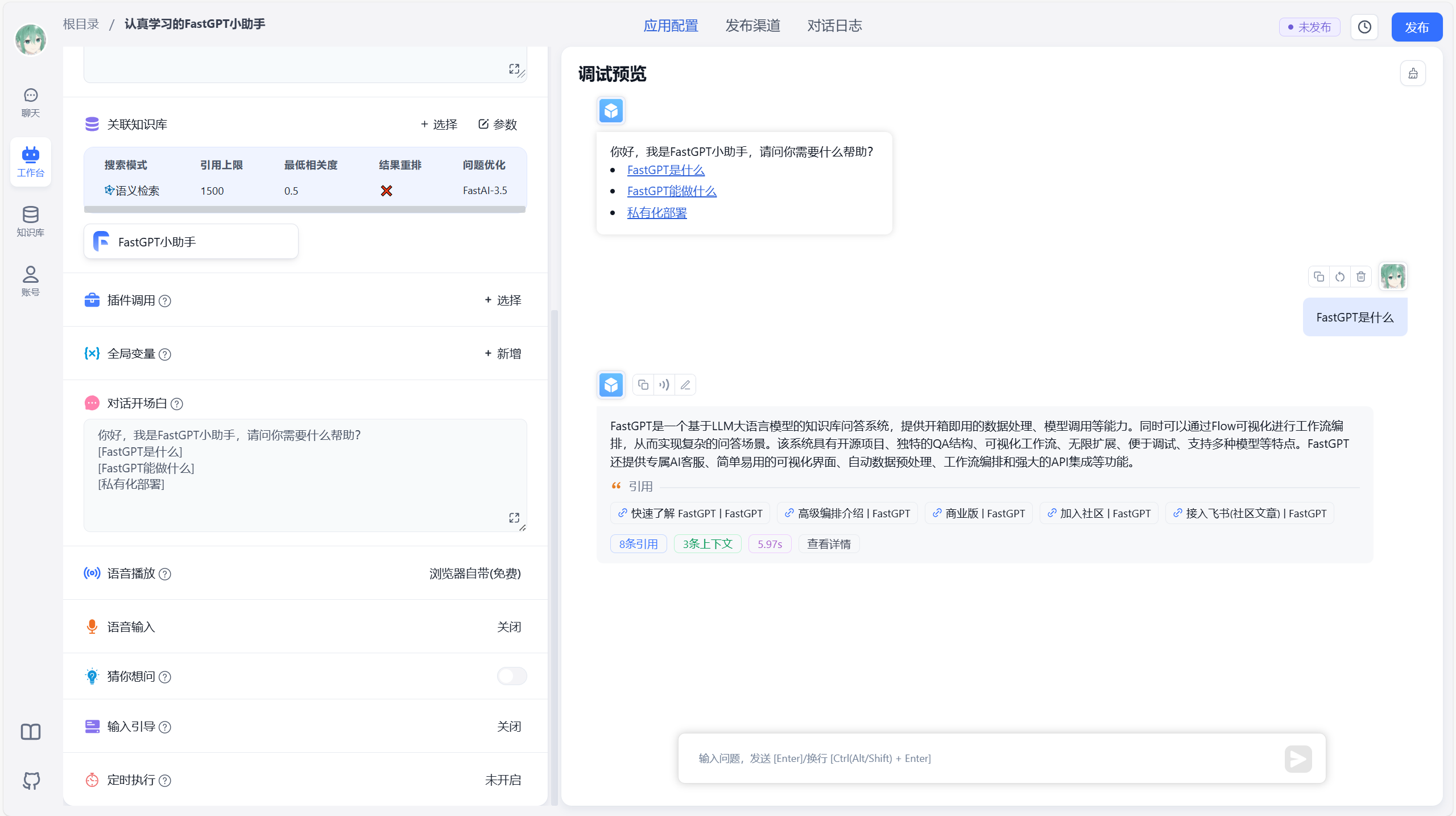
Demo Demo
Demo Demo

1 应用编排能力

  • Agent Skill 编排
  • 对话工作流、插件工作流,包含基础的 RPA 节点
  • 用户交互
  • 双向 MCP
  • 辅助生成工作流

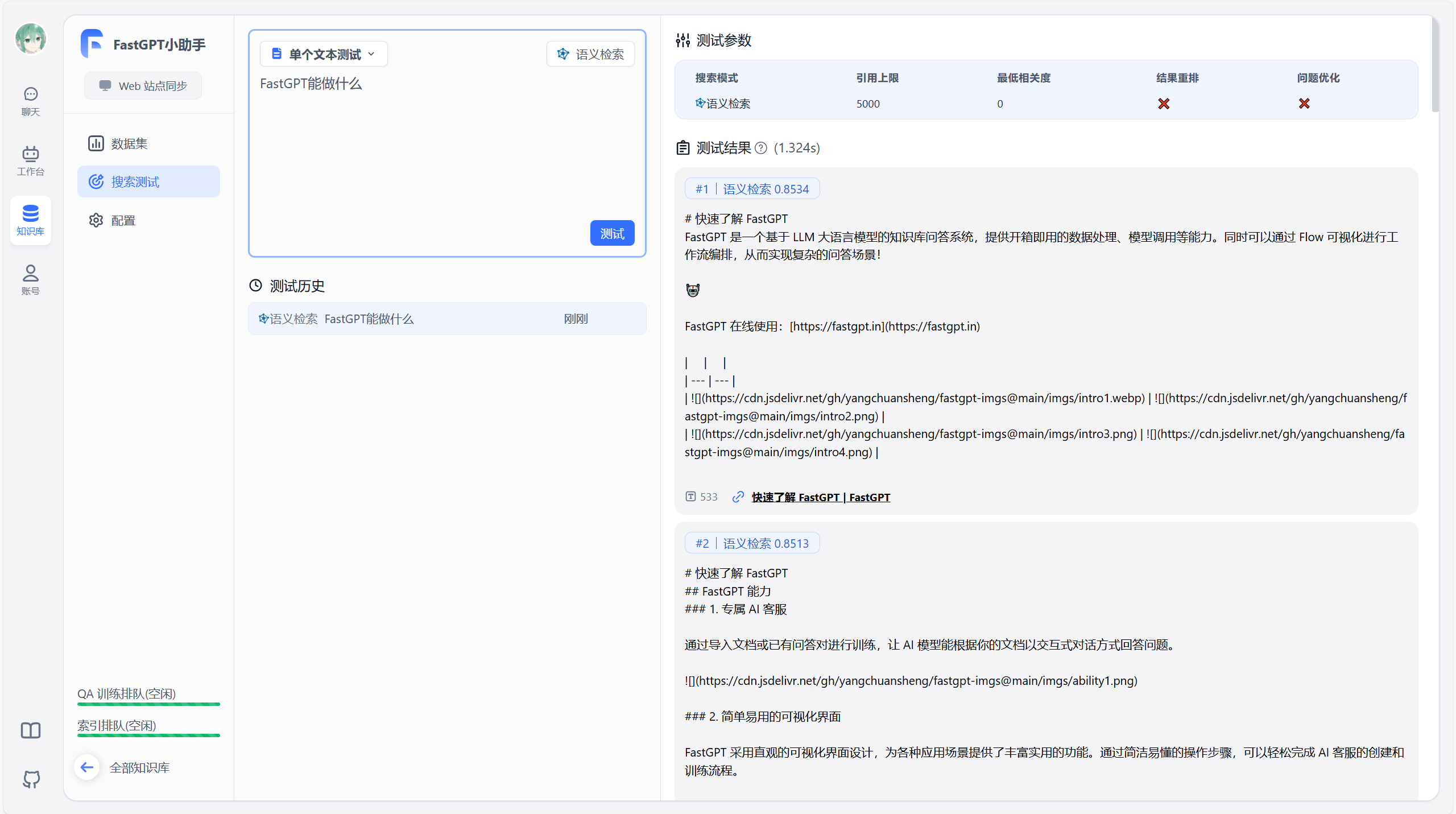
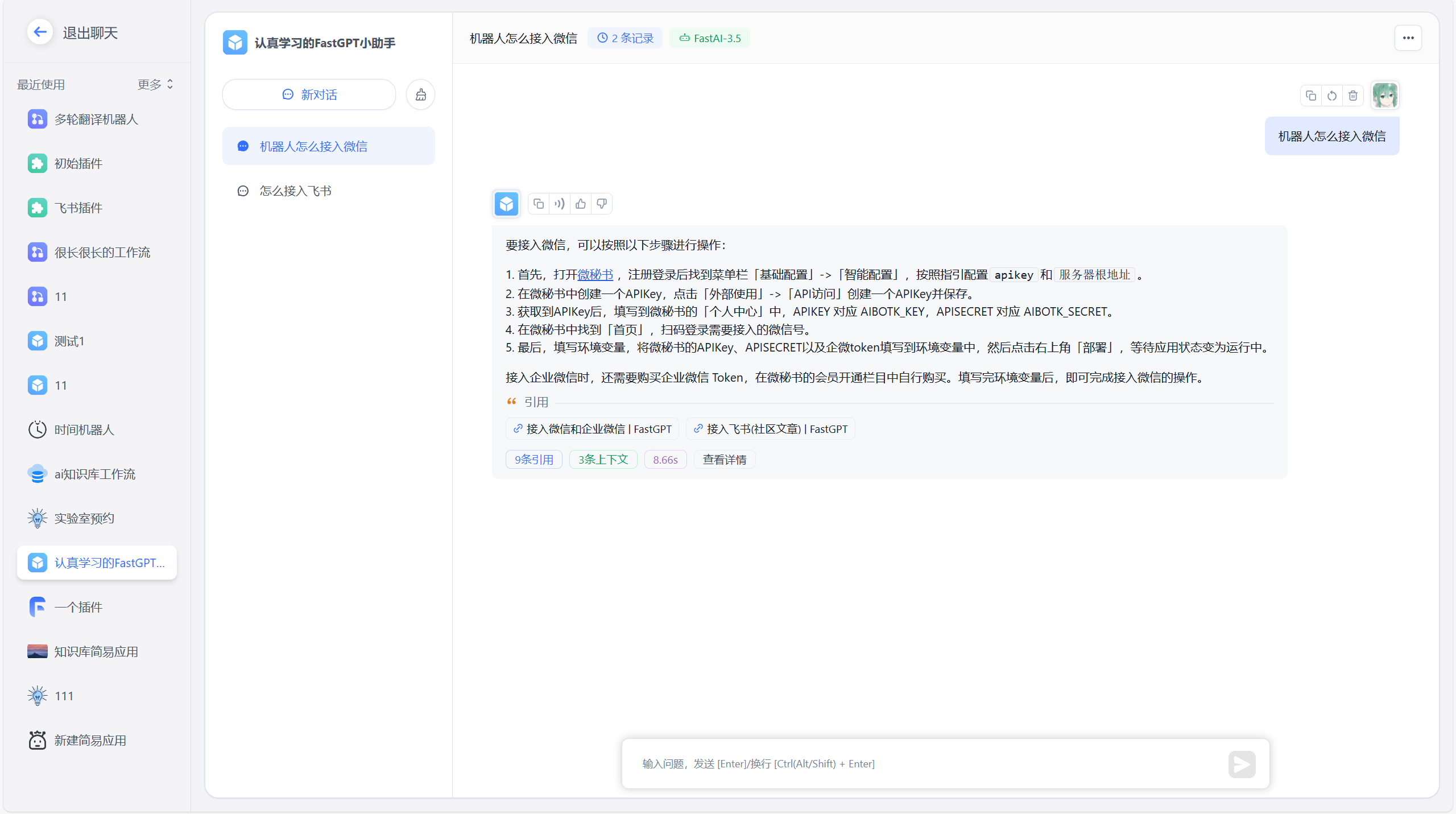
2 应用调试能力

  • 知识库单点搜索测试
  • 对话时反馈引用并可修改与删除
  • 完整调用链路日志
  • 应用评测
  • 高级编排 DeBug 调试模式
  • 应用节点日志

3 知识库能力

  • 多库复用,混用
  • chunk 记录修改和删除
  • 支持手动输入,直接分段,QA 拆分导入
  • 支持 TXT,MD,HTML,PDF,Docx,PPTX,CSV,XLSX (有需要更多 File Loader 可 PR ),支持 URL 读取、CSV 批量导入
  • 混合检索 & 重排
  • API 知识库

4 插件能力

  • 系统工具热更新
  • RAG 模块热更新
  • Agent-loop 热更新
  • AI 实时生成插件

5 运营能力

  • 免登录分享窗口
  • iframe 一键嵌入
  • 统一查阅对话记录,并对数据进行标注
  • 应用运营日志
#

💪 我们的项目 & 链接

#

🌿 第三方生态

#

🏘️ 社区交流群

扫码加入飞书话题群:

#

🤝 贡献者

我们非常欢迎各种形式的贡献。如果你对贡献代码感兴趣,可以查看我们的 GitHub Issues,大展身手,向我们展示你的奇思妙想。


Active participants of labring - past 28 days **** New trends of labring
  </td>
</tr>
New participants of labring - past 28 days
  </td>
</tr>

🌟 Star History

Star History Chart #

使用协议

本仓库遵循 FastGPT Open Source License 开源协议。

  1. 允许作为后台服务直接商用,但不允许提供 SaaS 服务。
  2. 未经商业授权,任何形式的商用服务均需保留相关版权信息。
  3. 完整请查看 FastGPT Open Source License
  4. 联系方式:[email protected]点击查看商业版定价策略

Frequently asked questions

Is FastGPT free to use?

FastGPT is open source. There is no licence fee and no seat count — you can self-host it or, where the project offers one, pay a vendor for a managed version instead.

What does FastGPT do?

Build powerful AI knowledge bases with ease

What is FastGPT written in?

FastGPT is primarily written in TypeScript. Its source is publicly available at https://github.com/labring/fastgpt, and it has 29,682 GitHub stars.