


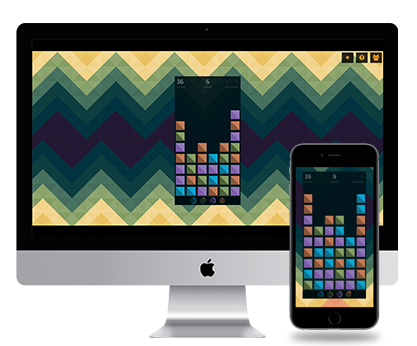
Excalibur is a free game engine written in TypeScript for making 2D games in HTML5 canvas. Our goal is to make it easier for you to create 2D HTML/JS games, whether you're new to game development or you're an experienced game developer. We take care of all of the boilerplate engine code, cross-platform targeting (using browserstack 😎), and more! Use as much or as little as you need!
Excalibur is an open source project licensed under the 2-clause BSD license (this means you can use it in commercial projects!). It's free and always will be. We welcome any feedback or contributions! If you make something with Excalibur, please let us know!
Get Started
Our user documentation is at https://excaliburjs.com/docs (and you can contribute to the docs at https://github.com/excaliburjs/Excalibur/tree/main/site)
- Follow our Installation guide to learn how to install Excalibur.
- Follow our Getting Started guide if you're looking to get started.
- Learn what Features are available for you to leverage in your games.
- View the 1.0 Release roadmap to see what's coming next.
:exclamation: Note: Excalibur is still in version 0.x, which means this project and its associated plugins may be a little rough around the edges. We try to minimize API changes, but breaking changes will occur in new released versions. Excalibur is a labor of love and the product of many hours of spare time. Thanks for checking it out!
API Reference
Visit the API Reference section for fully-annotated documentation of the API.
Questions
- :question: Ask us anything in the GitHub Discussions area.
- :bug: If you find a bug, report it on the GitHub issues page (please review our guidelines for reporting bugs).
- :mega: You can also follow us on Twitter @excaliburjs or read the blog.
Samples
Compiled examples can be found in the Excalibur Samples collection.
Contributing
Please read our Contributing Guidelines and our Code of Conduct. Whether you've spotted a bug, have a question, or think of a new feature, we thank you for your help!
Writing Documentation
We love when people help improve our documentation. You can contribute to the docs in this repo under /site
Environment Setup
The Excalibur.js team primarily uses Visual Studio Code as a platform agnostic editor to allow the widest contributions possible. However, you can always use your own preferred editor.
Dev Container Support
In supported editors, you may be prompted to Open in a Dev Container. This is a great way to contribute if you don't want to install Playwright and its dependencies on your machine and keep everything isolated.
Dev Containers require Docker (or Podman) to be installed and should work across all platforms.
Supported Editors
Testing

Excalibur is committed to supporting the latest 2 versions of popular desktop and mobile browsers. We leverage browserstack automated testing to ensure that Excalibur is automatically tested as thoroughly as possible on all our supported platforms.
Prerequisites
- Required: Node.js LTS Version
- Recommended: ESLint plugin for VS Code
After cloning the repository, run:
npm install
npx playwright install --with-deps
[!TIP] If you are using a Dev Container, this is handled for you automatically! The
--with-depsflag installs system dependencies, which may be needed depending on your OS.
You can then run the npm tasks for various purposes:
# Run compilation, linting, and all unit & visual tests
# Recommend to do this before finalizing pull requests
npm run all

# Run engine core compilation only
# Useful for quick checks to ensure everything compiles
npm run build

# Run engine tests only (does not run compile task)
# Useful to run tests ad-hoc
npm test
npm run test

# Start Storybook-based sandbox
# Used for creating interactive visual tests and examples for docs
npm run sandbox

# Build a nuget package and specify a version
npm run nuget -- 1.1.1
License
Excalibur is open source and operates under the 2-clause BSD license:
BSD 2-Clause License

Copyright (c) 2014, Erik Onarheim
All rights reserved.

Redistribution and use in source and binary forms, with or without
modification, are permitted provided that the following conditions are met:

* Redistributions of source code must retain the above copyright notice, this
  list of conditions and the following disclaimer.

* Redistributions in binary form must reproduce the above copyright notice,
  this list of conditions and the following disclaimer in the documentation
  and/or other materials provided with the distribution.

THIS SOFTWARE IS PROVIDED BY THE COPYRIGHT HOLDERS AND CONTRIBUTORS "AS IS"
AND ANY EXPRESS OR IMPLIED WARRANTIES, INCLUDING, BUT NOT LIMITED TO, THE
IMPLIED WARRANTIES OF MERCHANTABILITY AND FITNESS FOR A PARTICULAR PURPOSE ARE
DISCLAIMED. IN NO EVENT SHALL THE COPYRIGHT HOLDER OR CONTRIBUTORS BE LIABLE
FOR ANY DIRECT, INDIRECT, INCIDENTAL, SPECIAL, EXEMPLARY, OR CONSEQUENTIAL
DAMAGES (INCLUDING, BUT NOT LIMITED TO, PROCUREMENT OF SUBSTITUTE GOODS OR
SERVICES; LOSS OF USE, DATA, OR PROFITS; OR BUSINESS INTERRUPTION) HOWEVER
CAUSED AND ON ANY THEORY OF LIABILITY, WHETHER IN CONTRACT, STRICT LIABILITY,
OR TORT (INCLUDING NEGLIGENCE OR OTHERWISE) ARISING IN ANY WAY OUT OF THE USE
OF THIS SOFTWARE, EVEN IF ADVISED OF THE POSSIBILITY OF SUCH DAMAGE.