EMBA is the open-source security analyzer for firmware of embedded devices, a Shell-based command line tool that carries penetration testers, product security teams, developers and product managers from firmware extraction through static analysis, emulation-based dynamic analysis and SBOM creation to a web-based vulnerability report.
What it is
EMBA is a firmware analysis and SBOM tool for embedded devices, distributed under the GPL-3.0 licence and written primarily in Shell. It is described as the central firmware analysis and SBOM tool for its audience, and it supports the complete security analysis process: firmware extraction, static analysis, dynamic analysis via emulation, building the SBOM, and finally generating a web-based vulnerability report. It is a command line tool by design, with the option to produce an easy-to-use web report for further analysis, and it also appears in the OWASP Firmware Security Testing Methodology as EMBA - Embedded Analyzer.
The concrete problem it addresses is that a firmware image is an opaque artifact whose weaknesses are hard to locate by hand. EMBA automatically discovers possible weak spots and vulnerabilities in firmware, such as insecure binaries, old and outdated software components, potentially vulnerable scripts, or hard-coded passwords. Rather than leaving a tester to assemble extraction, inspection and reporting as separate steps, EMBA runs them as one pipeline over the image and hands back as much information as possible about that firmware, so the tester can decide on focus areas.
Key capabilities
- Runs a full analysis chain in one pass: firmware extraction, static analysis, dynamic analysis via emulation, SBOM building and web-based vulnerability report generation.
- Detects insecure binaries, old and outdated software components, potentially vulnerable scripts and hard-coded passwords inside a firmware image.
- Operates as a command line tool with scan profiles, invoked as
emba -l ~/log -f ~/firmware -p ./scan-profiles/default-scan.emba.
- Produces an interactive web report, with a live demo report published at https://www.securefirmware.de/emba/index.html.
- Generates an SBOM as part of the standard workflow, a subject covered in the TROOPERS25 talk "SBOMs the right way".
- Installs through the bundled
installer.sh script, run as sudo ./installer.sh -d, which pulls in dependencies and checks prerequisites.
- Carries topic coverage for binary analysis, embedded Linux, embedded systems, IoT, penetration testing and artificial intelligence.
Who uses it and how
- Penetration testers working to the OWASP Firmware Security Testing Methodology, who need an automated first pass over a target image before manual verification.
- Product security teams and developers who must identify weak spots and vulnerable components in firmware images they ship or consume, and who need an SBOM for each one.
- Product managers who are responsible for the security posture of an embedded product and need the component inventory and report the tool produces.
- Conference and training settings: EMBA has been presented at Black Hat Arsenal in the USA in 2026 with the EMBArk demo and the EMBA lab, at Black Hat EU 2022 Arsenal, and on BsidesLV and FLOSS Weekly Episode 802.
- Users of the companion project EMBArk, released as v0.3, which appears alongside EMBA in the project news stream.
Getting started
Clone the repository with git clone https://github.com/e-m-b-a/emba.git, change into the directory and run sudo ./installer.sh -d to install dependencies and meet the prerequisites. A default scan is then run as sudo ./emba -l ~/log -f ~/firmware -p ./scan-profiles/default-scan.emba.
How it compares
This registry does not list a directly comparable firmware security analyzer alongside EMBA, so it stands alone in this registry rather than displacing a named commercial counterpart. The only related project the facts mention is EMBArk, which is presented as a companion effort in the same news stream rather than an alternative analyzer.
When to use it — and when not to
A self-hoster must be ready to run the installer with sudo on a supported Linux host and to manage the resulting toolkit, since EMBA is a local command line analysis environment rather than a managed service. It is the wrong choice for teams that want a turnkey verdict, because EMBA deliberately provides information and leaves the tester responsible for verifying and interpreting the results. The repository README is brief and defers most detail to the project wiki, so anyone adopting it should expect to work from the wiki and the accompanying book; the project is otherwise active, with a recent push in September 2026 and the v2.0.3 release.
project readme (upstream, from github) — read inline










EMBA
The security analyzer for firmware of embedded devices
EMBA is designed as the central firmware analysis and SBOM tool for penetration testers, product security teams, developers and responsible product managers. It supports the complete security analysis process starting with firmware extraction, doing static analysis and dynamic analysis via emulation, building the SBOM and finally generating a web based vulnerability report. EMBA automatically discovers possible weak spots and vulnerabilities in firmware. Examples are insecure binaries, old and outdated software components, potentially vulnerable scripts, or hard-coded passwords. EMBA is a command line tool with the possibility to generate an easy-to-use web report for further analysis.
EMBA assists the penetration testers, product security teams and developers in the identification of weak spots and vulnerabilities in the firmware image. EMBA provides as much information as possible about the firmware, that the tester can decide on focus areas and is responsible for verifying and interpreting the results.
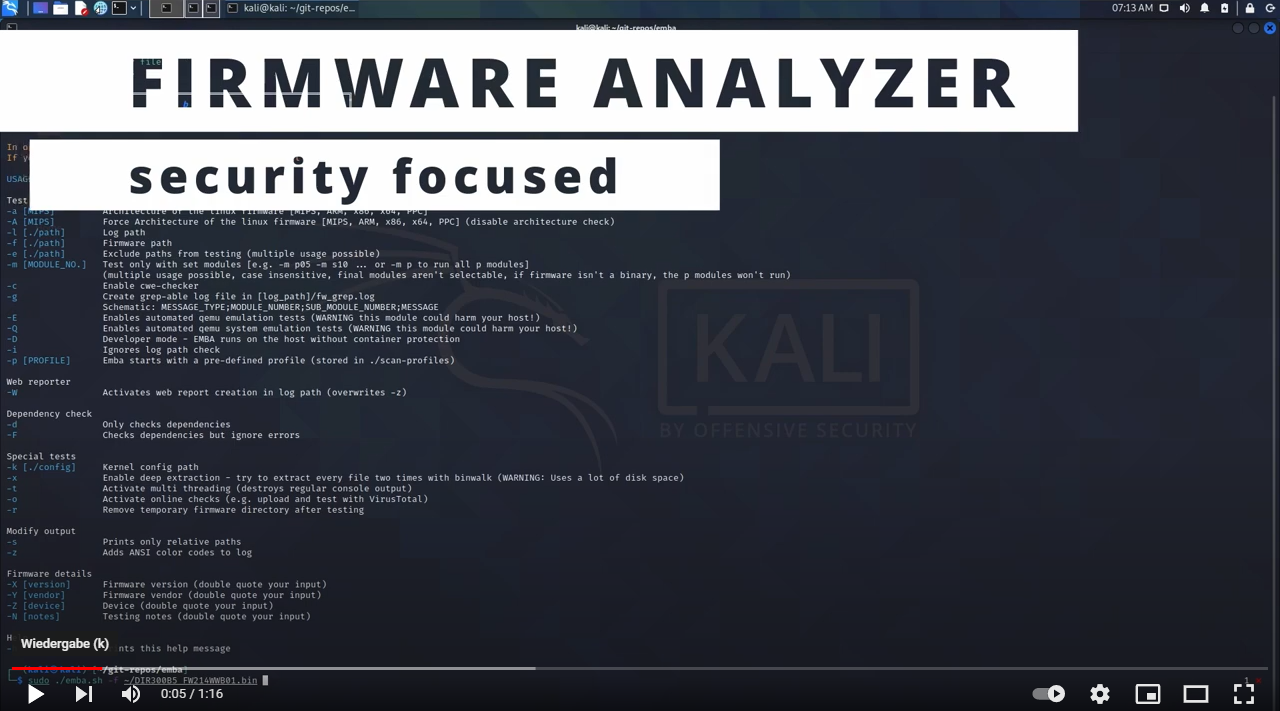
Latest news
Links to the wiki for more detailed information
Installation
Before running EMBA make sure, that you have installed all dependencies with the installation script and met the prerequisites
git clone https://github.com/e-m-b-a/emba.git
cd emba
sudo ./installer.sh -d
Quick start with default scan profile:
sudo ./emba -l ~/log -f ~/firmware -p ./scan-profiles/default-scan.emba
Quick start with default SBOM profile:
For further details on EMBA's SBOM capabilities check the wiki
sudo ./emba -l ~/log -f ~/firmware -p ./scan-profiles/default-sbom.emba
Quick start with system-emulation scan profile:
For further details on EMBA's system-emulation engine check the wiki.
sudo ./emba -l ~/log -f ~/firmware -p ./scan-profiles/default-scan-emulation.emba
EMBA supports multiple testing and reporting options. For more details check the wiki.
Get involved
The IoT is growing, the development is ongoing, and there are many new features that we want to add.
We welcome pull requests and issues on GitHub. Also check the CONTRIBUTING and CONTRIBUTORS documentation for further details on how to get part of the EMBA community.
Team
The core EMBA Team
Contributors
Sponsor EMBA and EMBArk:
The EMBA environment is free and open source!
We put a lot of time and energy into these tools and related research to make this happen. It's now possible for you to contribute as a sponsor!
If you like EMBA you have the chance to support future development by becoming a Sponsor
Thank You :heart: Become a Sponsor
You can also buy us some beer here :heart: Buy me a coffee
To show your love for EMBA with nice shirts or other merch you can check our Spreadshop
EMBA - firmware security scanning at its best