English | 简体中文

A free/libre and open-source extensible framework that revolutionizes the graphical capabilities of Emacs.
The key to ultimately Live in Emacs
Vision
Emacs, the extensible text editor, is more than 45 years old. It is older than virtually all operating systems people use today, almost as old as the first UNIX system. During the decades of development, the world's brightest hackers have contributed their intelligence and creativity. Together they've constructed the most comprehensive and richest ecosystem that you can find in any software to date.
If you are a hacker who works with numerous languages and text, who's keyboard-driven and desires maximum freedom, extensibility, and introspectivity over your tool, maybe to the extent of living in it, Emacs will be your best bet.
Unfortunately, this 45 years of age is also one of the greatest disadvantages of Emacs. Comparing with modern software, Emacs lacks performance. Specifically Emacs Lisp lacks performance. It doesn't have proper multithreading and its graphical capabilities are seriously limited. It is far from what you'd expect from any GUI application today (such as IDEA or VSCode). You may think that Emacs, as a text-centric editor, doesn't need them, but have you ever run into a situation that, you sit comfortably typing commands and doing your Emacs sorcery, but can't help but ponder:
What if Emacs had a real browser?
What if this PDF or video file could be viewed efficiently without leaving Emacs?
Emacs, although infinitely extensible in text, is very limited in graphics. It shouldn't have to be this way. However, Emacs Lisp is the integral part of the Emacs culture, it carries decades of history with itself, it is what makes Emacs special. It is irreplaceable.
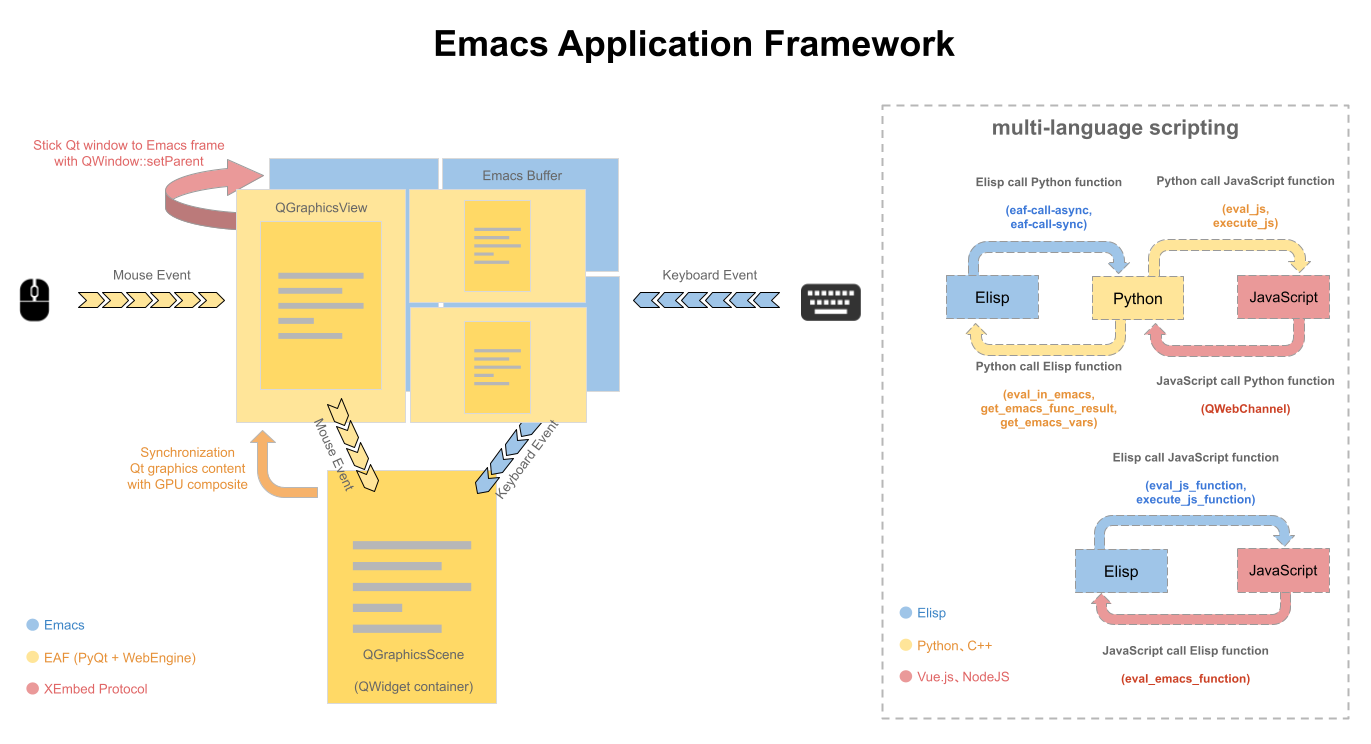
The vision of the Emacs Application Framework (EAF) project is, while fully retaining the rich history, culture, and ecosystem of Emacs and Emacs Lisp, to open up completely new doors to the ecosystems of Python, Qt6, and even JavaScript. EAF extends Emacs to the world of modern graphics, but still preserving the extensibility and customizability of Emacs. It will be the key to ultimately Live in Emacs.
Features
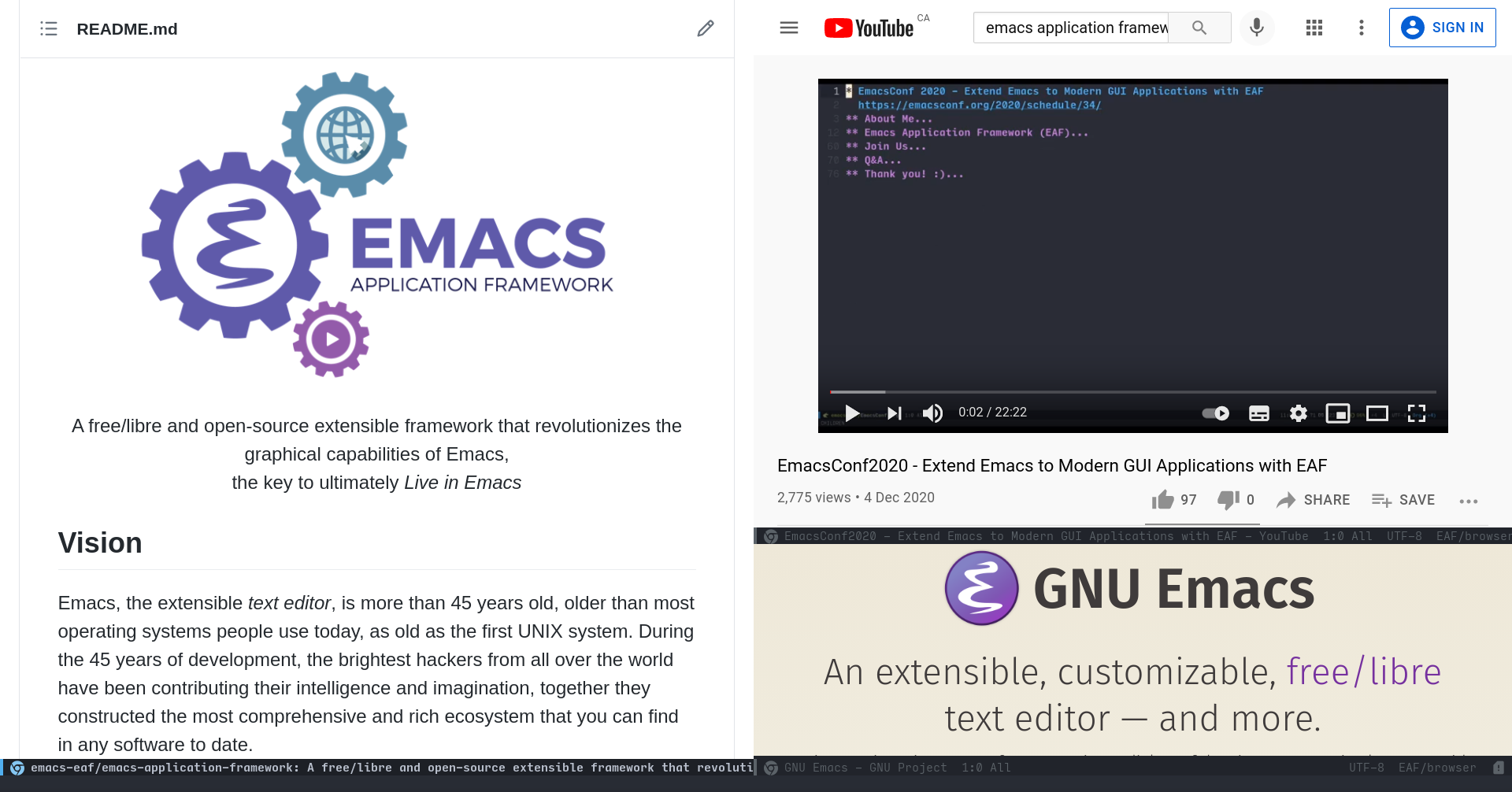
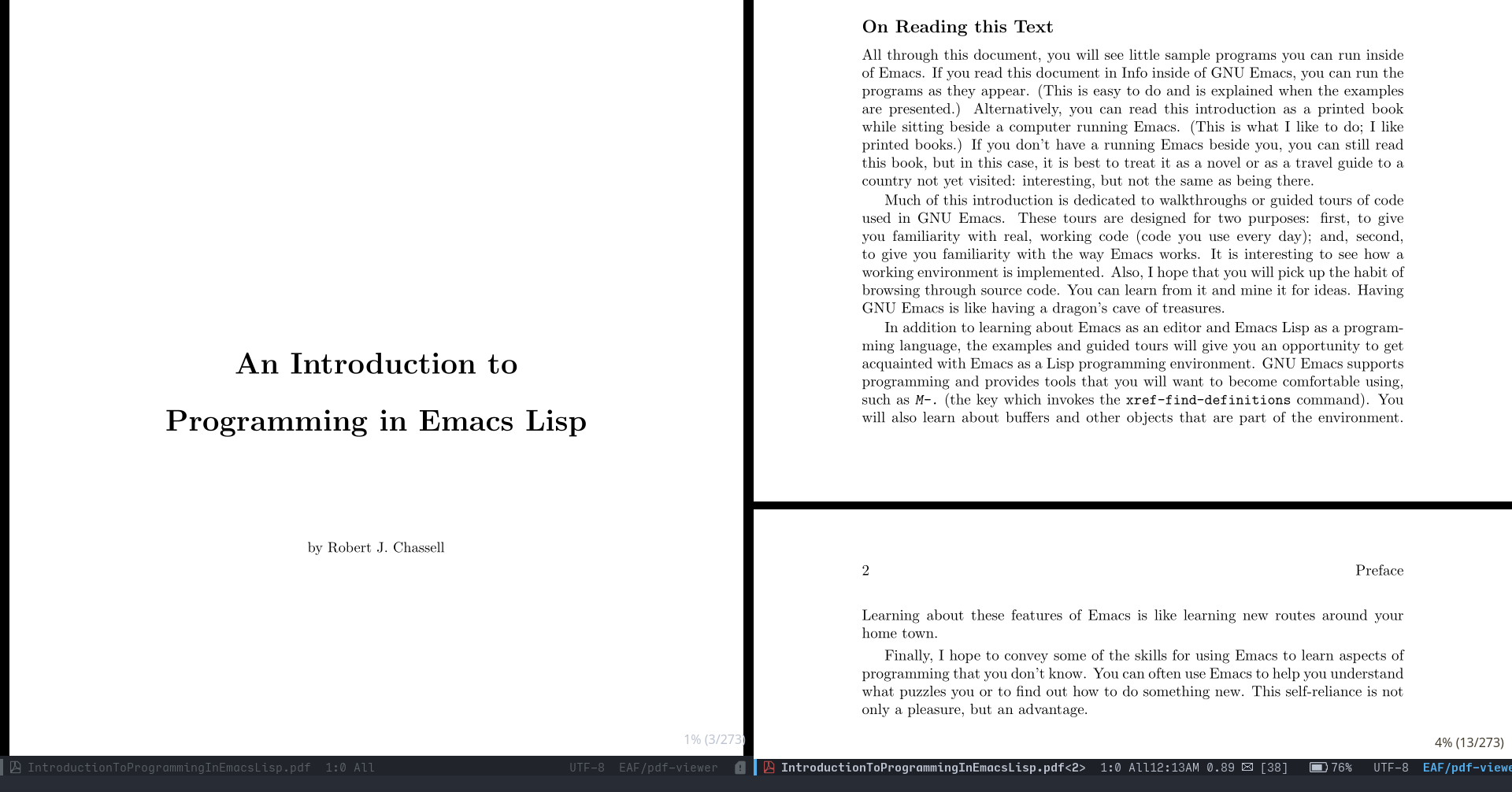
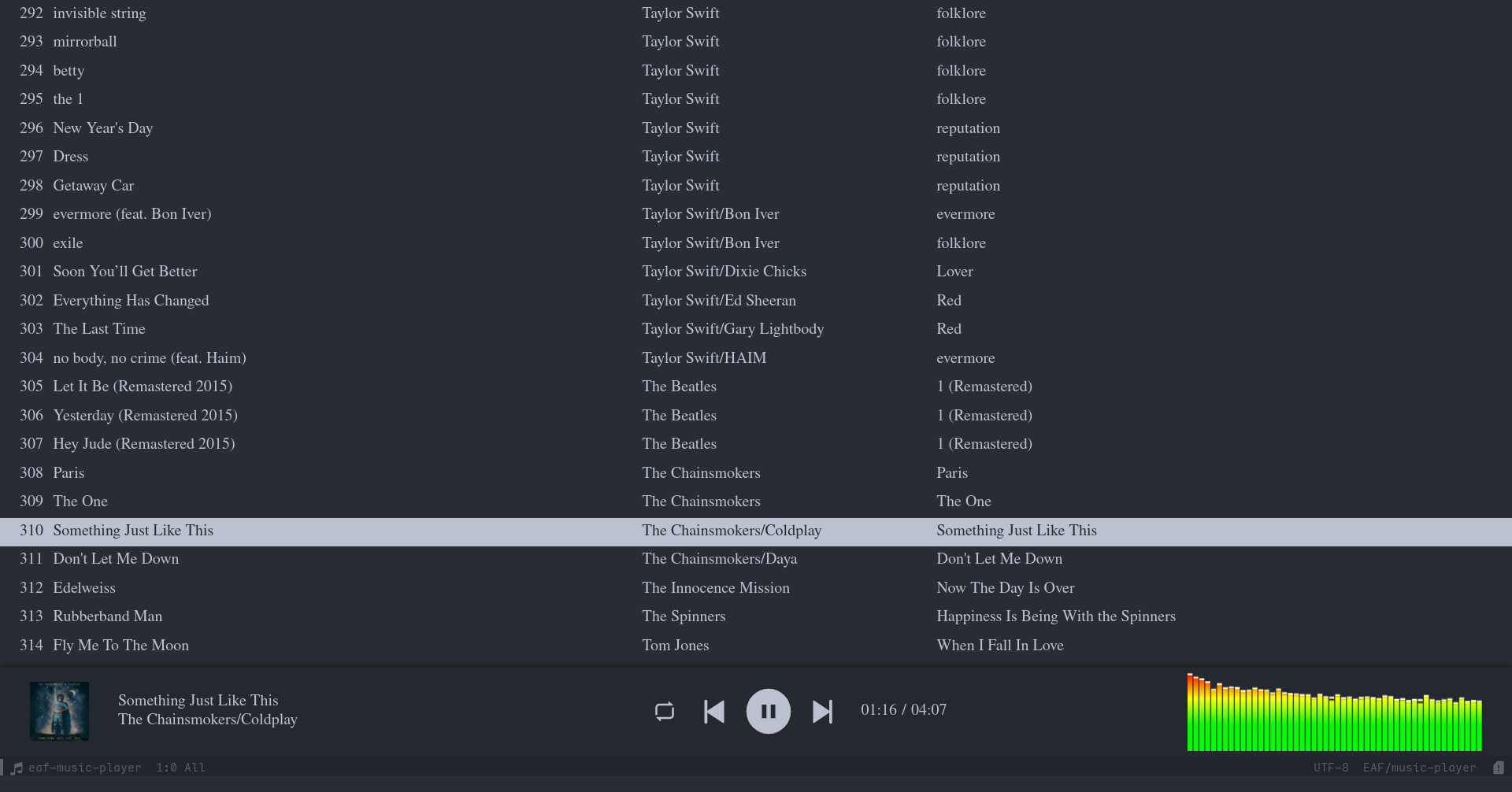
EAF is very extensible. We ship a lot of applications, feel free to choose anything you find interesting to install:
| Browser | PDF Viewer |
|---|---|
 |
 |
| Music Player | File Manager |
|---|---|
 |
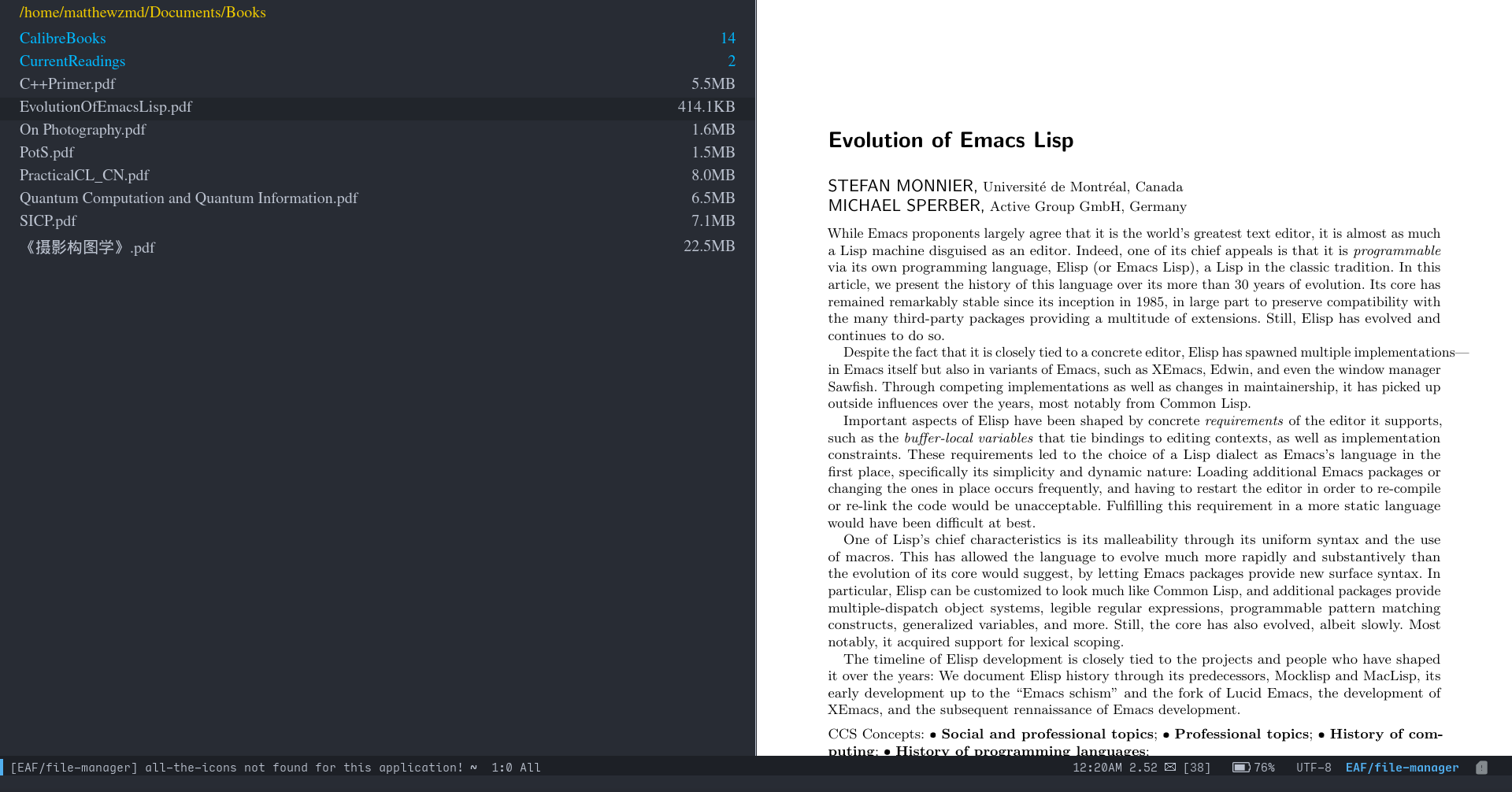 |
- Browser: A modern, customizable and extensible browser in Emacs
- PDF Viewer: Fastest PDF Viewer in Emacs
- Music Player: Music player that supports playlist and audio visualization
- Video Player: Video Player in Emacs
- Image Viewer: Dynamic image viewer
- RSS Reader: RSS Reader in Emacs
- Terminal: Full-featured terminal in Emacs
- MindMap: Mind map with balance layout
- Camera: Use camera in Emacs
- Markdown Previewer: Real-time Markdown previewer
- Org Previewer: Real-time Org-mode previewer
- Git Client: Fully multi-threaded git client for Emacs
- File Manager: Fully multi-threaded replacement for dired-mode
- Video Editor: A simple video editor
... plus many more!
EAF in EmacsConf
| EmacsConf 2020: Extend Emacs with EAF | EmacsConf 2021: EAF: A 2021 Update |
|---|---|
 |
 |
Install
EAF supports Linux X11, Windows, macOS and FreeBSD. The installation method is very simple.
If you use Nix、 macOS or Gentoo, you need check Wiki first
1. Download EAF
git clone --depth=1 -b master https://github.com/emacs-eaf/emacs-application-framework.git ~/.emacs.d/site-lisp/emacs-application-framework/
2. Install/Update EAF applications and dependencies
You can use M-x eaf-install-and-update or manually run the install-eaf.py script in the EAF directory:
cd emacs-application-framework
chmod +x ./install-eaf.py
./install-eaf.py
There are many useful flags available for install-eaf.py, check it yourself using --help.
3. Load EAF Core
From here on, you can add the full path to the EAF installation directory to your Emacs load-path, then add the following to init.el:
(add-to-list 'load-path "~/.emacs.d/site-lisp/emacs-application-framework/")
(require 'eaf)
Alternatively, if you use use-package, you can use the following sample configuration for your convenience.
(use-package eaf
  :load-path "~/.emacs.d/site-lisp/emacs-application-framework"
  :custom
  ; See https://github.com/emacs-eaf/emacs-application-framework/wiki/Customization
  (eaf-browser-continue-where-left-off t)
  (eaf-browser-enable-adblocker t)
  (browse-url-browser-function 'eaf-open-browser)
  :config
  (defalias 'browse-web #'eaf-open-browser)
  (eaf-bind-key scroll_up "C-n" eaf-pdf-viewer-keybinding)
  (eaf-bind-key scroll_down "C-p" eaf-pdf-viewer-keybinding)
  (eaf-bind-key take_photo "p" eaf-camera-keybinding)
  (eaf-bind-key nil "M-q" eaf-browser-keybinding)) ;; unbind, see more in the Wiki
4. Load EAF Apps
You can use below code to load applications browser and pdf-viewer that you installed. Please check Applications for the full list:
(require 'eaf-browser)
(require 'eaf-pdf-viewer)
5. Hooray!
Congratulations, you just installed EAF! You can try M-x eaf-open-demo (that is if you have demo installed, of course) to see if everything works properly, and enjoy the new possibilities of Emacs.
Below are launch commands of EAF Applications:
| Application Name | Launch |
|---|---|
| Browser | M-x eaf-open-browser Search or Goto URL |
M-x eaf-open-browser-with-history Search or Goto URL or Goto History |
|
| HTML Email Renderer | M-x eaf-open-mail-as-html in gnus, mu4e, notmuch HTMl Mail |
| PDF Viewer | M-x eaf-open PDF File |
| Video Player | M-x eaf-open Video File |
| Image Viewer | M-x eaf-open Image File |
| Markdown Previewer | M-x eaf-open Markdown File, select markdown-previewer |
| Org Previewer | M-x eaf-open Org File, select org-previewer |
| Camera | M-x eaf-open-camera |
| Terminal | M-x eaf-open-pyqterminal |
| File Manager | M-x eaf-open-in-file-manager |
| RSS Reader | M-x eaf-open-rss-reader |
| Git Client | M-x eaf-open-git |
| Map Route Planning | M-x eaf-open-map |
| File Sender | M-x eaf-file-sender-qrcode or eaf-file-sender-qrcode-in-dired |
| File Browser | M-x eaf-file-browser-qrcode |
| Airshare | M-x eaf-open-airshare |
| Markmap | M-x eaf-open Markdown or Org file, select markmap |
| Mindmap | M-x eaf-create-mindmap or M-x eaf-open-mindmap |
| MS Office Viewer | M-x eaf-open-office |
| Jupyter | M-x eaf-open-jupyter |
| Music Player | M-x eaf-open-music-player |
| System Monitor | M-x eaf-open-system-monitor |
| Demo | M-x eaf-open-demo to verify basic functionality |
| Vue Demo | M-x eaf-open-vue-demo to verify vue.js functionality |
- EAF Browser and PDF Viewer support Emacs built-in bookmark operation, with
M-x bookmark-set(defaulted toC-x r m) andM-x bookmark-bmenu-list(defaulted toC-x r l).
Upgrade
Also, you should regularly git pull and run install-eaf.py (M-x eaf-install-and-update) to update EAF, its applications, and relating dependencies.
Report bug
For any installation and configuration assistance, please read the Wiki and FAQ.
If you encounter a problem with EAF, and it occurred after pulling the latest commit, please check the Mandatory Procedures to Keep Your EAF Up-To-Date page first.
For any other problems, please use emacs -q and load a minimal setup with only EAF to verify that the bug is reproducible. If emacs -q works fine, probably something is wrong with your Emacs config.
If the problem persists, please report it here with the *eaf* buffer content. It contains many clues that can help us locate the problem faster.
If you get a segfault error, please use the following way to collect crash information:
- Install gdb and turn on option
(setq eaf-enable-debug t) - Use the command
eaf-stop-processto stop the current process - Restart eaf, send issue with
*eaf*buffer content when next crash
EAF in the community
A list of other community packages that use EAF to enhance their graphical experiences!
If we missed your package, please make a PR to add it to the list.
- obr-viz: visualizing org-brain relationships using EAF
- netease-cloud-music: A netease music client for emacs.
- 2048pyqt6: A 2048 game that can run in emacs.
- pyqterminal: A terminal written in PyQt6.
Contributor
Join Us
Do you want to make Emacs a real "operating system"?
Do you want to live in Emacs more comfortably?
Do you want to revolutionize the capabilities of Emacs?