Devopness is an Apache-2.0, TypeScript-based DevOps platform that provisions cloud infrastructure and deploys applications on AWS, Azure, GCP, DigitalOcean, and Hetzner from one control plane, for teams and AI agents that want DevOps work run without SSH or cloud console access.
What it is
Devopness is an open-source project in the Infrastructure & Operations / Orchestration & Scheduling category. It combines cloud infrastructure provisioning, CI/CD, deploy pipelines, and server and application management in one product, driven from a web app, a mobile client, a deterministic API, or natural language through an MCP server. It is opinionated and fully configurable, works across any cloud and any stack, and is published under the Apache-2.0 licence.
The problem it solves is fragmentation. Provisioning from scratch is normally split across Terraform and Ansible, CI/CD across Jenkins, GitHub Actions, or GitLab CI, hosting across PaaS products such as Vercel, Heroku, Netlify, Railway, and Render, and per-stack server management across panels such as cPanel, Plesk, Laravel Forge, RunCloud, FastAPI Cloud, Cloud 66, Hatchbox, and Kamal. Devopness replaces many of those tools with one platform. Where Coolify and Dokploy assume an existing server reachable over SSH, Devopness provisions networks, subnets, static IPs, servers, and Linux configuration in cloud accounts the user controls, then deploys the application.
Key capabilities
- Provisions networks, subnets, static IPs, servers, and Linux configuration from scratch in AWS, Azure, GCP, DigitalOcean, and Hetzner accounts.
- Triggers zero-downtime deploys automatically when code is pushed to git.
- Serves AI agents through one MCP server at https://mcp.devopness.com/mcp/, with one-click install for Cursor and VS Code and documented support for Claude Code, Codex CLI, Gemini CLI, Windsurf, Zed, Warp, and JetBrains AI.
- Publishes SDKs as @devopness/sdk-js on npm and devopness on PyPI.
- Applies fine-grained, role-based permissions per environment.
- Shows deploy history and infrastructure changes in one place, reachable from mobile.
- Keeps cloud credentials out of AI chats by routing agent operations through the platform.
Who uses it and how
- Teams on AWS, Azure, GCP, DigitalOcean, or Hetzner provision and deploy in one place; the README shows an AI agent handling the prompt "Migrate my app from AWS to Hetzner".
- Developers using Cursor, VS Code, Claude Code, Codex CLI, Gemini CLI, Windsurf, Zed, Warp, or JetBrains AI drive operations through MCP instead of a separate integration per cloud or stack.
- Teams replacing stack panels migrate away from cPanel, Laravel Forge/Envoyer, Plesk, RunCloud, ServerPanel.app, FastAPI Cloud, Cloud 66, Hatchbox, or Kamal.
- Self-hosted, bring-your-own-server users moving from Coolify or Dokploy gain infrastructure provisioning alongside deployment.
- Organisations needing per-environment roles let teammates deploy without direct cloud-console access, and check deploy history from mobile.
Getting started
Create a free account at https://app.devopness.com/, then work through the web app, the API, the @devopness/sdk-js npm package, the devopness PyPI package, or a one-click MCP install for Cursor or VS Code against https://mcp.devopness.com/mcp/. Starting the MCP server prompts a login with a Devopness account.
How it compares
Against hosted PaaS products named as replacements — Vercel, Heroku, Netlify, Railway, and Render — Devopness deploys into cloud accounts the user controls, under an Apache-2.0 licence with a free plan available. Against Coolify and Dokploy, which assume a pre-provisioned server reachable over SSH, it also provisions the infrastructure from scratch. Against stack-specific panels such as cPanel, Plesk, Laravel Forge, RunCloud, FastAPI Cloud, Cloud 66, Hatchbox, and Kamal, it offers one platform for all stacks.
When to use it — and when not to
Use it when provisioning, CI/CD, and app management need to live in one place, or when DevOps work runs through an AI agent. Avoid it if operations must stay fully air-gapped or offline, because the MCP server is hosted at mcp.devopness.com and starting it requires a Devopness login. The public README excerpt is truncated and does not spell out every operational prerequisite or self-hosting detail, so the docs at https://www.devopness.com/docs/ should be checked; the repository is active (last push 2026-09-17, 558 stars, 14 open issues), but the excerpt alone does not state what a fully self-hosted deployment requires.
project readme (upstream, from github) — read inline

Stop managing DevOps. Ship more, stress less.
DevOps Happiness for AI agents and humans.
One platform · Any cloud · Any stack · Free plan
Devopness
Deploy apps and provision cloud infrastructure from scratch on AWS, Azure, GCP, DigitalOcean, and Hetzner: in accounts you control.
One platform to replace many tools: Terraform + Ansible + Jenkins + PaaS (Vercel, Heroku, etc), and stack-specific server panels.
Manage apps, Linux servers, and cloud infrastructure from anywhere: web, mobile, API, or natural language in your AI agent through MCP. No SSH or cloud console for routine work.


Create free account · Docs · Discord
For AI agents (MCP)
Ask your AI agent to provision servers, deploy apps, migrate between clouds, and manage infrastructure through one MCP server: not a separate integration per cloud or stack.
One-click install


Example prompt:
Migrate my app from AWS to Hetzner.
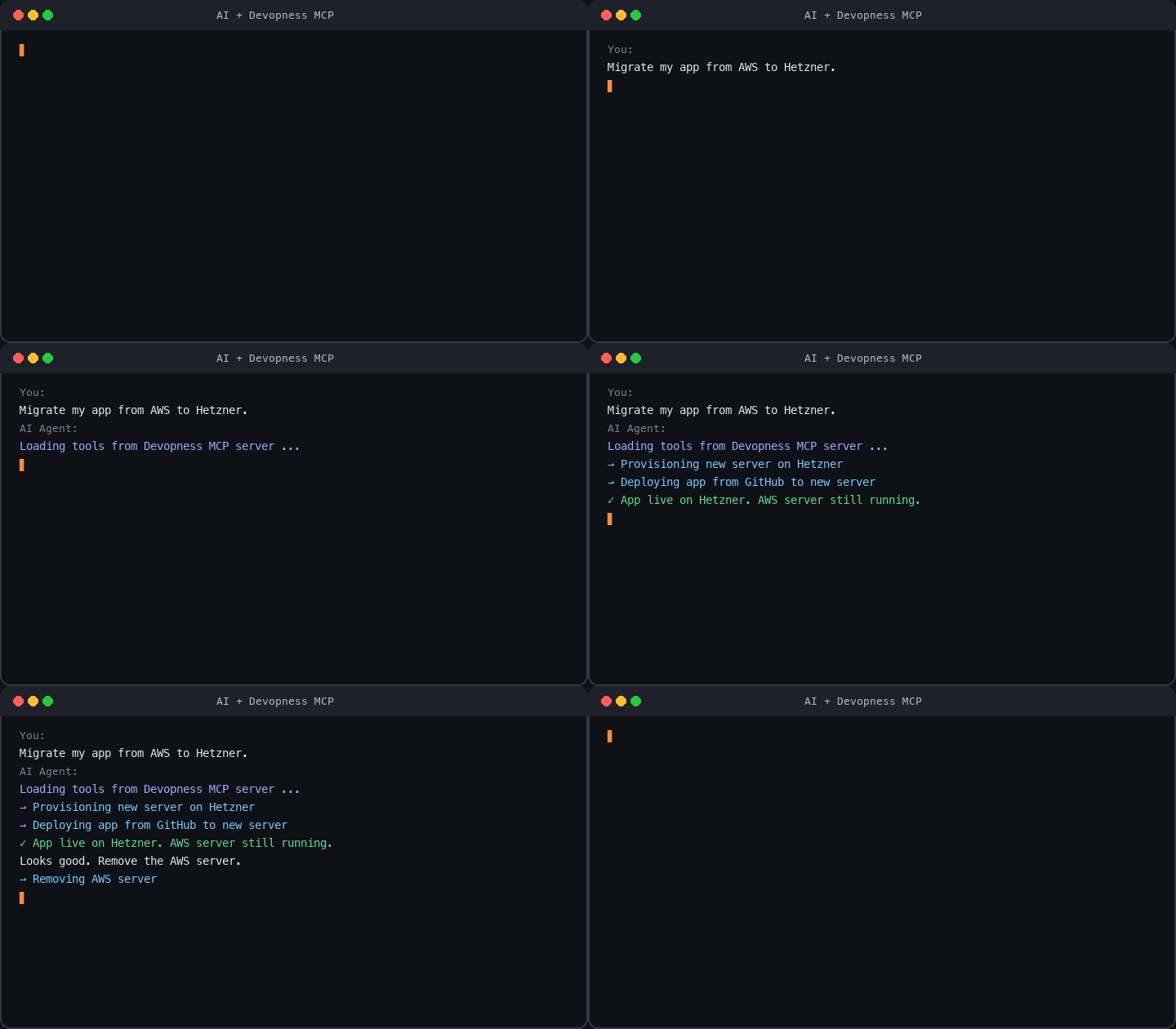
Starting the MCP server prompts you to log in with your Devopness account.
MCP-compatible clients: Cursor, VS Code, Claude Code, Codex CLI, Gemini CLI, Windsurf, Zed, Warp, JetBrains AI, and more. See step-by-step guides in MCP docs.
What Devopness replaces
Many self-hosted deploy tools (Coolify, Dokploy, and similar) assume you already provisioned a server and can connect over SSH. Devopness provisions infrastructure in your cloud from scratch, configures Linux, and deploys your apps. Routine work runs from the web app, API, or MCP: no SSH and no cloud console for everyday tasks.
Devopness combines what teams usually split across multiple tools into one platform:
Cloud infrastructure from scratch
- Networks, subnets, static IPs, servers, and Linux configuration in your cloud accounts (instead of Terraform, Ansible, and manual cloud console work)
CI/CD and hosted PaaS
- Deploy pipelines and hosted platforms (instead of Jenkins, GitHub Actions, GitLab CI, Vercel, Heroku, Netlify, Railway, Render, and similar PaaS)
Server and app management panels
Instead of separate panels per stack, use one platform for all stacks. Devopness replaces:
- PHP: cPanel, Laravel Forge/Envoyer, Plesk, RunCloud, ServerPanel.app
- Python: FastAPI Cloud, and similar stack-focused tools
- Ruby: Cloud 66, Hatchbox, Kamal (popular in Rails, works for any stack)
- Self-hosted (bring your own server): Coolify, Dokploy
What you get
- Trigger zero-downtime deploys automatically when you push to git
- See deploy history and infrastructure changes in one place, even from mobile, without SSH or cloud console access
- Fine-grained, role-based permissions per environment so teammates deploy without direct cloud-console access
- Run DevOps operations in natural language through MCP when connected to your AI agents
Quick start
- Create an account: free, no credit card required
- Follow Getting Started: organization -> project -> environment -> first deploy
- Connect MCP: optional; one-click in Cursor or VS Code above
For developers, team leads, founders, and agencies shipping on cloud infrastructure they control.

This repository
Open source packages and documentation for Devopness:
Community
Contributing
Contributions are welcome. See CONTRIBUTING.md. If you use AI tools, also read AGENTS.md. All contributions are subject to the Code of Conduct.
Like the project? Star this repo: it helps others discover Devopness.
Release notes: GitHub Releases. Licensed under Apache License 2.0.