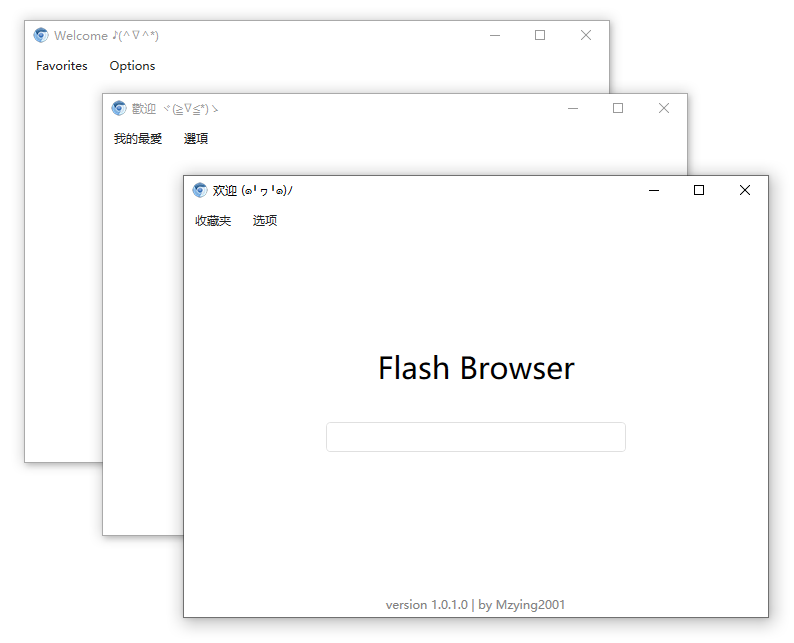
CefFlashBrowser is a free, MIT-licensed Windows desktop browser built with C# on CefSharp and WPF that bundles a Flash Player plugin, so it displays Flash content on web pages, opens local SWF files, and manages Flash game saves.
What it is
CefFlashBrowser is a desktop browser that ships with its own Flash Player plugin instead of relying on one installed separately in the host system. It is written in C# and combines two Windows technologies: CefSharp for the embedded Chromium browser engine, and WPF for the application shell. The project is published on GitHub under the MIT licence, carries the topics browser, cefsharp, csharp, flash, flash-player, swf, and wpf, and sits in the Productivity & Utilities / Browsers & Extensions category. It is a Chinese-first project, with the main README in Chinese and an English version at ./README.en.md.
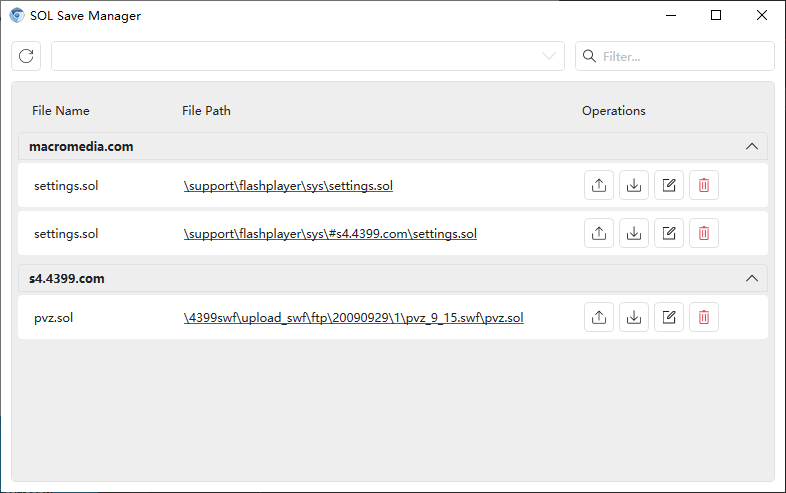
The concrete problem it solves is the disappearance of Flash playback from mainstream browsers. Flash content on live or archived web pages no longer renders in a normal browser, and local SWF files have no native handler. CefFlashBrowser replaces both gaps in one program: web pages load through CefSharp with Flash enabled, and local SWF files open directly. It also addresses the second half of the Flash problem — saves — through its SOL save manager, which exports, imports, and modifies Flash game save files.
Key capabilities
- Bundled Flash Player plugin renders Flash content embedded in web pages, without separate player installation.
- Opens local SWF files directly in the browser.
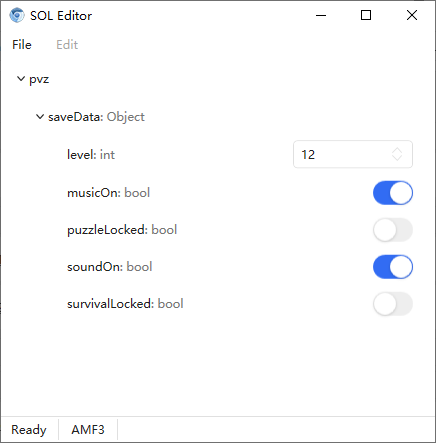
- SOL save manager exports, imports, and modifies Flash game saves.
- Built on CefSharp for the browser engine and WPF for the Windows UI, in C#.
- Distributed as a release archive;
CefFlashBrowser.exe launches the application after extraction.
- Runs on
.NET Framework 4.6.2.
- MIT-licensed with public source.
Who uses it and how
- Users who need to run Flash games and web content that no longer works in current browsers.
- Players who move, back up, or edit Flash game progress by exporting and importing SOL save files; the README advises backing up save files before modifying them.
- Anyone opening archived local SWF files that have no native handler on the system.
- C# developers and hobbyists who fork or build from source under the MIT licence; the repository shows 5,407 stars, 245 forks, and 51 open issues.
Getting started
Download the latest release archive from the project's Release page, extract it, and double-click CefFlashBrowser.exe. The application requires .NET Framework 4.6.2, and a System.IO.FileNotFoundException at startup usually means the Microsoft Visual C++ Redistributable is missing and must be installed first.
How it compares
No paid products or comparable tools are named in the facts provided, so this entry stands alone in this registry.
When to use it — and when not to
Choose it when the goal is specifically running Flash content or local SWF files on Windows and a self-contained browser with save management is useful. A self-hoster must supply the Windows runtime the application depends on: .NET Framework 4.6.2 and the Microsoft Visual C++ Redistributable, both installed outside the release archive, and there is no package manager or container path. It is the wrong pick for anyone who does not need Flash, for non-Windows systems, or for users unwilling to install those two runtime dependencies.