buildwithclaude is a free, open source frameworks & platforms project written in Python and released under MIT. It has 3,503 GitHub stars, 519 forks and 19 open issues, and was last pushed 28 hours ago. On this registry it ranks #45 of 58 tracked projects in Frameworks & Platforms, with 5 head-to-head comparisons available.

What is buildwithclaude?

Build with Claude is an open-source plugin marketplace and discovery platform that gathers Claude Skills, Agents, Commands, Hooks, Plugins, and Marketplace collections into a single searchable hub for people extending Claude Code, Claude Desktop, the Agent SDK, and OpenClaw.

What it is

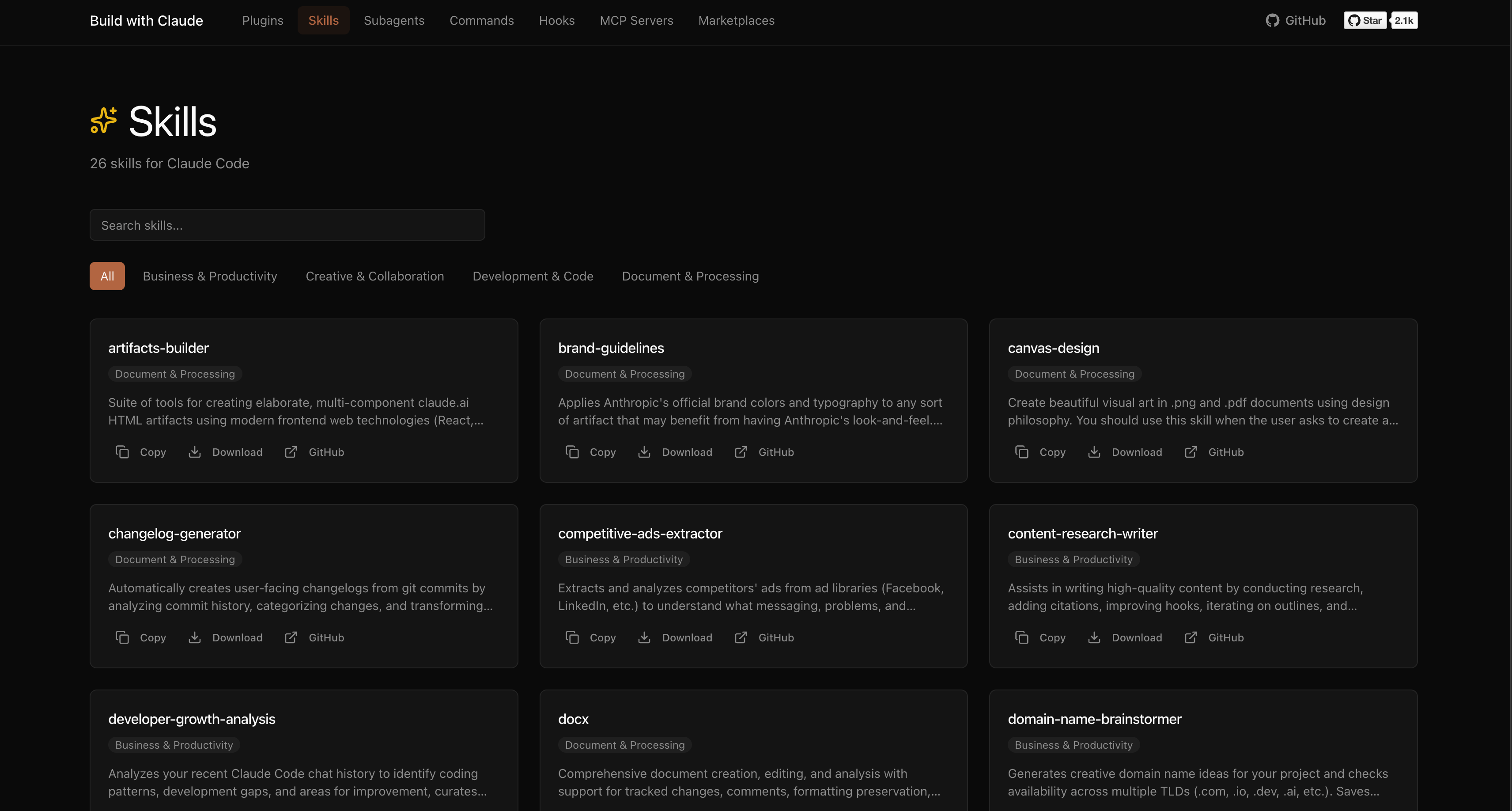
Build with Claude is a Python repository, licensed under MIT, that functions both as a Claude Code plugin marketplace and as a discovery platform with a web interface at buildwithclaude.com. It maintains curated in-repository collections across five types: 117 Agents, 175 Commands, 28 Hooks, 26 Skills, and 51 Plugins. Beyond those curated collections, the platform indexes the wider ecosystem, covering more than 20,000 community plugins from external marketplaces, more than 4,500 MCP servers for database, API, and tool connections, and more than 1,100 community plugin marketplaces. The project lives squarely in the Claude Code ecosystem and carries topics including mcp, mcp-server, subagents, plugin-marketplace, and claude-skills.

The problem it solves is discovery and installation. Without such a hub, a user looking for a Python specialist agent, a version-control slash command, or a notification hook has to locate the relevant repository and wire it up by hand. Build with Claude replaces that manual scavenging with a registered marketplace that can be added once and then queried by name using Claude Code's own plugin commands. Where the manual path is still chosen, it reduces the work to cloning the repository and copying markdown files into the local Claude configuration directories. The platform also replaces scattered, unindexed lists of community plugins and MCP servers with one browsable catalogue.

Key capabilities

  • Registers as a Claude Code marketplace with /plugin marketplace add davepoon/buildwithclaude, then browses and installs through /plugin search @buildwithclaude and /plugin install @buildwithclaude.
  • Ships curated bundles that can be installed wholesale using /plugin install all-agents@buildwithclaude, /plugin install all-commands@buildwithclaude, and /plugin install all-hooks@buildwithclaude.
  • Supports individual installs by named package, such as agents-python-expert@buildwithclaude, commands-version-control-git@buildwithclaude, and hooks-notifications@buildwithclaude.
  • Organises the 117 Agents across 11 categories, including Development and Architecture, Language Specialists, Quality and Security, Infrastructure and Operations, Data and AI, and Crypto and Blockchain.
  • Organises the 175 Commands across 22 categories, including Version Control, Code Analysis, Documentation, and Project Management.
  • Indexes external material at scale: more than 20,000 community plugins, more than 4,500 MCP servers, and more than 1,100 plugin marketplaces.
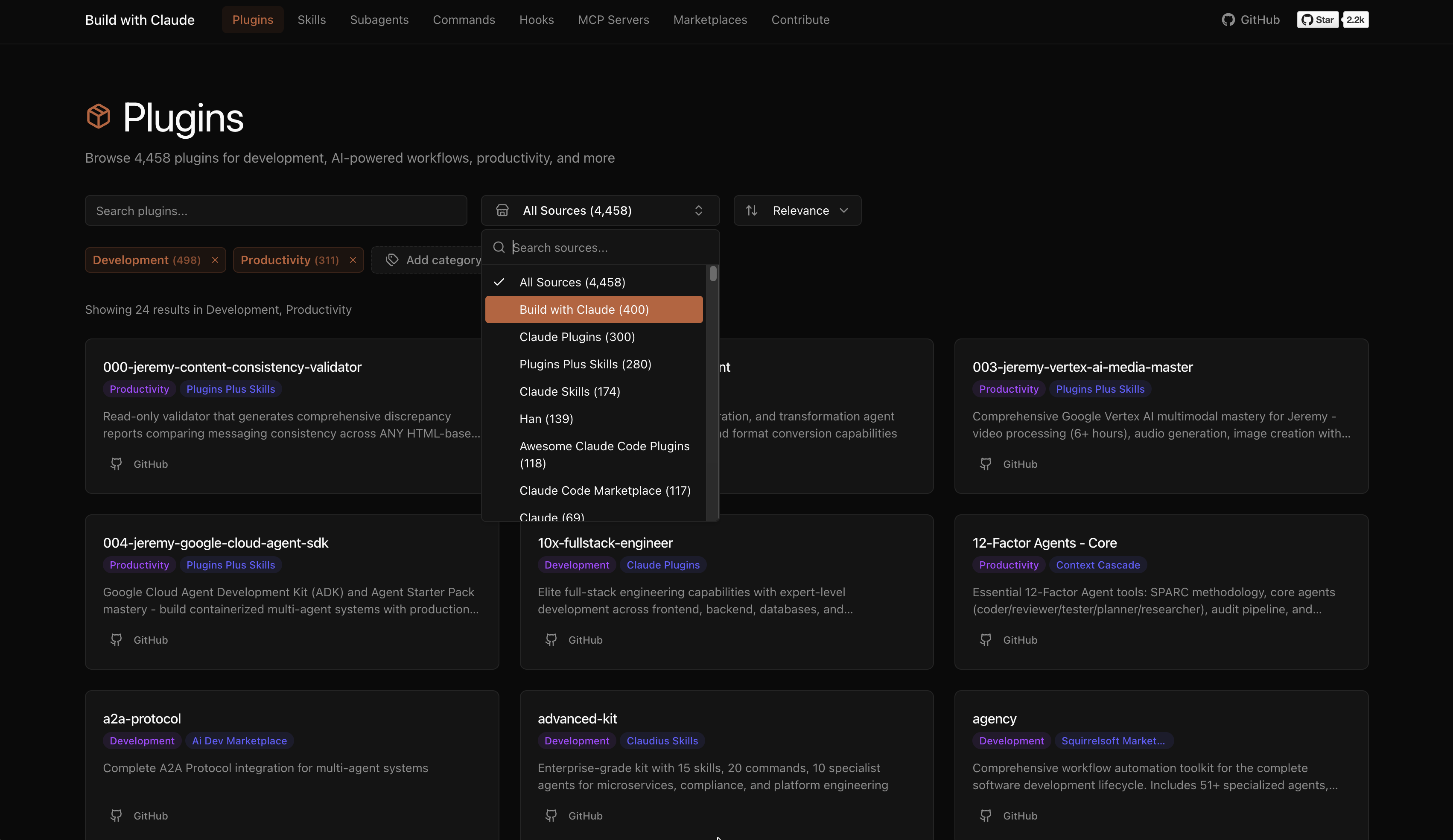
  • Provides a web UI at buildwithclaude.com with filtering by plugin type, search across plugins, agents, commands, hooks, and skills, one-click copying of install commands, and full documentation with usage examples.
  • Offers a manual installation route using git clone, find plugins/agents-*/agents -name "*.md" -exec cp {} ~/.claude/agents/ \;, and the equivalent copy for commands into ~/.claude/commands/.

Who uses it and how

  • Developers extending Claude Code who add the marketplace once and then install agents, commands, and hooks by package name instead of managing files themselves.
  • Teams that want a consistent baseline across machines and seed every local ~/.claude/agents/ directory at once with the all-agents bundle.
  • MCP adopters browsing the indexed catalogue of more than 4,500 MCP servers to find database, API, or tool connections rather than searching GitHub.
  • Users who prefer direct control over their Claude configuration, cloning the repository and copying markdown files into ~/.claude/agents/ and ~/.claude/commands/ before restarting Claude Code.
  • Users working across the surfaces named in the tagline, including Claude Code, Claude Desktop, the Agent SDK, and OpenClaw, who need one place to find compatible extensions.

Getting started

The recommended path is Claude Code's plugin marketplace: run /plugin marketplace add davepoon/buildwithclaude, then /plugin search @buildwithclaude or /plugin install @buildwithclaude. A manual alternative is to git clone https://github.com/davepoon/buildwithclaude.git and copy the agent and command markdown files into ~/.claude/agents/ and ~/.claude/commands/.

How it compares

The facts provide no list of paid products that Build with Claude replaces, and they name no directly comparable registry product. It therefore stands alone in this registry as a discovery and marketplace layer, with its nearest neighbours being the MCP server ecosystem and the community plugin marketplaces it indexes rather than competes with.

When to use it — and when not to

Choose it if you use Claude Code, Claude Desktop, the Agent SDK, or OpenClaw and want plugin discovery and installation handled through one registered marketplace. Be aware that the README excerpt is truncated mid-sentence, so the full command category list is only partly documented, and the 20,000-plus community plugins come from external marketplaces rather than from the maintainer's curated set, so quality varies by source. Anyone outside the Claude ecosystem, or anyone expecting a single bundled tool rather than a catalogue, should look elsewhere.

project readme (upstream, from github) — read inline

Build with Claude

Claude Skills, Agents, Commands, Hooks, Plugins, Marketplaces collections for and extend Claude Code

Open Source License: MIT PRs Welcome GitHub stars

A plugin marketplace and discovery platform for Claude Code. Browse curated plugins, discover community contributions, and extend your Claude Code workflows.

Quick Start

# Add the Build with Claude marketplace
/plugin marketplace add davepoon/buildwithclaude

# Browse available plugins
/plugin search @buildwithclaude

# Install plugins
/plugin install <plugin-name>@buildwithclaude

What's Included

Build with Claude Plugins

Curated collections maintained in this repository:

Type Count Description
Agents 117 Specialized AI experts (Python, Go, DevOps, Security, etc.)
Commands 175 Slash commands for automation (/commit, /docs, /tdd)
Hooks 28 Event-driven automation (notifications, git, formatting)
Skills 26 Reusable capabilities from plugins
Plugins 51 Bundled plugin packages by category

Community Discovery

The platform indexes plugins from the broader Claude Code ecosystem:

  • 20k+ Community Plugins from external marketplaces
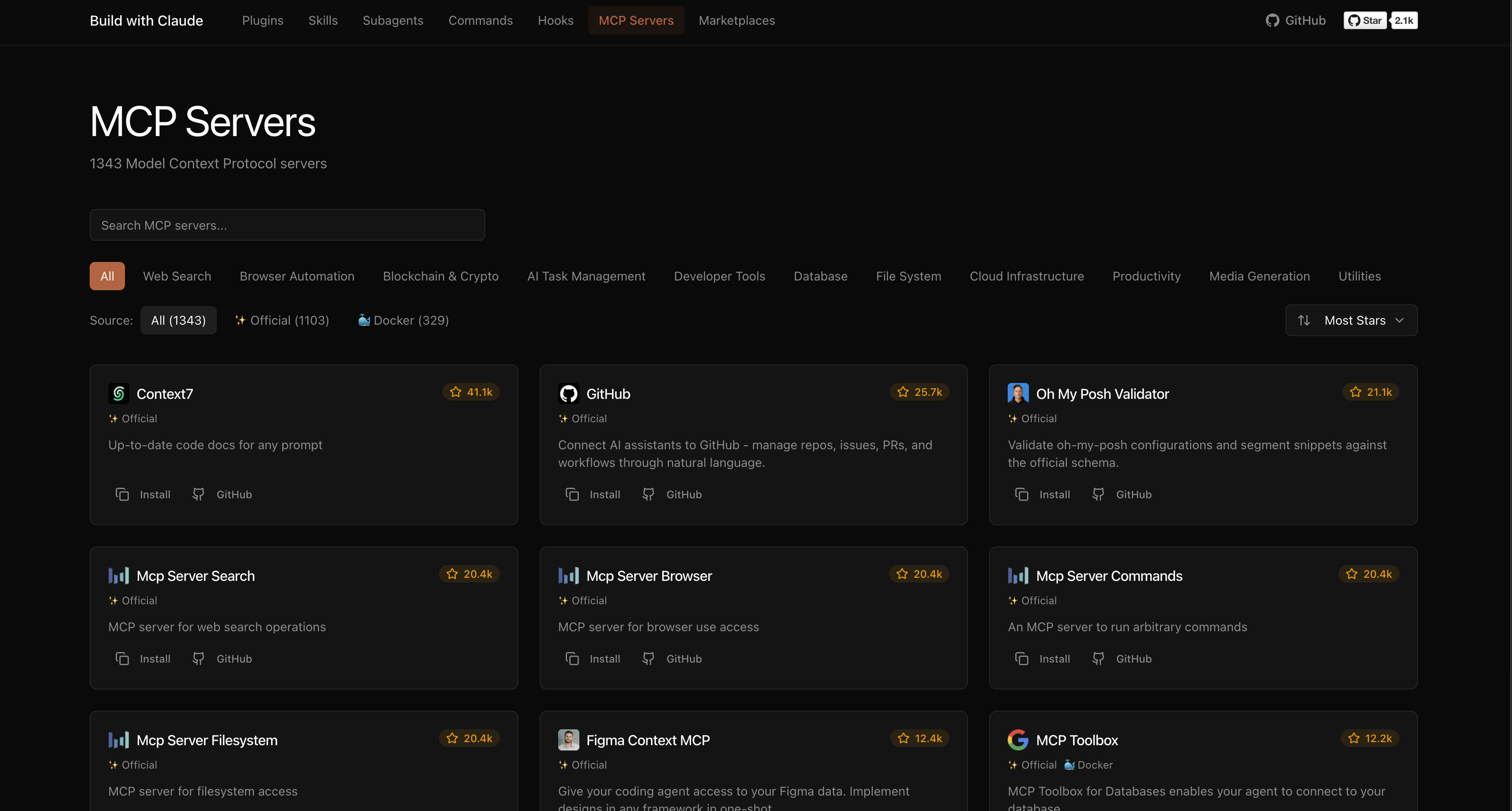
  • 4,500+ MCP Servers for database, API, and tool connections
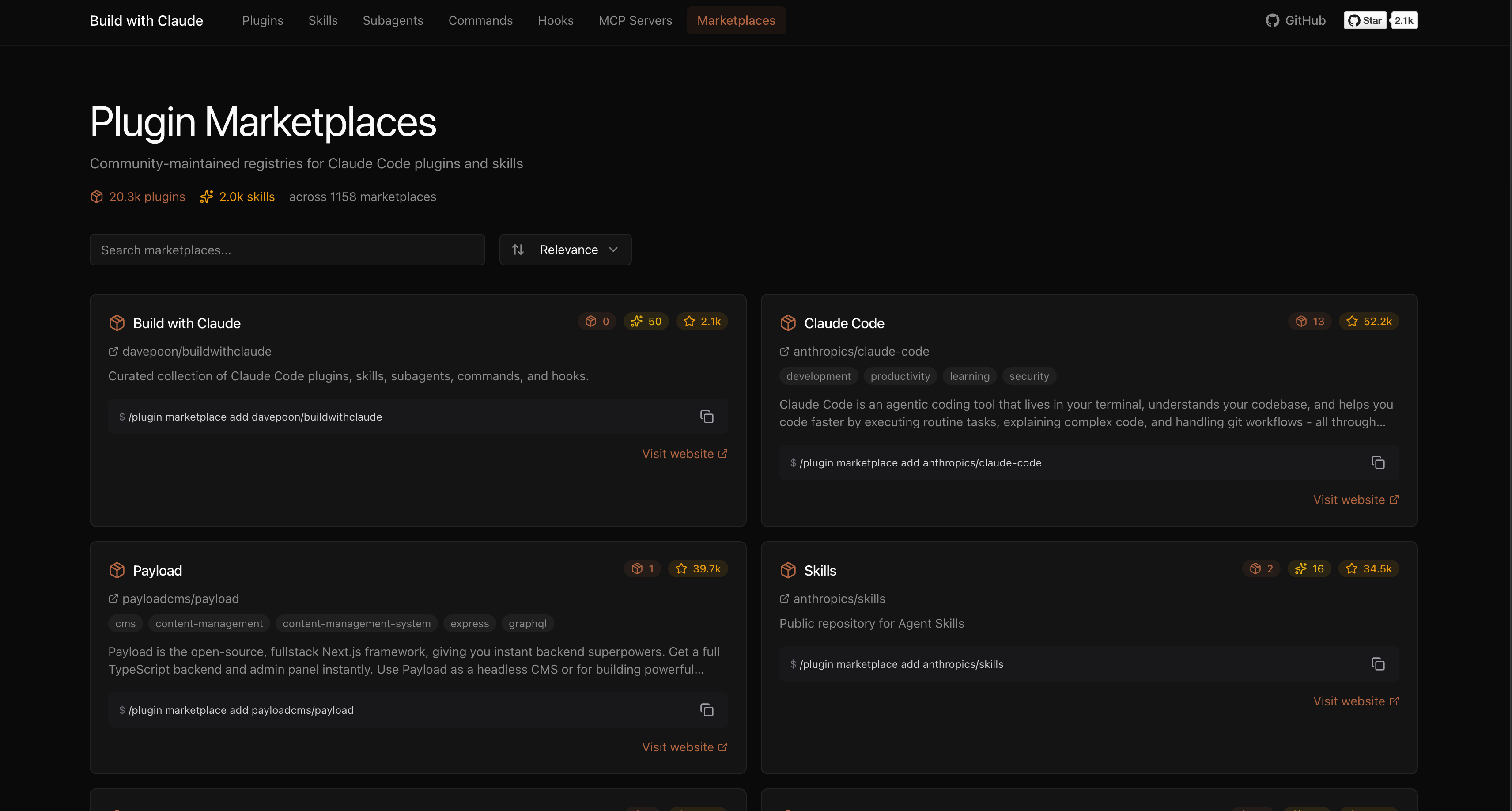
  • 1,100+ Plugin Marketplaces from the community

Web UI

Browse, search, and explore everything at buildwithclaude.com
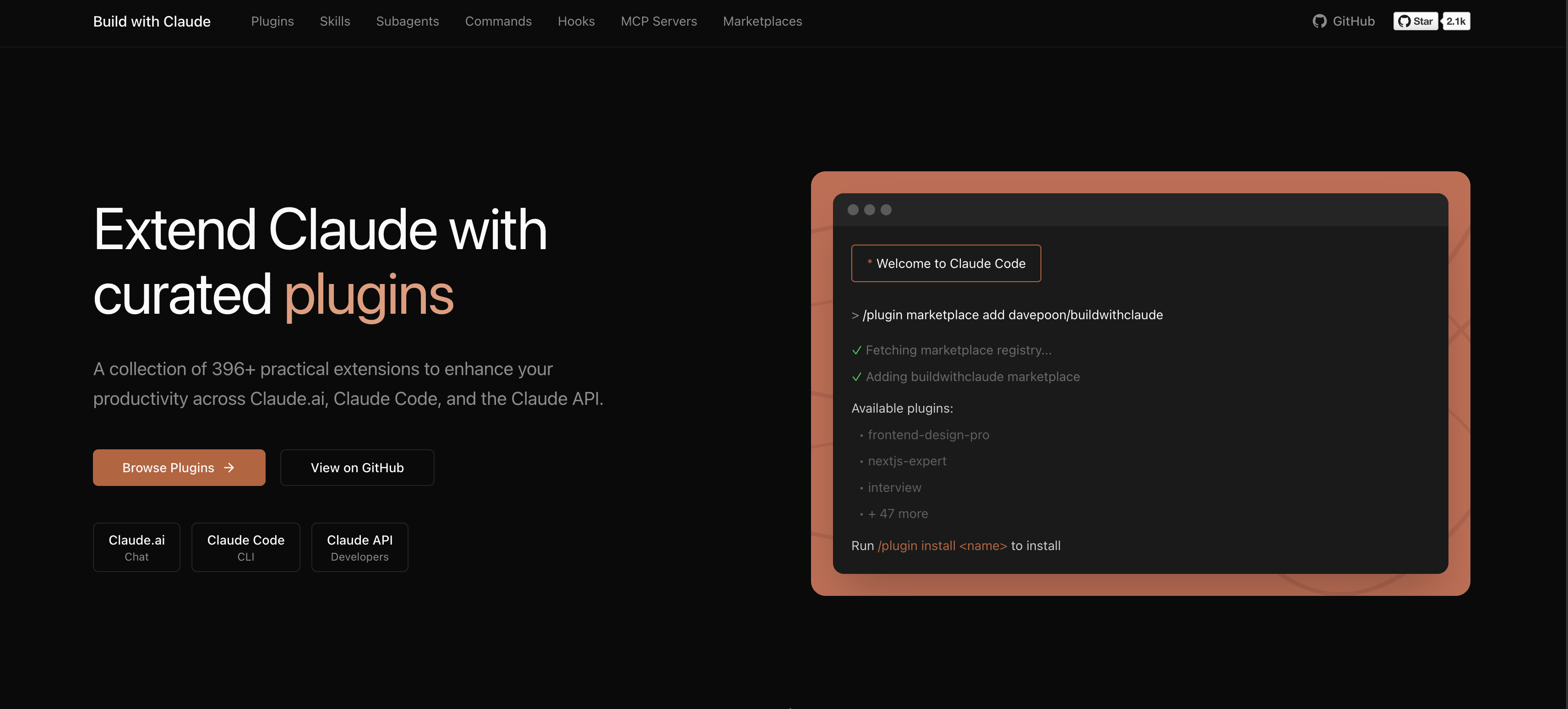
Build with Claude Homepage

Browse Plugins

Browse Skills

Browse MCP Servers

Browse Plugin Marketplaces

Features

  • Browse all plugin types with filtering
  • Search across plugins, agents, commands, hooks, skills
  • Copy install commands with one click
  • View full documentation and usage examples
  • Discover MCP servers and community plugins

Installation Options

Option 1: Plugin Marketplace (Recommended)

# Add marketplace
/plugin marketplace add davepoon/buildwithclaude

# Install specific plugins
/plugin install agents-python-expert@buildwithclaude
/plugin install commands-version-control-git@buildwithclaude
/plugin install hooks-notifications@buildwithclaude

# Or install everything
/plugin install all-agents@buildwithclaude
/plugin install all-commands@buildwithclaude
/plugin install all-hooks@buildwithclaude

Option 2: Manual Installation

# Clone repository
git clone https://github.com/davepoon/buildwithclaude.git
cd buildwithclaude

# Install agents
find plugins/agents-*/agents -name "*.md" -exec cp {} ~/.claude/agents/ \;

# Install commands
find plugins/commands-*/commands -name "*.md" -exec cp {} ~/.claude/commands/ \;

# Restart Claude Code

Available Plugin Categories

Agents (11 categories)

  • Development & Architecture - Backend, frontend, mobile, GraphQL experts
  • Language Specialists - Python, Go, Rust, TypeScript, C/C++ experts
  • Quality & Security - Code review, security audit, debugging
  • Infrastructure & Operations - DevOps, cloud, database optimization
  • Data & AI - ML engineering, data pipelines, AI development
  • Crypto & Blockchain - Trading systems, DeFi, Web3 development
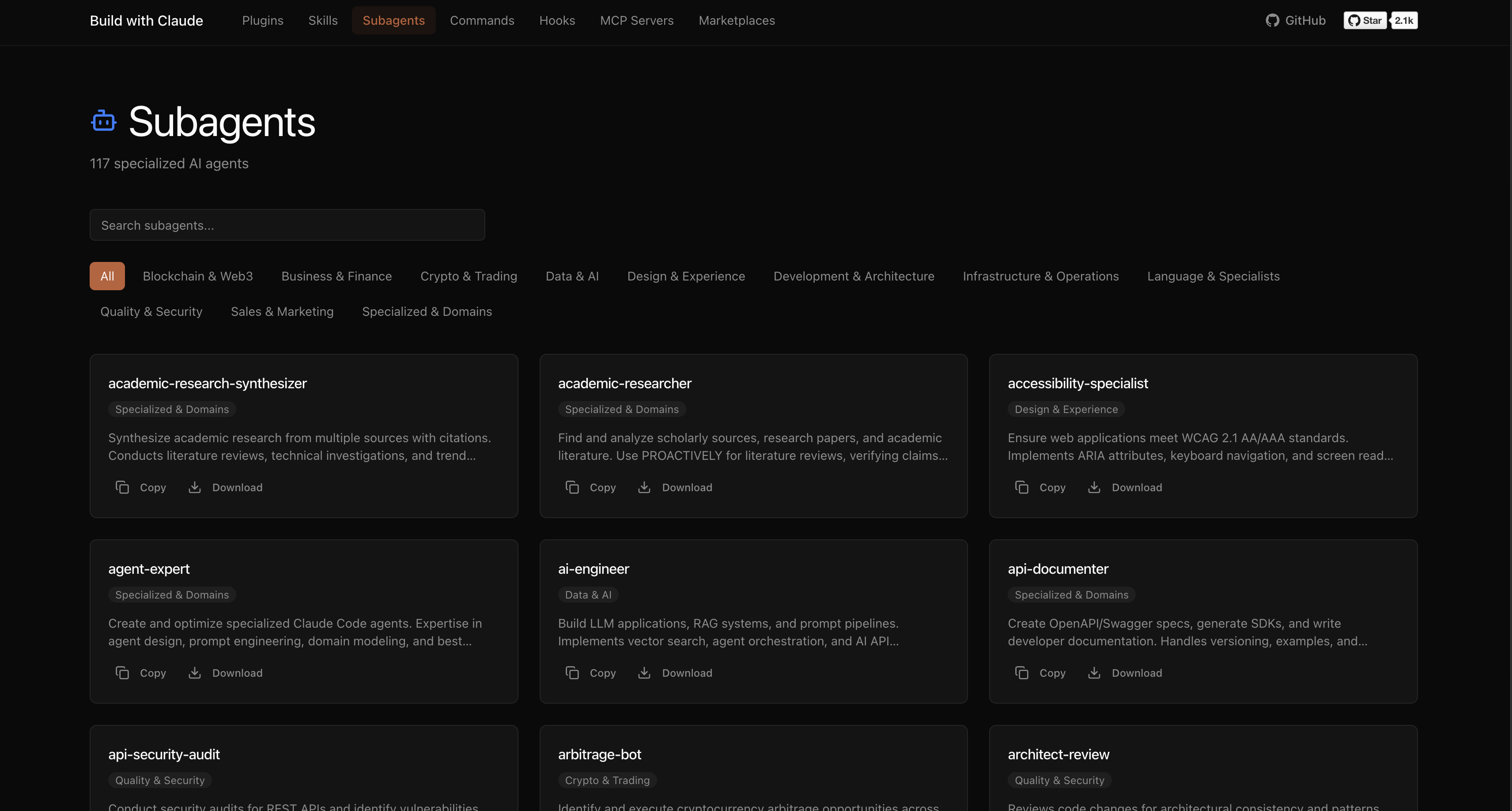
Browse all agents →

Browse Subagents

Commands (22 categories)

  • Version Control - Commit, PR creation, branch management
  • Code Analysis - Testing, review, optimization
  • Documentation - Docs generation, changelogs, API specs
  • Project Management - Todos, PRDs, task tracking
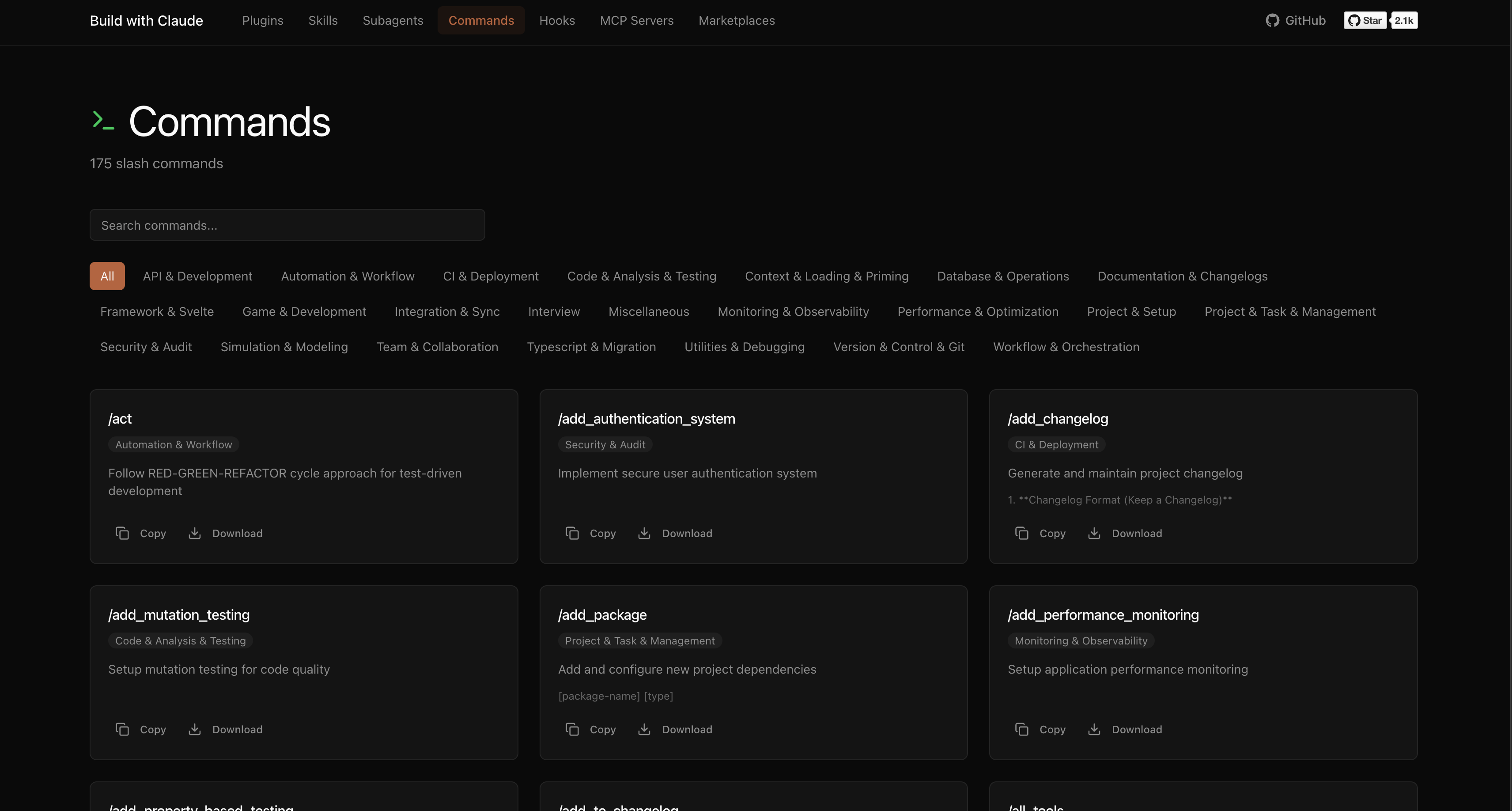
Browse all commands →

Browse Commands

Hooks (8 categories)

  • Notifications - Slack, Discord, Telegram alerts
  • Git - Auto-staging, smart commits
  • Development - Lint on save, auto-format
  • Security - File protection, vulnerability scanning
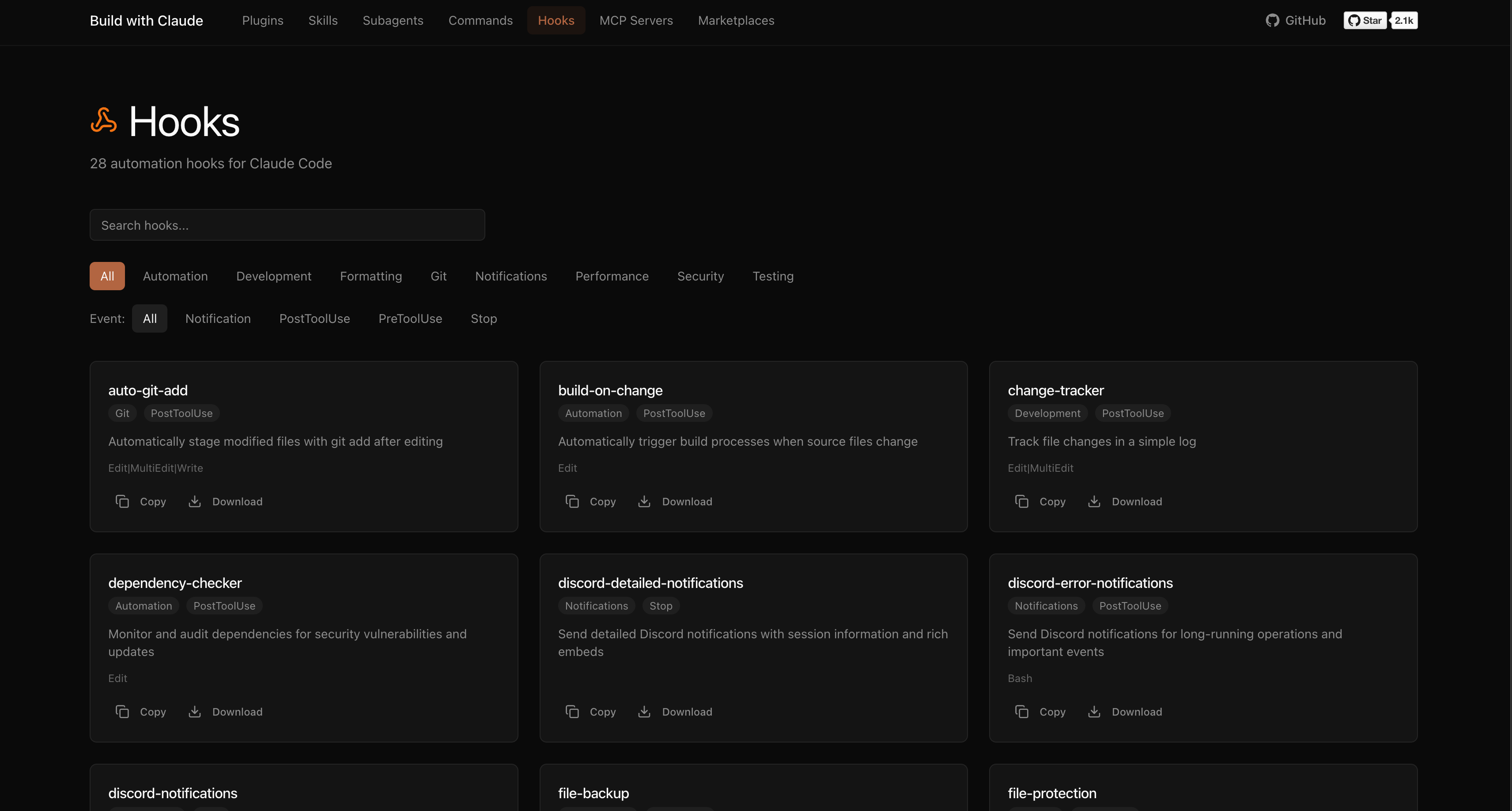
Browse all hooks →

Browse Hooks

Usage Examples

Using Agents

Agents are automatically invoked based on context, or explicitly called:

"Use the python-pro to optimize this function"
"@agent-security-auditor review this authentication code"
"Have the devops-troubleshooter help debug this deployment"

Using Commands

Commands use the / prefix:

/commit                    # Create conventional commit
/create-pr                 # Create pull request
/docs                      # Generate documentation
/tdd                       # Start test-driven development
/code_analysis             # Analyze code quality

Using Hooks

Hooks run automatically on events like tool calls or session start.

Contributing

We welcome contributions!

Adding Plugins

  1. Create a new directory in plugins/ following the naming convention
  2. Add your plugin files (agents, commands, hooks)
  3. Run npm test to validate
  4. Submit a pull request

Plugin Format

Agent (plugins/agents-*/agents/*.md):

---
name: agent-name
description: When to invoke this agent
category: category-name
tools: Read, Write, Bash
---

You are a [role description]...

Command (plugins/commands-*/commands/*.md):

---
description: What this command does
category: category-name
argument-hint: <args>
---

Command implementation...

Hook (plugins/hooks-*/hooks/*.md):

---
hooks: PreToolUse, PostToolUse
description: What this hook does
---

Hook implementation...

See CONTRIBUTING.md for detailed guidelines.

Links

License

MIT License - see LICENSE for details.


Made with ❤️ by Dave Poon

Frequently asked questions

Is buildwithclaude free to use?

buildwithclaude is open source under the MIT licence. There is no licence fee and no seat count — you can self-host it or, where the project offers one, pay a vendor for a managed version instead.

What does buildwithclaude do?

A single hub to find Claude Skills, Agents, Commands, Hooks, Plugins, and Marketplace collections to extend Claude Code, Claude Desktop, Agent SDK and OpenClaw

What is buildwithclaude written in?

buildwithclaude is primarily written in Python. Its source is publicly available at https://github.com/davepoon/buildwithclaude, and it has 3,503 GitHub stars.