Browser Harness is an open-source, MIT-licensed Python harness that connects an LLM directly to a real browser through one editable CDP websocket, built for developers and agent builders who want a coding agent to carry out browser work end to end.
What it is
Browser Harness is a Python project, distributed under the MIT licence, that links a language model to a live browser over a single editable Chrome DevTools Protocol websocket. The agent does not work through a fixed catalogue of commands. When it reaches a step it cannot perform, it writes the missing helper itself into agent-workspace/agent_helpers.py, so the harness accumulates working code as it completes tasks. The core package under src/browser_harness/ stays protected, which keeps the agent's additions separate from the shipped code.
The problem it solves is pre-authoring. Browser automation normally means a developer writes every scripted step in advance, or builds a second CDP layer on top of an existing driver before the agent can act. Browser Harness replaces that preparation with a workflow where the agent inspects the page, notices a gap, and closes it in place. Setup is described in install.md, the browser workflow is taught in SKILL.md, and the agent registers the skill through browser-harness skill. The README states the intent plainly: "You will never use the browser again."
Key capabilities
- Connects an LLM to the user's real browser through one editable CDP websocket.
- Writes missing helpers at runtime into agent-workspace/agent_helpers.py, while src/browser_harness/ remains protected.
- Registers the agent skill with browser-harness skill, backed by SKILL.md for the browser workflow and install.md for connection setup.
- Ships browser-harness-mcp, an MCP server that exposes the browser control helpers as tools over stdio for clients such as Claude Code, Devin and Cursor.
- Installs and upgrades through uv on Python 3.12.
- Offers optional local browser recordings, defaulting to off and preserving the existing preference on upgrade.
- Scales to many parallel browsers through Browser Use Cloud, with live previews, proxies, stealth and CAPTCHA solving.
Who uses it and how
- Developers working in Claude Code or Codex paste the setup prompt and let the agent install, register the skill, and connect to the browser.
- Teams running MCP clients drive the browser through browser-harness-mcp over stdio, without writing a second CDP layer.
- Individuals point it at their local browser for logged-in, personal work, such as opening an X profile and downloading the latest 20 video posts.
- Workloads that need many browsers at once move to Browser Use Cloud for parallel sessions and live previews.
- Contributors submit bug fixes, documentation improvements and agent-generated domain skills through CONTRIBUTING.md.
Getting started
Install or upgrade browser-harness to the latest stable version with uv using Python 3.12, register the skill from browser-harness skill, then connect it to the browser, falling back to install.md if setup or connection fails. A hosted option is available through Browser Use Cloud.
How it compares
The facts provide no list of paid products that Browser Harness replaces, so the comparison sits among adjacent tools instead. It runs on Chrome DevTools Protocol and sits alongside Playwright in the same ecosystem, with Playwright named among its topics, while Browser Use Cloud is presented as the scale-up path for parallel browsers rather than a competing product line.
When to use it — and when not to
Self-hosting introduces no database, object storage or SMTP dependency in the facts, but it does require Python 3.12, uv, and a browser the agent is permitted to control, plus tolerance for generated helpers accumulating in agent-workspace/. It is a poor fit for anyone who wants fixed, hand-authored automation scripts with predictable diffs, or who will not grant an agent access to a logged-in personal browser. The repository also carries 353 open issues, so adopters should expect active churn rather than a quiet, finished surface.
project readme (upstream, from github) — read inline

Browser Harness ♞
Connect an LLM directly to your real browser through one editable CDP websocket. The agent writes missing helpers as it works, so the harness improves with every task.
Try browser-harness in Browser Use Cloud or paste the setup prompt into your coding agent.
  ● agent: wants to upload a file
  │
  ● agent-workspace/agent_helpers.py → helper missing
  │
  ● agent writes it                         agent_helpers.py
  │                                                       + custom helper
  ✓ file uploaded
You will never use the browser again.
See it work
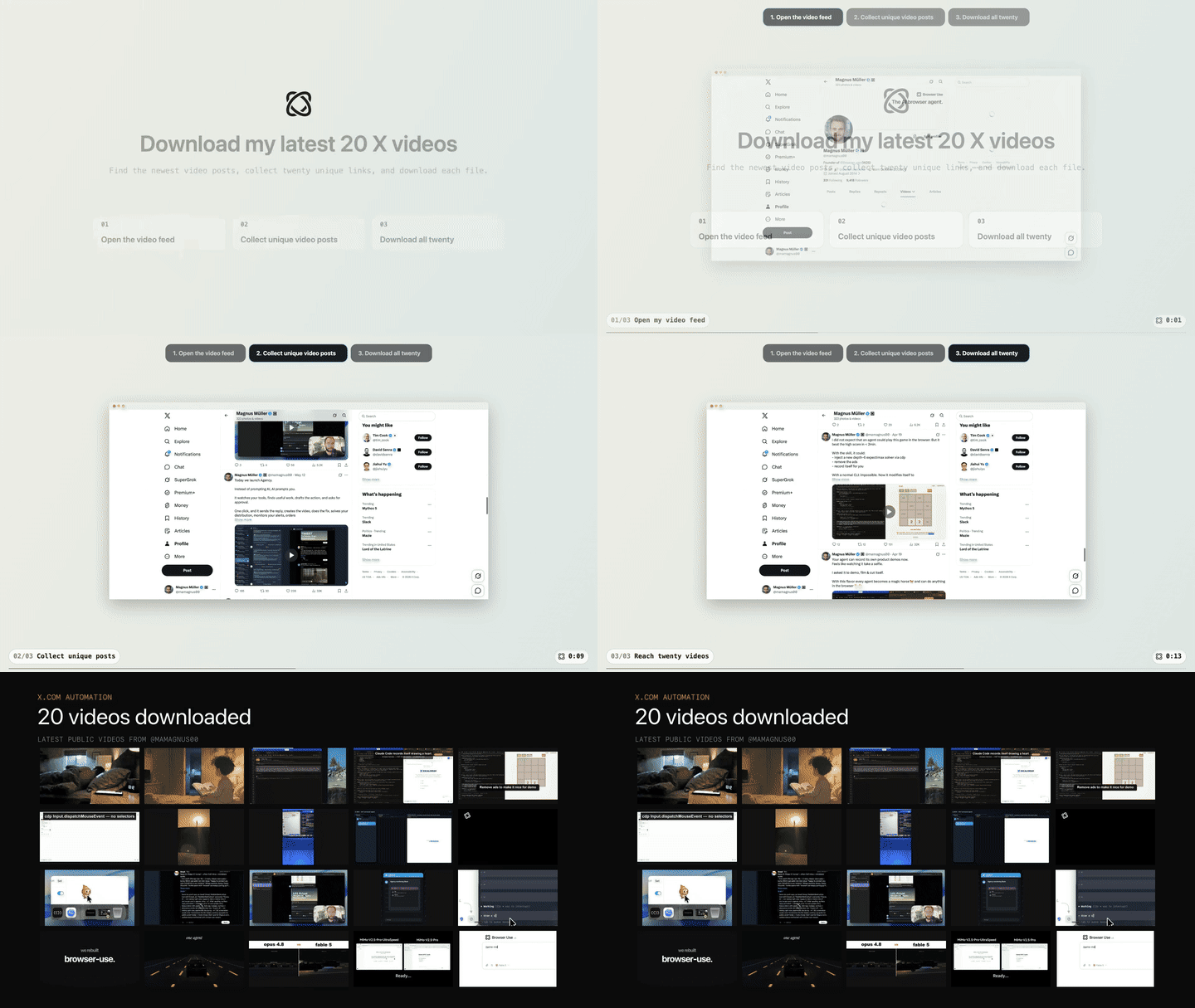
Task: "Open my X profile, find my latest 20 video posts, and download them."
Setup prompt
Paste into Claude Code or Codex:
Install or upgrade browser-harness to the latest stable version with uv using Python 3.12, register the skill from `browser-harness skill`, and connect it to my browser. Ask whether I want local browser recordings enabled; default to no and preserve my existing preference on upgrades. Follow https://github.com/browser-use/browser-harness/blob/main/install.md if setup or connection fails.
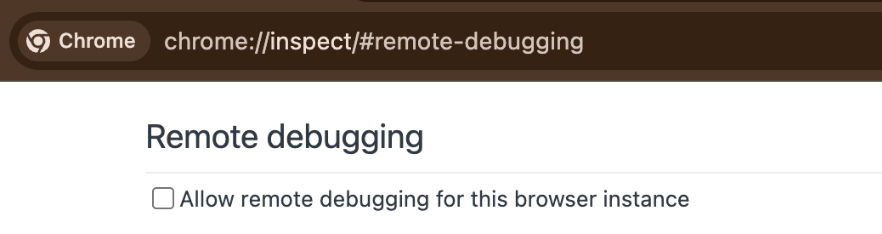
The agent will open chrome://inspect/#remote-debugging. On first setup, tick
the checkbox so the agent can connect to your browser:
How it works
Scale with Browser Use Cloud
Use your local browser for logged-in, personal work. When you want many browsers in parallel—with live previews, proxies, stealth, CAPTCHA solving, and more—scale with Browser Use Cloud.
MCP server
browser-harness-mcp exposes the browser control helpers as MCP tools over
stdio, so any MCP client (Claude Code, Devin, Cursor, etc.) can drive the
browser without writing a second CDP layer. See docs/MCP.md for
setup and client configuration.
Contributing
Bug fixes, documentation improvements, and agent-generated domain skills are welcome. See CONTRIBUTING.md.
The Bitter Lesson of Agent Harnesses · Web Agents That Actually Learn