





☁️ Atomic Cloud — Atomic, hosted at your own subdomain. Try it out for free. Everything below still self-hosts forever.
A personal knowledge base that turns markdown notes into a semantically-connected, AI-augmented knowledge graph.
Atomic stores knowledge as atoms — markdown notes that are automatically chunked, embedded, tagged, and linked by semantic similarity. Your atoms can be synthesized into wiki articles, explored on a spatial canvas, and queried through an agentic chat interface.
https://github.com/user-attachments/assets/1992fcf7-1d6b-41b1-a177-2da2e8b57676
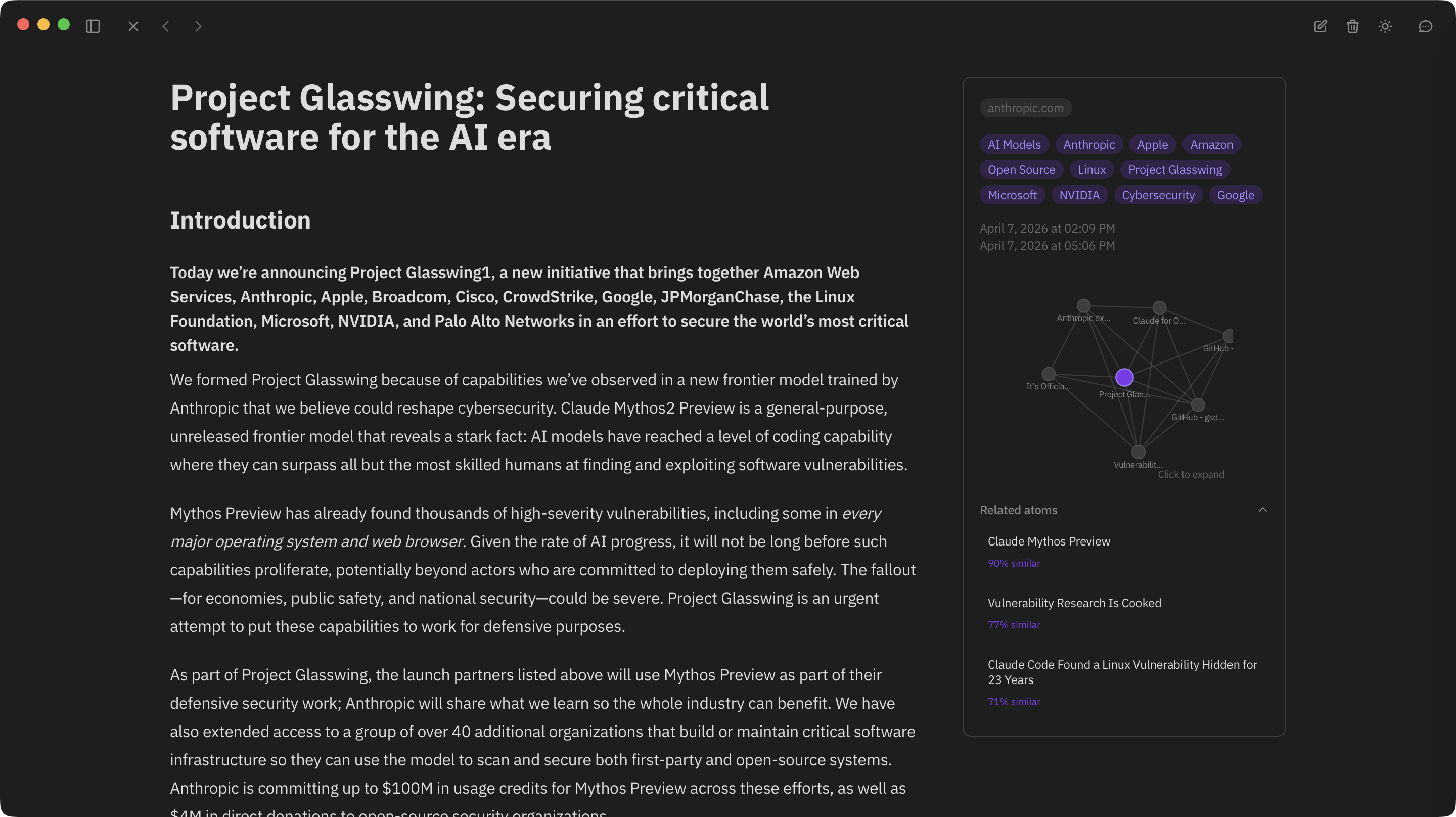
Wiki synthesis — LLM-generated articles with inline citations
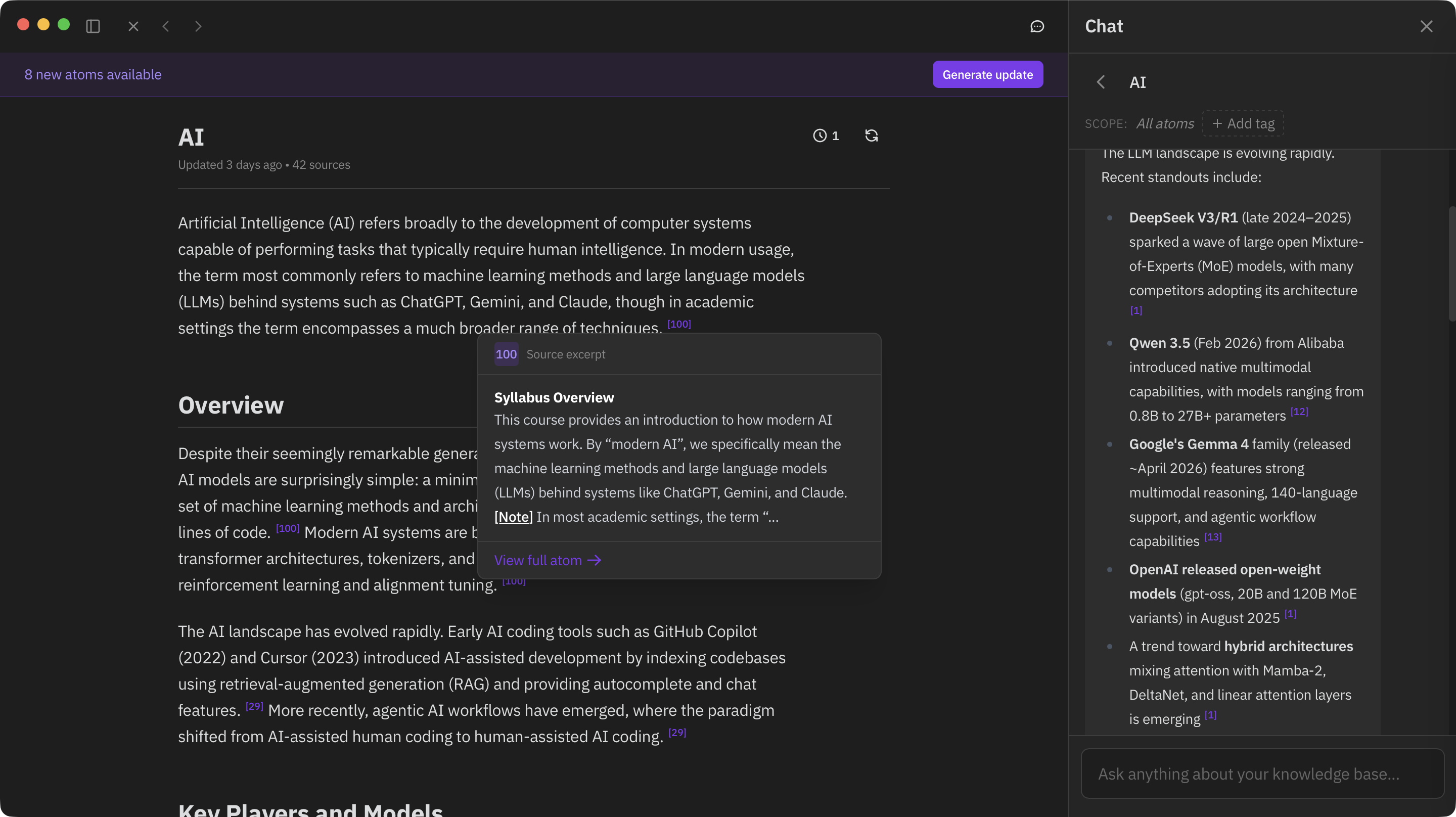
Canvas — view your knowledge on an interactive graph
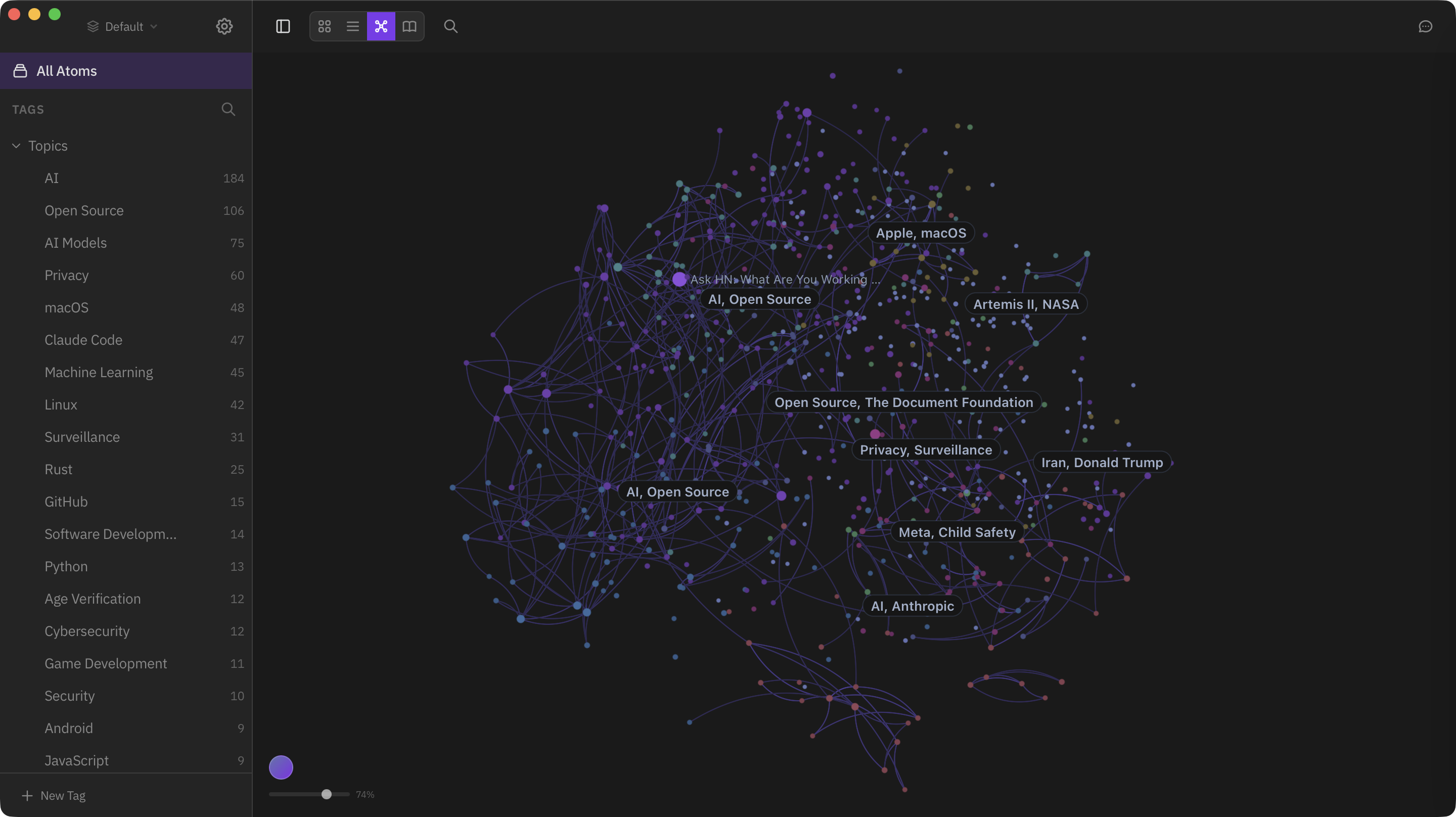
Semantic search — find by meaning, not keywords
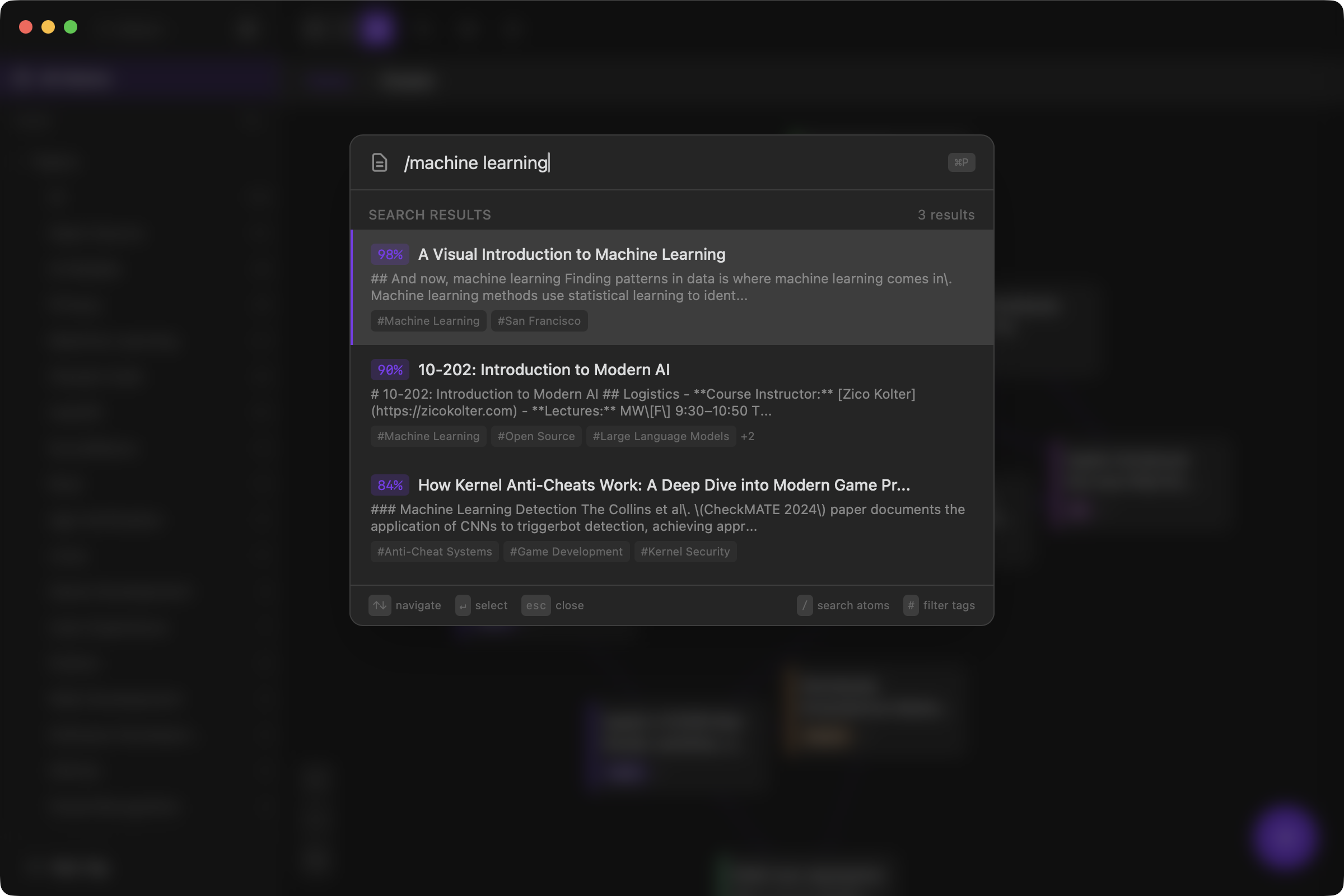
Features
- Atoms — Markdown notes with hierarchical tagging, source URLs, and automatic chunking
- Semantic Search — Vector search over your knowledge base using sqlite-vec
- Canvas — Force-directed spatial visualization where semantic similarity determines layout
- Wiki Synthesis — LLM-generated articles with inline citations, built from your notes
- Reports — Scheduled research tasks that turn your atoms into recurring cited findings (daily briefings, contradiction scans, open-question tracking)
- Chat — Agentic RAG interface that searches your knowledge base during conversation
- Auto-Tagging — LLM-powered tag extraction organized into hierarchical categories
- Multiple AI Providers — OpenRouter, Ollama, or any OpenAI-compatible provider for embeddings and LLMs
- RSS Feeds — Subscribe to feeds and automatically sync new articles as atoms
- Browser Extension — Capture web content directly into Atomic (Chrome Web Store)
- MCP Server — Expose your knowledge base to Claude and other AI tools
- Multi-Database — Multiple knowledge bases with a shared registry
- iOS App — Native SwiftUI client for reading and writing atoms on mobile (App Store)
Getting Started
Atomic runs as a desktop app (Tauri), a headless server (Docker/Fly.io), or both.
Desktop App
Download the latest release for your platform from GitHub Releases (macOS, Linux, Windows).
On first launch, the setup wizard walks you through AI provider configuration.
Self-Host with Docker Compose
git clone https://github.com/kenforthewin/atomic.git
cd atomic
echo "ATOMIC_SETUP_TOKEN=$(openssl rand -base64 24)" > .env
docker compose up -d
This starts three services: the API server, the web frontend, and an nginx reverse proxy. Open http://localhost:8080 and claim your instance through the setup wizard with the ATOMIC_SETUP_TOKEN value from .env.
The proxy service is provided for convenience — if you already run your own reverse proxy (Caddy, Traefik, etc.), you can skip it and route traffic to the server and web containers directly. See docker/nginx.conf for an example configuration.
Deploy to Fly.io
cp fly.toml.example fly.toml
fly launch --copy-config --no-deploy
fly volumes create atomic_data --region <your-region> --size 1
fly secrets set ATOMIC_SETUP_TOKEN="$(openssl rand -base64 24)"
fly deploy
Open https://your-app.fly.dev and claim your instance with the setup token. The public URL for OAuth/MCP is auto-detected from the Fly app name.
Standalone Server
ATOMIC_SETUP_TOKEN="$(openssl rand -base64 24)" \
cargo run -p atomic-server -- --data-dir ./data serve --port 8080
On first run, enter ATOMIC_SETUP_TOKEN in the setup wizard, or create an API token directly:
cargo run -p atomic-server -- --data-dir ./data token create --name default
AI Provider Setup
Atomic needs an AI provider for embeddings, tagging, wiki generation, and chat.
- OpenRouter — Get an API key from openrouter.ai. Supports separate model selection for embedding, tagging, wiki, and chat.
- Ollama — Install Ollama and pull models (e.g.,
ollama pull nomic-embed-text). Atomic auto-discovers available models. - OpenAI-compatible — Any provider with an OpenAI-compatible API (e.g., OpenAI, Azure OpenAI, Together, Groq). Configure the base URL and API key.
Configure via the setup wizard on first launch, or later in Settings.
Browser Extension
The Atomic Web Clipper captures web content as atoms. Install from the Chrome Web Store, then configure your server URL and API token in the extension options.
Captures are queued offline and synced when the server is available.
MCP Server
Atomic exposes an MCP endpoint for Claude and other AI tools to search, read, create, update, and ingest atoms.
Desktop App (Local Mode)
The desktop app bundles atomic-mcp-bridge, a stdio-to-HTTP bridge that reads the local auth token automatically. No token configuration needed — just point your MCP client at the binary:
{
  "mcpServers": {
    "atomic": {
      "command": "/Applications/Atomic.app/Contents/MacOS/atomic-mcp-bridge"
    }
  }
}
The app's Settings > Integrations page shows the exact path for your system.
Remote / Self-Hosted
For remote servers or the web app, connect via the HTTP endpoint at /mcp with a Bearer token:
{
  "mcpServers": {
    "atomic": {
      "type": "url",
      "url": "https://your-server.com/mcp",
      "headers": {
        "Authorization": "Bearer YOUR_TOKEN"
      }
    }
  }
}
Create a token from Settings > Connection > API Tokens, or via the CLI:
atomic-server token create --name "claude"
Available tools: search and retrieval (semantic_search, read_atom, find_similar), browsing (list_tags, list_atoms, list_databases), synthesized knowledge (list_wikis, get_wiki, list_reports, get_report_findings), writing (create_atom, ingest_url, update_atom, edit_atom), and ChatGPT-compatible search/fetch aliases. See the MCP Server guide for per-client setup (claude.ai, Claude Code, Cursor, ChatGPT).
Architecture
All business logic lives in atomic-core, a standalone Rust crate with no framework dependencies. atomic-server wraps it with a REST API, WebSocket events, and an embedded MCP endpoint. Every client connects to atomic-server over HTTP:
                    +------------------+
                    |   atomic-core    |
                    |   (all logic)    |
                    +--------+---------+
                             |
                    +--------v---------+
                    |  atomic-server   |
                    | (REST + WS + MCP)|
                    +--------+---------+
              +---------+----+----+---------+
              v          v        v         v
    +-----------+  +----------+  +------+  +----------+
    | src-tauri |  | React UI |  | iOS  |  |mcp-bridge|
    | (sidecar) |  | (browser)|  | app  |  | (stdio)  |
    +-----+-----+  +----------+  +------+  +-----+----+
          |                                       |
    +-----v-----+                           +-----v-----+
    |  React UI  |                          | MCP clients|
    | (desktop)  |                          |(Claude,etc)|
    +------------+                          +------------+
Project Structure
Cargo.toml                  # Workspace root
crates/atomic-core/         # All business logic
crates/atomic-server/       # REST + WebSocket + MCP server
crates/mcp-bridge/          # HTTP-to-stdio MCP bridge
src-tauri/                  # Tauri desktop app (launches server as sidecar)
src/                        # React frontend (TypeScript)
extension/                  # Chromium browser extension
scripts/                    # Import and utility scripts
Development
Prerequisites
- Node.js 22+
- Rust toolchain (rustup)
- For the desktop app: platform-specific Tauri v2 dependencies
Commands
npm install                       # Install frontend dependencies

# Desktop app
npm run tauri dev                 # Dev with hot reload
npm run tauri build               # Production build

# Server only
cargo run -p atomic-server -- serve --port 8080

# Frontend only
npm run dev                       # Vite dev server

# Checks
cargo check                       # All workspace crates
cargo test                        # All tests
npx tsc --noEmit                  # Frontend type check
Tech Stack
| Layer | Technology |
|---|---|
| Core | Rust, SQLite + sqlite-vec, tokio |
| Desktop | Tauri v2 |
| Server | actix-web |
| Frontend | React 18, TypeScript, Vite 6, Tailwind CSS v4, Zustand 5 |
| Editor | CodeMirror 6 |
| Canvas | Sigma.js, Graphology |
| AI | OpenRouter, Ollama, or OpenAI-compatible (pluggable) |
License
MIT