Thunderbird Appointment is a self-hostable, MPL-2.0 licensed scheduling application from the Thunderbird project that lets someone publish their availability and invite others to book open times on their calendar, and it is aimed at individuals, teams and organisations that want a booking-link workflow running on infrastructure they control.
What it is
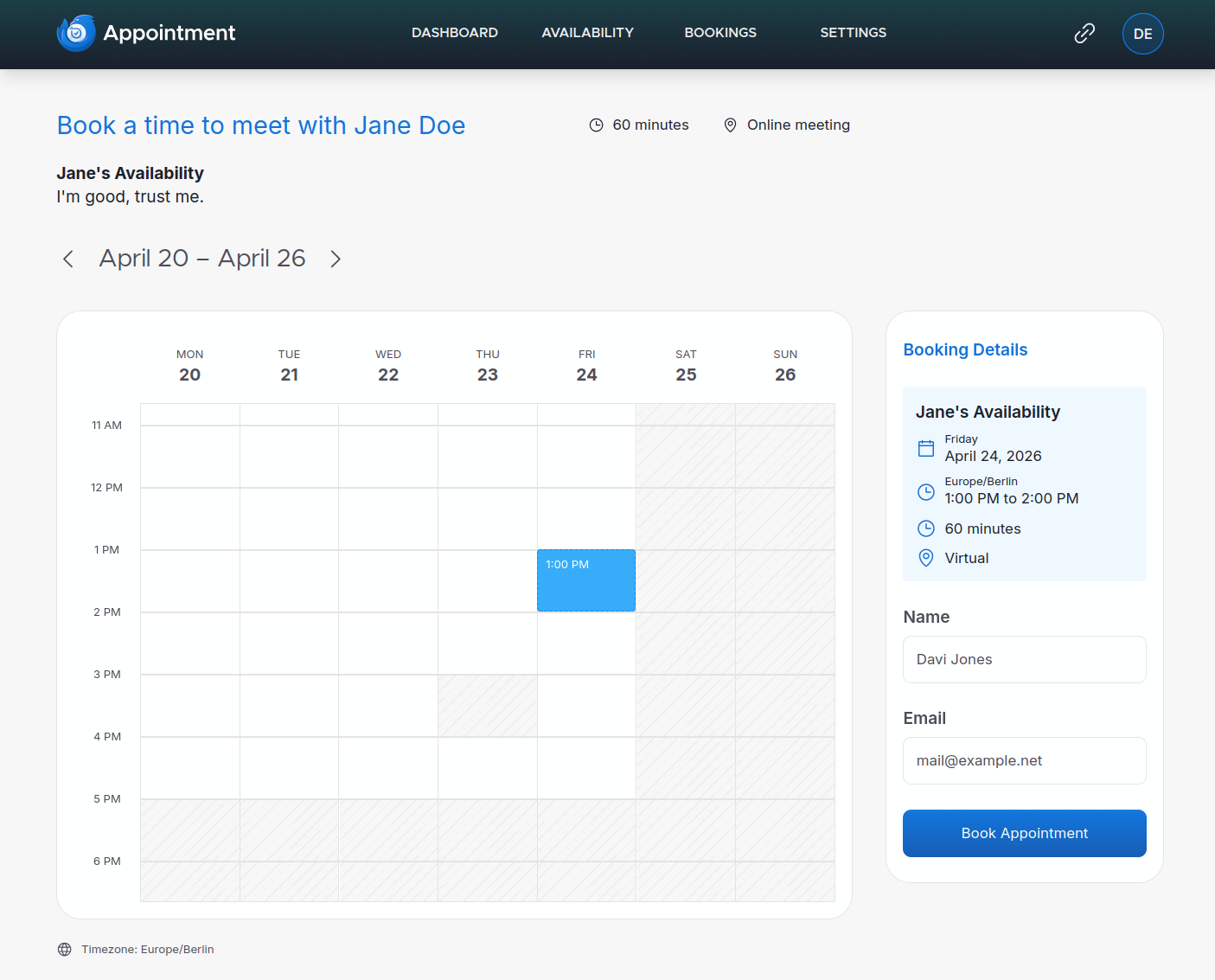
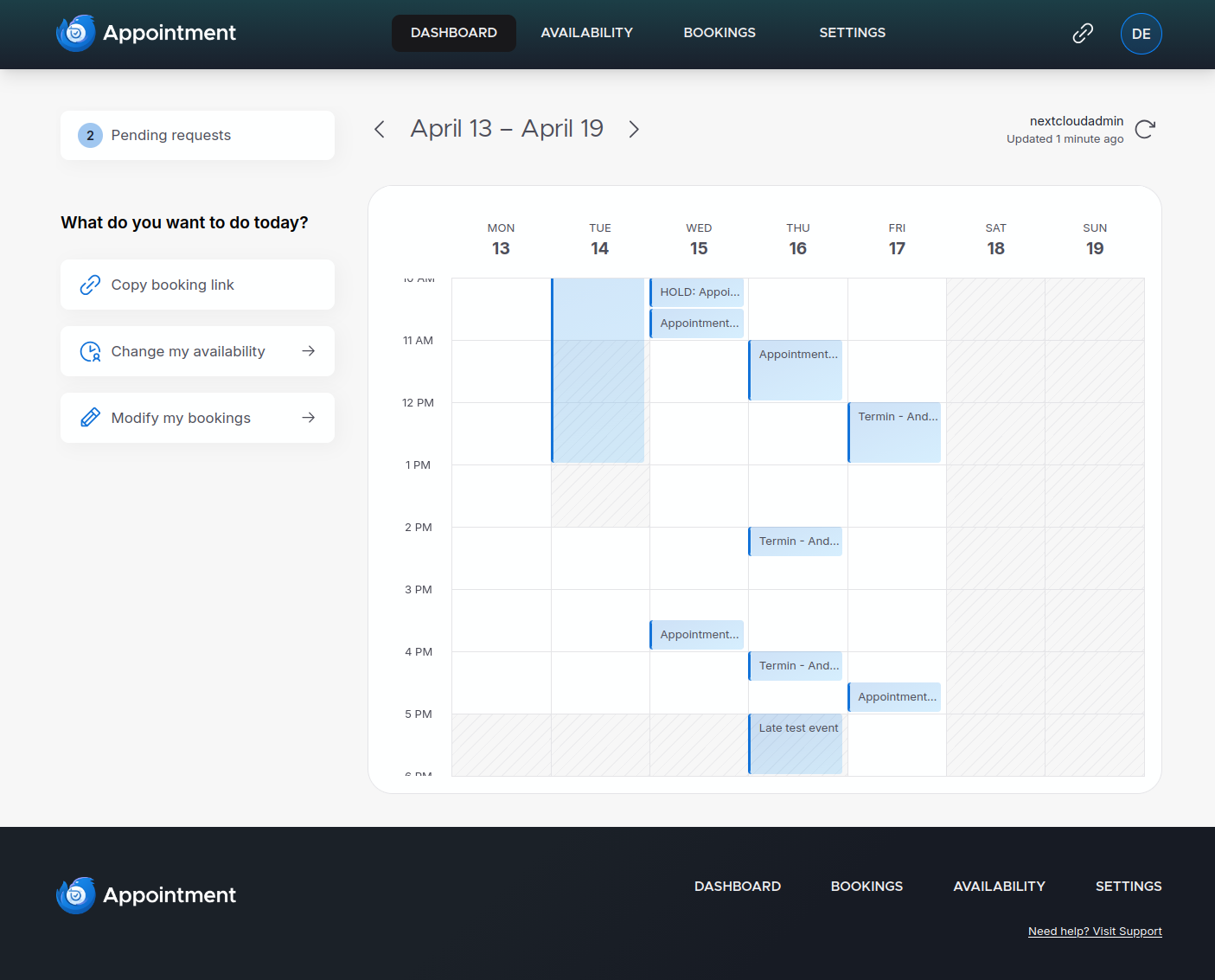
Thunderbird Appointment is an appointment-booking and calendar-scheduling application written in Python and published by the Thunderbird project under the Mozilla Public License 2.0. It lives inside the wider Thunderbird services ecosystem: the project's own production deployment relies on Thunderbird Accounts, a separate OIDC provider maintained under the same organisation, and the topic list places the code alongside appointment-booking, appointment-scheduling, appointments-manager, calendar, scheduling and thunderbird-pro. The application ships as two halves, a backend and a frontend, and it exposes availability setup, a public bookers page for attendees and an authenticated dashboard for subscribers who manage their own calendars and bookings.
The concrete problem it solves is the negotiation of meeting times. Instead of exchanging proposed slots back and forth in messages, a host defines availability once and shares a booking surface where the other party selects a date and claims a slot, turning an open-ended conversation into a transaction. Because the application can be run entirely on the operator's own hardware rather than only as a hosted service in someone else's account, the calendar data, the subscriber records and the notification mail all stay inside infrastructure the operator manages.
Key capabilities
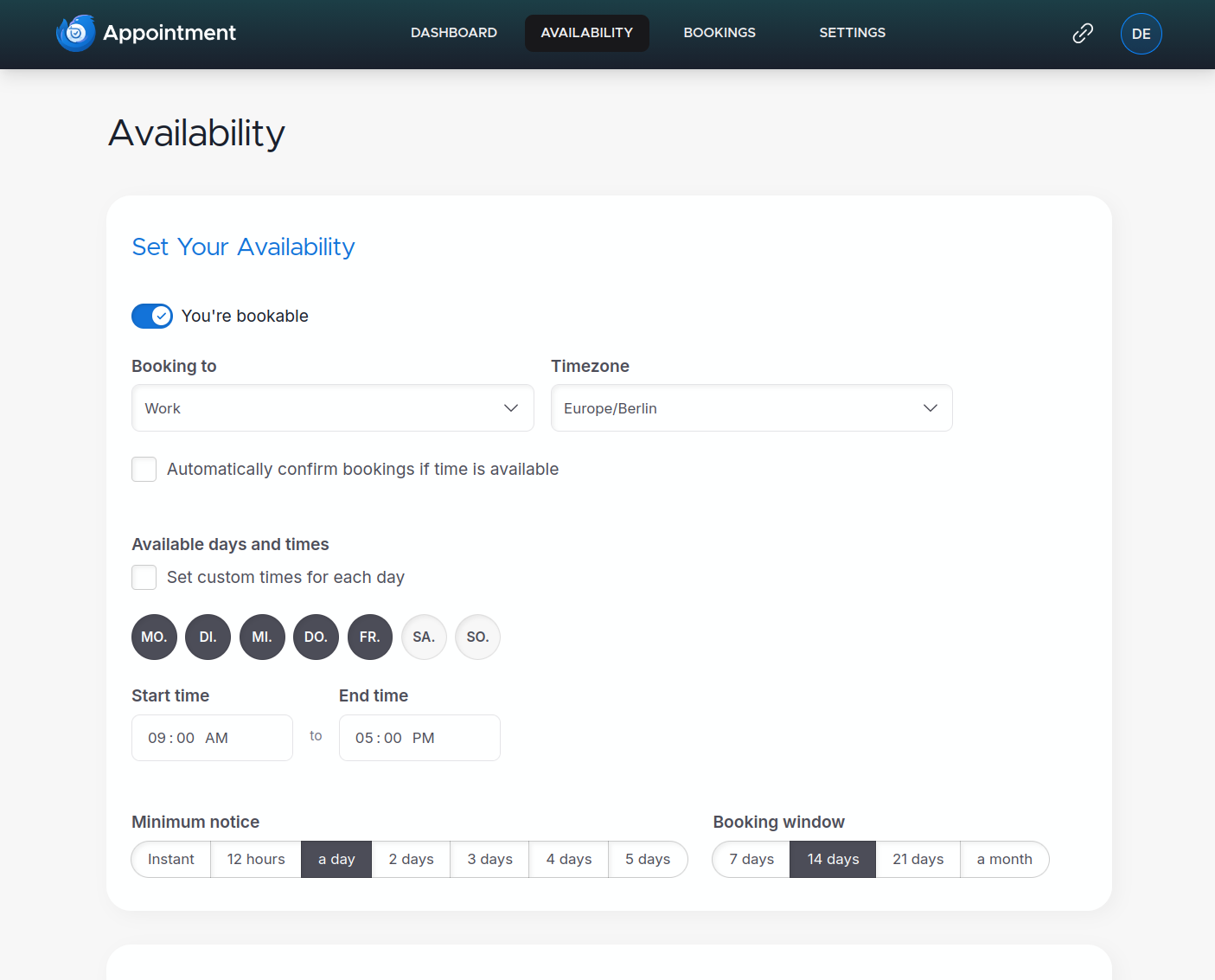
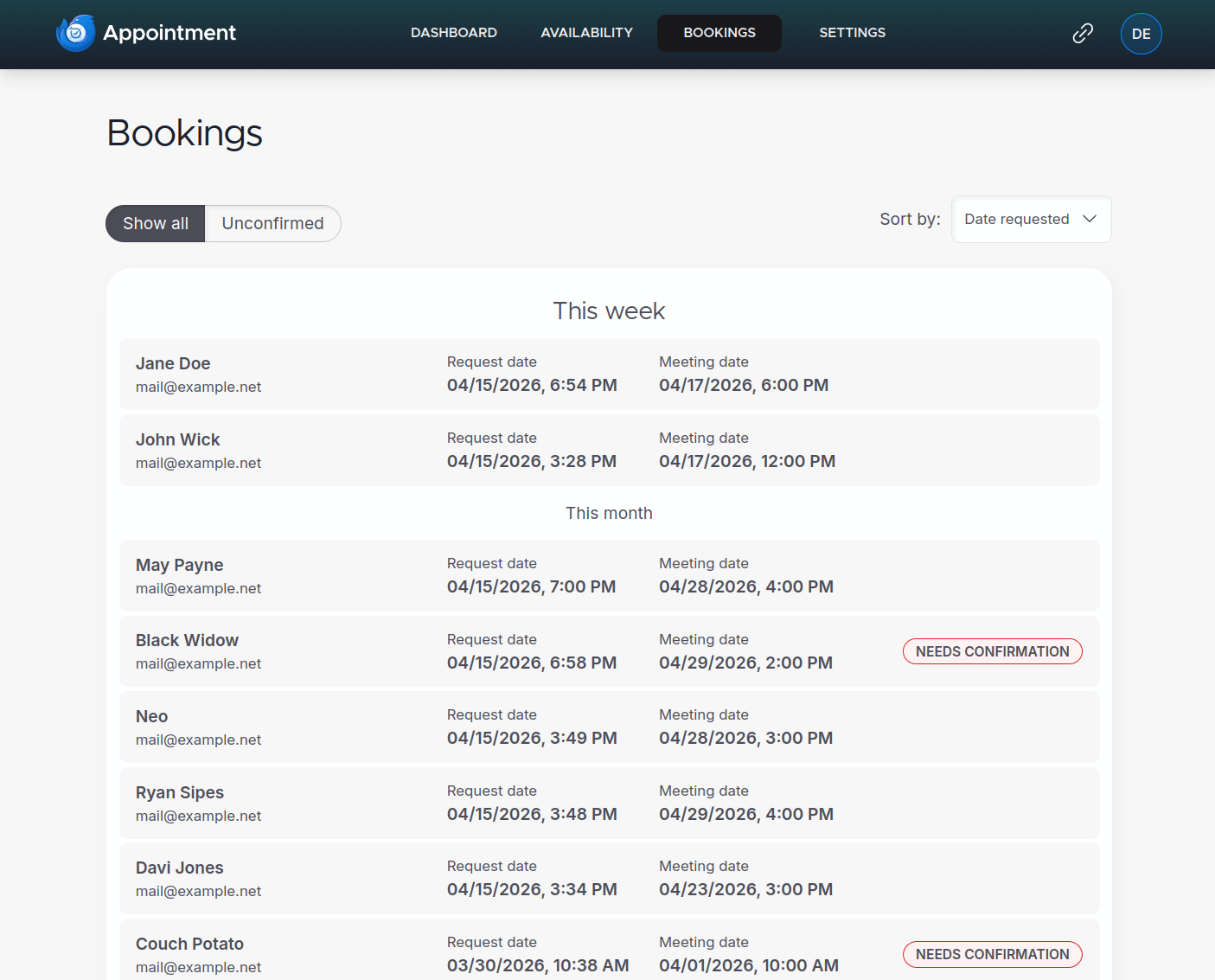
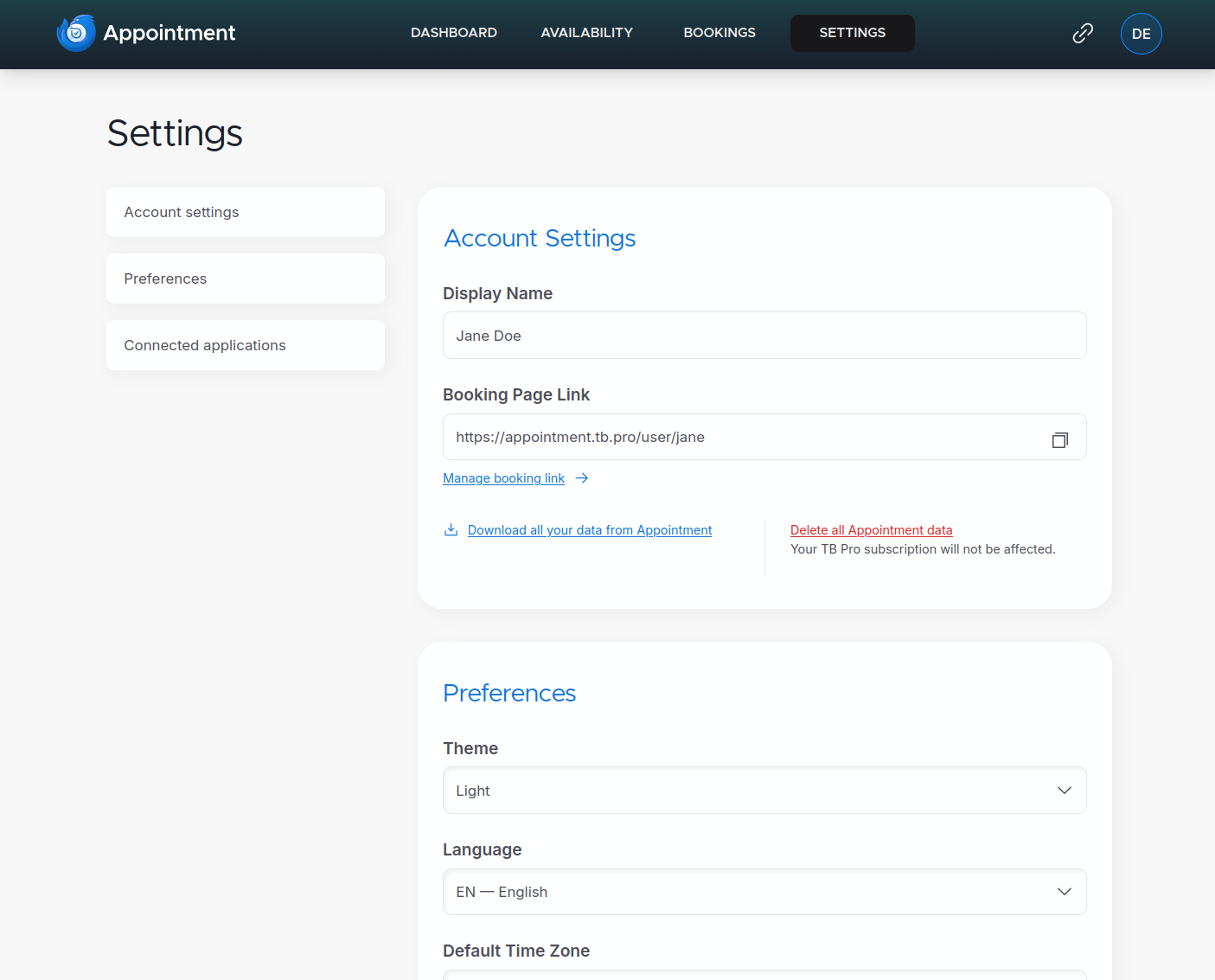
- Availability setup combined with dashboard views for managing bookings and general settings, with separate bookers and subscriber experiences.
- Password-based authentication included for development, testing and self-hosting, with first-time user creation gated by the
APP_ALLOW_FIRST_TIME_REGISTER environment variable.
- Administrative access restricted through the
APP_ADMIN_ALLOW_LIST environment variable, which grants entry to admin-only pages to listed email addresses.
- A Docker Compose deployment that builds and starts five containers: backend, frontend, postgres, redis and mailpit.
- PostgreSQL exposed on
localhost:5435 with the default development credentials username tba and password abcd%efgh.
- OpenAPI documentation served by the backend, and Mailpit available for inspecting outbound mail during development.
- Localization through the Fluent system, with translation files kept in
l10n/*.ftl.
- Optional integration with an external OIDC provider, which is how Thunderbird Services itself authenticates users in production.
Who uses it and how
- Self-hosters running the full stack through
docker-compose, who operate the five-container topology of backend, frontend, postgres, redis and mailpit on their own host.
- Small teams that need a shared booking endpoint and want to control who can administer it, using the allow-list variable to name the first administrator account.
- Organisations already inside the Thunderbird orbit, where the service is wired to Thunderbird Accounts as an OIDC provider instead of local passwords.
- Developers and testers who need to verify booking flows and email delivery locally, using Mailpit rather than sending real messages.
- Translators and localizers contributing Fluent
.ftl files so the interface is usable in languages beyond English.
Getting started
Clone https://github.com/thunderbird/appointment, copy backend/.env.example and frontend/.env.example into their .env counterparts, set APP_ALLOW_FIRST_TIME_REGISTER=True, then run docker-compose up -d --build. A hosted instance is also available at https://appointment.tb.pro, with a staging deployment at https://appointment-stage.tb.pro.
How it compares
This registry does not list any paid products that Thunderbird Appointment replaces, and the facts provided name no comparable open-source scheduling tools, so it stands alone in this registry for the moment.
When to use it — and when not to
A self-hoster takes on a real operational stack: PostgreSQL, Redis, a mail path through Mailpit or a substitute, plus building and running both the backend and the frontend, since Docker is described as the recommended and for now the only supported build method. Anyone who wants a managed service with no infrastructure to run should not pick this up, and the password-based login is described as intended mainly for development and testing rather than as a hardened production identity system. Two further cautions are honest rather than disqualifying: the architecture documentation in the docs folder is still work in progress, and the repository carries 186 open issues at last check, so prospective operators should expect to follow the tracker and the release process closely.
project readme (upstream, from github) — read inline
Thunderbird Appointment
Invite others to grab times on your calendar. Choose a date. Make appointments as easy as it gets.
Screenshots
The bookers page for attendees and the dashboard for subscribers:
Availability setup, managing bookings and general settings:
Feedback and Support
If you'd like to give feedback or need support, please see our Topicbox.
Get started
Using Docker is the recommended and for now the only supported method of building and developing Thunderbird Appointment. A detailed technical documentation of the application architecture can be found in the docs folder (still work-in-progress).
Installation
Get the application files and create your .env files from the examples:
git clone https://github.com/thunderbird/appointment
cd appointment
cp backend/.env.example backend/.env
cp frontend/.env.example frontend/.env
Make sure, that the backend/.env file contains APP_ALLOW_FIRST_TIME_REGISTER=True. This will enable the creation of your first admin user. If you want to be able to access admin-only pages, add your account's email address to the APP_ADMIN_ALLOW_LIST env variable.
Build and run the service in docker:
docker-compose up -d --build
This will create and start 5 different containers (backend, frontend, postgres, redis and mailpit).
- Frontend can be accessed via:
- Backend can be accessed via:
- The PostgreSQL database will be accessible via
localhost:5435 with username: password set to tba: abcd%efgh
- OpenAPI docs can be accessed via: or
- Mailpit docs can be accessed via:
Check if all containers are running. On first-run the database will initialize, and a first time setup command will be triggered (going forward database migrations will automatically run on docker-compose up). Check if the database contains tables, e.g. the subscriber table (still empty at this point).
Authentication
Appointment includes simple password-based authentication. This is meant for developing and testing Appointment, but can also be used when self-hosting the app.
When you access the frontend the first time, you will see a first-time-user login form. Enter the email address you configured in your allow list (see Step 2 in the installation process above) and a password. This login will create the first user (also called 'subscriber' in Appointment) granting you access to the application. Any login attempts with other email addresses after that will check against existing credentials.
[!NOTE]
For Thunderbird Services, we use our own OIDC provider Thunderbird Accounts. If you're starting fresh with Thunderbird Accounts, please review the documentations setting it up.
Contributing
Contributions are very welcome. Please lint/format code before creating PRs.
Check out the project's respective readmes:
Localization
This project uses Fluent for localization. Files are located in their respective l10n//*.ftl.
Deployment
When changes are merged to main, a new release is cut, and the changes are deployed to Appointment Staging.
After you've checked staging and it's ready to push to production, edit the release entry, and press the 'Publish release' button.