Alacritty is a cross-platform, GPU-accelerated terminal emulator written in Rust and released under the Apache License 2.0, aimed at developers and system administrators on BSD, Linux, macOS, and Windows who want fast terminal rendering and are willing to let a window manager or terminal multiplexer handle tabs and splits.
What it is
Alacritty is a terminal emulator built on OpenGL. It ships with sensible defaults but allows extensive configuration, and its stated design principle is integration with other applications rather than reimplementation of their functionality. The project lives in the Rust and OpenGL ecosystem, carries the topics rust, opengl, gpu, vte, terminal-emulators, bsd, linux, macos, and windows, and the README describes the software as being at a beta level of readiness: a few features are missing and bugs remain to be fixed, but many people already use it as a daily driver.
The concrete problem it addresses is terminal throughput and rendering cost. Alacritty uses the vtebench benchmark to quantify terminal emulator throughput and, according to its FAQ, consistently scores better than the competition on that measure. It also replaces a specific class of built-in terminal functionality: rather than implementing tabs, splits, or a GUI config editor itself, it defers those to the window manager or to a terminal multiplexer such as tmux.
Key capabilities
- GPU-accelerated rendering over OpenGL, with a minimum requirement of OpenGL ES 2.0.
- Runs on BSD, Linux, macOS, and Windows; Windows builds require ConPTY support, meaning Windows 10 version 1809 or higher.
- Configuration lives in a TOML file at
alacritty.toml, searched in $XDG_CONFIG_HOME/alacritty/alacritty.toml, $XDG_CONFIG_HOME/alacritty.toml, $HOME/.config/alacritty/alacritty.toml, $HOME/.alacritty.toml, and /etc/alacritty/alacritty.toml, or at %APPDATA%\alacritty\alacritty.toml on Windows. Alacritty does not create the file.
- Configuration is documented in
man 5 alacritty and on the project website at alacritty.org/config-alacritty.html.
- Scrollback support, landed and announced publicly in September 2018.
- Deliberate absence of tabs, splits, and a GUI config editor; those are left to a window manager or tmux.
- Precompiled binaries for macOS and Windows published on the GitHub releases page, with package managers covering Linux, BSD, macOS, and Windows.
Who uses it and how
- Developers who already run tmux or a tiling window manager use Alacritty as the rendering layer and get panes and tabs from that tool instead.
- Cross-platform teams use the same terminal on BSD, Linux, macOS, and Windows, accepting that the configuration file lives at platform-specific paths.
- Users who keep terminal settings under version control write their own
alacritty.toml, since the application never generates one.
- Users on Windows rely on ConPTY, so Windows 10 version 1809 or later is the practical floor.
- People evaluating throughput run
vtebench themselves, which the FAQ recommends over trusting general claims, because latency and frame consistency are harder to quantify than throughput.
Getting started
Install Alacritty through a package manager on Linux, BSD, macOS, or Windows, or download a prebuilt binary for macOS or Windows from the GitHub releases page; detailed instructions live in INSTALL.md.
How it compares
The facts name tmux and window managers as complements rather than rivals, so Alacritty sits below them in the stack: it renders the terminal, and those tools supply tabs, splits, and session persistence. Against other terminal emulators it competes mainly on throughput measured by vtebench, and it differs by design in what it declines to implement, such as tabs, splits, and a GUI config editor. Beyond tmux, window managers, and unnamed competition in the benchmark FAQ, the provided facts name no specific alternatives.
When to use it — and when not to
Alacritty runs as a local application with no service to operate, so there is no database, storage backend, or SMTP setup to maintain; the real requirements are a GPU with OpenGL ES 2.0 and, on Windows, ConPTY support. Do not choose it if tabs and splits must be built in, if a GUI config editor matters, or if the machine cannot supply OpenGL ES 2.0. Note the honest caveats from the project itself: the README labels the software beta with missing features and bugs, the repository carries 340 open issues, and configuration must be written by hand.
project readme (upstream, from github) — read inline
Alacritty - A fast, cross-platform, OpenGL terminal emulator
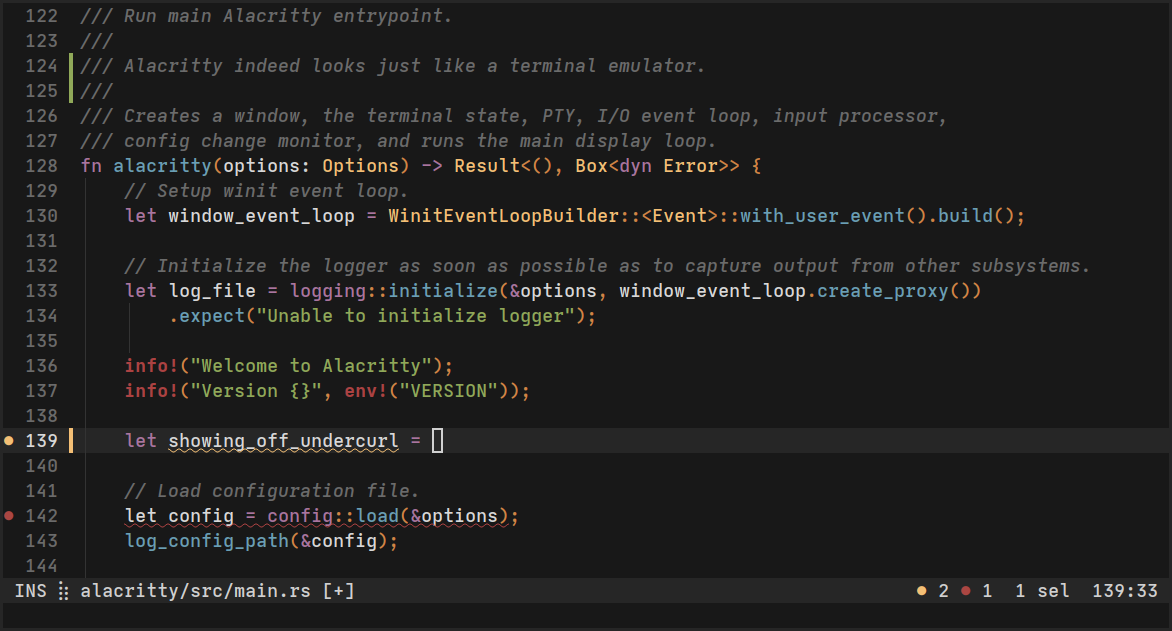
About
Alacritty is a modern terminal emulator that comes with sensible defaults, but
allows for extensive configuration. By integrating with other
applications, rather than reimplementing their functionality, it manages to
provide a flexible set of features with high performance.
The supported platforms currently consist of BSD, Linux, macOS and Windows.
The software is considered to be at a beta level of readiness; there are
a few missing features and bugs to be fixed, but it is already used by many as
a daily driver.
Precompiled binaries are available from the GitHub releases page.
Join #alacritty on libera.chat if you have questions or looking for a quick help.
Features
You can find an overview over the features available in Alacritty here.
Further information
Installation
Alacritty can be installed by using various package managers on Linux, BSD,
macOS and Windows.
Prebuilt binaries for macOS and Windows can also be downloaded from the
GitHub releases page.
For everyone else, the detailed instructions to install Alacritty can be found
here.
Requirements
- At least OpenGL ES 2.0
- [Windows] ConPTY support (Windows 10 version 1809 or higher)
Configuration
You can find the documentation for Alacritty's configuration in man 5 alacritty, or by looking at the website if you do not have the manpages
installed.
Alacritty doesn't create the config file for you, but it looks for one in the
following locations:
$XDG_CONFIG_HOME/alacritty/alacritty.toml$XDG_CONFIG_HOME/alacritty.toml$HOME/.config/alacritty/alacritty.toml$HOME/.alacritty.toml/etc/alacritty/alacritty.toml
On Windows, the config file will be looked for in:
%APPDATA%\alacritty\alacritty.toml
Contributing
A guideline about contributing to Alacritty can be found in the
CONTRIBUTING.md file.
FAQ
Is it really the fastest terminal emulator?
Benchmarking terminal emulators is complicated. Alacritty uses
vtebench to quantify terminal emulator
throughput and manages to consistently score better than the competition using
it. If you have found an example where this is not the case, please report a
bug.
Other aspects like latency or framerate and frame consistency are more difficult
to quantify. Some terminal emulators also intentionally slow down to save
resources, which might be preferred by some users.
If you have doubts about Alacritty's performance or usability, the best way to
quantify terminal emulators is always to test them with your specific
usecases.
Why isn't feature X implemented?
Alacritty has many great features, but not every feature from every other
terminal. This could be for a number of reasons, but sometimes it's just not a
good fit for Alacritty. This means you won't find things like tabs or splits
(which are best left to a window manager or terminal multiplexer) nor
niceties like a GUI config editor.
License
Alacritty is released under the Apache License, Version 2.0.