
is a leading multi-model graph database
Graph Processing & Analytics for Relational Databases






 What is Apache AGE?
Apache AGE is an extension for PostgreSQL that enables users to leverage a graph database on top of the existing relational databases. AGE is an acronym for A Graph Extension and is inspired by Bitnine's AgensGraph, a multi-model database fork of PostgreSQL. The basic principle of the project is to create a single storage that handles both the relational and graph data model so that the users can use the standard ANSI SQL along with openCypher, one of the most popular graph query languages today. There is a strong need for cohesive, easy-to-implement multi-model databases. As an extension of PostgreSQL, AGE supports all the functionalities and features of PostgreSQL while also offering a graph model to boot.
 Overview
Apache AGE is :
- Powerful: adds graph database support to the already popular PostgreSQL database: PostgreSQL is used by organizations including Apple, Spotify, and NASA.
- Flexible: allows you to perform openCypher queries, which makes complex queries much easier to write. It also enables querying multiple graphs at the same time.
- Intelligent: allows you to perform graph queries that are the basis for many next-level web services such as fraud detection, master data management, product recommendations, identity and relationship management, experience personalization, knowledge management, and more.
 Features
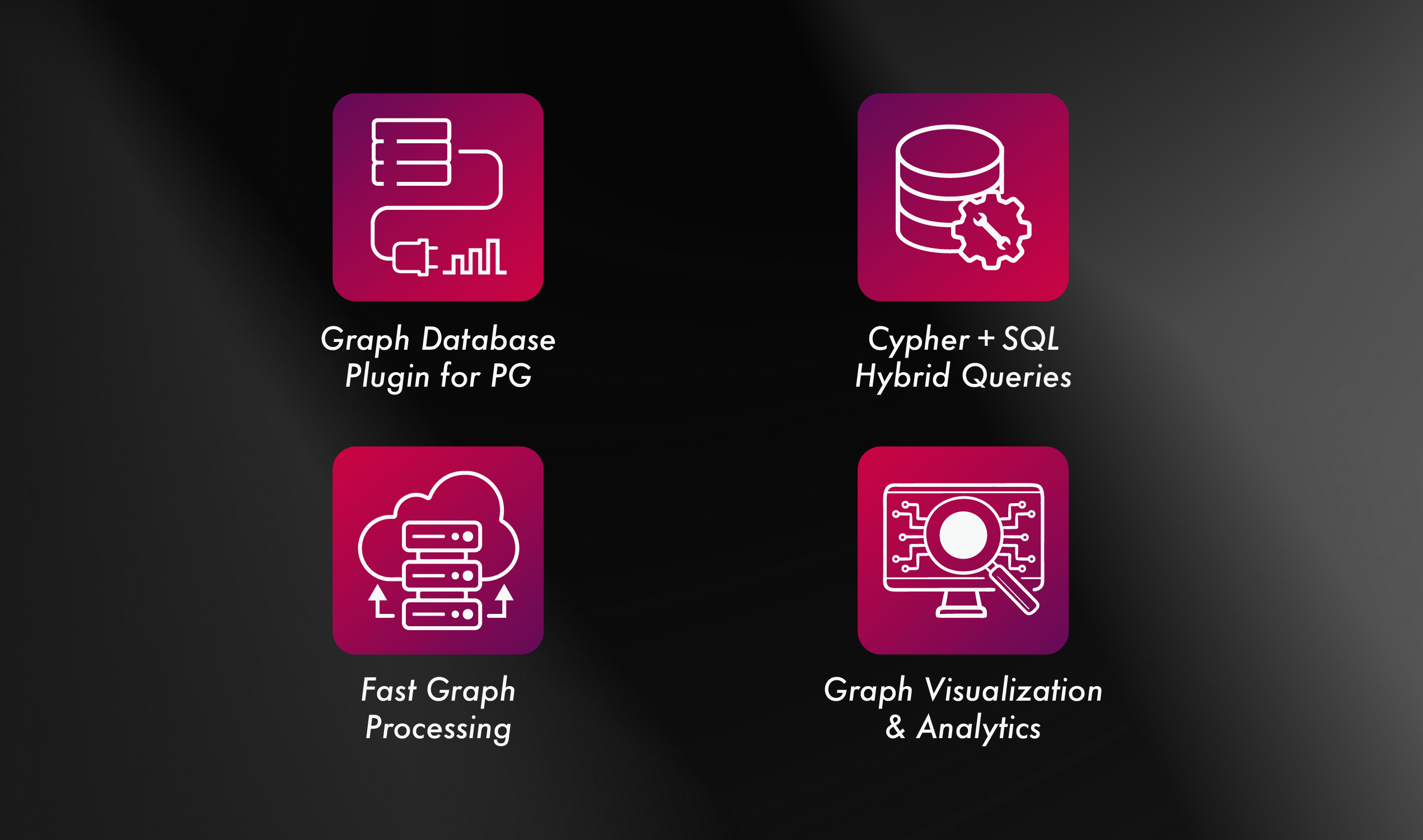
- Cypher Query: supports graph query language
- Hybrid Querying: enables SQL and/or Cypher
- Querying: enables multiple graphs
- Hierarchical: graph label organization
- Property Indexes: on both vertices(nodes) and edges
- Full PostgreSQL: supports PG features
 Documentation
Refer to our latest Apache AGE documentation to learn about installation, features, built-in functions, and Cypher queries.
 Pre-Installation
Install the following essential libraries according to each OS. Building AGE from the source depends on the following Linux libraries:
- CentOS
yum install gcc glibc glib-common readline readline-devel zlib zlib-devel flex bison
- Fedora
dnf install gcc glibc bison flex readline readline-devel zlib zlib-devel
- Ubuntu
sudo apt-get install build-essential libreadline-dev zlib1g-dev flex bison
Installation
Apache AGE is intended to be simple to install and run. It can be installed with Docker and other traditional ways.
 Install PostgreSQL
You will need to install an AGE compatible version of Postgres, for now AGE supports Postgres 11, 12, 13, 14, 15, 16, 17 & 18. Supporting the latest versions is on AGE roadmap.
Installation via Package Manager
You can use a package management that your OS provides to download PostgreSQL.
sudo apt install postgresql
Installation From Source Code
You can download the Postgres source code and install your own instance of Postgres. You can read instructions on how to install from source code for different versions on the official Postgres Website.

 Install AGE on Linux and MacOS
Clone the github repository or download the download an official release.
Run the pg_config utility and check the version of PostgreSQL. Currently, only PostgreSQL versions 11, 12, 13, 14, 15, 16, 17 & 18 are supported. If you have any other version of Postgres, you will need to install PostgreSQL version 11, 12, 13, 14, 15, 16, 17 & 18.
pg_config
Run the following command in the source code directory of Apache AGE to build and install the extension.
make install
If the path to your Postgres installation is not in the PATH variable, add the path in the arguments:
make PG_CONFIG=/path/to/postgres/bin/pg_config install
 Run using Docker
Get the docker image
docker pull apache/age
Create AGE docker container
docker run \
    --name age  \
    -p 5455:5432 \
    -e POSTGRES_USER=postgresUser \
    -e POSTGRES_PASSWORD=postgresPW \
    -e POSTGRES_DB=postgresDB \
    -d \
    apache/age
Enter PostgreSQL's psql:
docker exec -it age psql -d postgresDB -U postgresUser
 Post Installation
For every connection of AGE you start, you will need to load the AGE extension.
CREATE EXTENSION age;
LOAD 'age';
SET search_path = ag_catalog, "$user", public;
Note on ag_catalog ownership
AGE installs all of its objects into the ag_catalog schema. Install AGE
(CREATE EXTENSION age) before granting the CREATE privilege on the
database to other roles. A role that can create schemas could otherwise
pre-create ag_catalog and own it; CREATE EXTENSION age therefore refuses to
install when ag_catalog already exists and is owned by a different role. If you
hit that error, drop the stray schema (DROP SCHEMA ag_catalog CASCADE) or
transfer its ownership to the installing role, then retry.
Using AGE with Non-Autocommit Clients (psycopg, JDBC, etc.)
If you are using AGE from a database client that does not default to autocommit — most commonly psycopg v3 or JDBC — you must understand how PostgreSQL's transaction semantics apply to AGE's setup and DDL-like functions. Otherwise, you may see graphs or labels that appear to be created successfully, but are not visible from new connections.
This is not a bug in AGE — it is standard PostgreSQL behavior. AGE's DDL-like functions write to the catalog, and catalog writes only become visible to other sessions after the enclosing transaction is committed.
What is and isn't transactional
| Statement | Scope | Needs commit to be visible elsewhere? |
|---|---|---|
LOAD 'age' |
Session-local (loads the .so into the current backend) | No |
SET search_path = ag_catalog, "$user", public |
Session-local | No |
SELECT create_graph('g') |
Writes to ag_graph and creates a schema |
Yes |
SELECT create_vlabel('g', 'L') / create_elabel(...) |
Writes to ag_label and creates a table |
Yes |
SELECT drop_graph('g', true) / drop_label(...) |
Writes to catalog | Yes |
SELECT load_labels_from_file(...) / load_edges_from_file(...) |
Writes to catalog + data | Yes |
cypher('g', $$ CREATE (:L {...}) $$) |
Writes data | Yes |
In a client that defaults to autocommit (e.g. psql), every statement commits automatically, so this is never noticed. In a non-autocommit client, the first statement you run implicitly opens a transaction that stays open until you call commit(), rollback(), or close the connection.
psycopg v3 — the "savepoint gotcha"
The common pitfall is that with connection.transaction(): in psycopg does not start a new top-level transaction when one is already open — it creates a savepoint inside the existing outer transaction. Releasing a savepoint is not a commit, so your create_graph write stays invisible to other sessions until the outer transaction is explicitly committed.
❌ Broken: graph is not visible from a new connection
import psycopg

params = {"host": "localhost", "port": 5432, "user": "postgres",
          "password": "pw", "dbname": "mydb"}

# --- First connection ---
conn = psycopg.connect(**params)
conn.execute("LOAD 'age'")                                      # implicitly opens a txn
conn.execute("SET search_path = ag_catalog, '$user', public")

with conn.transaction(), conn.cursor() as cur:                  # <-- SAVEPOINT, not a real txn
    cur.execute("SELECT * FROM create_graph('my_graph')")
# outer transaction is STILL OPEN here

conn.close()  # outer transaction is rolled back on close → my_graph is gone

# --- New connection ---
conn = psycopg.connect(**params)
conn.execute("LOAD 'age'")
conn.execute("SET search_path = ag_catalog, '$user', public")
with conn.cursor() as cur:
    cur.execute("SELECT name FROM ag_graph;")
    # 'my_graph' is NOT in the results
✅ Fix 1: explicit commit() after setup
conn = psycopg.connect(**params)
conn.execute("LOAD 'age'")
conn.execute("SET search_path = ag_catalog, '$user', public")
conn.commit()   # <-- closes the implicit outer txn

with conn.transaction(), conn.cursor() as cur:
    cur.execute("SELECT * FROM create_graph('my_graph')")
# this transaction block is now top-level and commits on exit
conn.close()
✅ Fix 2: enable autocommit on the connection
conn = psycopg.connect(**params, autocommit=True)
conn.execute("LOAD 'age'")
conn.execute("SET search_path = ag_catalog, '$user', public")
conn.execute("SELECT * FROM create_graph('my_graph')")          # commits immediately
conn.close()
You can also toggle autocommit at runtime with conn.set_autocommit(True).
JDBC
JDBC connections also default to autocommit true per the JDBC spec, but many frameworks (Spring, etc.) flip it off. If you are running AGE DDL-like calls from JDBC, either:
connection.setAutoCommit(true);
// ... LOAD 'age'; SET search_path ...; SELECT create_graph(...);
or keep autocommit off and explicitly commit after DDL-like calls:
stmt.execute("LOAD 'age'");
stmt.execute("SET search_path = ag_catalog, \"$user\", public;");
stmt.execute("SELECT create_graph('my_graph');");
connection.commit();   // make the graph visible to other sessions
Rule of thumb
If an AGE call creates, drops, or modifies a graph, label, vertex, edge, or property, it is a transactional write. In a non-autocommit client, it will not be visible to other sessions until you explicitly
commit().
Quick Start
To create a graph, use the create_graph function located in the ag_catalog namespace.
SELECT create_graph('graph_name');
To create a single vertex with label and properties, use the CREATE clause.
SELECT *
FROM cypher('graph_name', $$
    CREATE (:label {property:"Node A"})
$$) as (v agtype);
SELECT *
FROM cypher('graph_name', $$
    CREATE (:label {property:"Node B"})
$$) as (v agtype);
To create an edge between two nodes and set its properties:
SELECT *
FROM cypher('graph_name', $$
    MATCH (a:label), (b:label)
    WHERE a.property = 'Node A' AND b.property = 'Node B'
    CREATE (a)-[e:RELTYPE {property:a.property + '<->' + b.property}]->(b)
    RETURN e
$$) as (e agtype);
And to query the connected nodes:
SELECT * from cypher('graph_name', $$
        MATCH (V)-[R]-(V2)
        RETURN V,R,V2
$$) as (V agtype, R agtype, V2 agtype);
 Language Specific Drivers
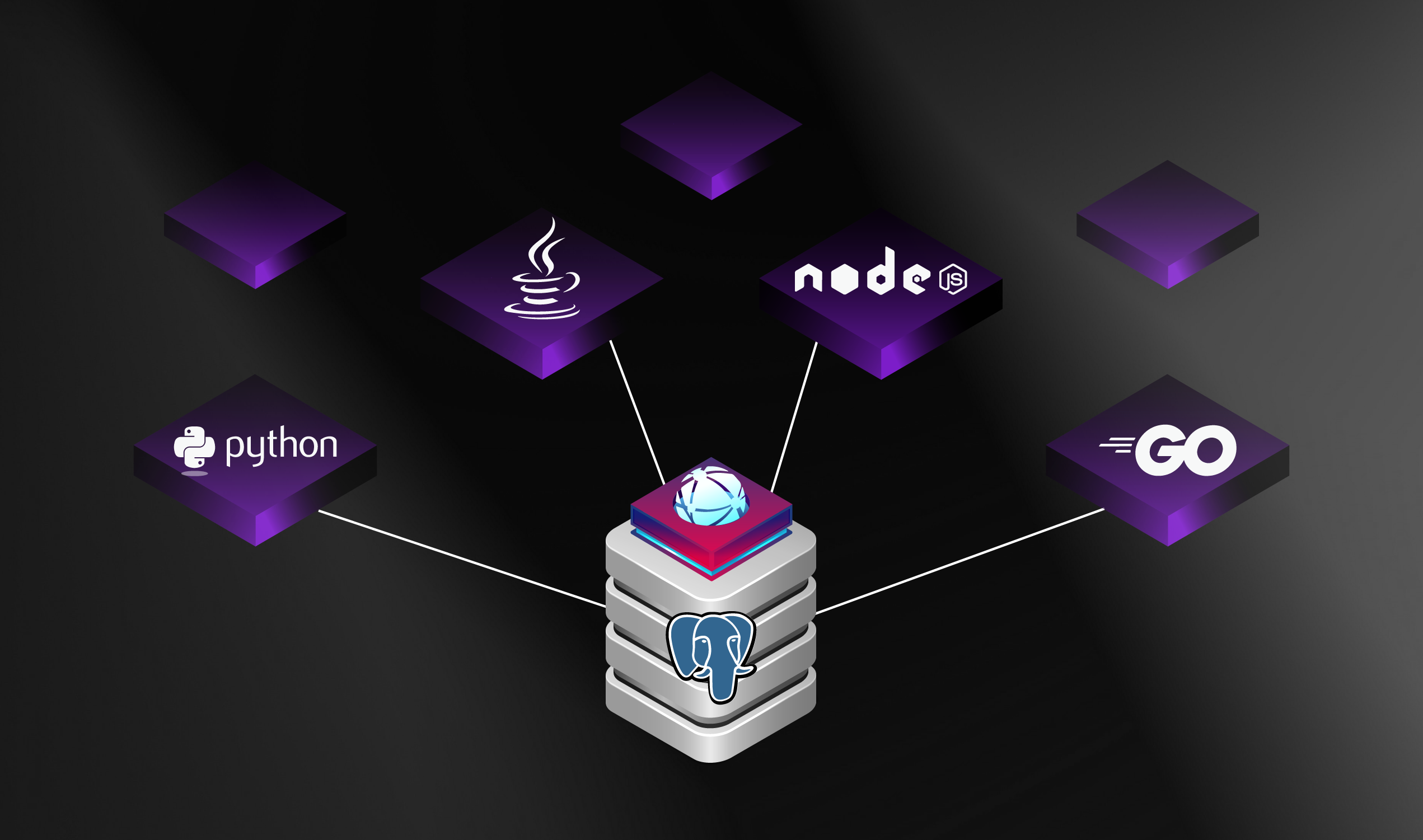
Starting with Apache AGE is very simple. You can easily select your platform and incorporate the relevant SDK into your code.
Built-in
Community-driven Driver
 Graph Visualization Tool for AGE
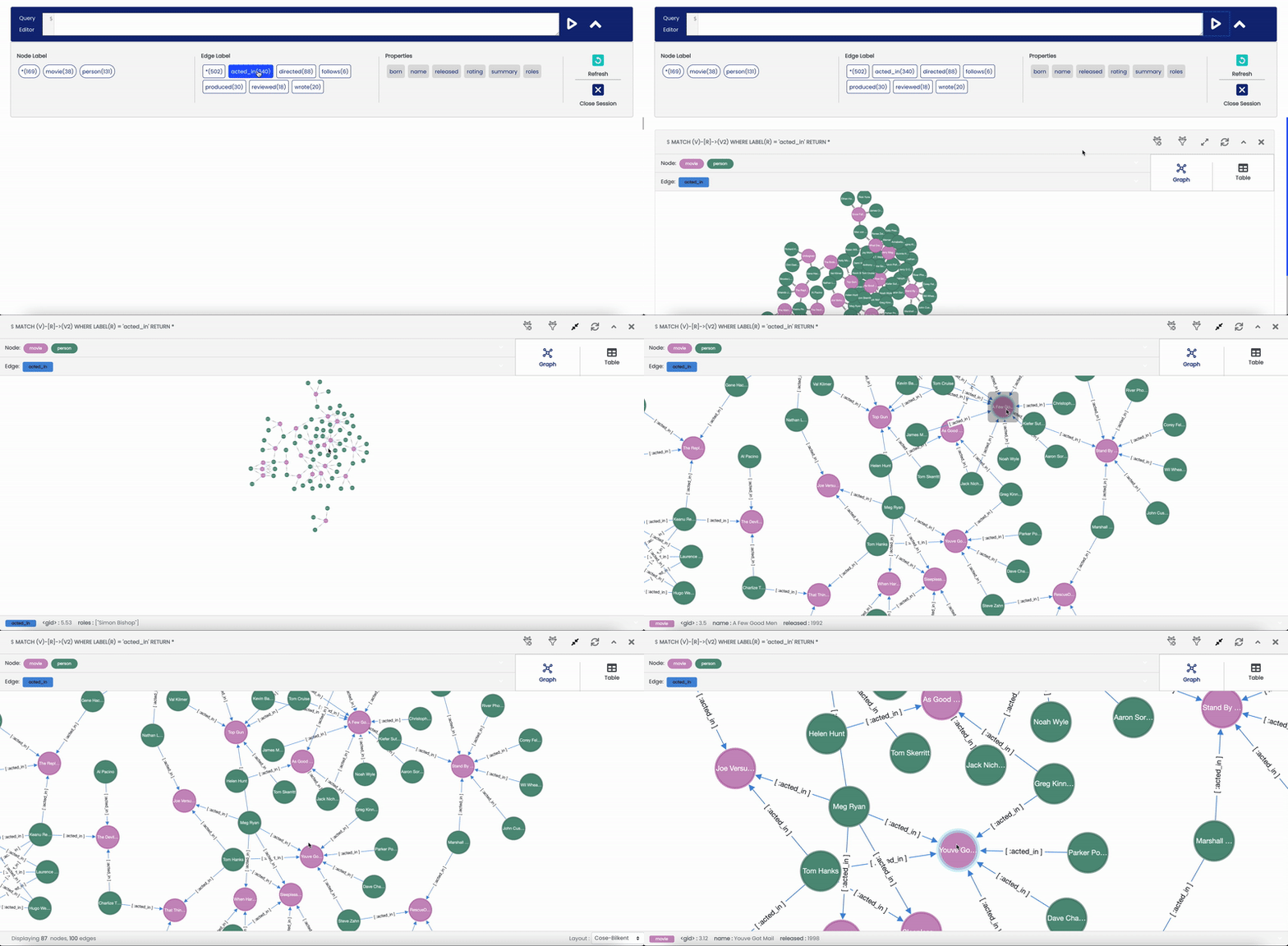
Apache AGE Viewer is a user interface for Apache AGE that provides visualization and exploration of data. This web visualization tool allows users to enter complex graph queries and explore the results in graph and table forms. Apache AGE Viewer is enhanced to proceed with extensive graph data and discover insights through various graph algorithms. Apache AGE Viewer will become a graph data administration and development platform for Apache AGE to support multiple relational databases: .
This is a visualization tool. After installing AGE Extension, you may use this tool to get access to the visualization features.
 Video Links
You can also get help from these videos.
 Contributing
You can improve ongoing efforts or initiate new ones by sending pull requests to this repository. Also, you can learn from the code review process, how to merge pull requests, and from code style compliance to documentation by visiting the Apache AGE official site - Developer Guidelines. Send all your comments and inquiries to the user mailing list, users@age.apache.org.