zlib
A CLI for Z-Library.




English | 中文
Features
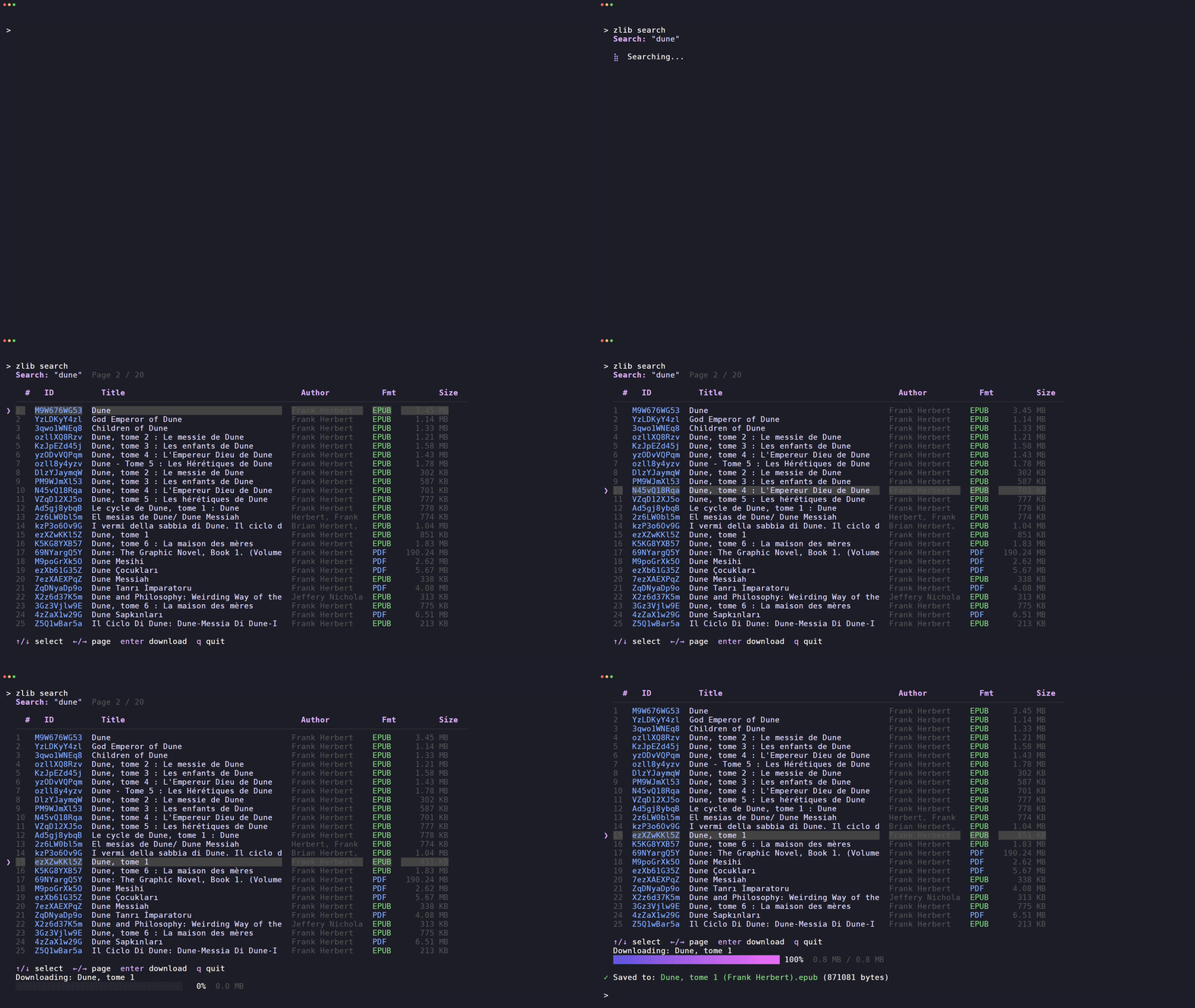
🔍 Interactive search — browse results with ↑/↓, switch pages with ←/→
📥 Book download — by book ID, from search results, with live progress
📚 Download history — paginated history browser with download support
📖 Send to Kindle — deliver files to your Kindle address
🕒 Usage profile — view daily download quota
🎨 Themes — auto, mocha, latte, dracula, tokyo, nord, gruvbox
🌐 Proxy & custom domain support for restricted networks
Install
Homebrew (macOS / Linux):
brew install heartleo/tap/zlib
winget (Windows):
winget install heartleo.zlib
curl (macOS / Linux):
curl -fsSL https://raw.githubusercontent.com/heartleo/zlib/main/install.sh | sh
Go install (requires Go 1.25+):
go install github.com/heartleo/zlib/cmd/zlib@latest
Build from source:
git clone https://github.com/heartleo/zlib
cd zlib
go build -o zlib ./cmd/zlib
Claude Code plugin
zlib ships a Claude Code plugin, so Claude can search and download books for you.
/plugin marketplace add heartleo/zlib
/plugin install zlib@zlib-plugin-cc
/zlib "the pragmatic programmer" to search and download.
/zlib:kindle sends a book to your Kindle.
Codex plugin
zlib also ships a skills-only plugin for Codex:
codex plugin marketplace add heartleo/zlib
codex plugin add zlib@zlib
Ask Codex to search or download a book with zlib. Use the bundled Kindle skill when you want to send a local book file to your Kindle.
Quick Start
Set
ZLIB_DOMAINfirst. Z-Library mirrors change often and most of them are behind DiamWall, so there is no default that stays correct. Every command resolves its mirror fromZLIB_DOMAINbefore anything else, and a wrong or stale value is the single most common cause of a login that succeeds and a next command that fails.
Most current Z-Library web domains put automated requests behind DiamWall, so
the recommended setup uses EAPI. Probe the candidates first, then set
ZLIB_DOMAIN to one reported as healthy or challenged:
zlib doctor --eapi
export ZLIB_DOMAIN=https://z-lib.gd     # pick one doctor reported usable
zlib login --eapi
zlib search "dune"
A successful login records that domain as ZLIB_DOMAIN in
~/.config/zlib/.env, so the setting survives a new shell and you do not have
to remember it. Other keys in that file are left untouched. Two things still
outrank it, and a stale value in either shadows what the login wrote: a real
environment variable, and a .env in the working directory.
challenged means the domain answered with Z-Library's own JS
proof-of-work page. That domain is usable: the client solves the challenge
automatically, so pick it as readily as a healthy one. Only
diamwall_blocked, http_error, redirect_loop and network_error are
unusable.
EAPI login checks the selected domain again before asking for account credentials. If no candidate is usable, see Troubleshooting DiamWall.
Commands
login
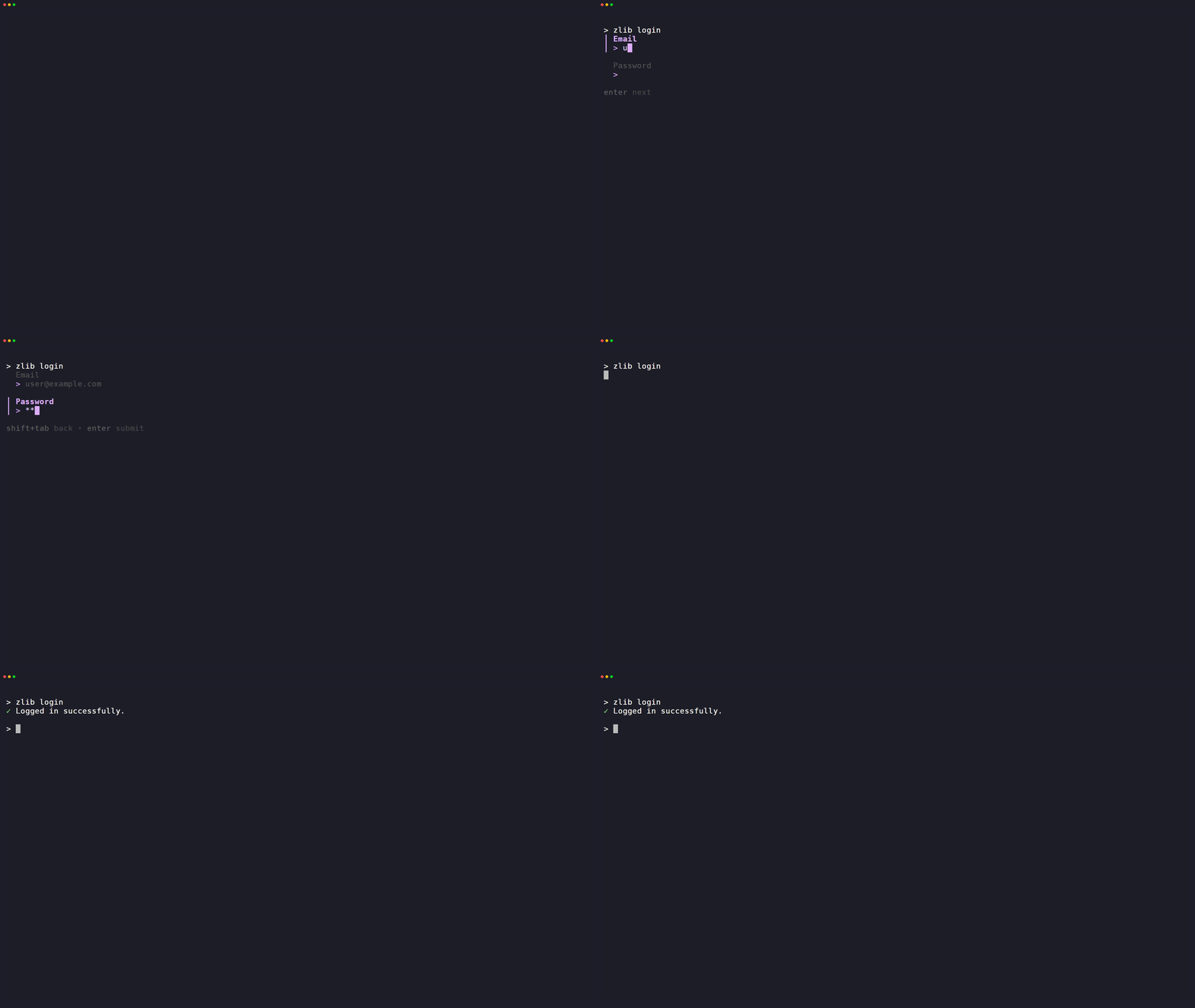
zlib login
zlib login --email you@example.com --password secret
zlib login --cookies ~/Downloads/cookies.txt --domain https://z-lib.gd
zlib login --eapi --domain https://z-lib.gd
# or set ZLIB_DOMAIN=https://z-lib.gd, then:
zlib login --eapi
Saves session to ~/.config/zlib/session.json, and records the domain it used
as ZLIB_DOMAIN in ~/.config/zlib/.env so later commands reach the same
mirror without you setting anything.
The interactive login remembers and prefills the last successful email address,
but never stores the password. --cookies imports a user-supplied
Netscape/Mozilla-format cookie file; only unexpired root cookies matching
--domain are saved to the session. Cookie files contain reusable credentials,
so keep the exported file private.
If you omit --domain, both HTML and EAPI login read ZLIB_DOMAIN. When neither
is set, the command prints the required setting and exits. EAPI login also checks
the selected domain before asking for account credentials. If the check fails,
it tells you to choose another domain. Cookie imports follow the same rule.
--eapi selects the unofficial mobile app API and saves that choice in the
session. Search, profile, history, book details, downloads, and Kindle delivery
then use the EAPI path where needed. Book references use id:hash, for example
zlib download 115066162:e9f13b --send-to-kindle. See
EAPI mode for the endpoint list and stability notes.
If /eapi/user/login refuses to issue credentials, --eapi login falls back to
the HTML login form and continues in EAPI mode. The EAPI authenticates on
nothing but remix_userid/remix_userkey, and the HTML form hands out the same
pair, so the fallback session is not degraded. See
EAPI login says Authorization failed.
logout
zlib logout
search
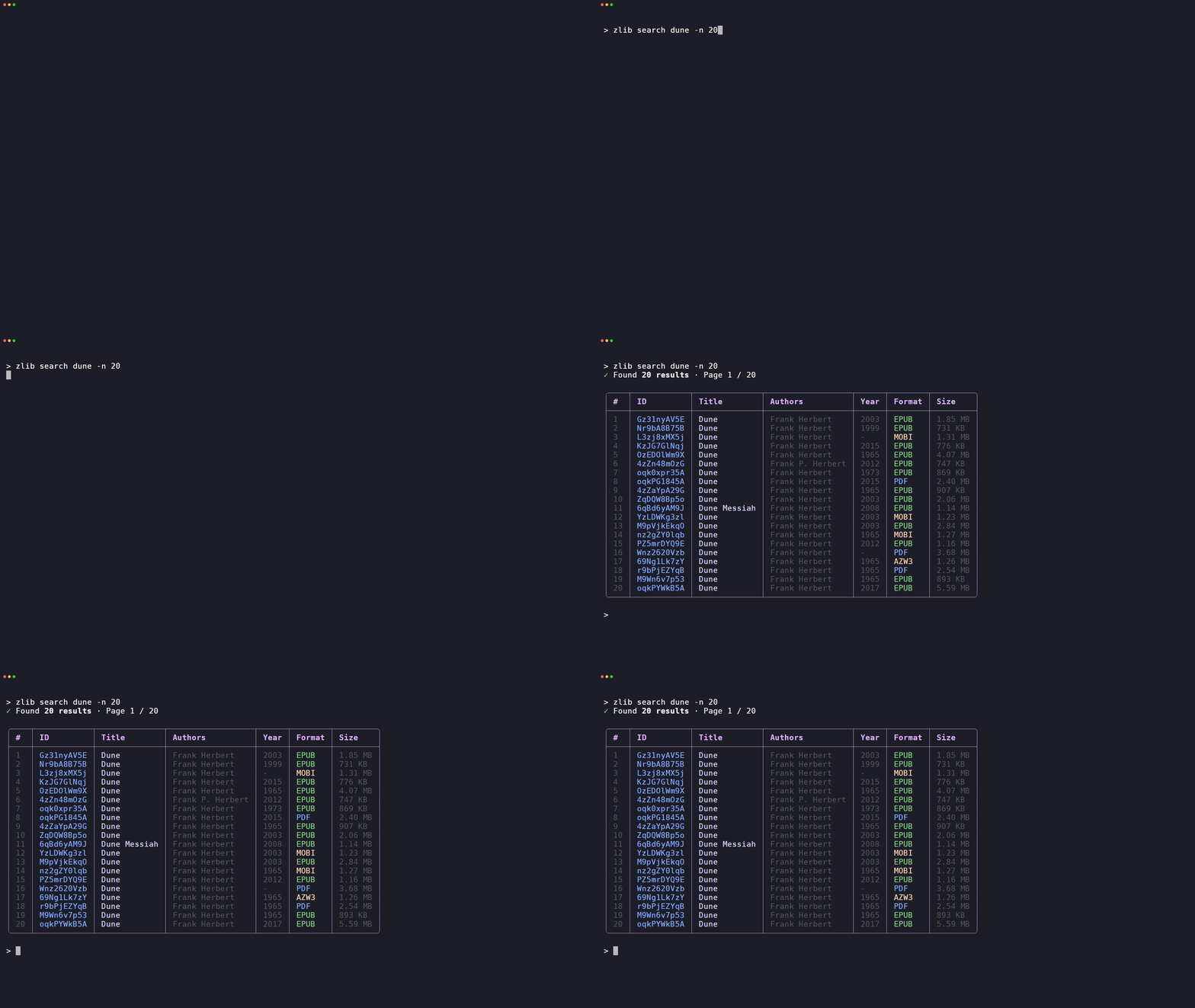
Without arguments, opens an interactive picker:
- type a query and confirm
- browse results with
↑/↓ - switch pages with
←/→ - press
Enterto download
zlib search # interactive mode
zlib search "dune" --page 2 # static table
zlib search "dune" --json   # machine-readable output for scripts and plugins
Filter by file format with --ext (or its alias --format), repeatable.
zlib search "python crash course" --ext epub --ext pdf
Use --full-title to disable title truncation
zlib search "civilized to death" --full-title
download
zlib download Gz31nyAV5E
zlib download Gz31nyAV5E --dir ./books --send-to-kindle
zlib download Gz31nyAV5E --dir "~/Downloads"
--dir expands a leading ~ itself, so it works whether or not the shell expanded it.
To stop repeating the same folder, set ZLIB_DOWNLOAD_DIR once and drop the flag. download, search and history all fall back to it, and an explicit --dir still wins for that one run:
echo 'ZLIB_DOWNLOAD_DIR=~/Downloads' >> ~/.config/zlib/.env
zlib download Gz31nyAV5E              # saves to ~/Downloads
zlib download Gz31nyAV5E --dir .      # this one lands here instead
Neither the flag nor the variable creates the directory — make it first if it does not exist.
Press Ctrl+C to cancel.
Incomplete files are removed automatically.
history
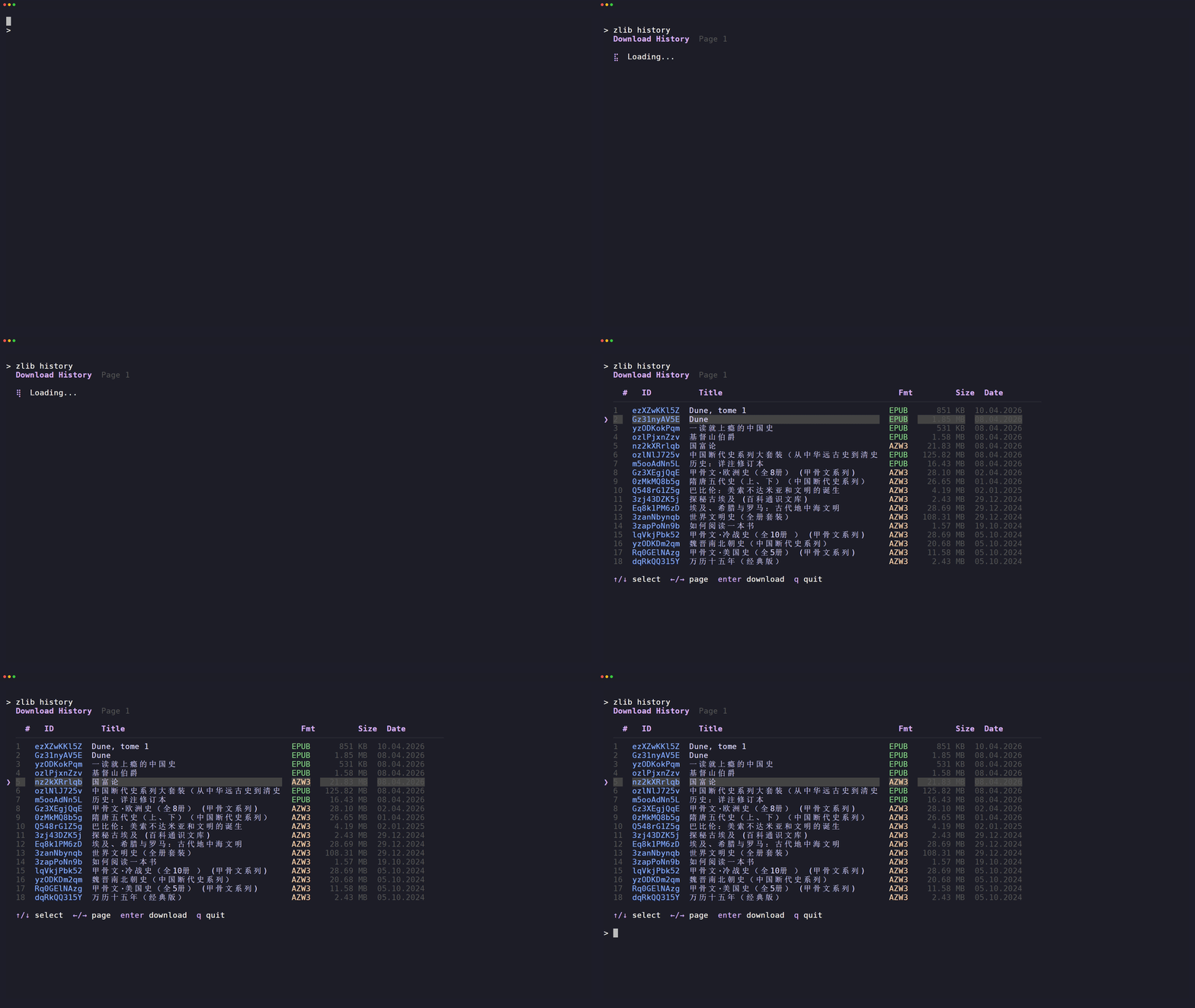
Without flags, opens an interactive history browser:
- browse with
↑/↓, switch pages with←/→ - press
Enterto re-download
zlib history
zlib history --download Gz31nyAV5E --dir ./books
zlib history --format epub
zlib history --json   # machine-readable, always non-interactive
profile
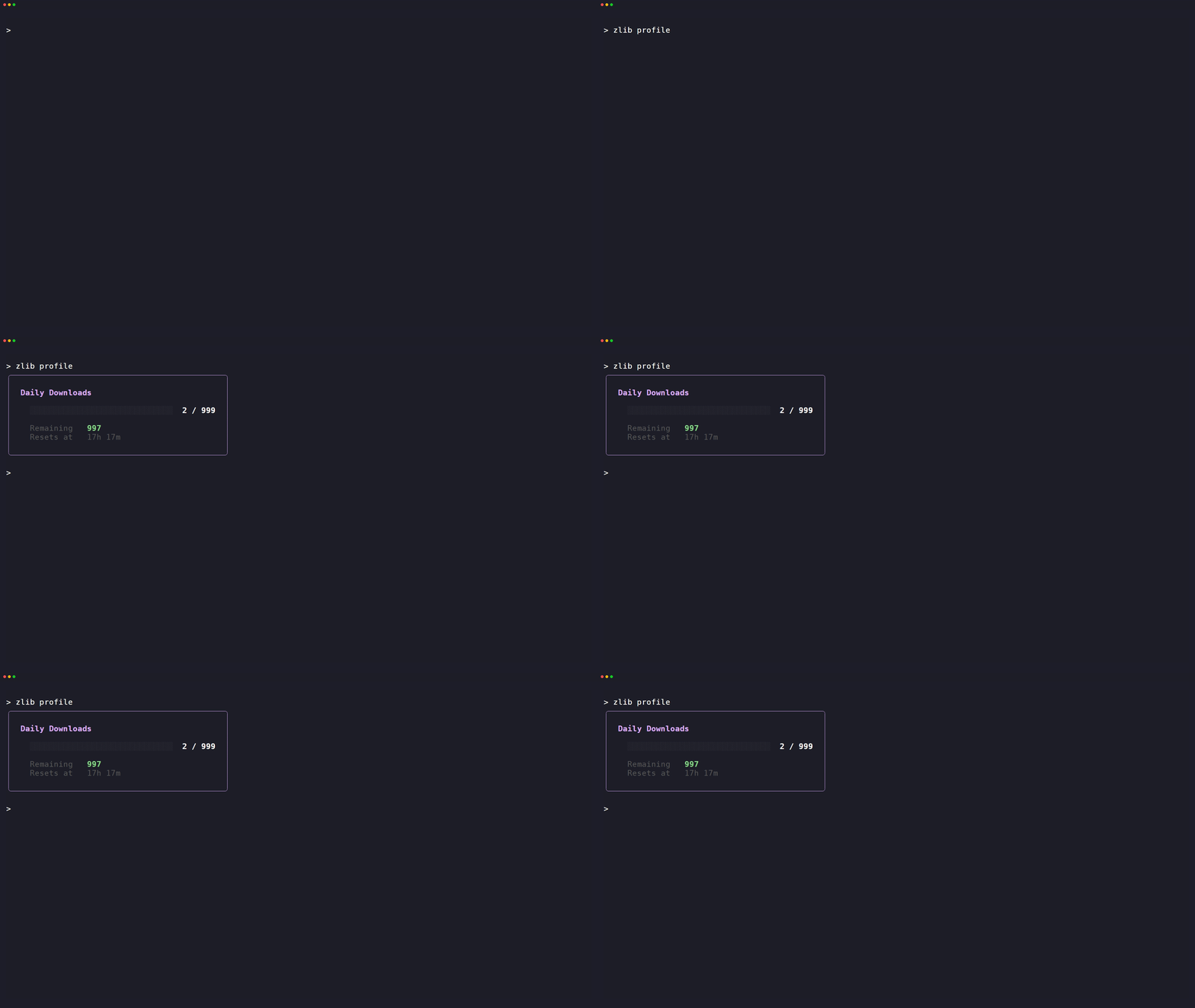
zlib profile
zlib profile --json
doctor
Checks all known domains without logging in or changing the active domain.
--proxy overrides ZLIB_PROXY for this check only.
zlib doctor
zlib doctor --eapi
zlib doctor --proxy http://127.0.0.1:7890
zlib doctor --proxy socks5://127.0.0.1:9050 --json
--eapi checks /eapi/info/domains instead of the home page. A domain may block
the website while leaving EAPI reachable, so the two checks can disagree.
Troubleshooting DiamWall (issue #16)
In issue #16, the mirror serves a
DiamWall challenge where the CLI expects Z-Library HTML or JSON. You may see an
HTTP 307 redirect loop, HTTP 517, or Access Denied | DiamWall. Older CLI
versions may instead fail with searchResultBox not found, dstats-info not found, or invalid character ' working-directory .env>~/.config/zlib/.env`**. The global file is the recommended home for machine-wide values.
HTML and EAPI both read ZLIB_DOMAIN. It overrides the domain saved in ~/.config/zlib/session.json; if you unset it, the CLI uses the saved domain. A new login without --domain requires ZLIB_DOMAIN. EAPI login checks that domain before requesting account credentials.
A successful login writes ZLIB_DOMAIN into ~/.config/zlib/.env, replacing the assignment already there and leaving every other line alone. That is the lowest-precedence of the three sources, so an exported variable or a working-directory .env still wins over it — check those first when a command targets a mirror you did not choose.
| Variable | Description |
|---|---|
ZLIB_DOMAIN |
Domain for HTML and EAPI; used when login omits --domain |
ZLIB_PROXY |
Proxy URL, e.g. http://127.0.0.1:7890 |
ZLIB_SMTP_PWD |
SMTP password for Kindle delivery |
ZLIB_THEME |
Override theme without changing config |
ZLIB_DOWNLOAD_DIR |
Default destination for downloads when --dir is omitted |
ZLIB_DOWNLOAD_RETRIES |
Retries for dropped connections and 502/503/504 responses |
ZLIB_DOWNLOAD_RETRIES defaults to 3.
ZLIB_DOWNLOAD_DIR applies to download, search and history, and expands a leading ~. An explicit --dir always overrides it, so --dir . still means the current directory. Unset or blank, downloads land in the current directory as before.
Edit the global env file (~/.config/zlib/.env, one KEY=value per line):
mkdir -p ~/.config/zlib && touch ~/.config/zlib/.env && chmod 600 ~/.config/zlib/.env
# open it in your editor:
notepad "$env:USERPROFILE\.config\zlib\.env"   # Windows (PowerShell)
open -t ~/.config/zlib/.env                       # macOS
${EDITOR:-nano} ~/.config/zlib/.env               # Linux