yas is a free, open source e-commerce platforms project written in Java and released under MIT. It has 1,987 GitHub stars, 730 forks and 156 open issues, and was last pushed 3 months ago. On this registry it ranks #22 of 30 tracked projects in E-commerce Platforms, with 5 head-to-head comparisons available.

What is yas?

YAS (Yet Another Shop) is a sample microservices e-commerce application written in Java, built to practise how a typical microservice system is assembled, and it is aimed at Java and Spring Boot developers who want a realistic multi-service codebase to study, run locally, or extend.

What it is

YAS is a pet project that models an online shop as a set of independently deployable Spring Boot services, with a Next.js front end and a Keycloak identity layer in front of them. The repository ships a local development architecture diagram plus the wiring needed to bring the whole system up on one machine, so the relationships between storefront, backoffice, supporting services, and shared infrastructure are visible rather than described in the abstract. It lives in the Java and Spring Boot ecosystem and is licensed under MIT.

The concrete problem it solves is the gap between toy tutorials and real systems. A single-process CRUD example does not show how a product catalogue, cart, order flow, inventory, tax, promotion, payment, and search are separated, how each service keeps its own data, how a BFF layer adapts those services for a browser, or how identity, messaging, and observability are threaded through. YAS replaces the hand-built scaffolding a developer would otherwise write from scratch before they can see those concerns interact, offering a working reference instead of isolated snippets.

Key capabilities

  • Backend services named by their CI workflows and host entries, including product, media, cart, customer, rating, location, order, inventory, tax, search, promotion, payment, payment-paypal, and webhook.
  • Two Next.js front ends, storefront and backoffice, each paired with its own BFF (storefront-bff-ci, backoffice-bff-ci).
  • Keycloak as the identity provider, reached on the host alias identity, plus api.yas.local for the API and pgadmin.yas.local for database administration.
  • Kafka and Elasticsearch as shared infrastructure, mapped to the kafka and elasticsearch host names.
  • OpenTelemetry instrumentation with Grafana, Loki, Prometheus, and Tempo, exposed locally as grafana, loki, and tempo.
  • Per-service CI pipelines on GitHub Actions, with a dedicated gitleaks-check workflow for secret scanning, and SonarCloud for static analysis.
  • Testcontainers for integration testing, with a stated stack of Java 25 and Spring Boot 4.0.

Who uses it and how

  • Java developers learning a microservice architecture who want a runnable system rather than a diagram, brought up through Docker Compose on a single host.
  • Teams evaluating Spring Boot 4.0 and Java 25 patterns in a multi-repo-style layout with one pipeline per service.
  • Engineers studying identity federation, since Keycloak sits in front of the API and both front ends.
  • People rehearsing Kubernetes deployment against a codebase already carrying Docker and Kubernetes topics.
  • Contributors, as the hacktoberfest topic indicates an open contribution surface across many small services.

Getting started

Getting started with Docker Compose requires the latest source code and host-file records for identity, api.yas.local, pgadmin.yas.local, storefront, backoffice, loki, tempo, grafana, elasticsearch, and kafka before the stack is brought up.

How it compares

No comparable project is named in the facts, and no list of paid products this project replaces is provided, so YAS stands alone in this registry rather than being contrasted with a commercial alternative. Its MIT licence means no vendor, subscription, or per-seat cost model is attached.

When to use it — and when not to

A self-hoster operates a substantial stack: PostgreSQL behind PgAdmin, Keycloak, Kafka, Elasticsearch, and a full Grafana, Loki, Prometheus, and Tempo observability chain, all of which need memory, ports, and host-file entries before anything renders. It should not be chosen as a production commerce platform, because the README describes it as a pet project for practice rather than a supported product. The README is also thin — the Docker Compose setup stops partway through step 3 — and with 156 open issues against a last push in June 2026, expect rough edges.

project readme (upstream, from github) — read inline

YAS: Yet Another Shop

YAS is a pet project aim to practice building a typical microservice application in Java

Gitleaks-check storefront-ci storefront-bff-ci backoffice-ci backoffice-bff-ci product-ci media-ci cart-ci customer-ci rating-ci location-ci order-ci inventory-ci tax-ci search-ci promotion-ci payment-ci payment-paypal-ci webhook-ci

Tentative technologies and frameworks

  • Java 25
  • Spring Boot 4.0
  • Testcontainers
  • Next.js
  • Keycloak
  • Kafka
  • Elasticsearch
  • K8s
  • GitHub Actions
  • SonarCloud
  • OpenTelemetry
  • Grafana, Loki, Prometheus, Tempo

Local development architecture
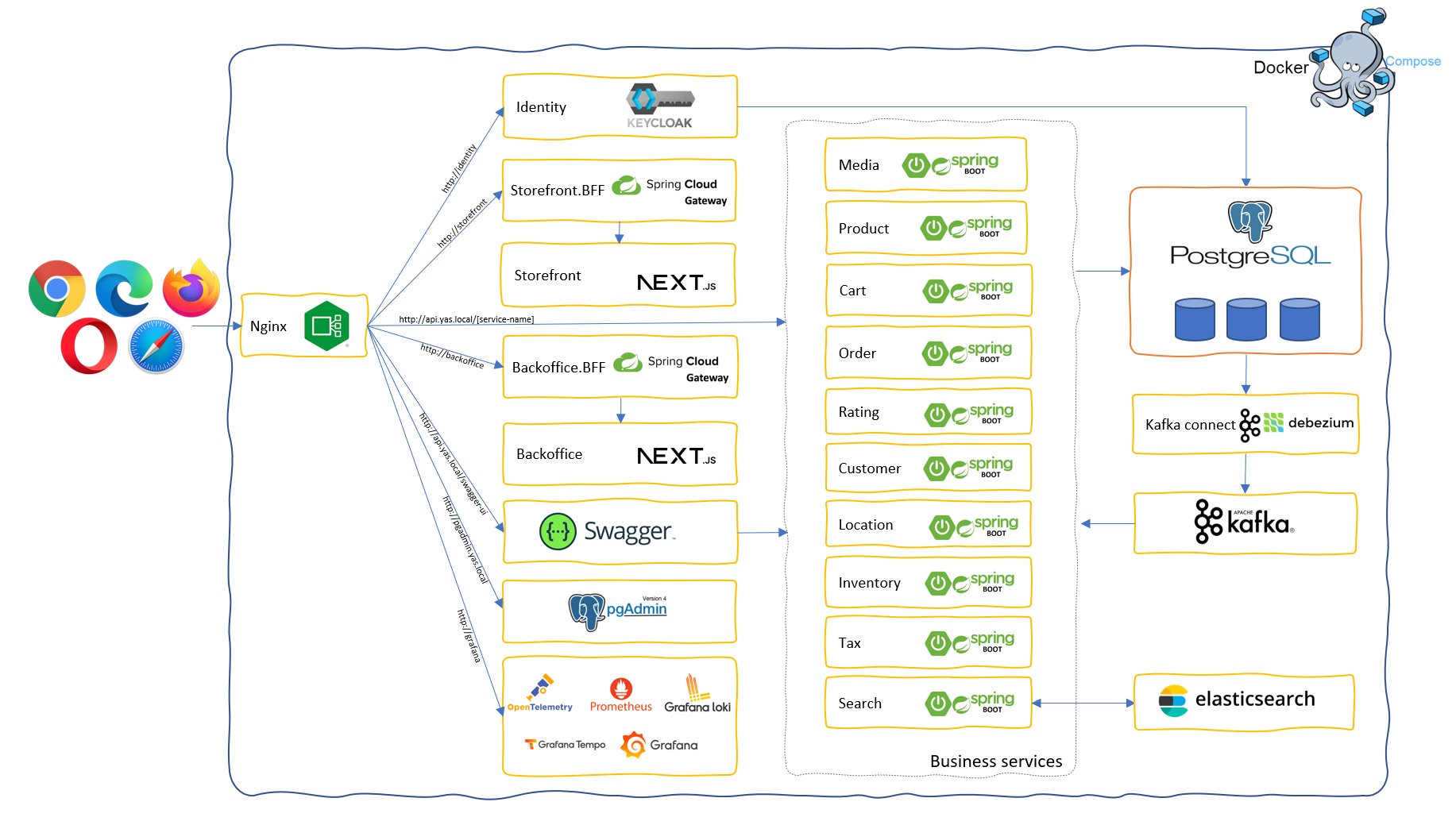
Yas - local development architecture

Getting started with Docker Compose

  1. Get the latest source code
  2. Add the following records to your host file:
127.0.0.1 identity
127.0.0.1 api.yas.local
127.0.0.1 pgadmin.yas.local
127.0.0.1 storefront
127.0.0.1 backoffice
127.0.0.1 loki
127.0.0.1 tempo
127.0.0.1 grafana
127.0.0.1 elasticsearch
127.0.0.1 kafka
  1. Open terminal of your choice, go to yas directory, run docker compose up, wait for all the containers up and running

Warning: To run all the containers, you need a minimum of 16GB of RAM. Otherwise, you can only run the core services with this command docker compose -f docker-compose.yml up

  1. All the containers up and running then we start source connectors by run script, open any terminal window... go to the YAS root folder and type: ./start-source-connectors.sh
  2. Open your browser, now you can access the websites via http://storefront/; http://backoffice/ login with admin/password

Note: For the first run, the storefront and the backoffice might not work as expected. Stop all the containers (Ctrl + C) and run docker compose up again.

You might also want to explore:
  1. http://pgadmin.yas.local/. Account login: [email protected] / admin. Register a server: postgres, port 5432, username admin, password admin. The Postgresql server is also exposed to the host machine: servername: localhost, port: 5432, username: admin, password: admin
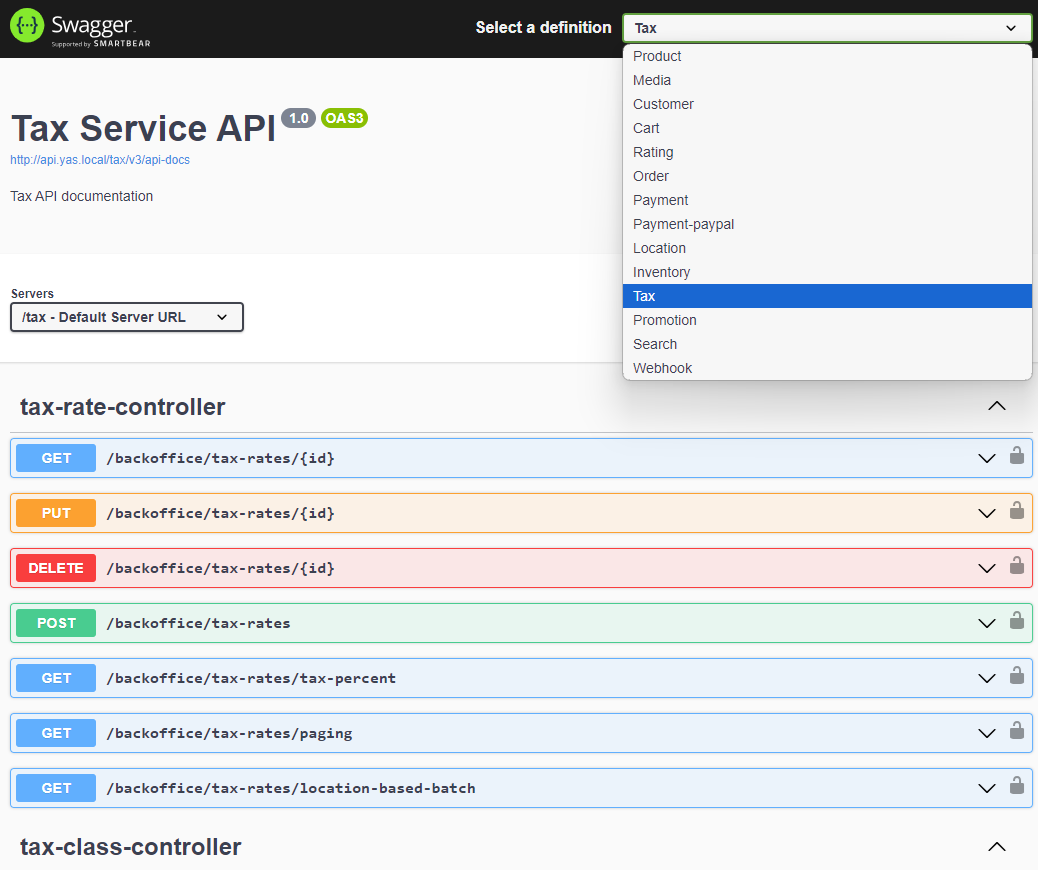
  2. http://api.yas.local/swagger-ui/ for all the REST API document of all the services
  3. http://identity/ for Keycloak console, account admin/admin
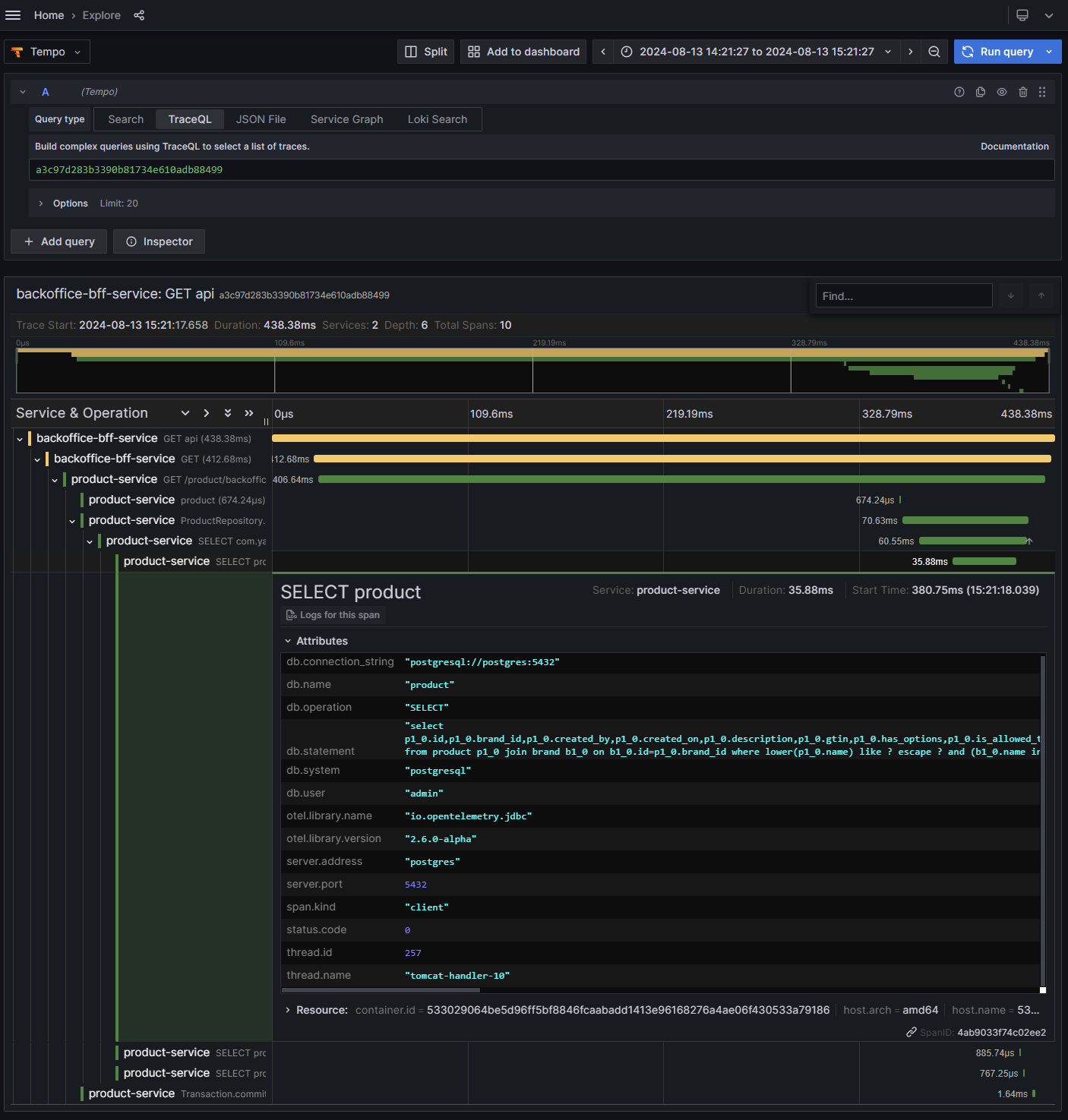
  4. http://grafana/ for observability: log, trace, matrix
  5. http://elasticsearch/ for calling Elasticsearch APIs
About docker-compose files
  1. docker-compose.yml for all core services
  2. docker-compose.search.yml for search service
  3. docker-compose.o11y.yml for observability services

Deploy to Kubernetes

https://github.com/nashtech-garage/yas/tree/main/k8s/deploy

Documentation

Contributing

By contributing, you agree that your contributions will be licensed under MIT License.

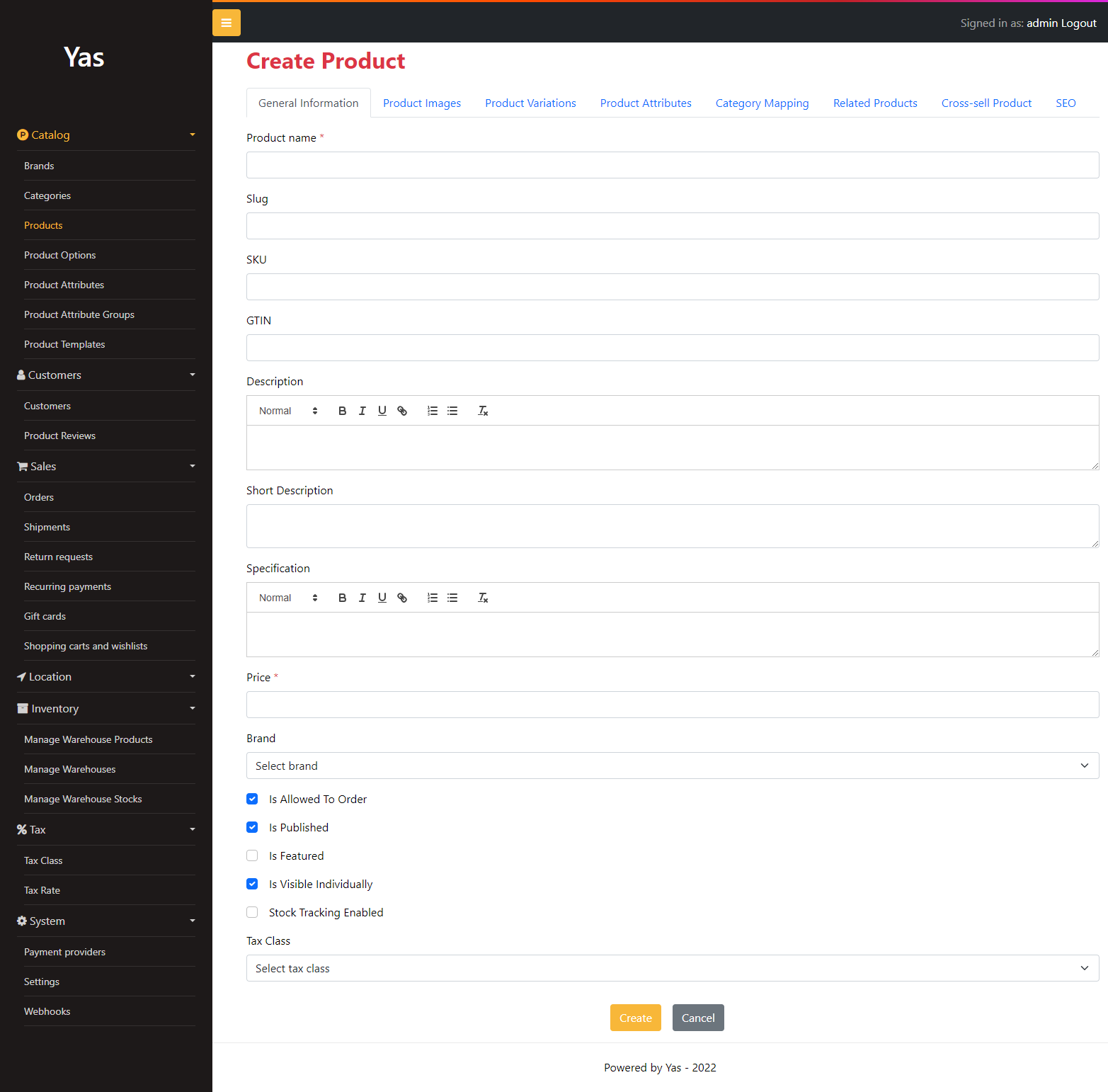
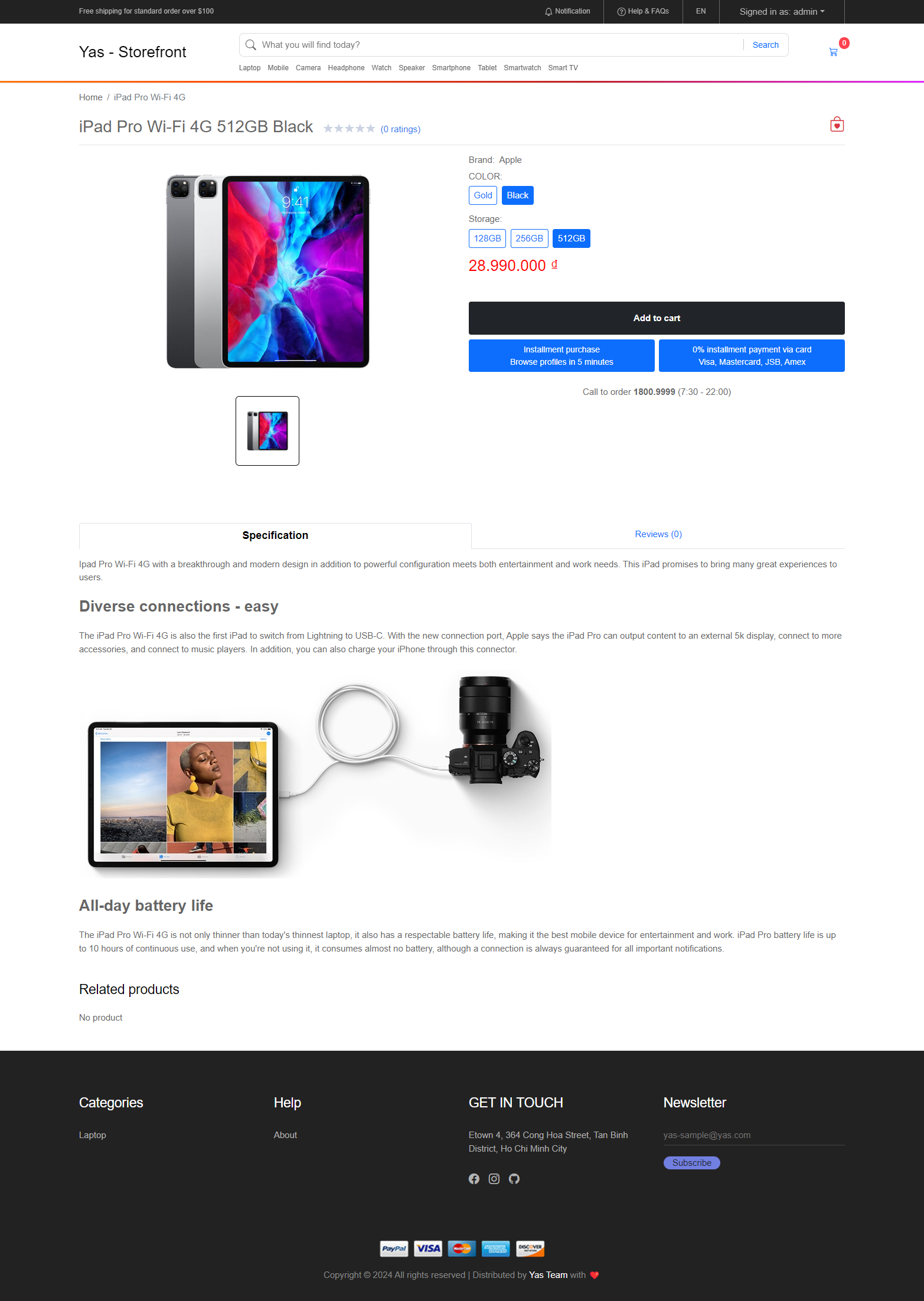
Screenshots

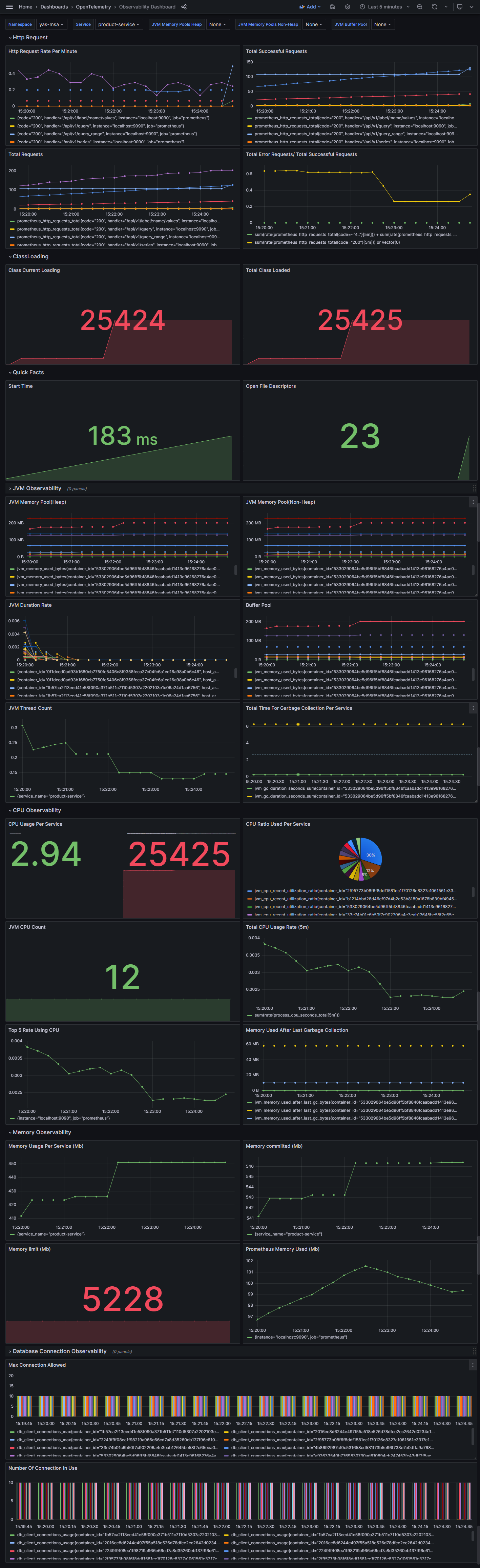
Backoffice & Storefront Observability

Frequently asked questions

Is yas free to use?

yas is open source under the MIT licence. There is no licence fee and no seat count — you can self-host it or, where the project offers one, pay a vendor for a managed version instead.

What does yas do?

YAS: Yet Another Shop, a sample microservices project in Java

What is yas written in?

yas is primarily written in Java. Its source is publicly available at https://github.com/nashtech-garage/yas, and it has 1,987 GitHub stars.