xdm is a free, open source browsers & extensions project written in Kotlin and released under GPL-3.0. It has 8,025 GitHub stars, 1,196 forks and 865 open issues, and was last pushed 20 hours ago. On this registry it ranks #47 of 144 tracked projects in Browsers & Extensions, with 5 head-to-head comparisons available.

What is xdm?

Xtreme Download Manager (XDM) is a GPL-3.0-licensed Kotlin desktop download manager and video grabber for Windows, macOS, and Linux users who want segmented, resumable downloads and one-click capture of HLS and DASH video through a companion Chrome or Firefox extension.

What it is

XDM is a desktop application with a download engine, a Swing desktop interface, and browser extensions. Its README describes three modules: xdm-core, a download engine for HTTP, HLS, DASH, and batch work with no UI dependencies and JDK 8 compatibility; xdm-app, the Swing and FlatLaf desktop app that also hosts the browser-integration server; and browser-extension, the Chrome and Firefox extensions. It sits in the Productivity & Utilities / Browsers & Extensions category and is in active development, with the README noting that as of 2026 XDM is being rebuilt.

The concrete problem is download handling that breaks or requires manual work. XDM splits downloads across multiple connections, resumes transfers interrupted by network drops, crashes, or power loss, and refreshes expired links without starting over. Its video grabber detects and saves HLS (.m3u8) and MPEG-DASH (.mpd) streams, muxing them to MP4 with no external tools. The companion extension forwards downloads and detected media to the running app over a local-only connection at 127.0.0.1:8597, so the user does not have to copy a link by hand. In that sense it replaces the manual copy-a-link workflow for ordinary files and streaming video, and it moves download handling out of the browser into the XDM app.

Key capabilities

  • Multi-connection segmented downloading that makes use of available bandwidth and resumes broken transfers from the point of interruption.
  • A video grabber for HLS (.m3u8) and MPEG-DASH (.mpd) streams, muxed to MP4 without external tools.
  • Batch downloads that collect many links at once into a single folder, with clipboard paste for one link or a whole list.
  • Scheduler and queues that start and stop downloads on a schedule, limit parallel downloads, and shut down the machine when done.
  • Browser integration for Chrome, Firefox, Edge, Opera, Vivaldi, Brave, and other Chromium- and Firefox-based browsers, with the extension forwarding requests over 127.0.0.1:8597.
  • HTTP and SOCKS proxy support, server and proxy authentication, and an optional antivirus scan of finished downloads.
  • A cross-platform desktop app for Windows, macOS, and Linux with light and dark themes, backed by the xdm-core engine, xdm-app desktop module, and browser-extension module.

Who uses it and how

  • Individual desktop users on Windows, macOS, or Linux who need interrupted downloads to resume exactly where they left off, with settings and the download list kept locally.
  • Users who need to save streaming video from sites that deliver HLS or DASH, using the app's video grabber rather than external muxing tools.
  • People running batch collection workflows: many links into one folder, clipboard lists, scheduled start and stop times, parallel-download limits, and shutdown when the queue finishes.
  • Privacy-conscious browser users on Chrome, Firefox, Edge, Opera, Vivaldi, Brave, and other Chromium- or Firefox-based browsers, because the extension uses a local-only connection and XDM has no accounts, analytics, or tracking.

Getting started

Configure JDK 25 as a Maven toolchain, build the fat jar with mvn -q -pl xdm-app -am package, and run it with java -jar xdm-app/target/xdm-app.jar. Packaged downloads are available from the project homepage at https://xtremedownloadmanager.com/.

How it compares

No list of paid products that XDM replaces is provided in the facts, and no similar download manager is named there either. On the evidence available, it stands alone in this registry.

When to use it — and when not to

Use XDM when a local desktop download manager with resumable segmented transfers, scheduled queues, and HLS/DASH capture fits the workflow, and when keeping data on the machine matters. It is a desktop client rather than a self-hosted service, so there is no database, storage service, or SMTP server to operate; teams that need a shared or multi-user server-side download service should not pick it. Prospective users should also weigh that the README says XDM is being rebuilt and is in active development as of 2026, that the repository has 865 open issues, and that its browser-extension table lists the extensions as "Awaiting review".

project readme (upstream, from github) — read inline

Xtreme Download Manager

Fast, resumable downloads and one-click video grabbing — right from your browser.

Total downloads Latest release Platforms Active development

Homepage · Download · Features · Browser integration · Build · Translations · Code signing policy


Xtreme Download Manager (XDM) speeds up downloads by splitting them across multiple connections, saves videos from streaming sites, and picks up broken downloads exactly where they left off. A companion browser extension hands downloads and detected videos straight to the app, so you never have to copy a link by hand.

Wondering why you'd still want a download manager on a fast connection? Read Why use a download manager in an age of fast internet?

[!NOTE] As of 2026 XDM is being rebuilt and is in active development.

📸 Screenshots

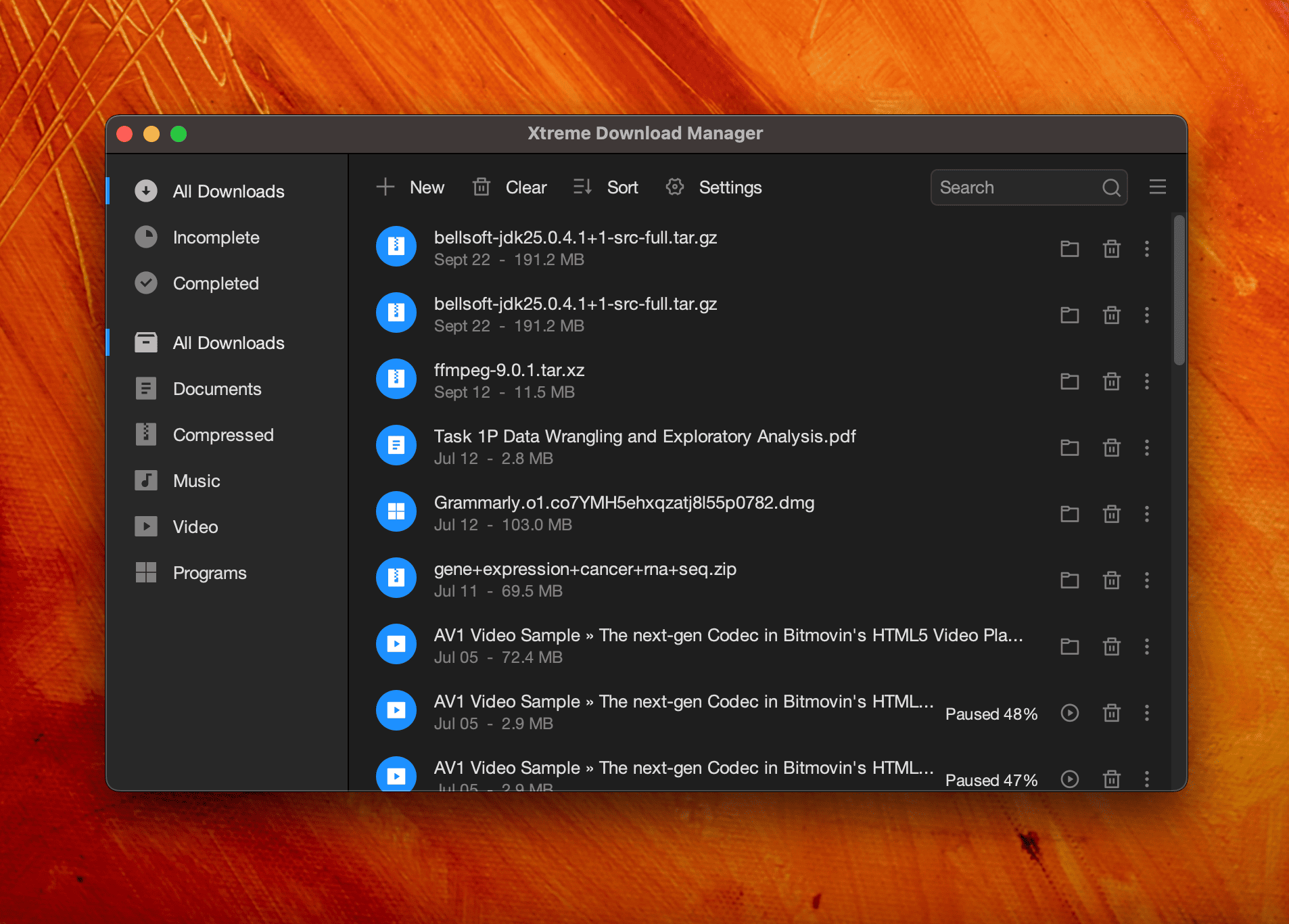
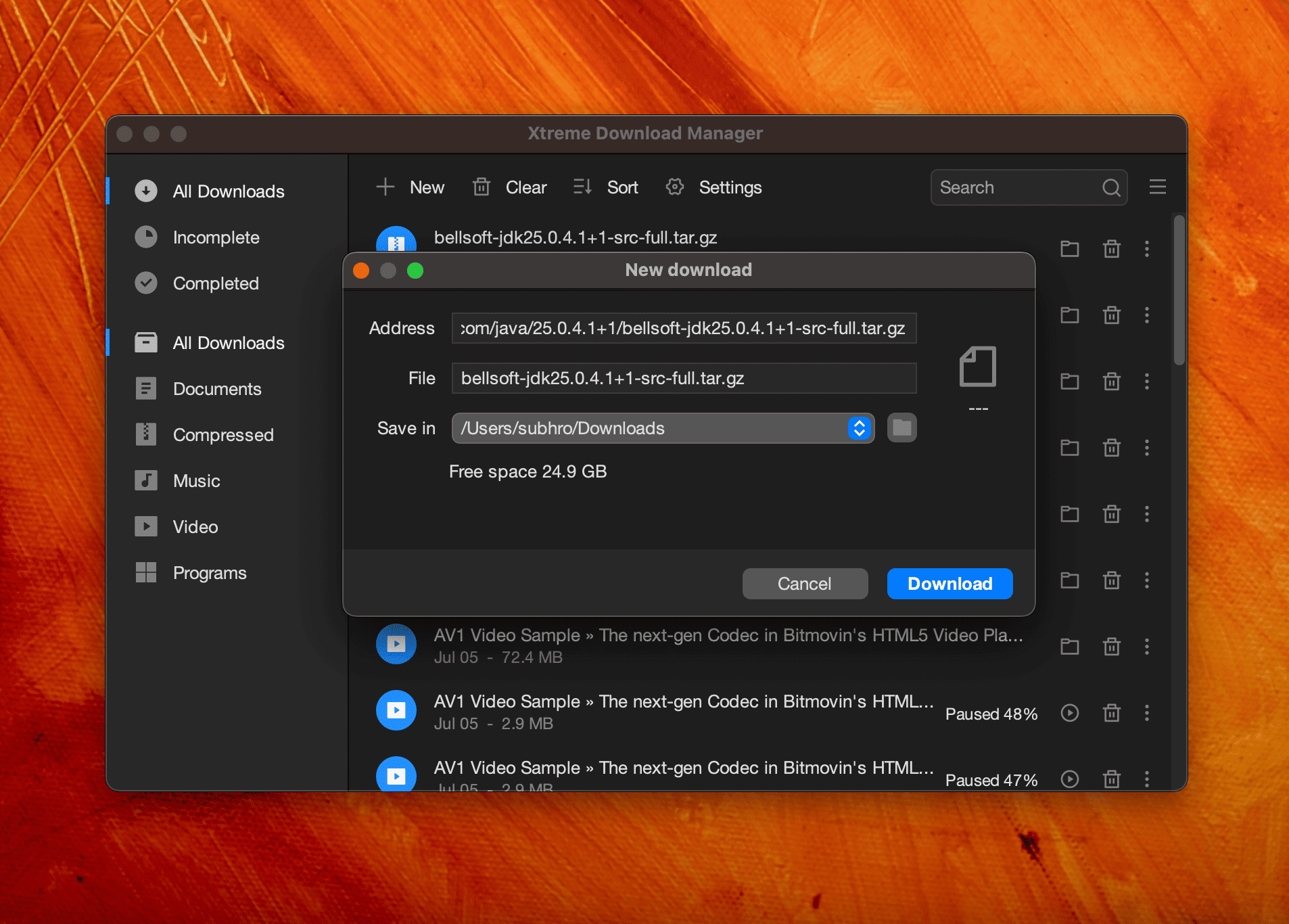
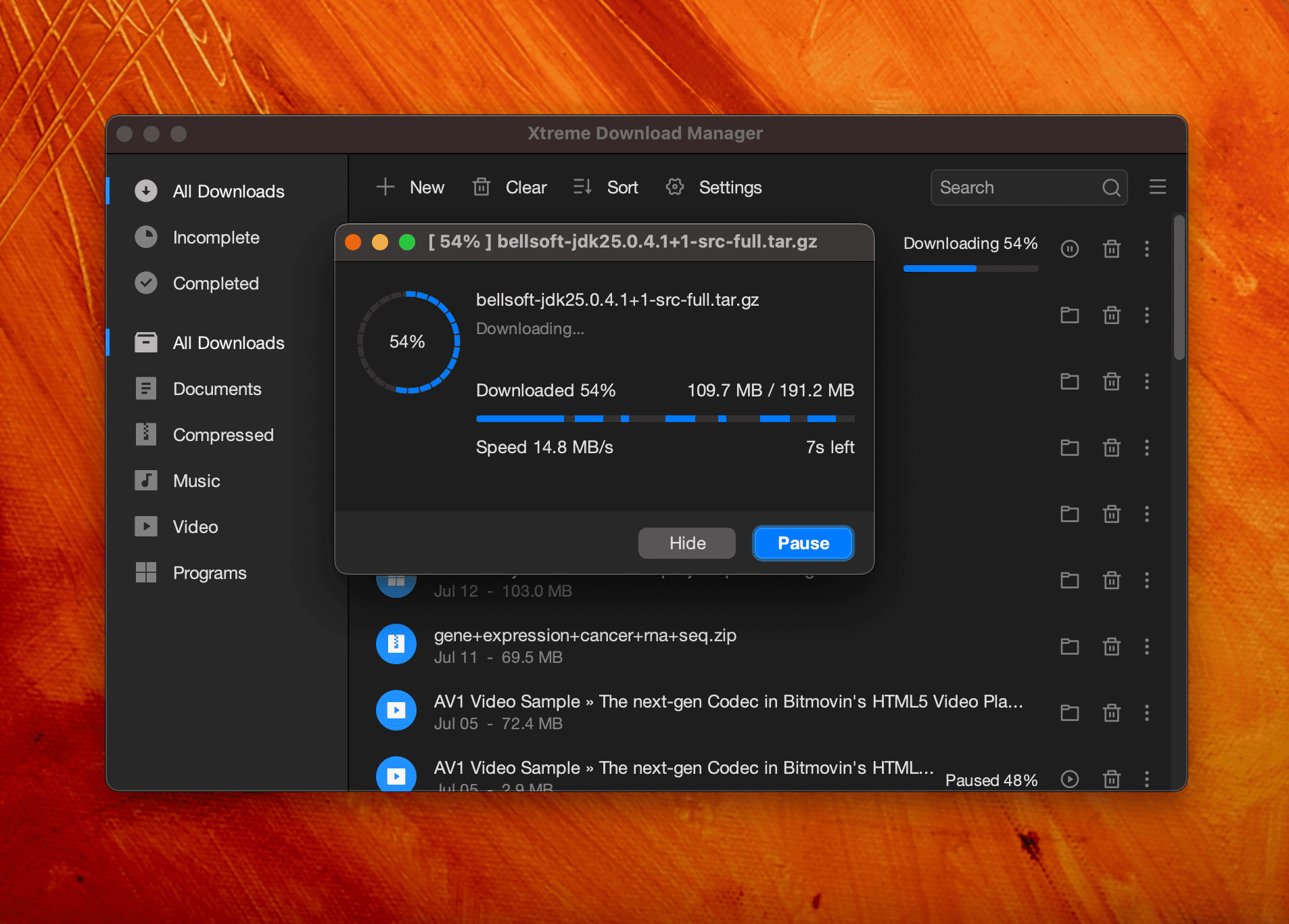
Main window New download Download progress
XDM main window with the downloads list New download dialog Download progress window

✨ Features

⚡ Faster downloads Multi-connection segmented downloading to make the most of your bandwidth.
🎬 Video grabber Detects and saves videos from streaming sites, including HLS (.m3u8) and MPEG-DASH (.mpd) streams, muxed to MP4 with no external tools.
🔁 Resume anything Recovers downloads interrupted by network drops, crashes or power loss; refresh expired links without starting over.
📦 Batch downloads Grab many links at once into a single folder.
🗓️ Scheduler & queues Start and stop downloads on a schedule, limit parallel downloads, shut down when done.
📋 Paste from clipboard Add one link or a whole list of links straight from the clipboard.
🌐 Proxies & auth HTTP and SOCKS proxies, and server/proxy authentication.
🛡️ Antivirus scan Optionally scan finished downloads with your antivirus.
🖥️ Cross-platform Native-feeling app on Windows, macOS and Linux, with light and dark themes.

🧩 Browser integration

XDM works with Chrome, Firefox, Edge, Opera, Vivaldi, Brave and other Chromium- and Firefox-based browsers.

Browser Extension
Chrome Awaiting review
Firefox Awaiting review

The extension forwards downloads and detected media to the running app over a local-only connection (127.0.0.1:8597); nothing leaves your machine.

🛠️ Building from source

Requirements: JDK 25 (configured as a Maven toolchain) and Maven.

# 1. Point Maven at your JDK 25
cp packaging/toolchains.sample.xml ~/.m2/toolchains.xml   # then edit jdkHome

# 2. Build the app (fat jar: xdm-app/target/xdm-app.jar)
mvn -q -pl xdm-app -am package

# 3. Run it
java -jar xdm-app/target/xdm-app.jar
Module What it is
xdm-core Download engine (HTTP, HLS, DASH, batch), no UI dependencies, JDK 8 compatible
xdm-app Swing desktop app (FlatLaf) and browser-integration server
browser-extension Chrome and Firefox extensions

🌍 Translations

Want XDM in your language? Translations are welcome — see Submitting translations for XDM.

🗑️ Uninstalling

  • Windows: Settings → Apps → Installed apps → Xtreme Download Manager → Uninstall.
  • macOS: quit XDM, then drag xdm-app from Applications to the Trash.
  • Linux: sudo apt remove xdm-app (Debian/Ubuntu), sudo dnf remove xdm-app (Fedora) or sudo pacman -R xdm-app (Arch).

Uninstalling keeps your settings and download list. To remove them too, delete the data folder: %LOCALAPPDATA%\xdm-app (Windows), ~/Library/Application Support/xdm-app (macOS) or ~/.local/share/xdm-app (Linux).

🔏 Code signing policy

Free code signing provided by SignPath.io, certificate by SignPath Foundation. Who builds, reviews and approves signed releases: see the code signing policy.

🔒 Privacy

XDM has no accounts, analytics or tracking, and keeps your data on your computer. See the privacy policy.

📄 License

XDM is free software, licensed under the GNU General Public License v3.0. XDM 8 and earlier were released under GPL v2.


Made with ☕ by subhra74 and contributors · xtremedownloadmanager.com

Frequently asked questions

Is xdm free to use?

xdm is open source under the GPL-3.0 licence. There is no licence fee and no seat count — you can self-host it or, where the project offers one, pay a vendor for a managed version instead.

What does xdm do?

Fast file and video downloader with HLS, DASH and batch download support

What is xdm written in?

xdm is primarily written in Kotlin. Its source is publicly available at https://github.com/subhra74/xdm, and it has 8,025 GitHub stars.