writing-helper is a free, open source publishing project written in TypeScript and released under MIT. It has 644 GitHub stars, 112 forks and 3 open issues, and was last pushed 7 months ago. On this registry it ranks #40 of 46 tracked projects in Publishing, with 5 head-to-head comparisons available.

What is writing-helper?

What it is

AI 写作助手 (AI Writing Assistant) is an open-source, Next.js-based writing tool that helps people organize style prompts and generate content through large language models. It is written in TypeScript under the MIT license and lives in the Node.js and Next.js ecosystem, distributed as source that runs on a local or self-hosted server. The project has been public for roughly two years, holds 644 stars and 112 forks, and carries only 3 open issues at the time of writing. A hosted instance is offered at writing.chixitown.com.

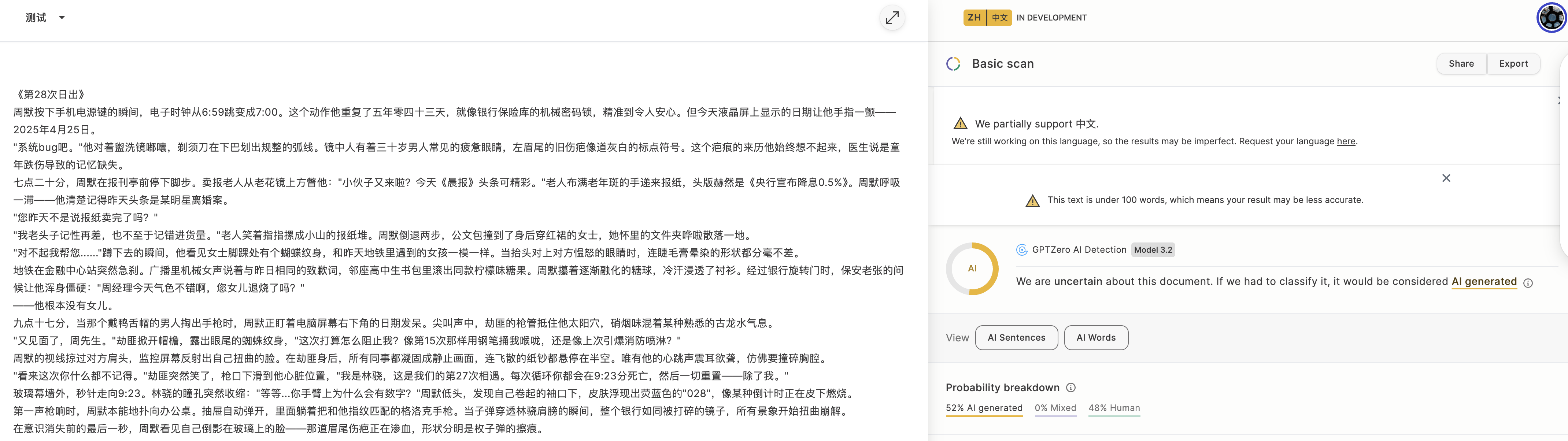
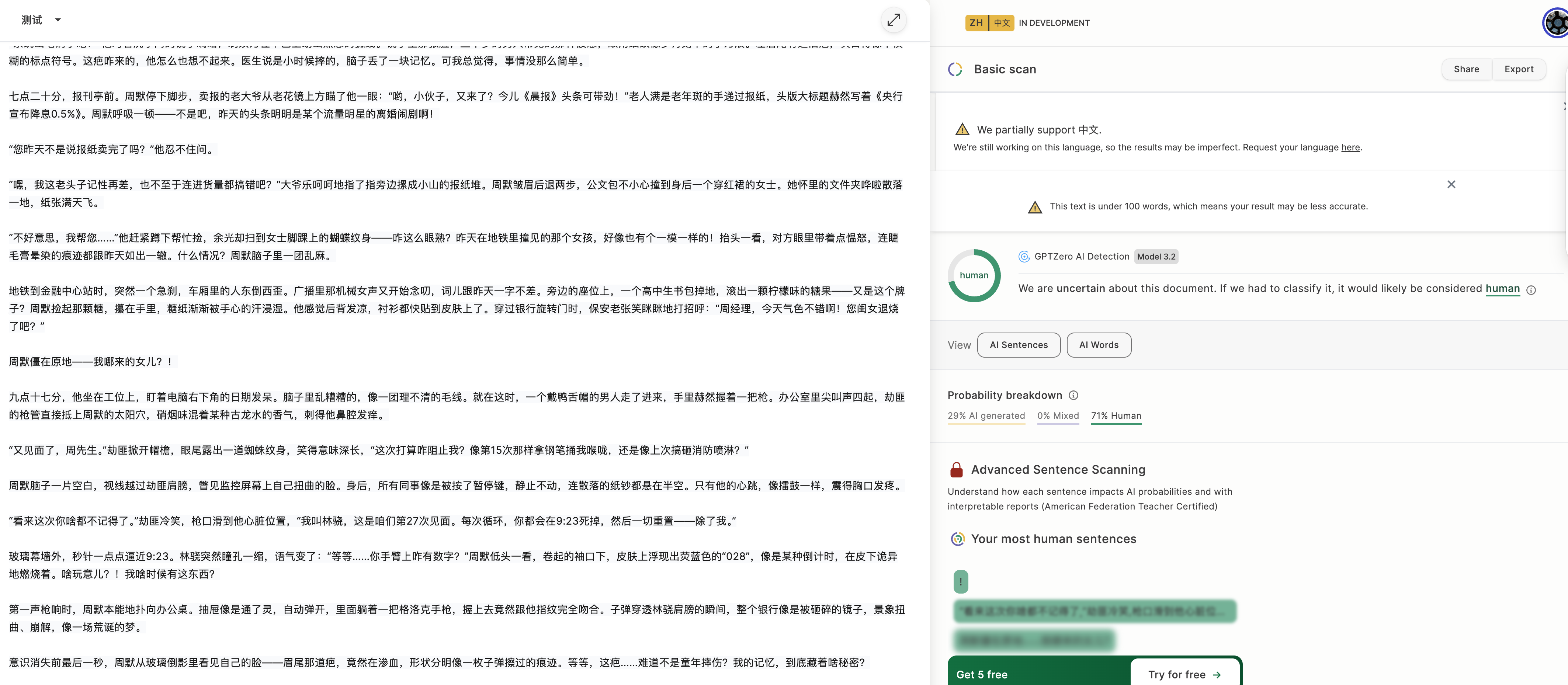
The concrete problem it solves is the gap between raw chat interfaces and controlled long-form drafting. Instead of asking a model for text in one vague prompt, the tool separates the work into two stages: a writing assistant that builds an article from a topic, keywords, and a target word count, and a text optimizer that rewrites existing drafts to read less like machine output. The style editor exposes language, structure, narrative viewpoint, and emotional expression as adjustable dimensions, so a user can pin down voice before generating rather than fixing it afterward. The optimizer targets the statistical signals that detectors such as GPTZero are reported to measure, specifically perplexity and burstiness, and ships presets including a human-writing-characteristics mode and an AI-rewrite-guidance mode.

Key capabilities

  • Generates articles from a topic, a set of keywords, and a requested word count.
  • Multi-dimensional style editor for language, structure, narrative perspective, and emotional expression, plus signature phrases and cultural references.
  • Built-in editor for revising generated text in place, with one-click Markdown export.
  • AI text optimizer that removes machine-writing traits and targets perplexity and burstiness statistics.
  • Optimization presets for human writing characteristics and for AI rewrite guidance, plus custom rewrite instructions.
  • Multi-LLM support covering OpenAI GPT-4 and GPT-3.5, xAI Grok-2, Ollama local models, DeepSeek, and custom OpenAI-compatible endpoints.
  • Backend tuned for long requests, with timeouts of up to ten minutes for large text processing, plus responsive desktop and mobile UI and detailed error and debugging output.

Who uses it and how

  • Writers and content creators drafting articles who want a fixed personal voice applied across many pieces.
  • Students and professionals producing copy under a word-count target.
  • Teams routing the same prompts through whichever provider is cheapest or fastest, by switching the API settings panel.
  • Users running Ollama locally to keep text on their own hardware.
  • Editors pasting existing drafts into the optimizer to reduce detector-flagged statistical patterns before publishing.

Getting started

Install Node.js 16.20.0 or higher,

project readme (upstream, from github) — read inline

AI 写作助手

一个基于 Next.js 构建的 AI 写作助手,帮助用户组织写作风格提示词,并通过大型语言模型(LLM)生成高质量内容。适用于作家、内容创作者、学生和需要创作文案的专业人员。

🌟 核心功能

📝 写作助手

  • 智能内容生成:根据主题、关键词和字数要求快速生成高质量文章
  • 深度风格定制:多维度提示词风格编辑器,精确控制语言、结构、叙述、情感等风格元素
  • 实时编辑:在内置的编辑器中直接编辑、修改生成的内容
  • 导出功能:一键导出为Markdown格式,便于后续使用

🔄 AI文本优化器

  • AI特征去除:去除AI生成文本特征,使内容更自然、更人性化
  • 检测对抗:专门针对GPTZero等AI检测器使用的统计学特征进行优化
  • 统计特征优化:特别针对困惑度(Perplexity)和突发性(Burstiness)两项关键指标进行优化
  • 多种优化预设:包括"人类写作特征优化"和"AI修改指导"两种预设模式
  • 自定义指令:支持自定义洗稿指令,满足个性化需求

🚀 技术特点

  • 多LLM支持:兼容OpenAI、Grok、Ollama、DeepSeek等多种API
  • API灵活配置:简单直观的API设置界面,便于切换不同的模型和服务
  • 长超时支持:针对大型文本处理优化的后端,最长支持10分钟请求超时
  • 响应式设计:完美适配桌面和移动设备的现代化UI
  • 错误处理:友好的错误提示和详细的技术调试信息

🛠️ 快速开始

确保已安装 Node.js 16.20.0 或更高版本。

安装依赖

npm install

启动开发服务器

npm run dev

访问 http://localhost:3000 开始使用。

预览

写作助手
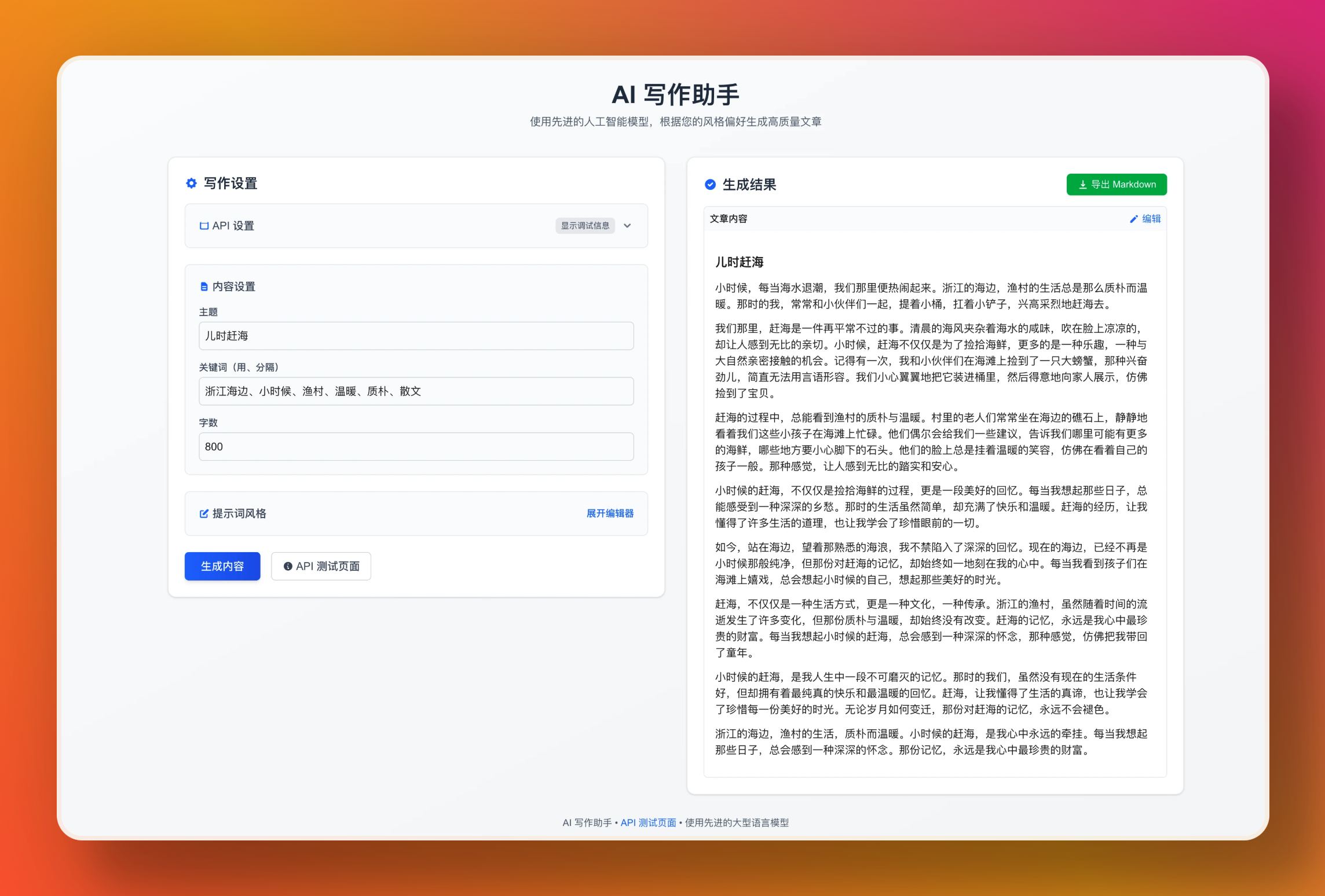
preview

AI文本优化

preview preview

📝 使用指南

写作助手

  1. 设置主题和关键词

    • 输入文章主题
    • 添加关键词(用"、"分隔)
    • 设定目标字数
  2. 自定义写作风格

    • 点击"风格编辑器"打开详细设置
    • 调整语言风格、结构、叙述视角、情感表达等
    • 添加个性化要素如标志性短语、文化引用等
  3. API设置

    • 选择API提供商(OpenAI、Grok、Ollama、DeepSeek等)
    • 输入API密钥
    • 选择合适的模型
  4. 生成与导出

    • 点击"生成内容"
    • 在编辑器中查看和修改内容
    • 使用"导出为Markdown"保存

AI文本优化器

  1. 选择API设置

    • 配置与上述相同的API选项
  2. 输入文本

    • 粘贴需要优化的文本
  3. 选择优化模式

    • "人类写作特征优化":全面优化七大写作特征
    • "AI修改指导":分析并生成个性化改写策略
    • 或使用自定义优化指令
  4. 处理文本

    • 点击"优化文本"按钮
    • 查看处理结果
    • 复制优化后的内容

🔌 支持的API

本应用支持多种LLM服务的API:

  • OpenAI:GPT-4和GPT-3.5系列
  • Grok:xAI的Grok-2系列模型
  • Ollama:适用于本地运行的开源模型
  • DeepSeek:DeepSeek系列模型
  • 自定义API:支持配置其他兼容接口

📋 开发路线图

  • 文本摘要功能
  • 内容历史记录
  • 更多LLM支持(Claude、Gemini等)
  • 文档翻译工具
  • 文章风格分析

⚠️ 免责声明

  • 本工具生成的内容由使用者自行负责
  • 使用本工具需遵守相关API服务的使用条款
  • 不得用于生成违法、不实或有害内容
  • 对于API服务的可用性或费用不承担责任

📄 许可证

本项目采用 MIT 许可证

📧 联系方式

如有问题或建议,请通过GitHub Issues联系我们。

Frequently asked questions

Is writing-helper free to use?

writing-helper is open source under the MIT licence. There is no licence fee and no seat count — you can self-host it or, where the project offers one, pay a vendor for a managed version instead.

What does writing-helper do?

A Next.js-based AI writing assistant supporting multiple LLM APIs (OpenAI, Claude, Gemini, etc.) with rich style customization features to help content creators

What is writing-helper written in?

writing-helper is primarily written in TypeScript. Its source is publicly available at https://github.com/GeekyWizKid/writing-helper, and it has 644 GitHub stars.