
Worklenz



Task Management | Time Tracking | Analytics | Resource Management | Project Templates
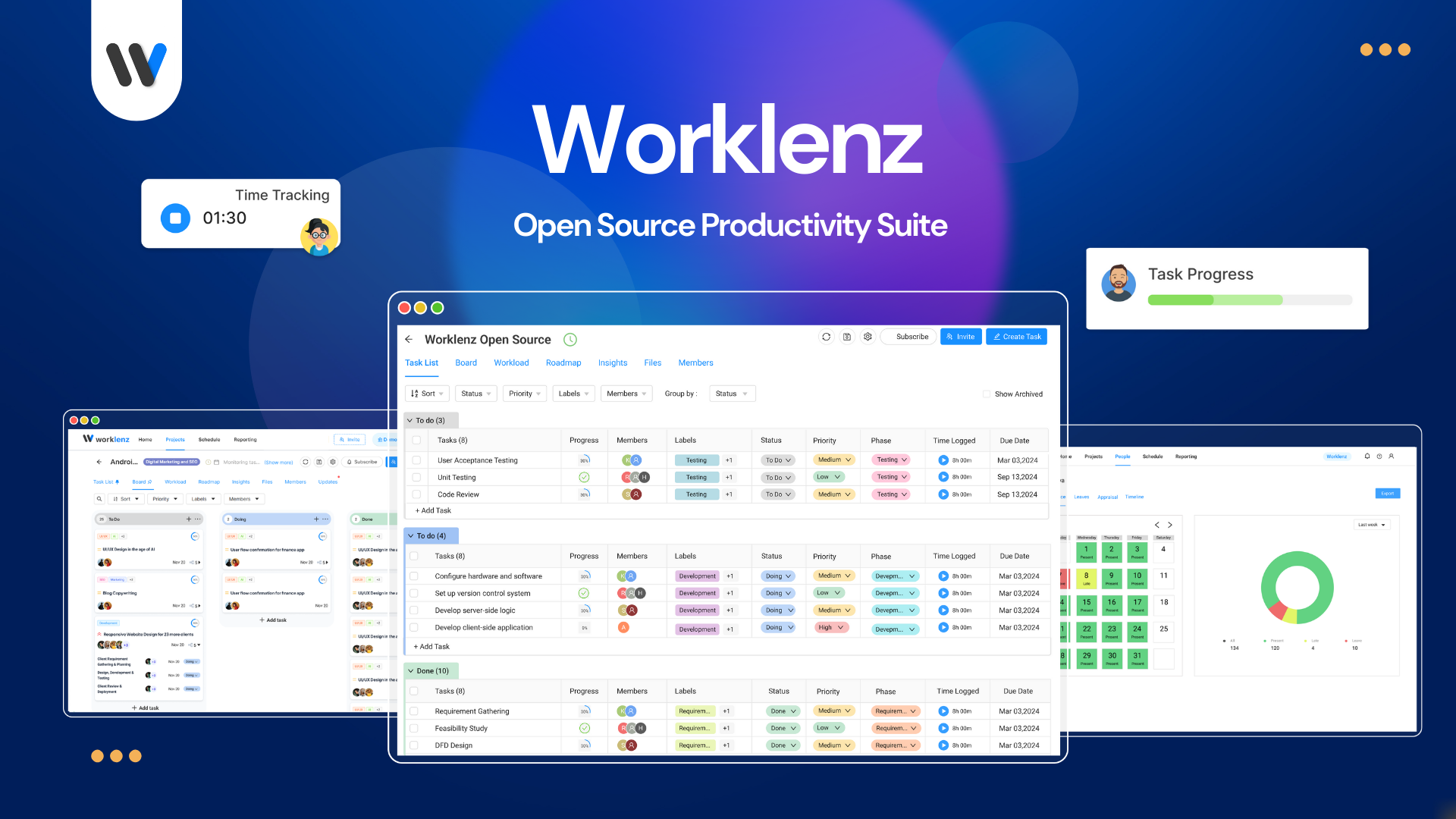
Worklenz is a project management tool designed to help organizations improve their efficiency. It provides a comprehensive solution for managing projects, tasks, and collaboration within teams.
Table of Contents
- Features
- Tech Stack
- Getting Started
- Deployment
- Configuration
- MinIO Integration
- Security
- Analytics
- Screenshots
- Contributing
- License
Features
- Project Planning: Create and organize projects, assign tasks to team members.
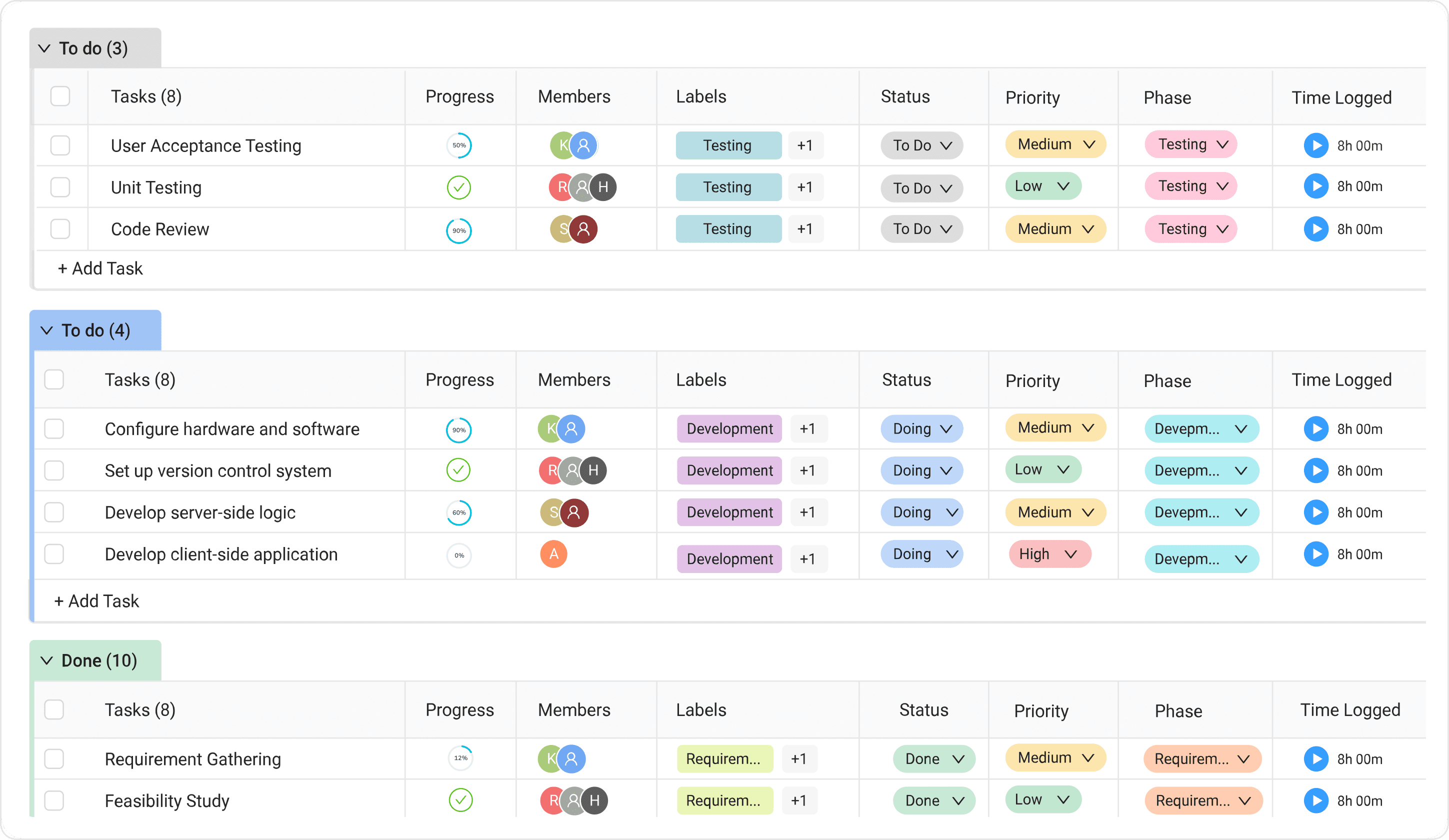
- Task Management: Break down projects into smaller tasks, set due dates, priorities, and track progress.
- Collaboration: Share files, leave comments, and communicate seamlessly with your team members.
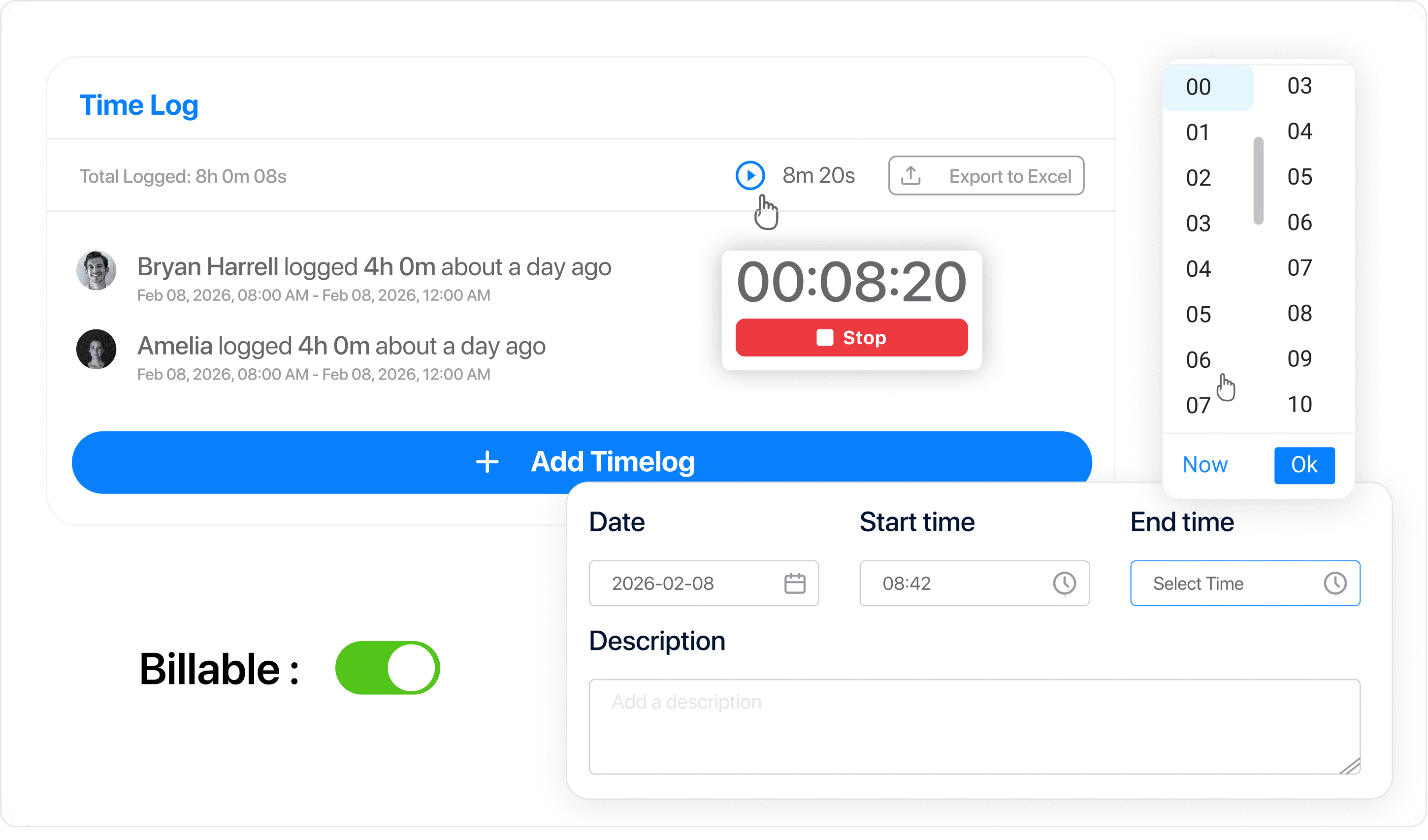
- Time Tracking: Monitor time spent on tasks and projects for better resource allocation and billing.
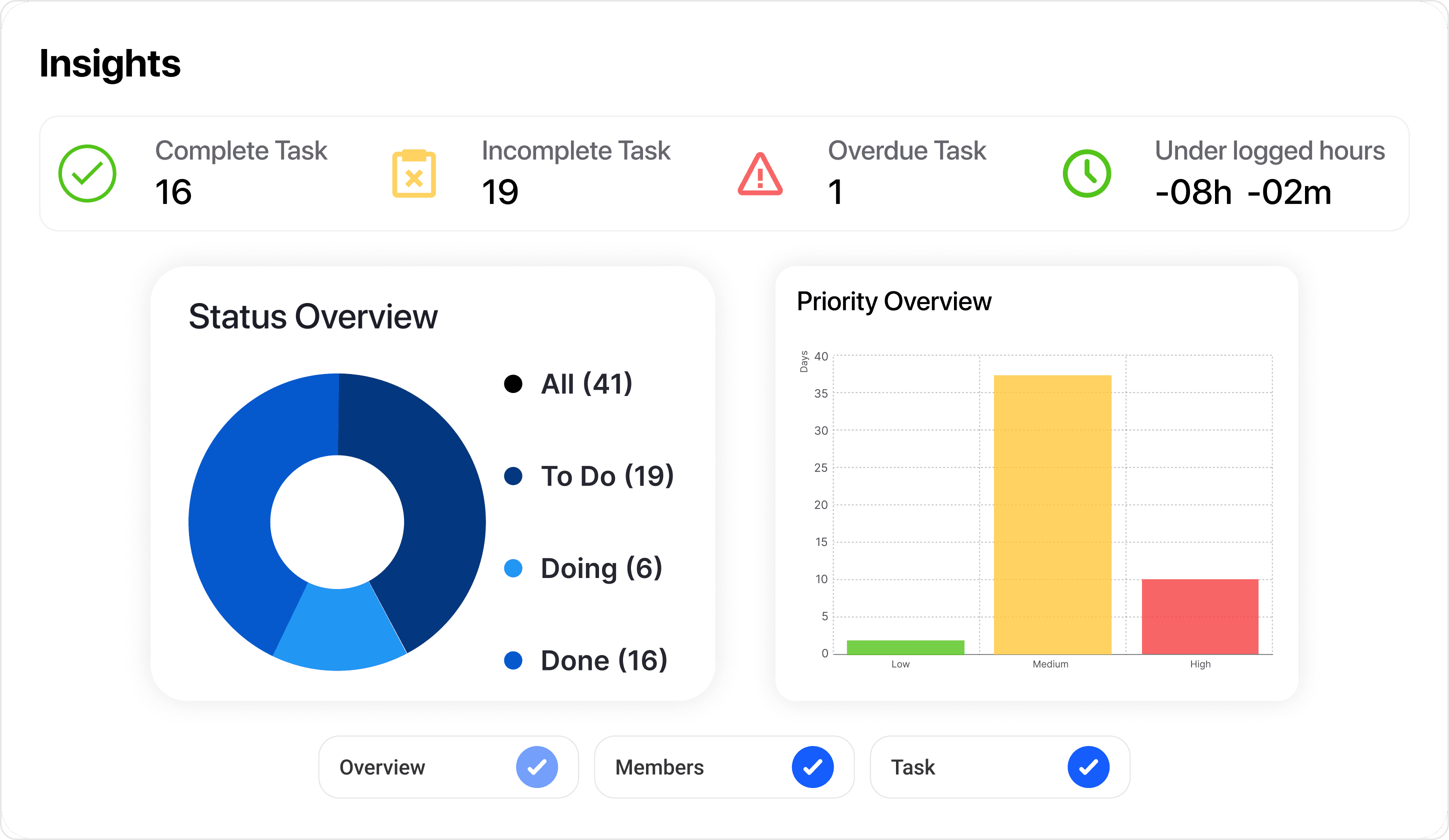
- Reporting: Generate detailed reports on project status, team workload, and performance metrics.
Tech Stack
This repository contains the frontend and backend code for Worklenz.
- Frontend: Built using React with Ant Design as the UI library.
- Backend: Built using TypeScript, Express.js, with PostgreSQL as the database.
Requirements
- Node.js version v18 or newer
- PostgreSQL version v15 or newer
- Docker and Docker Compose (for containerized setup)
Getting Started
Choose your preferred setup method below. Docker is recommended for quick setup and testing.
🚀 Quick Start (Docker - Recommended)
The fastest way to get Worklenz running locally with all dependencies included.
Prerequisites:
- Docker and Docker Compose installed on your system
- Git
Steps:
- Clone the repository:
git clone https://github.com/Worklenz/worklenz.git
cd worklenz
- Start the Docker containers:
docker-compose up -d
Access the application:
- Frontend: http://localhost:5000
- Backend API: http://localhost:3000
- MinIO Console: http://localhost:9001 (login: minioadmin/minioadmin)
To stop the services:
docker-compose down
Alternative startup methods:
- Windows: Run
start.bat - Linux/macOS: Run
./start.sh
Video Guide: For a visual walkthrough of the local Docker deployment process, check out our step-by-step video guide.
🛠️ Manual Installation (For Development)
For developers who want to run the services individually or customize the setup.
Prerequisites:
- Node.js (version 18 or higher)
- PostgreSQL (version 15 or higher)
- An S3-compatible storage service (like MinIO) or Azure Blob Storage
Steps:
- Clone the repository:
git clone https://github.com/Worklenz/worklenz.git
cd worklenz
- Set up environment variables:
cp worklenz-backend/.env.template worklenz-backend/.env
# Update the environment variables with your configuration
- Install dependencies:
# Backend dependencies
cd worklenz-backend
npm install

# Frontend dependencies
cd ../worklenz-frontend
npm install
- Set up the database:
# Create a PostgreSQL database named worklenz_db
cd worklenz-backend

# Execute the SQL setup files in the correct order
psql -U your_username -d worklenz_db -f database/sql/0_extensions.sql
psql -U your_username -d worklenz_db -f database/sql/1_tables.sql
psql -U your_username -d worklenz_db -f database/sql/indexes.sql
psql -U your_username -d worklenz_db -f database/sql/4_functions.sql
psql -U your_username -d worklenz_db -f database/sql/triggers.sql
psql -U your_username -d worklenz_db -f database/sql/3_views.sql
psql -U your_username -d worklenz_db -f database/sql/2_dml.sql
psql -U your_username -d worklenz_db -f database/sql/5_database_user.sql
- Start the development servers:
# Terminal 1: Start the backend
cd worklenz-backend
npm run dev

# Terminal 2: Start the frontend
cd worklenz-frontend
npm run dev
- Access the application at http://localhost:5000
Deployment
For local development, follow the Quick Start (Docker) section above.
Remote Server Deployment
When deploying to a remote server:
Set up the environment files with your server's hostname:
# For HTTP/WS
./update-docker-env.sh your-server-hostname

# For HTTPS/WSS
./update-docker-env.sh your-server-hostname true
Pull and run the latest Docker images:
docker-compose pull
docker-compose up -d
Access the application through your server's hostname:
- Frontend: http://your-server-hostname:5000
- Backend API: http://your-server-hostname:3000
Video Guide: For a complete walkthrough of deploying Worklenz to a remote server, check out our deployment video guide.
Configuration
Environment Variables
Worklenz requires several environment variables to be configured for proper operation. These include:
- Database credentials
- Session secrets
- Storage configuration (S3 or Azure)
- Authentication settings
Please refer to the .env.example files for a full list of required variables.
The Docker setup uses environment variables to configure the services:
Frontend:
VITE_API_URL: URL of the backend API (default: http://backend:3000 for container networking)VITE_SOCKET_URL: WebSocket URL for real-time communication (default: ws://backend:3000)
Backend:
- Database connection parameters
- Storage configuration
- Other backend settings
For custom configuration, edit the .env file or the update-docker-env.sh script.
MinIO Integration
The project uses MinIO as an S3-compatible object storage service, which provides an open-source alternative to AWS S3 for development and production.
Working with MinIO
MinIO provides an S3-compatible API, so any code that works with S3 will work with MinIO by simply changing the endpoint URL. The backend has been configured to use MinIO by default, with no additional configuration required.
MinIO Console: http://localhost:9001
- Username: minioadmin
- Password: minioadmin
Default Bucket: worklenz-bucket (created automatically when the containers start)
Backend Storage Configuration
The backend is pre-configured to use MinIO with the following settings:
// S3 credentials with MinIO defaults
export const REGION = process.env.AWS_REGION || "us-east-1";
export const BUCKET = process.env.AWS_BUCKET || "worklenz-bucket";
export const S3_URL = process.env.S3_URL || "http://minio:9000/worklenz-bucket";
export const S3_ACCESS_KEY_ID = process.env.AWS_ACCESS_KEY_ID || "minioadmin";
export const S3_SECRET_ACCESS_KEY = process.env.AWS_SECRET_ACCESS_KEY || "minioadmin";
Security Considerations
For production deployments:
- Use strong, unique passwords and keys for all services
- Do not commit
.envfiles to version control - Use a production-grade PostgreSQL setup with proper backup procedures
- Enable HTTPS for all public endpoints
- Review and update dependencies regularly
Security
If you believe you have found a security vulnerability in Worklenz, we encourage you to responsibly disclose this and not open a public issue. We will investigate all legitimate reports.
Email info@worklenz.com to disclose any security vulnerabilities.
Analytics
Worklenz uses Google Analytics to understand how the application is being used. This helps us improve the application and make better decisions about future development.
What We Track
- Anonymous usage statistics
- Page views and navigation patterns
- Feature usage
- Browser and device information
Privacy
- Analytics is opt-in only
- No personal information is collected
- Users can opt-out at any time
- Data is stored according to Google's privacy policy
How to Opt-Out
If you've previously opted in and want to opt-out:
- Clear your browser's local storage for the Worklenz domain
- Or click the "Decline" button in the analytics notice if it appears
Screenshots
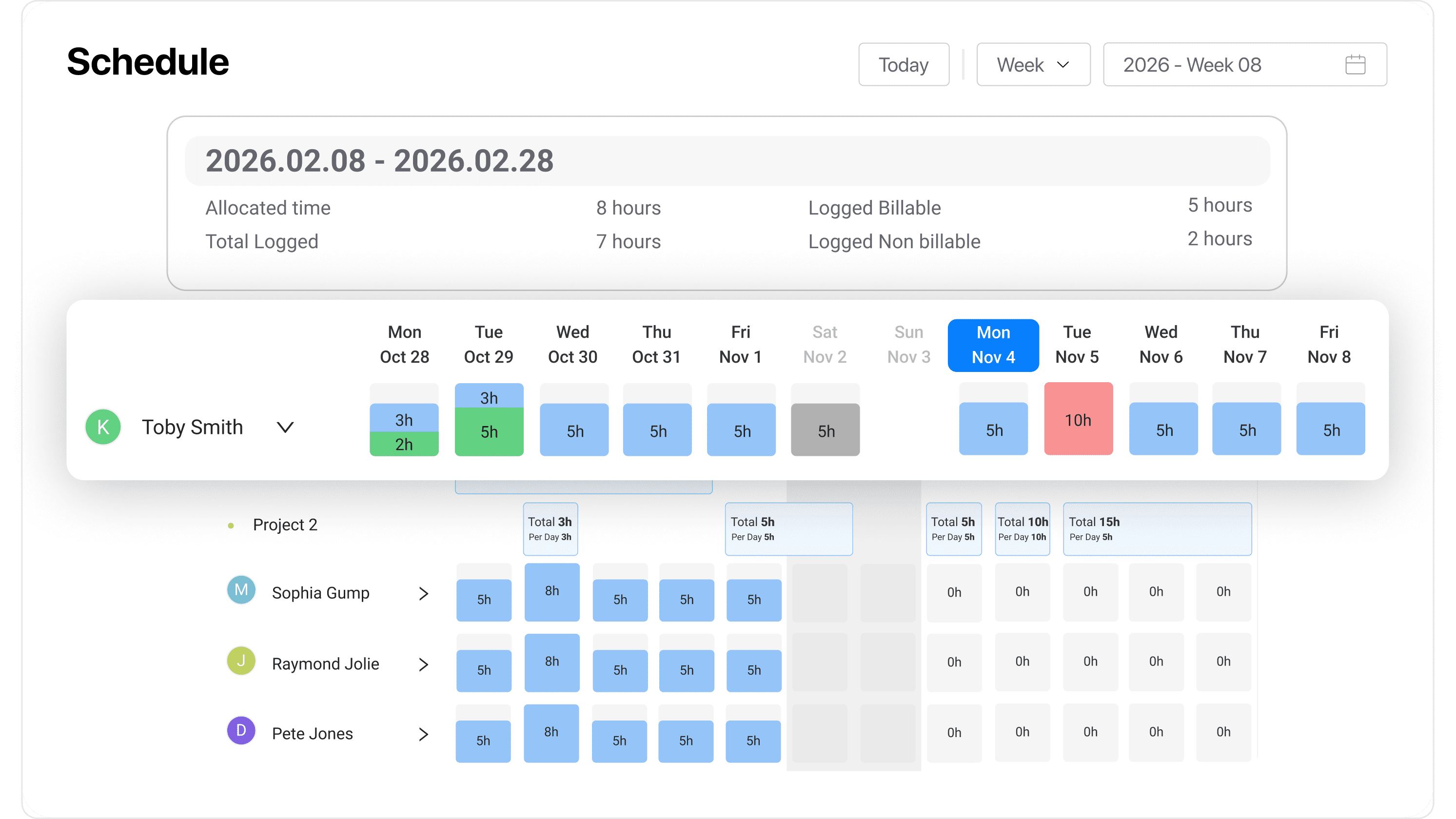
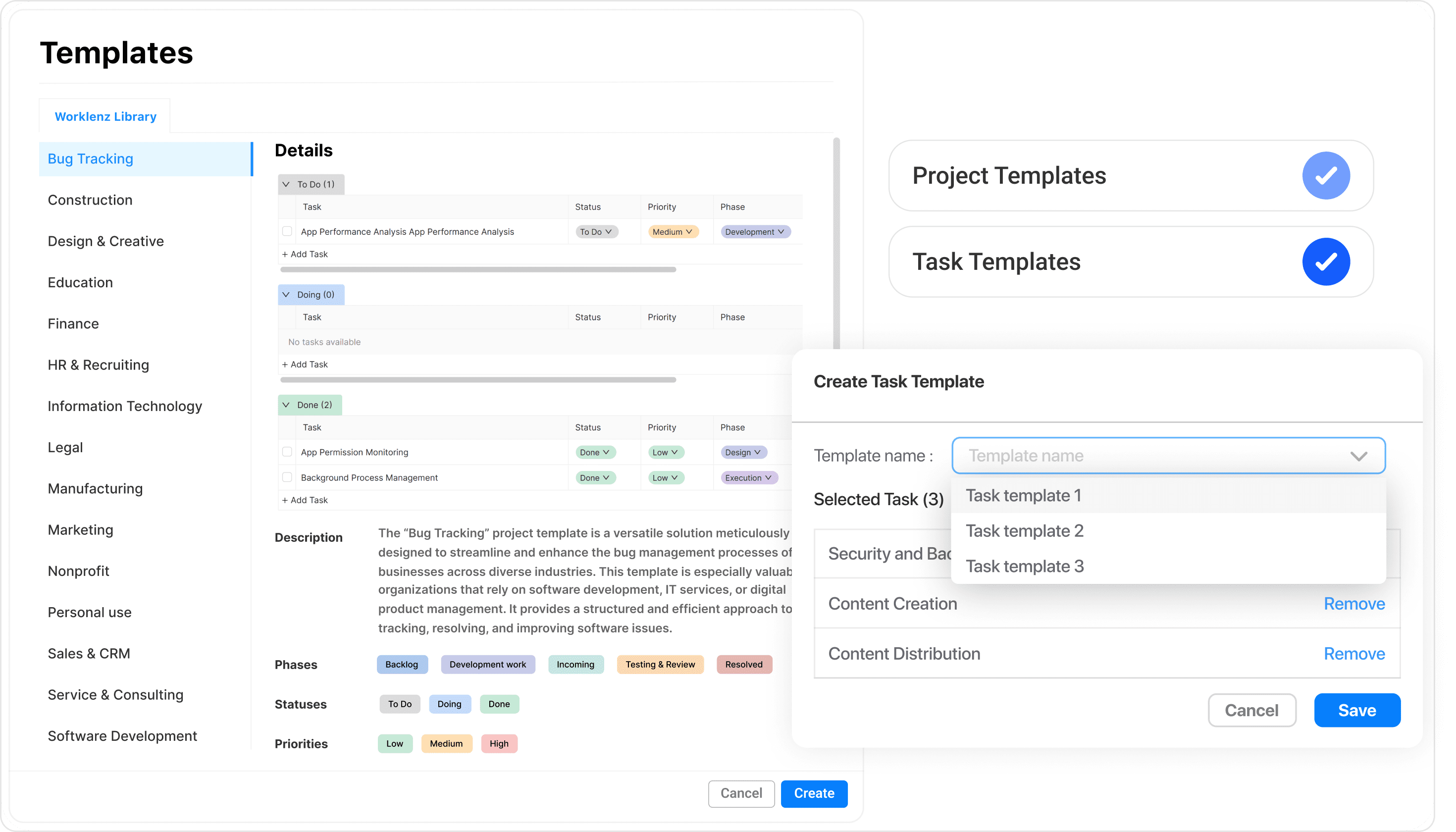
Contributing
We welcome contributions from the community! If you'd like to contribute, please follow our contributing guidelines.
License
Worklenz uses an open-core license model. The core product — everything in this repository except the locations noted below — is released under the GNU Affero General Public License Version 3 (AGPLv3), free to self-host, modify, and redistribute under copyleft terms.
Two locations are licensed separately under the Worklenz Commercial License and implement paid Business Edition features:
- Any
src/ee/directory (e.g.worklenz-backend/src/ee/,worklenz-frontend/src/ee/) - The
worklenz-client-portal/package in its entirety
That code is readable and can be run for development, testing, and non-production evaluation without a subscription; production use requires a Worklenz Business Edition subscription or a separate written agreement with ceydigital solutions private limited. See the LICENSE.md in each of those locations for the full terms.
By contributing to Worklenz, you agree to sign our Contributor License Agreement, which grants ceydigital solutions private limited a perpetual, worldwide, sublicensable license to your contribution — you keep full ownership of your original work. See CONTRIBUTING.md for details.