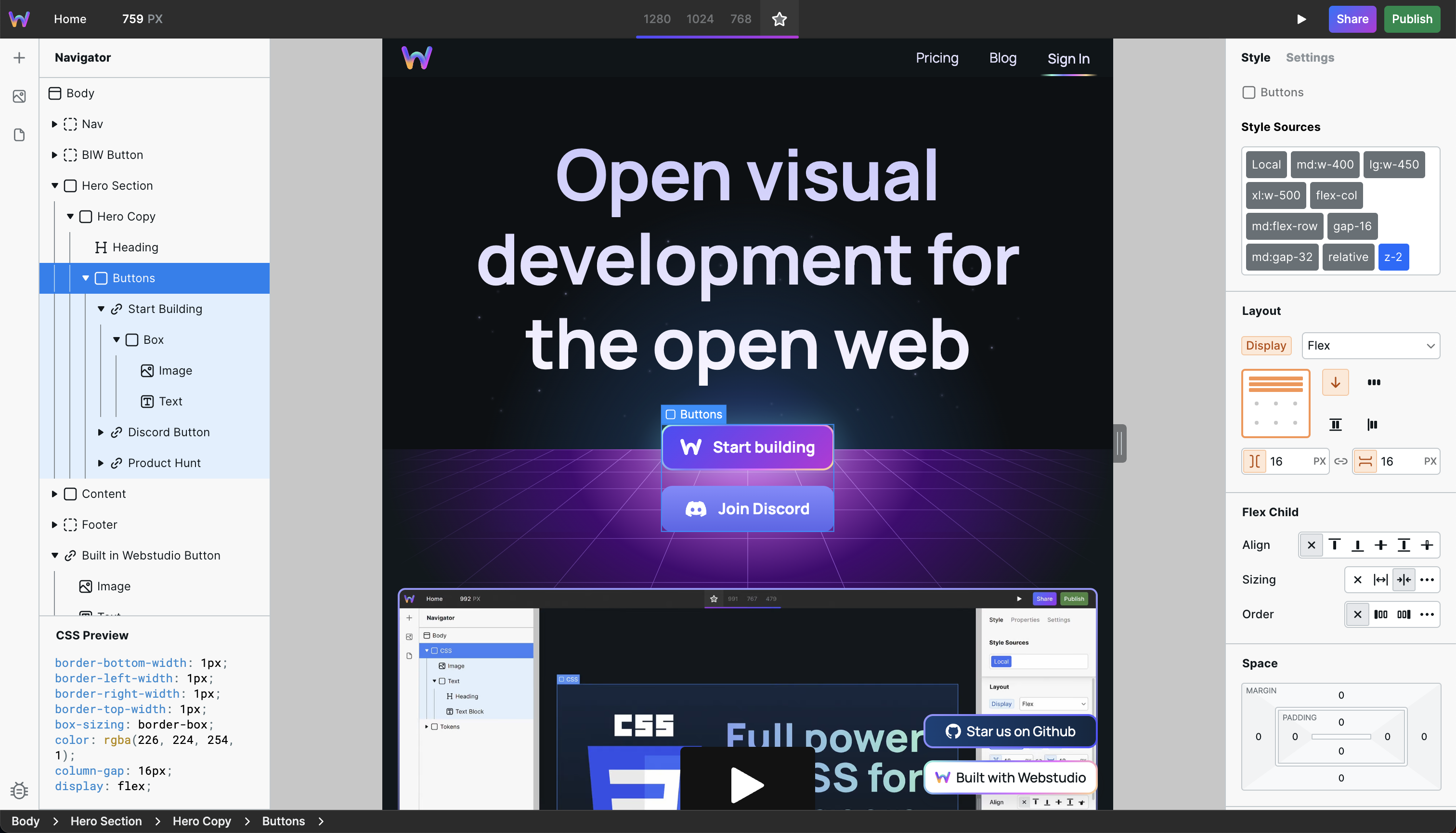
Webstudio is an open source visual development platform, licensed AGPL-3.0-or-later, that lets developers, designers and cross-functional teams build websites visually while keeping control of the underlying code, components and data.
What it is
Webstudio is a visual builder written in TypeScript that renders real web output rather than locking content inside a proprietary runtime. It lives in the React, Remix and Radix UI ecosystem, and its stated goal is that the user owns the data, the components and the infrastructure. The README frames it as a platform for developers and designers working together, not as a tool aimed at only one of those groups.
The concrete problem it solves is the trade-off between visual editing and code-level control. It replaces Webflow, the proprietary hosted builder named in the project's own GitHub description, for teams that need the speed of a canvas-based editor but cannot accept a closed format, vendor-hosted infrastructure or a per-seat cost model. Because the builder connects to any headless CMS and supports all CSS properties, the visual layer does not restrict what the resulting site can express.
Key capabilities
- Visual builder with code-level control, supporting all CSS properties rather than a restricted styling subset.
- Connects to any headless CMS, so content can stay in an existing backend instead of migrating into the builder.
- Can be hosted anywhere, with the topic list covering Cloudflare and Cloudflare Workers deployment targets.
- Built on React and Remix, and uses Radix UI for accessible component primitives.
- Accessibility is a first-class topic, alongside design and frontend concerns.
- Core functionality in the repository is free and open source under AGPL-3.0-or-later.
- The optional
sdk-components-animation package is proprietary and requires accepting the Webstudio, Inc. EULA found at sdk-components-animation/LICENSE.
Who uses it and how
- Design and engineering pairs in cross-functional teams, where the visual builder and the codebase share one source of truth.
- Teams that need to keep content in their own headless CMS while still giving non-developers an editing surface.
- Organisations with data-ownership or hosting requirements that rule out a fully managed proprietary builder, using the hosted version or rolling out their own.
- Edge and serverless deployments on Cloudflare Workers, indicated by the project's topics.
- Contributors and integrators who follow the roadmap, the builder issues tracker and the Discord community at
wstd.us/community.
Getting started
The README does not include an install command, CLI package or Docker image; it states that the hosted version can be used or that a deployment can be rolled out directly. Start from the documentation at docs.webstudio.is, with contributing guidance under the same docs site.
How it compares
The only comparable product named in the facts is Webflow, which Webstudio describes itself as an alternative to. Where Webflow is a proprietary hosted service, Webstudio's core is AGPL-3.0-or-later and can be self-hosted or run on the hosted offering, which shifts data ownership and infrastructure control to the team using it.
When to use it — and when not to
Choose Webstudio when a team wants visual editing without surrendering its content model, component library or hosting. A self-hoster takes on running the platform's infrastructure, and the README does not enumerate the required services, so the operational stack has to be established from the documentation before committing. Teams that cannot accept AGPL-3.0-or-later copyleft terms, or that need the animation package without agreeing to the separate EULA, should look elsewhere; the README excerpt is also thin on setup detail, and the repository carries 361 open issues, which is worth weighing against the project's recent commit activity.