websocket-devtools is a free, open source frameworks & platforms project written in JavaScript and released under MIT. It has 1,198 GitHub stars, 59 forks and 19 open issues, and was last pushed 23 days ago. On this registry it ranks #107 of 127 tracked projects in Frameworks & Platforms, with 5 head-to-head comparisons available.

What is websocket-devtools?

WebSocket DevTools is an open-source Chrome and Microsoft Edge extension that adds a dedicated "WebSocket DevTools" panel to the browser's developer tools, giving front-end and real-time application developers continuous background capture, inspection, simulation and blocking of WebSocket traffic.

What it is

WebSocket DevTools is a JavaScript browser extension, released under the MIT licence, that installs into Chrome or Microsoft Edge and registers a panel named "WebSocket DevTools" inside the browser's DevTools window opened with F12. It lives in the browser-extension ecosystem rather than inside the page under test, a design that lets it monitor WebSocket connections in the background and keep capturing them even when the DevTools panel is closed. It is distributed through the Chrome Web Store and the Microsoft Edge Add-ons store, with source code on GitHub, a documentation site at websocket-devtools.com and a demo video.

The concrete problem it solves is the timing gap in ordinary WebSocket debugging. A socket opened during page load, before the inspector is opened, is easily missed, and inspection on its own does not let a developer inject traffic or hold messages back. WebSocket DevTools replaces that ad-hoc workflow with background capture, a message history per connection, a JSON viewer for message payloads, a Simulate tab for sending custom messages, and controls for blocking traffic and simulating network issues, all inside the DevTools surface developers already use.

Key capabilities

  • Background monitoring that continues to capture WebSocket connections while the DevTools panel is closed, so connections established before the panel opens are not missed.
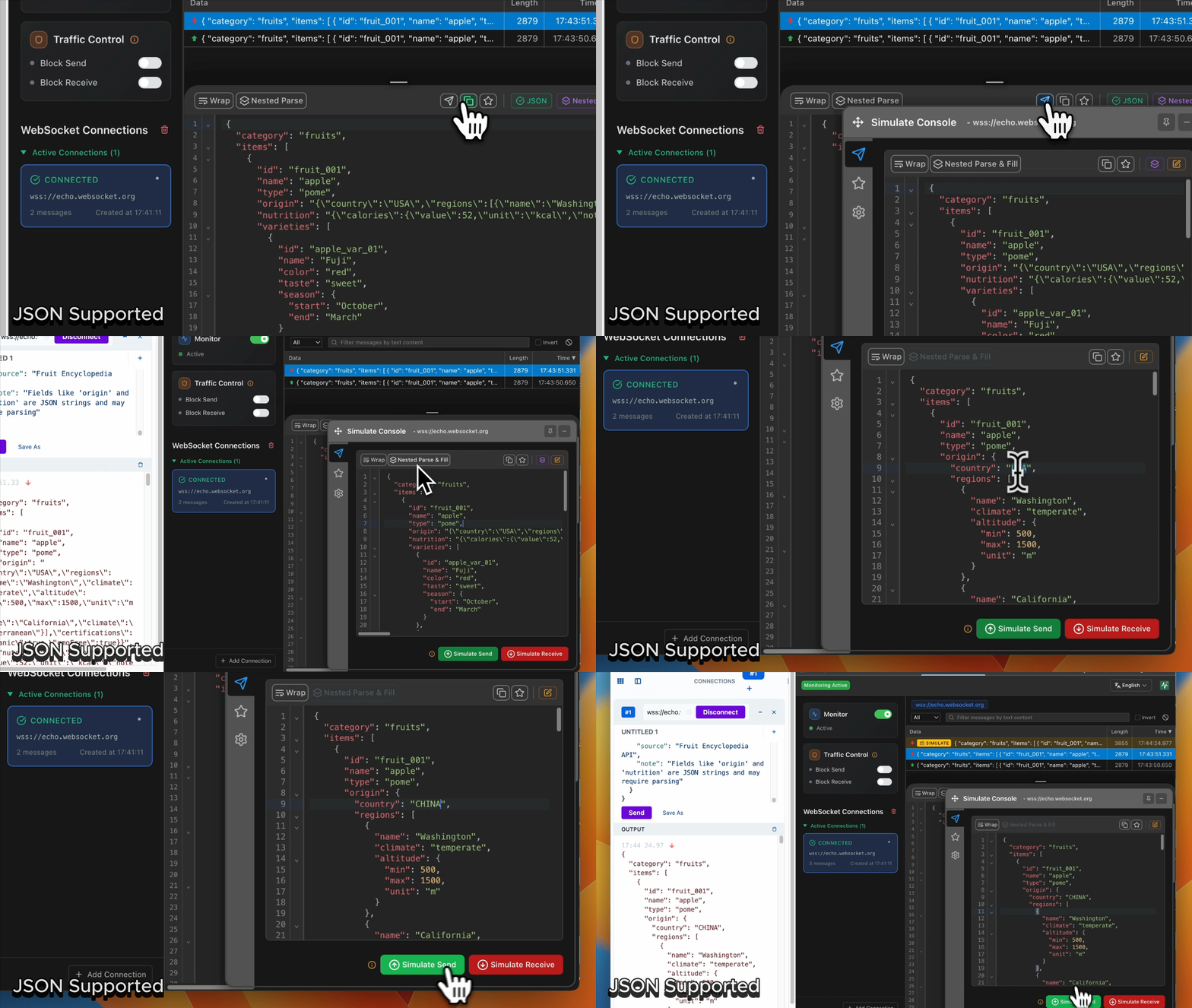
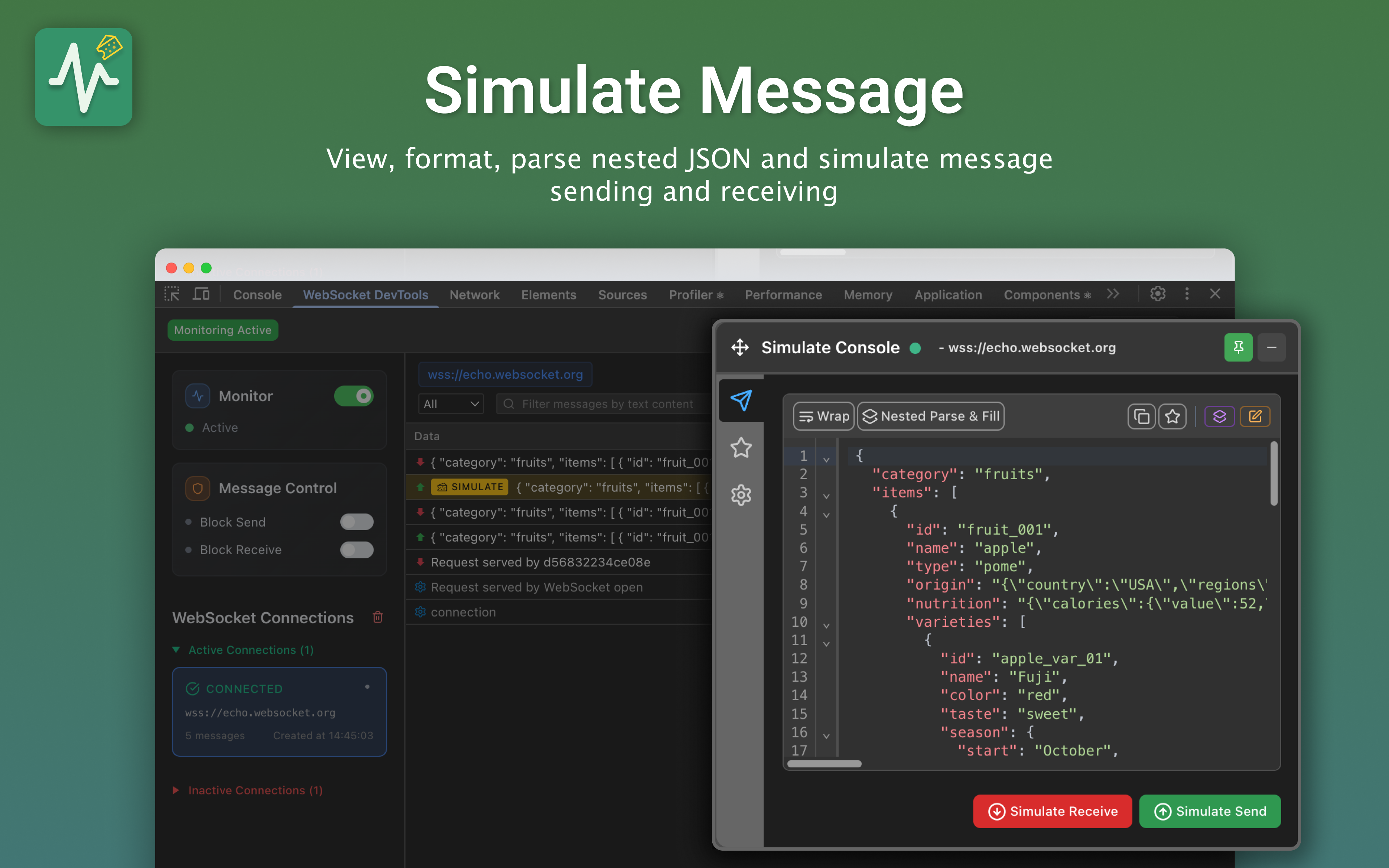
  • Message simulation in both directions, client to server and server to client, driven from a Simulate tab with a JSON editor.
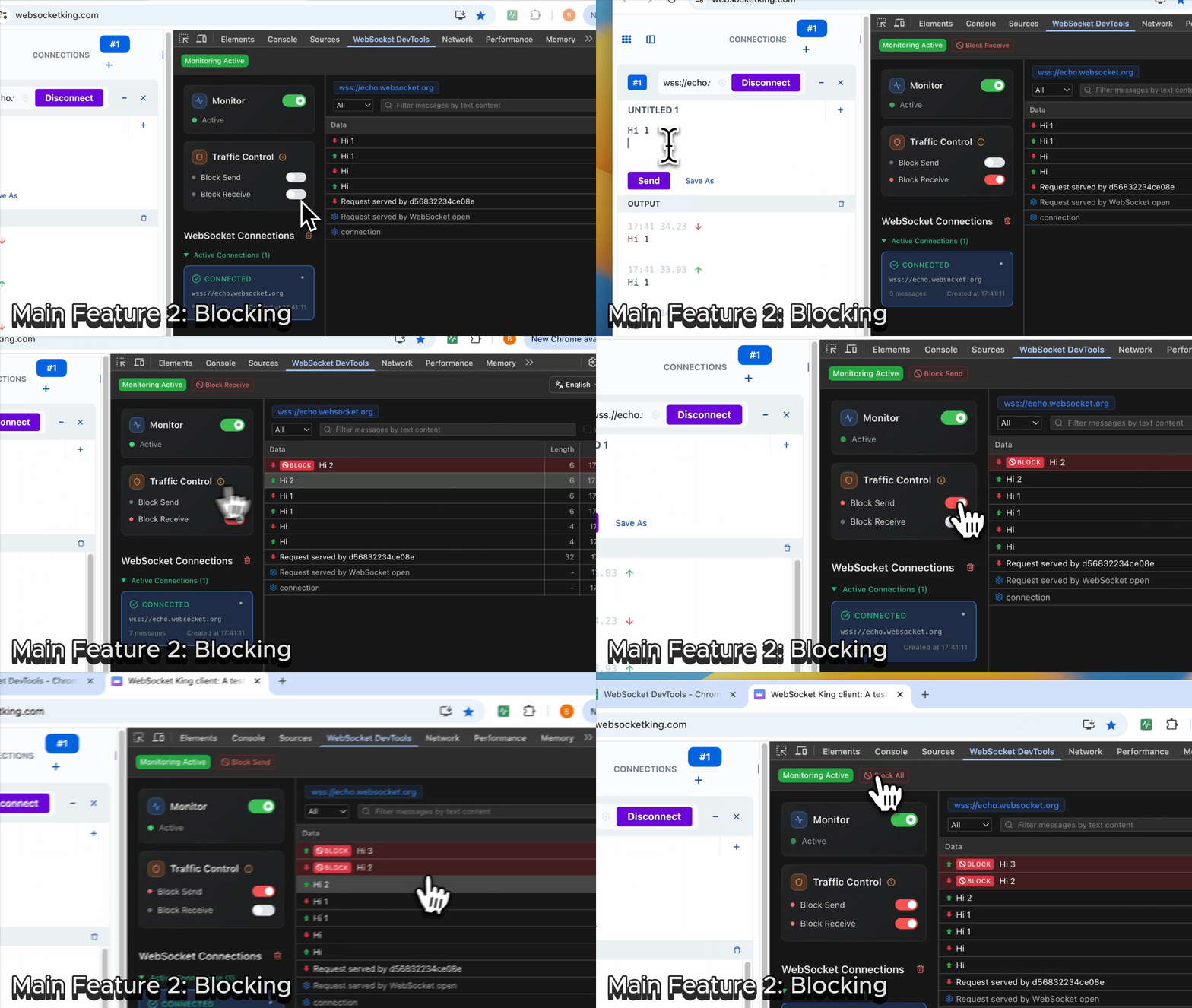
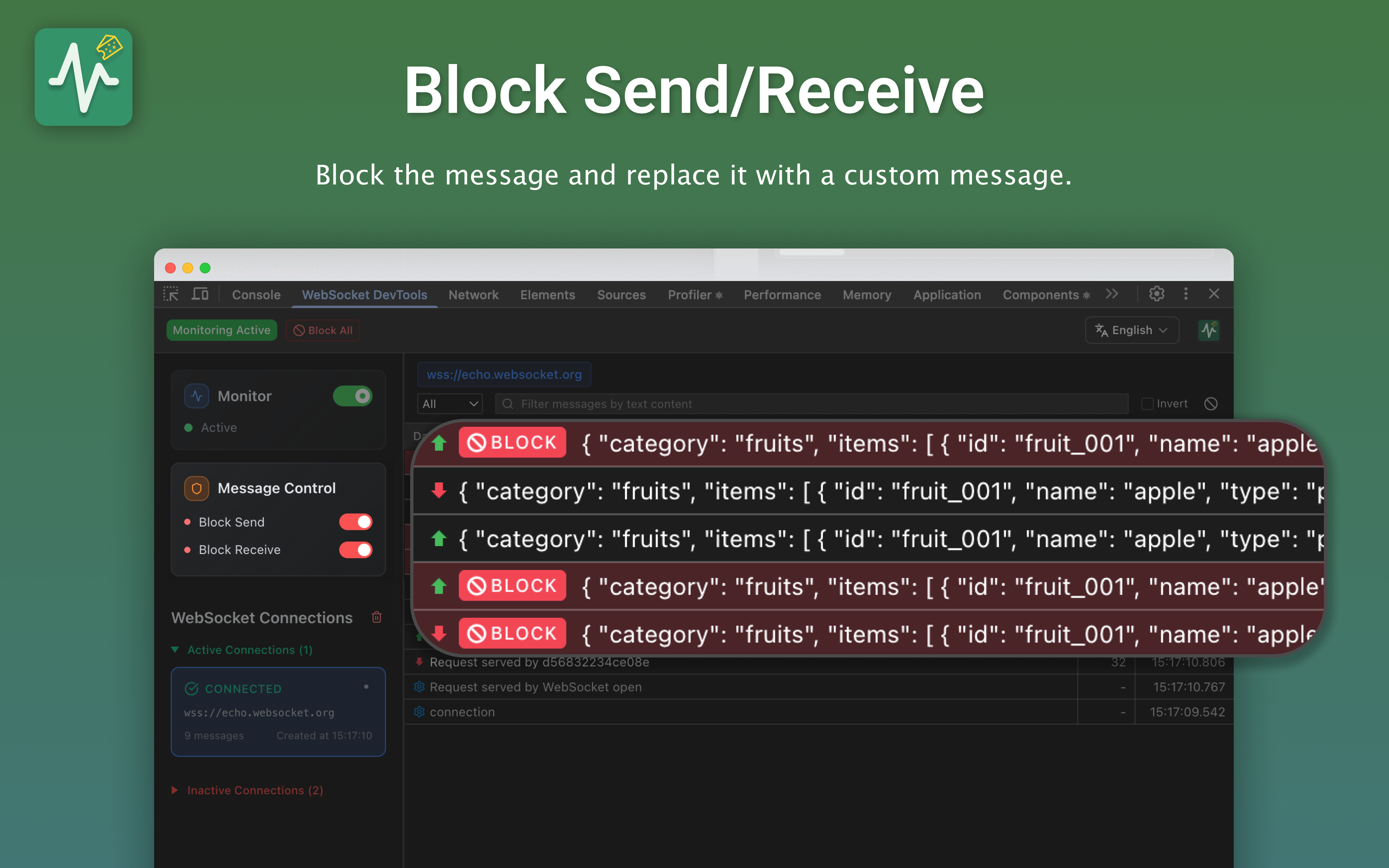
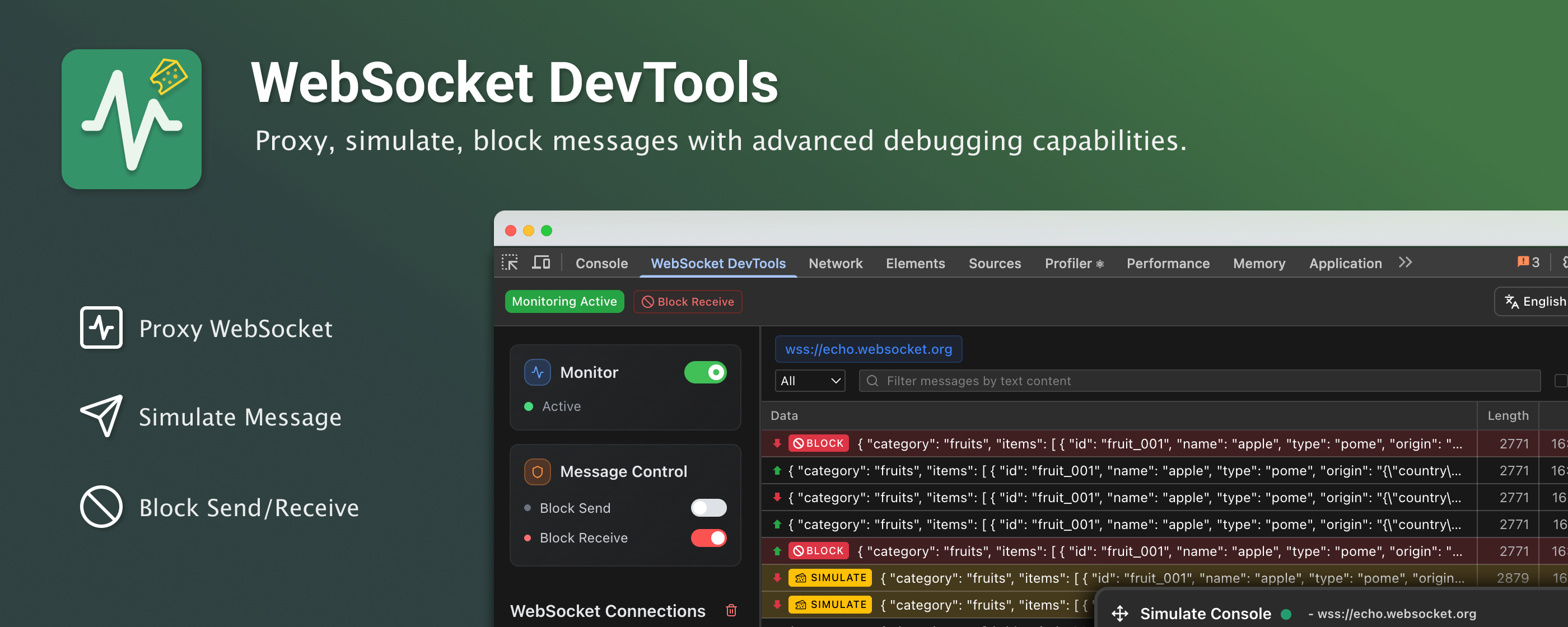
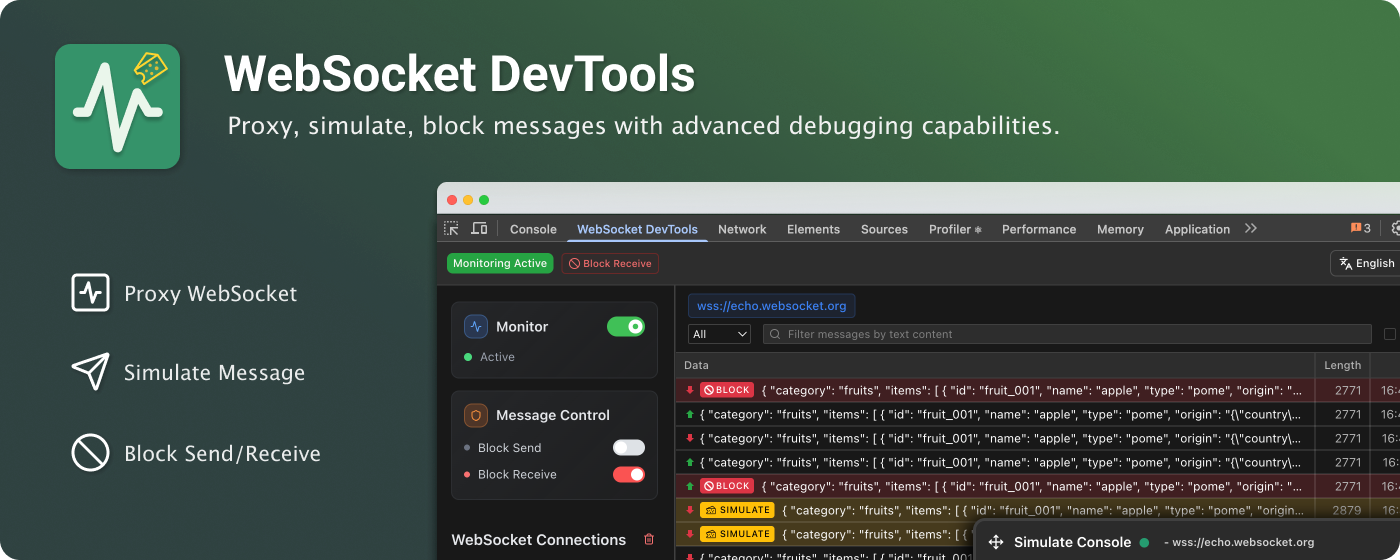
  • Traffic control that intercepts and blocks WebSocket messages in real time and simulates network issues for testing.
  • Full JSON parsing and formatting in the message detail and JSON viewer, shown alongside message blocking in the project's demo.
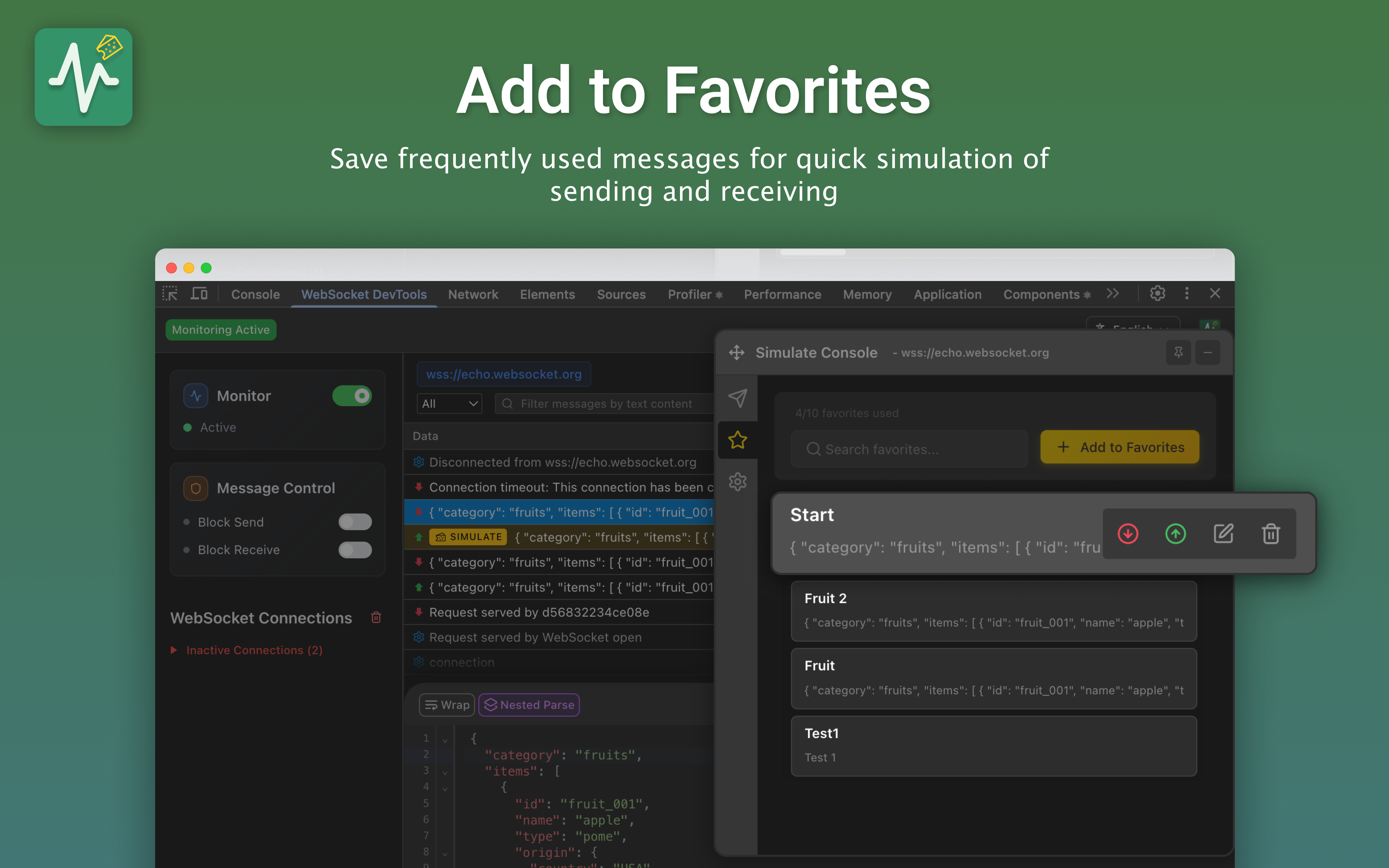
  • A favorites system that saves, organises and stars frequently used messages for quick access.
  • Native DevTools integration, presented as a panel inside the browser's own developer tools rather than a separate window or overlay.
  • Iframe support, with full WebSocket proxy support for connections embedded in iframes.

Who uses it and how

  • Teams building real-time chat and other WebSocket-backed messaging features, who inspect message history on live connections and re-send saved messages from their favorites.
  • Developers working with Socket.IO and comparable real-time libraries, both named among the project's topics, who need to see the frames client and server exchange.
  • Browser game developers testing how a client behaves when messages are blocked or network issues are simulated.
  • Engineers debugging applications that open sockets inside iframes, which the extension proxies.
  • Individual developers and small teams who want a local-only tool: no data collection, local storage only, and minimal permissions.

Getting started

Install from the Chrome Web Store ("Add to Chrome") or the Microsoft Edge Add-ons store ("Get"), then open DevTools with F12 and select the "WebSocket DevTools" tab. Alternatively, download the ZIP from the latest GitHub release, enable Developer mode at chrome://extensions or edge://extensions, and use Load unpacked.

How it compares

No list of paid products it replaces is supplied here, and the facts name no comparable tools. On that basis it stands alone in this registry.

When to use it — and when not to

Nothing server-side has to be operated, because the extension collects no data, keeps everything in browser local storage and contacts no external server. It is the wrong choice for anyone who needs this workflow in a browser other than Chrome or Edge, since only those two installation paths are documented. Manual ZIP installations do not update automatically, so users who install that way must check the Releases page for newer versions themselves.

project readme (upstream, from github) — read inline

WebSocket DevTools

law-chain-hot%2Fwebsocket-devtools | Trendshift

Complete WebSocket Traffic Control with advanced proxy, simulation, and blocking capabilities

English | 简体中文 | 繁體中文 | 日本語

🚀 Installation

Chrome Web Store

  1. Visit Chrome Web Store
  2. Click "Add to Chrome" and confirm installation
  3. Open DevTools (F12) → "WebSocket DevTools" tab

Microsoft Edge

  1. Visit Microsoft Edge Add-ons
  2. Click "Get" and confirm installation
  3. Open DevTools (F12) → "WebSocket DevTools" tab

Manual installation from GitHub

  1. Download the ZIP attached to the latest GitHub Release
  2. Extract the ZIP
  3. Open chrome://extensions or edge://extensions
  4. Enable Developer mode, choose Load unpacked, and select the extracted folder

Manual installations do not update automatically. Check the Releases page for newer versions.

Homepage

Star History

Star History Chart

✨ Key Features

  • 🔄 Background Monitoring - Continuously monitor connections even when DevTools panel is closed
  • 🎮 Message Simulation - Send custom messages in both directions (Client ↔ Server)
  • 🚧 Traffic Control - Block messages and simulate network issues for testing
  • 💾 Favorites System - Save and organize frequently used messages
  • 🎨 DevTools Integration - Native Chrome DevTools panel experience
  • 🖼️ Iframe Support - Full WebSocket proxy support for iframe embedded connections

🎬 Quick Demo

Blocking

Simulation

Key Features Demonstrated:

  • Message Blocking: Intercept and block WebSocket messages in real-time
  • Message Simulation: Send custom messages to test different scenarios
  • Traffic Control: Manage WebSocket traffic flow for debugging
  • JSON Support: Full JSON parsing and formatting capabilities

📷 Screenshots

Message Details & JSON Viewer

Message Simulation & Traffic Control

Smart Favorites System

📖 Quick Start

  1. Install Extension - Add to Chrome and enable background monitoring
  2. Open DevTools (F12) → Find "WebSocket DevTools" tab
  3. View Captured Data - All WebSocket connections are automatically captured in background
  4. Inspect Messages - Click connections to view message history
  5. Simulate Messages - Use Simulate tab with JSON editor
  6. Save Favorites - Star frequently used messages for quick access

💡 Pro Tip: The extension monitors WebSocket connections in the background, so you won't miss any connections even if you open DevTools after the WebSocket is established!

🔒 Privacy & Security

  • ✅ No data collection - Everything stays in your browser
  • ✅ Local storage only - No external servers or tracking
  • ✅ Open source - Fully transparent and auditable code
  • ✅ Minimal permissions - Only what's needed for functionality

🤝 Contributing & Support


MIT License • ⭐ GitHub • 📖 Wiki • 📚 DeepWiki • 🛒 Chrome Store • 📺 YouTube

Frequently asked questions

Is websocket-devtools free to use?

websocket-devtools is open source under the MIT licence. There is no licence fee and no seat count — you can self-host it or, where the project offers one, pay a vendor for a managed version instead.

What does websocket-devtools do?

Complete WebSocket Traffic Control with advanced proxy, simulation, and blocking capabilities

What is websocket-devtools written in?

websocket-devtools is primarily written in JavaScript. Its source is publicly available at https://github.com/law-chain-hot/websocket-devtools, and it has 1,198 GitHub stars.