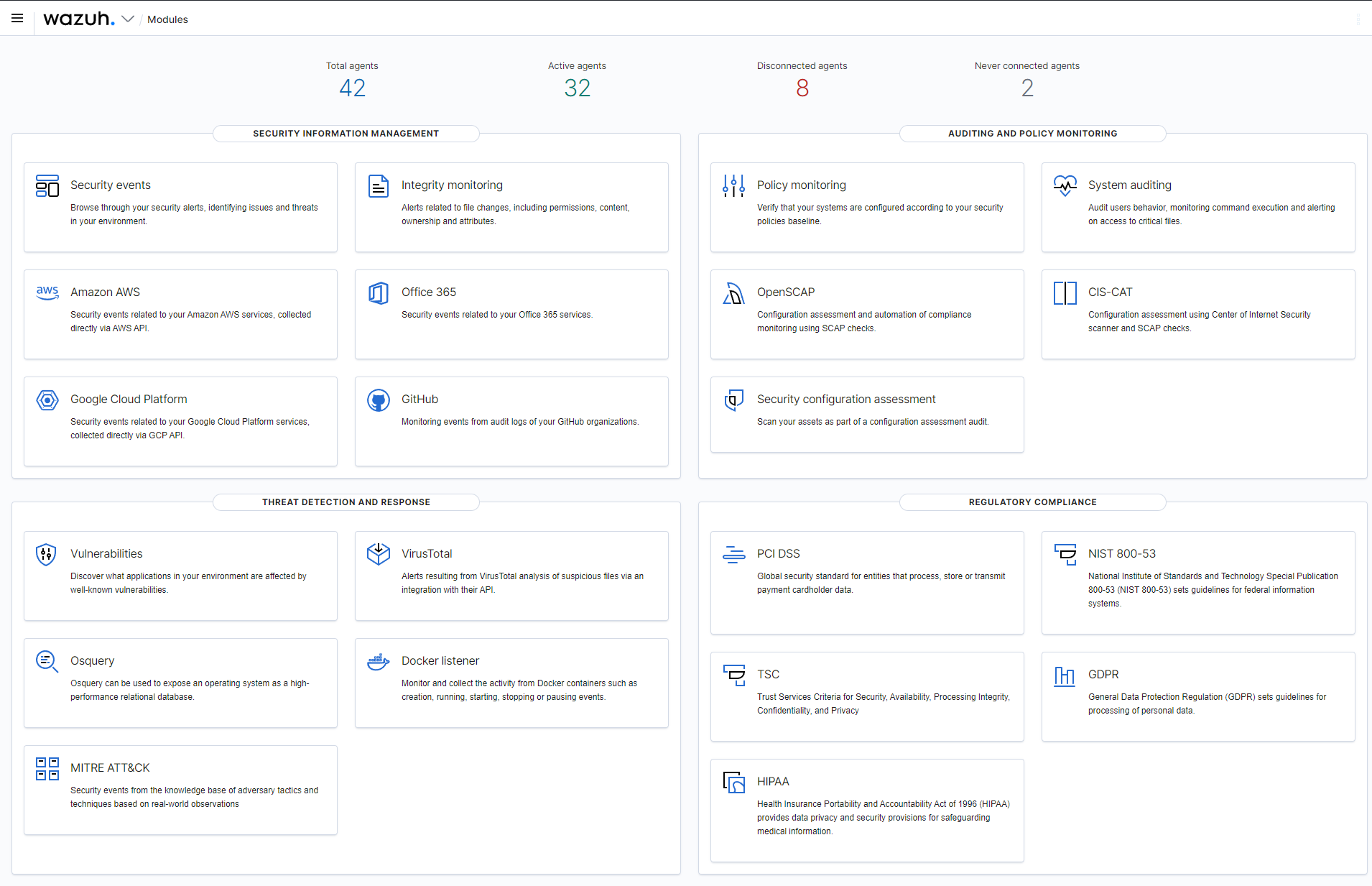
The Wazuh dashboard plugins are the open source TypeScript plugin set that adds Wazuh's security detection, visibility, and compliance views to the OpenSearch Dashboards interface, and they are aimed at security teams, SOC analysts, and administrators who monitor hosts and need intrusion detection, file integrity, vulnerability, and regulatory reporting in a single console.
What it is
This repository holds a set of plugins for the Wazuh dashboard. Wazuh itself is a security detection, visibility, and compliance open source project, and it helps operators gain deeper security visibility into their infrastructure by monitoring hosts at both the operating system and the application level. The plugins in this repository are the front-end half of that stack: they turn the raw data collected by Wazuh agents and indexed by the backend into screens an analyst can actually read and act on. The code is written in TypeScript and released under the GNU General Public License v2.0, with 526 stars, 240 forks, and 354 open issues recorded against it.
The concrete problem it solves is the gap between data collection and human interpretation. Wazuh gathers security events, file integrity changes, vulnerability findings, and compliance evidence, but that material is only useful if someone can see it. These plugins replace the need to build a custom front end on top of OpenSearch Dashboards or to stitch together separate dashboards for detection, integrity, and audit reporting, because they live inside the OpenSearch Dashboards ecosystem as first-class plugins (opensearch-dashboards, opensearch-plugins) rather than as a separate standalone application.
Key capabilities
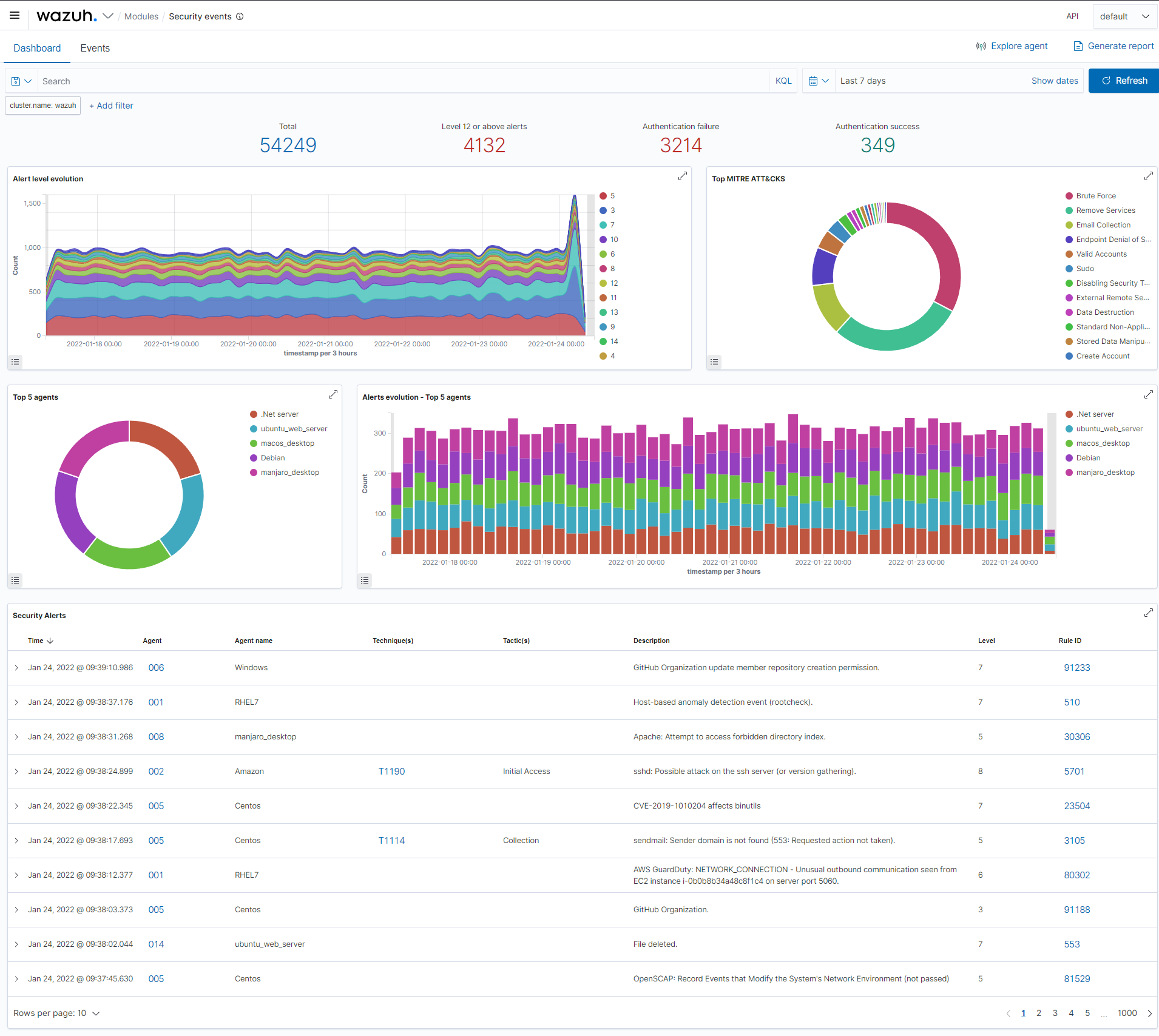
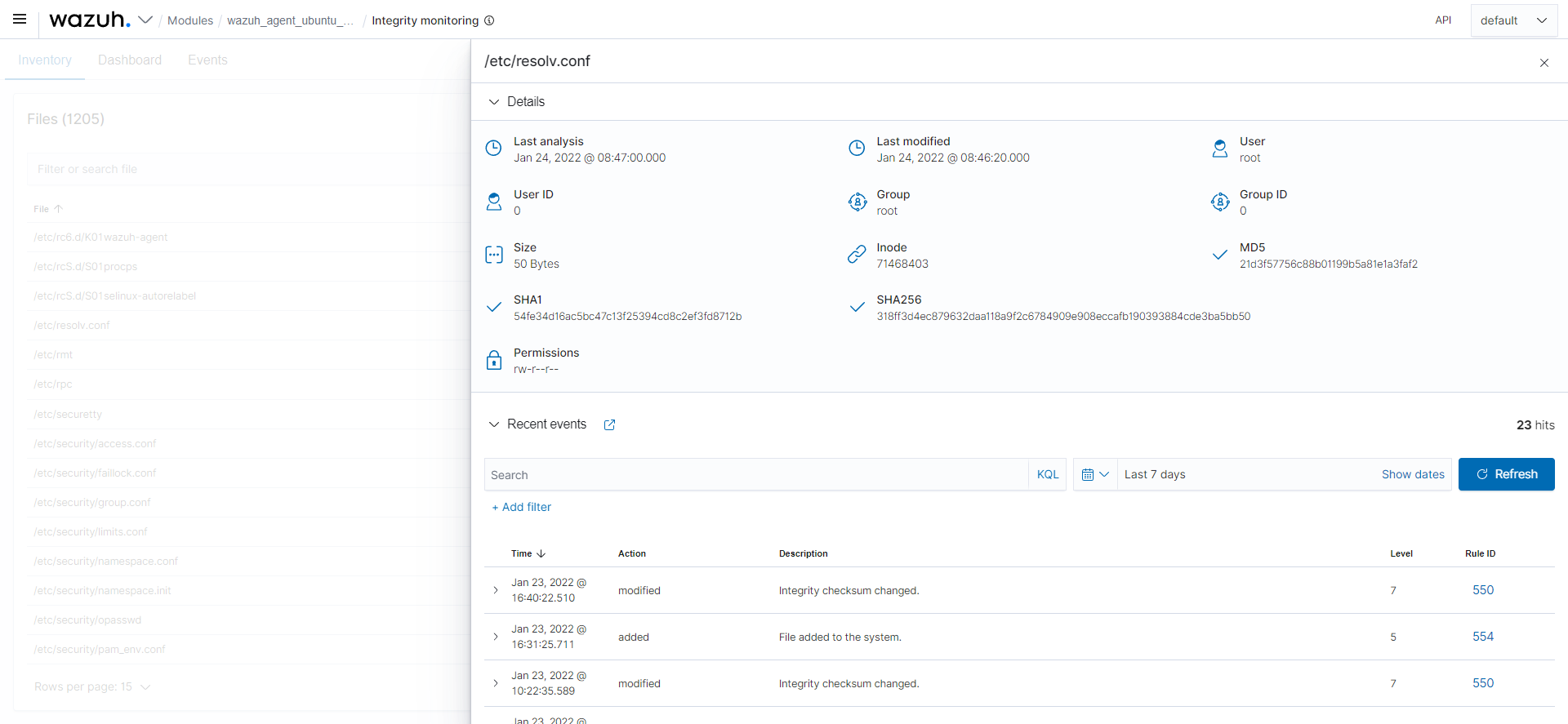
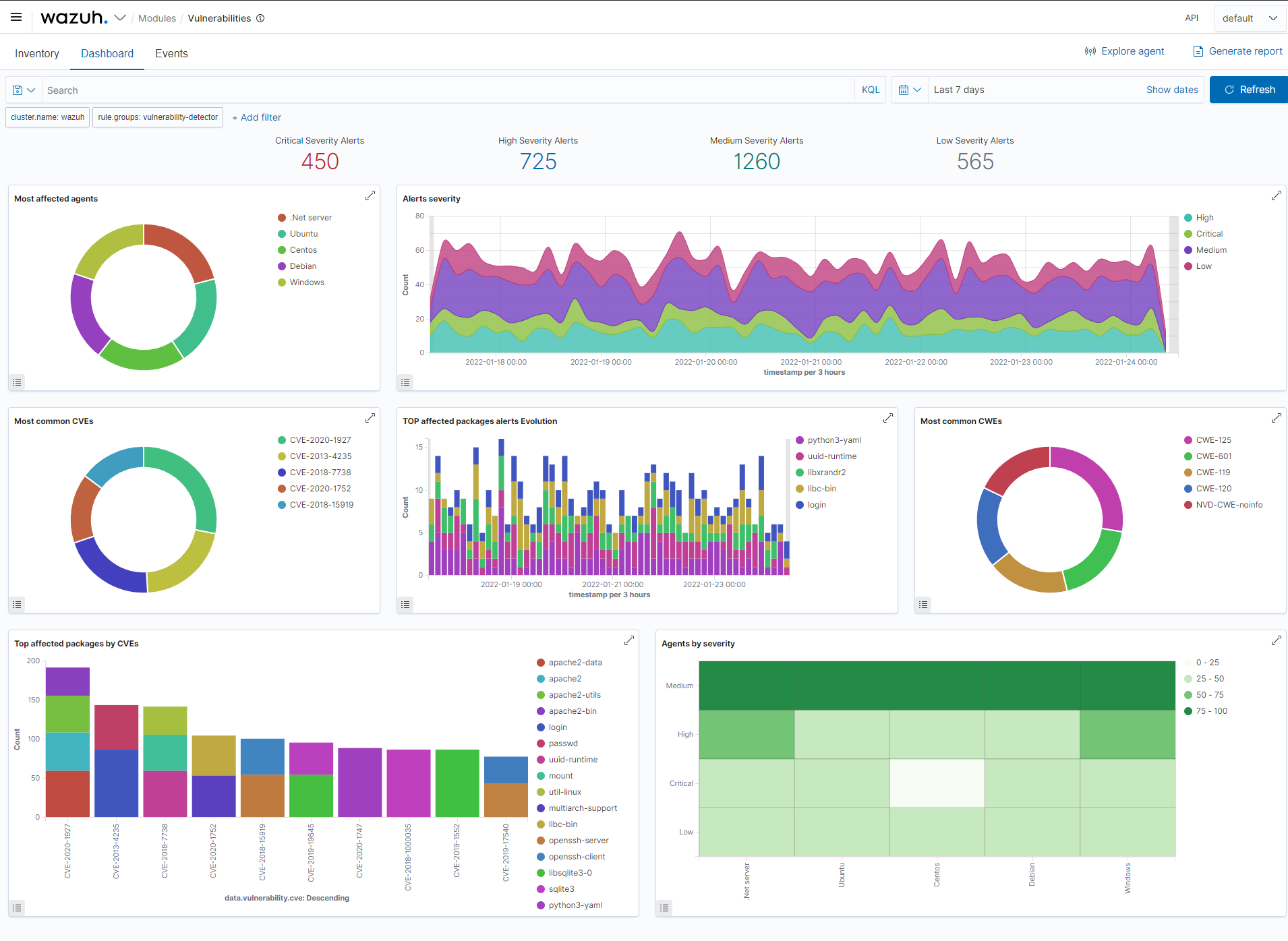
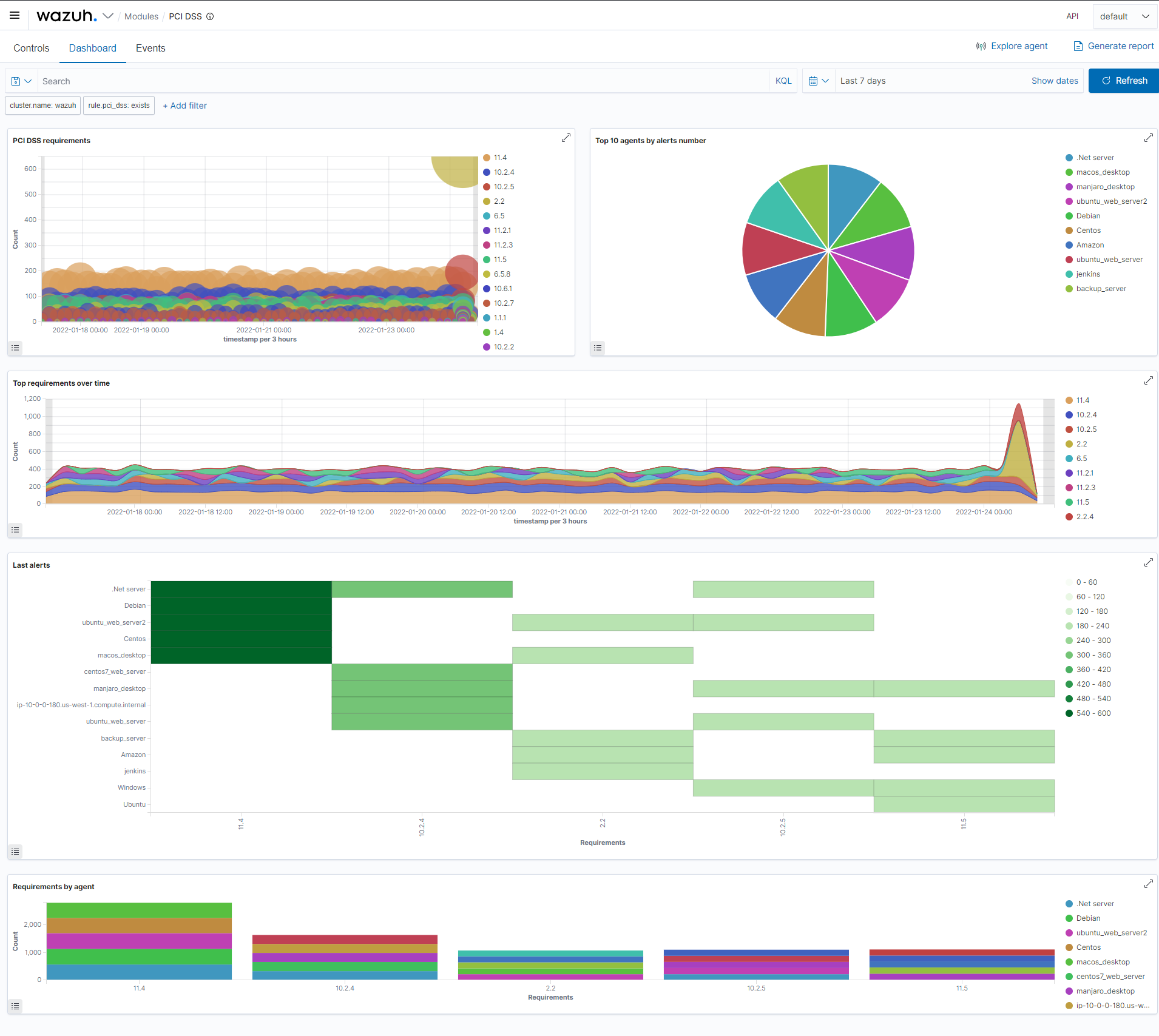
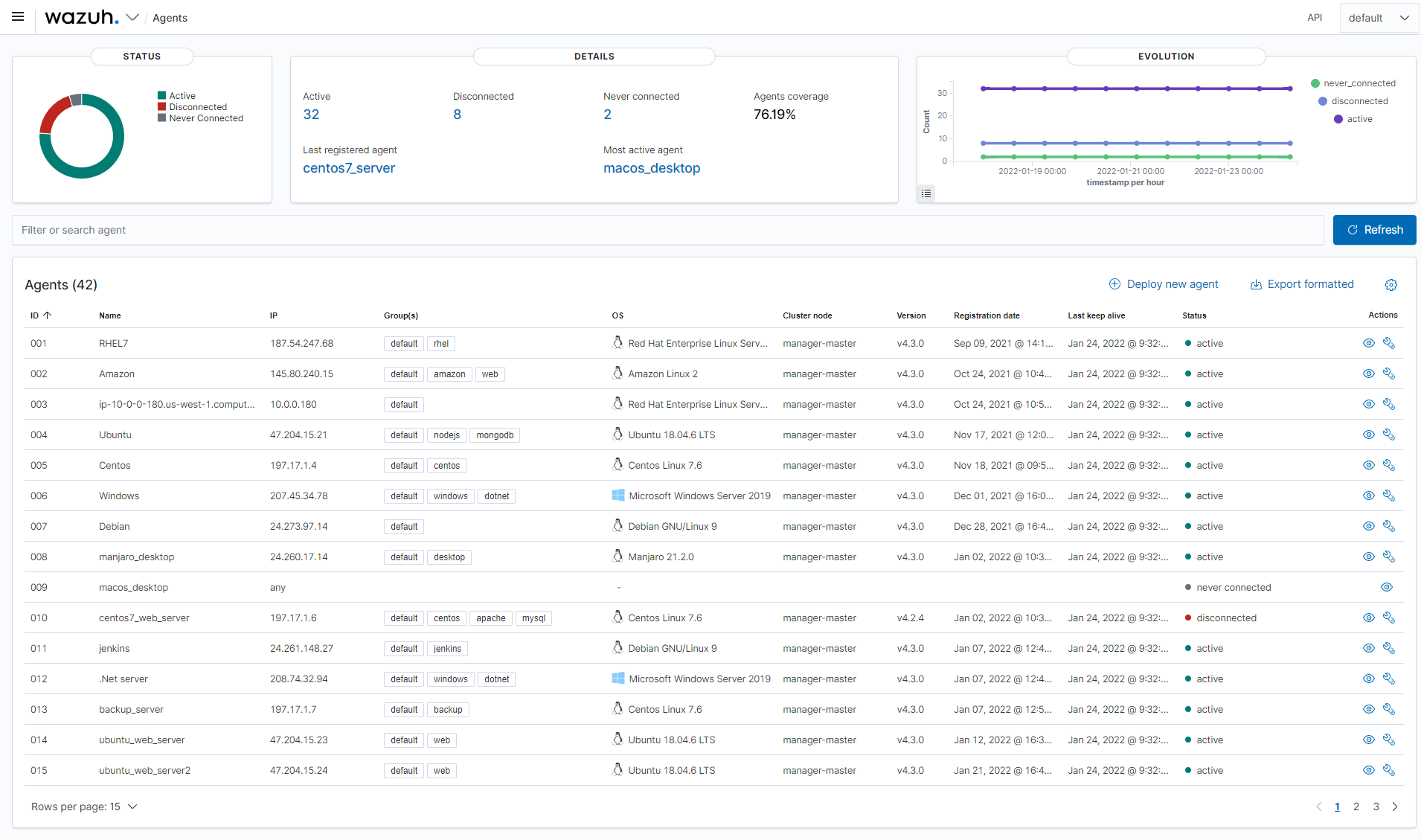
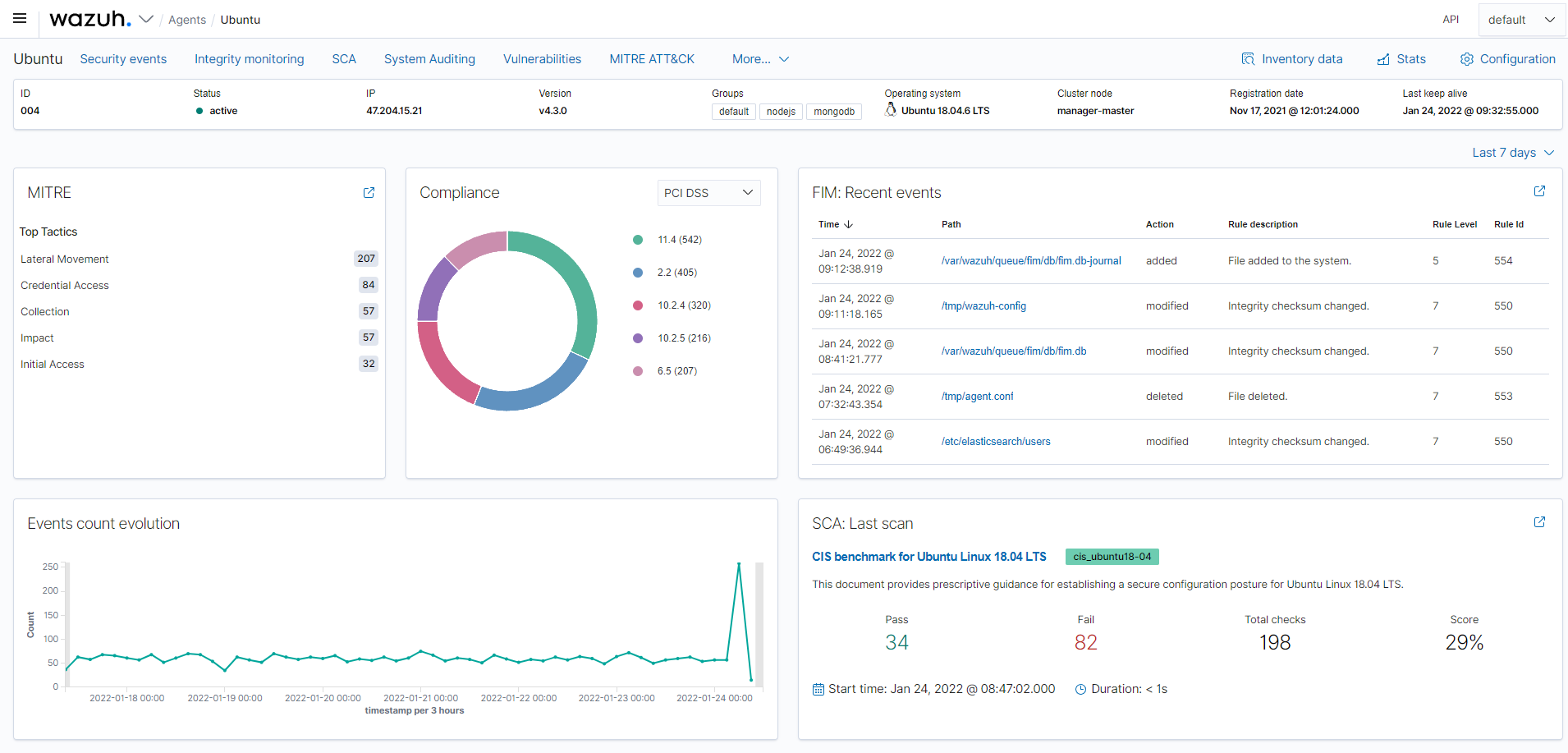
- Renders seven built-in Wazuh UI views: Overview, Security events, Integrity monitoring, Vulnerability detection, Regulatory compliance, Agents overview, and Agent summary.
- Supports file integrity management so that changes to monitored files on hosts are surfaced as reviewable events.
- Provides regulatory compliance reporting aligned with frameworks named in the topic list, including GDPR.
- Integrates OpenSCAP results for configuration and vulnerability assessment of monitored hosts.
- Feeds intrusion detection and incident response workflows through the Security events view.
- Delivers log analysis so that host and application logs become searchable and correlatable inside the dashboard.
- Published as OpenSearch Dashboards plugins (
opensearch-plugins), so they extend an existing deployment rather than run as a separate service.
Who uses it and how
- Security operations teams running Wazuh across a fleet of monitored hosts use the Agents overview and Agent summary views to check deployment coverage and agent health at a glance.
- Compliance officers and auditors use the Regulatory compliance view to pull GDPR and OpenSCAP evidence without querying the index by hand.
- Incident responders triage alerts in the Security events view and pivot into integrity monitoring to see what changed on the affected host.
- Administrators who already operate OpenSearch Dashboards add the plugins to that existing stack instead of standing up a second console.
- Contributors work against
CONTRIBUTING.md, STYLEGUIDE.md, and SECURITY.md, with branch and tag conventions documented on the project wiki.
Getting started
The README points to the official Wazuh installation guide at documentation.wazuh.com/current/installation-guide/index.html rather than naming an npm package, Docker image, or compose file. Deployment therefore goes through a Wazuh dashboard installation, which the plugins ship alongside.
How it compares
The facts name no commercial products this project replaces, and the only comparable tool named is OpenSearch Dashboards, the platform these plugins extend. It fits as the Wazuh-specific layer on top of a general-purpose OpenSearch Dashboards installation, not as an alternative to it.
When to use it — and when not to
A self-hoster must operate the full Wazuh stack plus an OpenSearch Dashboards instance, since these plugins do not run alone, and the repository README itself is sparse: it contains no build or install commands and defers entirely to external documentation, so anyone wanting step-by-step instructions from the repo will not find them here. With 354 open issues and no configuration, database, or SMTP guidance in the README, teams without existing Wazuh and OpenSearch operational experience should not treat this as a quick self-contained deployment. Operators who need a fully managed console, or who cannot accept GPL-2.0 copyleft terms, should look elsewhere.