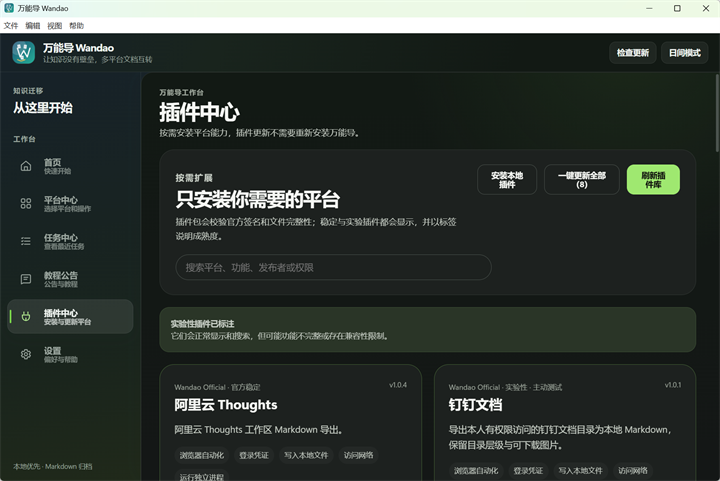
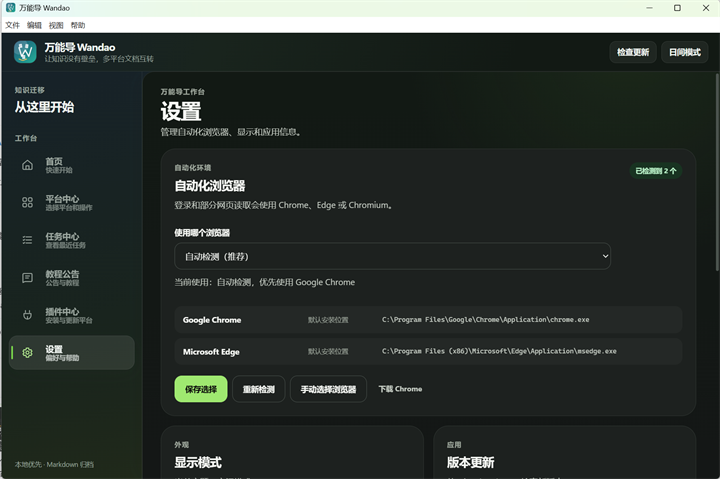
Wandao (万能导) is a multi-platform knowledge-base Markdown import and export tool that turns content you have permission to access into local Markdown and pushes local Markdown back into supported platforms, built for people who need to back up, migrate, or study documentation without manual copying and pasting.
What it is
Wandao is an open-source desktop application written in Python and licensed under AGPL-3.0, with the 1.4.x desktop front end built on Tauri 2. It lives in the note-taking, knowledge-base and data-portability corner of the tooling ecosystem, and the repository topics — backup, data-portability, migration-tool, markdown, note-taking, evernote, feishu, obsidian, onenote — describe that placement accurately. Its stated purpose is to export knowledge bases a user may access as local Markdown, and to import prepared Markdown into other platforms, while keeping directory structure, body formatting, images and attachments as intact as the source allows.
The specific thing it replaces is manual copy-and-paste followed by manual tidying. Moving documents between 飞书 Wiki, 语雀, 阿里云 Thoughts, 印象笔记, 有道云笔记, 为知笔记, OneNote, 知识星球, ima 知识库, 钉钉文档, WPS 文档, 息流, Obsidian, 知乎, CSDN, 微信公众号 and plain local Markdown normally means re-creating folder trees, re-uploading images and losing attachments. Wandao reads the real directory tree, lets the user select by folder or by document, and processes the selection as a task that can be stopped, continued or retried.
Key capabilities
- Export from named sources including 语雀 (knowledge base, directory, Markdown, images, attachments), 飞书 Wiki (wiki directory, native documents, Markdown files), 知识星球 (posts with optional comments and attachments), 印象笔记 (by notebook), 有道云笔记 (directory tree, body images, attachments), 阿里云 Thoughts workspaces, 钉钉文档, WPS 云文档, 息流, ima 知识库, Obsidian Vault archiving with resource copying and reference rewriting, and single-article export for 知乎, CSDN and 微信公众号.
- Import into 飞书 Wiki (batch Markdown import that restores multi-level directory structure), 语雀 (create or update knowledge-base documents and upload images and attachments), 印象笔记 (batch Markdown, images, attachments) and ima 知识库 (upload to a knowledge base or an existing folder).
- Directory structure control: the tool reads the real directory tree and lets the user pick by folder or by individual document.
- Resource localization: body images and attachments are preserved locally where the platform permits it.
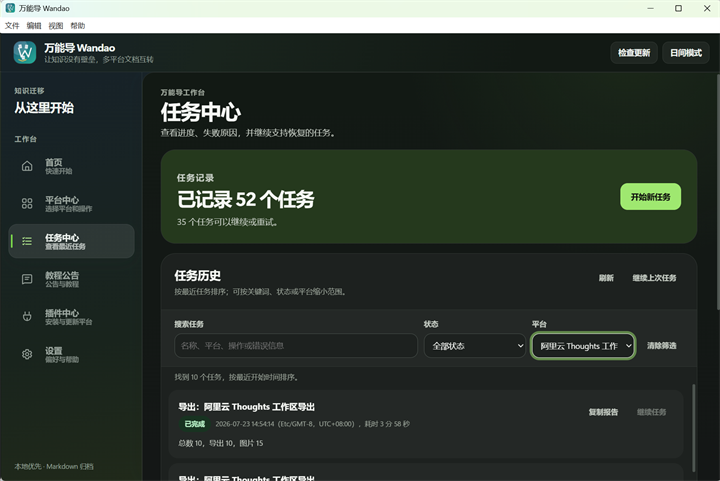
- Task handling: incremental processing skips completed content, and failures can be retried while progress, logs and task reports stay visible in 任务中心.
- Plugin center: platform capabilities can be downloaded, updated and rolled back independently of the application.
- Local-first storage: credentials and task data stay on the user's own computer, and the desktop build offers theme switching, search and version checking.
Who uses it and how
- Individuals backing up personal knowledge bases from 印象笔记, 有道云笔记, 为知笔记 or 知识星球 into a local Markdown archive they own.
- Teams and knowledge managers migrating a whole 语雀 or 飞书 Wiki space, exporting it and then batch-importing it into another platform with the folder hierarchy, images and attachments reconstructed.
- Learners who export course documentation and project source into one directory and hand it, together with
prompts/项目学习导师提示词.md, to an AI that can read local files.
- Writers and publishers pulling a single 知乎 column article or answer, a CSDN blog post, or one public 微信公众号 article with its body images into Markdown.
- Obsidian users archiving a local Vault, copying its resources and rewriting references, and Windows-only users exporting OneNote while keeping the notebook, section and page hierarchy.
Getting started
Download the Windows x64 or macOS Apple Silicon (arm64, macOS 11+) installer from GitHub Releases, then pick the platform and the import or export action in 平台中心; the release bundles its runtime, so no Python or Node.js installation is needed. On macOS Apple Silicon the release is not signed with a Developer ID and is not notarized by Apple, so if Gatekeeper blocks the first launch, confirm the source under 系统设置 → 隐私与安全性 and choose to open it anyway — do not clear the quarantine attribute to bypass the system check. Source development instead requires Python 3.10+, Node.js 22.12+ and Rust 1.88.0, started through .\start-wandao.cmd on Windows or ./start-wandao.sh on macOS.
How it compares
The facts provided list no paid products that Wandao replaces, and they name no other tool performing the same multi-platform Markdown import and export — Obsidian and Notion appear as source or target platforms and as a migration tutorial rather than as alternatives. Within this registry it therefore stands alone.
When to use it — and when not to
Wandao is a local desktop application, so a self-hoster operates no database, storage service or SMTP server, but credentials and task data live on the user's own machine and results depend on platform logins and on the automation browser selected in 设置. It is a poor fit for anyone who needs unattended scheduled backup of 微信公众号 article history or comments, which it does not read, for OneNote export on a non-Windows machine, or for fully automated Notion imports, since Notion is covered only by a tutorial pointing at Notion's own Markdown export. Honest weaknesses visible in the facts are that the documentation and release material are written in Chinese, that the macOS build ships unsigned and un-notarized, and that the repository carries 19 open issues against a codebase still adding platform plugins.
project readme (upstream, from github) — read inline
万能导 Wandao ✨
让知识没有壁垒,让多平台文档迁移更简单。
将你有权访问的知识库导出为本地 Markdown,或把本地 Markdown 导入其他平台。
尽量保留目录结构、正文格式、图片与附件,告别重复复制和手动整理。






📦 下载最新版
·
📖 使用教程
·
🧠 AI 辅助学习
·
🐛 反馈问题
·
🤝 参与共创
万能导是一个多平台知识库 Markdown 导入导出工具,目前支持飞书、语雀、阿里云 Thoughts、印象笔记、有道云笔记、为知笔记、OneNote、知识星球、ima 知识库、钉钉文档、WPS 文档、息流、Obsidian、Notion、知乎、CSDN、微信公众号和本地 Markdown 等内容来源与目标平台。
你可以把自己有权限访问的项目资料、团队知识库和课程文档导出为本地 Markdown,也可以把整理好的本地 Markdown 导入到支持的平台。万能导重点处理文档格式、图片、附件和目录层级,适合知识备份、平台迁移、学习资料整理,以及将“教学文档 + 源码项目”交给 AI 一起阅读。
如果有未能完整导出的内容或希望支持的新平台,欢迎提交 GitHub Issue。建议新平台不要求参与开发,平台使用经验、公开资料和测试意愿同样有价值;每一条可复现的反馈和共创需求都会被认真审查。
如果这个项目对你有帮助,欢迎在 GitHub 点一个 Star ⭐,这对我真的很重要~
💗 特别赞助
Fluxion AI · 为 AI 辅助学习提供支持

本区为赞助信息。万能导始终完全开源免费,AI 辅助学习不绑定任何模型或 API 服务。
Fluxion AI 面向个人开发者、技术团队与企业,通过统一 API 接入全球主流 AI 模型,并以多线路调度提升可用性;模型质量、使用情况和费用可在一个平台集中管理。
灵活的线路与计费方案带来更具竞争力的调用成本,实时价格和每笔消费均可查阅。
兑换码:WANNENGDAO — 登录后在工作台「兑换」输入,即可获得 $3 API 额度。
访问 Fluxion AI
·
查看 AI 辅助学习用法
🧠 AI 辅助学习
把课程资料、项目文档和源码导出到同一目录后,可将它们连同 项目学习导师提示词 交给支持本地文件阅读的 AI。它会结合“教学文档 + 真实代码”讲解业务流程、核心实现和技术取舍,帮助你更系统地学习项目。
查看完整提示词与使用方法 →
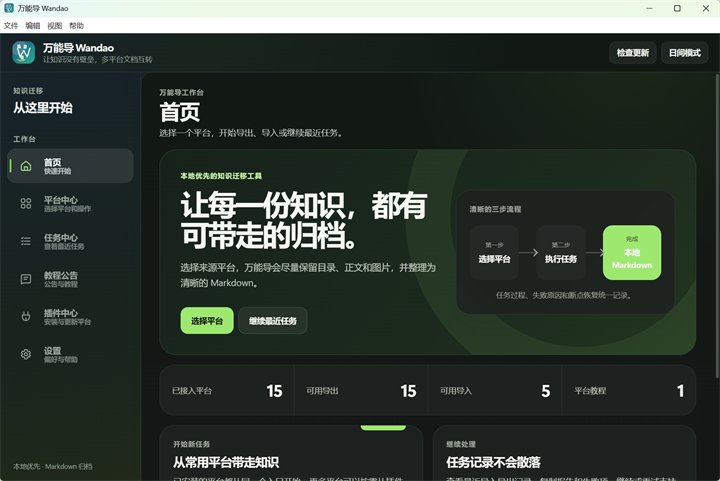
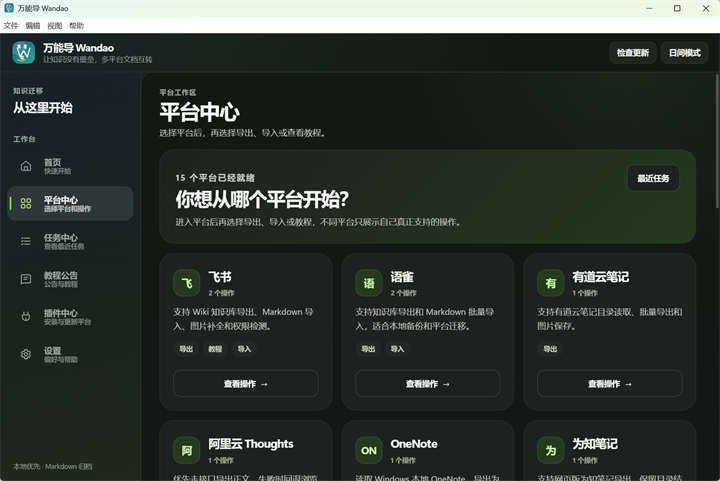
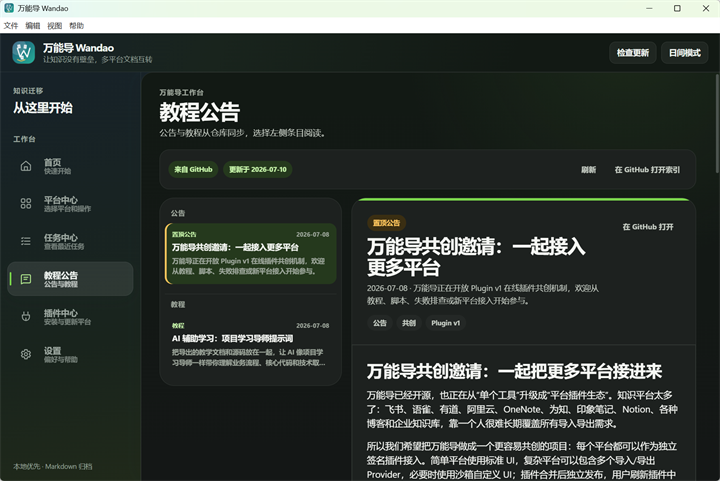
🖼️ 界面预览
✨ 为什么使用万能导
🚀 支持的平台
平台按导出、导入和教程三类展示;更多平台能力可在应用内“插件中心”获取。
导出
导入
教程
⚡ 快速开始
- 打开 GitHub Releases,下载 Windows x64 或 macOS Apple Silicon(arm64,macOS 11+)安装包
- 启动 Wandao,在“平台中心”选择目标平台和导入/导出操作
- 按界面提示登录或填写链接,然后读取目录
- 勾选需要处理的文档并开始任务
- 在“任务中心”查看进度、报告,或继续支持恢复的任务
发行版已内置运行环境,普通用户不需要安装 Python、Node.js,也不需要从源码启动。
macOS Apple Silicon 首次打开: 当前正式 Release 未做 Developer ID 签名和 Apple 公证。请只从本项目 GitHub Releases 下载并移入“应用程序”;Gatekeeper 阻止时,可在“系统设置 → 隐私与安全性”确认来源后选择仍要打开。不要通过清除隔离属性绕过系统校验。
详细操作和平台注意事项请查看 使用教程。
🧑💻 源码启动与本地开发
源码启动适合参与开发、调试插件或当前没有合适发行版的情况。1.4.x 桌面端基于 Tauri 2;源码开发需要 Python 3.10+、Node.js 22.12+、Rust 1.88.0 和对应系统的 Tauri 前置依赖。
Windows:
git clone https://github.com/tllovesxs/wandao.git
cd wandao
.\start-wandao.cmd
macOS:
git clone https://github.com/tllovesxs/wandao.git
cd wandao
chmod +x ./start-wandao.sh
./start-wandao.sh
国内网络环境可将仓库地址替换为 https://gitee.com/shi-xiansong/wandao.git。
🛠️ 质量检查与打包
提交代码或打包前运行完整质量检查:
python scripts\quality_check.py
涉及 wandao_electron/src-tauri/ 时,还需使用 Rust 1.88.0 运行格式、测试和 Clippy 门禁;CI 使用同一固定版本。
Windows 本地未签名 smoke 打包:
cd wandao_electron
npm ci
npm run build:win:unsigned
本地与手动工作流生成的 UNSIGNED-SMOKE 包只能用于 smoke,不得直接发布。正式 v* tag 工作流当前也生成未签名 Windows/macOS 安装包,但会额外执行版本一致性、真实安装/资源 smoke、校验和、SBOM 和 provenance 门禁。更完整的维护说明见 发布与回滚手册。
🔐 使用与安全
万能导不会破解登录或绕过平台权限。请只处理你有权访问的内容,并遵守对应平台的服务条款和版权要求。不要将导出内容用于未获授权的传播、售卖或公开发布,也不要通过降低延迟进行高频请求。
登录凭证和任务数据保存在本机。请勿在 Issue、PR、截图或日志中公开 Cookie、账号密码、Token、API Key、App Secret 等敏感信息。
更多说明见 合规说明、安全策略 和 本地数据存储策略。
🤝 参与共创
欢迎参与新平台适配、导入导出质量优化、Bug 修复、界面改进和文档维护。不会开发也可以通过“新平台接入建议 / 共创认领”Issue 模板建议新平台。准备开发新平台或较大功能时,请先搜索已有 Issue/PR,再提交 Issue 认领;认领后 2 天内提交 Draft PR 或可验证进展,复杂任务需说明情况并至少每 2 天同步一次。
🔗 项目与联系
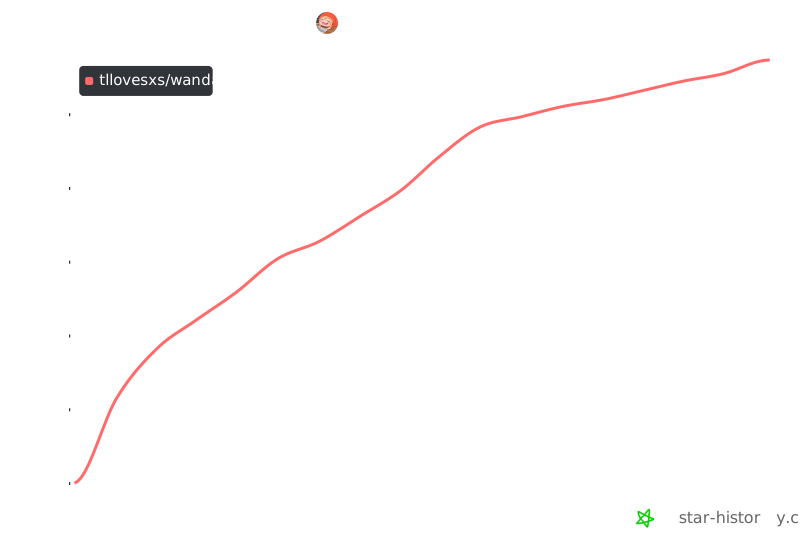
📈 Star History
📄 License
本项目采用 GNU Affero General Public License v3.0 开源。
万能导:让知识没有壁垒。
如果这个项目对你有帮助,欢迎在 GitHub 点一个 Star ⭐