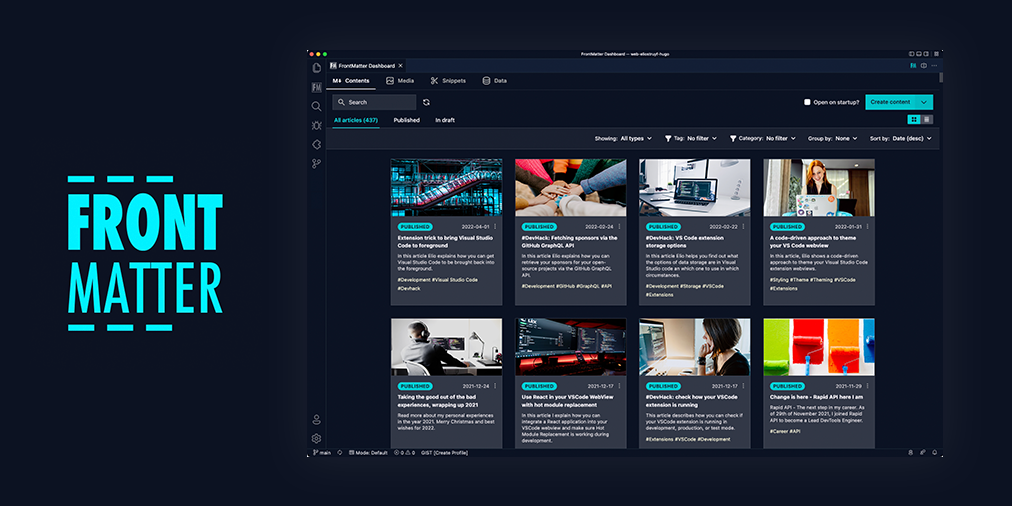
Front Matter - A Headless CMS for Visual Studio Code
📢 2026 Open Source Priorities Update
I love working with and creating open source products, but after careful evaluation and working with a coach, I've decided to focus my efforts on creating a better revenue stream. As open-source isn't providing me a sustainable income, I need to focus my time and effort more strategically on how to make my work sustainable.
Front Matter CMS will continue to be maintained as I use it daily. However, major changes will only happen if there's a personal reason, a company commitment, or significant community support. Feature requests may take longer to be addressed.
I'm shifting focus to open source projects that I can learn from or that have different outcomes, like Demo Time, which I use when presenting at conferences. If you or your company would like to sponsor my work on Front Matter CMS or other projects, I'd love to discuss how we can collaborate to make it even better!
This is not about Front Matter CMS going away, but rather about managing expectations around feature development timelines.

Check out the extension documentation at frontmatter.codes
❓ What is Front Matter?
Front Matter is a CMS that runs within Visual Studio Code. It gives you the power and control of a full-blown CMS while also providing you the flexibility and speed of the static site generator of your choice. Jump right into editing and creating content with Front Matter and be able to preview it straight in VS Code.
The extension supports various static-site generators and frameworks like Hugo, Jekyll, Hexo, NextJs, Gatsby, and more.
A couple of our extension highlights that hopefully get you interested in giving Front Matter a try:
- Content, data, and media management
- Search, filter, sort, etc. all your content
- Create new content
- Supporting tools to edit content and media
- Preview your site/content straight in Visual Studio Code
- SEO checks for title, description, and keywords
- Extensibility
- As we know, we cannot support all use cases. We provide a way to extend the functionality of the extension to your needs
- and many more features ...
Missing something? Let us know by opening an issue on the GitHub repository
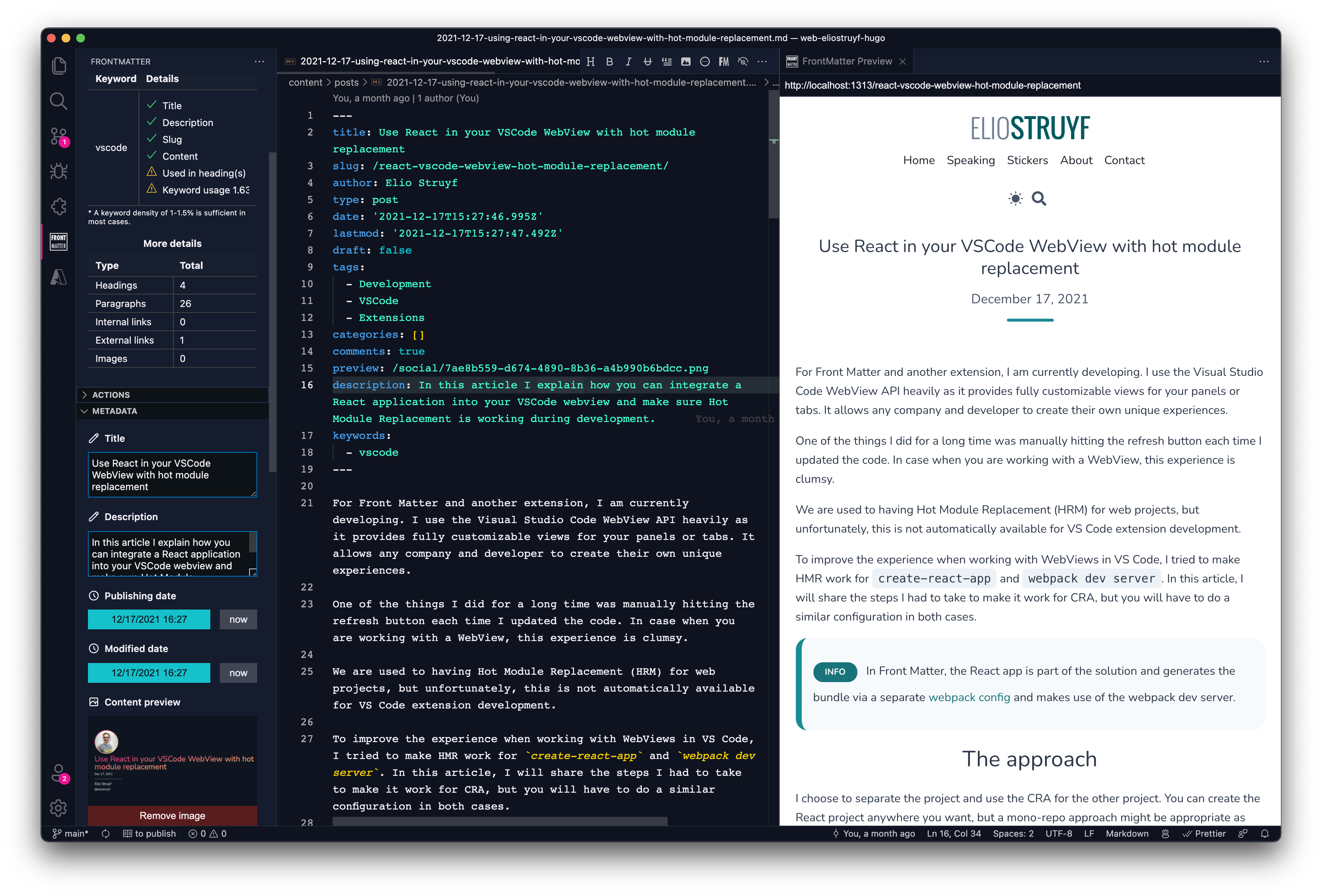
If you see something missing in your article creation flow, please feel free to reach out.
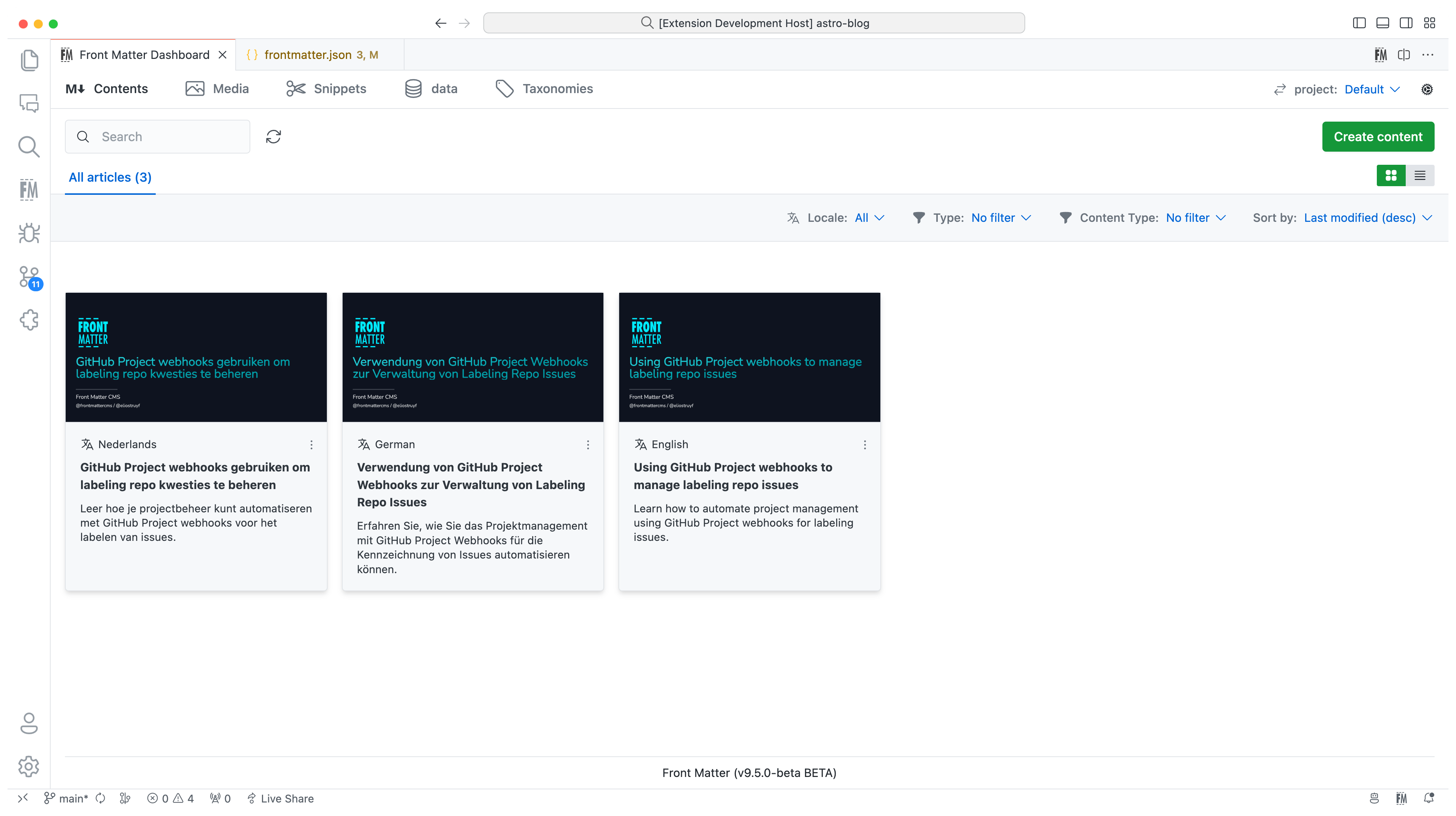
Version 10
In version 10, we introduced the new i18n/multilingual support for your content. You can now manage your content in multiple languages, more information can be found in the multilingual section of our documentation.
Version 9
The extension is now available in multiple languages: English, German, and Japanese. Want to add your language? Check out the localization the extension.
Version 8
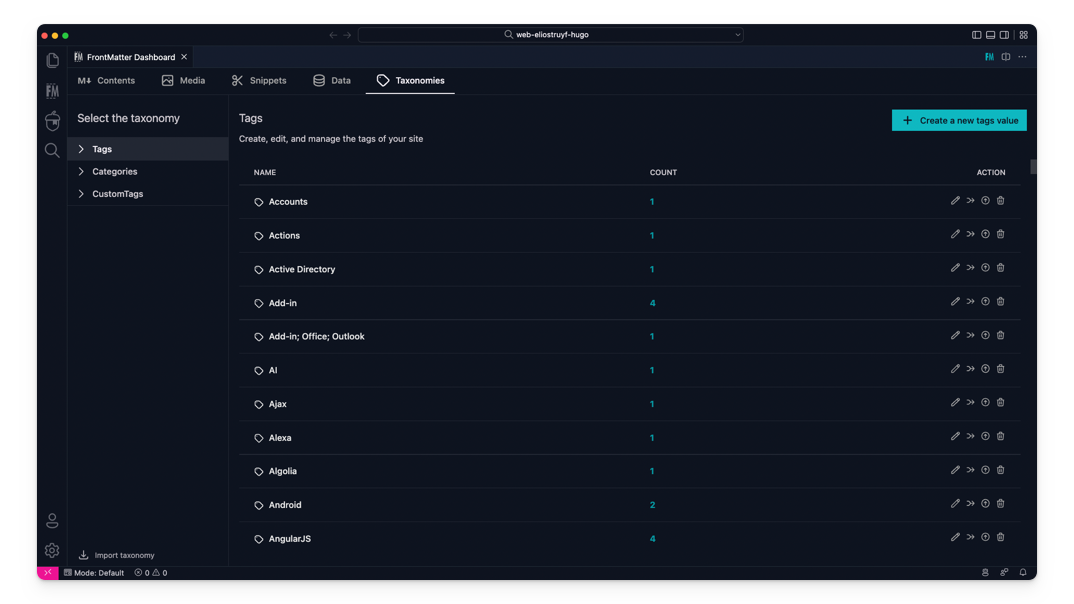
The taxonomy dashboard got introduced on which you can manage your tags, categories, and custom taxonomy.
Version 7
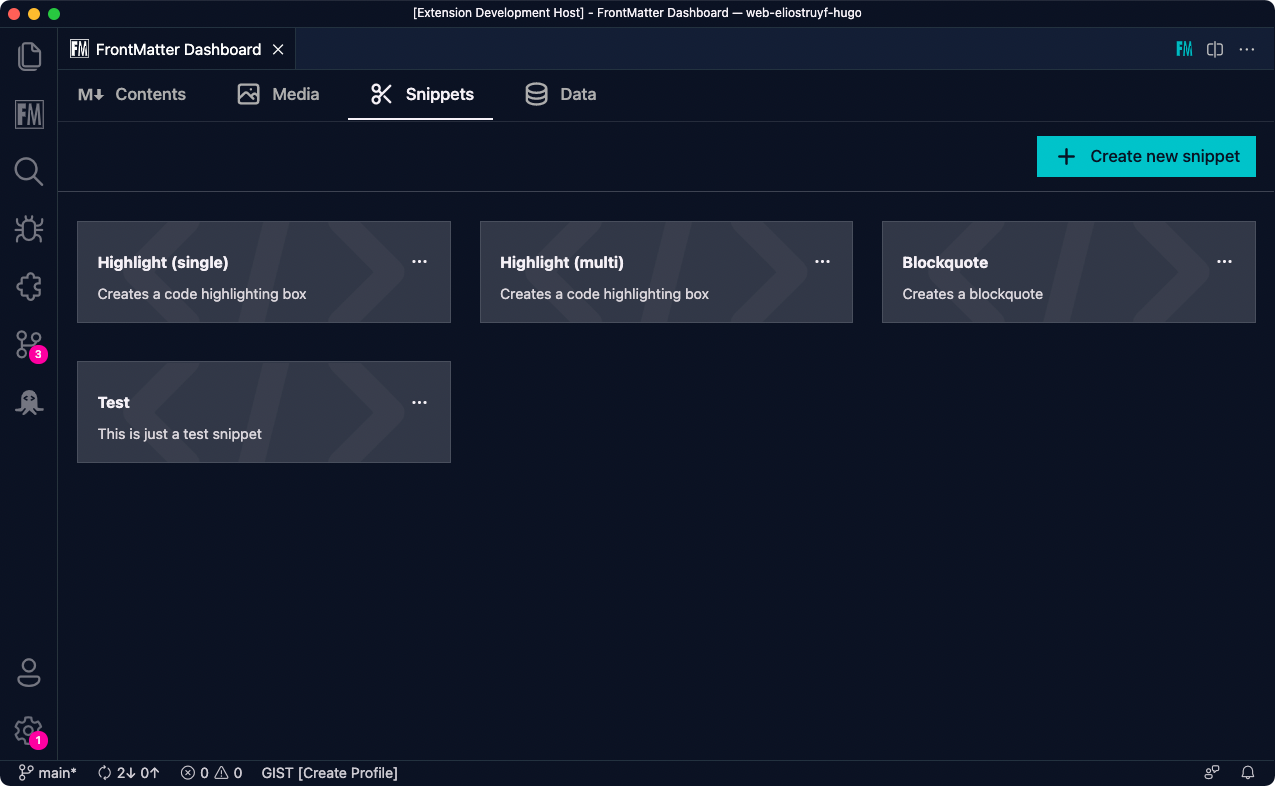
Snippets support for Front Matter has been added!
Version 6
In this version, we introduced the new data files/folders dashboard. You can find more information about the release in our v6.0.0 release notes.
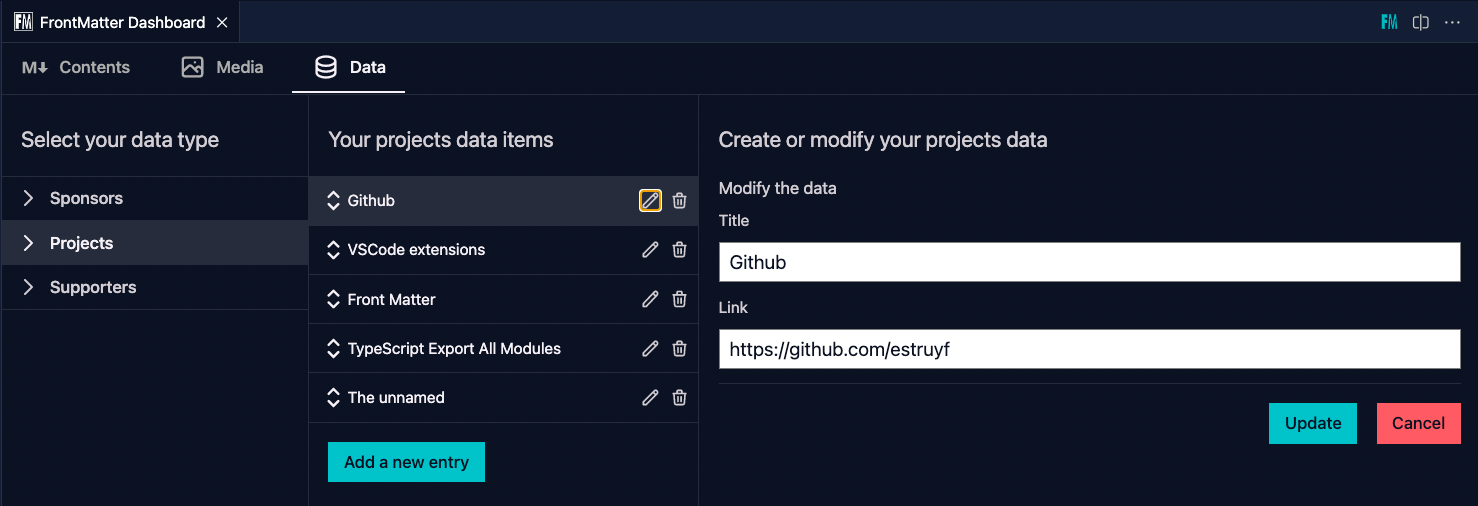
Data files/folders are pieces of content that do not belong to any markdown content, but live on their own. Most of the time, these data files are used to store additional information about your project/blog/website that will be used to render the content.
Version 5
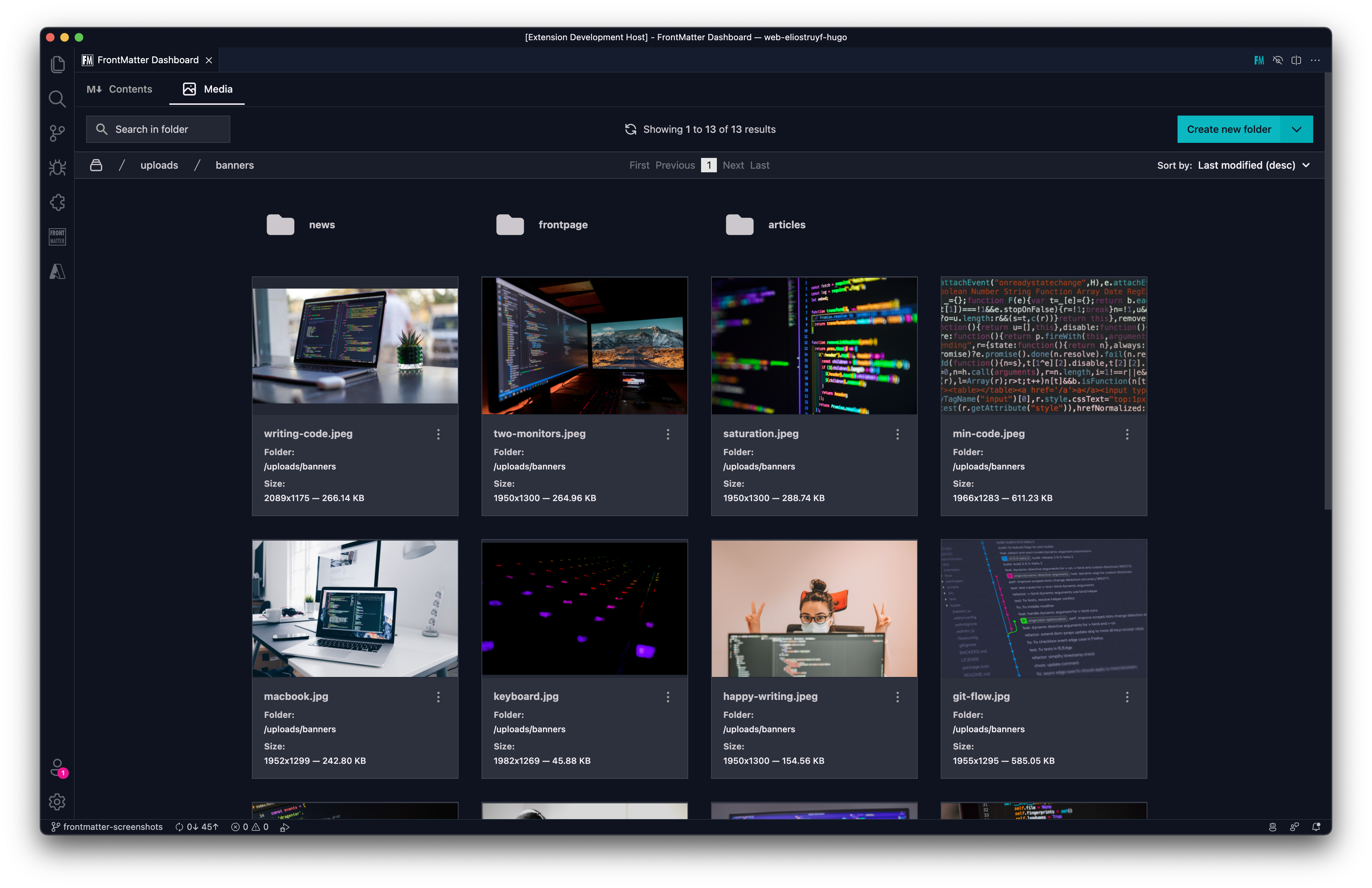
The new media dashboard redesign got introduced + support for setting metadata on media files v5.0.0 release notes.
Version 4
Support for Team level settings, content-types, and image support. Get to know more at: v4.0.0 release notes.
Version 3
In version v3 we introduced the welcome and dashboard webview. The welcome view allows to get you started using the extension, and the dashboard allows you to manage all your markdown pages in one place. This makes it easy to search, filter, sort, and more.
Version 2
In version v2 we released the re-designed sidebar panel with improved SEO support. This extension makes it the only extension to manage your Markdown pages for your static sites in Visual Studio Code.

⚙️ Installation
You can get the extension via:
- The VS Code marketplace: VS Code Marketplace - Front Matter.
- The extension CLI:
ext install eliostruyf.vscode-front-matter - Or by clicking on the following link: open extension in VS Code
Info: The docs can be found on frontmatter.codes.
🧪 Beta version
If you have the courage to test out the beta features, we made available a beta version as well. You can install this via:
- Uninstall the main Front Matter version
- Install the beta version
- VS Code marketplace: VS Code Marketplace - Front Matter BETA.
- The extension CLI:
ext install eliostruyf.vscode-front-matter-beta - Or by clicking on the following link: open extension in VS Code
Info: The BETA docs can be found on beta.frontmatter.codes.
📖 Documentation
All documentation can be found on frontmatter.codes.
Documentation repository: GitHub - Front Matter DOCs
💪 Contributing
Pull requests are welcome. Please open an issue first to discuss what you would like to change, or which problem you would like to fix. This makes it easier for us to follow-up and plan for future releases.
You can always help us improve the extension in varous ways like:
- Testing out the extension and providing feedback
- Reporting issues and bugs
- Suggesting new features
- Fixing an issue
- Updating documentation
- UI improvements
- Tutorials
- etc.
Eager to start contributing? Great 🤩, you can contribute to the following projects:
👀 Show the work you are using Front Matter
Are you using Front Matter and are you interested in showing for which websites you use it? You can show your work by opening a showcase issue.
You can open showcase issues for the following things:
- Show the website for which you use Front Matter;
- Share an article/video/webcast/... that explains how you use Front Matter;
- Got something else to share? Open an issue and we can see where it fits on our website.
👉 Contributors 🤘
💚 Backers & Sponsors 👇 🤘

📊 Telemetry
The Front Matter CMS extension only uses telemetry on application crashes. The
extension respects the telemetry.enableTelemetry setting which you can learn
more about in the
Visual Studio Code FAQ.
For crash reports in the webviews, we make use of Sentry to help us understand what went wrong. This data is only used to fix issues and improve the extension. You can find more information about the Sentry implementation in the following files:
The user ip address is not collected.
🔑 License