

voidauth is a free, open source identity & access management (iam) project written in TypeScript and released under AGPL-3.0. It has 2,843 GitHub stars, 124 forks and 60 open issues, and was last pushed yesterday. On this registry it ranks #27 of 42 tracked projects in Identity & Access Management (IAM), with 5 head-to-head comparisons available.

What is voidauth?

VoidAuth is an open-source, self-hosted single sign-on and user management provider, written in TypeScript under the AGPL-3.0 licence, that places one authentication service in front of the self-hosted applications of homelab operators, self-hosters and small teams.

What it is

VoidAuth is a self-hosted identity and access management service that acts as an OpenID Connect (OIDC) provider, a proxy ForwardAuth endpoint and an LDAP directory server for the applications running behind it. It lives in the Docker and self-hosting ecosystem, distributed as the container image voidauth/voidauth:latest and documented at voidauth.app. The code is TypeScript under AGPL-3.0, and the project shows roughly 2,843 stars, 124 forks and 60 open issues on GitHub, with recent activity in September 2026. Users, groups and service settings are managed from an Admin Panel reached through the sidebar menu.

The problem it solves is the fragmentation of logins across a self-hosted stack. Each application behind a reverse proxy such as Caddy, Traefik or nginx normally carries its own accounts, password reset and sessions, so an operator running a dozen services maintains a dozen sets of credentials. VoidAuth replaces that scattered per-application authentication with a single provider in front of the stack: applications that speak OIDC can delegate login to it, applications that authenticate through a proxy can use ForwardAuth, and applications that expect a directory can read from its LDAP server. Around that core it adds invitation-based user creation, self-registration, secure password reset with email verification, multi-factor authentication, passkeys and passkey-only accounts, and encryption at rest when backed by Postgres or SQLite.

Key capabilities

  • An OpenID Connect (OIDC) provider, so applications with native OIDC support can use VoidAuth as their identity source.
  • A proxy ForwardAuth endpoint for applications that authenticate through a reverse proxy rather than speaking OIDC directly.
  • An LDAP directory server for applications that expect to read users and groups from a directory.
  • User and group management through the Admin Panel, reached from the sidebar menu.
  • User self-registration and administrator-issued invitations, created on the Invitations page and delivered as invitation links.
  • Multi-factor authentication, passkeys and passkey-only accounts.
  • Customisable logo, title, theme colour and email templates, plus encryption at rest with a Postgres or SQLite database.

Who uses it and how

  • Self-hosters running a reverse proxy such as Caddy, Traefik or nginx in the same Docker Compose stack, who add VoidAuth so the applications behind the proxy no longer issue their own logins.
  • Administrators of invite-only deployments, who create users by generating an Invitation and sending the invitation link instead of leaving registration open.
  • Households and small teams that want more than a password, using multi-factor authentication or passkey-only accounts.
  • Operators who want the user store encrypted at rest, choosing a Postgres database for a fuller deployment or SQLite for a lighter one.

Getting started

Add a voidauth service using the voidauth/voidauth:latest image, plus a voidauth-db service on postgres:18, to a compose.yml; mount ./voidauth/config at /app/config and set the required variables APP_URL, STORAGE_KEY, DB_PASSWORD and DB_HOST before running docker compose up -d. The password reset link for the initial admin account appears in the logs after the first start, retrieved with docker compose logs voidauth.

How it compares

No list of paid products that VoidAuth replaces is included in the facts, and no comparable identity tools are named, so it stands alone in this registry. There is no stated basis for contrasting it with commercial single sign-on services.

When to use it — and when not to

Running VoidAuth means operating more than a single application: the documented deployment expects a Postgres 18 database container, a configuration volume and required environment variables, and the invitation, self-registration and password reset flows depend on email delivery the operator must keep working. Anyone who needs an audited identity provider, or who would rather not run a database alongside their services, should look elsewhere, since the project states that it has not been audited and uses third-party packages for much of its functionality. It is actively monitored through issues and discussions, but it also carries 60 open issues and its application setup guides are largely community driven.

project readme (upstream, from github) — read inline

GitHub Actions Workflow Status GitHub Release GitHub License GitHub Repo stars


VoidAuth logo

Single Sign-On for Your Self-Hosted Universe
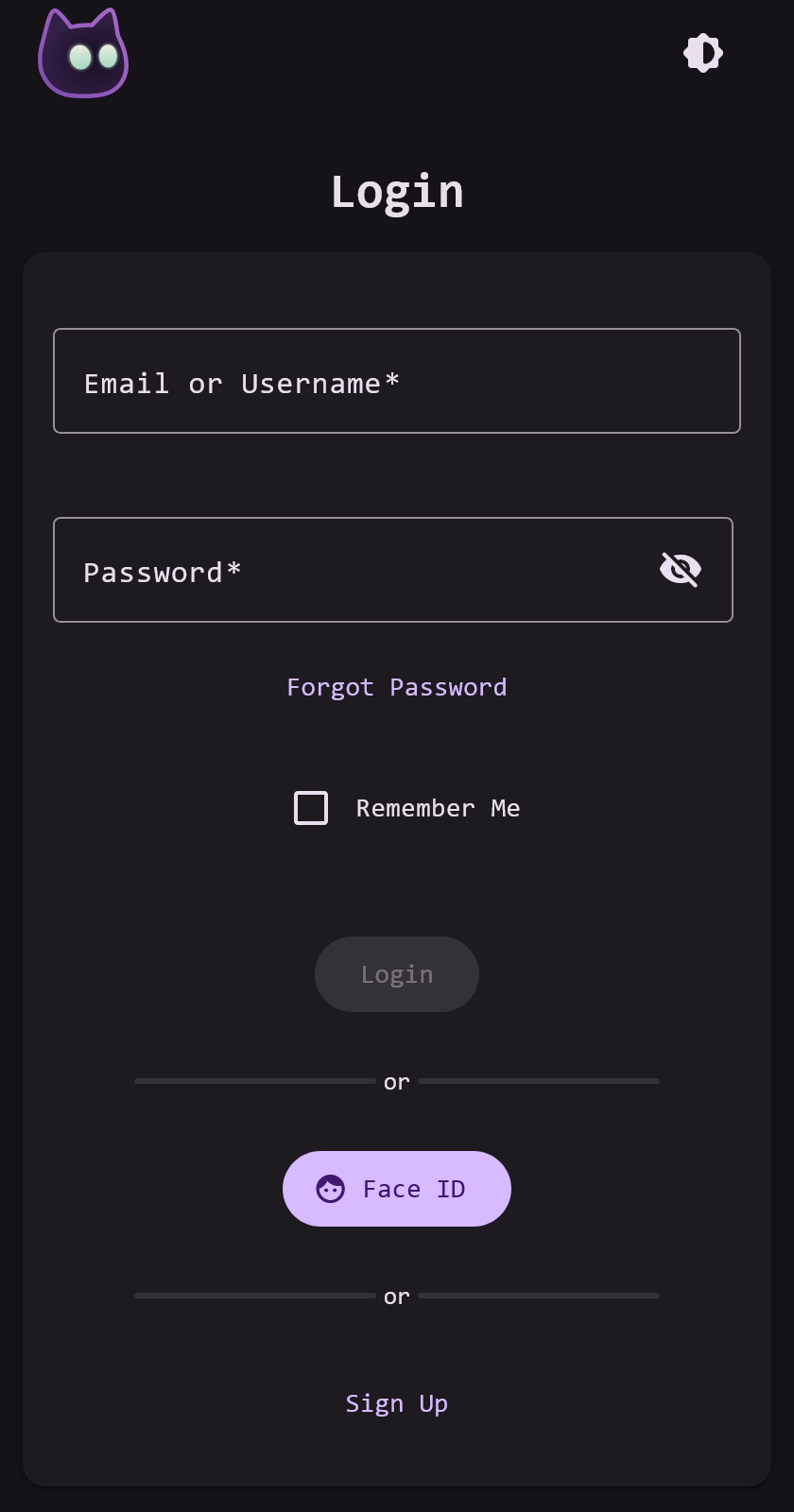

Website | Source Code


Login Portal

What is VoidAuth

VoidAuth is an open-source SSO authentication and user management provider that stands guard in front of your self-hosted applications. It is easy-to-use for admins and end-users, supports nice-to-have features like passkeys, user invitation, self-registration, email support, and more!

Features:

  • 🌐 OpenID Connect (OIDC) Provider
  • 🔄 Proxy ForwardAuth
  • 📖 LDAP Directory Server
  • 👤 User and Groups Management
  • 📨 User Self-Registration and Invitations
  • 🎨 Customizable (Logo, Title, Theme Color, Email Templates)
  • 🔑 Multi-factor Authentication, Passkeys, and Passkey-Only Accounts
  • 📧 Secure Password Reset with Email Verification
  • 🔒 Encryption-At-Rest with Postgres or SQLite Database

Admin Panel

Administrators can access the Admin Panel in the sidebar menu, where they can manage users and settings.

An Admin Page with the Admin Side Panel Open

Quick Start

Getting started with VoidAuth is straightforward, the recommended approach is to add VoidAuth to a compose.yml file:

services:
  # ---------------------------------
  # Your reverse-proxy service here:
  # caddy, traefik, nginx, etc.
  # ---------------------------------

  voidauth: 
    image: voidauth/voidauth:latest
    restart: unless-stopped
    volumes:
      - ./voidauth/config:/app/config
    environment:
      # Required environment variables
      # More environment variable options can be found 
      #   on the Getting Started page.
      APP_URL: # required, ex. https://auth.example.com
      STORAGE_KEY: # required
      DB_PASSWORD: # required, same as voidauth-db POSTGRES_PASSWORD
      DB_HOST: voidauth-db # required
    depends_on:
      voidauth-db:
        condition: service_healthy

  voidauth-db:
    image: postgres:18
    restart: unless-stopped
    environment:
      POSTGRES_PASSWORD: # required, same as voidauth DB_PASSWORD
    volumes:
      - db:/var/lib/postgresql/18/docker
    healthcheck:
      test: "pg_isready -U postgres -h localhost"

volumes:
  db:

After creating/updating the compose.yml file and filling in the required environment variables, run docker compose up -d and visit your APP_URL to get started.

[!IMPORTANT] After VoidAuth starts for the first time, find a password reset link for the initial admin account in the logs: docker compose logs voidauth. Use this account and change the default username or create a separate user for yourself.

[!TIP] Users are created by administrators on the Invitations page by creating a new Invitation, then sending the invitation link.

Please see the Getting Started page for setup details and configuration options.

Support

Issues, Suggestions, and Feature Requests should be added as Issues of the appropriate type. For Help and Support, Q&A, or anything else; open a Discussion. This project is actively monitored, I will likely respond quickly.

Contributing

Documentation

Documentation, especially app setup guides, are largely community driven and so contribution is highly encouraged. If you have VoidAuth OIDC setup with an app that is not already listed in the OIDC App Guides then please consider contributing a guide. When writing documentation follow the existing style of the page and when finished open a Pull Request for review.

Features and Fixes

Please read the CONTRIBUTING.md to see setup guide. Collaboration in an issue or discussion before opening a Pull Request will improve chances of changes being accepted, but is not required.

Disclaimer

VoidAuth has not been audited and uses 3rd party packages for much of its functionality, use at your own risk.

Credits

This project would not be possible without the incredible work of others. For a full list of dependencies, see the package.json and frontend/package.json files.

Sponsors

GitTimeraider dl09r katekyonni bluntwit

Frequently asked questions

Is voidauth free to use?

voidauth is open source under the AGPL-3.0 licence. There is no licence fee and no seat count — you can self-host it or, where the project offers one, pay a vendor for a managed version instead.

What does voidauth do?

Single Sign-On for Your Self-Hosted Universe

What is voidauth written in?

voidauth is primarily written in TypeScript. Its source is publicly available at https://github.com/voidauth/voidauth, and it has 2,843 GitHub stars.