Rafael Bodill's Neovim Config

Lean mean Neovim machine, 30-45ms startup time. Works best with Neovim ≥0.12
(plugins managed by Neovim's built-in vim.pack)
:gear: See Extending for customizing configuration and adding plugins.
I encourage you to fork this repo and create your own experience. Learn how to tweak and change Neovim to the way YOU like it. This is my cultivation of years of tweaking, use it as a git remote and stay in-touch with upstream for reference or cherry-picking.
Table of Contents (🔎 Click to expand/collapse)
- Features
- Screenshot
- Prerequisites
- Install
- Install LSP, DAP, Linters, Formatters
- Recommended Fonts
- Upgrade
- Structure
- Extending
- Plugin Highlights
- Plugins Included
- Extra Plugins
- Extra Plugins: AI
- Extra Plugins: Coding
- Extra Plugins: Colorscheme
- Extra Plugins: Editor
- Extra Plugins: Formatting
- Extra Plugins: Git
- Extra Plugins: Grammar
- Extra Plugins: Lang
- Extra Plugins: Linting
- Extra Plugins: LSP
- Extra Plugins: Org
- Extra Plugins: Treesitter
- Extra Plugins: UI
- Extra Plugins: Util
- Custom Key-mappings
- License
[!IMPORTANT] LazyVim has been dropped in-favor of vim.pack -- see Upgrade from lazy.nvim
Features
- Native vim.pack for managing plugins
- Fast startup time: plugins are almost entirely lazy-loaded!
- Robust, yet light-weight
- Review plugin updates with
:Packman(Space+l), and toggle opt-in extras with:RafiExtrasor Space+mx - Install LSP, DAP, linters, and formatters. Use with
:Masonor Space+cm - LSP configuration with nvim-lspconfig
- folke/snacks.nvim picker centric work-flow with lists (try ;+f…)
- Custom context-menu (try it! ;+c)
- Auto-complete setup with blink.cmp
- Structure view with bassamsdata/namu.nvim
- Git features using lewis6991/gitsigns.nvim, sindrets/diffview.nvim, and more
- Session management with rmagatti/auto-session
- Unobtrusive, yet informative status & tab lines
- Premium color-schemes
- Remembers last-used colorscheme
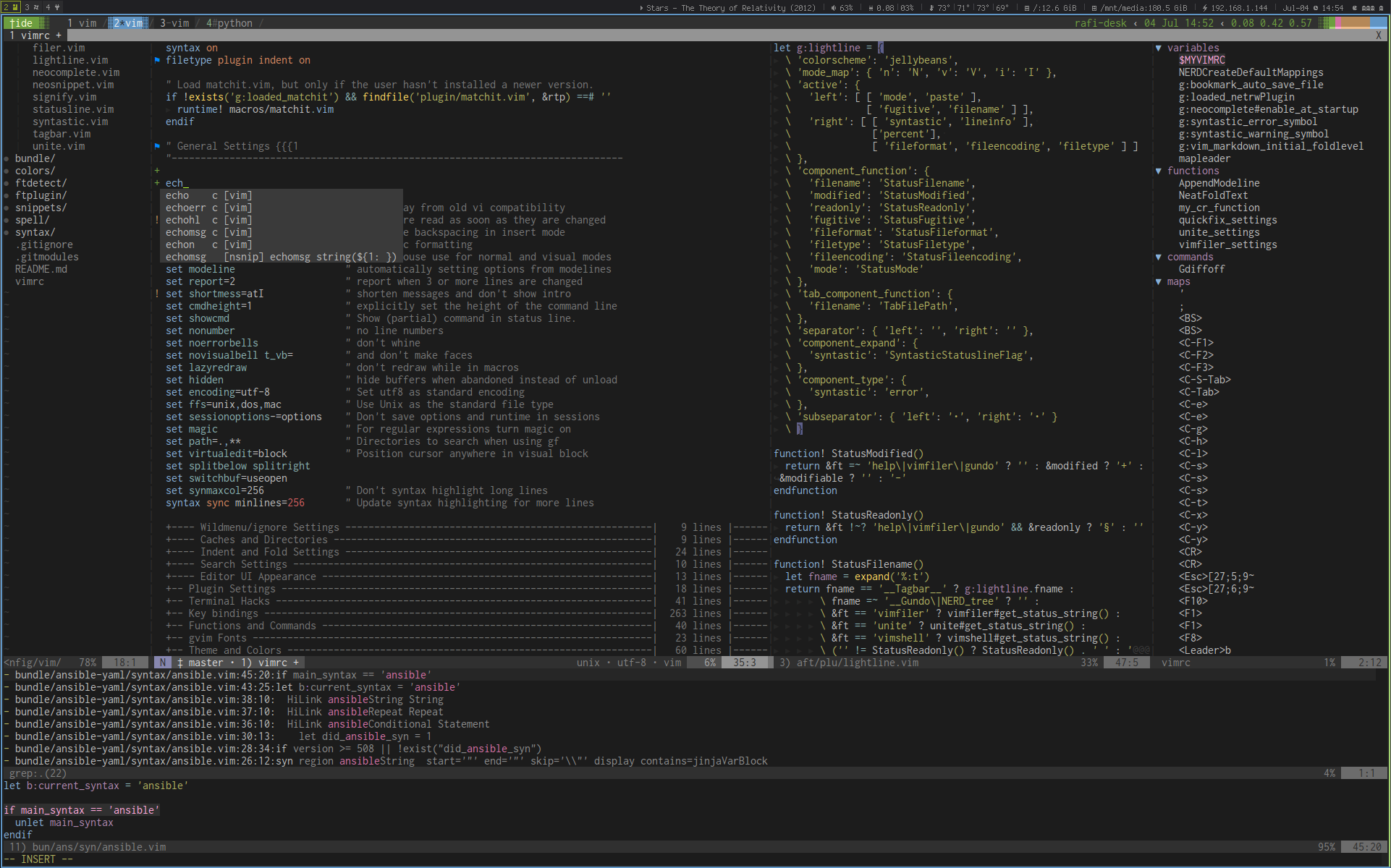
Screenshot
Prerequisites
Optional, but highly recommended:
- bat (
brew install bat) - fd (
brew install fd) - fzf (
brew install fzf) - ripgrep (
brew install ripgrep) - zoxide (
brew install zoxide)
Install
Let's clone this repo! Clone to
~/.config/nvimmkdir -p ~/.config git clone git@github.com:rafi/vim-config.git ~/.config/nvim cd ~/.config/nvimRun
nvim(will install all plugins the first time).It's highly recommended running
:checkhealthto ensure your system is healthy and meets the requirements.Inside Neovim, run
:RafiExtrasand press Enter to toggle extras, then restart Neovim. Choices are saved inrafi.json.
Enjoy! :smile:
Install LSP, DAP, Linters, Formatters
Use :Mason (or Space+cm) to install and manage LSP
servers, DAP servers, linters and formatters. See :h mason.nvim and
mason-org/mason.nvim for more information.
Language-Server Protocol (LSP)
You can install LSP servers using :Mason UI, or :MasonInstall ,
or :LspInstall (use Tab to list available servers).
See Mason's PACKAGES.md
for the official list, and the Language server mapping
list. You can also view at :h mason-lspconfig-server-map
You'll need utilities like npm and curl to install some extensions, see
requirements
(or :h mason-requirements) for more information.
See plugin/lspconfig.lua for custom key-mappings, and after/lsp/ for settings of some language-servers.
Recommended LSP
:MasonInstall ansible-language-server bash-language-server css-lsp
:MasonInstall dockerfile-language-server gopls html-lsp json-lsp
:MasonInstall lua-language-server panache pyright sqlls
:MasonInstall svelte-language-server typescript-language-server
:MasonInstall tailwindcss-language-server
:MasonInstall vim-language-server yaml-language-server
and more…
Recommended Linters
:MasonInstall vint shellcheck editorconfig-checker flake8 gitlint hadolint
:MasonInstall markdownlint mypy selene shellharden write-good yamllint
Recommended Formatters
:MasonInstall black fixjson gofumpt golines isort
:MasonInstall shfmt sql-formatter stylua
Recommended Fonts
- Pragmata Pro (€19-€1,990): My preferred font
- Any of the Nerd Fonts
On macOS with Homebrew, choose one of the Nerd Fonts, for example, here are some popular fonts:
brew search nerd-font
brew install --cask font-victor-mono-nerd-font
brew install --cask font-iosevka-nerd-font-mono
brew install --cask font-hack-nerd-font
brew install --cask font-fira-code
Upgrade
To update Neovim configuration from my repo, and move plugins to the
versions locked in its nvim-pack-lock.json:
make update
To upgrade packages and plugins beyond that:
- Neovim plugins: Use
:Packman checkto review pending updates first and apply them with U. Or usemake update-pluginsfor a headless update. With Neovim 0.13+, the plugins are checked in the background every hour, and a clickable count appears in statusline. Press Space+l (:Packman) to review updates. - Mason packages:
:Masonand press U
Upgrade from the lazy.nvim version
The first start writes rafi.json from your lazyvim.json extras, and
warns about any that have no vim.pack version. Then:
- Plugins that used to be core (blink.cmp, mini.ai, mini.pairs,
mini.surround, grug-far, outline, undotree, nvim-treesitter, the
neo-hybrid colorscheme, now
colorscheme.morrow, and others) are now extras. Pick the ones you want with:RafiExtras. lua/plugins/*.luafiles that return lazy.nvim specs are ignored, with a warning. Rewrite them as plainvim.pack.add()code, see Extend: Plugins.lua/config/setup.luaandlua/config/lazy.luaare no longer read.LazyVim.*calls inlua/config/*.luafail. Userafi.util.root,rafi.util.pick,rafi.util.format,rafi.util.lsp,rafi.util.lualine,rafi.util.iconsandrafi.pack.has().- Once you're done, delete what lazy.nvim left behind:
lazyvim.json,lazy-lock.json,~/.local/share/nvim/lazy/and~/.local/state/nvim/lazy/.
Structure
- after/ - Language specific custom settings and plugins.
- plugin/extras.lua - Loads enabled extras, then user plugins
- lua/ - Lua configurations
config/- Custom user configurationplugins/- Custom user plugins- rafi/
- config/ - Neovim configurations
- autocmds.lua - Auto-commands
- init.lua - Initialization,
rafi.json - keymaps.lua - Key-mappings
- options.lua - Editor settings
- extras/ - Opt-in plugins ("extras")
- pack.lua - Lazy-loading helpers for
vim.pack - util/ - Utility library
- config/ - Neovim configurations
- plugin/ - Core plugins, one
vim.packfile each - snippets/ - Personal code snippets
rafi.json- Enabled extras and disabled core plugins (not tracked)
Extending
Extend: Config
Fork this repository and create a directory
lua/config with one or more of these files: (Optional)
lua/config/autocmds.lua- Custom auto-commandslua/config/options.lua- Custom optionslua/config/keymaps.lua- Custom key-mappings
Each loads right after its Rafi counterpart, so it can override it.
Adding plugins or override existing options:
lua/plugins/*.lua- Plain Lua files callingvim.pack.add(), sourced after the extraslua/plugins/extras//.lua- Your own extras, listed in:RafiExtrasnext to Rafi's
Extend: Plugins
Toggle "extras" plugins with :RafiExtras (or Space+mx)
and Enter, then restart Neovim. This saves choices in rafi.json,
which you can also edit manually. extras lists extras by .
(their path under lua/rafi/extras/), and disabled turns off core
plugins by their path under plugin/:
{
  "extras": [
    "coding.align",
    "editor.dial",
    "lang.docker",
    "lang.go",
    "lang.json",
    "lang.markdown",
    "lang.python",
    "lang.toml",
    "lang.typescript",
    "lang.yaml",
    "ui.bookmarks",
    "ui.deadcolumn"
  ],
  "disabled": ["lualine"]
}
A core plugin listed in disabled doesn't load, so you can replace it with
your own file. Files in lua/plugins/*.lua are plain Lua, sourced after the
extras. Here's an example, lua/plugins/lightline.lua:
-- Use lightline instead of lualine (add "lualine" to "disabled")
vim.pack.add({ 'https://github.com/itchyny/lightline.vim' })
vim.g.lightline = { colorscheme = 'wombat' }
See plugin/ and lua/rafi/extras/ for examples that lazy-load with lua/rafi/pack.lua.
Extend: Defaults
Create
lua/config/options.luaand set any Neovim/RafiVim features: (Default values are shown)-- Elite-mode (hjkl mode. arrow-keys resize window) vim.g.elite_mode = false -- External file diff program vim.g.diffprg = 'bcompare' -- selects completion items, jumps in snippets and opens -- completion (coding.blink). false keeps for snippet jumps and -- AI actions only. vim.g.cmp_supertab = true
Extend: LSP Settings
Override server options with vim.lsp.config(), for example in
lua/plugins/lsp.lua (or an after/lsp/.lua file):
vim.lsp.config('yamlls', {
  filetypes = { 'yaml', 'yaml.ansible', 'yaml.docker-compose' },
})
vim.lsp.config('lua_ls', {
  settings = {
    Lua = {
      workspace = { checkThirdParty = false },
      completion = { callSnippet = 'Replace' },
    },
  },
})
Plugin Highlights
- Plugin management with Neovim's built-in vim.pack, lazy-loaded with
small
plugin/files - Auto-completion with Language-Server Protocol (LSP)
- Project-aware tabline
- Extensive syntax highlighting with nvim-treesitter/nvim-treesitter (
treesitter.nvim-treesitterextra)
Note that 95% of the plugins are lazy-loaded.
Plugins Included
List of plugins (🔎 Click to expand/collapse)
Core plugins, one file each under plugin/. Turn one off by
adding its file name (e.g. lualine) to disabled in rafi.json. Most
other plugins are extras, and many of them are enabled by default, see
Extra Plugins.
| File | Repository | Description |
|---|---|---|
conform |
stevearc/conform.nvim | Lightweight yet powerful formatter plugin |
lint |
mfussenegger/nvim-lint | Asynchronous linter plugin, reports via vim.diagnostic |
lspconfig |
neovim/nvim-lspconfig | Quickstart configs for Nvim LSP, with mason-org/mason-lspconfig.nvim and b0o/SchemaStore.nvim |
lualine |
nvim-lualine/lualine.nvim | Blazing fast and easy to configure statusline |
mason |
mason-org/mason.nvim | Portable package manager for Neovim |
mini-icons |
nvim-mini/mini.icons | Icon provider |
snacks |
folke/snacks.nvim | Collection of QoL plugins: picker, explorer, terminal, toggles (required) |
theme-loader |
rafi/theme-loader.nvim | Use last-used colorscheme |
nvim-mini/mini.misc always loads, it powers the lazy-loading helpers in lua/rafi/pack.lua.
Extra Plugins
List of extras (🔎 Click to expand/collapse)
Opt-in plugins, one file each under lua/rafi/extras/.
Toggle them with :RafiExtras (saved in rafi.json), see
Extend: Plugins.
Extra Plugins: AI
Extra: ai.
| Name | Repository | Description |
|---|---|---|
avante |
avante-corp/avante.nvim | Cursor-like AI chat and edit sidebar |
claudecode |
coder/claudecode.nvim | Claude Code integration |
codeium |
Exafunction/windsurf.nvim | Codeium completion (run :Codeium Auth once to sign in) |
copilot |
zbirenbaum/copilot.lua | GitHub Copilot (run :Copilot auth once to sign in) |
copilot-chat |
CopilotC-Nvim/CopilotChat.nvim | Chat with GitHub Copilot |
copilot-native |
Neovim's native inline completion | Copilot language server inline completion (needs Neovim 0.12, :LspCopilotSignIn, exclusive with ai.copilot) |
sidekick |
folke/sidekick.nvim | Next edit suggestions with the Copilot LSP server, and AI CLI sessions |
supermaven |
supermaven-inc/supermaven-nvim | Supermaven completion (run :SupermavenUseFree or :SupermavenUsePro) |
tabnine |
tzachar/cmp-tabnine | Tabnine completion as a blink.cmp source (downloads its binary on install) |
All of them share the a keys (the one later in rafi.json wins),
and vim.g.ai_cmp selects completion-menu or inline suggestions.
Extra Plugins: Coding
Extra: coding.
| Name | Repository | Description |
|---|---|---|
align |
nvim-mini/mini.align | Align text interactively |
blink |
saghen/blink.cmp | Code completion, with rafamadriz/friendly-snippets (enabled by default) |
chainsaw |
chrisgrieser/nvim-chainsaw | Create log statements on the fly |
comment |
numToStr/Comment.nvim | Powerful line and block-wise commenting, with JoosepAlviste/nvim-ts-context-commentstring |
debugprint |
andrewferrier/debugprint.nvim | Debugging in Neovim the print() way |
emmet |
mattn/emmet-vim | Expand abbreviations à la emmet |
lazydev |
folke/lazydev.nvim | Configures LuaLS for editing Neovim config and plugins (enabled by default) |
linediff |
AndrewRadev/linediff.vim | Perform diffs on blocks of code |
mini-ai |
nvim-mini/mini.ai | Extend and create a/i textobjects (enabled by default) |
mini-comment |
nvim-mini/mini.comment | Fast and feature-rich commenting (gc), with treesitter context |
mini-pairs |
nvim-mini/mini.pairs | Automatically manage character pairs (enabled by default) |
mini-splitjoin |
nvim-mini/mini.splitjoin | Split and join arguments (enabled by default) |
mini-surround |
nvim-mini/mini.surround | Fast and feature-rich surround actions (enabled by default) |
mini-trailspace |
nvim-mini/mini.trailspace | Trailing whitespace highlight and remove (enabled by default) |
neogen |
danymat/neogen | Annotation generator |
sibling-swap |
Wansmer/sibling-swap.nvim | Swap sibling treesitter nodes |
tabout |
abecodes/tabout.nvim | Tab out of brackets and quotes |
ts-comments |
folke/ts-comments.nvim | Enhance Neovim's native comments with treesitter context (enabled by default) |
yanky |
gbprod/yanky.nvim | Better yank and paste: yank ring, history picker, cycle after put |
Extra Plugins: Colorscheme
Extra: colorscheme.
| Name | Repository | Description |
|---|---|---|
bamboo |
ribru17/bamboo.nvim | Warm green theme |
catppuccin |
catppuccin/nvim | Soothing pastel theme |
cyberdream |
scottmckendry/cyberdream.nvim | High-contrast, futuristic & vibrant colorscheme |
github |
projekt0n/github-nvim-theme | Github's Neovim themes |
kanagawa |
rebelot/kanagawa.nvim | Colorscheme inspired by Katsushika Hokusai's famous painting |
lackluster |
slugbyte/lackluster.nvim | Minimal, mostly monochrome colorscheme that's soft on the eyes |
material |
marko-cerovac/material.nvim | Colorscheme based on the Material Design color palette |
meowsoot |
marekh19/meowsoot.nvim | Pink-cyan-lavender colorscheme, where green never reaches code |
modus |
miikanissi/modus-themes.nvim | Highly accessible themes conforming with WCAG AAA color contrast |
monokai-nightasty |
polirritmico/monokai-nightasty.nvim | Dark/light theme based on the Monokai color palette |
monokai-pro |
loctvl842/monokai-pro.nvim | Monokai Pro colorscheme, with several filter variants |
morrow |
rafi/morrow.nvim | Modern dark colorscheme, hybrid improved, the initial colorscheme (enabled by default) |
onenord |
rmehri01/onenord.nvim | Theme combining the Nord and Atom One Dark color palettes |
oxocarbon |
nyoom-engineering/oxocarbon.nvim | Dark and light theme inspired by IBM Carbon |
tokyonight |
folke/tokyonight.nvim | Clean, dark Neovim theme (enabled by default) |
Extra Plugins: Editor
Extra: editor.
| Name | Repository | Description |
|---|---|---|
anyjump |
pechorin/any-jump.vim | Jump to any definition and references without overhead |
auto-session |
rmagatti/auto-session | Automatically save and restore sessions (enabled by default) |
dbee |
kndndrj/nvim-dbee | Interactive database client |
dial |
monaqa/dial.nvim | Increment and decrement numbers, dates, and more (enabled by default) |
fff |
dmtrKovalenko/fff | Fast fuzzy file finder and live grep with frecency |
firenvim |
glacambre/firenvim | Neovim in the browser |
flybuf |
nvimdev/flybuf.nvim | List buffers in a float window |
fzf |
ibhagwan/fzf-lua | FZF picker, alternative to the snacks picker |
glance |
dnlhc/glance.nvim | Pretty window for navigating LSP locations |
grug-far |
MagicDuck/grug-far.nvim | Search/replace in multiple files (enabled by default) |
guess-indent |
nmac427/guess-indent.nvim | Automatic indentation style detection (enabled by default) |
harpoon2 |
ThePrimeagen/harpoon | Marks for navigating your project |
helpful |
tweekmonster/helpful.vim | Display vim version numbers in docs |
inc-rename |
smjonas/inc-rename.nvim | Incremental LSP renaming, based on Neovim's command-preview |
key-analyzer |
meznaric/key-analyzer.nvim | Visualize keyboard mappings for a prefix on a keyboard layout |
kubectl |
ramilito/kubectl.nvim | Browse and manage Kubernetes resources |
leap |
andyg/leap.nvim | General-purpose motion plugin for fast cursor movement |
mini-diff |
nvim-mini/mini.diff | Git diff signs and hunk overlay |
mini-files |
nvim-mini/mini.files | Column-based file explorer |
mini-hipatterns |
nvim-mini/mini.hipatterns | Highlight patterns in text, e.g. hex colors and Tailwind CSS classes (enabled by default) |
mini-move |
nvim-mini/mini.move | Move lines and selections with Alt-h/j/k/l |
mini-visits |
nvim-mini/mini.visits | Track and reuse file system visits |
namu |
bassamsdata/namu.nvim | Flexible symbol navigation (LSP, treesitter, ctags, diagnostics) (enabled by default) |
neo-tree |
nvim-neo-tree/neo-tree.nvim | File explorer tree (replaces the core Snacks explorer) |
oil |
stevearc/oil.nvim | File explorer that lets you edit the filesystem like a buffer |
outline |
hedyhli/outline.nvim | Code outline sidebar powered by LSP |
packman |
rafi/packman.nvim | Review and apply vim.pack plugin updates in a picker (enabled by default) |
quickhl |
t9md/vim-quickhl | Highlight words quickly |
rest |
rest-nvim/rest.nvim | Fast Neovim http client written in Lua |
suda |
lambdalisue/vim-suda | Read or write files with sudo |
telescope |
nvim-telescope/telescope.nvim | Telescope as the picker (replaces snacks picker keys), with fzf-native and jvgrootveld/telescope-zoxide |
thesaurus |
rafi/telescope-thesaurus.nvim | Browse synonyms and definitions, via the snacks picker (telescope's with editor.telescope) |
tmux-navigator |
christoomey/vim-tmux-navigator | Seamless navigation between tmux panes and vim splits (enabled by default) |
todo-comments |
folke/todo-comments.nvim | Highlight, list and search todo comments in your projects (enabled by default) |
trouble |
folke/trouble.nvim | Pretty lists to help you solve all code diagnostics (enabled by default) |
ufo |
kevinhwang91/nvim-ufo | Make folds look modern and keep a high performance |
undotree |
mbbill/undotree | Visualize the undo history tree |
window-picker |
s1n7ax/nvim-window-picker | Fancy window picker (enabled by default) |
Extra Plugins: Formatting
Extra: formatting.
| Name | Repository | Description |
|---|---|---|
black |
psf/black | Python formatter, via conform |
prettier |
prettier/prettier | Formatter for web, markdown, yaml and more, via conform (only when a prettier config exists) |
Extra Plugins: Git
Extra: git.
| Name | Repository | Description |
|---|---|---|
blame |
FabijanZulj/blame.nvim | Show git blame annotations inline, or in a scrollable window |
committia |
rhysd/committia.vim | Pleasant editing on Git commit messages (enabled by default) |
diffview |
sindrets/diffview.nvim | Tabpage interface for cycling through diffs (enabled by default) |
fugitive |
tpope/vim-fugitive | Git client, including junegunn/gv.vim commit browser |
gitsigns |
lewis6991/gitsigns.nvim | Git signs written in pure lua (enabled by default) |
neogit |
NeogitOrg/neogit | Magit clone for Neovim |
Extra Plugins: Grammar
Extra: grammar.
| Name | Description |
|---|---|
harper |
Harper grammar and prose checker language server for Markdown |
Extra Plugins: Lang
Extra: lang.. Each registers its language servers, Mason tools,
linters and formatters with rafi.util.lang, plus any plugins listed.
| Name | Description |
|---|---|
ansible |
mfussenegger/nvim-ansible filetypes/ftplugin, ansiblels and ansible-lint |
bruno |
.bru filetype and its tree-sitter-bruno parser |
clangd |
C/C++: clangd and dchinmay2/clangd_extensions.nvim |
docker |
Dockerfile and compose language servers, hadolint linter |
go |
gopls, Go tools, golangci-lint and formatters |
helm |
qvalentin/helm-ls.nvim filetypes/ftplugin, and helm_ls language server |
java |
mfussenegger/nvim-jdtls, jdtls started per Java buffer (installed by Mason) |
json |
jsonls with SchemaStore schemas (enabled by default) |
log-highlighting |
MTDL9/vim-log-highlighting syntax for log files |
markdown |
panache, MeanderingProgrammer/render-markdown.nvim and selimacerbas/mdkite.nvim (with selimacerbas/kitehost.nvim) (enabled by default) |
mustache-handlebars |
mustache/vim-mustache-handlebars syntax, indent and ftplugin |
nix |
nil language server, nixfmt formatter and statix linter |
python |
pyright + ruff, linux-cultist/venv-selector.nvim |
reason |
reasonml-editor/vim-reason-plus syntax and indent |
rust |
mrcjkb/rustaceanvim (rust-analyzer) and Saecki/crates.nvim for Cargo.toml |
sql |
tpope/vim-dadbod stack with kristijanhusak/vim-dadbod-ui (:DBUI, D) and kristijanhusak/vim-dadbod-completion, sqlfluff |
stylus |
iloginow/vim-stylus syntax, indent and completion |
svelte |
Svelte language server, plus the vtsls plugin |
tailwind |
Tailwind CSS language server |
terraform |
terraformls, tflint, validate linter and fmt formatters |
tmux |
Tmuxfile filetype, and gK opens man tmux at the word |
toml |
taplo language server (enabled by default) |
typescript |
vtsls language server for TypeScript/JavaScript |
vue |
vue_ls (hybrid mode) plus vtsls with @vue/typescript-plugin |
yaml |
yamlls with SchemaStore and Kubernetes schemas (enabled by default) |
Extra Plugins: Linting
Extra: linting.
| Name | Description |
|---|---|
eslint |
ESLint language server, with fix-all on save (vim.g.eslint_auto_format) |
Extra Plugins: LSP
Extra: lsp.
| Key | Name | Description |
|---|---|---|
actions-preview |
aznhe21/actions-preview.nvim | Fully customizable previewer for LSP code actions, replaces ca |
gtd |
hrsh7th/nvim-gtd | LSP's go-to definition or file, with findup/walk fallbacks |
lightbulb |
kosayoda/nvim-lightbulb | VSCode 💡 for neovim's built-in LSP |
Extra Plugins: Org
Extra: org.
| Key | Name | Description |
|---|---|---|
calendar |
itchyny/calendar.vim | Calendar application with Google Calendar/Tasks sync |
obsidian |
obsidian-nvim/obsidian.nvim | Obsidian vault notes: links, backlinks, dailies, templates |
telekasten |
nvim-telekasten/telekasten.nvim | Markdown zettelkasten or wiki with telescope |
vimwiki |
vimwiki/vimwiki | Personal wiki with markdown syntax in ~/notebook |
zk |
zk-org/zk-nvim | Zettelkasten note-taking with the zk CLI |
Extra Plugins: Treesitter
Extra: treesitter.
| Key | Name | Description |
|---|---|---|
arborist |
arborist-ts/arborist.nvim | Tree-sitter parser manager, installs parsers on demand |
autotag |
windwp/nvim-ts-autotag | Automatically add closing tags for HTML and JSX (enabled by default) |
diffmantic |
HarshK97/diffmantic.nvim | Semantic diff using Treesitter |
endwise |
RRethy/nvim-treesitter-endwise | Wisely add "end" in Ruby, Lua, Vimscript and other languages |
matchup |
andymass/vim-matchup | Modern matchit and matchparen (enabled by default) |
nvim-treesitter |
nvim-treesitter/nvim-treesitter | Tree-sitter parsers, highlight, indent and folds (main branch; enabled by default) |
textobjects |
nvim-treesitter/nvim-treesitter-textobjects | Tree-sitter textobject motions (enabled by default) |
treesj |
Wansmer/treesj | Split and join blocks of code, using Tree-sitter |
Enable only one of arborist and nvim-treesitter, both install parsers
and start highlighting (arborist skips itself if nvim-treesitter is on).
Extra Plugins: UI
Extra: ui.
| Key | Name | Description |
|---|---|---|
alpha |
goolord/alpha-nvim | Fast and fully programmable greeter dashboard |
bookmarks |
tomasky/bookmarks.nvim | Bookmarks with a global file store and sign annotations (enabled by default) |
bqf |
kevinhwang91/nvim-bqf | Preview and enhanced quickfix window |
bufferline |
akinsho/bufferline.nvim | Snazzy tab/bufferline (enabled by default) |
ccc |
uga-rosa/ccc.nvim | Super powerful color picker/colorizer plugin |
colorful-winsep |
nvim-zh/colorful-winsep.nvim | Colorful and animated window separators |
cursorword |
itchyny/vim-cursorword | Underlines other uses of the word under the cursor, in select filetypes |
cybu |
ghillb/cybu.nvim | Cycle buffers with a notification window listing them |
deadcolumn |
Bekaboo/deadcolumn.nvim | Show colorcolumn dynamically |
goto-preview |
rmagatti/goto-preview | Preview definitions, implementations and references in floats |
illuminate |
RRethy/vim-illuminate | Highlights other uses of the word under the cursor (regex/treesitter/LSP) |
incline |
b0o/incline.nvim | Floating statuslines |
marks |
chentoast/marks.nvim | Interacting with and manipulating marks |
mini-animate |
nvim-mini/mini.animate | Animate scrolling, cursor movement and window resizing |
mini-clue |
nvim-mini/mini.clue | Show next key clues, replaces which-key |
mini-indentscope |
nvim-mini/mini.indentscope | Active indent scope line and textobjects |
mini-map |
nvim-mini/mini.map | Window with buffer text overview, scrollbar and highlights |
mini-starter |
nvim-mini/mini.starter | Start screen, alternative to ui.alpha |
packcount |
rafi/packcount.nvim | Statusline count of plugins with pending vim.pack updates, Neovim 0.13+ (enabled by default) |
quicker |
stevearc/quicker.nvim | Improved diagnostics and location/quickfix list windows |
smear-cursor |
sphamba/smear-cursor.nvim | Animate cursor movement with a smear effect |
staline |
tamton-aquib/staline.nvim | Minimal statusline, replaces lualine |
tabby |
nanozuki/tabby.nvim | Tabpage-based tabline with tab rename, window picker and jump mode, alternative to ui.bufferline |
treesitter-context |
nvim-treesitter/nvim-treesitter-context | Show the context of the current function |
which-key |
folke/which-key.nvim | Popup with possible key bindings of the command you started typing (enabled by default) |
Extra Plugins: Util
Extra: util.
| Name | Repository | Description |
|---|---|---|
gh |
ldelossa/gh.nvim | GitHub code review inside Neovim (needs the gh CLI) |
octo |
pwntester/octo.nvim | Edit and review GitHub issues and pull requests |
project |
ahmedkhalf/project.nvim | Recent projects list and root detection |
startuptime |
dstein64/vim-startuptime | Measure startup time |
Custom Key-mappings
Note that,
- Leader key set as Space
- Local-Leader key set as ; and used for navigation and search (Snacks/Telescope and Neo-tree)
- Disable ← ↑ → ↓ in normal mode by enabling
vim.g.elite_mode.
Key-mappings (🔎 Click to expand/collapse)
Legend: | Ⓝormal | Ⓥisual | Ⓢelect | Ⓘnsert | Ⓞperator | Ⓒommand |
Picker
(Snacks/Telescope)
| Key | Mode | Action |
|---|---|---|
| Space ; | Ⓝ | Select picker |
| ;r | Ⓝ | Resume previous picker |
| ;p | Ⓝ | Projects |
| ;f | Ⓝ | File |
| ;F | Ⓝ | File (cwd) |
| ;g | Ⓝ | Grep search |
| ;G | Ⓝ | Grep search (cwd) |
| ;b | Ⓝ | Switch buffers |
| ;h | Ⓝ | Help pages |
| ;H | Ⓝ | Highlights |
| ;j | Ⓝ | Jumplist |
| ;m | Ⓝ | Jump to mark |
| ;M | Ⓝ | Man pages |
| ;o | Ⓝ | Options |
| ;t | Ⓝ | Goto symbol |
| ;T | Ⓝ | Goto symbol (workspace) |
| ;v | Ⓝ Ⓥ | Registers |
| ;s | Ⓝ | Sessions |
| ;u | Ⓝ | Spelling suggestions |
| ;x | Ⓝ | Recent |
| ;X | Ⓝ | Recent (cwd) |
| ;z | Ⓝ | Zoxide directories |
| ;; | Ⓝ | Command history |
| ;: | Ⓝ | Commands |
| ;/ | Ⓝ | Search history |
| ;dd | Ⓝ | LSP definitions |
| ;di | Ⓝ | LSP implementations |
| ;dr | Ⓝ | LSP references |
| ;da | Ⓝ Ⓥ | LSP code actions |
| Space / | Ⓝ | Buffer fuzzy find |
| Space gs | Ⓝ | Git status |
| Space gr | Ⓝ | Git branches |
| Space gh | Ⓝ | Git stashes |
| Space gF | Ⓝ | Find files matching word under cursor |
| Space gg | Ⓝ Ⓥ | Grep word/selection |
| Space gG | Ⓝ Ⓥ | Grep word/selection (cwd) |
| Space sc | Ⓝ | Colorschemes |
| Space sd | Ⓝ | Document diagnostics |
| Space sD | Ⓝ | Workspace diagnostics |
| Space sh | Ⓝ | Help tags |
| Space sk | Ⓝ | Key-maps |
| Space sm | Ⓝ | Man pages |
| Space ss | Ⓝ | LSP document symbols |
| Space sS | Ⓝ | LSP workspace symbols |
| Space st | Ⓝ | Todo list |
| Space sT | Ⓝ | Todo/Fix/Fixme list |
| Space sw | Ⓝ | Grep string |
| ;i | Ⓝ | (Snacks only) Icons |
| ;w | Ⓝ | (org.zk extra) Zk notes |
| Space sp | Ⓝ | Plugin directories |
| ;k | Ⓝ | (editor.thesaurus extra) Thesaurus |
| Within Picker window | ||
| ? | Ⓝ | Keymaps help screen |
| Ctrl+Space | Ⓝ | Move from none fuzzy search to fuzzy |
| jj or Escape | Ⓘ | Leave Insert mode |
| i | Ⓝ | Enter Insert mode (filter input) |
| q or Escape | Ⓝ | Exit |
| Tab or Shift+Tab | Ⓝ Ⓘ | Next/previous candidate |
| Ctrl+d/u | Ⓝ Ⓘ | Scroll down/upwards |
| Ctrl+f/b | Ⓝ Ⓘ | Scroll preview down/upwards |
| Ctrl+j/k | Ⓝ Ⓘ | Scroll preview vertically |
| Ctrl+h/l | Ⓝ Ⓘ | Scroll preview horizontally |
| J or K | Ⓝ | Select candidates up/downwards |
| st | Ⓝ | Open in a new tab |
| sg | Ⓝ | Open in a vertical split |
| sv | Ⓝ | Open in a split |
| * | Ⓝ | Toggle selection |
| u | Ⓝ | Drop all |
| w | Ⓝ | Smart send to quickfix list |
| e | Ⓝ | Send to quickfix list |
| Ctrl+q | Ⓘ | Send to quickfix list |
| dd | Ⓝ | Delete entry (buffer list) |
| ! | Ⓝ | Edit in command line |
Toggle Features
| Key | Mode | Action |
|---|---|---|
| Space dph | Ⓝ | Toggle profiler highlights |
| Space dpp | Ⓝ | Toggle profiler |
| Space ua | Ⓝ | Toggle animation |
| Space uA | Ⓝ | Toggle tabline |
| Space ub | Ⓝ | Toggle background dark/light |
| Space uc | Ⓝ | Toggle conceal level |
| Space uC | Ⓝ | Colorschemes |
| Space ud | Ⓝ | Toggle buffer diagnostics |
| Space uD | Ⓝ | Toggle text dim |
| Space uf | Ⓝ | Toggle format on Save |
| Space uF | Ⓝ | Toggle format on Save (Global) |
| Space ug | Ⓝ | Toggle indentation lines |
| Space uG | Ⓝ | Toggle git signs |
| Space uh | Ⓝ | Toggle inlay-hints |
| Space ui | Ⓝ | Inspect position |
| Space uI | Ⓝ | Inspect tree |
| Space ul | Ⓝ | Toggle line numbers |
| Space uL | Ⓝ | Toggle relative line numbers |
| Space um | Ⓝ | Toggle markdown render |
| Space un | Ⓝ | Dismiss all notifications |
| Space up | Ⓝ | Disable auto-pairs |
| Space ur | Ⓝ | Redraw, clear hlsearch, and diff update |
| Space us | Ⓝ | Toggle spell-checker |
| Space uS | Ⓝ | Toggle smooth scroll |
| Space uT | Ⓝ | Toggle tree-sitter |
| Space uw | Ⓝ | Toggle wrap |
| Space uz | Ⓝ | Toggle distraction-free zen writing |
| Space uZ | Ⓝ | Toggle window zoom |
Navigation
| Key | Mode | Action | Plugin or Mapping |
|---|---|---|---|
| j / k | Ⓝ Ⓥ | Cursor moves through display-lines | g j/k |
| ]i / [i | Ⓝ Ⓥ | Jump to scope edges | folke/snacks.nvim |
| gh / gl | Ⓝ Ⓥ | Easier line-wise movement | g^ g$ |
| zl / zh | Ⓝ | Scroll horizontally and vertically wider | z4 l/h |
| Ctrl+j | Ⓝ | Move to split below | j or christoomey/vim-tmux-navigator |
| Ctrl+k | Ⓝ | Move to upper split | k or christoomey/vim-tmux-navigator |
| Ctrl+h | Ⓝ | Move to left split | h or christoomey/vim-tmux-navigator |
| Ctrl+l | Ⓝ | Move to right split | l or christoomey/vim-tmux-navigator |
| Return | Ⓝ | Toggle fold under cursor | za |
| Shift+Return | Ⓝ | Focus the current fold by closing all others | zMzv |
| Ctrl+f | Ⓒ | Move cursor forwards in command | Right |
| Ctrl+b | Ⓒ | Move cursor backwards in command | Left |
| Ctrl+h | Ⓒ | Move cursor to the beginning in command | Home |
| Ctrl+l | Ⓒ | Move cursor to the end in command | End |
| Ctrl+Tab | Ⓝ | Go to next tab | :tabnext |
| Ctrl+ShiftTab | Ⓝ | Go to previous tab | :tabprevious |
| Alt+j or ] | Ⓝ | Go to next tab | :tabnext |
| Alt+k or [ | Ⓝ | Go to previous tab | :tabprevious |
| Alt+{ | Ⓝ | Move tab backward | :-tabmove |
| Alt+} | Ⓝ | Move tab forward | :+tabmove |
Selection
| Key | Mode | Action | Plugin or Mapping |
|---|---|---|---|
| Space+Space | Ⓝ Ⓥ | Toggle visual-line mode | V / Escape |
| vsp | Ⓝ | Select last paste | config/keymaps.lua |
| sg | Ⓥ | Replace within selected area | config/keymaps.lua |
| Ctrl+r | Ⓥ | Replace selection with step-by-step confirmation | config/keymaps.lua |
| > / | Ⓥ | Indent and re-select | config/keymaps.lua |
| Tab / Shift+Tab | Ⓥ | Indent and re-select | config/keymaps.lua |
| I / gI / A | Ⓥ | Force blockwise operation | config/keymaps.lua |
Jump To
| Key | Mode | Action | Plugin or Mapping |
|---|---|---|---|
| ], or [, | Ⓝ | Next/previous parameter | nvim-treesitter/nvim-treesitter-textobjects |
| ]q or [q | Ⓝ | Next/previous on quick-fix | :cnext / :cprev |
| ]a or [a | Ⓝ | Next/previous on location-list | :lnext / :lprev |
| ]d or [d | Ⓝ | Next/previous diagnostics | config/keymaps.lua |
| ]e or [e | Ⓝ | Next/previous error | config/keymaps.lua |
| ]w or [w | Ⓝ | Next/previous warning | config/keymaps.lua |
| ]b or [b | Ⓝ | Next/previous buffer | akinsho/bufferline.nvim |
| ]f or [f | Ⓝ | Next/previous function start | nvim-treesitter/nvim-treesitter-textobjects |
| ]F or [F | Ⓝ | Next/previous function end | nvim-treesitter/nvim-treesitter-textobjects |
| ]c or [c | Ⓝ | Next/previous class start | nvim-treesitter/nvim-treesitter-textobjects |
| ]C or [C | Ⓝ | Next/previous class end | nvim-treesitter/nvim-treesitter-textobjects |
| ]g or [g | Ⓝ | Next/previous Git hunk | lewis6991/gitsigns.nvim |
| ]i or [i | Ⓝ | Jump to bottom/top edge of scope | folke/snacks.nvim |
| ]t or [t | Ⓝ | Next/previous TODO | folke/todo-comments.nvim |
| ]z or [z | Ⓝ | Next/previous whitespace error | config/keymaps.lua |
Buffers
| Key | Mode | Action | Plugin or Mapping |
|---|---|---|---|
| Space+bd | Ⓝ | Delete buffer | folke/snacks.nvim |
Clipboard
| Key | Mode | Action | Plugin or Mapping |
|---|---|---|---|
| p or P | Ⓥ | Paste without yank | :let @+=@0 |
| Space+y | Ⓝ | Copy relative file-path to clipboard | config/keymaps.lua |
| Space+Y | Ⓝ | Copy absolute file-path to clipboard | config/keymaps.lua |
Auto-Completion
| Key | Mode | Action | Plugin or Mapping |
|---|---|---|---|
| Enter | Ⓘ | Accept completion item | blink.cmp |
| Ctrl+y | Ⓘ | Select and accept completion item | blink.cmp |
| Ctrl+Space | Ⓘ | Open completion menu or toggle documentation | blink.cmp |
| Ctrl+n/p or j/k | Ⓘ | Movement in completion pop-up | blink.cmp |
| Ctrl+d/u | Ⓘ | Select next/previous candidate | blink.cmp |
| Ctrl+f/b | Ⓘ | Scroll documentation | blink.cmp |
| Ctrl+e | Ⓘ | Close completion menu | blink.cmp |
| Tab / Shift-Tab | Ⓘ Ⓢ | Navigate snippet placeholders | blink.cmp |
| Ctrl+l / h | Ⓘ Ⓢ | Next/previous snippet placeholder | blink.cmp |
LSP
| Key | Mode | Action | Plugin or Mapping |
|---|---|---|---|
| gr | Ⓝ | Go to references | plugin/lspconfig.lua |
| gR | Ⓝ | List references with Trouble | folke/trouble.nvim |
| gd | Ⓝ | Go to definition | plugin/lspconfig.lua |
| gD | Ⓝ | Go to declaration | plugin/lspconfig.lua |
| gI | Ⓝ | Go to implementation | plugin/lspconfig.lua |
| gy | Ⓝ | Go to type definition | plugin/lspconfig.lua |
| K | Ⓝ | Show hover help or collapsed fold | plugin/lspconfig.lua |
| gK | Ⓝ | Show signature help | plugin/lspconfig.lua |
| Space cr | Ⓝ | Rename | plugin/lspconfig.lua |
| Space ce | Ⓝ | Open diagnostics window | config/keymaps.lua |
| Space cs | Ⓝ | Formatter menu selection | config/keymaps.lua |
| Space ca | Ⓝ Ⓥ | Code action (preview with lsp.actions-preview) |
plugin/lspconfig.lua |
| Space cA | Ⓝ | Source action | plugin/lspconfig.lua |
| Space cli | Ⓝ | LSP incoming calls | plugin/lspconfig.lua |
| Space clo | Ⓝ | LSP outgoing calls | plugin/lspconfig.lua |
| Space ciwa | Ⓝ | Add workspace folder | plugin/lspconfig.lua |
| Space ciwr | Ⓝ | Remove workspace folder | plugin/lspconfig.lua |
| Space ciwl | Ⓝ | List workspace folders | plugin/lspconfig.lua |
Diagnostics
| Key | Mode | Action | Plugin or Mapping |
|---|---|---|---|
| Space ud | Ⓝ | Toggle diagnostics | config/keymaps.lua |
| Space xt | Ⓝ | List TODO with Trouble | folke/todo-comments.nvim |
| Space xT | Ⓝ | List TODO/FIXME with Trouble | folke/todo-comments.nvim |
| Space st | Ⓝ | Select TODO with picker | folke/todo-comments.nvim |
| Space sT | Ⓝ | Select TODO/FIXME with picker | folke/todo-comments.nvim |
| Space xx | Ⓝ | Toggle Trouble | folke/trouble.nvim |
| Space xq | Ⓝ | Toggle Quickfix list | config/keymaps.lua |
| Space xl | Ⓝ | Toggle Location list | config/keymaps.lua |
Coding
| Key | Mode | Action | Plugin or Mapping |
|---|---|---|---|
| Ctrl+q | Ⓝ | Start recording macro | q |
| Space cf | Ⓝ Ⓥ | Format | util/format.lua |
| Space cF | Ⓝ Ⓥ | Format injected langs | stevearc/conform.nvim |
| Space cc | Ⓝ Ⓥ | Run codelens | plugin/lspconfig.lua |
| Shift+Return | Ⓘ | Start new line from any cursor position | o |
| ] Space | Ⓝ | Add new line below | o |
| [ Space | Ⓝ | Add new line above | O |
| gc | Ⓝ Ⓥ | Comment prefix | Neovim's gc |
| gcc | Ⓝ Ⓥ | Toggle comments | Neovim's gcc |
| Space+j or k | Ⓝ Ⓥ | Move lines down/up | :m … |
| Space+v | Ⓝ Ⓥ | Toggle line-wise comments | config/keymaps.lua |
| Space+dd | Ⓝ Ⓥ | Duplicate line or selection | config/keymaps.lua |
| Space+cw | Ⓝ | Remove all spaces at EOL | nvim-mini/mini.trailspace |
| Space+cid | Ⓝ | LazyDev info | folke/lazydev.nvim |
| Space+cif | Ⓝ | Formatter info | config/keymaps.lua |
| sj / sk | Ⓝ | Join/split arguments | nvim-mini/mini.splitjoin |
Search, Substitute, Diff
| Key | Mode | Action | Plugin or Mapping |
|---|---|---|---|
| * / # | Ⓝ Ⓥ | Search partial words | g* / g# |
| g* / g# | Ⓝ Ⓥ | Search whole-word forward/backward | * / # |
| Ctrl+c | Ⓝ | Change inner word | ciw |
| Escape | Ⓝ | Clear search highlight | :nohlsearch |
| Backspace | Ⓝ | Match bracket | % |
| Space+bf | Ⓝ | Diff current windows in tab | windo diffthis |
| Space+bF | Ⓝ | External diff | !vim.g.diffprg % # |
Command & History
| Key | Mode | Action | Plugin or Mapping |
|---|---|---|---|
| g! | Ⓝ | Read vim command into buffer | :put=execute('⌴') |
| Ctrl+n / p | Ⓒ | Switch history search pairs | ↓ / ↑ |
| ↓ / ↑ | Ⓒ | Switch history search pairs | Ctrl n/p |
File Operations
| Key | Mode | Action | Plugin or Mapping |
|---|---|---|---|
| Space+Tab c | Ⓝ | Switch tab to the directory of current buffer | :tcd %:p:h |
| Space+w or M+s | Ⓝ | Write buffer to file | :write |
| Ctrl+s | Ⓝ Ⓥ Ⓒ | Write buffer to file | :write |
Window Management
| Key | Mode | Action | Plugin or Mapping |
|---|---|---|---|
| Space qq | Ⓝ | Quit all and exit | :quitall |
| s] | Ⓝ | Rotate window placement | C-w x |
| sp | Ⓝ | Choose a window to edit | s1n7ax/nvim-window-picker |
| sw | Ⓝ | Switch editing window with selected | s1n7ax/nvim-window-picker |
| sv | Ⓝ | Horizontal split | :split |
| sg | Ⓝ | Vertical split | :vsplit |
| st | Ⓝ | Open new tab | :tabnew |
| so | Ⓝ | Close other windows | :only |
| sb | Ⓝ | Previous buffer | :b# |
| sc | Ⓝ | Close current buffer | :close |
| sd | Ⓝ | Delete buffer | :bdelete |
| sq | Ⓝ | Quit window (if last window, quit nvim) | :quit |
| sx | Ⓝ | Delete buffer, leave blank window | :enew │ bdelete |
| sz | Ⓝ | Toggle window zoom | :vertical resize │ resize |
| sh | Ⓝ | Toggle colorscheme background=dark/light | :set background … |
Plugins
| Key | Mode | Action | Plugin or Mapping |
|---|---|---|---|
| ;+c | Ⓝ | Open context-menu | config/keymaps.lua |
| gCtrl+o | Ⓝ | Navigate to previous file on jumplist | config/keymaps.lua |
| gCtrl+i | Ⓝ | Navigate to next file on jumplist | config/keymaps.lua |
| Ctrl+/ | Ⓝ | Toggle terminal | folke/snacks.nvim |
| Space mx | Ⓝ | Toggle extras (:RafiExtras) |
config/keymaps.lua |
| Space o | Ⓝ | Namu sidebar (editor.namu; editor.outline) |
bassamsdata/namu.nvim |
| Space ? | Ⓝ | Open the macOS dictionary on current word | :!open dict:// |
| Space cp | Ⓝ | Toggle Markdown preview (lang.markdown extra) |
selimacerbas/mdkite.nvim |
| Space ft | Ⓝ | Open terminal (root dir) | config/keymaps.lua |
| Space fT | Ⓝ | Open terminal (cwd) | config/keymaps.lua |
| Space gt | Ⓝ | Open Lazygit (root dir) | config/keymaps.lua |
| Space gT | Ⓝ | Open Lazygit (cwd) | config/keymaps.lua |
| Space gf | Ⓝ | Current file git history | config/keymaps.lua |
| Space gl | Ⓝ | Git log (root dir) | config/keymaps.lua |
| Space gL | Ⓝ | Git log (cwd) | config/keymaps.lua |
| Space gb | Ⓝ | Git blame line | config/keymaps.lua |
| Space gm | Ⓝ | Reveal commit under cursor | config/keymaps.lua |
| Space go | Ⓝ Ⓥ | Open source-code URL in browser | config/keymaps.lua |
| Space gY | Ⓝ Ⓥ | Copy source-code URL | config/keymaps.lua |
| Space ml | Ⓝ | Append modeline to end of buffer | config/keymaps.lua |
Plugin: Mini.Surround
See nvim-mini/mini.surround for more mappings and usage information.
| Key | Mode | Action |
|---|---|---|
| sa & movement | Ⓝ Ⓥ | Add surrounding |
| cs & movement | Ⓝ | Replace surrounding |
| ds & movement | Ⓝ | Delete surrounding |
| gzf & movement | Ⓝ | Find surrounding (to the right) |
| gzF & movement | Ⓝ | Find surrounding (to the left) |
| gzh & movement | Ⓝ | Highlight surrounding |
| gzn & movement | Ⓝ | Update neighbor lines |
Plugin: Gitsigns
See lewis6991/gitsigns.nvim for more mappings and usage information.
| Key | Mode | Action |
|---|---|---|
| ]g or ]g | Ⓝ | Next/previous Git hunk |
| gs | Ⓝ | Preview hunk |
| Space hp | Ⓝ | Preview hunk inline |
| Space hb | Ⓝ | Blame line |
| Space hs | Ⓝ Ⓥ | Stage hunk |
| Space hr | Ⓝ Ⓥ | Reset hunk |
| Space hu | Ⓝ | Undo stage hunk |
| Space hS | Ⓝ | Stage buffer |
| Space hR | Ⓝ | Reset buffer |
| Space hd | Ⓝ | Diff against the index |
| Space hD | Ⓝ | Diff against the last commit |
| Space hw | Ⓝ | Toggle word diff |
| Space hl | Ⓝ | Publish hunks to location-list |
| Space htb | Ⓝ | Toggle git current line blame |
| Space htd | Ⓝ | Toggle git deleted |
| Space htw | Ⓝ | Toggle git word diff |
| Space htl | Ⓝ | Toggle git line highlight |
| Space htn | Ⓝ | Toggle git number highlight |
| Space hts | Ⓝ | Toggle git signs |
| ih | Ⓞ | Select inner hunk operator |
Plugin: Diffview
See sindrets/diffview.nvim for more mappings and usage information.
| Key | Mode | Action |
|---|---|---|
| Space gd | Ⓝ | Diff view file history |
| Space gv | Ⓝ | Diff view open |
| Within diffview "view" window | ||
| Tab / Shift+Tab | Ⓝ | Select next/previous entry |
| ; a | Ⓝ | Focus file |
| ; e | Ⓝ | Toggle files panel |
| Within diffview "file" panel | ||
| q | Ⓝ | Close |
| h | Ⓝ | Previous entry |
| o | Ⓝ | Focus entry |
| gf | Ⓝ | Open file |
| sg | Ⓝ | Open file in split |
| st | Ⓝ | Open file in new tab |
| Ctrl+r | Ⓝ | Refresh files |
| ; e | Ⓝ | Toggle panel |
| Within diffview "history" panel | ||
| q | Ⓝ | Close diffview |
| o | Ⓝ | Focus entry |
| O | Ⓝ | Show options |
Keys from extras
Available only while the extra is enabled (:RafiExtras).
| Key | Mode | Action | Extra |
|---|---|---|---|
| ss | Ⓝ Ⓥ Ⓞ | Leap jump | editor.leap (andyg/leap.nvim) |
| S | Ⓝ | Leap to other windows | editor.leap (andyg/leap.nvim) |
| f / F / t / T | Ⓝ Ⓥ Ⓞ | Enhanced character motions | editor.leap (andyg/leap.nvim) |
| Space cgd | Ⓝ | Glance definitions | editor.glance (dnlhc/glance.nvim) |
| Space cgr | Ⓝ | Glance references | editor.glance (dnlhc/glance.nvim) |
| Space cgy | Ⓝ | Glance type definitions | editor.glance (dnlhc/glance.nvim) |
| Space cgi | Ⓝ | Glance implementations | editor.glance (dnlhc/glance.nvim) |
| Space cgu | Ⓝ | Glance resume | editor.glance (dnlhc/glance.nvim) |
| Space cn | Ⓝ | Generate doc annotations | coding.neogen (danymat/neogen) |
| Space+V | Ⓝ Ⓥ | Toggle block-wise comments | coding.comment (numToStr/Comment.nvim) |
| Space gu | Ⓝ | Open undo-tree | editor.undotree (mbbill/undotree) |
| Space mg | Ⓝ | Open Neogit | git.neogit (NeogitOrg/neogit) |
| Space mc | Ⓝ | Open color-picker | ui.ccc (uga-rosa/ccc.nvim) |
| Space mda | Ⓥ | Sequentially mark region for diff | coding.linediff (AndrewRadev/linediff.vim) |
| Space mdf | Ⓥ | Mark region for diff and compare if more than one | coding.linediff (AndrewRadev/linediff.vim) |
| Space mds | Ⓝ | Shows the comparison for all marked regions | coding.linediff (AndrewRadev/linediff.vim) |
| Space mdr | Ⓝ | Removes the signs denoting the diff regions | coding.linediff (AndrewRadev/linediff.vim) |
| Space ch | Ⓝ | Run HTTP request | editor.rest (rest-nvim/rest.nvim) |
| Space mt | Ⓝ Ⓥ | Toggle highlighted word | editor.quickhl (t9md/vim-quickhl) |
Plugin: Neo-Tree
See nvim-neo-tree/neo-tree.nvim for more mappings and usage information.
| Key | Mode | Action |
|---|---|---|
| Space e/fe | Ⓝ | Toggle file explorer (root) |
| Space E/fE | Ⓝ | Toggle file explorer (cwd) |
| ge | Ⓝ | Open Git explorer |
| be | Ⓝ | Open Buffer explorer |
| ;a | Ⓝ | Reveal in file explorer |
| ;A | Ⓝ | Reveal in file explorer (cwd) |
| Within Neo-Tree window | ||
| g? | Ⓝ | Show help |
| q | Ⓝ | Close window |
| j or k | Ⓝ | Move up and down the tree |
| Tab or Shift+Tab | Ⓝ | Next or previous source |
| ]g or [g | Ⓝ | Jump to next/previous git modified node |
| l | Ⓝ | Toggle collapse/expand directory or open file |
| h | Ⓝ | Collapse directory tree |
| Return | Ⓝ | Select window to open file |
| gr | Ⓝ | Grep in current position |
| gf | Ⓝ | Find files in current position |
| . | Ⓝ | Set as root directory |
| Backspace | Ⓝ | Change into parent directory |
| sv or S | Ⓝ | Open file in a horizontal split |
| sg or s | Ⓝ | Open file in a vertical split |
| st or t | Ⓝ | Open file in new tab |
| p | Ⓝ | Preview toggle |
| a | Ⓝ | Create new directories and/or files |
| N | Ⓝ | Create new directory |
| r | Ⓝ | Rename file or directory |
| dd | Ⓝ | Delete |
| c / m | Ⓝ | Copy/move |
| y / x / P | Ⓝ | Clipboard copy/cut/paste |
| ! | Ⓝ | Filter |
| D | Ⓝ | Filter directories |
| # | Ⓝ | Fuzzy sorter |
| F | Ⓝ | Filter on submit |
| Ctrl+c | Ⓝ | Clear filter |
| Ctrl+r or R | Ⓝ | Refresh |
| fi / fe | Ⓝ | Include/exclude |
| H | Ⓝ | Toggle hidden files |
| e | Ⓝ | Toggle auto-expand window width |
| w | Ⓝ | Toggle window width |
| z | Ⓝ | Collapse all nodes |
Plugin: Marks
See chentoast/marks.nvim for more mappings and usage information.
| Key | Mode | Action |
|---|---|---|
| m, | Ⓝ | Set the next available alphabetical (lowercase) mark |
| m; | Ⓝ | Toggle the next available mark at the current line |
| m a-z | Ⓝ | Set mark |
| dm a-z | Ⓝ | Remove mark |
| dm- | Ⓝ | Delete all marks on the current line |
| dm\ | Ⓝ | Delete all marks in the current buffer |
| m] | Ⓝ | Move to next mark |
| m[ | Ⓝ | Move to previous mark |
| m: a-z | Ⓝ | Preview mark |
| m/ | Ⓝ | List marks from all opened buffers |
Plugin: Zk
See zk-org/zk-nvim and zk for more mappings and usage information.
| Key | Mode | Action |
|---|---|---|
| Space+zn | Ⓝ | Ask for title and create new note |
| Space+zo | Ⓝ | Browse notes sorted by modification time |
| Space+zt | Ⓝ | Browse tags |
| Space+zf | Ⓝ | Search notes |
| Space+zf | Ⓥ | Search notes with selection |
| Space+zb | Ⓝ | Show backlinks |
| Space+zl | Ⓝ | Show links |
License
Apache-2.0, see LICENSE. Parts are derived from LazyVim and lazy.nvim, both Apache-2.0, see NOTICE. Files with derived code name their upstream source in a header comment.