

vidcutter is a free, open source photo & video editors project written in Python and released under GPL-3.0. It has 1,996 GitHub stars, 153 forks and 298 open issues, and was last pushed 34 hours ago. On this registry it ranks #56 of 84 tracked projects in Photo & Video Editors, with 5 head-to-head comparisons available.

What is vidcutter?

VidCutter is a free, GPL-3.0-licensed, cross-platform desktop application for cutting and joining video files, written in Python 3 with a PyQt5 interface and aimed at anyone who needs to trim or merge clips without opening a full video editor.

What it is

VidCutter is a desktop video utility built in Python 3 whose interface is drawn with PyQt5 and Qt5. Its topic list names ffmpeg, mpv, OpenGL and Cython as parts of its technical foundation, which places it in the Linux desktop stack first and foremost, with official packaging also reaching Windows and macOS. The project is developed in the open on GitHub under the GPL-3.0 licence, where it has accumulated roughly 1,996 stars and 153 forks.

The concrete problem it solves is the narrow, repetitive job of cutting segments out of a video and joining clips back together. Rather than driving ffmpeg by hand at the command line or loading a full non-linear editor for a two-minute trim, a user gets a single window for the cutting and joining task, published as a signed-off package for whichever desktop they run. That packaging is not incidental: the project ships as a Flatpak on Flathub, a Snap, an Arch package in the community repository, an Ubuntu PPA, a Fedora COPR build, an openSUSE package and an AppImage, plus a Windows installer distributed through Chocolatey and a macOS installer distributed through a Homebrew cask.

Key capabilities

  • Cuts and joins video clips in a single application, which is the whole of the project's stated purpose.
  • Provides a Qt5/PyQt5 graphical interface rather than a command-line workflow.
  • Uses ffmpeg as its underlying video-processing engine, as listed in the repository topics.
  • Uses mpv for playback, paired with OpenGL output in the same topic list.
  • Includes Cython components in the Python 3 codebase.
  • Ships in sandboxed and portable Linux formats, including an AppImage, the Flatpak com.ozmartians.VidCutter and the Snap vidcutter.
  • Is installable from native package managers with the commands pacman -S vidcutter, yay -S vidcutter-git, dnf copr enable suspiria/VidCutter, choco install vidcutter and brew install --cask vidcutter.

Who uses it and how

  • Arch Linux and Manjaro users install the stable build from the community repository with sudo pacman -S vidcutter, or track development with yay -S vidcutter-git from the AUR.
  • Ubuntu, Linux Mint, Debian and KDE Neon users add the ppa:ozmartian/apps repository and install with apt.
  • Fedora 34 and Rawhide users enable the suspiria/VidCutter COPR; openSUSE Tumbleweed users install from the official repositories or from Packman, with Leap support stated as forthcoming.
  • Windows users take the installer from the releases page or install through Chocolatey; macOS users on Catalina or below install the cask through Homebrew.
  • Users who prefer not to touch system packages run the Flatpak or Snap build in a sandboxed environment instead.

Getting started

The quickest route on Linux is the Flatpak: add the Flathub remote, then run flatpak install flathub com.ozmartians.VidCutter and launch it with flatpak run com.ozmartians.VidCutter; sudo snap install vidcutter is the equivalent Snap path. Windows and macOS users download the installer from the latest release, or use choco install vidcutter and brew install --cask vidcutter respectively.

How it compares

No directly comparable alternative is named anywhere in the facts supplied for this entry, so VidCutter stands alone in this registry. It is positioned by its own tagline as the simple cutting-and-joining tool rather than a full editing suite, and its GPL-3.0 licence, zero purchase cost and distribution through Flatpak, Snap, distribution repositories, Chocolatey and Homebrew define how it is obtained and shared.

When to use it — and when not to

Choose VidCutter if the task is genuinely a cut or a join and you want a packaged desktop application on Linux, Windows or macOS rather than a hand-written ffmpeg invocation. Be aware that it is a graphical desktop tool built on PyQt5, mpv and OpenGL, so it is not aimed at headless servers or automated batch pipelines, and that the project carries around 298 open issues, which suggests a substantial backlog. macOS users should note that only Catalina and below is currently supported and that Big Sur is described as unstable until further notice, and readers looking for usage documentation will find the README dominated by installation instructions rather than workflow guidance.

project readme (upstream, from github) — read inline

VidCutter

AUR-GIT Build Status Build Status Codacy Badge

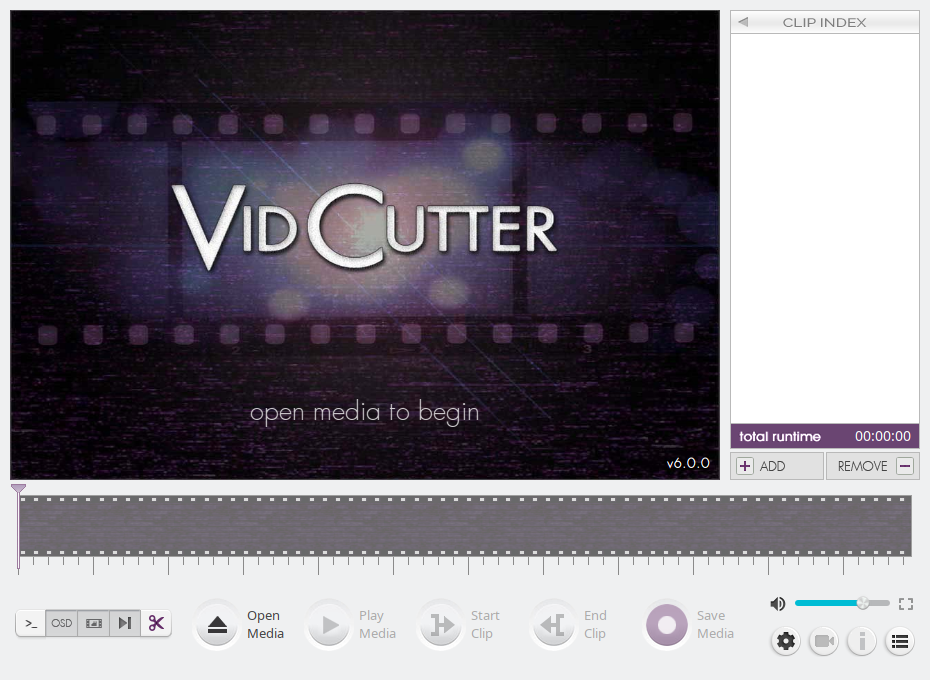
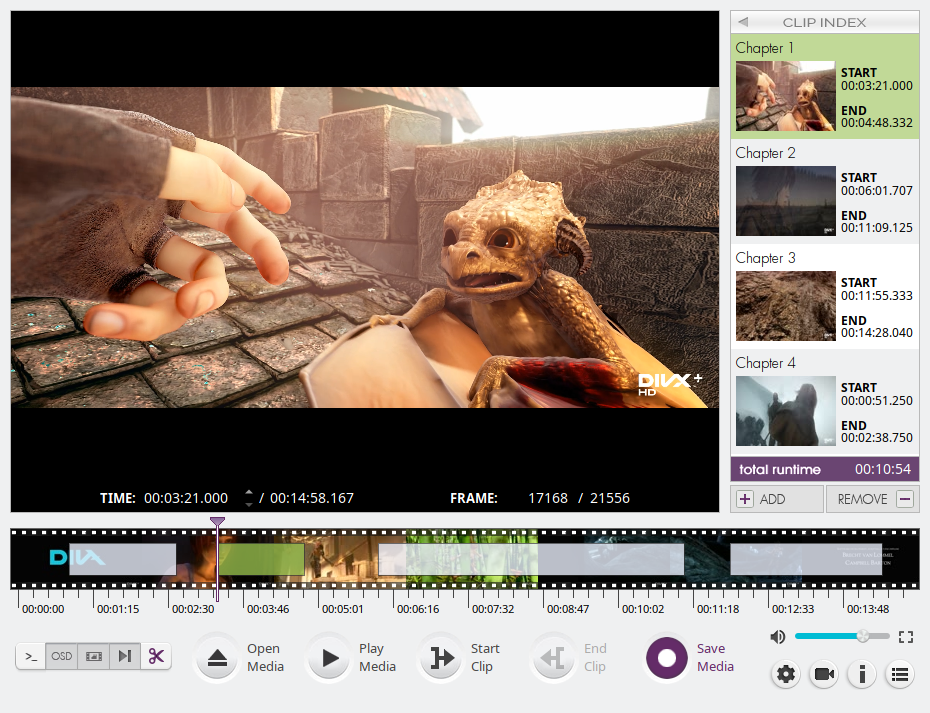
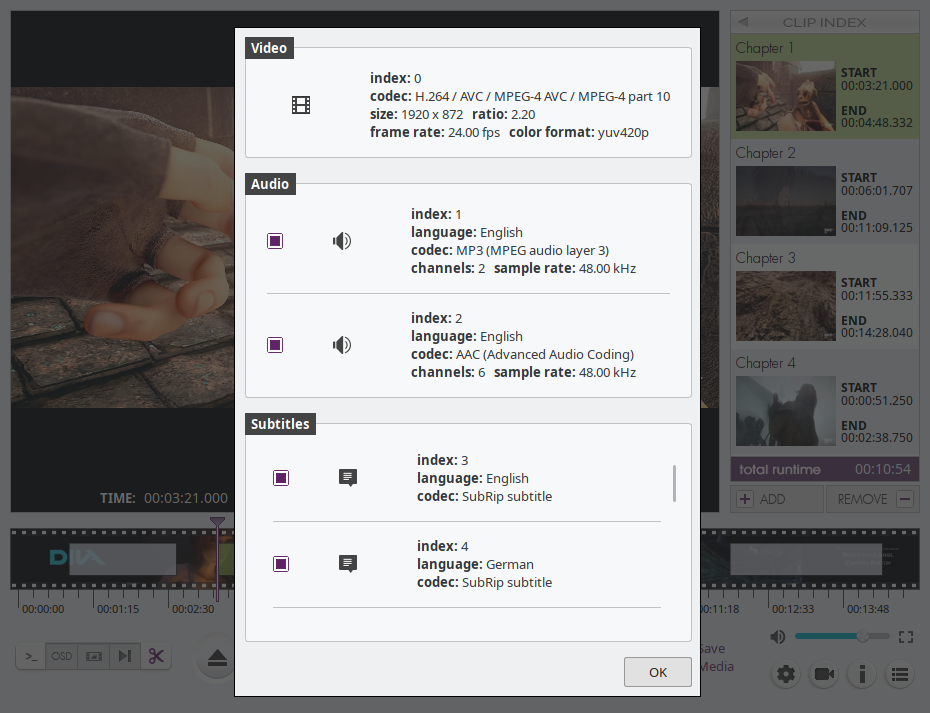
Screenshot 1 Screenshot 2 Screenshot 3 Screenshot 4

flatpak (Linux)

Install via Flathub

or via the terminal:

$ flatpak remote-add --if-not-exists flathub https://dl.flathub.org/repo/flathub.flatpakrepo
  (to enable the flathub repo if not already)
  
$ flatpak install flathub com.ozmartians.VidCutter
$ flatpak run com.ozmartians.VidCutter

snap (Linux)

Install via Snap store

or via the terminal:

$ sudo snap install vidcutter

Arch Linux (incl. Manjaro/etc.)

Users can install the stable version directly from the Arch Linux community repo packages or via AUR for the development version.

LATEST STABLE RELEASE:

    $ sudo pacman -S vidcutter

Using an AUR helper like yay (replace yay with any other AUR helper):

LATEST DEVELOPMENT RELEASE:

    $ yay -S vidcutter-git

Ubuntu (incl. Mint/Debian/KDE Neon/etc.)

Users can install the latest release via:

ppa:ozmartian/apps

The following set of commands will get you up and running:

$ sudo add-apt-repository ppa:ozmartian/apps
$ sudo apt update
$ sudo apt install vidcutter

openSUSE

VidCutter is available from openSUSE's official repos for Tumbleweed, Leap versions will be supported soon. Community built packages can be found @ https://software.opensuse.org/package/vidcutter.

VidCutter is also available from the popular Packman repository. Instructions to enable it can be found @ https://en.opensuse.org/Additional_package_repositories#Packman.

Fedora

Fedora 34 & Rawhide builds via copr @ https://copr.fedorainfracloud.org/coprs/suspiria/VidCutter

$ dnf copr enable suspiria/VidCutter

Also available at United RPMs at https://unitedrpms.github.io and https://github.com/UnitedRPMs/unitedrpms


Microsoft Windows

Download the latest Windows installer by clicking the button below.

Latest Releases

Chocolatey package

VidCutter is available from Chocolatey (its a package manager like in Linux but for Windows).

To install VidCutter, run the following command from the command line or PowerShell:

C:\> choco install vidcutter

To upgrade VidCutter, run the following command from the command line or PowerShell:

C:\> choco upgrade vidcutter

macOS

Only macOS Catalina and below is currently supported. Big Sur is unstable until further notice.

Download the latest macOS installer by clicking the button below.

Latest Releases

Homebrew package

VidCutter is available from Homebrew as a cask.

To install VidCutter, run the following command in a terminal:

$ brew install --cask vidcutter

Running from Python source

In order to run from source code you need to first build a Python extension and then run the app as follows, from within the source code folder:

$ python3 setup.py build_ext -i
$ python3 -m vidcutter

Working installations of libmpv and ffmpeg must be pre-installed for your specific OS. For Linux, package names are usually named libmpv1 or mpv and ffmpeg. For the media information option to work you'll also need a working install of mediainfo.

You will need Python packages pyopengl and simplejson pre-installed, via pip install pyopengl simplejson or distro packages, and a working PyQt5 + Qt5 libraries installation. Windows users can simply pip install PyQt5 to be up and running, Linux users should install a relevant PyQt5 package from their Linux distribution's package manager. Linux package names for PyQt5 are usually named python-pyqt5 or python3-pyqt5 and will take care of the Qt5 side of things too.


Command-line for debugging (Linux/macOS only)

$ vidcutter --help

Usage: vidcutter [options] [video] [project]

VidCutter - the simplest + fastest video cutter & joiner

Options:
  --debug        debug mode; verbose console output & logging. This will
                 basically output what is being logged to file to the console
                 stdout. Mainly useful for debugging problems with your system
                 video and/or audio stack and codec configuration.
  --dev          developer mode; disables the use of compiled resource files so
                 that all app resources & assets are accessed directly from the
                 file system allowing you to see UI changes immediately. this
                 typically relates to changes made to Qt stylesheets (.qss),
                 layout/templates, content includes and images. basically all
                 assets defined in .qrc files throughout the codebase.
  -v, --version  Displays version information.
  -h, --help     Displays this help.

Arguments:
  video          Preload video file
  project        Open VidCutter project file (.vcp)

Frequently asked questions

Is vidcutter free to use?

vidcutter is open source under the GPL-3.0 licence. There is no licence fee and no seat count — you can self-host it or, where the project offers one, pay a vendor for a managed version instead.

What does vidcutter do?

A modern yet simple multi-platform video cutter and joiner.

What is vidcutter written in?

vidcutter is primarily written in Python. Its source is publicly available at https://github.com/ozmartian/vidcutter, and it has 1,996 GitHub stars.