Ultracopier is a free, GPL-3.0-licensed C++/Qt desktop utility that replaces the operating system's file copy dialogs with a queue-based transfer manager, aimed at users who need control over long, interrupted, or error-prone copy jobs rather than a simple progress bar.
What it is
Ultracopier is an open-source application written in C++ and built on Qt 6.7, released under GPL-3.0 and hosted on GitHub, with its project site at ultracopier.herman-brule.com. It belongs to the Productivity & Utilities / File Management & Sync category, and its stated purpose is to act as a replacement for files copy dialogs — the window a desktop environment shows while moving or duplicating files.
The concrete problem it solves is the limited control that stock copy dialogs give over a transfer. Ultracopier replaces that dialog with a managed job model: copies are held in a task queue, can be paused and resumed, and unfinished jobs can be picked up again later. It adds dynamic speed limitation so a transfer can be throttled while it runs, collision management for conflicting destination names, and error management with on-error resume so that a failed file does not force the whole operation to be abandoned. It also supports plugins for customisation.
Key capabilities
- A task queue that holds copy jobs rather than running each one as an isolated dialog.
- Pause and resume controls for running transfers.
- Resuming of unfinished jobs after they have been interrupted.
- Dynamic speed limitation applied during a copy.
- Collision management for destination filename conflicts, alongside error management with on-error resume.
- Plugin support for customisation, documented in the repository's
plugins/README.md.
- Translations handled through Qt Linguist:
lupdate ultracopier.pro updates the sources, each language lives in (plugins|resources)/Languages/XX/translation.ts, and lrelease compiles them to .qm files shipped with the release.
Who uses it and how
- Desktop Linux users on Debian-based distributions, for which the README gives an explicit dependency line covering
make, gcc, build-essential, libssl-dev, qt6-base-dev, qtchooser, qmake6, qt6-base-dev-tools and qt6-tools-dev-tools.
- People copying sets of files where a collision or an error would otherwise interrupt the job, who need the operation to continue or to be resumable rather than restarted.
- Translators, who follow the documented four-step workflow of running
lupdate, placing a translation.ts in the language directory, running lrelease, and replacing the .qm files in a release.
- Plugin authors extending behaviour through the plugin structure described in
plugins/README.md.
- Contributors working through the GitHub issue tracker and merge requests; the repository shows 509 stars, 96 forks and 2 open issues, indicating a small but actively maintained project.
Getting started
The README describes building an all-in-one version by compiling the main Qt project directly: run find ./ -name '*.ts' -exec lrelease {} \;, then qmake ultracopier.pro, then make -j$(nproc), and launch the result with ./ultracopier.
How it compares
No list of paid products or comparable tools is provided in the facts for this entry, and the README names none, so Ultracopier stands alone in this registry. It should be evaluated on its own terms: a GPL-3.0 file-copy replacement that is built from source rather than bought.
When to use it — and when not
Choose Ultracopier if you are willing to operate a C++17 and Qt 6.7 build toolchain, including the Qt development packages and libssl-dev, and to compile the application yourself; the README documents building, running and translating, but not the graphical workflow, so the interface has to be learned by using it. It is a poor fit for anyone who expects a packaged installer, since no binary distribution method is described in the facts provided, and for anyone who wants a broad feature set — the project explicitly targets minimal dependencies and "no bloatware", which means unrelated or narrowly useful features are deliberately excluded.
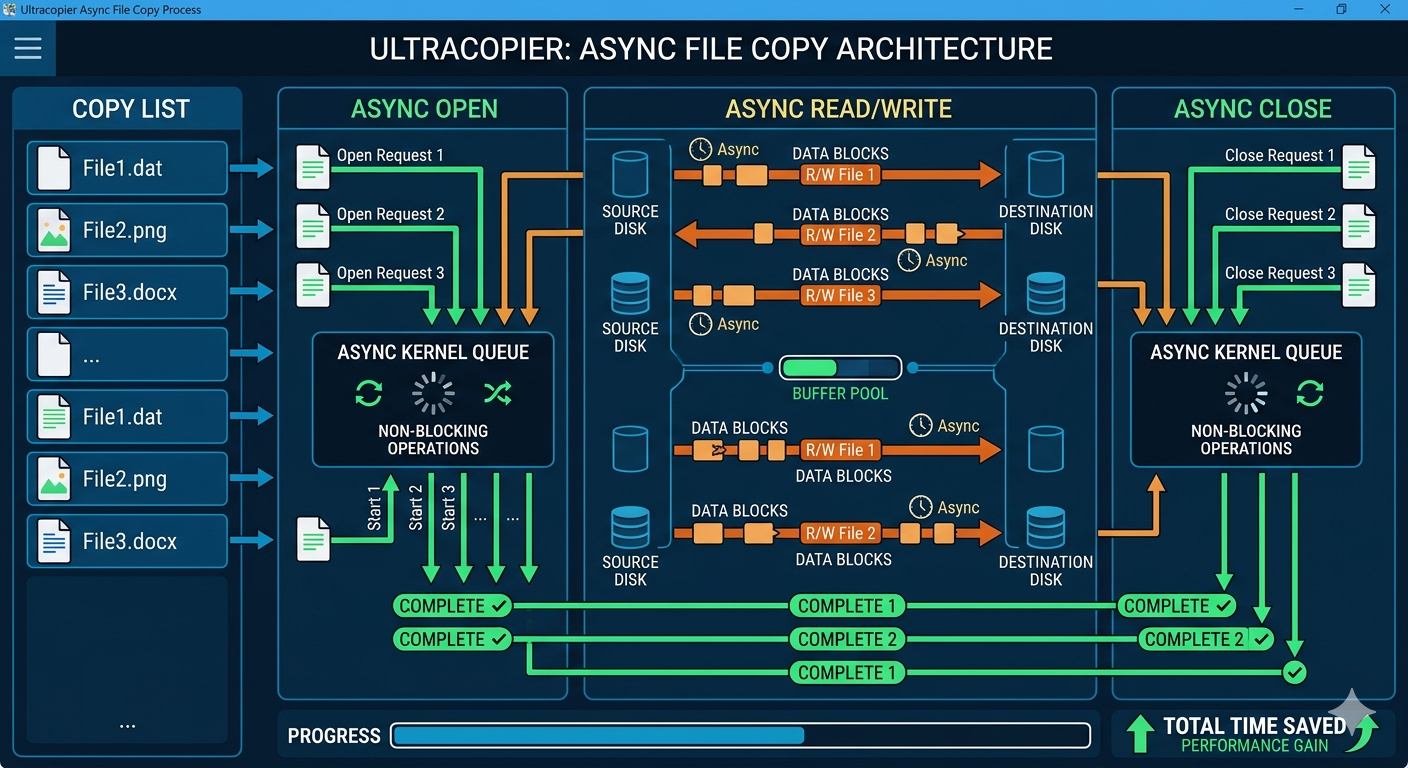
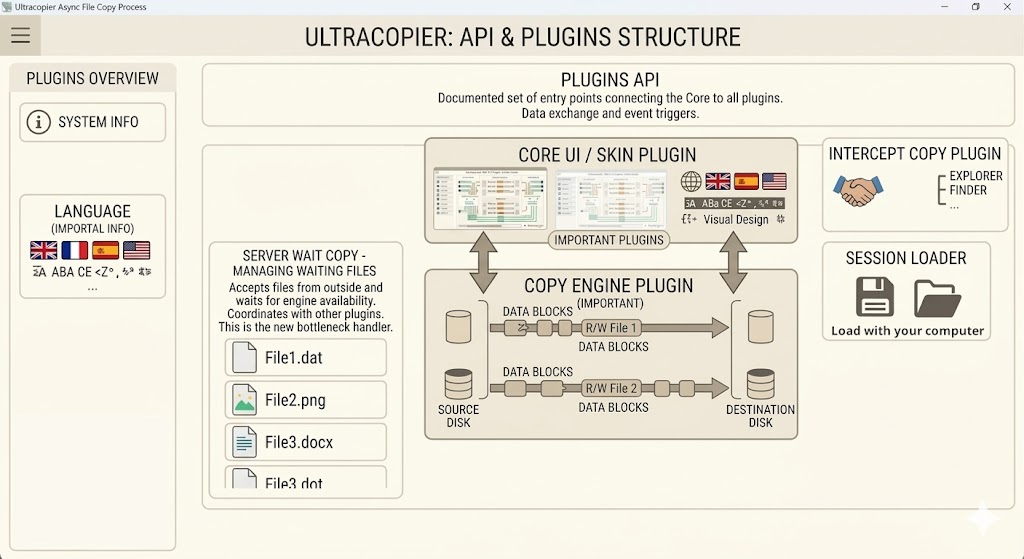 Customizations in form of Plugins are also possible.