uiw is an MIT-licensed React component library and UI toolkit for developers building interfaces on React 16 and later who want a set of individually installable, TypeScript-authored components with published documentation.
What it is
uiw is a component library for React 16+, published to npm under the uiw package name with individual components also distributed separately under the @uiw/react-* scope. The project is written in TypeScript, holds an MIT licence, and is organised as a monorepo built with Lerna, which contains several packages such as uiw, @uiw/react-affix, @uiw/react-alert, @uiw/react-avatar, @uiw/react-back-top, @uiw/react-badge, @uiw/react-breadcrumb, @uiw/react-button, @uiw/react-button-group, and @uiw/react-calendar, each with its own npm downloads and version badge. Official documentation is hosted at the uiwjs.github.io website, and the repository itself serves as the source for that documentation site.
The concrete problem it addresses is the amount of interface work a React team otherwise repeats from scratch: instead of hand-building buttons, alerts, avatars, badges, breadcrumbs, calendars and similar primitives for each project, a developer imports ready-made components such as Button from uiw and renders them directly. Because each component is also published as its own package, the library replaces the need to maintain a private in-house set of shared UI primitives across React 16+ applications.
Key capabilities
- Ships a consolidated
uiw package plus individually published component packages including @uiw/react-affix, @uiw/react-alert, @uiw/react-avatar, @uiw/react-badge, @uiw/react-breadcrumb, @uiw/react-button, @uiw/react-button-group, @uiw/react-calendar, and @uiw/react-back-top.
- Provides ready-to-render React components, demonstrated in the README by importing
{ Button } from uiw and rendering it through ReactDOM.render into an app element.
- Is authored in TypeScript and published with per-package npm version and download badges so consumers can track each component's release state.
- Scaffolds a new React and uiw project in one command with
npx create-kkt my-app -e uiw, using the kkt toolchain from the kktjs organisation.
- Hosts full component documentation at https://uiwjs.github.io, with the repository doubling as the documentation site's source.
- Offers a VS Code extension named
uiw.uiw, published to the Visual Studio Marketplace, for previewing the library inside the editor.
- Maintains a legacy
uiw v1.x version on the v1 branch of the repository for projects that have not upgraded.
Who uses it and how
- Front-end developers starting a greenfield React 16+ application scaffold it with
npx create-kkt my-app -e uiw rather than assembling a build configuration by hand.
- Teams standardising shared interface elements install
uiw with npm install uiw --save and import components such as Button directly into their pages.
- Maintainers who want to adopt a single component at a time pull the corresponding
@uiw/react-* package instead of the whole toolkit.
- Projects still pinned to the older line stay on the
uiw v1.x release from the v1 branch while newer work moves to the current package.
- Contributors work across a Lerna-managed monorepo where each component lives in its own directory under
packages/ with its own npm package.
Getting started
Install the library with npm install uiw --save, or scaffold a complete React and uiw project using npx create-kkt my-app -e uiw.
How it compares
The facts provided name no comparable component libraries or paid products for this registry entry, so uiw stands alone here rather than alongside a named set of alternatives.
When to use it — and when not
The repository lists 38 open issues, which suggests ongoing rough edges worth checking before committing to it for production work, and a project on the older v1.x branch should plan an upgrade path to the current package. A team that needs components beyond those published under @uiw/react-* will have to build them itself, and anyone who cannot rely on the uiwjs.github.io documentation should be prepared to read the package sources directly.
project readme (upstream, from github) — read inline
Using my app is also a way to support me:









































uiw
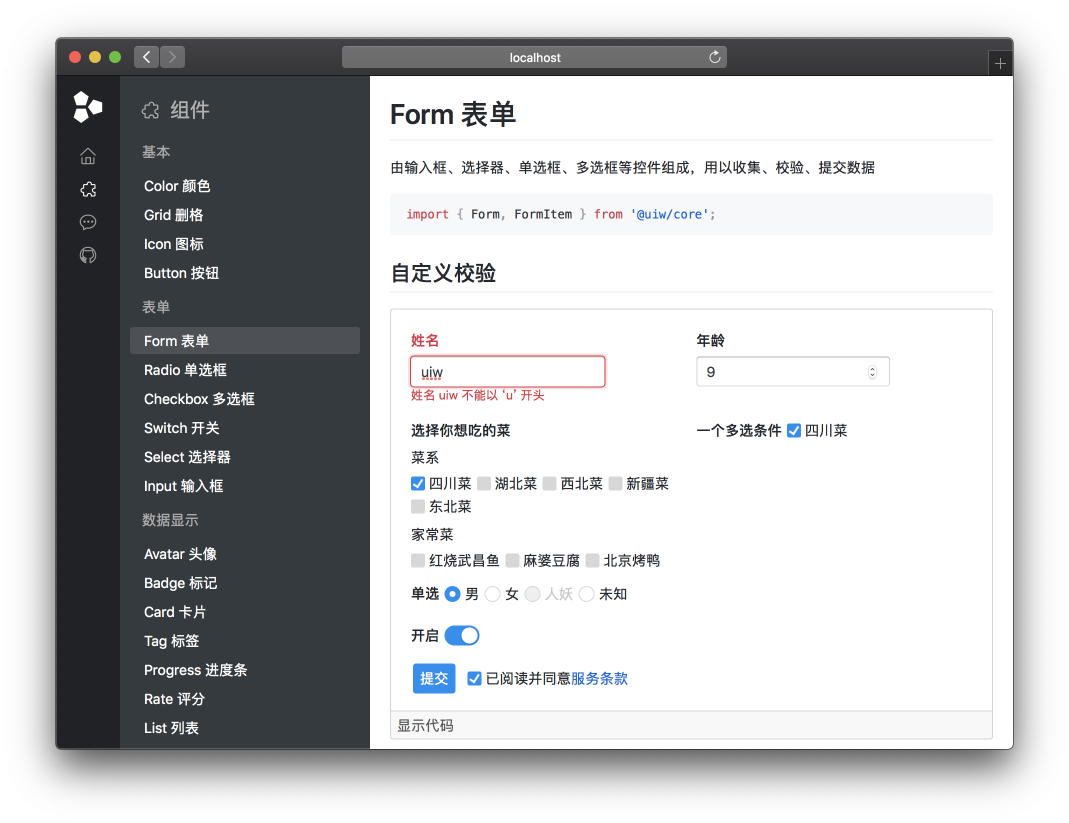
The official documentation site for uiw. A high quality UI Toolkit, A Component Library for React 16+. 💘
Installation
npm install uiw --save
You can use kkt to quickly create a react + uiw project.
npx create-kkt my-app -e uiw
You can use the uiw v1.x version. Please see here for instructions. (npx comes with npm 5.2+ and higher.)
Basic Usage
import React from "react";
import ReactDOM from "react-dom";
import { Button } from "uiw";

ReactDOM.render(
  <Button type="primary">Hello</Button>,
  document.getElementById("app")
);
Documentation
Visit the uiwjs.github.io website for more information.
Or Open in VSCode Preview :

Packages
This git repository is a repo built using Lerna. It contains several packages:
Development
Use Gitpod, a free online dev environment for GitHub.

Or clone locally:
$ git clone git@github.com:uiwjs/uiw.git
Install dependencies & compile component code.
$ npm install # Install dependencies

$ npm run hoist
$ npm run build
To develop, run the self-reloading build:
# Run the app
# Restart the app automatically every time code changes.
# Useful during development.
$ npm run lib:watch
$ npm run start
$ lerna run --scope uiw watch --stream
$ lerna exec --scope @uiw/button -- tsbb types --outDir lib/esm --target ESNEXT --watch
$ lerna exec --scope @uiw/button -- tsbb watch --target react --env-name esm:dev --env-name cjs
Folders
├── LICENSE
├── README.md
├── package.json
├── website
│   ├── uiw        # Documentation website source code
└── packages
    ├── uiw        # Component library source code
    ├── react-alert
    ├── react-tree
    ├── ...
    └── react-affix
Contributors

License
Licensed under the MIT License.


