UI Builder — Visual Editor for Your React App
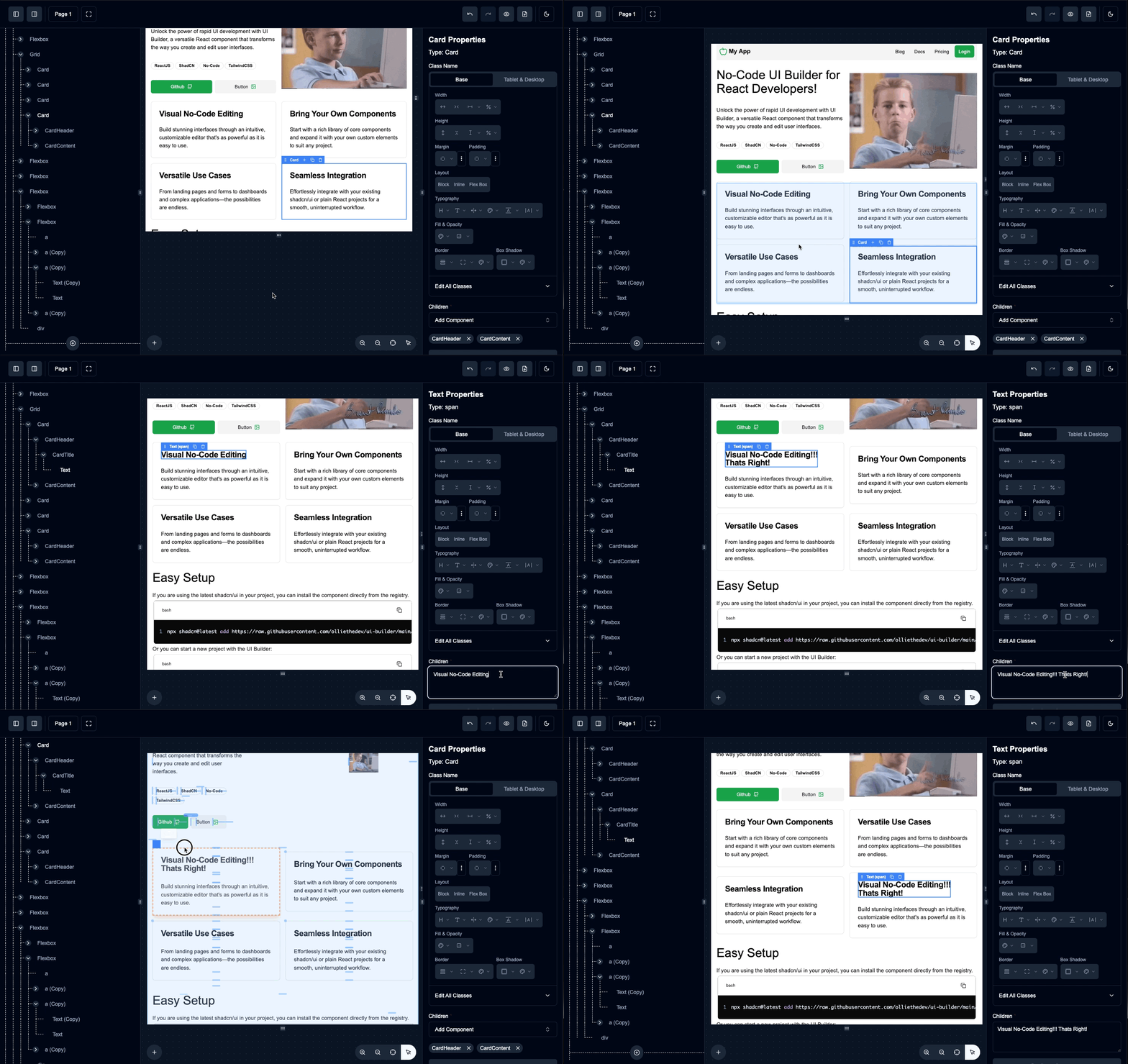
UI Builder is a shadcn/ui package that adds a Figma-style editor to your own product, letting non-developers compose pages, emails, dashboards, and white-label views with the exact React components you already ship.
Layouts are saved as plain JSON for easy versioning and can be rendered instantly with dynamic data.
UI Builder is now part of BTST — ship full-stack features faster with production-ready plugins that generate database schemas, API routes, and pages for Next.js, TanStack Start, and React Router.
Installation
Quick Start with shadcn/ui
If you already have a shadcn/ui project:
npx shadcn@latest add https://raw.githubusercontent.com/olliethedev/ui-builder/main/registry/block-registry.json
Or start a new Next.js project with UI Builder:
npx shadcn@latest init https://raw.githubusercontent.com/olliethedev/ui-builder/main/registry/block-registry.json --base-color zinc
Optional: Add All Shadcn Components
Install the full shadcn component library with 54 pre-configured components and 124 block templates:
npx shadcn@latest add https://raw.githubusercontent.com/olliethedev/ui-builder/main/registry/shadcn-components-registry.json
Optional: Add React Email Support
Install the react-email registry when you are building email templates in UI Builder:
npx shadcn@latest add https://raw.githubusercontent.com/olliethedev/ui-builder/main/registry/react-email-components-registry.json
This installs the react-email component registry plus email-specific builder utilities (emailPageRenderer, emailCodeGenerator, and DEFAULT_EMAIL_TAILWIND_CONFIG).
For Safari/iOS compatibility with @react-email/render, add this import at the top of your email route entry file:
import "web-streams-polyfill/polyfill";
Handling Peer Dependencies
If you encounter peer dependency warnings (common with React 19), create a .npmrc file:
echo "legacy-peer-deps=true" > .npmrc
Note: Use style variables for proper page theming.
Basic Usage
import z from "zod";
import UIBuilder from "@/components/ui/ui-builder";
import { Button } from "@/components/ui/button";
import { ComponentRegistry } from "@/components/ui/ui-builder/types";
import { primitiveComponentDefinitions } from "@/lib/ui-builder/registry/primitive-component-definitions";

const myComponentRegistry: ComponentRegistry = {
  ...primitiveComponentDefinitions,
  Button: {
    component: Button,
    schema: z.object({
      className: z.string().optional(),
      children: z.any().optional(),
      variant: z.enum(["default", "destructive", "outline", "secondary", "ghost", "link"]).default("default"),
    }),
    from: "@/components/ui/button",
  },
};

export function App() {
  return <UIBuilder componentRegistry={myComponentRegistry} />;
}
Tailwind Theme Panel Override
You can override or hide the default TailwindThemePanel in the Appearance tab without replacing full panel wiring:
<UIBuilder
  componentRegistry={myComponentRegistry}
  tailwindThemePanel={false} // hide panel
/>
Or provide your own custom node:
<UIBuilder
  componentRegistry={myComponentRegistry}
  tailwindThemePanel={<MyCustomThemePanel />}
/>
Documentation
For comprehensive documentation, visit uibuilder.app:
- Quick Start — Get up and running
- Component Registry — Configure components
- Shadcn Registry — Use pre-built shadcn components and blocks
- Custom Components — Add your own components
- Variables — Dynamic data binding
- Rendering Pages — Render saved layouts
Development
# Build component registries
npm run build-all-registries

# Run tests
npm run test

# Sync with latest shadcn components
npm run sync-shadcn
Breaking Changes
v2.0.0
- Internal structure changes. Delete old
/ui-builderand/lib/ui-builderdirectories before updating.
v1.0.0
- Removed
_page_layer type. Use any component type as root. componentRegistryis now a prop, not a standalone file.
See the full changelog for details.
Contributing
Contributions are welcome! Please feel free to submit issues and pull requests.
License
MIT