Ueli
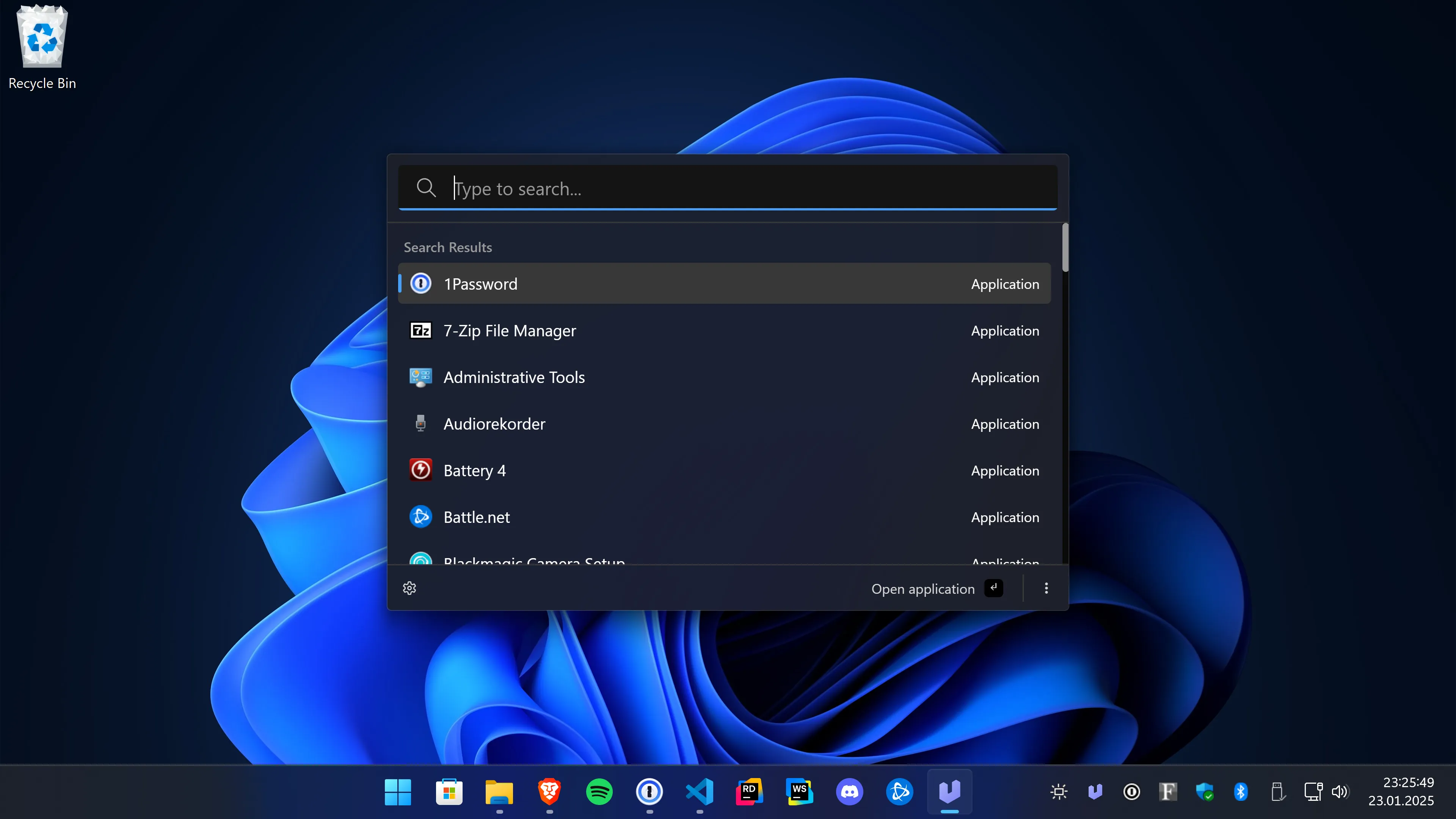
Ueli is a cross-platform keystroke launcher.
Installation
Please download Ueli only from the Microsoft Store, the Website https://ueli.app, or this repository.
Windows
Get the app from the Microsoft Store or install it with winget: winget install Ueli -s msstore.
Optionally, you can also manually download and install the app from here, but note that, due to cost reasons, these binaries are not signed. Windows will prevent you from installing / opening the app.
macOS
Download and install the app from here. Note that, due to cost reasons, these binaries are neither signed nor notarized.
Because Ueli is neither signed nor notarized, macOS will prevent you from installing or opening the app. When you try to launch the app for the first time macOS will block it from opening. You can open the "System Settings", go to "Privacy & Security" and click on "Open anyway", see screenshot.
Linux
Download and install the app from here.
First steps
- When you launch the app for the first time the main window will show up and you can start typing for what you're looking for.
- Use the hotkey "Alt+Space" to show/hide Ueli.
- Use the arrow keys to navigate up and down in the search result list.
- Press "Enter" to launch the selected item.
- Press "Cmd+K" (macOS) or "Ctrl+K" (Windows, Linux) to open the additional actions of the selected search result item and use the arrow keys to navigate up and down in the menu. Press "Enter" to invoke the selected action. Press "Escape" to close the additonal action menu.
- To add a frequently used item to your favorites open the additional actions menu and click on "Add to Favorites". Now this item will appear always first in the search result list. To remove an item from your favorites open the additional actions and click on "Remove from favorites". Alternatively, you can also open the settings and go to "Favorites" to see all favorites. Click on the "x" icon to remove an item from your favorites.
- Press "Cmd+," (macOS) or "Ctrl+," (Windows, Linux) or click on the "Settings" button to open the settings. Here you can configure Ueli to your liking.
- To browse the extensions click on "Extensions" in the left navigation. Toggle the switch to enable/disable an extension. As soon as an extension is enabled an additional item will appear in the left navigation where you will find the settings for that specific extension. You'll find more info about the extensions here.
Debugging
If something does not work as expected, go to "Settings" and click on "Debug".
Here you might find some logs that help find the issue.
Settings
⚠️ Under construction...
Extensions
- Appearance Switcher
- Application Search
- Base64 Conversion
- Browser Bookmarks
- Calculator
- Color Converter
- Currency Conversion
- Custom Web Search
- DeepL Translator
- File Search
- JetBrains Toolbox
- Password Generator
- Quick Formatter
- Rowland Text Editor
- Simple File Search
- System Commands
- System Settings
- Terminal Launcher
- Ueli Commands
- UUID / GUID Generator
- Visual Studio Code
- Web Search
- Windows Control Panel
Known issues
Linux
Global hotkeys may not work under Wayland sessions. As a workaround, bind a custom shortcut in your system settings to call ueli to show and focus the main window, or ueli --toggle to toggle the main window.
Development
Please read the contribution guidelines first.
Requirements
- Node.js 24: https://nodejs.org/en
- Make sure you have commit signing enabled
- Optional: if you're using Visual Studio Code we recommend installing the recommended extensions
Setup
Install dependencies
$ npm install
Running the app
Run app in dev mode
$ npm run dev
Debugging
If you're using Visual Studio Code, you can start the debugger for the main process, see screenshot:
Quality checks
Check formatting
$ npm run format:checkFormat the code
$ npm run format:writeLint files
$ npm run lintPerform typecheck
$ npm run typecheckRun tests
$ npm run test
Build and package the app
Build
$ npm run buildPackage
$ npm run package