Typemill is an open-source, MIT-licensed flat-file content management system that stores every page as a Markdown file and is built for authors and teams publishing informational sites such as documentation, manuals, handbooks, knowledge bases, and wikis.
What it is
Typemill is a flat-file CMS built on a modern stack of Slim PHP, Vue.js, and Tailwind CSS. Content lives in Markdown files on disk rather than in a database, and the whole application ships as roughly 2MB when gzipped. Authors work either in a visual block editor or in a raw Markdown editor, while developers extend the system through Twig templates, a Symfony event dispatcher, and YAML definitions. It runs on a standard web server such as Apache or Nginx with PHP 8.1 or higher and common PHP libraries including mod_rewrite, gd, mbstring, fileinfo, session, and iconv.
The concrete problem it solves is the disconnect between a database-backed CMS and the file-based workflow that documentation and eBook publishing actually want. Instead of storing prose in database tables and exporting it later through separate tooling, Typemill keeps every page as a portable Markdown file and turns that same source into both a website and a downloadable book. The eBook plugin performs this Single Source Publishing step, converting content to PDF and ePUB from the identical Markdown originals, so a manual or handbook does not need to be maintained twice.
Key capabilities
- Flat-file architecture: no database is required, and all content is stored as Markdown files.
- Two authoring modes: a visual block editor and a raw Markdown editor.
- Single Source Publishing through the eBook plugin, which converts content to PDF and ePUB.
- Extensibility via plugins, themes, and custom eBook layouts.
- Developer surface made of Twig templates, a Symfony event dispatcher, and YAML definitions.
- Small footprint of about 2MB when gzipped.
- Standard hosting requirements: Apache or Nginx, PHP 8.1 or higher, plus mod_rewrite, gd, mbstring, fileinfo, session, and iconv.
Who uses it and how
- Documentation teams publishing user manuals, documentation sites, knowledge bases, wikis, and handbooks.
- Technical writers and help authors who produce eBooks and need PDF and ePUB output from the same Markdown source.
- Self-hosters on shared or dedicated servers who deploy by unpacking a ZIP file and uploading it over FTP, then completing setup at
www.your-typemill-website.com/tm/setup.
- Operators who prefer containerised deployment and run the official
kixote/typemill image from DockerHub.
- Developers building custom themes and plugins on Twig templates, YAML definitions, and the Symfony event dispatcher.
Getting started
Install by downloading and unpacking the latest ZIP release from the Typemill website and uploading the files, or by cloning the GitHub repository and running composer update, or by pulling the official Docker image kixote/typemill. Setup is completed at /tm/setup, where an admin user is created, and the /cache, /content, /data, /media, and /settings folders must be writable.
How it compares
The facts provided name no competing products, paid or otherwise, so no licence, cost, or hosting comparison can be drawn here. On the record available, Typemill stands alone in this registry as a flat-file, Markdown-based CMS aimed at documentation and eBook publishing.
When to use it — and when not to
A self-hoster takes on a PHP 8.1 or higher runtime, a web server such as Apache or Nginx with the listed PHP libraries, and correct write permissions on /cache, /content, /data, /media, and /settings; there is no database to run, but the file permissions and PHP extension requirements are real operational work. Teams that want a managed, zero-administration publishing platform, or that need extensions sourced entirely under open licences, should look elsewhere, because plugins, themes, and services are published under both MIT and commercial licences. The project also carries 52 open issues, and the README does not cover backup, migration, or multi-author editorial workflow, so those aspects should be verified against the documentation before committing.
project readme (upstream, from github) — read inline
Typemill
Typemill is an open-source flat-file CMS for creating websites and eBooks with markdown files. It’s commonly used for informational websites such as user manuals, documentation, knowledge bases, wikis, and handbooks.
Learn more at typemill.net, check the demo installation, or get started with the starter guide.
Key Features
- Flat-file – no database required.
- Modern stack – built with Slim PHP, Vue.js, and Tailwind CSS.
- Lightweight – only 2MB when gzipped.
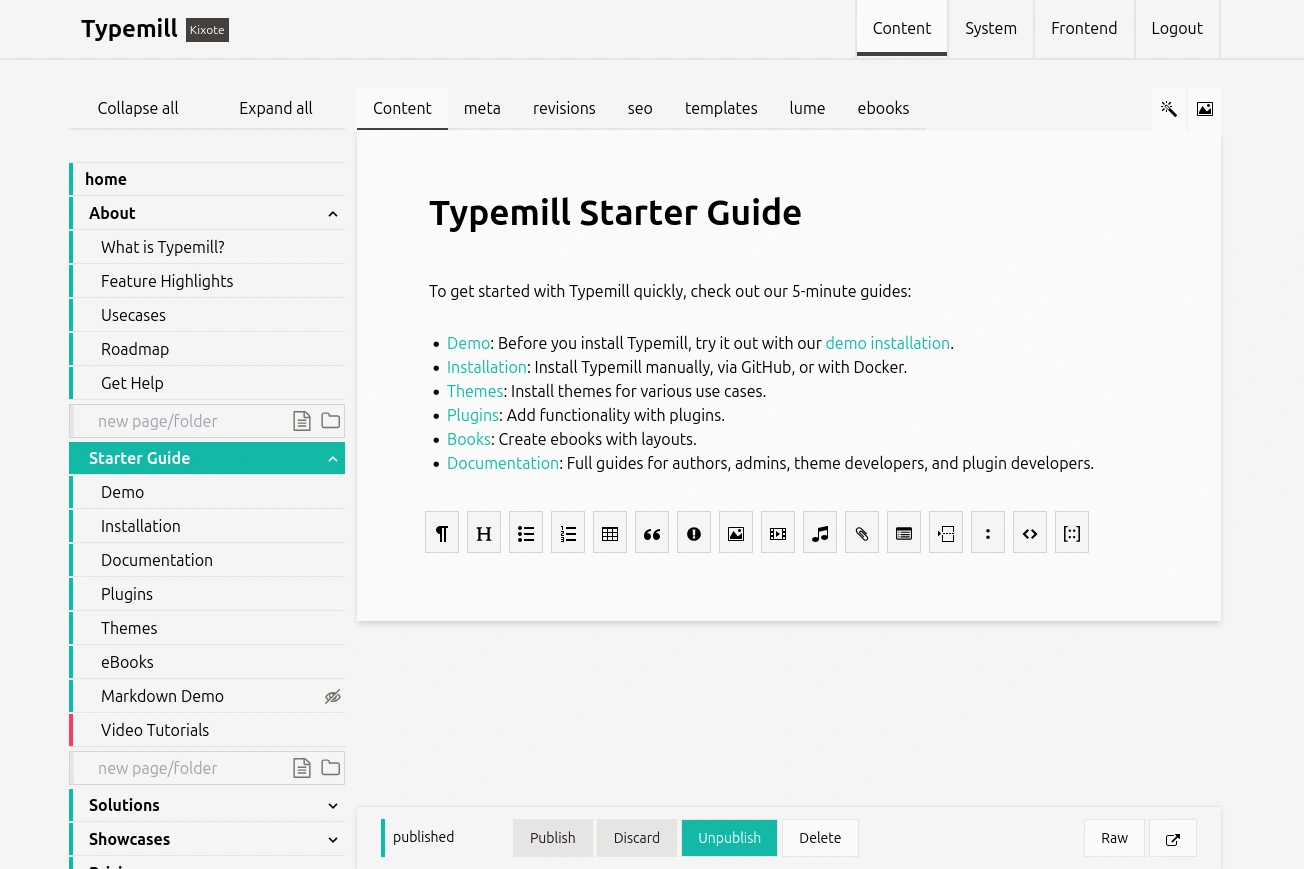
- Author-friendly – visual block editor and raw markdown editor.
- Developer-friendly – Twig templates, Symfony event dispatcher, YAML definitions.
- Flexible – extend with plugins, themes, and custom eBook layouts.
- Single Source Publishing – convert content to PDF and ePUB with the eBook plugin.
Requirements
To run Typemill, you need the following:
- Web server (Apache or Nginx).
- PHP 8.1 or higher.
- Standard PHP libraries like mod_rewrite, gd, mbstring, fileinfo, session, iconv, and more.
Installation
Check installation guides for different setups at docs.typemill.net
Using ZIP File and FTP
- Download and unpack the latest zip-version from the Typemill Website.
- Upload all files to your server.
- Check the file-permissions (see below).
- Visit your new website at
www.your-typemill-website.com/tm/setup.
- Create an admin user.
- Log in and start writing.
Using GitHub and Composer
Clone this repository:
git clone https://github.com/typemill/typemill.git
Run Composer to install the required libraries:
composer update
Using Docker
Use the official image from DockerHub or read the description on docs.typemill.net
Folder Permissions
Ensure that the following folders are writable:
/cache/content/data/media/settings
Security Issues
If you discover a potential security issue related to Typemill, please report it via email to security@typemill.net, and we'll address it promptly.
License
Typemill is an open-source project published under the MIT License. Plugins, themes, and services are published under MIT and commercial licenses.