twscrape
twscrape is an async Python library and CLI for X/Twitter Search and GraphQL endpoints. It runs on your own account pool, keeps sessions in SQLite, rotates accounts when an endpoint is rate-limited, and returns either parsed SNScrape-style models or raw API responses.
Install
pip install twscrape
httpx is the default HTTP backend. For browser-like TLS fingerprinting, install the optional curl-cffi backend:
pip install "twscrape[curl]"

TWS_HTTP_BACKEND=curl twscrape user_by_login xdevelopers
Features
- Search and GraphQL X/Twitter API methods
- Async/await API for running multiple scrapers concurrently
- Login flow with optional email verification code retrieval
- Cookie-based account setup
- Saved account sessions and per-account proxies
- Raw Twitter API responses and parsed SNScrape-compatible models
- Automatic account switching across rate-limited operations
Sponsor

RapidProxy is a residential proxy platform with 90M+ real IPs across 200+ countries. It supports rotation, geo-targeting, and high concurrency to improve scraping success and reduce bans. Start your free trial today!
Discount Code: RAPID10 to get 10% off.
Start With Cookies
twscrape requires authorized X/Twitter accounts. The most stable setup is to add an account from browser cookies containing auth_token and ct0. The recommended way to export them from your current browser profile is unjar:
unjar x.com -f header | twscrape add_cookie my_account
twscrape accounts
twscrape search "from:xdevelopers lang:en" --limit=20
my_account is a local identifier; twscrape does not verify that it matches the X username stored in the cookies. Run the same command again to replace its saved session while preserving credentials, statistics, locks, and proxy settings.
Alternatively, let the CLI prompt securely for cookies copied from x.com -> DevTools (F12) -> Application -> Cookies:
twscrape add_cookie my_account
Cookie accounts that include auth_token and ct0 are activated immediately; no login_accounts step is needed.
Ready-to-use cookie accounts are available from this provider. Proxy users can bring their own proxies or use this provider. These are referral links.
X/Twitter's Terms of Service discourage using multiple accounts. Use this project responsibly and at your own discretion.
Python API
import asyncio
from twscrape import API, gather


async def main():
    api = API()  # or API("accounts.db")

    # Add once; the session is stored in the account database.
    await api.pool.add_account_cookies("my_account", "auth_token=xxx; ct0=yyy")

    user = await api.user_by_login("xdevelopers")
    print(user.id, user.username, user.followersCount)

    tweets = await gather(api.search("from:xdevelopers lang:en", limit=20))
    for tweet in tweets:
        print(tweet.id, tweet.user.username, tweet.rawContent)


if __name__ == "__main__":
    asyncio.run(main())
gather() is a convenience helper. You can stream results directly:
async for tweet in api.search("open source lang:en", limit=100):
    print(tweet.id, tweet.rawContent)
Configure what happens when no account is immediately available:
api = API(raise_when_no_account=True, wait_timeout=30, wait_interval=1)
wait_timeout limits how long to wait for a locked account, wait_interval controls how often the pool checks again, and raise_when_no_account raises NoAccountError instead of ending the operation. By default, twscrape waits indefinitely while active accounts are locked.
Search defaults to the Latest tab. Pass kv={"product": "Top"} or kv={"product": "Media"} to use another search product:
tweets = await gather(api.search("python", limit=20, kv={"product": "Top"}))
Every parsed method has a _raw version for the original response wrapper:
async for rep in api.search_raw("from:xdevelopers", limit=20):
    print(rep.status_code, rep.json())
When breaking out of an async generator early, close it with contextlib.aclosing so the account lock is released promptly:
from contextlib import aclosing

async with aclosing(api.search("elon musk")) as gen:
    async for tweet in gen:
        if tweet.id < 200:
            break
API Surface
Search:
await gather(api.search("elon musk", limit=20))  # list[Tweet]
await gather(api.search("elon musk", limit=20, kv={"product": "Top"}))  # Top tab
await gather(api.search_user("openai", limit=20))  # list[User]
await gather(api.search_trend("python", limit=20))  # list[Trend]
Tweets:
tweet_id = 20

await api.tweet_details(tweet_id)  # Tweet
await gather(api.tweet_replies(tweet_id, limit=20))  # list[Tweet]
await gather(api.tweet_thread(tweet_id, limit=20))  # list[Tweet]
await gather(api.retweeters(tweet_id, limit=20))  # list[User]
await gather(api.bookmarks(limit=20))  # list[Tweet]
Users and timelines:
user_login = "xdevelopers"
user_id = 2244994945

await api.user_by_id(user_id)  # User
await api.user_by_login(user_login)  # User
await api.user_about(user_login)  # AccountAbout
await gather(api.following(user_id, limit=20))  # list[User]
await gather(api.followers(user_id, limit=20))  # list[User]
await gather(api.verified_followers(user_id, limit=20))  # list[User]
await gather(api.subscriptions(user_id, limit=20))  # list[User]
await gather(api.user_tweets(user_id, limit=20))  # list[Tweet]
await gather(api.user_tweets_and_replies(user_id, limit=20))  # list[Tweet]
await gather(api.user_media(user_id, limit=20))  # list[Tweet]
Lists:
list_id = 123456789

await gather(api.list_timeline(list_id, limit=20))  # list[Tweet]
await gather(api.list_members(list_id, limit=20))  # list[User]
Communities:
community_id = 1501272736215322629

await api.community_info(community_id)  # Community
await gather(api.community_members(community_id, limit=20))  # list[User]
await gather(api.community_moderators(community_id, limit=20))  # list[User]
await gather(api.community_tweets(community_id, limit=20))  # list[Tweet]
Trends:
await gather(api.trends("news"))  # list[Trend]
await gather(api.trends("sport"))  # list[Trend]
await gather(api.trends("entertainment"))  # list[Trend]
await gather(api.trends("VGltZWxpbmU6DAC2CwABAAAACHRyZW5kaW5nAAA"))  # list[Trend]
Parsed Tweet, User, Community, and trend objects can be converted with .dict() or .json().
CLI
twscrape
twscrape search --help
Commands:
twscrape search "QUERY" --limit=20
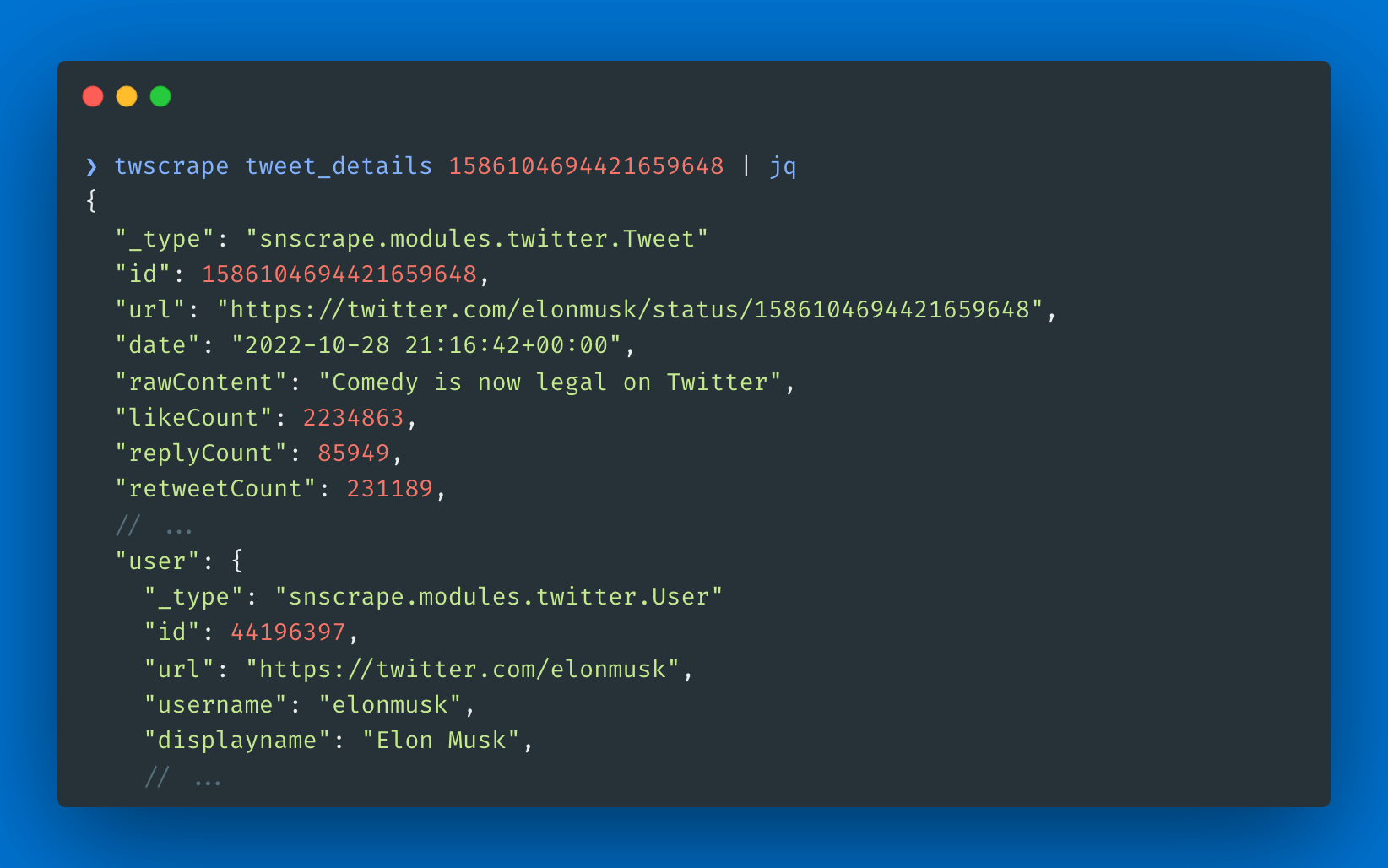
twscrape tweet_details TWEET_ID
twscrape tweet_replies TWEET_ID --limit=20
twscrape tweet_thread TWEET_ID --limit=20
twscrape retweeters TWEET_ID --limit=20
twscrape user_by_id USER_ID
twscrape user_by_login USERNAME
twscrape user_about USERNAME
twscrape user_media USER_ID --limit=20
twscrape following USER_ID --limit=20
twscrape followers USER_ID --limit=20
twscrape verified_followers USER_ID --limit=20
twscrape subscriptions USER_ID --limit=20
twscrape user_tweets USER_ID --limit=20
twscrape user_tweets_and_replies USER_ID --limit=20
twscrape list_timeline LIST_ID --limit=20
twscrape list_members LIST_ID --limit=20
twscrape community_info COMMUNITY_ID
twscrape community_members COMMUNITY_ID --limit=20
twscrape community_moderators COMMUNITY_ID --limit=20
twscrape community_tweets COMMUNITY_ID --limit=20
twscrape trends sport
CLI output is JSON Lines: one document per line.
twscrape search "elon musk lang:es" --limit=20 > tweets.jsonl
twscrape search "elon musk lang:es" --limit=20 --raw
Use a separate account database when you need isolated account pools:
twscrape --db research.db search "python lang:en" --limit=100
Accounts
Add username/password accounts from a file:
twscrape add_accounts ./accounts.txt username:password:email:email_password
twscrape login_accounts
twscrape login_accounts starts the login flow for each inactive account. If X asks for email verification and email_password is available, twscrape tries to read the code through IMAP and saves the resulting cookies for later use.
line_format describes how each line is split. Supported tokens:
username- requiredpassword- requiredemail- requiredemail_password- used to fetch email verification codes through IMAPcookies- cookie string, JSON, base64, or another format accepted by the parser_- skip column
Example account file:
username:password:email:email password:user_agent:cookies
Command:
twscrape add_accounts ./accounts.txt username:password:email:email_password:_:cookies
If IMAP is unavailable, enter verification codes manually:
twscrape login_accounts --manual
twscrape relogin user1 user2 --manual
twscrape relogin_failed --manual
Inspect and maintain the pool:
twscrape accounts
twscrape stats
twscrape relogin user1 user2
twscrape relogin_failed
twscrape reset_locks
twscrape delete_inactive
twscrape del_accounts user1 user2
twscrape accounts prints the current account state:
username  logged_in  active  last_used            total_req  error_msg
user1     True       True    2023-05-20 03:20:40  100        None
user2     True       True    2023-05-20 03:25:45  120        None
user3     False      False   None                 120        Login error
Limits
limit is the target number of parsed objects, not a page size. X/Twitter controls page size per endpoint, so a call can return fewer or more objects than requested.
Rate limits are tracked per account and per endpoint. When an account is limited for one operation, twscrape locks it for that operation until the reset time and tries another active account.
user_tweets and user_tweets_and_replies are limited by X/Twitter to about 3200 tweets.
Proxy
Use a proxy per account, per API instance, or for CLI commands:
await api.pool.add_account(
    "user1",
    "pass1",
    "user1@example.com",
    "email_pass1",
    proxy="http://login:pass@example.com:8080",
)

api = API(proxy="http://login:pass@example.com:8080")
doc = await api.user_by_login("xdevelopers")
TWS_PROXY=socks5://user:pass@127.0.0.1:1080 twscrape user_by_login xdevelopers
Proxy priority:
api.proxyTWS_PROXY- account proxy
Do not set api.proxy or TWS_PROXY when you want per-account proxies to be used.
Environment
TWS_PROXY- global proxy for all accountsTWS_WAIT_EMAIL_CODE- email verification timeout in seconds, default30TWS_RAISE_WHEN_NO_ACCOUNT- raiseNoAccountErrorinstead of waiting; acceptsfalse,0,true,1TWS_HTTP_BACKEND-httpxorcurlTWS_LOG_LEVEL- logger level, defaultINFOTWS_TELEMETRY=0- disable anonymous telemetry
Telemetry
twscrape collects anonymous, aggregated telemetry about used GraphQL operation names and the selected HTTP backend. It does not collect usernames, cookies, proxies, queries, request URLs, or response bodies. Disable it with TWS_TELEMETRY=0.
See Also
- twitter-advanced-search - guide on search filters
- TweeterPy - another X client
- twitter-api-client - implementation of Twitter's v1, v2, and GraphQL APIs