Twake Mail Client




This project aims at providing a multi-platform mobile email application, running the JMAP protocol and will also deliver additional features to the Twake Mail back-end.
Twake Mail is developed with love by Linagora.
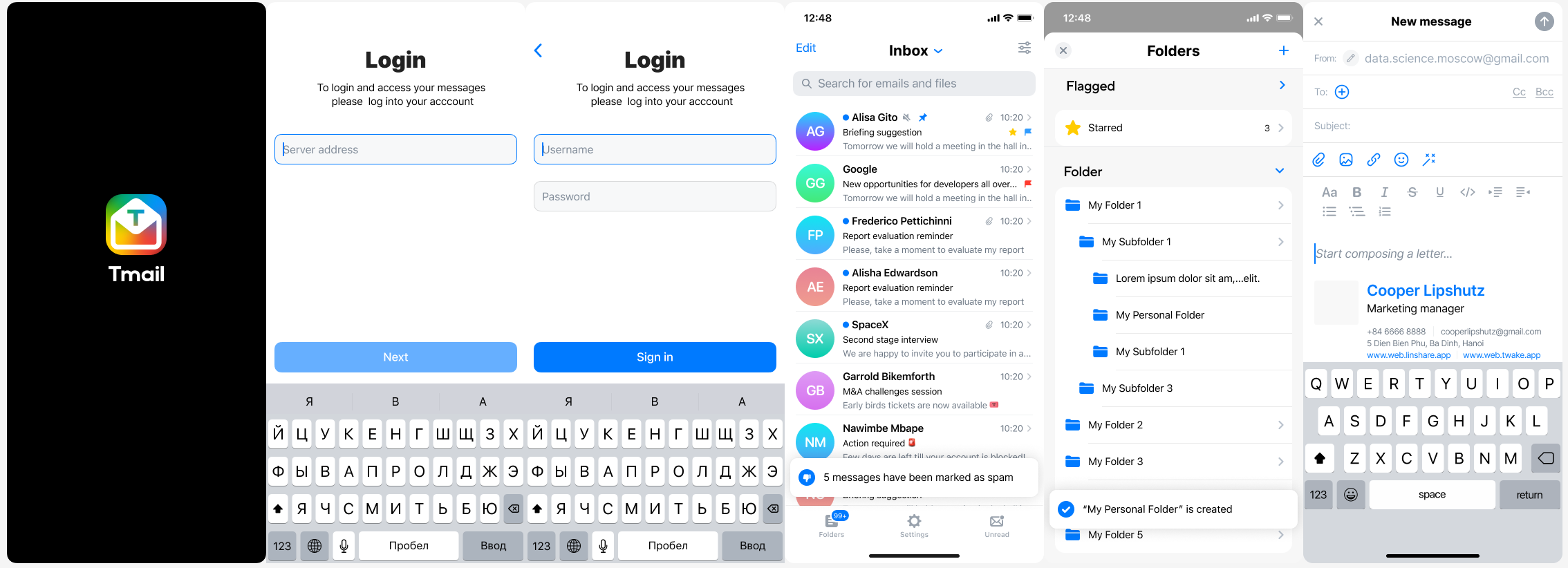
Here is how Twake Mail looks like on a phone:
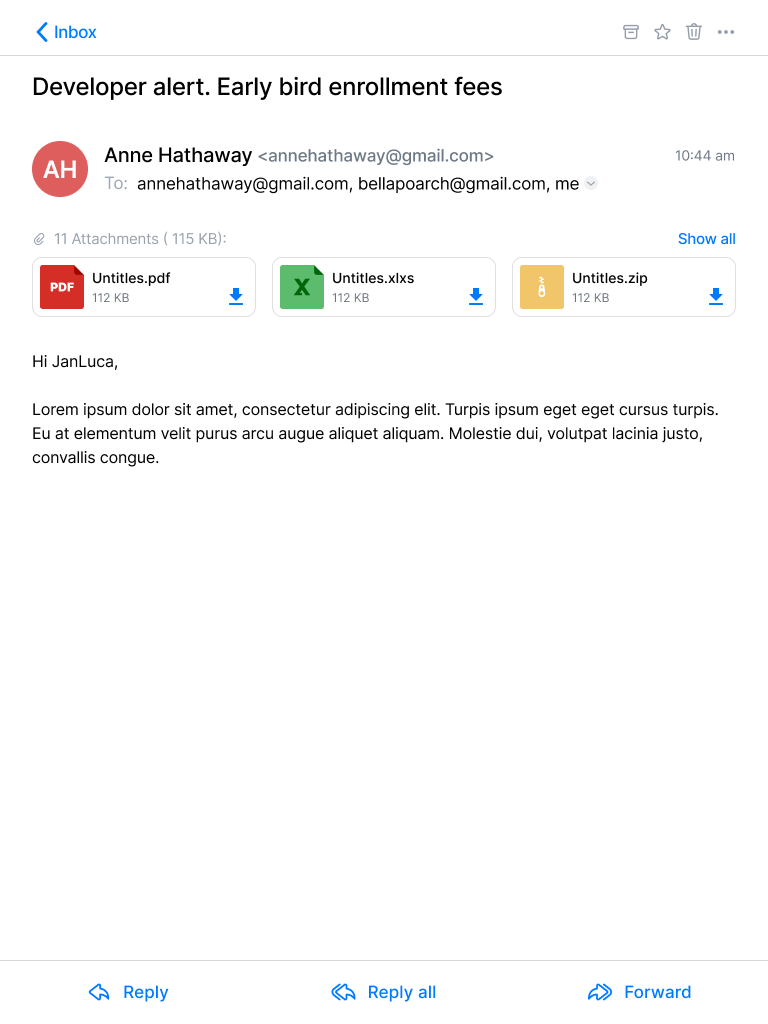
Here is how Twake Mail looks like on a tablet:

Build app
- Go to root folder of project
- Run
scripts/prebuild.shscript
/bin/bash scripts/prebuild.sh
- Build
- iOS:
flutter build ios
- Android:
flutter build apk
- Web:
change SERVER_URL in env.file with your JMAP server
SERVER_URL=http://your-jmap-server.domain
then run:
flutter build web
or you can find our images in: https://hub.docker.com/r/linagora/tmail-web
FAQ
Why did you choose JMAP?
Read more...
That is a good question! **IMAP** is THE ubiquitous protocol people use to read their emails, THE norm.Yet IMAP had been designed in another age, which resulted in a chatty patchwork of extensions. IMAP lacks decent synchronization primitives to address real-time challenges modern mobile fleet requires, it consumes a lot of bandwidth, requires a lot of round trips which means high latency.
We are not alone to say this! Big players of the field started their own proprietary protocols to address IMAP flaws, and inter-operable standard was yet to be found...
This, is where JMAP comes to play! JMAP builds on decades of experience, and beautifully addresses these challenges using HTTP and JSON standards. Not only does it make applications easier to develop, we also strongly believes it results in an improved experience for the end user.
Can I use Twake Mail with any JMAP server?
Yes, you can use the Twake Mail application with any JMAP server and benefits from Twake Mail's ease of use.
I don't understand your app... I need help using it! HELP MEEEEEE...
Read more...
Don't worry, we are here!We plan on writing a user documentation, helping you navigating around the application, and detailing the few configurations you have to perform.
If what you are looking for is not in the user guide then ask us directly in the issues first, we would be glad to help. But also glad to improve our documentation and maybe tweak slightly our UI (user interface).
What platforms do you (plan to) target?
Read more...
First, we target Android, iOS mobiles. We also take care of tablets and large rendering space early on in the development process.Then, we plan on introducing a desktop application.
This versatility is enabled by the use of the Flutter framework.
What would your roadmap look like?
Read more...
Now that we plan having a simple JMAP email client supporting Android, IOS, and a webmail, we are working on some extra features on top of the TeamMail backend, including:- Better filters, with more actions, and combining conditions
- Restoring deleted messages
- Delegating full access to others for instance your security
- Labels for better sorting your emails across folders
- Automated actions: archiving, emptying your trash, your spam folders
- Running filters against a folder
- Attachment thumbnails
We are also planning active work on drag and drops and other user experience / productivity enhancements.
We do not currently plan working on desktop applications, on websockets for push on top of TeamMail web but such contributions would be appreciated. We also welcome feedback and pull requests regarding Team-Mail portability (running TeamMail on top of third party mail servers).
First, we plan to write a simple, multi-platform JMAP email client. This includes reading your mails and mailboxes, managing them, sending emails, searching your emails. This will likely keep us busy by the end of 2021.
Then, we have plan for multiple features including:
Any chance to support JMAP extension for calendar, contacts?
No we do not plan to support such extensions, that are currently not standardized as RFCs, nor implemented on the Twake Mail backend.
Do you have a web application for Twake Mail?
Read more...
Yes! It is still in early development but we do have one. It's easy for you to use locally, as you can just build a Docker image locally from the sources of this repository, or even use our official Docker image `linagora/tmail-web`. The web-app needs to include an environment file though (here you can see the dummy env.file at the root of the project),
with a SERVER_URL parameter, so it knows to which backend it needs to connect to.
For this to run it locally for example, 2 ways:
Edit the environment file before the build
Edit the env.file by replacing the default value of SERVER_URL to the one pointing to your JMAP backend server.
Then build your docker image:
docker build -t tmail-web:latest .
Then you can just simply run your web-app like this:
docker run -d -ti -p 8080:80 --name web tmail-web:latest
Then go to http://localhost:8080 and you should be able to login against your JMAP backend using the Twake Mail web-app.
Mount an environment file when running the container
You can use our official image linagora/tmail-web or just build the docker image locally without any prior changes:
docker build -t tmail-web:latest .
From then, create at the root of the project an environment file (like env.dev.file) where you put the SERVER_URL
you want to connect to. Then, to mount it and override the default one while running the container:
docker run -d -ti -p 8080:80 --mount type=bind,source="$(pwd)"/env.dev.file,target=/usr/share/nginx/html/assets/env.file --name web tmail-web:latest
Then go to http://localhost:8080 and you should be able to login against your JMAP backend using the TMail web-app.
Using the docker-compose file
We also include a docker-compose.yaml file so you can get a testing environment up quickly. This use our tmail-backend image for the JMAP server.
Here are the steps to setup:
- Generate JWT keys for
tmail-backend:
openssl genpkey -algorithm rsa -pkeyopt rsa_keygen_bits:4096 -out jwt_privatekey
openssl rsa -in jwt_privatekey -pubout -out jwt_publickey
- Edit the
env.fileand setSERVER_URLtohttp://localhost/(with the trailing slash) - Run
docker compose up -dto bring up both the frontend and the backend. - Run
docker compose exec tmail-backend /root/provisioning/provisioning.shto provision some demo accounts (you don't have to let it run all the way). - The TMail web-app should be available at
http://localhost:8080. The credentials for demo accounts are:
User: alice@localhost
Password: aliceSecret

User: bob@localhost
Password: bobSecret

User: empty@localhost
Password: emptrySecret
More configurations for Twake Mail web
- [Enable and customize the Application grid](docs/configuration/app_grid_configuration.md)
- [Change logos](docs/configuration/tmail-web-logo.md)
Your work is awesome! I would like to help you. What can I do?
Read more...
Thanks for the enthusiasm!There are many ways to help us, and amongst them:
- Spread the word: Tell people you like Twake Mail, on social medias, via blog posts etc...
- Give us feedbacks... It's hard to make all good decisions from the first time. It is very likely we can benefit from your experience. Did you encountered annoying bugs? Do you think we can better arrange the layout? Do you think we are missing some features critical to you? Tell us in the issues.
- I can code! I wanna help ;-). Wow thanks! Let's discuss your project together in the issues to get you on track!
Cool. I also want to write my own email application for JMAP. Can you help me?
You would be pleased to know we contributes a JMAP Dart client that you can reuse to write your own applications. Feels free to open pull requests and enrich it!
How to contribute
Everyone can contribute at their own level, even if they only give a few minutes of their time. Whatever you do, your help is very valuable.
- Translation: https://hosted.weblate.org/projects/linagora/teammail/
- We have several beginner-friendly issues labeled good first issue, perfect for those who are new to open source or looking to make their first contribution.