Tiny File Manager is a single-file, zero-configuration PHP web application that gives you a browser-based file manager, uploader, archive tool and code editor from one tinyfilemanager.php script dropped into any web directory.
What it is
Tiny File Manager is a lightweight, open-source file management application written in PHP and distributed as a single script file. It lives in the PHP web-hosting ecosystem: any server that can serve PHP 5.5.0 or higher can run it, with the fileinfo, iconv, zip, tar and mbstring extensions strongly recommended. The project is licensed under GPL-3.0 and has accumulated roughly 5,980 stars and 1,813 forks on GitHub, with documentation maintained on its wiki pages and a live demo on the project homepage.
The concrete problem it solves is file access without a file-access stack. Rather than installing a full file manager application, configuring a database, or opening a separate FTP client for routine work, an administrator copies one PHP file into a webspace and immediately gets create, delete, modify, view, download, copy, move, compress, extract, upload and search operations through the browser. It collapses the tasks usually split across an FTP client and a hosted online IDE — both of which appear in the project's own topic list — into a single unzipped script.
Key capabilities
- Deploys as one file: download the master-branch ZIP and copy
tinyfilemanager.php into a webspace; the filename can be changed.
- User accounts with per-user root folder mapping and session-based access control, configured through the
$auth_users array.
- Authentication password storage via PHP
password_hash(), with a published hash generator, and an on/off switch through the $use_auth setting.
- Compression and extraction in
zip and tar formats.
- Built-in Cloud9 IDE code editor with syntax highlighting for 150+ languages and 35+ themes.
- Document preview for PDF, DOC, XLS and PPT through the Google/Microsoft document viewer, for files up to 25 MB.
- Ajax uploads with drag-and-drop, multi-file upload with extension filtering, and URL imports, plus direct-URL copying for files.
- Security features including backup capabilities and IP blacklisting and whitelisting.
Who uses it and how
- Administrators on ordinary shared PHP hosting who need file management without provisioning a database or a separate service.
- Small teams that want distinct logins, each mapped to its own root directory, rather than one shared credential.
- Developers who need to read, edit and upload files in place, using the bundled editor instead of a desktop IDE session.
- Operators working without outbound CDN access, who use the
offline branch to keep all resources local.
- Mobile and touch users, since the interface is optimised for touch devices and mobile viewing.
Getting started
Download the latest ZIP from the master branch and copy tinyfilemanager.php into the webspace; an additional config.php in the same folder can hold extra configuration, and an offline branch exists for deployments that cannot reach CDN resources.
How it compares
The facts provided name no competing or paid products, so this project stands alone in this registry as the single-file PHP file manager entry. Its scope is defined by what ships inside the script — browser file operations, archive handling, uploads, per-user directories and a Cloud9 IDE editor — rather than by integration with any external suite.
When to use it — and when not to
A self-hoster must run a PHP 5.5.0 or higher web server and should enable the fileinfo, iconv, zip, tar and mbstring extensions; no database or external storage service is required. The README carries an explicit caution: do not use the script as a standard file manager in public spaces, and remove it from the server after completing any tasks. The shipped defaults of admin/admin@123 and user/12345 must be replaced in $auth_users before use, and anyone unwilling to harden or later delete an internet-reachable file-management script should choose a different tool. The 308 open issues and the sustained fork count also suggest a project where configuration details matter and are largely self-supported through the wiki.
project readme (upstream, from github) — read inline
Tiny File Manager





TinyFileManager is a versatile web-based PHP file manager designed for simplicity and efficiency. This lightweight single-file PHP application can be effortlessly integrated into any server directory, allowing users to store, upload, edit, and manage files and folders directly through their web browser.
With multi-language support and compatibility with PHP 5.5+, TinyFileManager enables the creation of individual user accounts, each with its dedicated directory. The platform also includes built-in functionality for handling text files using the Cloud9 IDE.
Featuring syntax highlighting for over 150 languages and more than 35 themes, TinyFileManager offers a comprehensive solution for file management in an online environment.
Caution! Avoid utilizing this script as a standard file manager in public spaces. It is imperative to remove this script from the server after completing any tasks.
Demo
Demo
Documentation
Tinyfilemanager is highly documented on the wiki pages.
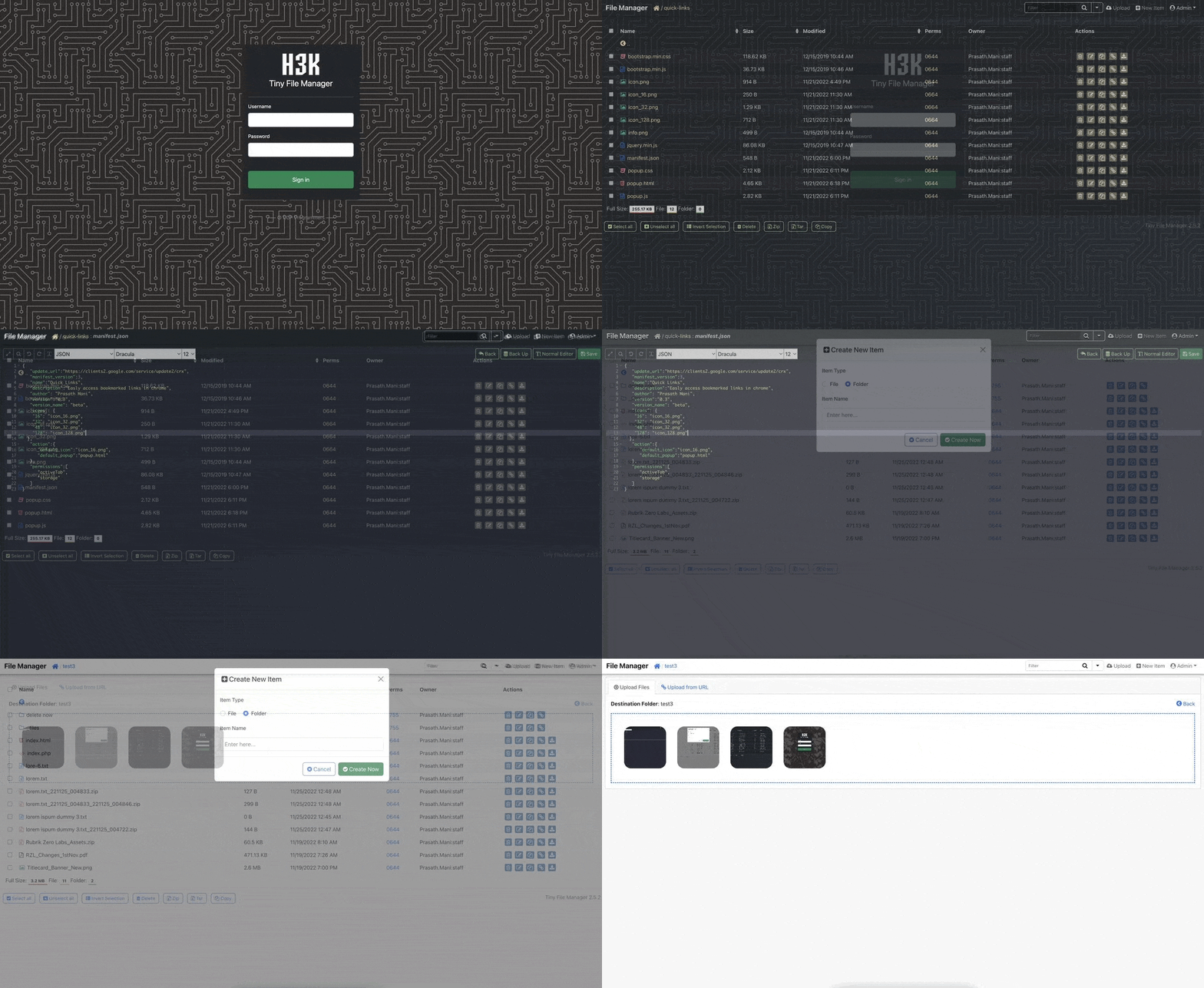
Requirements
- PHP 5.5.0 or higher.
- Fileinfo, iconv, zip, tar and mbstring extensions are strongly recommended.
How to use
Download ZIP with latest version from master branch.
Just copy the tinyfilemanager.php to your webspace - thats all :)
You can also change the file name from "tinyfilemanager.php" to something else, you know what i meant for.
Default username/password: admin/admin@123 and user/12345.
:warning: Warning: Please set your own username and password in $auth_users before use. password is encrypted with password_hash(). to generate new password hash here
To enable/disable authentication set $use_auth to true or false.
:information_source: Add your own configuration file config.php in the same folder to use as additional configuration file.
:information_source: To work offline without CDN resources, use offline branch
:loudspeaker: Features
- :cd: Open Source: Lightweight, minimalist, and extremely simple to set up.
- :iphone: Mobile Friendly: Optimized for touch devices and mobile viewing.
- :information_source: Core Features: Easily create, delete, modify, view, download, copy, and move files.
- :arrow_double_up: Advanced Upload Options: Ajax-powered uploads with drag-and-drop support, URL imports, and multi-file uploads with extension filtering.
- :file_folder: Folder & File Management: Create and organize folders and files effortlessly.
- :gift: Compression Tools: Compress and extract files in
zip and tar formats.
- :sunglasses: User Permissions: User-specific root folder mapping and session-based access control.
- :floppy_disk: Direct URLs: Easily copy direct URLs for files.
- :pencil2: Code Editor: Includes Cloud9 IDE with syntax highlighting for 150+ languages and 35+ themes.
- :page_facing_up: Document Preview: Google/Microsoft document viewer for PDF/DOC/XLS/PPT, supporting previews up to 25 MB.
- :zap: Security Features: Backup capabilities, IP blacklisting, and whitelisting.
- :mag_right: Search Functionality: Use
datatable.js for fast file search and filtering.
- :file_folder: Customizable Listings: Exclude specific folders and files from directory views.
- :globe_with_meridians: Multi-language Support: Translations available in 35+ languages with
translation.json.
- :bangbang: And Much More!
License, Credit
- Available under the GNU license
- Original concept and development by github.com/alexantr/filemanager
- CDN Used - jQuery, Bootstrap, Font Awesome, Highlight js, ace js, DropZone js, and DataTable js
- To report a bug or request a feature, please file an issue
- Contributors
