TidGi-Desktop is a free, open source note taking & knowledge management project written in TypeScript and released under MPL-2.0. It has 2,003 GitHub stars, 116 forks and 15 open issues, and was last pushed 9 hours ago. On this registry it ranks #33 of 44 tracked projects in Note Taking & Knowledge Management, with 5 head-to-head comparisons available.

What is TidGi-Desktop?

TidGi-Desktop is a free, MPL-2.0 licensed, cross-platform desktop note-taking and knowledge-management application built on TiddlyWiki and running as an Electron app, aimed at people who want their notes stored locally as files they own, backed up to Git automatically, and optionally published as a blog.

What it is

TidGi-Desktop is a desktop application, written in TypeScript and shipped for Linux and macOS, that wraps nodejs-TiddlyWiki in an Electron shell. It ships with a large set of plugins taken from the TiddlyWiki community, so a user gets a wiki-grade notebook with backlinks, knowledge-graph style linking, GTD workflows, and fragment knowledge management without assembling a plugin stack by hand. The project describes itself as an all-in-one, local-first, privacy-minded tool, and it exposes a REST API so that external applications, including web clippers and Anki, can talk to the running wiki.

The concrete problem it solves is the operational overhead of running TiddlyWiki on Node.js as a personal knowledge base. Instead of managing a Node.js server, a plugin directory, a Git repository, and a publishing pipeline separately, TidGi-Desktop presents all of that as a desktop app with workspaces. A user can load a Node.js wiki, create a local wiki, or clone an online wiki from the interface, and the app handles the Git-backed storage layer underneath. It also replaces the manual step of exporting a wiki for publication, since a wiki can be deployed as a blog directly. The README summarises this as a customizable personal knowledge base with Git as backup manager and blogging platform.

Key capabilities

  • Runs workspaces as nodejs-TiddlyWiki instances, with separate entry points to load a Node.js wiki, create a local wiki, or clone an online wiki.
  • Performs automatic Git backup of wiki content, so note history lives in a repository rather than in an application database.
  • Deploys a wiki as a blog or website, with an online demo blog page published through the Tiddlywiki-NodeJS-Github-Template.
  • Exposes a REST API for web clipping, allowing pages from the browser to be captured into the wiki.
  • Connects to Anki for spaced-repetition workflows, listed both in the project description and in the anki topic.
  • Includes a community plugin library browser, so plugins from the wider TiddlyWiki community can be added without manual file placement.
  • Supports interactive code inside TiddlyWiki through zx-script, shown in the README's screen recording.

Who users are and how they use it

  • Individuals running a personal knowledge base on a laptop, where notes stay as local files and a Git remote provides version history and off-machine backup.
  • Writers and bloggers who keep a wiki as the source of truth and publish it as a static blog through the Node.js and GitHub template.
  • Researchers and students who clip web pages via the REST API and push material into Anki for review.
  • macOS users, who install the build from GitHub Releases and must move the app into the Applications folder and clear the quarantine attribute before it will launch.
  • Teams or individuals who want to clone an existing online wiki and continue working on it locally, using the clone-workspace flow.

Getting started

Download the latest build from the GitHub Releases page and run the desktop application, then create a local wiki, load a Node.js wiki, or clone an online wiki as a workspace. On macOS the app is not signed, so it must be dragged into the Applications folder and xattr -dr com.apple.quarantine "tidgi.app" run before it will open.

How it compares

The facts do not list paid products that TidGi-Desktop replaces, so no direct licence or cost comparison can be drawn. Its registry topics instead place it alongside TiddlyWiki itself and next to Anki-style spaced repetition and Evernote-style note capture, with TiddlyWiki being the engine it is built on rather than a competing product.

When to use it — and when not to

A self-hoster takes on the app itself, a Git remote for backup, and whichever plugins are enabled, but no separate database, object storage, or SMTP service is mentioned. The macOS build is unsigned, which makes first launch awkward for anyone unwilling to bypass Gatekeeper, and the project states that it is under active development, so it suits users comfortable with iteration rather than those who need a finished, stable-only tool. Anyone who wants a hosted, browser-only note service with no local files should look elsewhere.

project readme (upstream, from github) — read inline

TidGi

Customizable personal knowledge-base with git as backup manager and blogging platform.

License: MPL 2.0 GitHub Actions Build Status Lin Onetwo! Power by tiddlywiki!


Pronounce: Same as Tai Chi /ˌtaɪ ˈtʃiː/

🇬🇧 English | 🇨🇳 简体中文

ShowCases And Demo

Demo

Screenshot
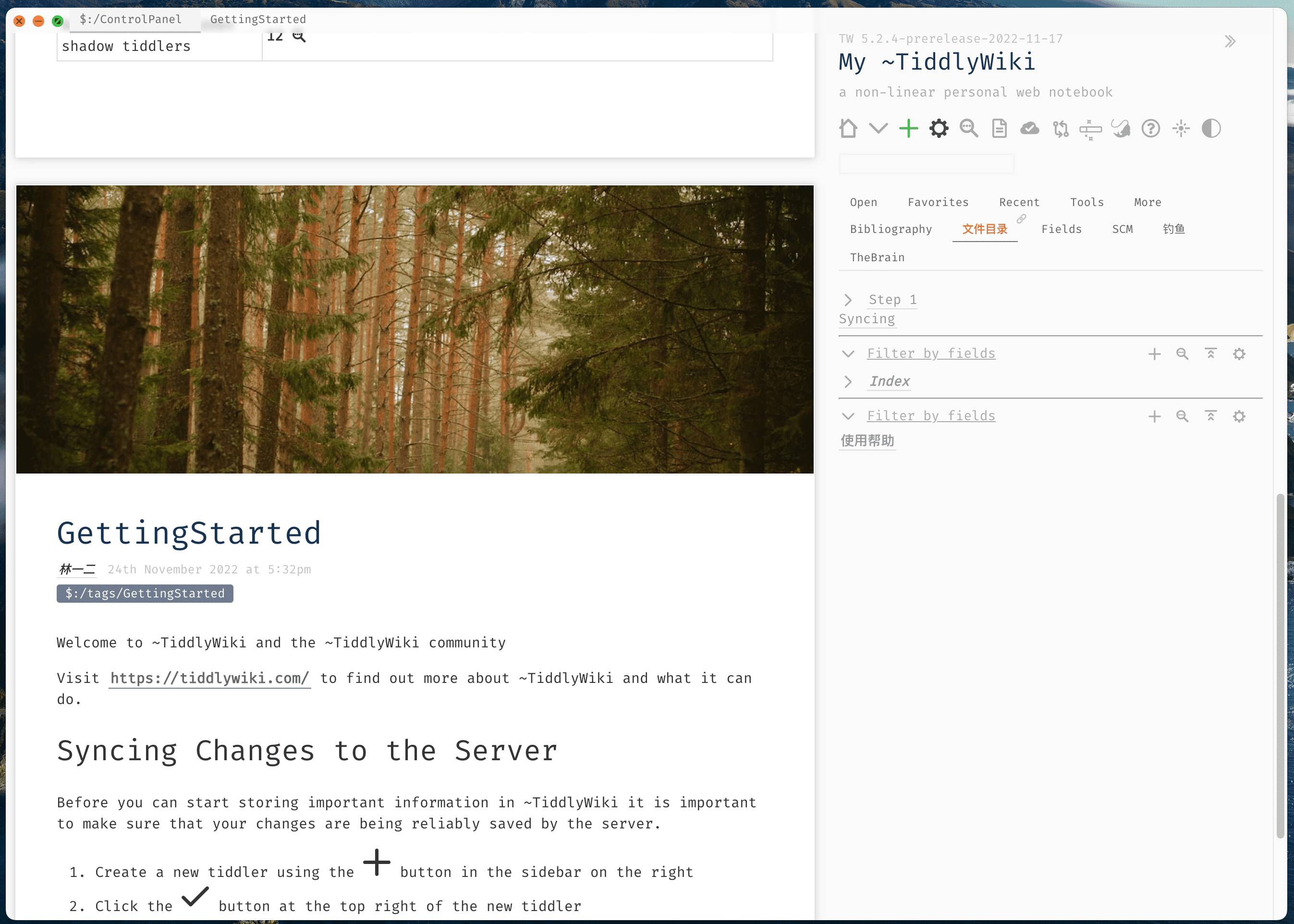
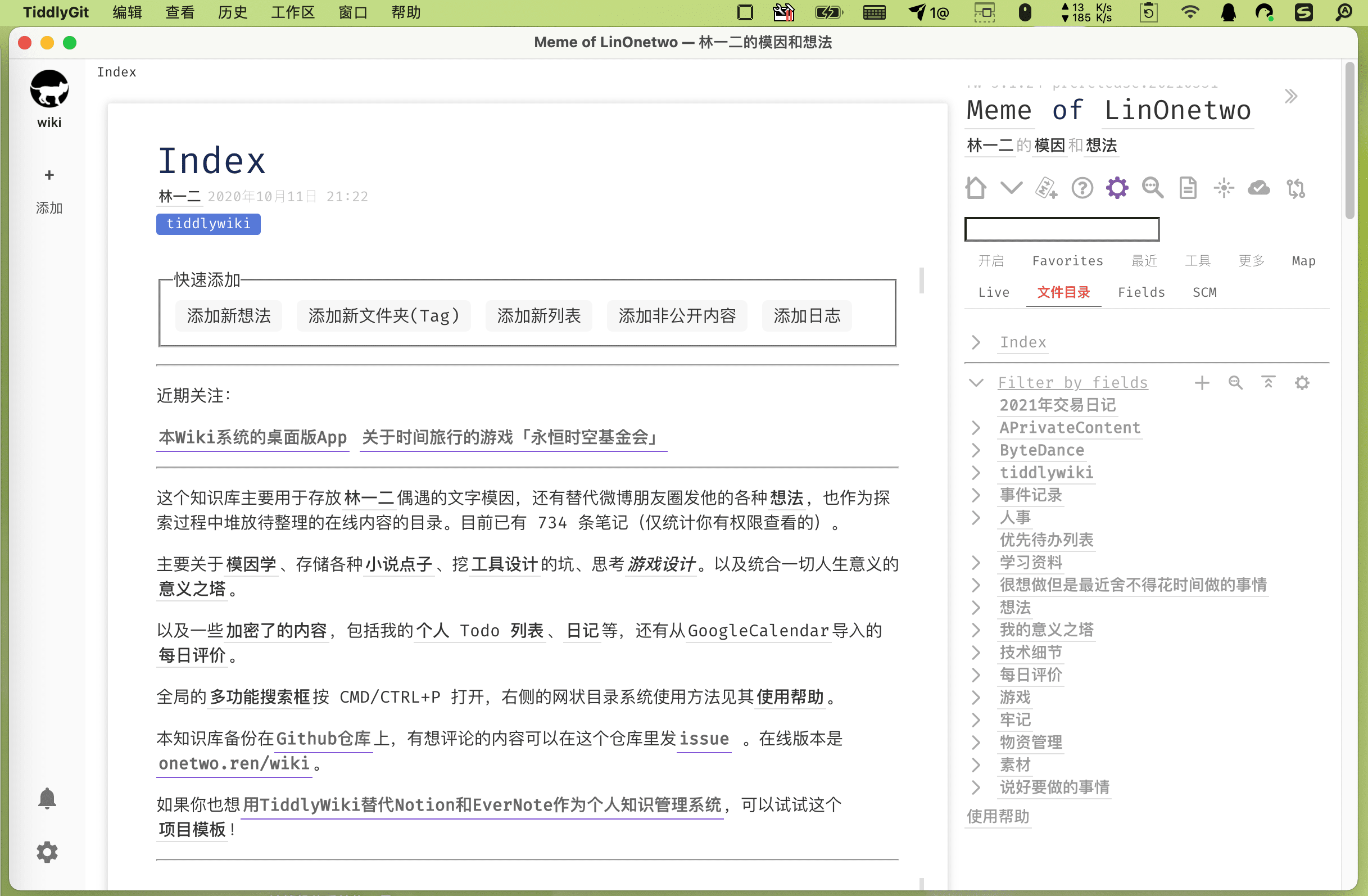
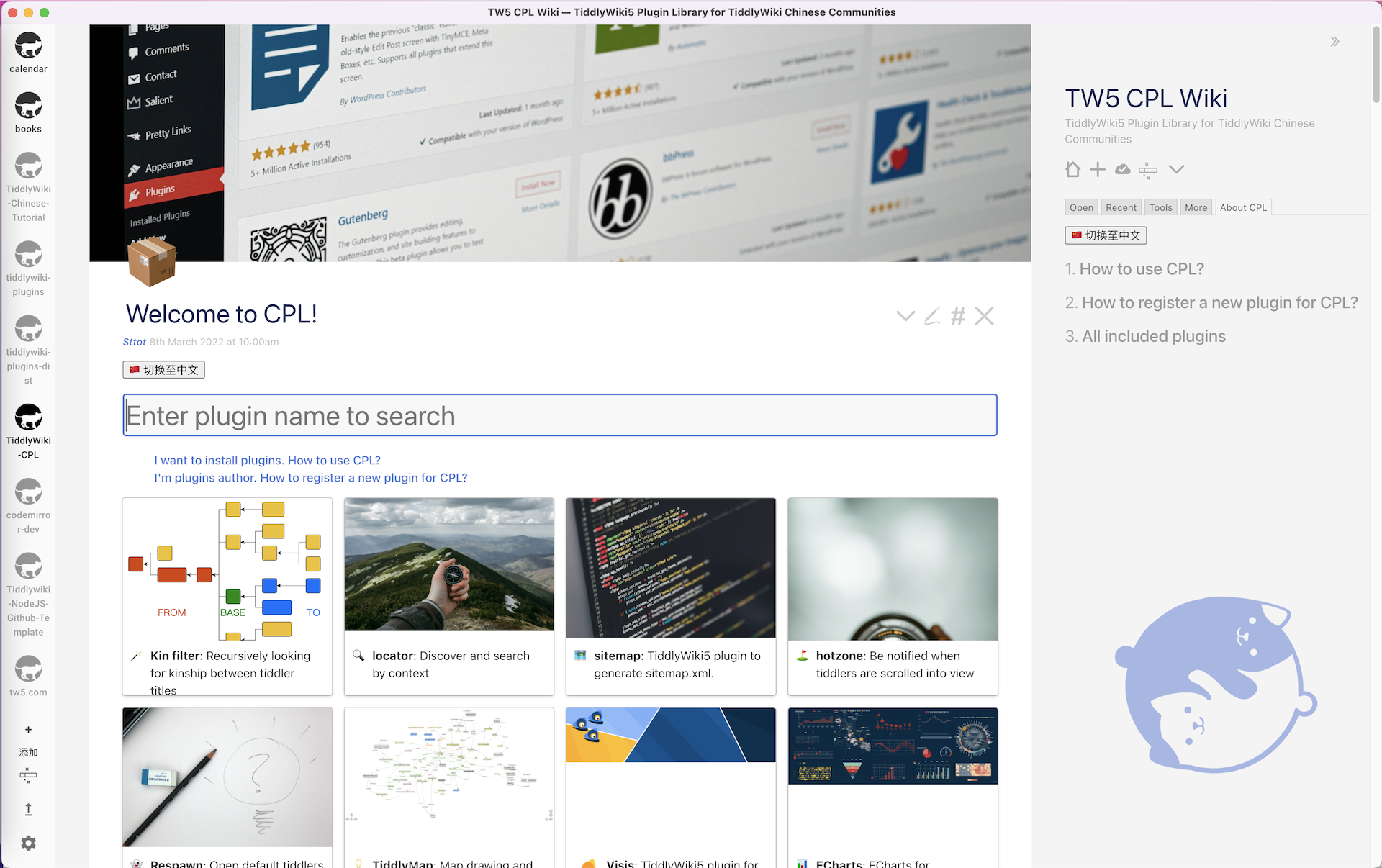
Screenshot of main-window

Load NodeJS Wiki
Screenshot of main-window
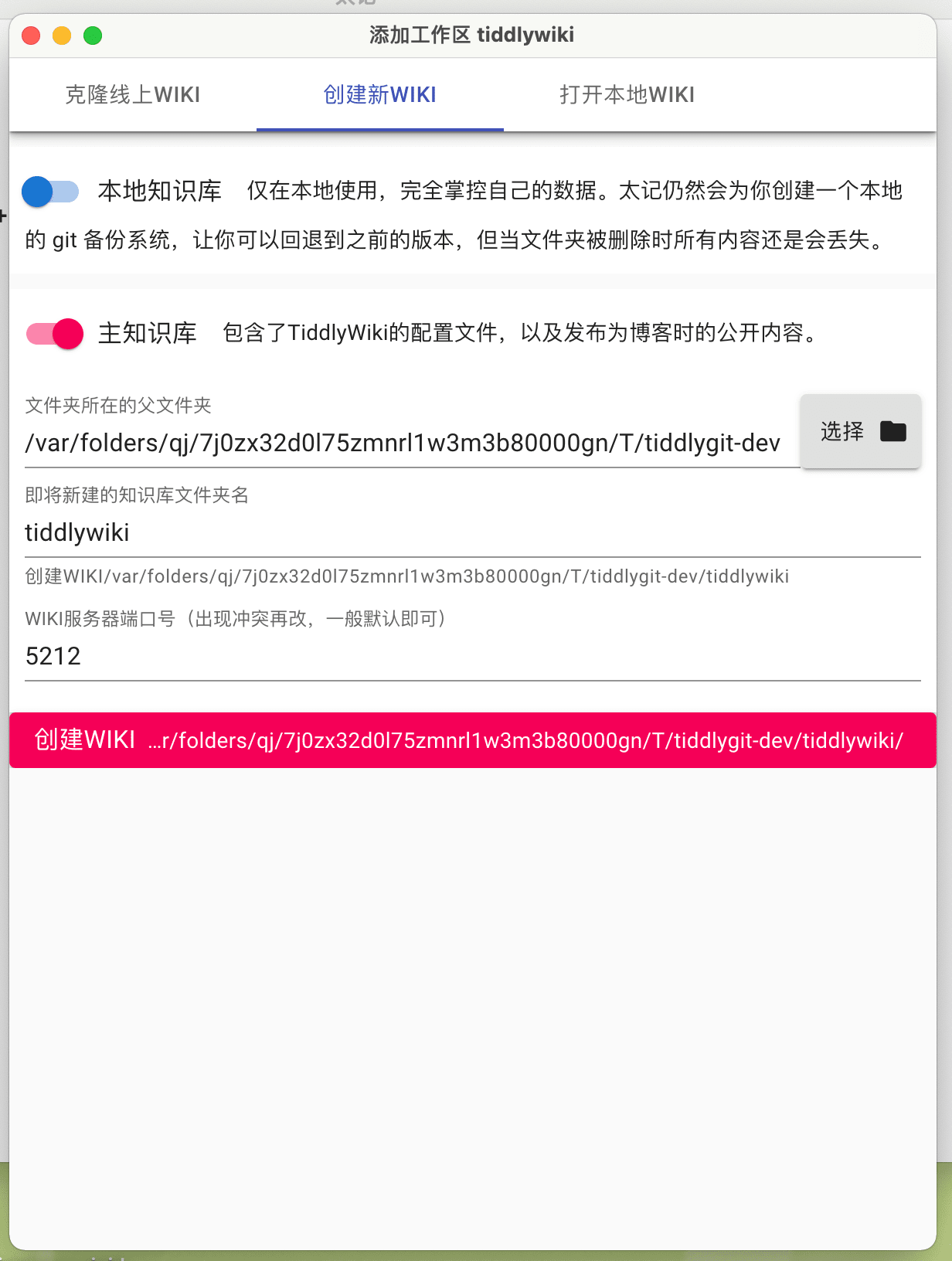
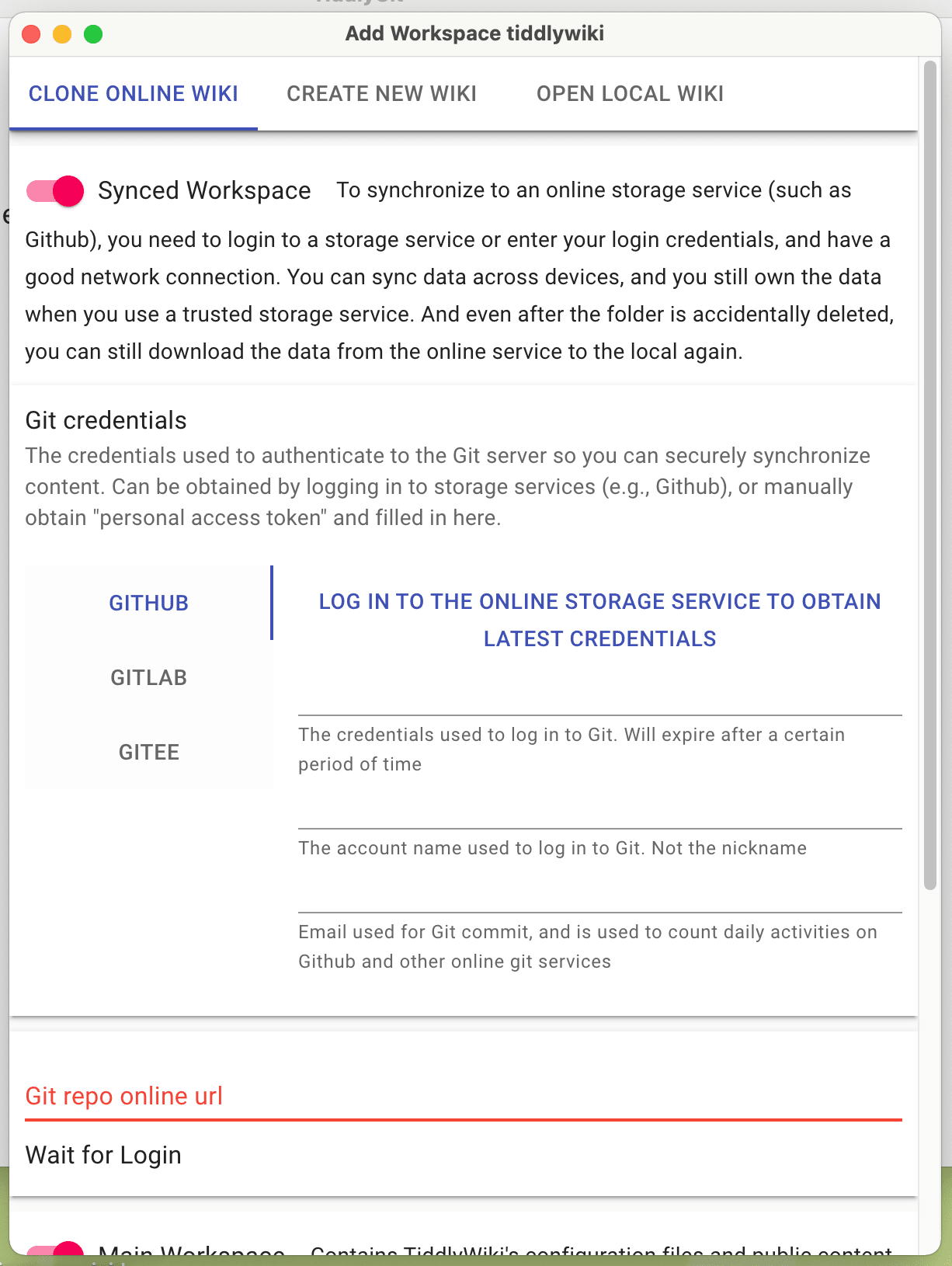
Create Local Wiki Clone Online Wiki
Screenshot of add-workspace Screenshot of clone-workspace
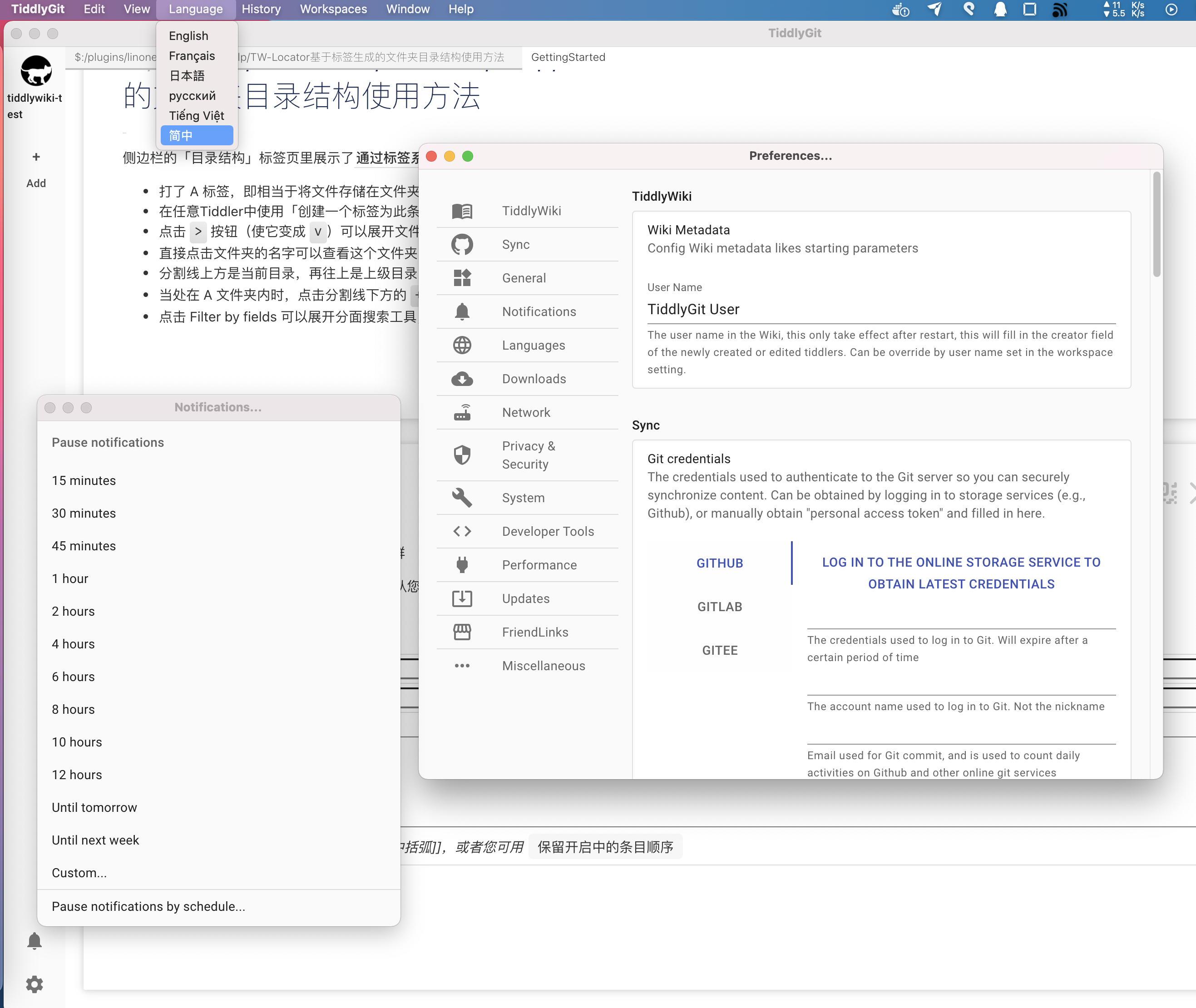
Translation, Preferences
Screenshot of preference
Interactive code
Screen recording of zx-script in tiddlywiki
Community Plugin Library
Screenshot of add-workspace
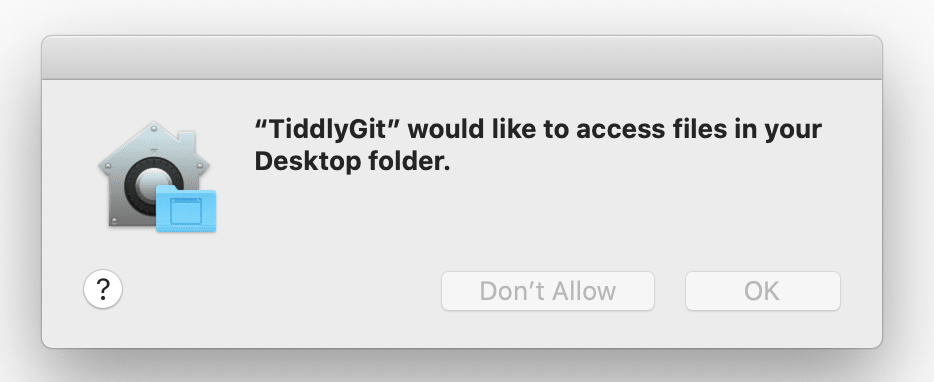
For mac users, since I haven't buy Apple developer key yet, so you have to entrust App to open it, click here to expand details.◀

First of all, you need to drag this App into Applications folder! Otherwise there will be an error.

Click "Cancel" ↓

step00001

step00002

step00003

Click "Open" ↓

step00004

Click "OK" ↓

step00005

Or you could start the Terminal from launchpad, and run the command below, make sure your terminal's "working dir" has the tidgi app

xattr -dr com.apple.quarantine "tidgi.app"

Related Posts About TidGi

No English posts yet...Please help sharing!

About TidGi-Desktop

TidGi is a cross-platform Note Taking & GTD & Fragment Knowledge Management desktop app powered by nodejs-TiddlyWiki, it ship with a lot of tiddlywiki plugins from the TiddlyWiki community.

You can call it TG-Note, it is totally free and you own all your data. Code by the people, build for the people.

It used to named TiddlyGit, means TiddlyWiki with easy Git backup, short for TidGi now.

Download

Packaging status

The packaging-status badge is an external Repology index. It reports versions found in independent package repositories; it does not publish or automatically update those packages.

Official packages for Windows, macOS, Debian/Ubuntu, and RPM-based Linux distributions

Official release assets are built by this repository. Future stable releases built by the updated workflow include per-platform SHA-256 checksum files.

Arch Linux community package

yay -S tidgi-desktop-bin

The AUR package is maintained outside this repository. Its version may follow GitHub Releases, but updates and package modifications are controlled by the listed AUR maintainer.

Homebrew Cask

brew install --cask tidgi

Homebrew's livecheck/BrewTestBot follows stable GitHub Releases automatically. The cask is currently deprecated because existing macOS archives fail Gatekeeper checks and is scheduled to be disabled on September 1, 2026. Homebrew installation will remain deprecated until a signed and notarized release is available.

Mobile App

  • TidGi-Mobile is the official pair with TidGi-Desktop, developed by @linonetwo, fast for 100MB+ wiki.
  • See Tiddloid for Android App developed by @donmor. Good for smaller wiki, and you can have access to your HTML wiki.

You can switch between them, and sync data between them and TidGi at any time. All of them are local-first, open-sourced and compatible with TiddlyWiki ecosystem.

Data Privacy Protection

You can choose storage provider for your wiki workspace:

  1. "Github" as unlimited storage and gh-pages blogging platform.
  2. "Local" will create a local git repo for you, you can use GithubDesktop to sync manually.
  3. "Gitlab" and "Gitee" is on the way

Differences

Differences from TiddlyDesktop?

  1. NodeJS version of TiddlyWiki have seamless auto-save experience, which is taking the advantage of SyncAdaptor instead of Saver, TG have better support for NodeJS wiki
  2. Using NodeJS wiki, We can have separated tiddler files, which can be modified by hand, or by other programs (e.g. VSCode with VSCode-TW5-Syntax)
  3. Though TiddlyDesktop can also load wiki folder generated by nodejs-TiddlyWiki, TG can backup that folder to the Github easily
  4. With the Electron technology, we can use fs, git and many other nodejs things within TiddlyWiki, which greatly extend the hackability, which is the reason why I choose TiddlyWiki as my daily KM tool

Why Github?

Because Github is one of the best free civil level BaaS:

  1. Its storage is basically free, allow us to store unlimited images and PDF files, which can have permanent URIs for public download
  2. It has GraphQL API that allow us programmatically update our wiki
  3. It has free CI to automatically deploy our TiddlyWiki blog
  4. It provides unlimited repository, public and private, which enables us to store private content into our TiddlyWiki

Development

Read Dev doc for details.

Credits

The desktop app shell is based on https://github.com/atomery/singlebox and atomery/webcatalog, they provide lots of utils around website-generated-app, much powerful than generating app from website simply using Chrome. Also the independent developer @quanglam2807 behind these great tools helps me a lot when I develop TidGi.

Current Icon is download from iconsdb under Creative Commons Attribution-NoDerivs 3.0 , if you are a designer, please feel free to contribute your ICON if you have a better idea.

Stargazers over time

Please give a star if you like it!
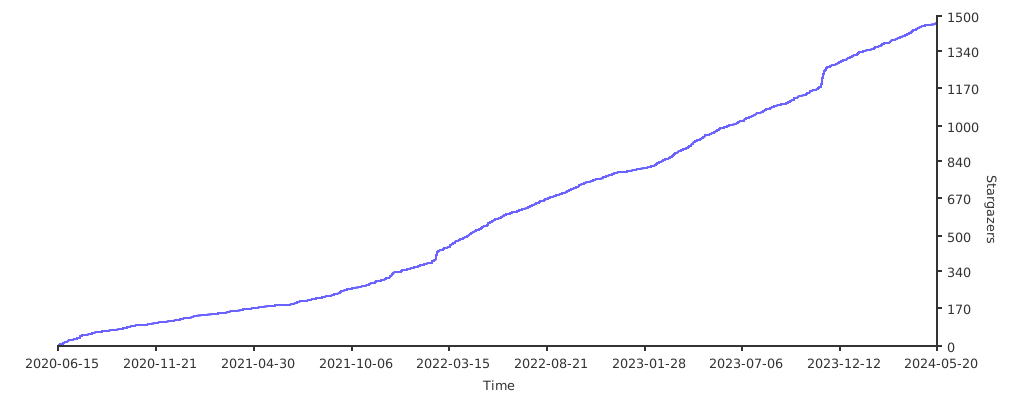
Stargazers over time

Frequently asked questions

Is TidGi-Desktop free to use?

TidGi-Desktop is open source under the MPL-2.0 licence. There is no licence fee and no seat count — you can self-host it or, where the project offers one, pay a vendor for a managed version instead.

What does TidGi-Desktop do?

TidGi is an privacy-in-mind, automated, auto-git-backup, freely-deployed knowledge management Desktop note app, based on Tiddlywiki, with REST API for web-clipp

What is TidGi-Desktop written in?

TidGi-Desktop is primarily written in TypeScript. Its source is publicly available at https://github.com/tiddly-gittly/TidGi-Desktop, and it has 2,003 GitHub stars.