TeslaLogger is a self-hosted data logger for Tesla Model S, 3, X and Y vehicles — plus Cybertruck and Lucid AIR — that runs on a Raspberry Pi 3B, 3B+ or 4B, in Docker, or on a Synology NAS, and keeps recorded driving, charging and battery data on hardware the owner controls.
What it is
TeslaLogger is an open-source C# application, licensed under GPL-3.0, that continuously polls a connected electric vehicle and writes the resulting telemetry into a local MariaDB database. It presents that data through a bundled Grafana dashboard, an admin panel, and a customisable PHP dashboard, so the owner ends up with a private, long-running history of trips, charging sessions, battery degradation and firmware changes rather than a snapshot held by a third party. The project lives in the connected-car and home-automation ecosystem, alongside tooling such as Grafana, Nomination and MapQuest for mapping and geocoding, and it is distributed both as pre-built Raspberry Pi images and as a Docker or Synology deployment.
The concrete problem it solves is data ownership over vehicle telemetry. Commercial logging services require handing Tesla account credentials to a third party, and running more than one such service against the same vehicle can keep the car awake instead of letting it sleep. TeslaLogger runs on hardware the owner already has, authenticates directly against the Tesla Fleet API using an access token and refresh token, and replaces the hosted subscription logger with a self-managed instance. It also collects fleet-wide statistics — degradation curves, charging speed curves, a firmware tracker and a map of fast charging locations — that any user can view, though comparing personal curves against the fleet requires running a TeslaLogger of your own.
Key capabilities
- Logs Tesla Model S, 3, X and Y, Cybertruck and Lucid AIR vehicles, storing telemetry in a local MariaDB database.
- Ships a Grafana dashboard reachable at
http://raspberry:3000 with the default credentials admin / teslalogger.
- Provides an admin panel at
http://raspberry/admin/ and a separate dashboard at admin/dashboard.php, with documented customisation.
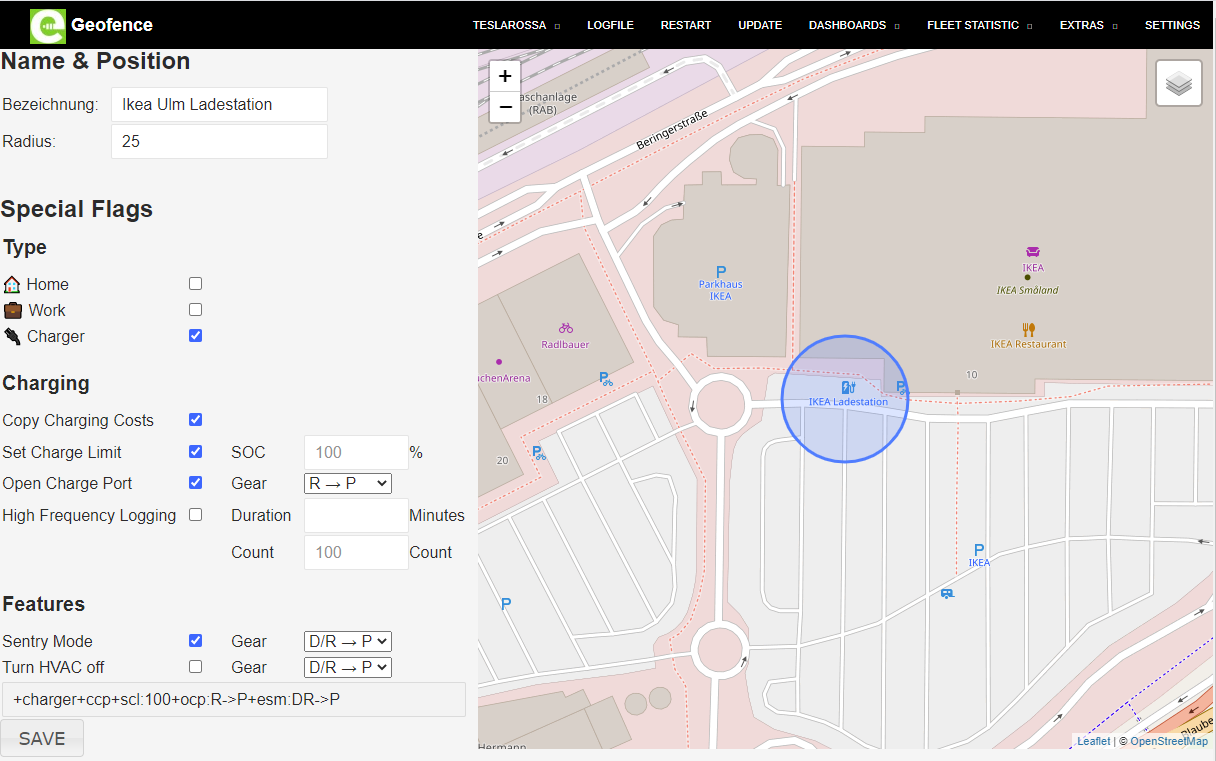
- Supports custom Points of Interest through the geofence mechanism described in
TeslaLogger/Geofence.md.
- Imports existing history from competing services via the
TeslaFi-Import and Teslamate-Import tools.
- Links out to A Better Route Planner without surrendering Tesla credentials to that third party, reducing the number of services polling the car.
- Ships translations for English, German, Danish, Spanish, Chinese, French, Italian, Norwegian, Nederlands, Portuguese and Russian, managed through Weblate.
Who uses it and how
- Individual Tesla and Lucid owners who want trip, charging and degradation history on a device they own rather than in a vendor's cloud.
- Raspberry Pi owners who flash a ready-made image for a 3B+ or 4B, connect the board to the router by network cable, and reach the setup pages at
http://raspberry/admin/password.php within a couple of minutes.
- Synology NAS and Docker users who run the same stack alongside existing self-hosted services on hardware that is already powered on.
- Advanced users who log in over SSH as
pi with the password teslalogger to inspect or extend the installation.
- Fleet-statistics contributors whose logged data feeds the public degradation, charging-speed, firmware and fast-charging-map pages hosted at teslalogger.de.
Getting started
The quickest path is to buy a ready-to-go Raspberry Pi with TeslaLogger pre-installed, or to download the prepared image for a Raspberry Pi 3B+ or 4B. Docker and Synology users can instead follow the free docker_setup.md instructions, after which the Raspberry appears on the network and configuration continues at http://raspberry/admin/password.php and http://raspberry/admin/settings.php.
How it compares
Against TeslaFi and Teslamate — both of which TeslaLogger can import existing data from — the difference is that TeslaLogger is self-hosted under GPL-3.0 rather than operated as a hosted account, so the vehicle history stays in a database the owner runs. It shares the self-hosted premise with Teslamate, which is why a migration path between the two exists, while TeslaFi represents the hosted subscription model the project is positioned to replace. The project does not attempt to displace Grafana; it embeds it as the analysis layer, and it deliberately routes A Better Route Planner links outward instead of holding credentials for it.
When to use it — and when not to
Running TeslaLogger means operating a MariaDB database, a Grafana instance and the logger process itself on a Raspberry Pi, Docker host or Synology NAS, plus obtaining Tesla Fleet API tokens and keeping that host online for continuous logging. Anyone unwilling to administer a database or maintain a small server should not choose it, and owners who only want occasional trip history from a managed service will find the operational overhead hard to justify. The default credentials — admin / teslalogger for Grafana and pi / teslalogger for SSH — must be changed immediately on any internet-reachable install, and the project carries a substantial open-issue count, so prospective users should expect to troubleshoot rather than receive a fully polished product.
project readme (upstream, from github) — read inline
TeslaLogger


TeslaLogger is a self hosted data logger for your Tesla Model S/3/X/Y/Cybertruck and Lucid AIR. Currently it supports RaspberryPi 3B, 3B+, 4B, Docker and Synology NAS.
Configuration
Connect your Raspberry PI with your router with a network cable and turn in on.
Within 2-3 minutes the Raspberry should show up in you network.
Enter your Tesla crendentials
Use your browser to go to: http://raspberry/admin/password.php
Enter the Access Token & Refresh Token:
You can use the following apps to generate an Access Token & Refresh Token from the Tesla server.
Settings & Language
Available languages: English, German, Danish, Spanish, Chinese, French, Italian, Norwegian, Nederlands, Portuguese and Russian - Translations are welcome:
http://raspberry/admin/settings.php
or sometimes: http://raspberry.local/admin/settings.php
Admin Panel
http://raspberry/admin/
Grafana-Dashboard
http://raspberry:3000
Username: admin
Password: teslalogger
Dashboard
http://raspberry/admin/dashboard.php
or http://raspberry.local/admin/dashboard.php
Customizing the Dashboard is described here.
Fleet Statistics
Fleet Statistics can be used by anyone without Teslalogger. To compare your degradation and charging curves with the fleet, you need a Teslalogger.
SSH for advanced users
Username: pi
Password: teslalogger
Custom Points of Interest (POI)
Details how to add / manage your own Points of Interest (POI) are described here.
German manual
http://teslalogger.de/handbuch.php
Translations are welcome :-)
Please contact us beforehand to allow a coordinated approach for translations.
TeslaFi Import
You can import your TeslaFi data here.
Teslamate Import
You can import your Teslamate data here.
Abetterrouteplanner Link
You can setup a link from Teslalogger to Abetterrouteplanner to avoid giving your Tesla credentials to a 3rd Party. Another benefit is to minimize the possibility to prevent the car from going to sleep if more than one service is using your credentials. YouTube
Tesla Invoices Download
All Supercharger invoices will be downloaded automatically in subfolder "\raspberry\teslalogger\tesla_invoices" on Raspberries or "\TeslaLogger\bin\tesla_invoices" on Docker
Translations
You can use our Weblate page to help translate Teslalogger into new languages.

Donations

Screenshots
Dashboard

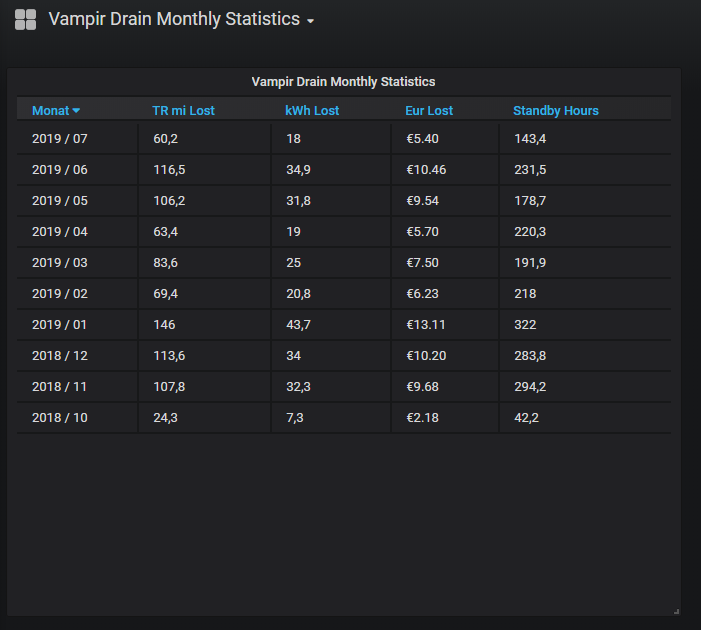
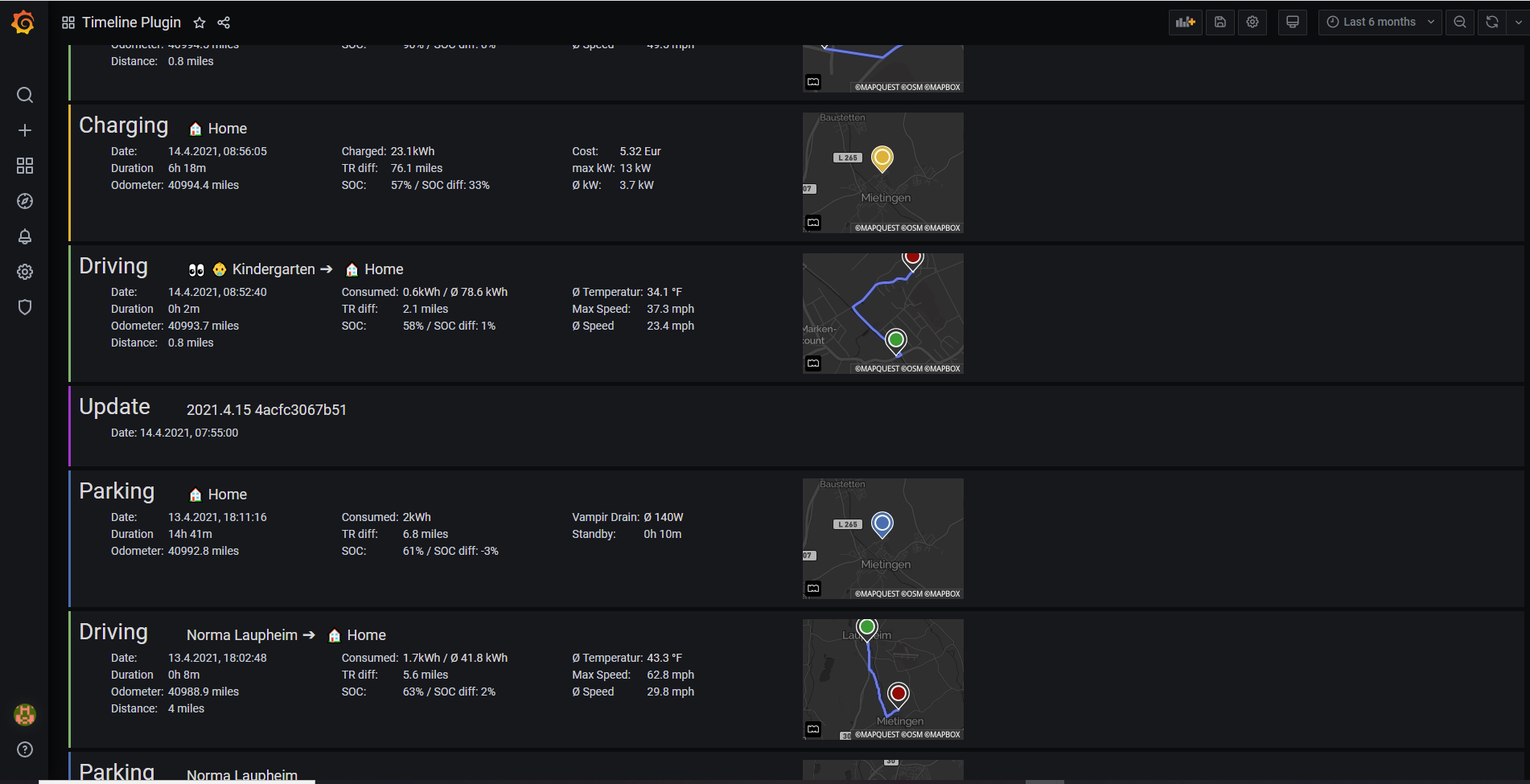
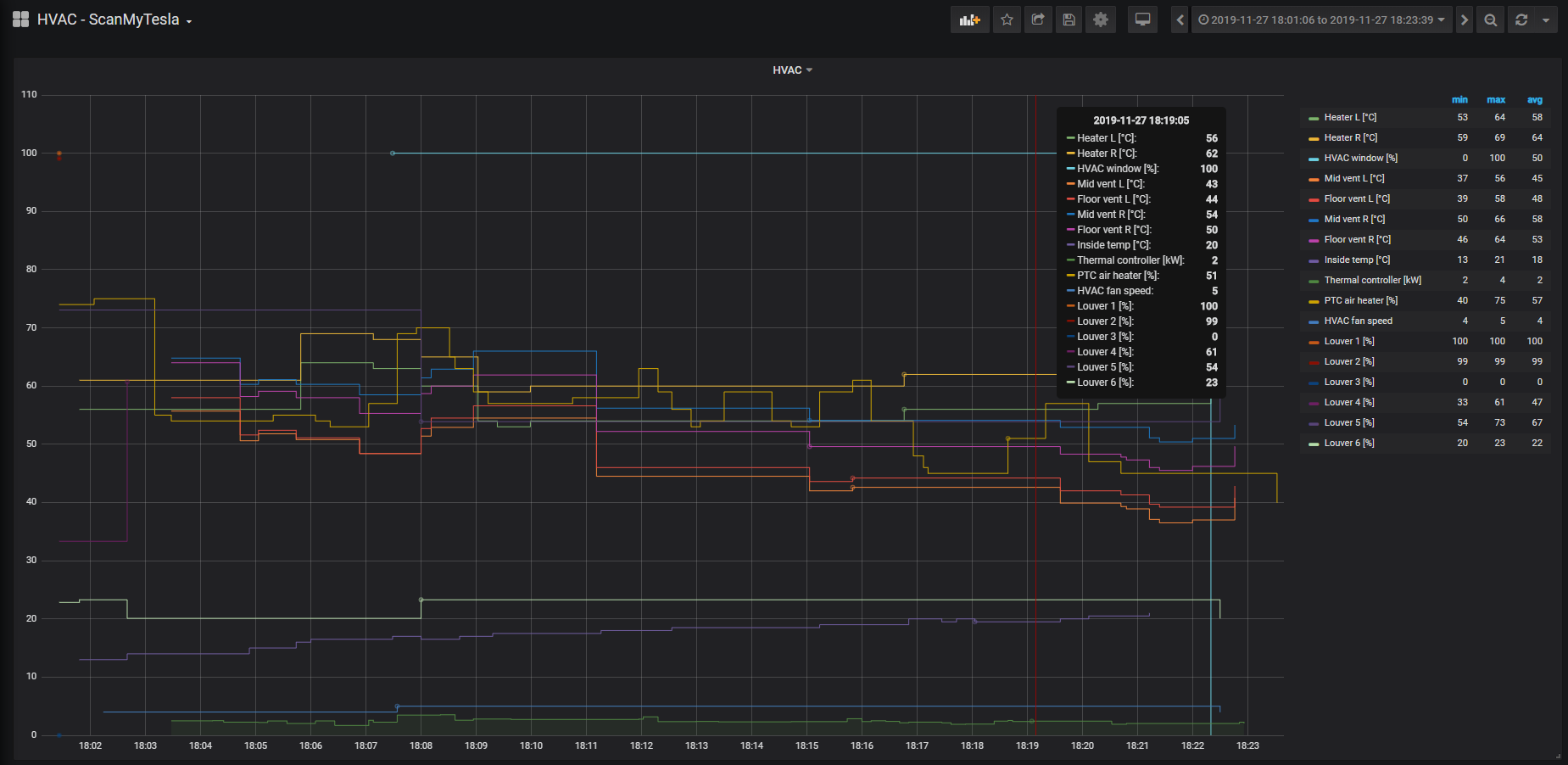
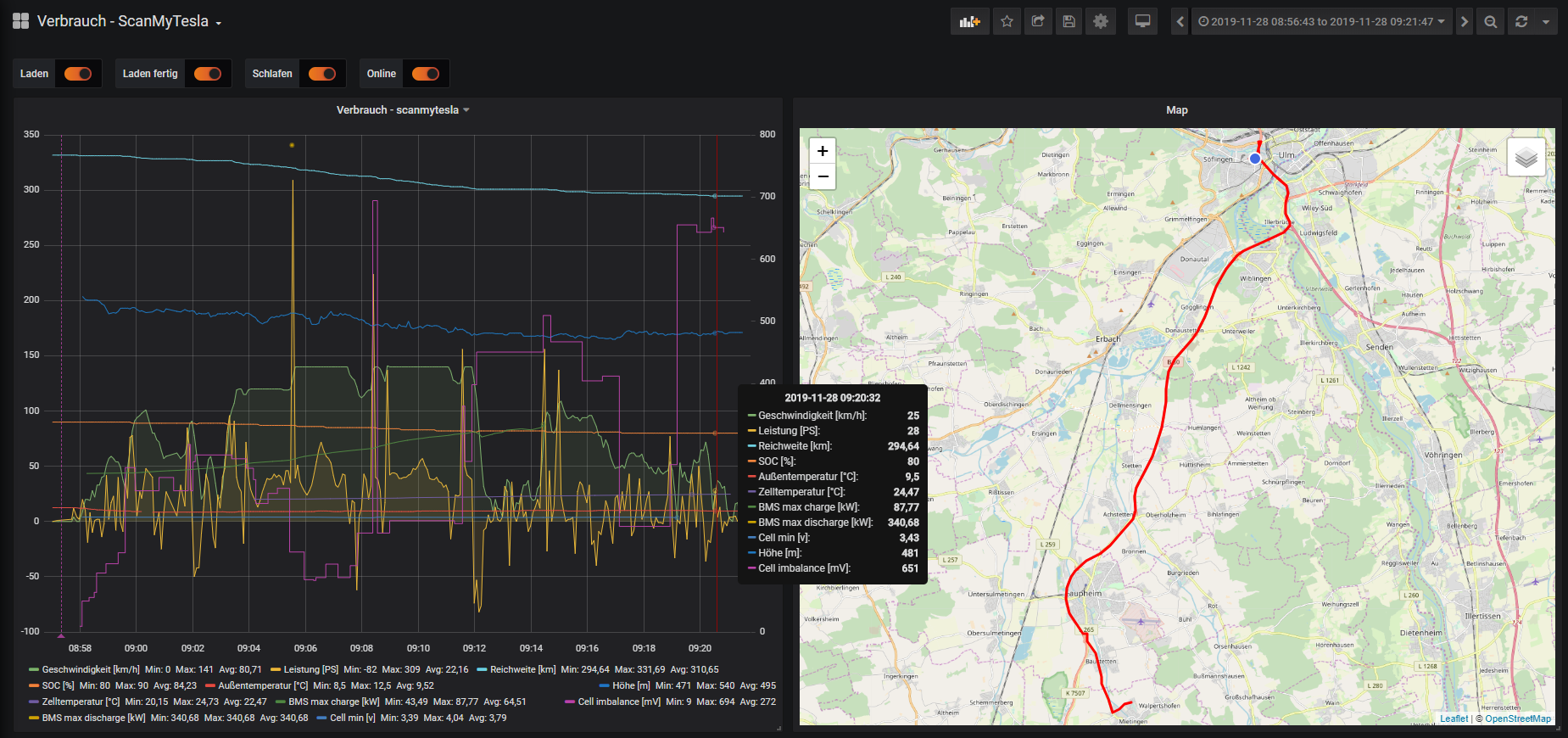
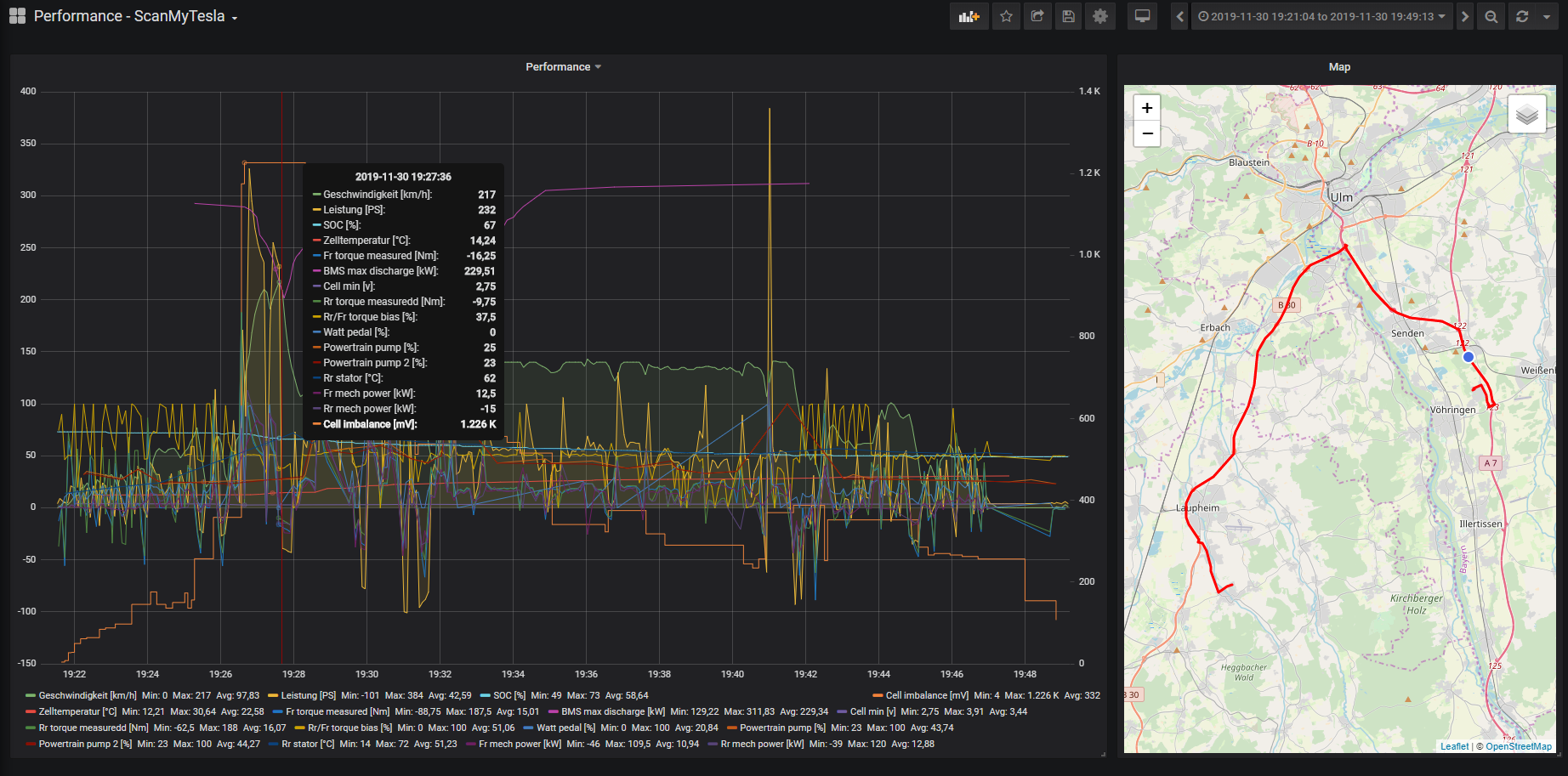
Grafana Dashboards: http://raspberry:3000
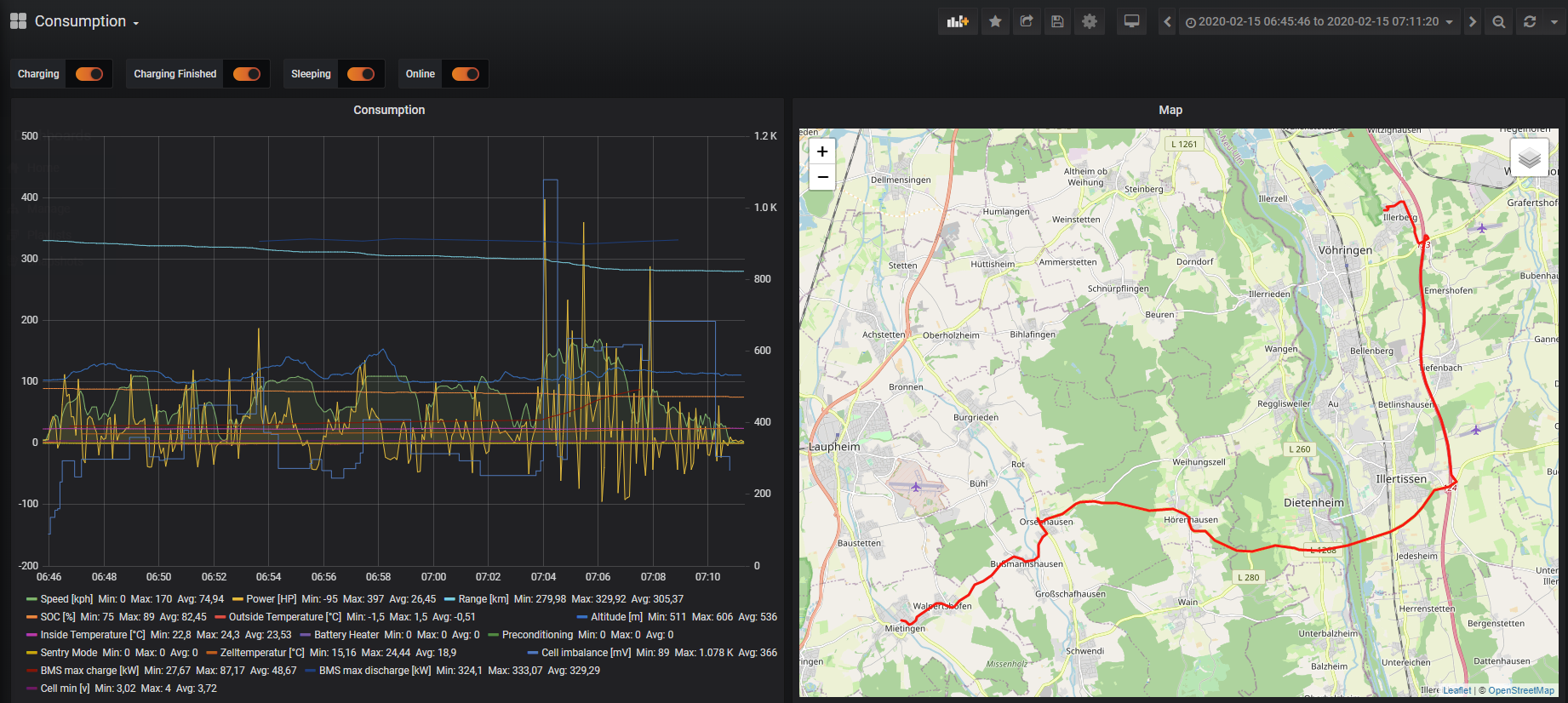
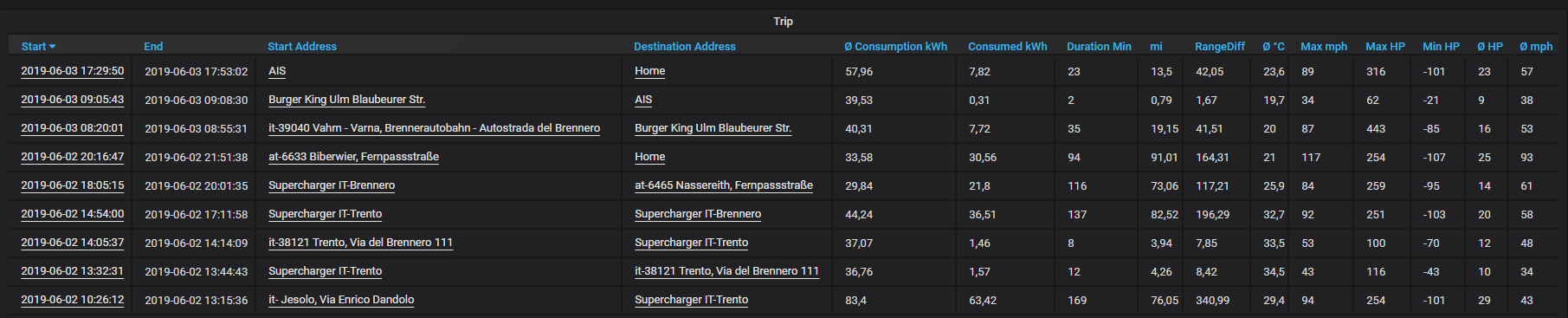
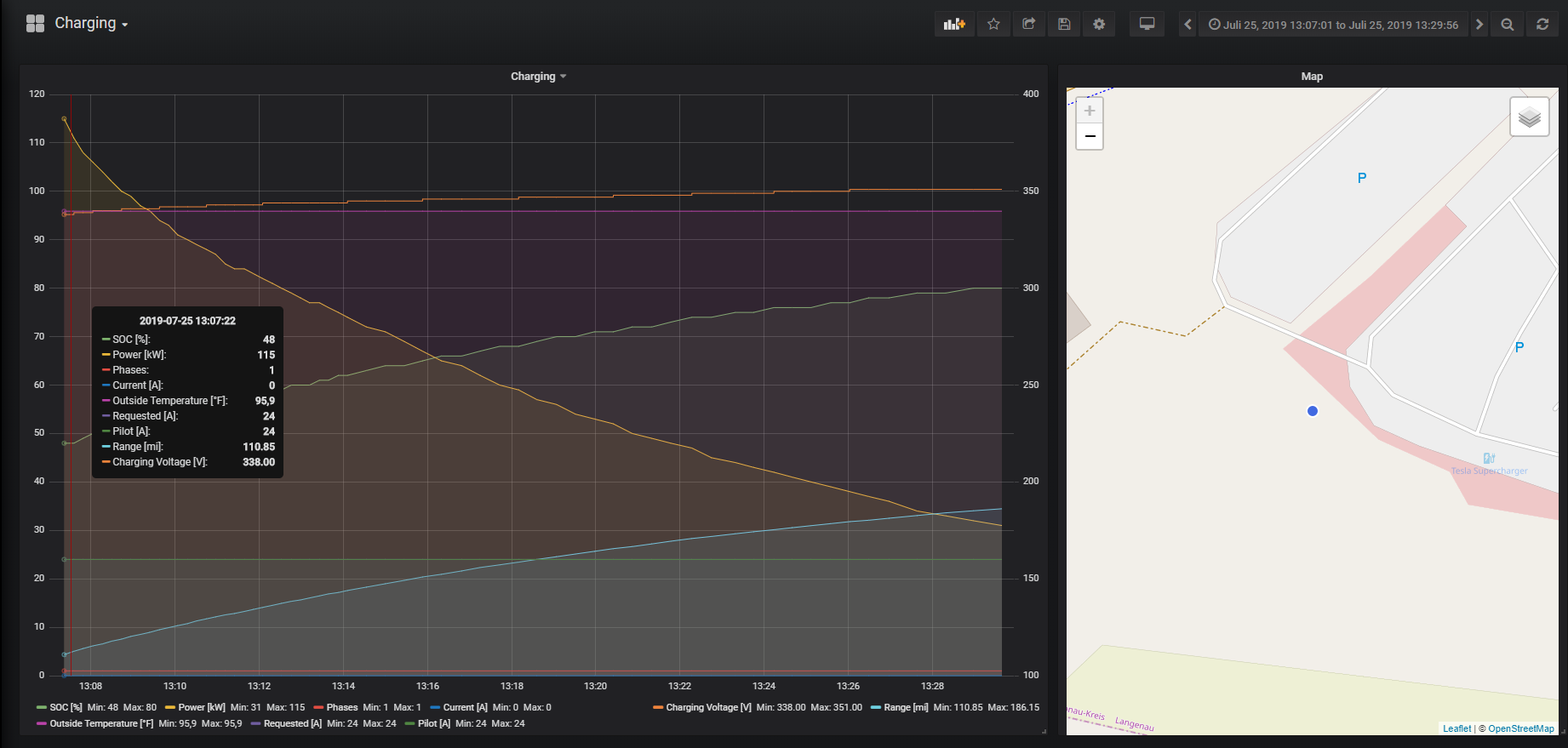
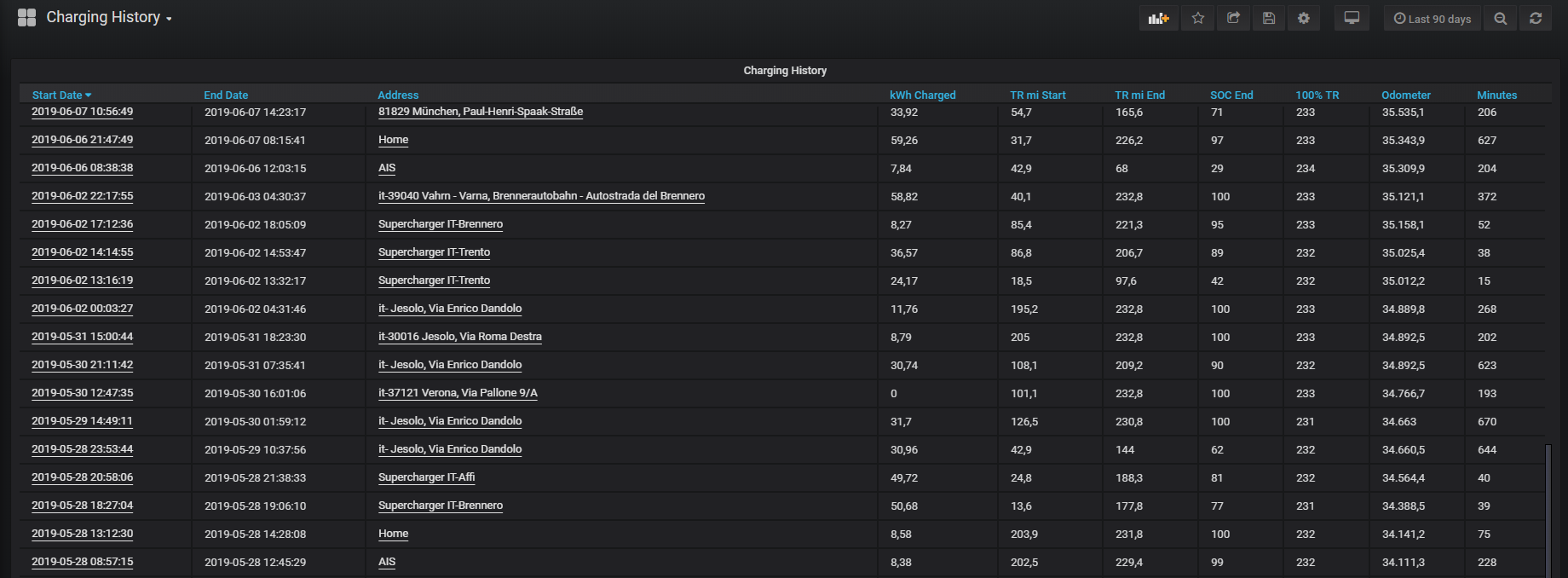
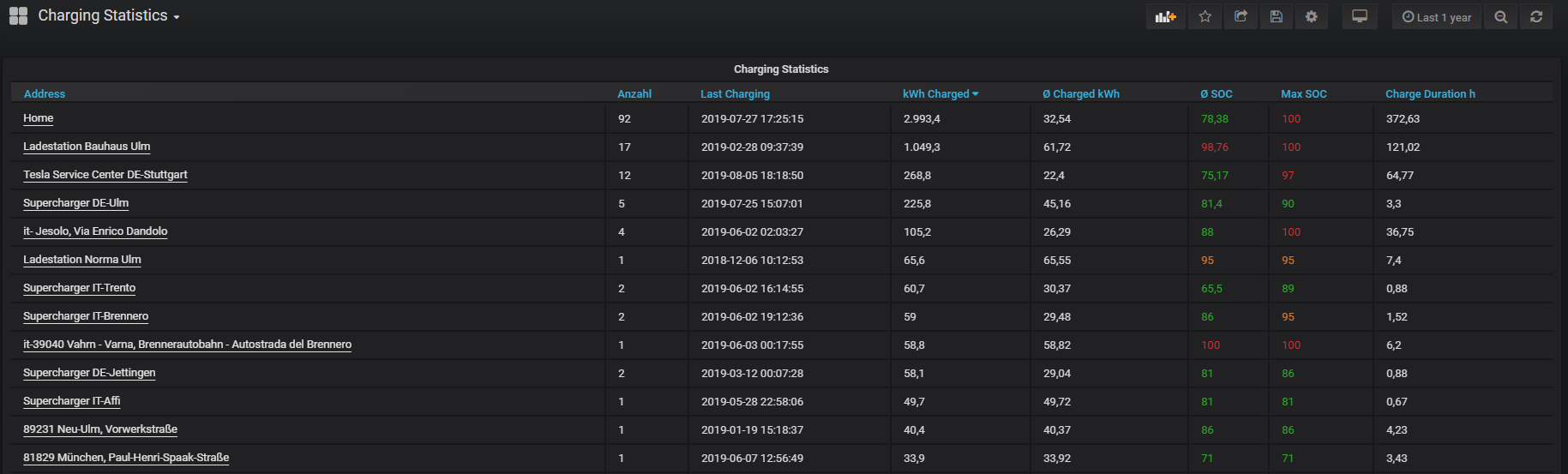
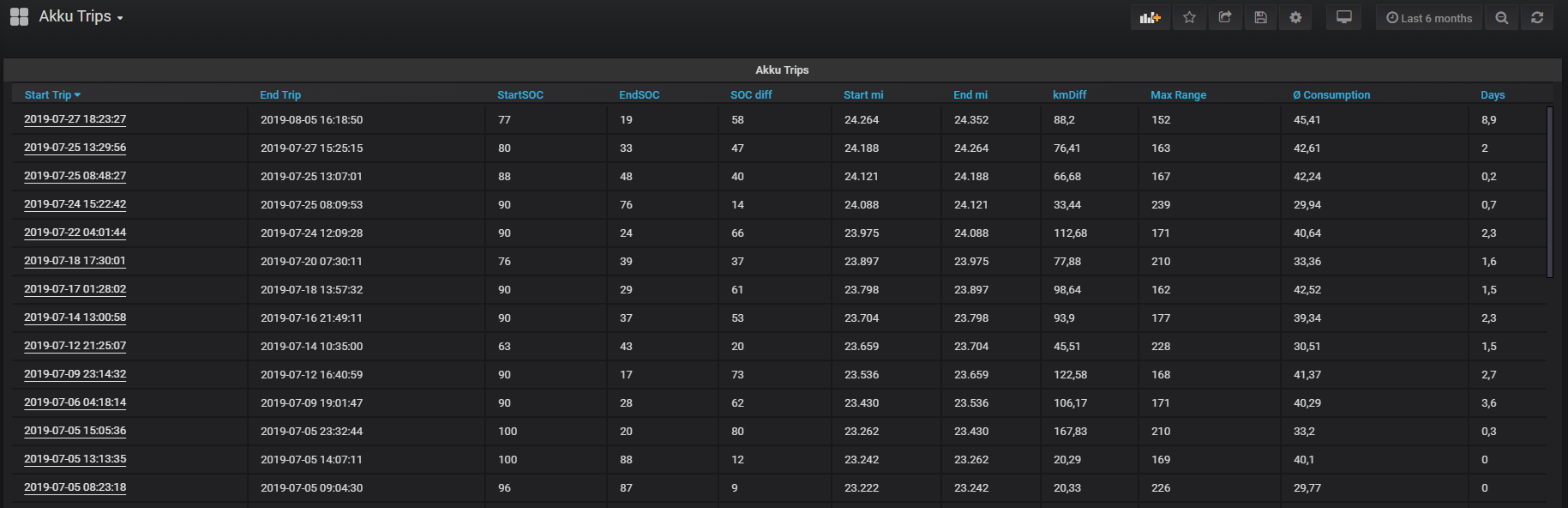
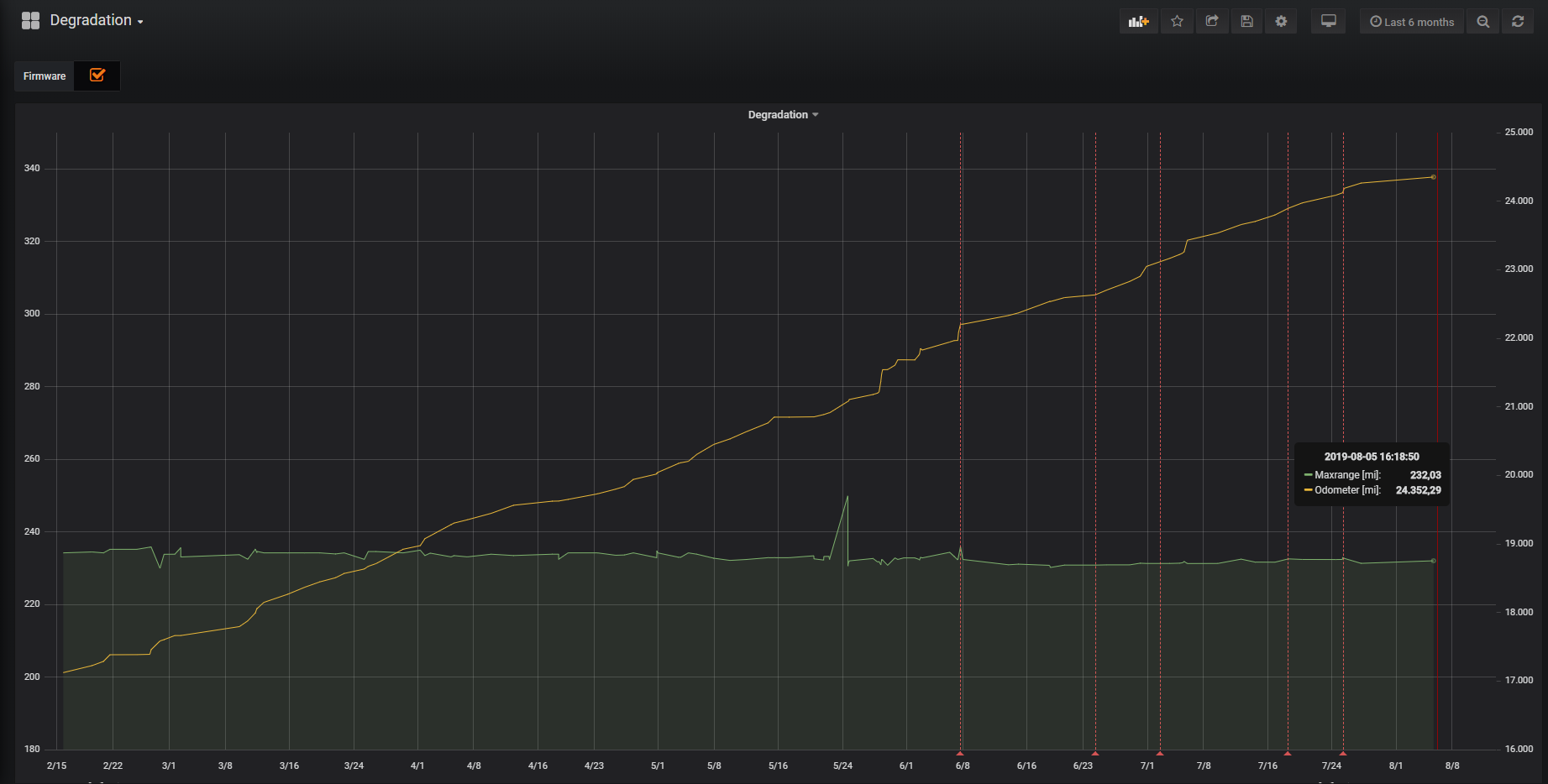
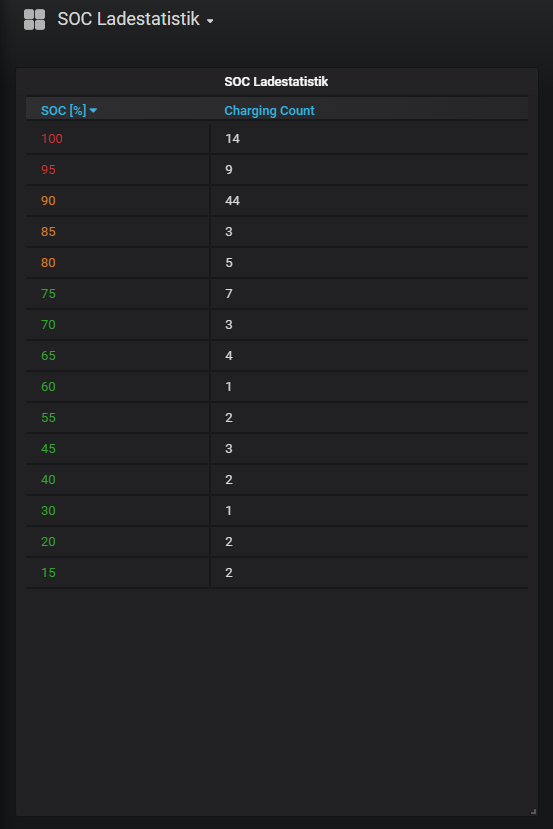



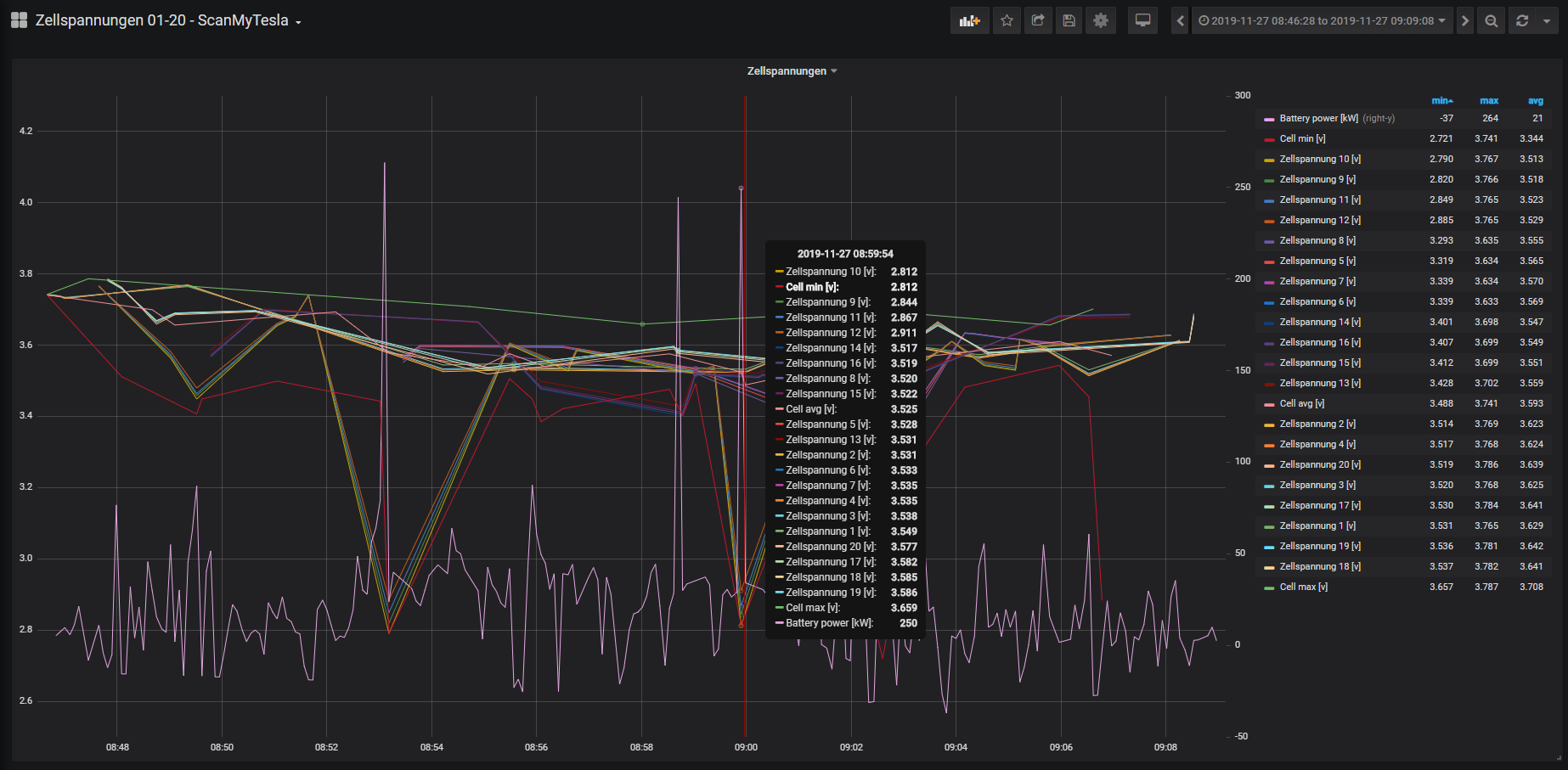
Screenshots with ScanMyTesla integration

Your Car vs Fleet
