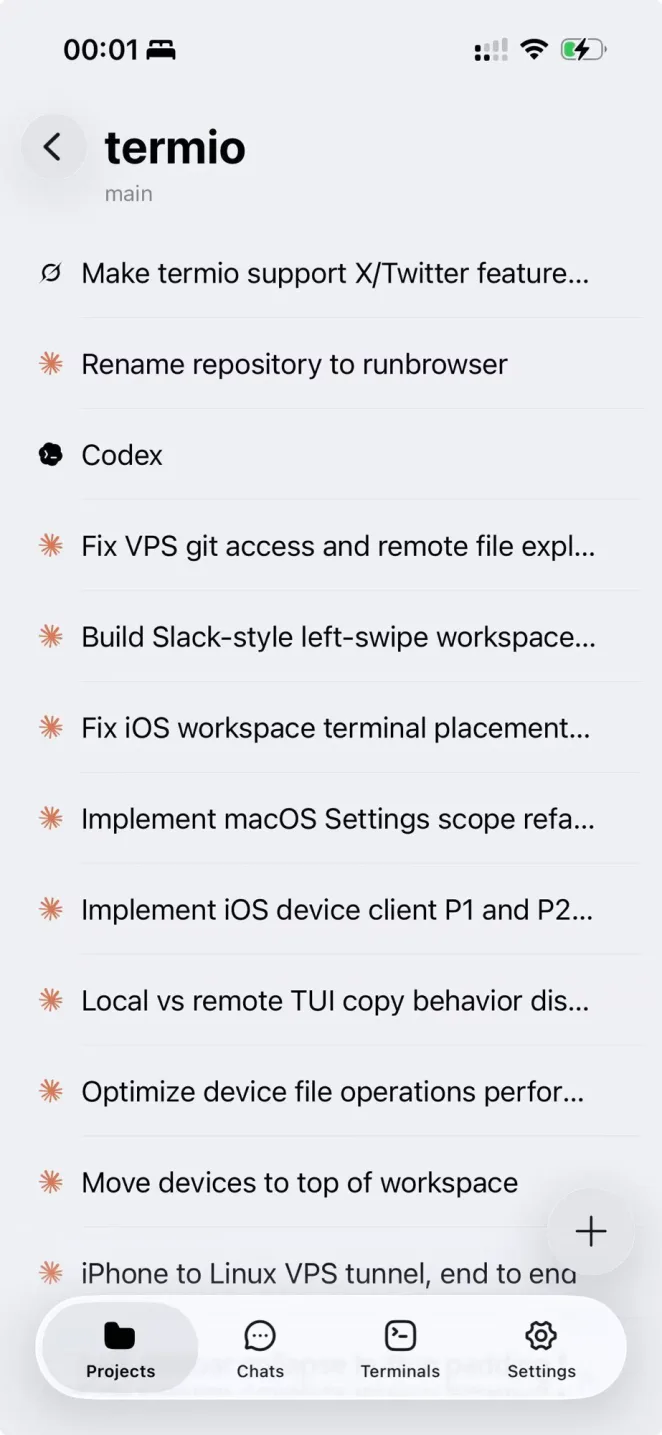
termio is a free, open source frameworks & platforms project written in Swift and released under MIT. It has 757 GitHub stars, 66 forks and 40 open issues, and was last pushed 39 hours ago. On this registry it ranks #127 of 139 tracked projects in Frameworks & Platforms, with 5 head-to-head comparisons available. It gained 7 stars over the last 3 tracked days.

What is termio?

Termio is a terminal-first agentic development environment for macOS, built in Swift under the MIT licence, that gives developers running CLI and TUI coding agents — Claude Code, Codex, OpenCode, Pi, Amp, Cursor, Copilot, Kimi, Antigravity, Crush, Grok, and others — one place to run them and to see which one needs attention.

What it is

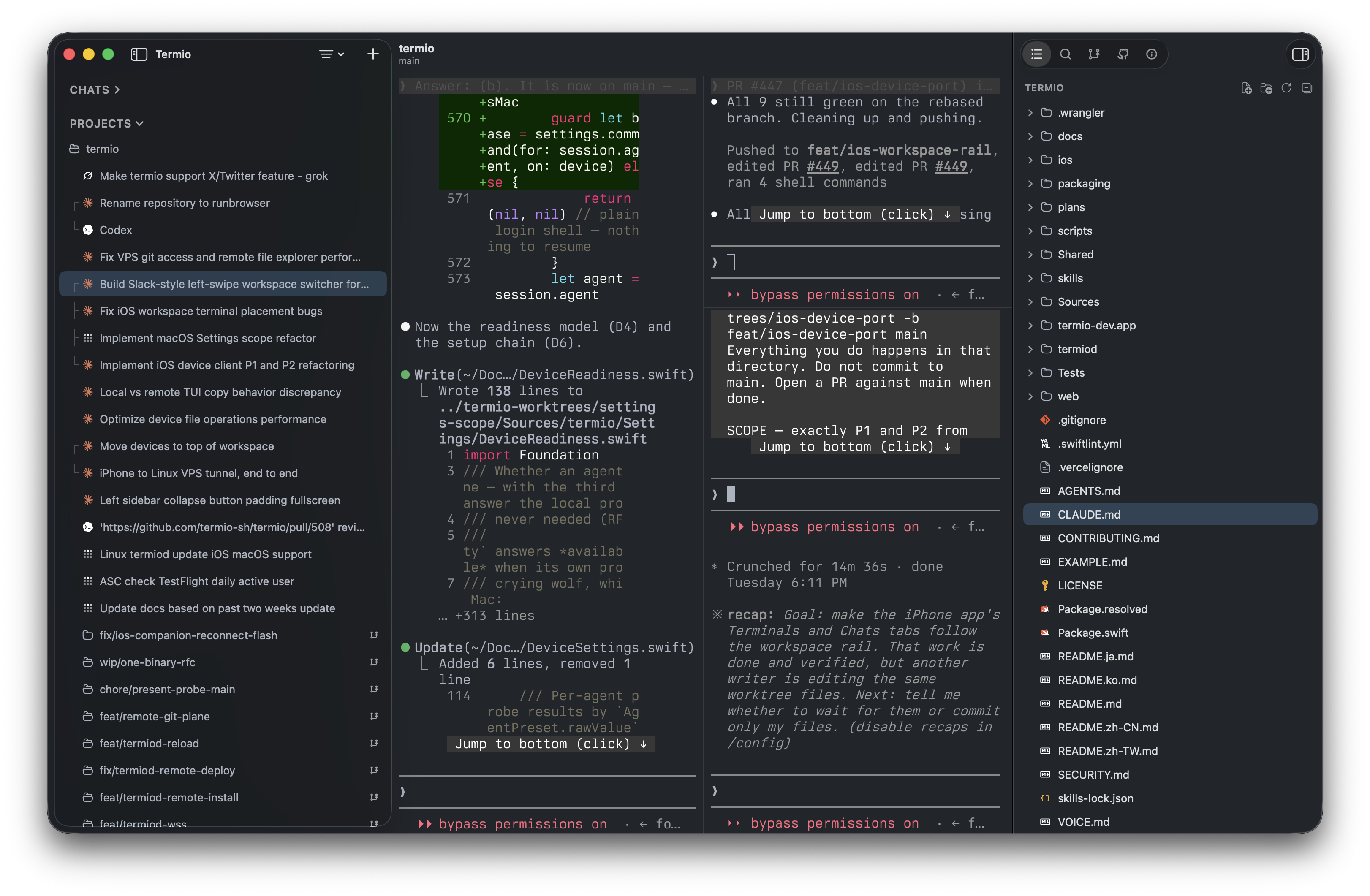
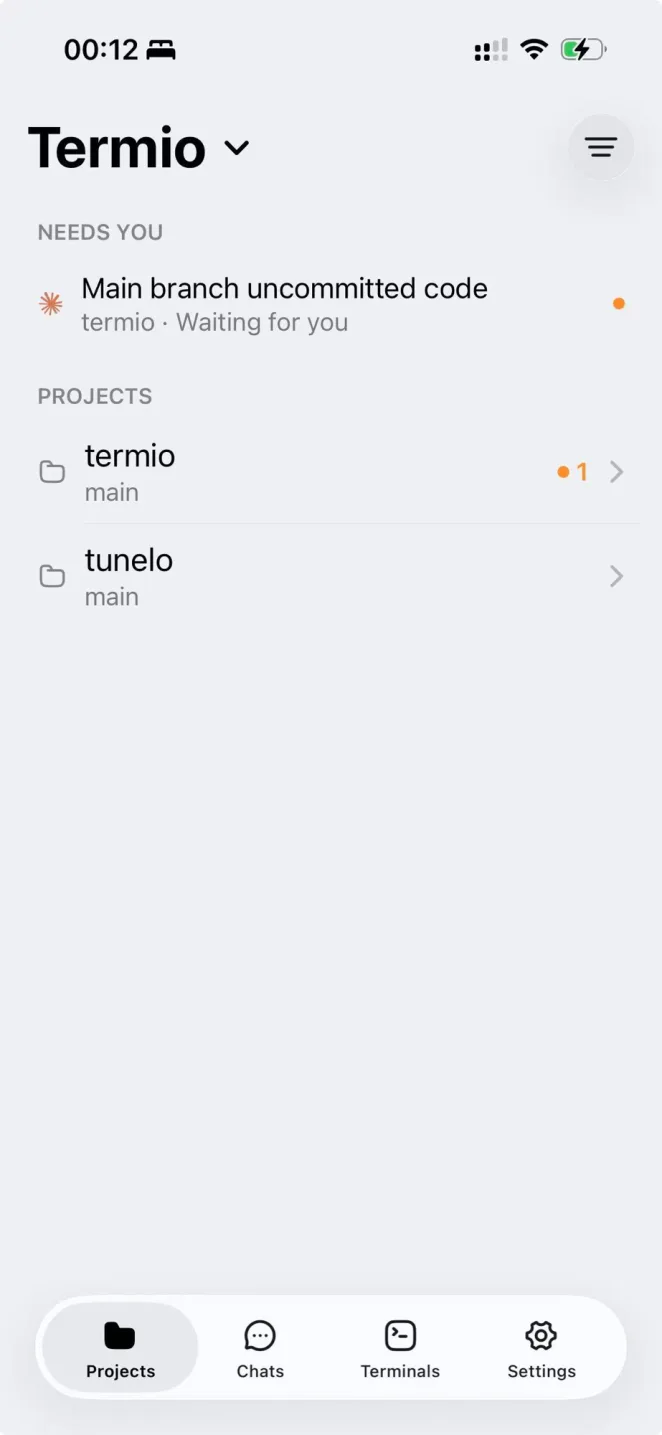
Termio is an agentic development environment (ADE) whose interface is a real terminal, because, as the README puts it, that is where the agents already live. It sits in the macOS developer-tooling ecosystem and organises work into projects, one per checkout, with that project's terminals and agents underneath; chats sit above projects as scratch agent sessions that do not belong to any checkout. On first launch it wires up each agent's own hooks, so a session reports working, idle, or needs you — shown as a dot in the sidebar, a menu-bar tray that rings when an agent is blocked, and the same signal on your phone.

The concrete thing it replaces is tmux. Termio is explicitly pitched as a tmux alternative: every session's shell lives in termiod, a daemon, so quitting the app only detaches. Closing the laptop and reopening Termio returns the agent where it was left, same process, same scrollback, and only Close Session (⌘W) actually ends a session. That removes the need to learn a multiplexer just to keep long-running agents alive.

Key capabilities

  • Automatic hook installation for each agent on first launch, producing a per-session status of working, idle, done, or needs you, surfaced in the sidebar, the menu-bar tray, and on the phone.
  • Daemon-backed persistence through termiod: quitting the app detaches rather than terminates, and Close Session (⌘W) is the only action that ends a session.
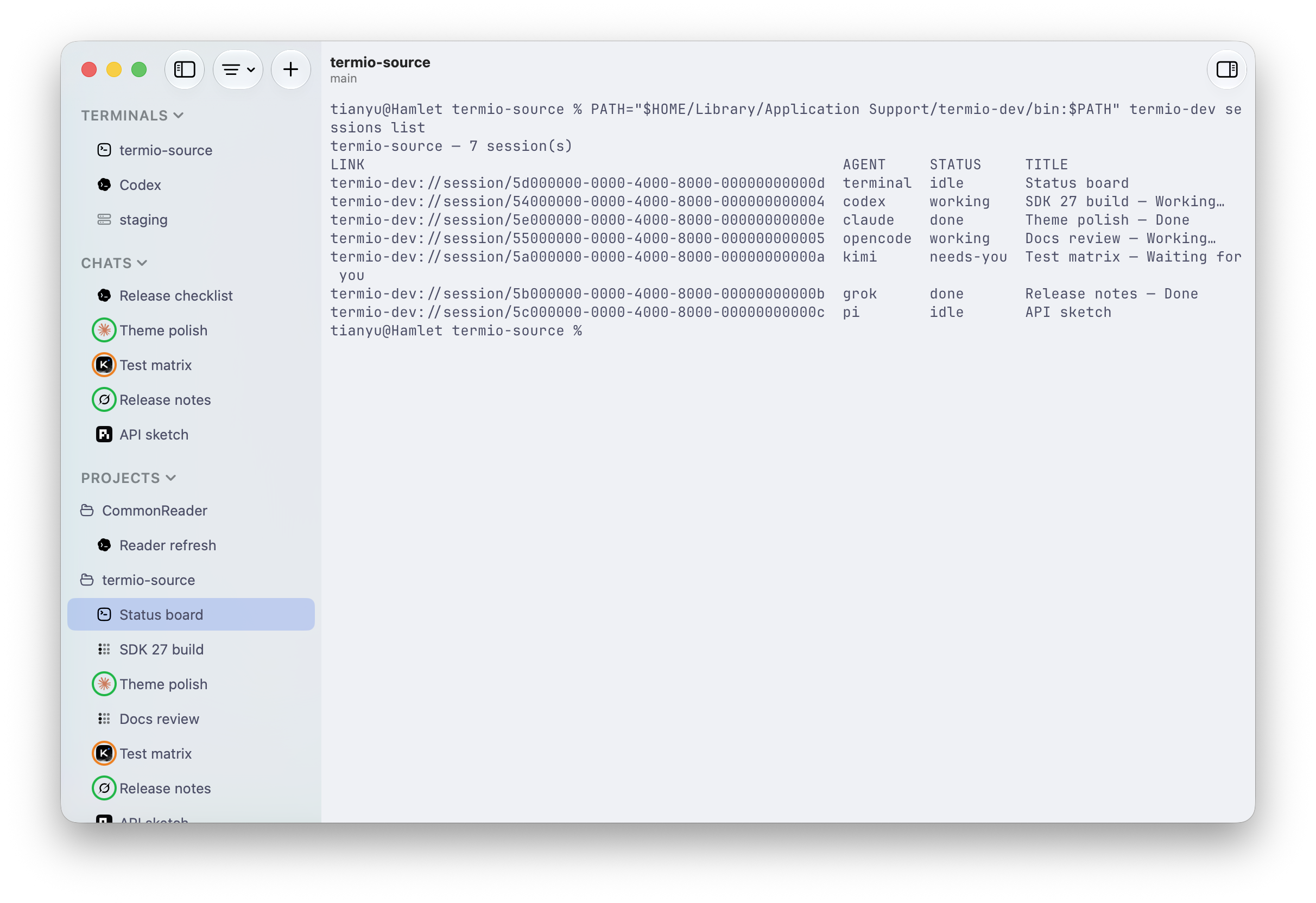
  • A termio CLI that drives the running app: termio session list, termio session spawn "fix the flaky test", termio session run "pnpm test --watch", termio session send ab12cd34 "1", termio session read ab12cd34 --lines 40, termio session watch, termio session focus, and termio notify.
  • Remote sessions over SSH to any Linux VPS: Termio reads ~/.ssh/config and never rewrites it, and Settings ▸ Devices ▸ Set Up copies one binary into ~/.local/bin over SSH, starts the daemon there, and installs the agents' hooks.
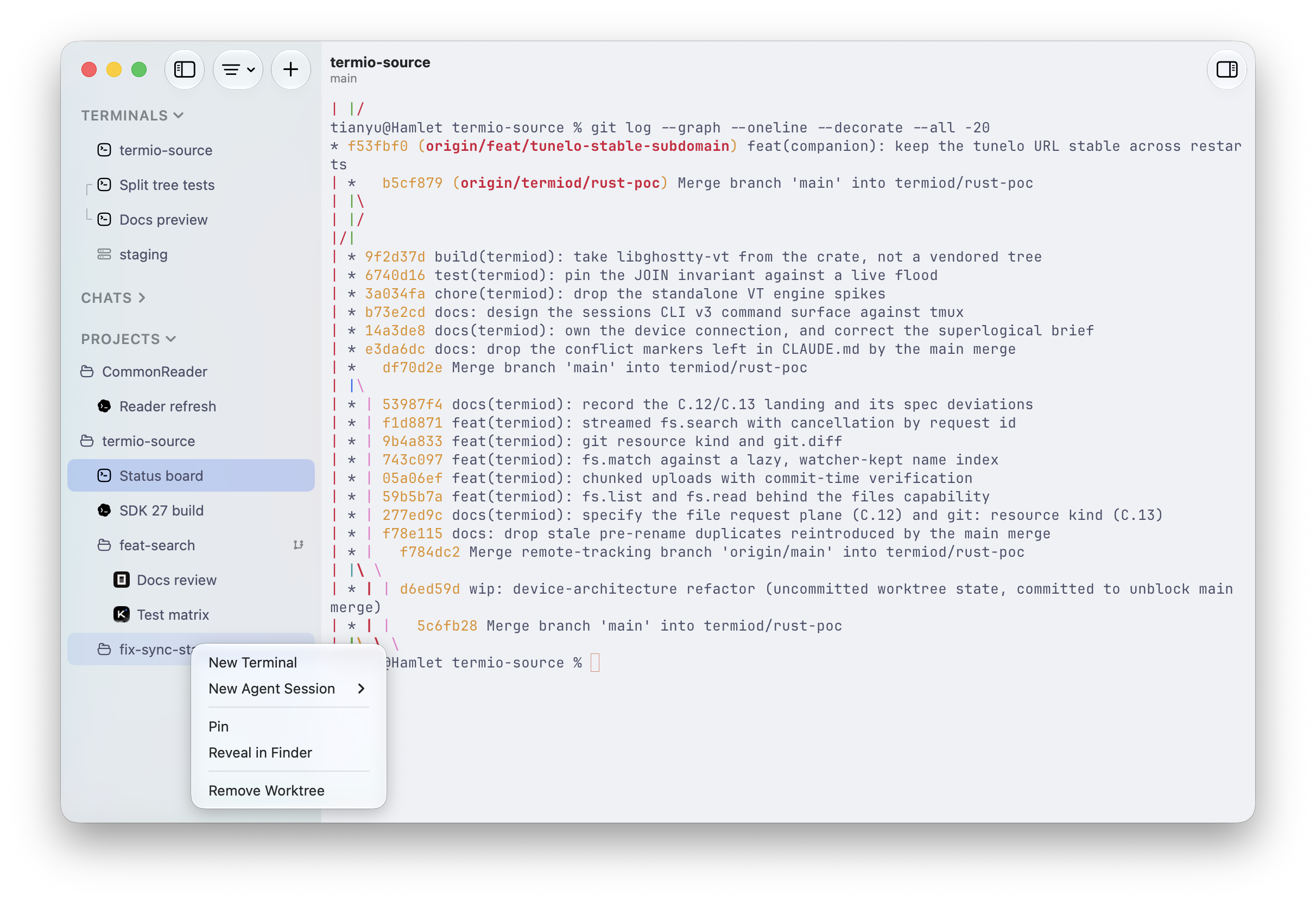
  • Git worktrees created from the sidebar, one branch per parallel task, nested under the project they came from.
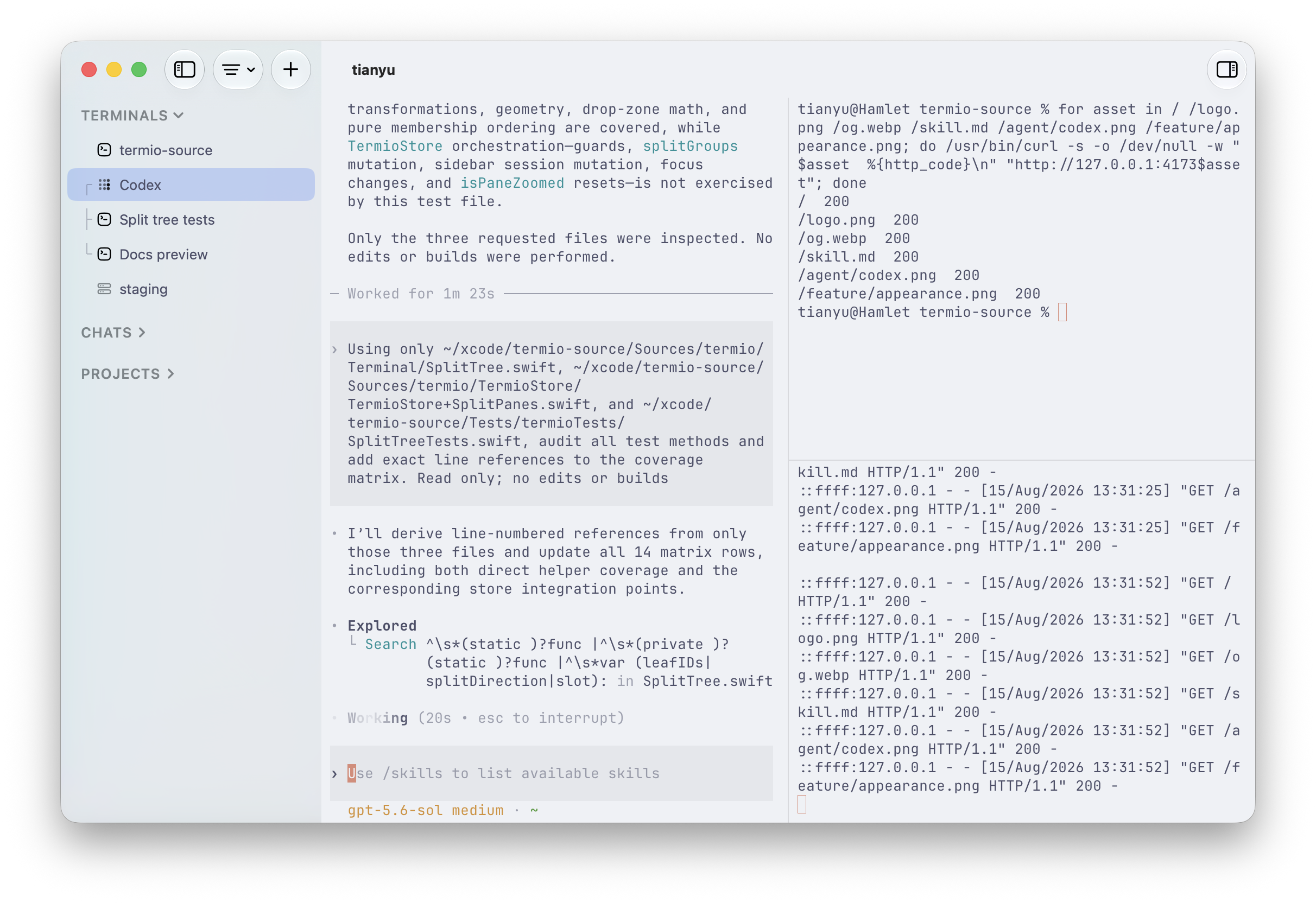
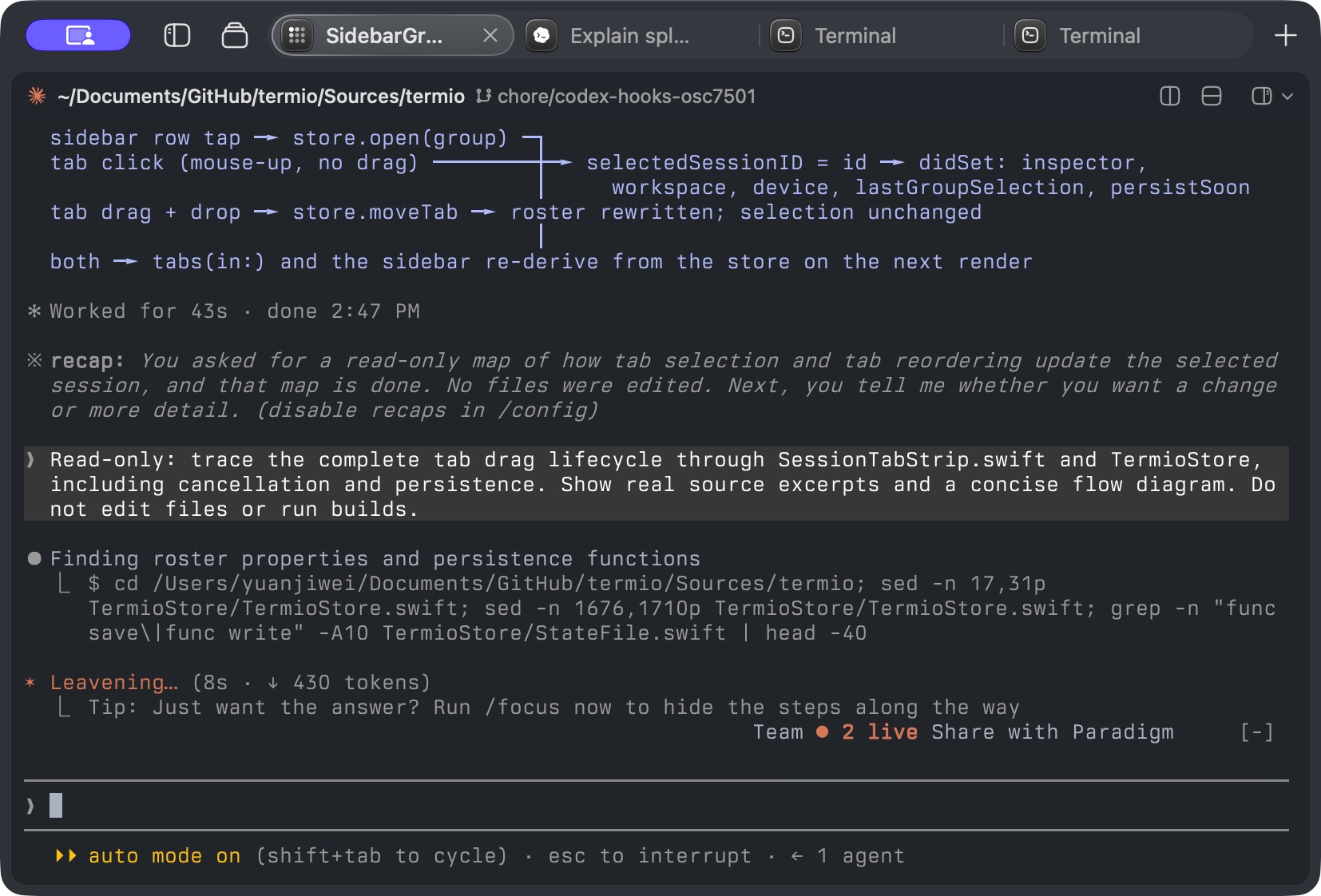
  • Split panes with ⌘D for a right split and ⇧⌘D for a downward split, plus optional horizontal tabs enabled in Settings ▸ Appearance ▸ Tabs.
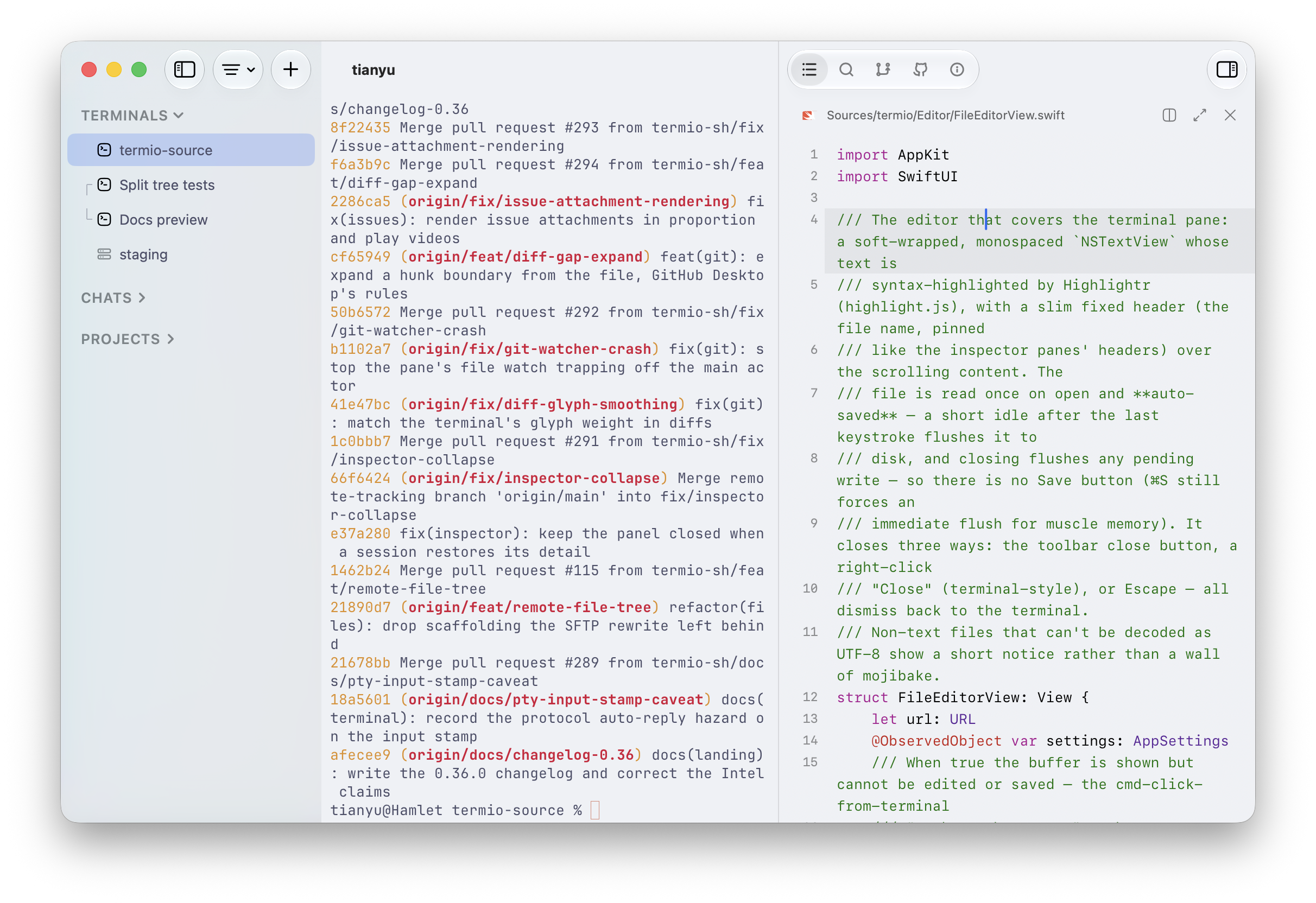
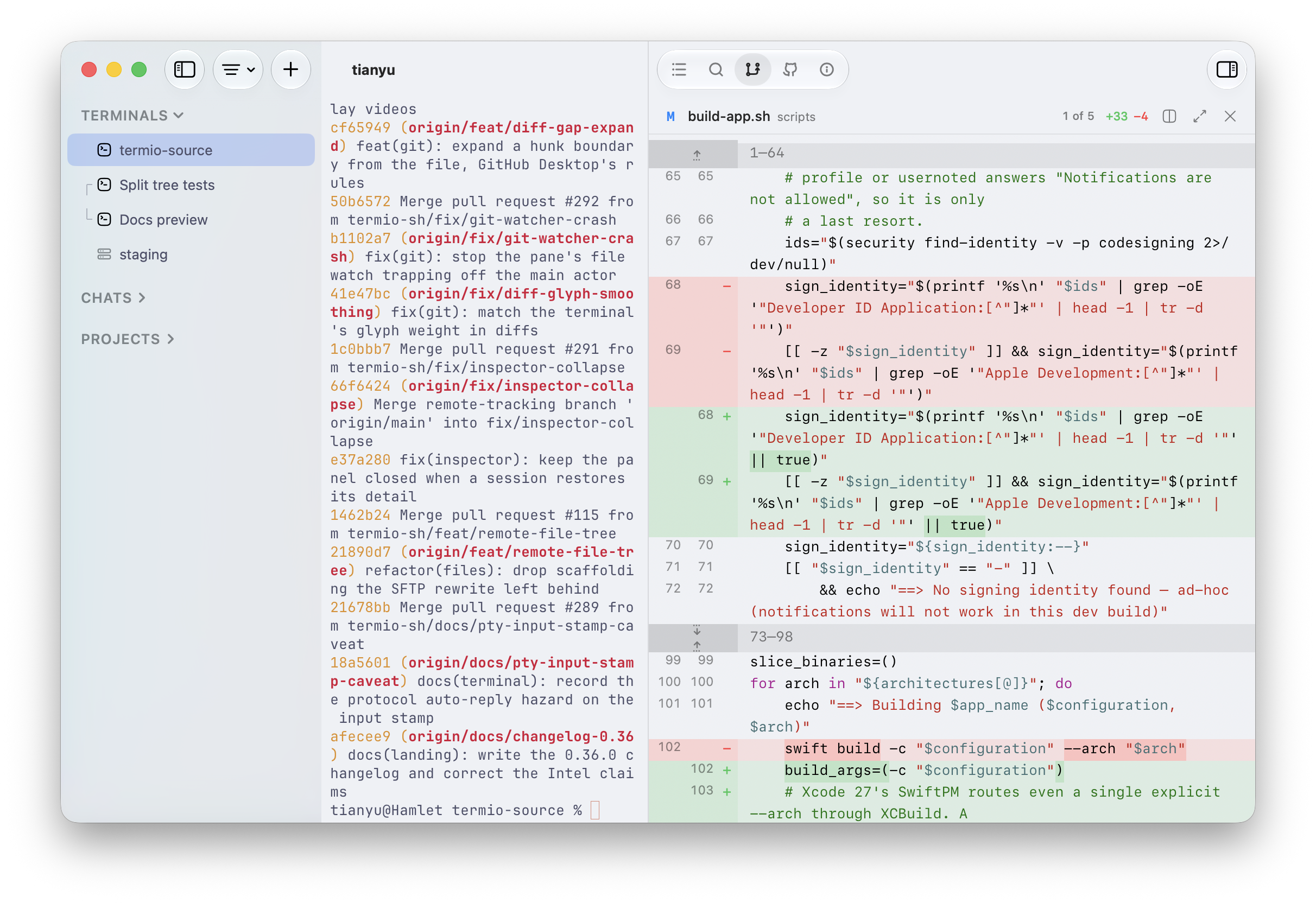
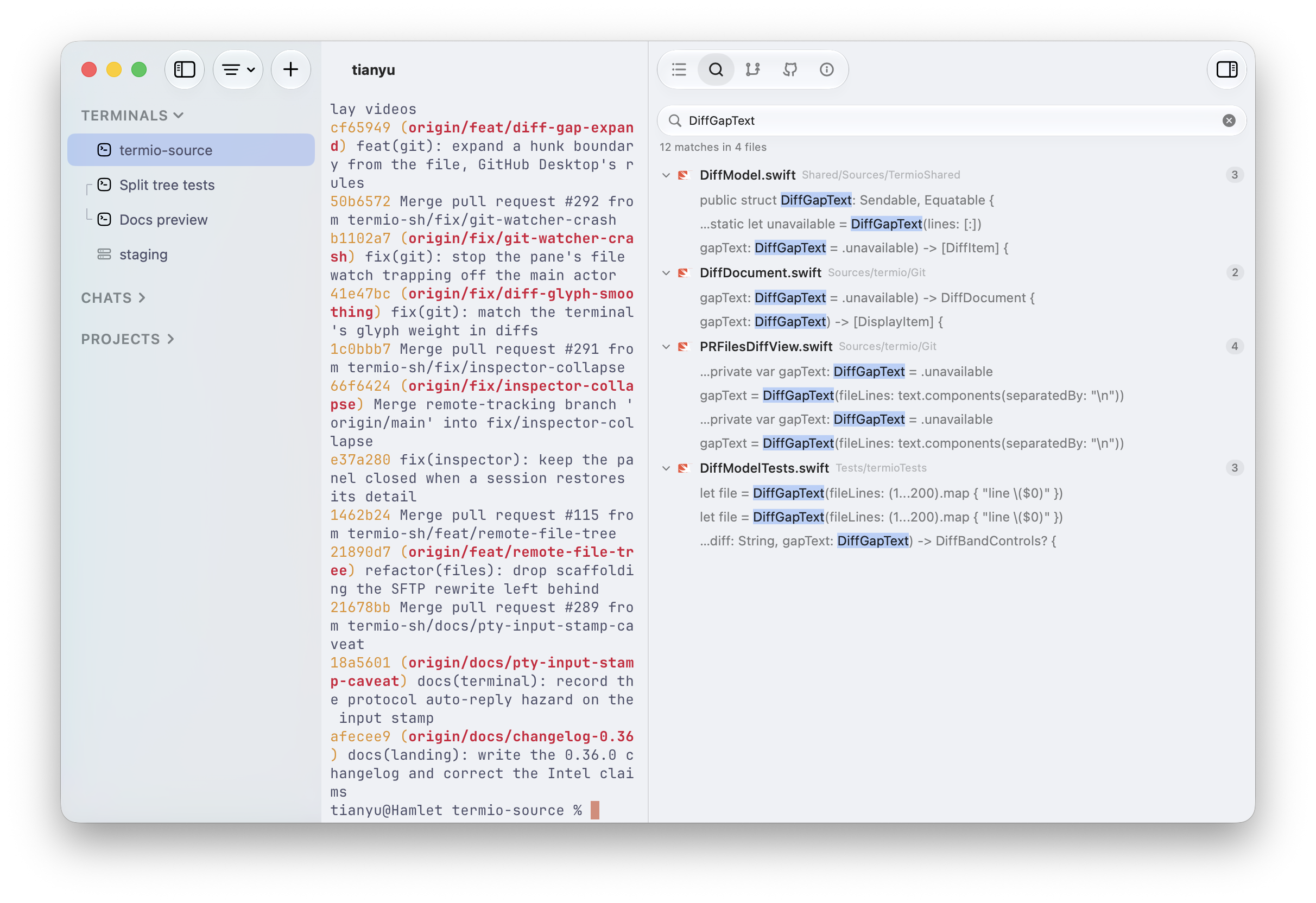
  • A file editor with syntax highlighting and autosave, project-wide content search that jumps to the matching line, and a read-only git pane showing the current unified diff.

Who uses it and how

  • Developers running several CLI agents in parallel, who need an agent, a dev server, and a shell side by side in one window rather than scattered across terminal windows.
  • People who would otherwise adopt tmux purely for session persistence, and who want sessions to survive quitting the app or closing the laptop.
  • Remote workflows on a Linux VPS reachable by ssh, where the session lives on the box rather than in the connection: dropping the link does not stop the agent, and reattaching restores the exact screen.
  • Agent-to-agent orchestration, where an agent inside Termio spawns a sibling session on a task, answers its permission prompt with termio session send, and reads back the reply with termio session read.
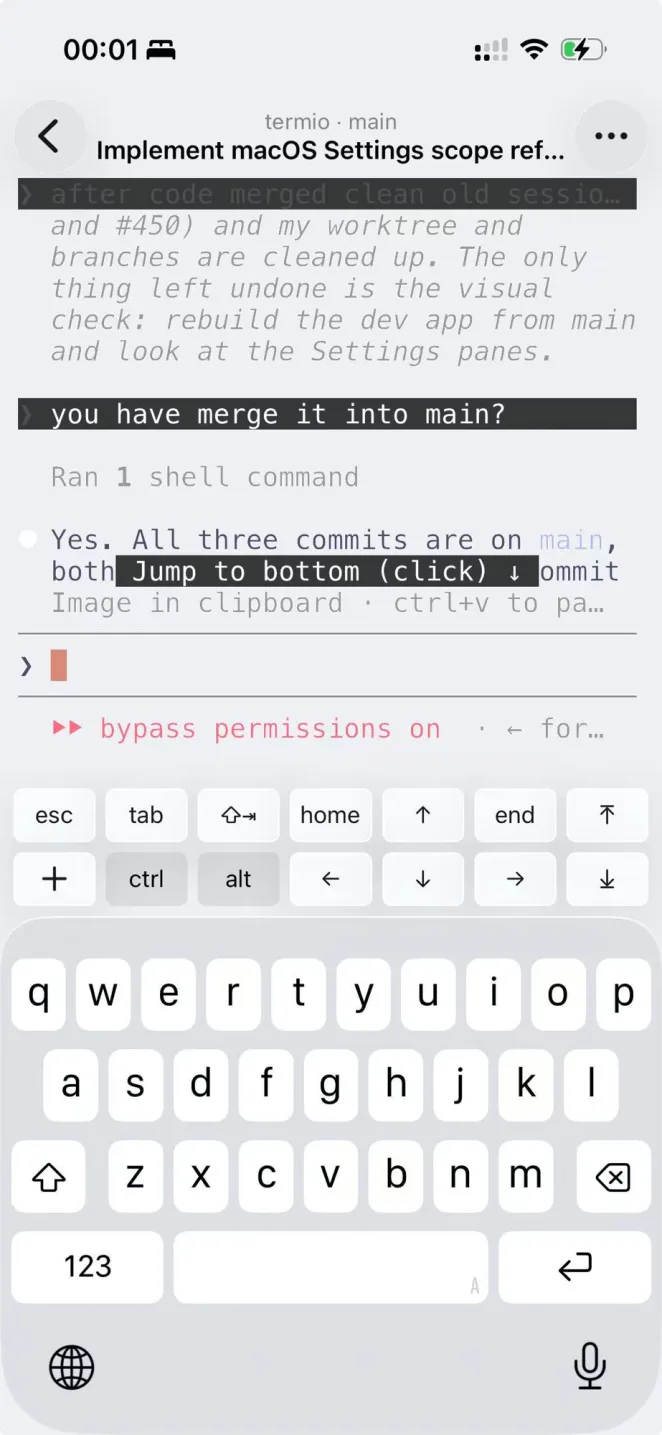
  • Mobile monitoring: an iPhone companion beta on TestFlight, paired by scanning the QR code in the Mac app's Settings ▸ Mobile, delivers the same "needs you" signal away from the desk.

Getting started

Download the free macOS disk image from downloads.termio.sh (macOS 14 or later, no account required), or install with Homebrew using brew install --cask termio-sh/tap/termio.

How it compares

Among the tools named in the facts, tmux is the direct point of comparison, and Termio's argument is that session persistence and pane management should not require learning a multiplexer. Within a single daemon-backed app it combines what tmux provides with agent status reporting, worktree management, SSH remote sessions, and a CLI, under the MIT licence and free of charge. It is not a general-purpose multiplexer for non-macOS hosts, since the application itself is macOS-only.

When to use it — and when not to

Choose Termio if you drive several CLI agents on macOS and want persistence, status, and remote execution without assembling them from tmux and separate scripts; be aware that going remote means SSH access to the target box and a binary copied into ~/.local/bin, and that the phone companion is still a TestFlight beta. It is a poor fit for teams on Linux or Windows desktops, or for anyone expecting a full GUI git workflow: the Changes pane is read-only and commit, push, and PR deliberately stay in the terminal. The project also carries a moderately active issue backlog of around 40 open issues, so expect to track upstream changes.

project readme (upstream, from github) — read inline

The Terminal-first Agentic Development Environment

Release License Discord

English | 简体中文 | 繁體中文 | 日本語 | 한국어

Download for macOS  •  Website  •  Docs  •  Changelog  •  Discord
What it is Terminal-first ADE

When agents write most of the code, the environment's job is to run them and to tell you which one needs you. Termio is that environment, and it's a real terminal because that's where the agents already live.

It wires up each agent's own hooks on first launch. A session reports working, idle, or needs you — a dot in the sidebar, a menu-bar tray that rings when one is blocked, the same signal on your phone. Claude Code, Codex, OpenCode, Pi, Amp, Cursor, Copilot, Kimi, Antigravity, Crush, Grok, and any other CLI agent.

A tmux alternative

Many people tell you to learn tmux. You don't have to. Every session's shell lives in termiod, a daemon, so quitting the app only detaches. Close the laptop, reopen Termio — the agent is where you left it, same process, same scrollback. Only Close Session (⌘W) ends one.

Remote ADE

Any Linux VPS you can ssh to. Termio reads ~/.ssh/config and never rewrites it. Settings ▸ Devices ▸ Set Up copies one binary into ~/.local/bin over SSH, starts the daemon, and installs the agents' hooks there. Local and remote sessions run through the same host. The session lives on the box, not in the connection. Drop the link and the agent keeps working; reattach restores the exact screen.

Install

Download Termio for macOS — free, no account, macOS 14+. Or with Homebrew:

brew install --cask termio-sh/tap/termio

On iPhone: get the companion beta on TestFlight, then pair it by scanning the QR code in the Mac app's Settings ▸ Mobile.

What you get
Projects hold sessions

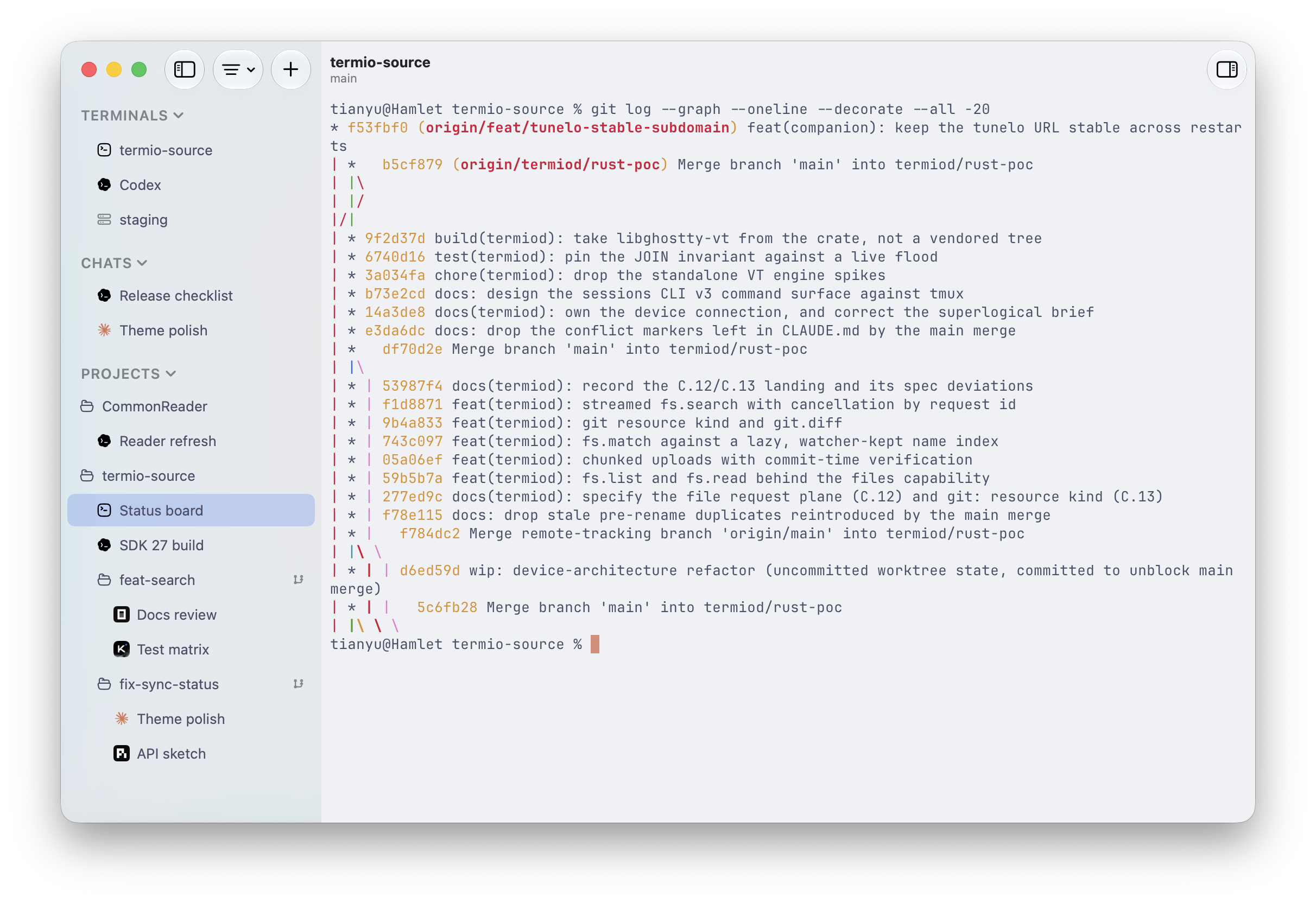
One project per checkout, its terminals and agents underneath. Chats sit above that — scratch agent sessions that don't belong to any project.

Git worktrees

One branch per parallel task, created from the sidebar. Worktrees nest under the project they came from.

Split panes

⌘D splits right, ⇧⌘D splits down. An agent, a dev server, and a shell in one window.

Horizontal tabs

Sessions in one row above the terminal. Click a tab to switch, drag it to reorder. Turn it on in Settings ▸ Appearance ▸ Tabs. Watch the video.

Status at a glance

Working, idle, done, or needs you — a mark on every row. The same list is termio session list.

File editor

Click a file in the tree. Syntax highlighting, autosave. The terminal stays the place where you commit.

Changes

A read-only git pane with the current unified diff. Commit, push, and PR stay in the terminal.

Search

Project-wide content search, jumping to the matching line in the editor.

Command palette

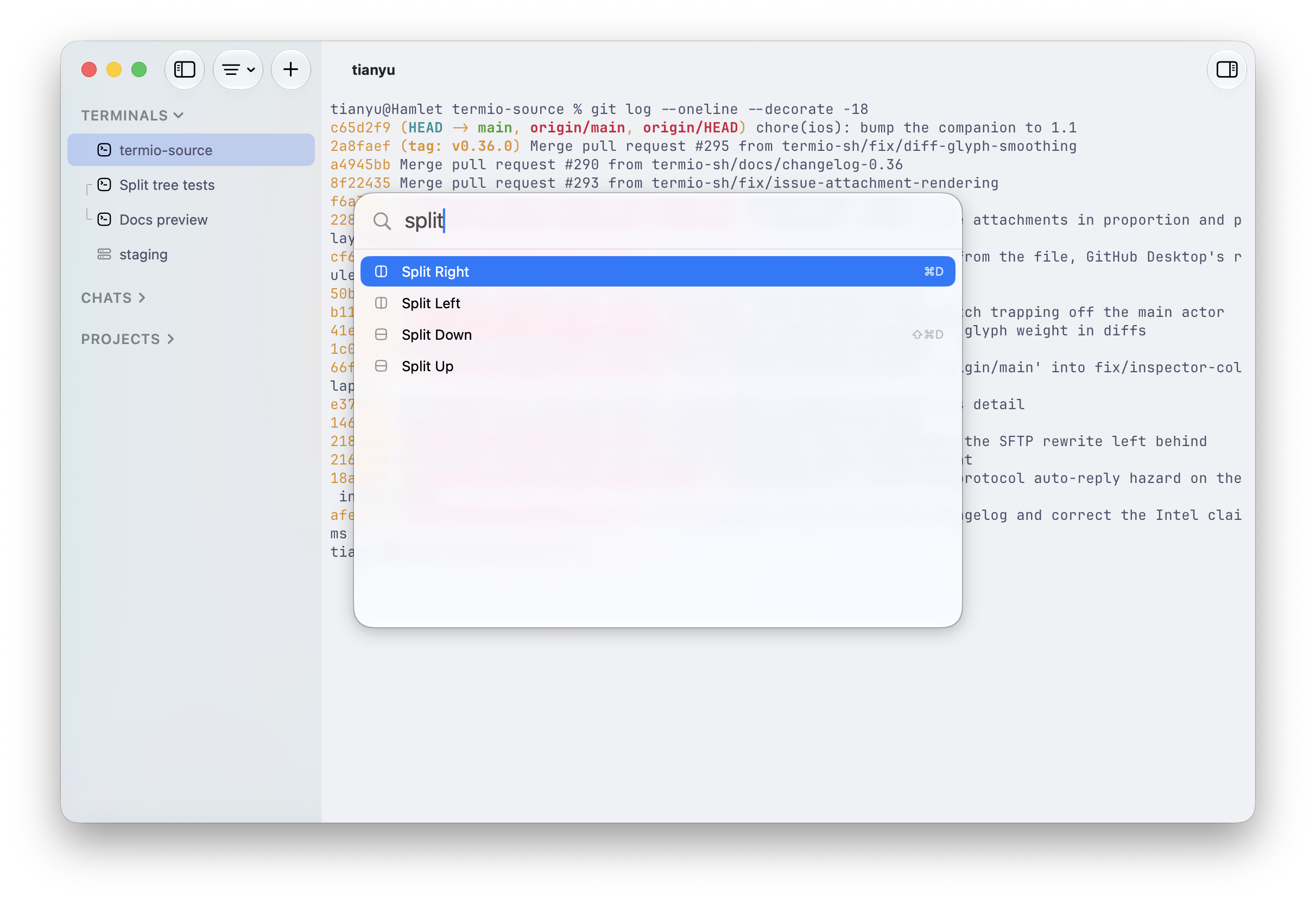
⌘⇧P. Split, focus, anything you'd hunt a menu for.

Drive it from the terminal

The termio CLI drives the running app. An agent inside Termio can spawn a sibling, hand it a task, and read back the reply:

termio .                                    # open the current directory as a project
termio session list                        # who's working, idle, or waiting on you
termio session spawn "fix the flaky test"  # start a new agent session on a prompt
termio session run "pnpm test --watch"     # start a plain terminal session on a command
termio session send ab12cd34 "1"           # answer a sibling's permission prompt
termio session read ab12cd34 --lines 40    # print what's on a session's screen
termio session watch                       # stream status changes as they happen
termio session focus ab12cd34              # bring a session forward in the app
termio session close ab12cd34              # close it
termio notify "the migration finished"      # post a macOS notification

--wait blocks until the turn settles and comes back with the final status and the transcript range to read. --json makes any sessions command machine-readable. --agent picks which agent spawn starts. --direction / --ratio decide where the new pane lands and how big it is.

termio session spawn "run the migration" --agent codex --wait

Session control installs a termio agent skill into each agent's skills folder (~/.claude/skills, ~/.codex/skills) and keeps it current on every launch. Any other agent can install the same skill from this repo:

npx skills add termio-sh/termio --skill termio

On your iPhone

The Termio iOS mirrors every session live — full TUI. A key bar puts esc, tab, ctrl, and arrows above the keyboard, and hold-to-speak transcribes into the prompt. Public beta on TestFlight.
Architecture

Every session lives in termiod. Clients only attach. Closing a client does not kill the agent. One protocol; only the pipe changes.

Mac app        ─ unix/ssh ─┐
TUI (soon)     ─ unix/ssh ─┤
                           ├──► termiod
iPhone         ─ wss ──────┤       │
Android (soon) ─ wss ──────┘       │ PTY
                                   ▼
                            shell / agent

The phone attaches to termiod on the box, not through the Mac. A session on a VPS is the same object as one on your laptop.

The reasoning is in termiod/ARCHITECTURE.md.

Roadmap

  • TUI client — attach from any terminal, the way you would to tmux.
  • TUI → GUI on mobile — an optional GUI rendering of agent sessions on the phone, built on top of the live mirror.
  • Android — the same companion as iPhone.
  • Windows support — Termio as a native Windows app. Same idea, same termiod core.
  • Web support — attach to your sessions from any browser, with terminals you can share by link.
  • Issue triage — GitHub, GitLab, and Linear issues inside the app, ready to hand straight to an agent.

Follow along or weigh in on GitHub Issues.

Community

Termio is looking for long-term maintainers. If you love using it and would like to own an area of the roadmap above — the web client, Windows, or the iOS companion — join the Discord and say hi, or just pick up an issue.

  • Discord — chat with the developer and other users
  • WeChat group — Chinese-speaking users, scan the QR code below
  • GitHub Issues — bugs and feature requests
The WeChat code expires every few days. If it has, ask in Discord and it gets refreshed.

Contributors

Contributors

License

MIT.

Frequently asked questions

Is termio free to use?

termio is open source under the MIT licence. There is no licence fee and no seat count — you can self-host it or, where the project offers one, pay a vendor for a managed version instead.

What does termio do?

A terminal-first agentic development environment for agentic coding. Build for CLI/TUI agent. Runtime for Coding Agent, Tmux alternative

What is termio written in?

termio is primarily written in Swift. Its source is publicly available at https://github.com/termio-sh/termio, and it has 757 GitHub stars.