
Terax
Lightweight Terminal-first AI-native dev workspace.
Website · Docs · Website's source code





简体中文 | Español | Deutsch | Français | 日本語 | 한국어 | Português | Polski | Русский | Bahasa Indonesia | हिन्दी
Terax is a lightweight open-source terminal-first AI-native development environment (ADE) built on Tauri 2 + Rust and React 19. A native PTY backend with a WebGL renderer, an agentic AI side-panel that runs against your own keys or fully local models, plus a code editor, file explorer, source control with a git graph, and a web preview pane built in. About 7-8 MB on disk. No telemetry. No account.
Screenshots
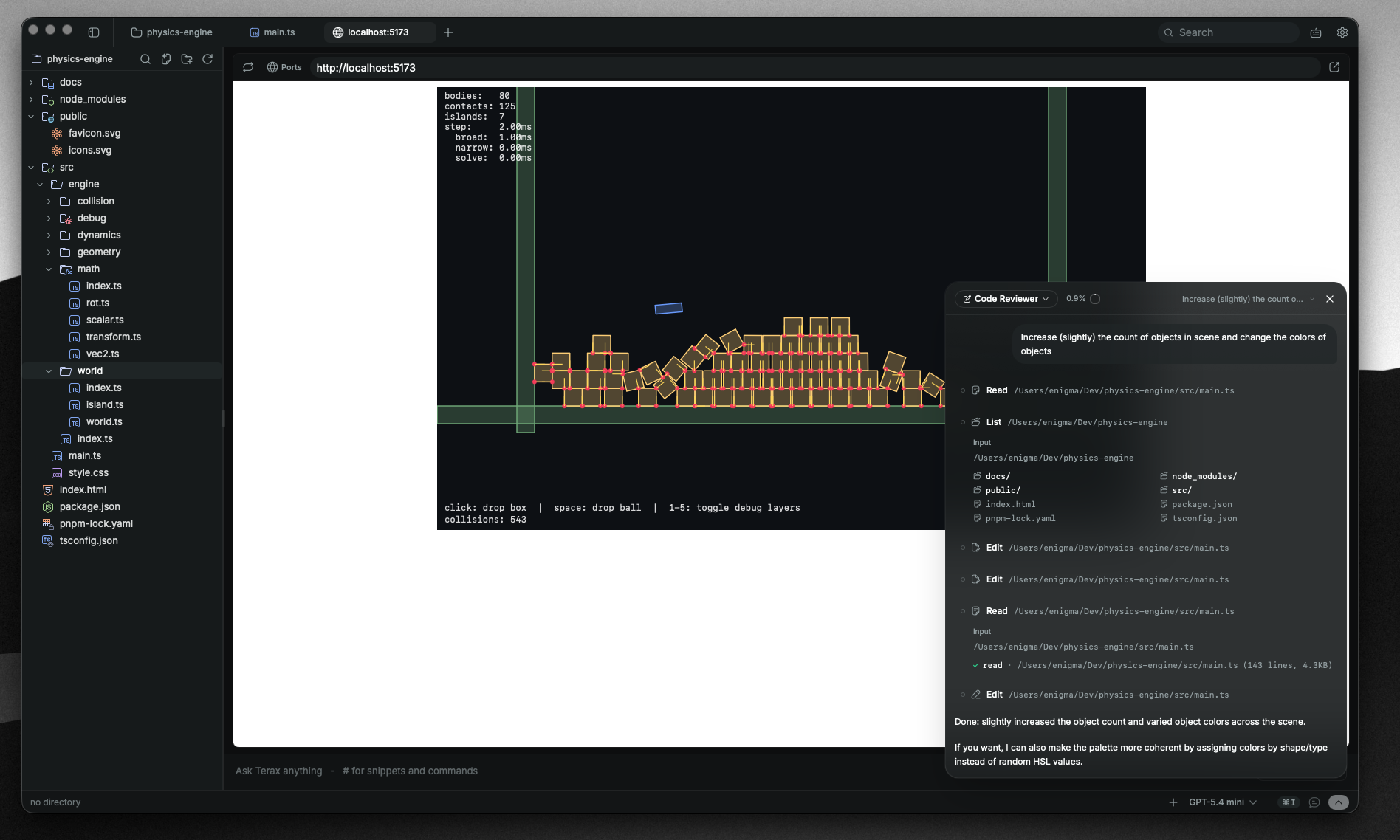 Web preview of local dev servers |
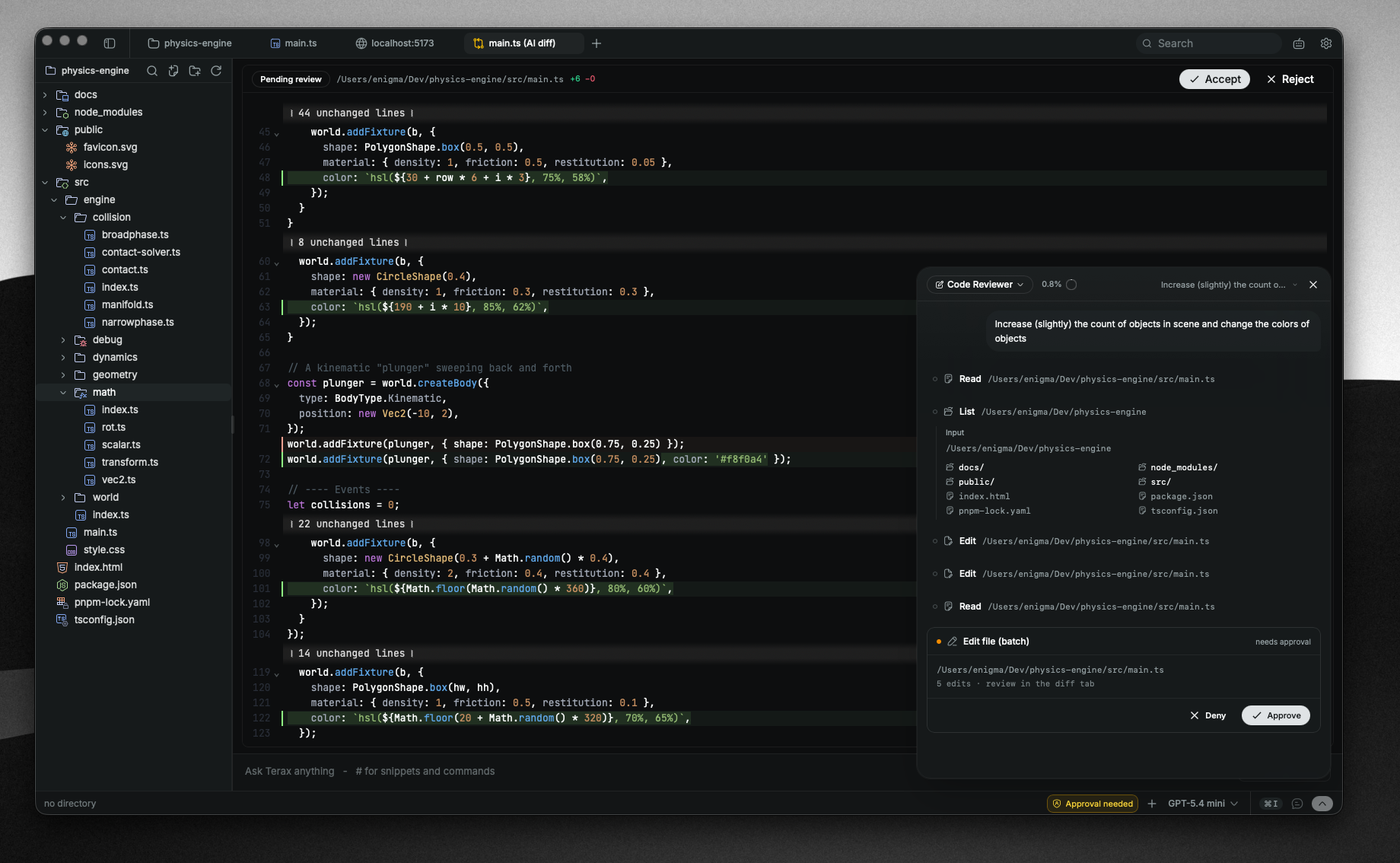 Agentic AI workflow with edit diffs in the code editor |
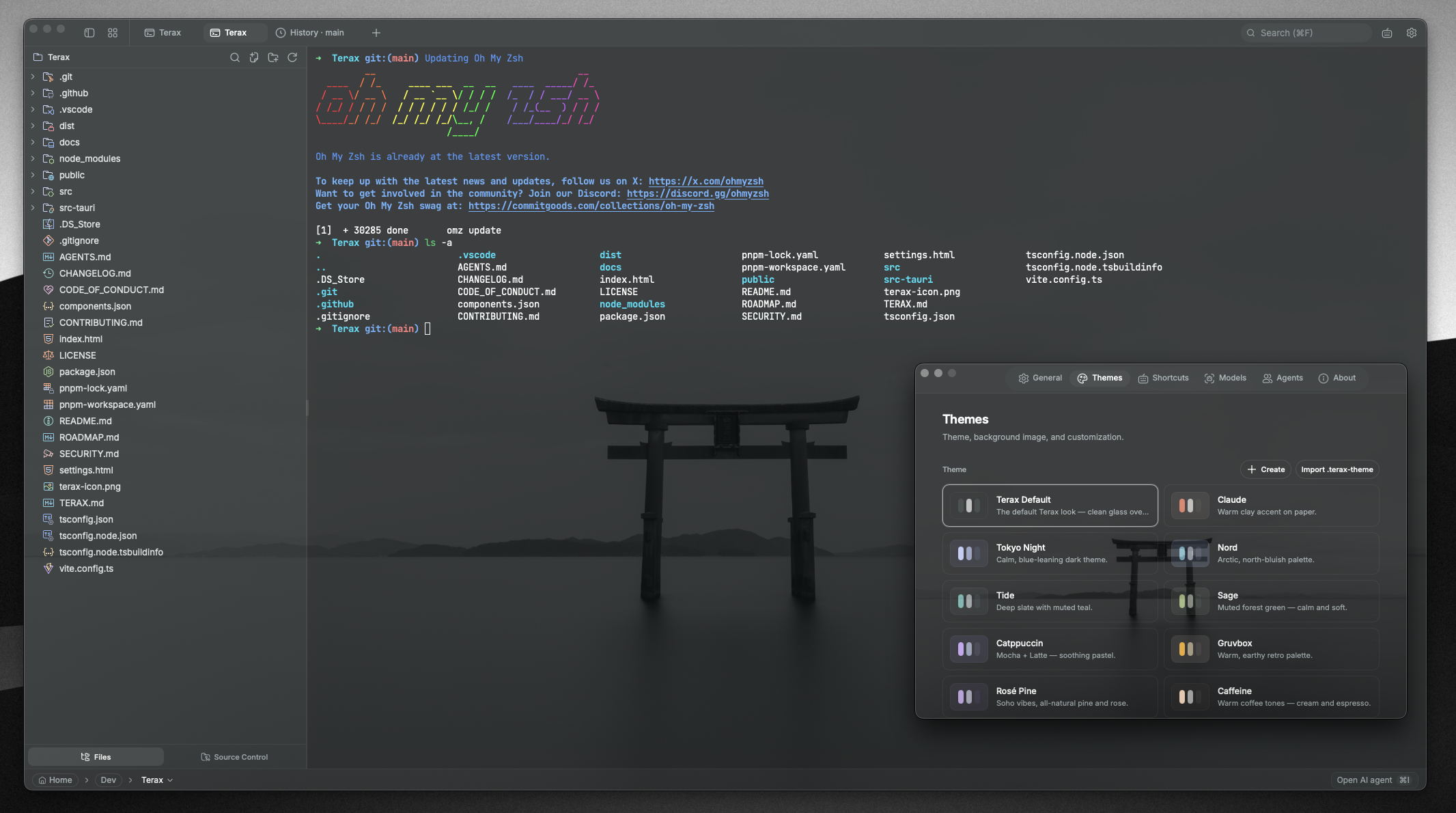 Custom themes, presets, and background images |
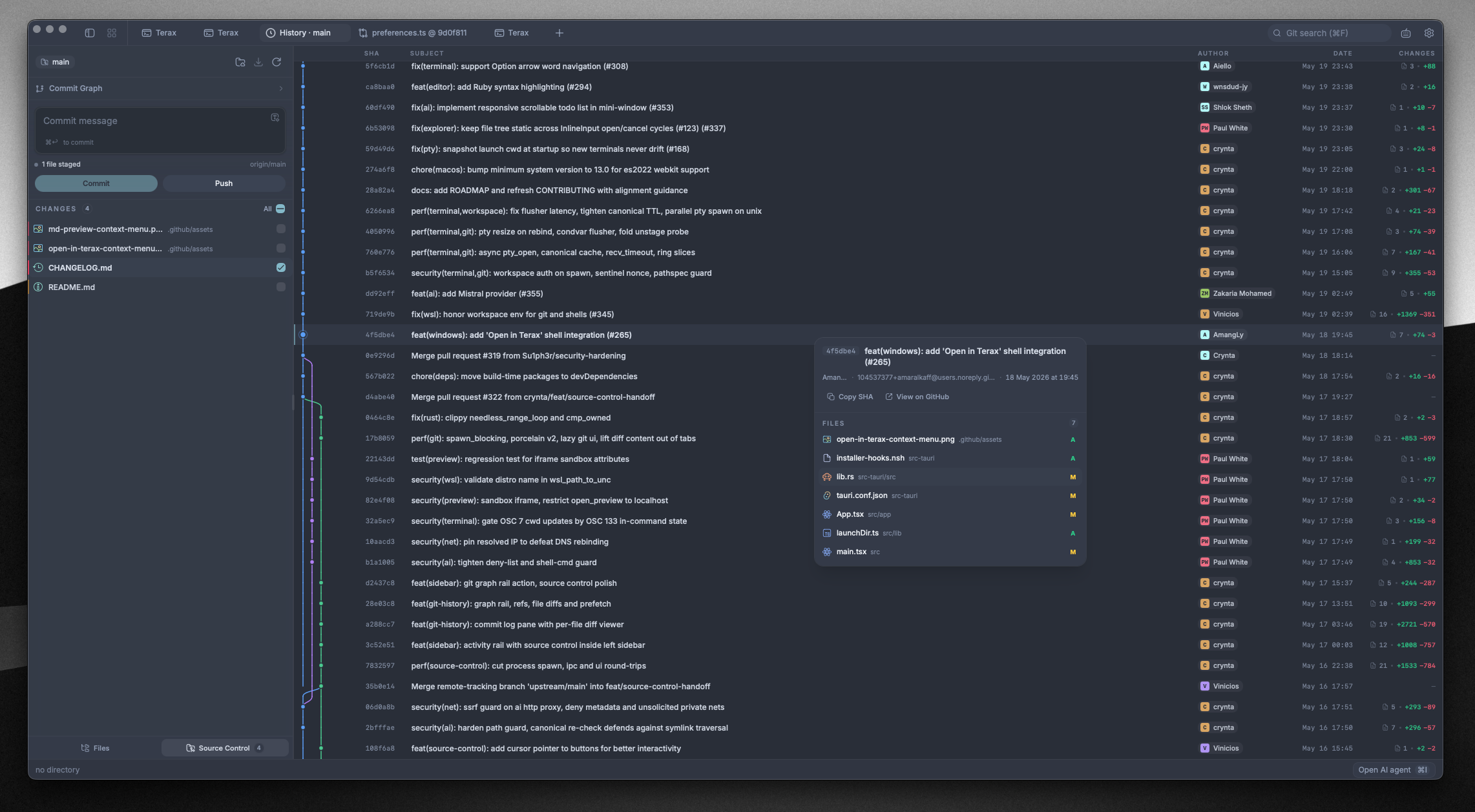 Source control panel with git graph in history |
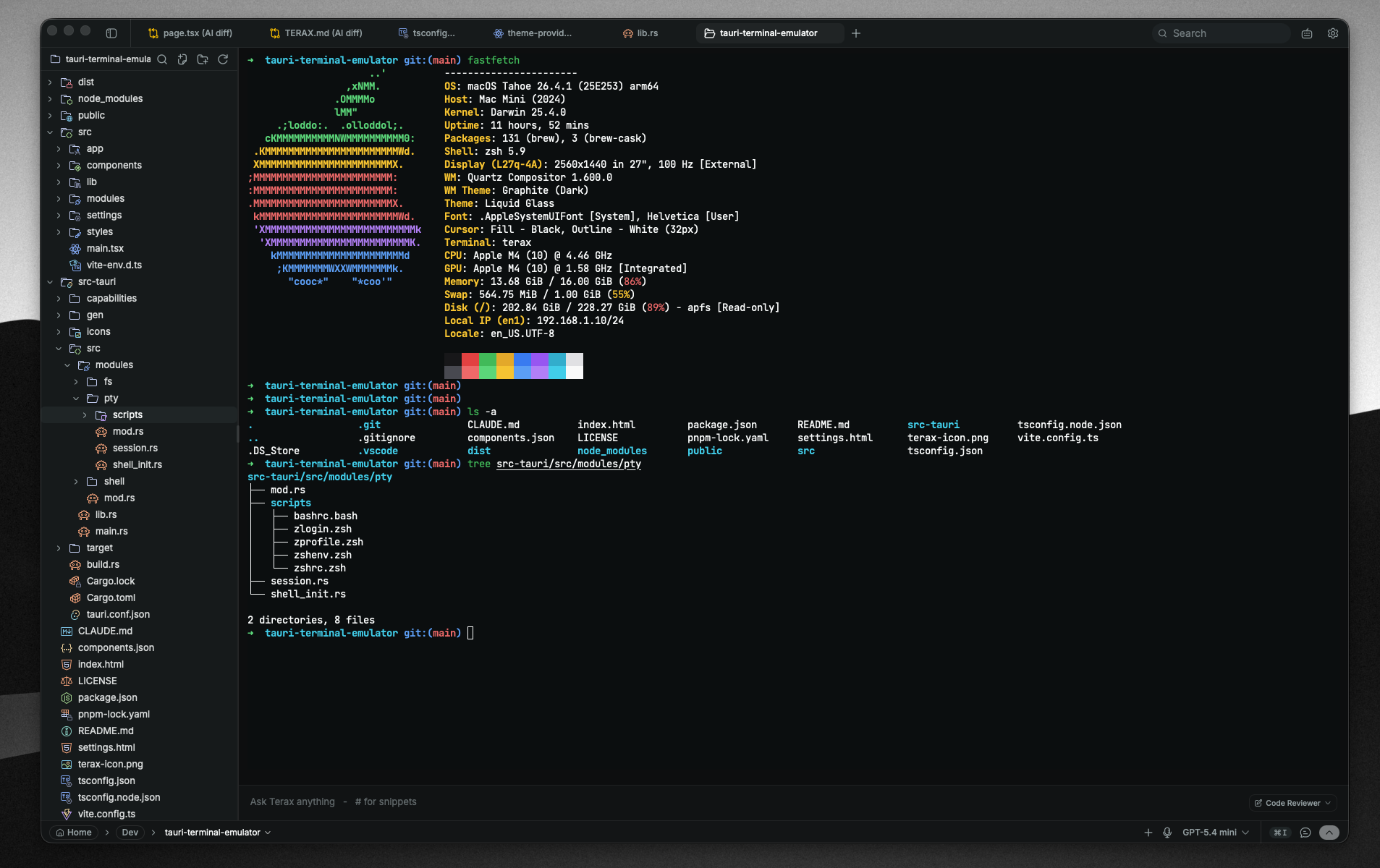 Block-based WebGL terminal with editor-like input panel |
|
Features
Terminal
- xterm.js with WebGL renderer, multi-tab with background streaming
- GPU-accelerated block-based terminal with editor-like command input
- Native PTY backend via
portable-pty(zsh, bash, pwsh, fish, cmd) - Split panels (horizontal and vertical)
- Inline search, link detection, true-color
- Drag files from the explorer or desktop into a terminal as shell-safe quoted paths
- Per-tab workspace environments on Windows (Local, or any installed WSL distro)
- Spaces restore tabs, working directories, and split layouts across launches
Code editor
- CodeMirror 6 (supports all popular languages - TS/JS, Rust, Python, Go, C/C++, Java, HTML/CSS, JSON, Markdown, etc.)
- Inline AI autocomplete with local model support
- AI edit diffs, accept or reject hunk by hunk
- Opt-in language server support with diagnostics, navigation, completion, formatting, and custom servers
- Rendered Markdown plus image, video, audio, and PDF viewing
- Vim mode
- Built-in editor themes including Kanagawa, Catppuccin, Rosé Pine, Everforest, Dracula, Solarized, Nord, Tokyo Night, GitHub, and Xcode
Source control
- Stage / unstage hunks, commit (Cmd+Enter / Ctrl+Enter), push with upstream awareness
- Branch display including detached HEAD state
- Git history pane with a real commit graph (lane rendering for merges and branches)
- Commit search and filter, click through to the remote commit page
File explorer
- Catppuccin icon theme
- Fuzzy search, keyboard navigation, inline rename, context actions
- Live updates when files change on disk
- Attach files and selections directly to the AI side-panel
Web preview
- Auto-detects local dev servers and opens them in a preview tab
- External URL preview via a native child webview
Themes and customization
- Custom themes built in-app, switch between bundled presets and your own
- Create your own themes, share them or import from the community
- Background images with adjustable opacity and blur
- Editor theme is independent from the app theme
AI
- BYOK providers: OpenAI, Anthropic, Google (Gemini), Groq, xAI (Grok), Cerebras, OpenRouter, DeepSeek, Mistral, plus any OpenAI-compatible endpoint
- Local / offline: LM Studio, MLX, Ollama
- Agentic workflow: plans, sub-agents, project memory via
TERAX.md, file read / write / edit / multi-edit / grep / glob, bash with approval gating, background processes - Coding-agent orchestration: spawn Claude Code in a terminal, inspect its output, and send follow-up work through approval-gated tools
- Composer: prompt snippets via
#handle, files via@path, voice input, attach-to-agent from explorer or selection - Custom agents with their own system prompt and tool subset
- Plan mode for multi-step work, generates and confirms before doing
Install
Latest installers are on the Releases page. Terax auto-updates from there.
Windows notes
- Default shell detection:
pwsh.exe(PowerShell 7+) ->powershell.exe(Windows PowerShell 5.1) ->cmd.exe. - WSL is a first-class workspace environment, not a wrapped subprocess.
Linux notes
- Arch / AUR:
yay -S terax-bin(orparu, etc.). Tracks the latest release. - NixOS / Nix: use the official flake -
nix profile install github:crynta/terax-ai(non-NixOS), or import the flake and addinputs.terax.packages.${pkgs.system}.teraxtoenvironment.systemPackages(NixOS). ThenixosModules.teraxoutput is also available for a simpler setup. - AppImage: needs FUSE. Without it:
./Terax_*.AppImage --appimage-extract-and-run. On Wayland with rendering glitches, tryWEBKIT_DISABLE_DMABUF_RENDERER=1. Otherwise the.deb/.rpmpackages link against the system GTK stack and tend to be smoother.
Configure AI
- Open Settings -> AI.
- Pick a provider and paste your API key. For local inference, point Terax at your LM Studio / MLX / Ollama endpoint.
- Keys are written to the OS keychain via
keyring. They never touch disk or localStorage.
Build from source
Prerequisites
- Rust (stable), https://rustup.rs
- Node 22+ and pnpm
- Tauri prerequisites for your platform, https://tauri.app/start/prerequisites/
Run
pnpm install
pnpm tauri dev          # development
pnpm tauri build        # production bundle
Checks
pnpm lint
pnpm check-types
pnpm test
cd src-tauri && cargo clippy --all-targets --locked -- -D warnings   # Rust lint (matches CI)
cd src-tauri && cargo nextest run --locked                           # or: cargo test --locked
Tech stack
Tauri 2, Rust, portable-pty, React 19, TypeScript, Vite, xterm.js, CodeMirror 6, Vercel AI SDK v6, Tailwind v4, shadcn/ui, Zustand.
Contributing
Issues and PRs are welcome! Feel free to open issues, suggest features, or submit pull requests. See CONTRIBUTING.md and the architecture docs for more details.
Code signing

Windows builds are signed with a free code signing certificate provided by SignPath.io, certificate by the SignPath Foundation.
License
Terax is licensed under the Apache-2.0 License. For more information on our dependencies, see Apache License 2.0.