Tangent is a free, open source publishing project written in TypeScript and released under Apache-2.0. It has 551 GitHub stars, 38 forks and 112 open issues, and was last pushed 3 days ago. On this registry it ranks #43 of 46 tracked projects in Publishing, with 5 head-to-head comparisons available. It gained 1 stars over the last 3 tracked days.

What is Tangent?

Tangent is a local note writing and personal knowledge management tool, distributed as a TypeScript monorepo, for writers, researchers, and personal knowledge management practitioners who want styled, link-connected notes stored on their own machine rather than in a hosted service.

What it is

Tangent is an Electron-based desktop application built from a single monorepo that also ships its own website and supporting libraries. It was heavily inspired by Obsidian and has since drifted in its own direction. Notes are written in a slightly customized markdown syntax and are fully styled as you write, with markdown syntax hidden and revealed as needed instead of being shown as raw source. Linking uses [[Wiki Links]], and the repository carries the typewriter and typewriter-document forks as git submodules, which supply the editor and its document model.

The concrete problem it addresses is the gap between a plain text editor and a knowledge base. A general text editor gives you files but no styling, no link graph, and no way to query your own notes; a hosted notes service gives you the features but takes your files. Tangent keeps notes local while adding styled live rendering, a two-dimensional connected map of navigation and linking history, a custom query language with autocomplete, and rich embedding of images, link previews, PDFs, audio, video, and YouTube links. It replaces the foldered-markdown-in-a-text-editor workflow rather than a hosted product.

Key capabilities

  • [[Wiki Links]] and a slightly customized markdown syntax, with markdown styling applied live as notes are written.
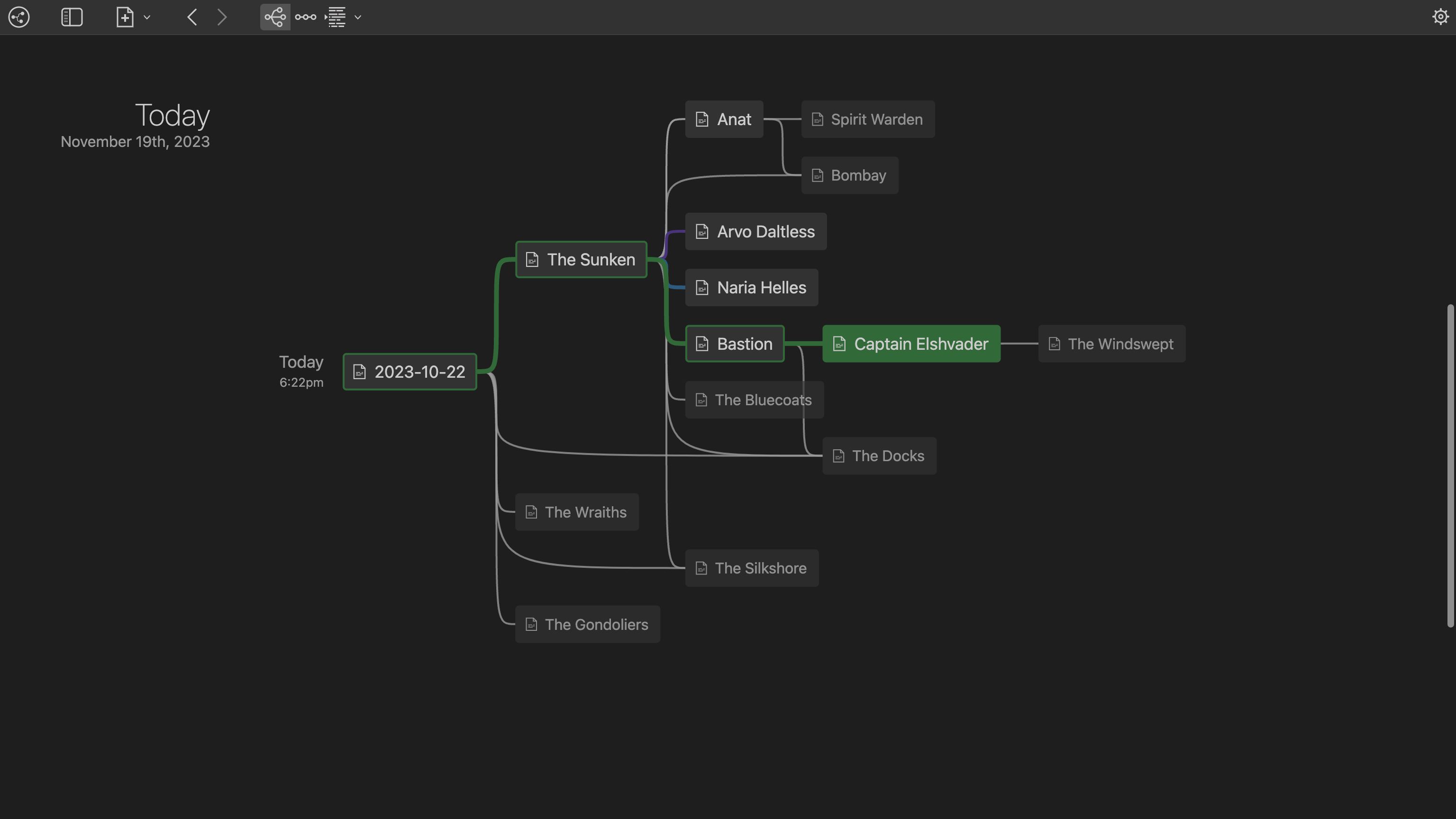
  • A two-dimensional connected map of navigation and linking history, shown in the project's own screenshots as the blades map.
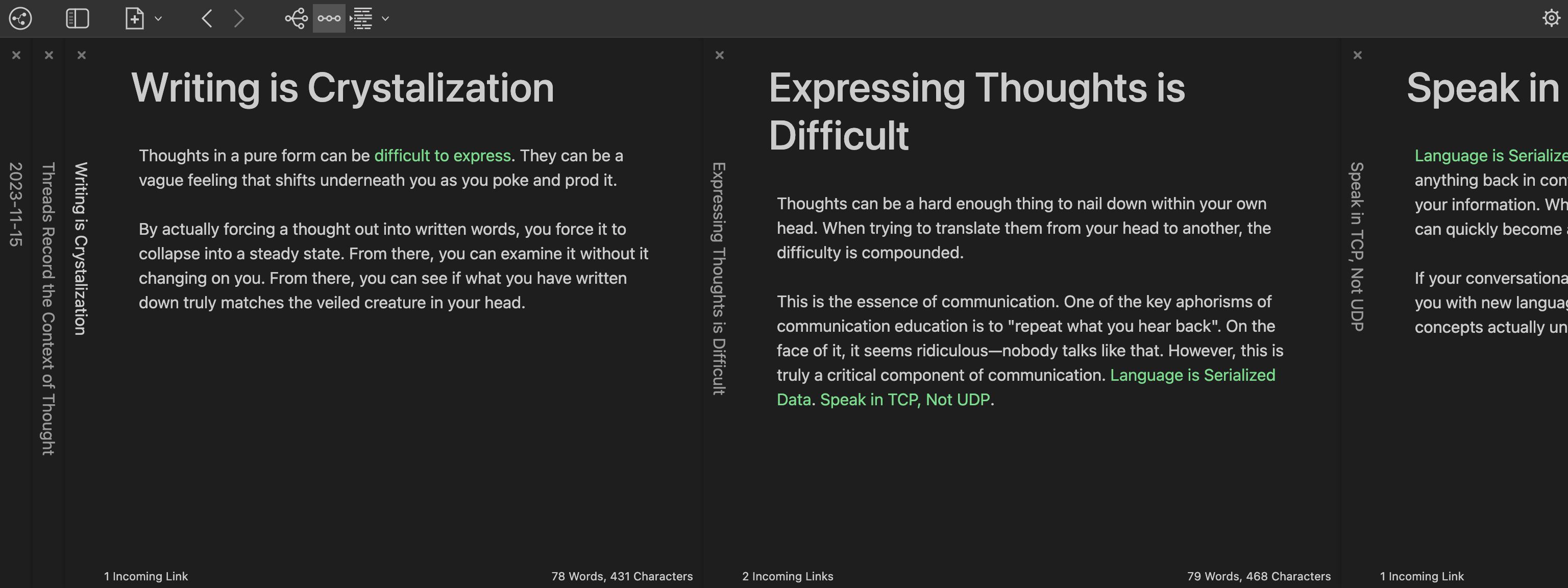
  • A "Sliding Panel" user experience inspired by Andy Matuschak's notes.
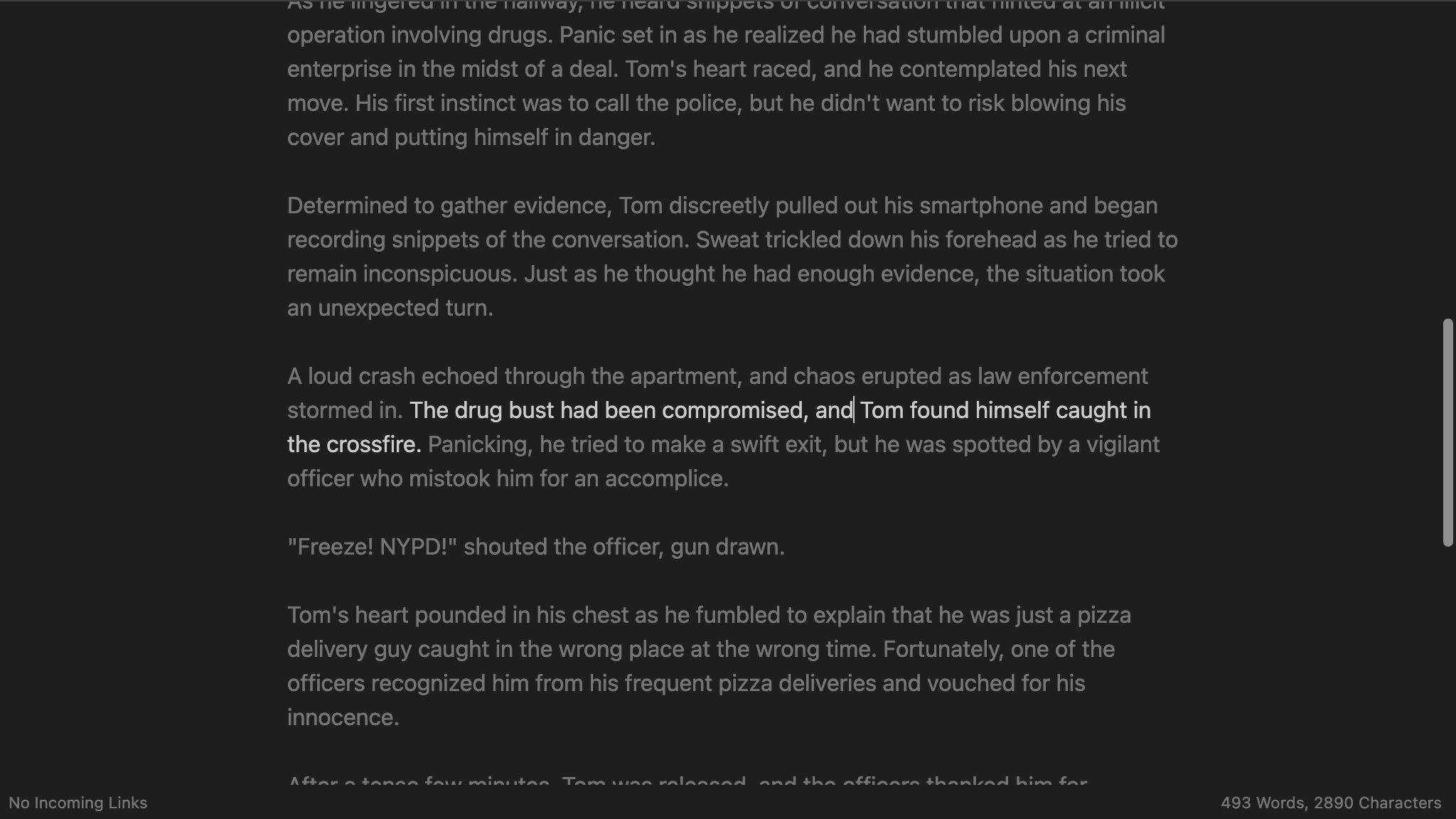
  • A writing focus mode that highlights the current paragraph, line, or sentence.
  • Customizable note views, presenting a collection of notes either as cards or as an infinite, dynamically loaded feed.
  • A custom query language with autocomplete, documented in Documentation/Features/Query Syntax.md.
  • Embedded images, link previews, PDFs, audio, video, and YouTube links inside notes.

The monorepo is organized as apps, packages, and lib. Applications include tangent-electron, tangent-website, and tangent-test-workspace-generator, a CLI tool for generating test content. Packages include tangent-html-to-markdown, the parser that converts text/html clipboard data into Tangent-specific markdown, and tangent-query-parser, the parser for the Tangent Query language.

Who uses it and how

  • Individual writers and personal knowledge management practitioners who want the full note graph on their own machine, with no account and no server.
  • Obsidian users evaluating an alternative that keeps wiki links but changes the editing experience toward styled live rendering and panel-based navigation.
  • Researchers and note-takers who work from a map of linking history rather than a folder tree, using the two-dimensional connected map to move back through threads.
  • Linux users installing from Flathub as io.github.suchnsuch.Tangent, with Flathub Beta offered separately for pre-release builds.
  • Contributors and integrators working inside the monorepo, since issues are filed against a specific module and labeled accordingly.

Getting started

Pre-built binaries are published on the downloads page at https://www.tangentnotes.com/Download and on Flathub. To build from source, initialize and sync the git submodules, run npm ci and then npm run build at the root of the repository, and run npm run dev (or dev:win on Windows) inside ./apps/tangent-electron.

How it compares

Obsidian is the stated inspiration, and Tangent has deliberately moved away from it rather than cloning it, keeping local files and wiki links while replacing the raw markdown view with styled live rendering and replacing folder browsing with a two-dimensional navigation map. The sliding panel interaction is explicitly modelled on Andy Matuschak's published notes, and the editor layer is a Tangent-specific fork of the Typewriter project and its document model. Among the tools named in the facts, Tangent's distinguishing claim is the combination of local storage, styled markdown, and a custom query language in one desktop application.

When to use it — and when not to

Choose Tangent if you want local files, wiki links, and a visual map of your linking history, and you are comfortable running an Electron desktop application. Be aware that the customized markdown syntax and Tangent-specific query language mean notes are not plain CommonMark, so portability to other editors carries conversion work. The repository does not document any sync, server, or collaboration component, so anyone who needs shared multi-user notes will need another tool, and the project currently carries 112 open issues against 550 stars, worth reviewing before adopting it for anything critical.

project readme (upstream, from github) — read inline

Tangent

This is the monorepo for the Tangent project.

Tangent is a local note writing / personal knowledge management tool. It was heavily inspired by Obsidian, and has drifted in its own direction. It uses [[Wiki Links]] and a slightly customized markdown syntax. Notes are fully styled as you write. Markdown syntax is hidden and revealed as needed.

Other key features:

  • An innovative, two-dimensional connected map of your navigation and linking history.
  • "Sliding Panel" UX inspired by Andy Matuschak's notes.
  • Writing focus mode: highlight your current paragraph, line, or sentence.
  • Customizable note views: view your collections of notes as cards or an infinite, dynamically loaded feed.
  • A custom query language (with autocomplete!) for custom complex searches.
  • Support for embedded images, link previews, pdfs, audio, and video—including YouTube links!

Pre-built binaries can be found on the downloads page and on Flathub. Pre-release versions are also available on Flathub Beta.

Modules

There are multiple modules contained within this repo.

Applications

The apps directory contains modules that produce versions of Tangent and other Tangent-related executables.

Packages

The packages directory contains modules that provide libraries of Tangent-related functionality.

Lib

The lib directory contains externally-versioned libraries that have been added as a git submodule for various reasons.

Building Locally

  1. Initialize and sync git submodules (e.g. git submodule init && git submodule update).
  2. Run npm ci at the root level of the repository to install all dependencies across the monorepo.
  3. Run npm run build at the root level of the repository to build all dependencies.
  4. Run npm run dev (or dev:win on Windows) in ./apps/tangent-electron to run tangent in development mode.

Reporting Issues

When creating an issues, be sure to use the appropriate label for the specific module.

When reporting bugs, please include:

  1. The version of the relevant app / package.
  2. A concise description in the title of the problem.
    • e.g. "Clicking the New Note button does not create a new note"
  3. A thorough description of the problem in the body of the issue.
    • The steps required to cause the problem.
      • For example:
        1. "Open a blank workspace"
        2. "Click the New Note button"
        3. "Notice that a new note is not created"
    • Include any additional details or context that can help illuminate the issue.
  4. Logs can sometimes be very helpful in sussing out a problem.
    • In-window logs for Tangent can be found from the developer console. You can open this with Cmd+Option+I on Mac or Ctrl+Shift+I on Windows and Linux. Attaching a screenshot or the contents of these logs can be useful.
    • Application logs for Tangent can be found in the relevant log folder on your system. You can invoke the "Show Logs" command from the Command Palette in Tangent (Cmd/Ctrl+P to open the palette) to bring you directly to the logs.

Frequently asked questions

Is Tangent free to use?

Tangent is open source under the Apache-2.0 licence. There is no licence fee and no seat count — you can self-host it or, where the project offers one, pay a vendor for a managed version instead.

What does Tangent do?

The Tangent monorepo.

What is Tangent written in?

Tangent is primarily written in TypeScript. Its source is publicly available at https://github.com/suchnsuch/Tangent, and it has 551 GitHub stars.