tagreader is a GPL-3.0 NFC tag reader built from an ESP8266 D1 Mini and a PN532 module running ESPHome firmware, created specifically so that Home Assistant users can scan physical tags and manage them inside Home Assistant.
What it is
The project is a hardware-and-firmware design rather than a hosted service. Its bill of materials is short: an ESP8266 D1 Mini, a PN532 NFC reader, a WS2812 LED and a buzzer, wired by hand and housed in a 3D-printed case whose models sit in the repository's STLs directory. The firmware is a single ESPHome configuration, tagreader.yaml, and a wiring diagram ships at Schematics/tag_reader_schematics_v3.2.png. The author also sells a pre-built version, a DIY assembly kit, and the case alone.
The concrete problem it solves is that Home Assistant cannot read a physical object by itself. The tag reader supplies the missing bridge: once it joins the network it is discovered automatically by Home Assistant, which requires version 0.115 or later, and scanned tags are then managed from Home Assistant's own tags interface under config -> tags. It lives in the Home Assistant and ESPHome ecosystems, and the specific thing it replaces is a purchased reader, since the README also offers a pre-built unit and building from these instructions substitutes your own assembly and component sourcing.
Key capabilities
- A short, documented bill of materials: an ESP8266 D1 Mini, a PN532 NFC reader, a WS2812 LED and a buzzer, with case models in STLs and a wiring diagram at Schematics/tag_reader_schematics_v3.2.png.
- Firmware defined in tagreader.yaml, flashed by pointing ESPHome at that file; ESPHome 1.16.0 is required.
- PN532 communication over I2C, enabled by setting switch 1 to On (up) and switch 2 to Off (down).
- A Wi-Fi access point with a captive portal, started when the reader cannot join a network, so that credentials can be entered.
- Automatic discovery by Home Assistant once the reader is on the same network, with setup completed in the UI.
- Tag management in Home Assistant under config -> tags, where scanned tags are handled.
Who uses it and how
- Home Assistant users on 0.115 or later who want a scannable physical tag and will finish configuration through the Home Assistant UI.
- Makers happy to solder: the build calls for solder, a soldering iron with a fairly thin tip, and about 40 cm of thin wire in at least five colours.
- ESPHome newcomers, whom the README points at the ESPHome Home Assistant add-on rather than a manual toolchain.
- People who would rather not build, since the same design is sold pre-built, as a DIY kit, or as a case only for use with their own components.
Getting started
The build is documented step by step in the README, with the wiring in the schematics image and the case models in STLs. Flash the firmware by pointing ESPHome at tagreader.yaml; ESPHome 1.16.0 is required, and the README recommends the ESPHome Home Assistant add-on for newcomers.
How it compares
The facts provided do not name a list of paid products that tagreader replaces, nor any comparable tools, so within this registry it stands alone. The only commercial alternative mentioned is the author's own storefront, which sells the same design pre-built, as a DIY kit or as a case only; the project itself is GPL-3.0 and runs on hardware and a Home Assistant instance the user controls.
When to use it — and when not to
Pick it if you already run Home Assistant 0.115 or later and ESPHome 1.16.0 and are comfortable soldering a few components and setting the PN532 switches correctly; beyond that there is no database, file storage or mail service to operate, because the reader is an ESPHome device reporting into your existing Home Assistant. Avoid it if you want a solder-free, plug-and-play product, since the documented build path assumes a soldering iron and thin wire. The repository carries 48 open issues, and the README's note on D1 clone compatibility means some board variants may need troubleshooting.
project readme (upstream, from github) — read inline



Tag Reader for Home Assistant
The tag reader is a simple to build/use NFC tag reader, specially created for Home Assistant. It is using a D1 mini ESP 8266 and the PN532 NFC module. The firmware is built using ESPhome.
I am selling a pre-built version, a DIY version (assembly required), or just the case (use with own components). Check it out on my website.
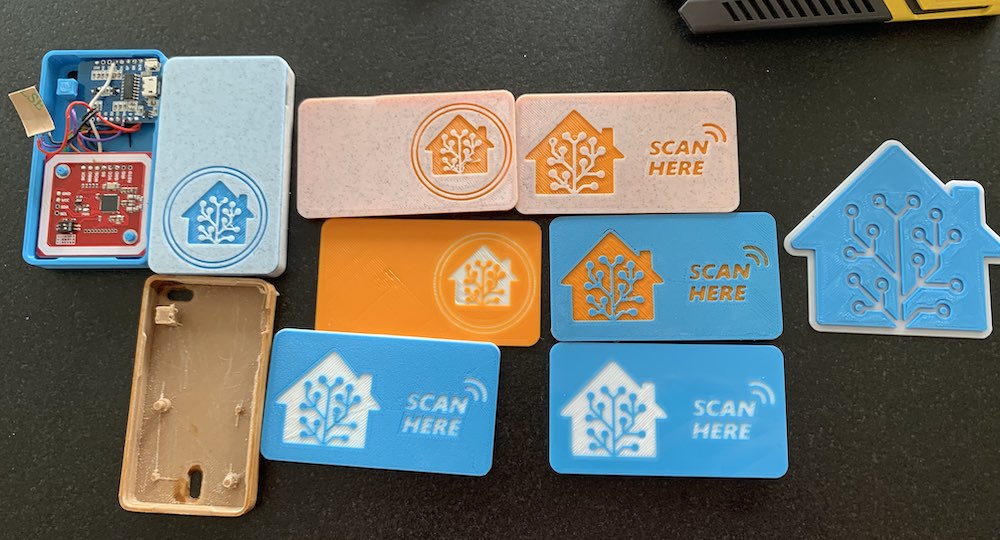
Building the tag reader
To build your own tag reader, you need the following components:
The 3D models for the case are here.
WARNING regarding AZdelivery D1. We have had several users contacting us with different issues, we don't recommend using these boards and won't provide support for them.
Recent reports suggest more clones of the D1 are now working as expected. This has been verified on an AZdelivery D1.
Connecting the components
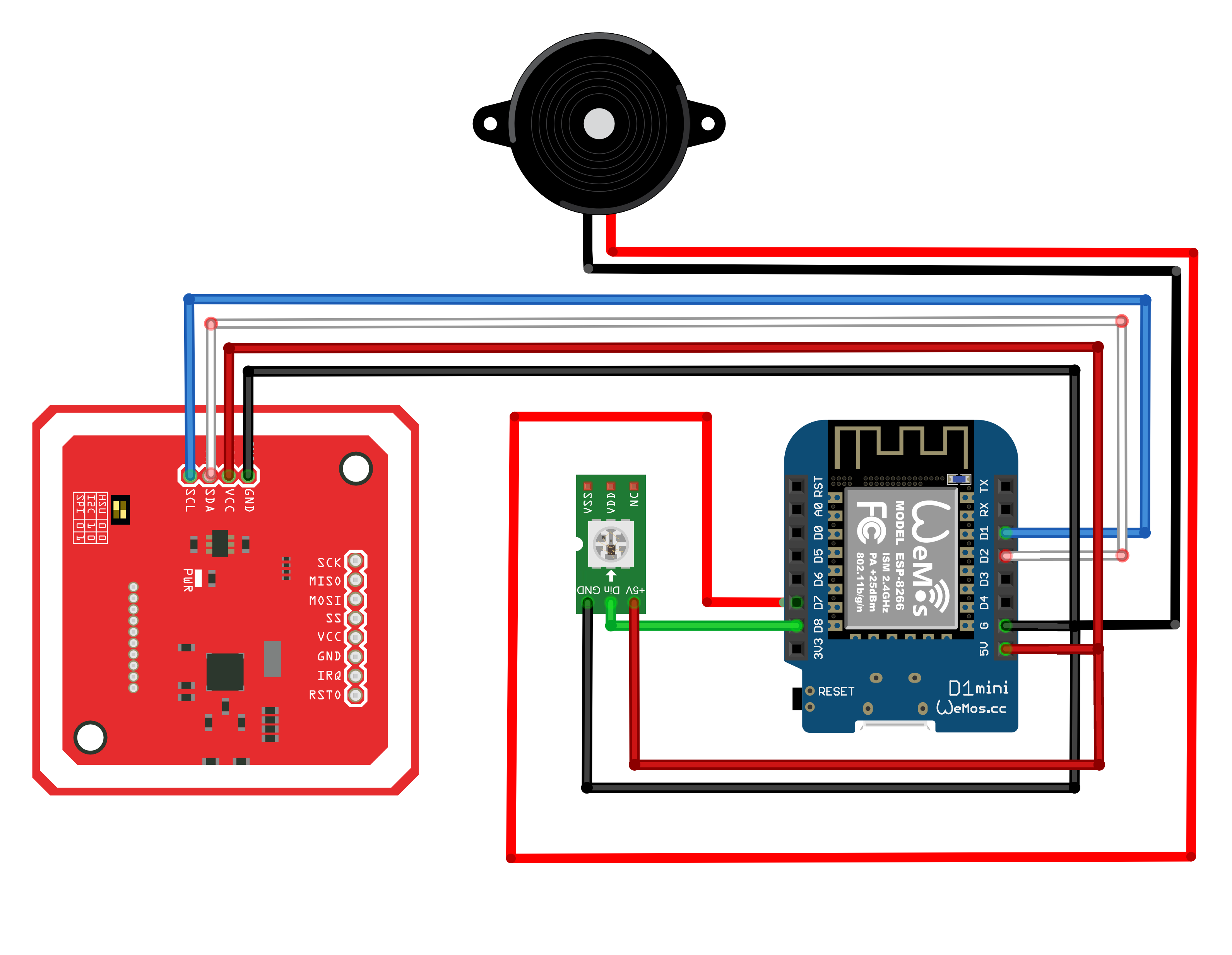
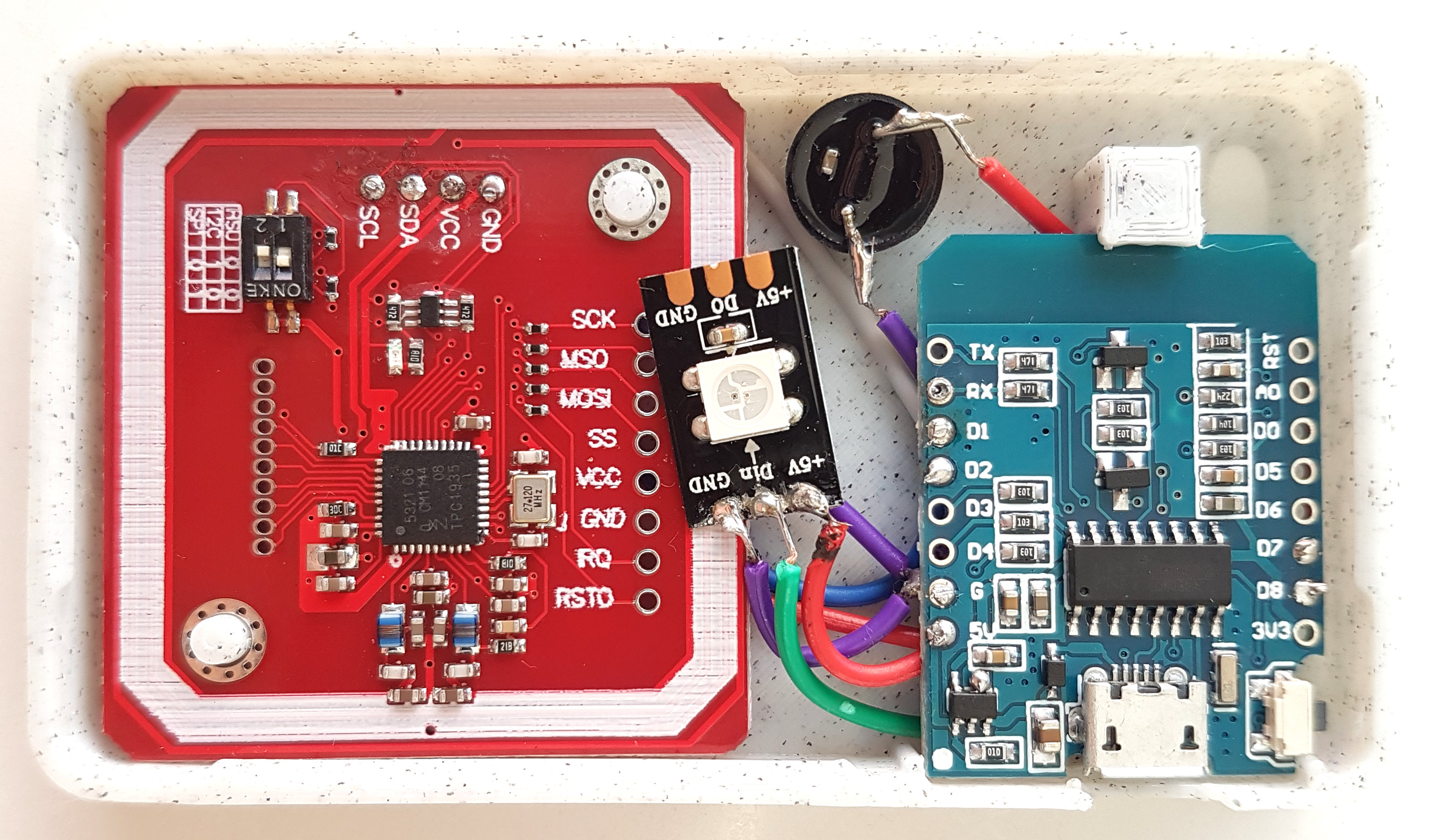
There are not too many components to connect, but it does require soldering. You will need the following:
Also, make sure that you have set the switches on the PN532 to the following:
- Switch 1: On (up)
- Switch 2: Off (down)
This enables the PN532 module to communicate with the D1 over I2C, and is required for the modules to work together!
To flash the reader firmware to your D1 Mini you point ESPHome at tagreader.yaml.
:warning: The tag reader requires ESPHome 1.16.0.
If you're new to ESPHome, we recommend that you use the ESPHome Home Assistant add-on.
Configuring for use with Home Assistant
The tag reader requires Home Assistant 0.115 or later.
If the tag reader is unable to connect to a wifi network, it will start a WiFi access point with a captive portal to allow you to enter your WiFi credentials.
The tag reader will be automatically discovered by Home Assistant once the tag reader is connected to the same network. You can follow the instructions in the UI to set it up.
Usage
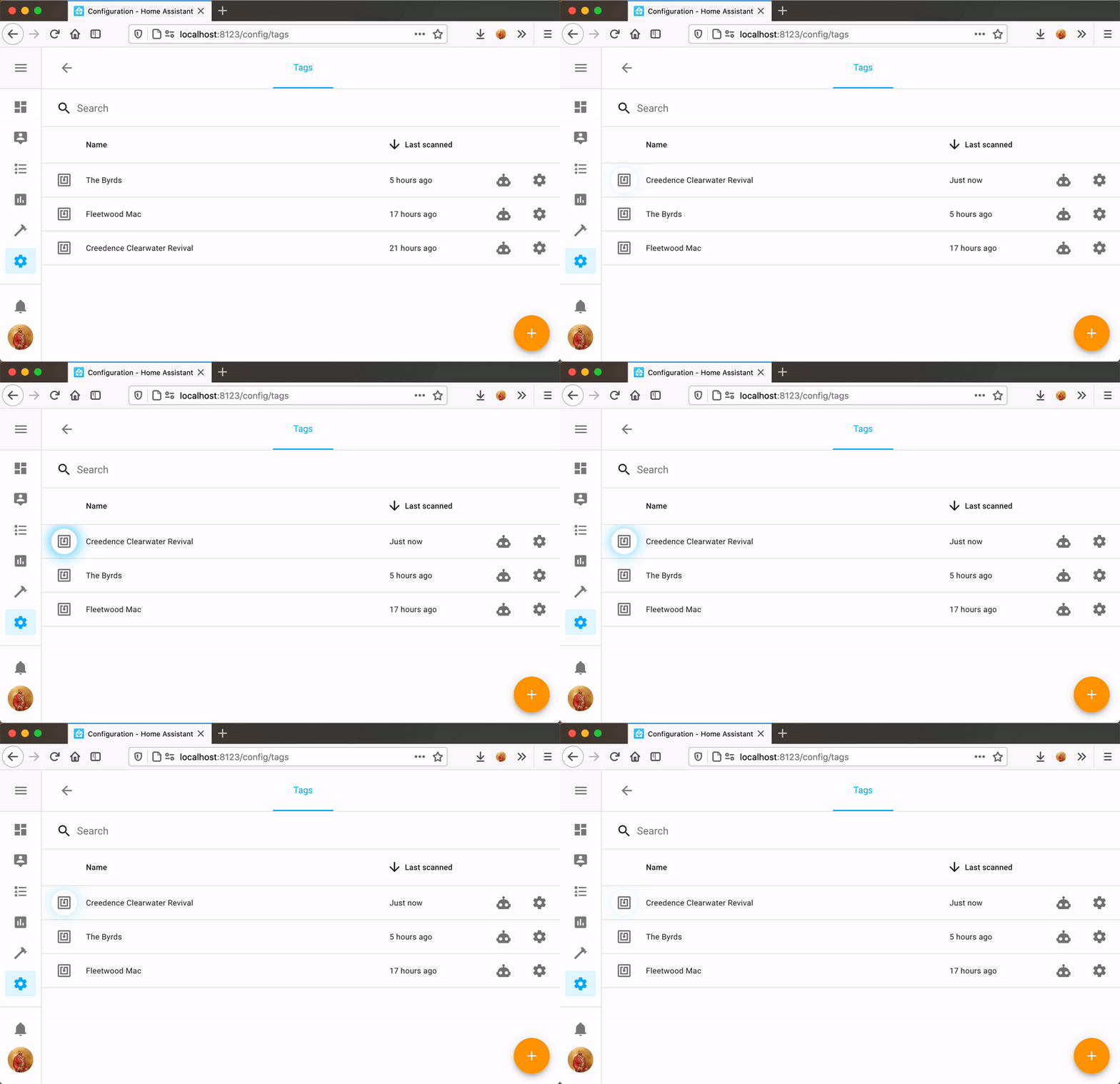
Scanned tags can be managed from the tags interface in Home Assistant. You can find it under config -> tags.
Disclamer
We use aliexpress affiliate links for the components and the tools. Some Ad-blockers might block these links and thus they seem to appear broken. You will have to temporarily disable the ad-blocker to open these links.