

Features
Basic (free)
- Subscription management dashboard with insights
- Manual subscription creation (unlimited)
- Multi-currency support
- Bring Your Own Key (BYOK) - use your own AI API keys for unlimited discovery
PRO (one-time)
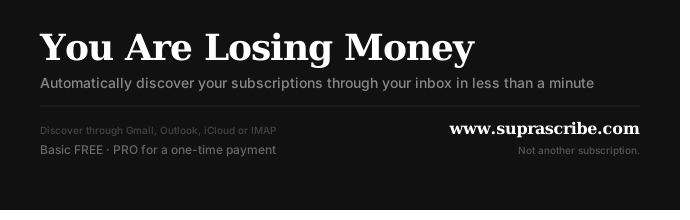
- Auto-discovery from Gmail, Outlook, iCloud, or any IMAP provider
- Complete subscription history
- Search, sort, and group subscriptions
- Quick unsubscribe
- Renewal email reminders
- Calendar view
- Email support
Stack
- Framework: Next.js 15 (App Router) + TypeScript
- Database: Supabase (PostgreSQL) with Row-Level Security
- Auth: Supabase Auth - Google, Microsoft, Apple OAuth
- AI: Vercel AI SDK with multi-provider support (OpenAI, Anthropic, Groq, etc.)
- Payments: Stripe (one-time Checkout Session, redirect-based)
- Styling: Tailwind CSS v4 + shadcn/ui
Getting Started
Prerequisites
- Node.js 20+
- Yarn v4 (
corepack enable && corepack prepare yarn@stable --activate) - A Supabase project (free tier works)
- Optional: accounts for Stripe, Resend, Brandfetch (see env table below)
1. Clone and install
git clone https://github.com/akomis/suprascribe.git
cd suprascribe
yarn
2. Set up Supabase
- Create a new project at supabase.com
- Go to Project Settings → API and copy:
Project URL→NEXT_PUBLIC_SUPABASE_URLanon publickey →NEXT_PUBLIC_SUPABASE_ANON_KEYservice_rolekey →SUPABASE_SERVICE_ROLE_KEY
- Run database migrations - in your Supabase project go to SQL Editor and run each file in
supabase/migrations/in order, or use the Supabase CLI:
npx supabase link --project-ref <your-project-ref>
npx supabase db push
3. Configure OAuth providers
Google (for Gmail discovery + Google sign-in):
- Go to Google Cloud Console → APIs & Services → Credentials
- Create an OAuth 2.0 client (Web application)
- Add
https:///auth/v1/callbackas an authorized redirect URI - Copy Client ID →
NEXT_PUBLIC_GOOGLE_CLIENT_IDand Client Secret →GOOGLE_CLIENT_SECRET - Enable Gmail API in the API library
Microsoft (for Outlook discovery + Microsoft sign-in):
- Go to Azure Portal → App registrations → New registration
- Add
https:///auth/v1/callbackas a redirect URI - Under Certificates & secrets, create a new client secret
- Copy Application (client) ID →
NEXT_PUBLIC_MICROSOFT_CLIENT_IDand the secret →MICROSOFT_CLIENT_SECRET - Enable
Mail.Readpermission under API permissions
In your Supabase project, go to Authentication → Providers and enable Google and Microsoft with the credentials above.
4. AI / Email discovery
The default discovery model runs via OpenRouter:
- Create an account, generate an API key →
MODEL_API_KEY
Alternatively, leave MODEL_API_KEY empty - users can bring their own key (BYOK) via the dashboard settings.
5. Optional services
| Service | Variable(s) | Purpose |
|---|---|---|
| Stripe | STRIPE_SECRET_KEY, STRIPE_WEBHOOK_SECRET |
One-time PRO upgrade payment |
| Resend | RESEND_API_KEY |
Renewal reminder emails |
| Brandfetch | BRANDFETCH_API_KEY |
Service logo fetching |
For local Stripe webhook testing, use the Stripe CLI:
stripe listen --forward-to localhost:3000/api/stripe/webhook
6. Environment setup
cp .env.example .env.local
Generate the encryption secret for BYOK API key storage:
openssl rand -base64 32
# paste output into ENCRYPTION_SECRET
Fill in all variables in .env.local - see .env.example for the full list and descriptions.
7. Run
yarn dev
Open http://localhost:3000.
Scripts
yarn dev          # Development server (Turbopack)
yarn build        # Production build
yarn lint         # Lint and auto-fix
yarn format       # Format with Prettier
Architecture & Security
Trust Boundaries
| Boundary | Control |
|---|---|
| Public internet → App | Next.js middleware validates Supabase session on every request; all /dashboard/* routes require authentication |
| App → Supabase | Server-side client uses scoped keys; Row-Level Security (RLS) enforces per-user data isolation |
| App → Email providers | OAuth tokens (Gmail, Outlook) or user-supplied IMAP credentials; SSRF protection blocks private/loopback IP ranges and cloud metadata endpoints |
| App → AI providers | Email content forwarded only after user initiates discovery; BYOK keys encrypted at rest (AES-256-GCM) and decrypted only at request time |
| App → Stripe | Webhook payloads verified via Stripe signature before processing; idempotency guard prevents duplicate tier upgrades |
Key Components
| Component | Role |
|---|---|
middleware.ts |
Auth guard - enforces session validity on every protected route |
app/api/ |
REST API route handlers (discovery, subscriptions, payments, user settings) |
lib/services/email-fetcher.ts |
Retrieves emails from Gmail API, Microsoft Graph, or IMAP |
lib/services/email-analyzer.ts |
AI-powered extraction of subscription data from email content |
lib/services/ai-provider.ts |
Abstracts 11+ LLM providers via Vercel AI SDK; supports BYOK |
lib/utils/server-crypto.ts |
AES-256-GCM encryption/decryption for stored API keys |
lib/config/features.ts |
Single source of truth for tier definitions and feature flags |
supabase/migrations/ |
PostgreSQL schema with RLS policies per table |
Contributing
PRs are welcome. Before submitting:
yarn lint    # must pass
yarn build   # must pass
Please keep changes focused - one feature or fix per PR.
License
Suprascribe is open source under the GNU Affero General Public License v3.0 (AGPL-3.0).
This means you are free to use, study, modify, and redistribute the code. If you run a modified version as a network service, you must make your modified source code available to its users under the same license.