Run 100+ Coding Agents in Parallel
🌐 Read this in other languages
English | 日本語 | 简体中文 | 繁體中文 | 한국어 | Français | Español | Deutsch | Português | Italiano | Русский | Türkçe | Polski | Nederlands | Bahasa Indonesia | Čeština | Tiếng Việt





Claude Code, Codex, or any CLI agent, each in its own isolated worktree.
Spend your time shipping, not waiting.
Download for macOS • Documentation • Changelog • Discord
Code 10x Faster With No Switching Cost
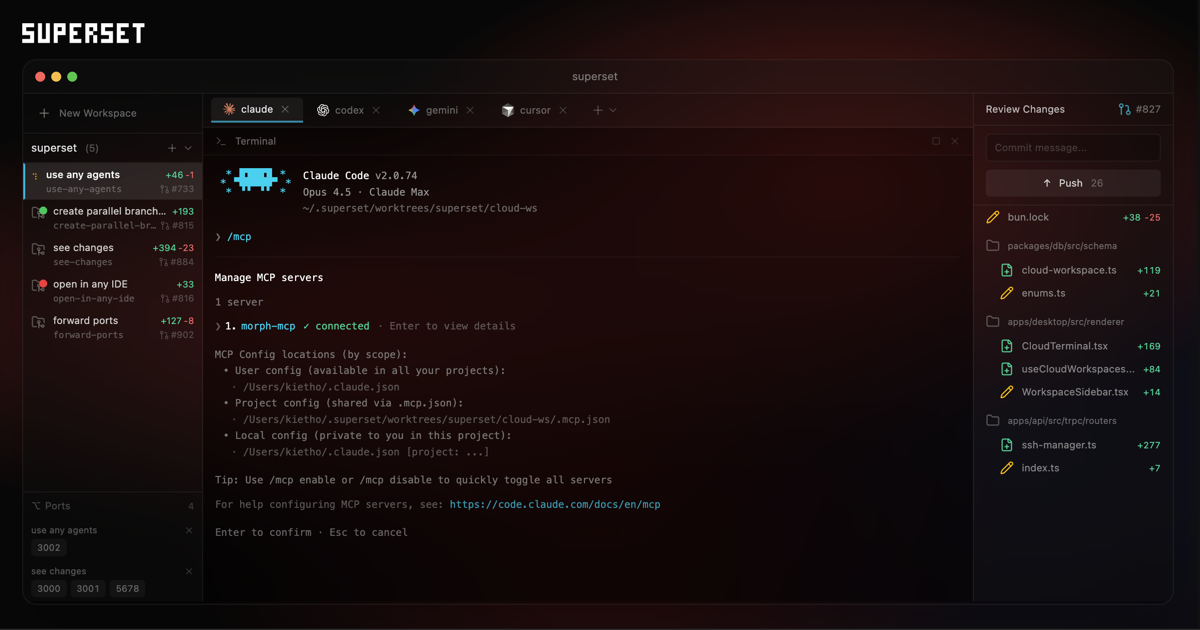
Superset runs CLI-based coding agents in parallel across isolated git worktrees, with built-in terminal, review, and open-in-editor workflows.
- Run multiple agents simultaneously without context switching overhead
- Isolate each task in its own git worktree so agents don't interfere with each other
- Monitor all your agents from one place and get notified when they need attention
- Review and edit changes quickly with the built-in diff viewer and editor
- Open any workspace where you need it with one-click handoff to your editor or terminal
- Reach your workspaces from anywhere via remote hosts, the CLI, the SDK, or MCP
Wait less, ship more.
Features
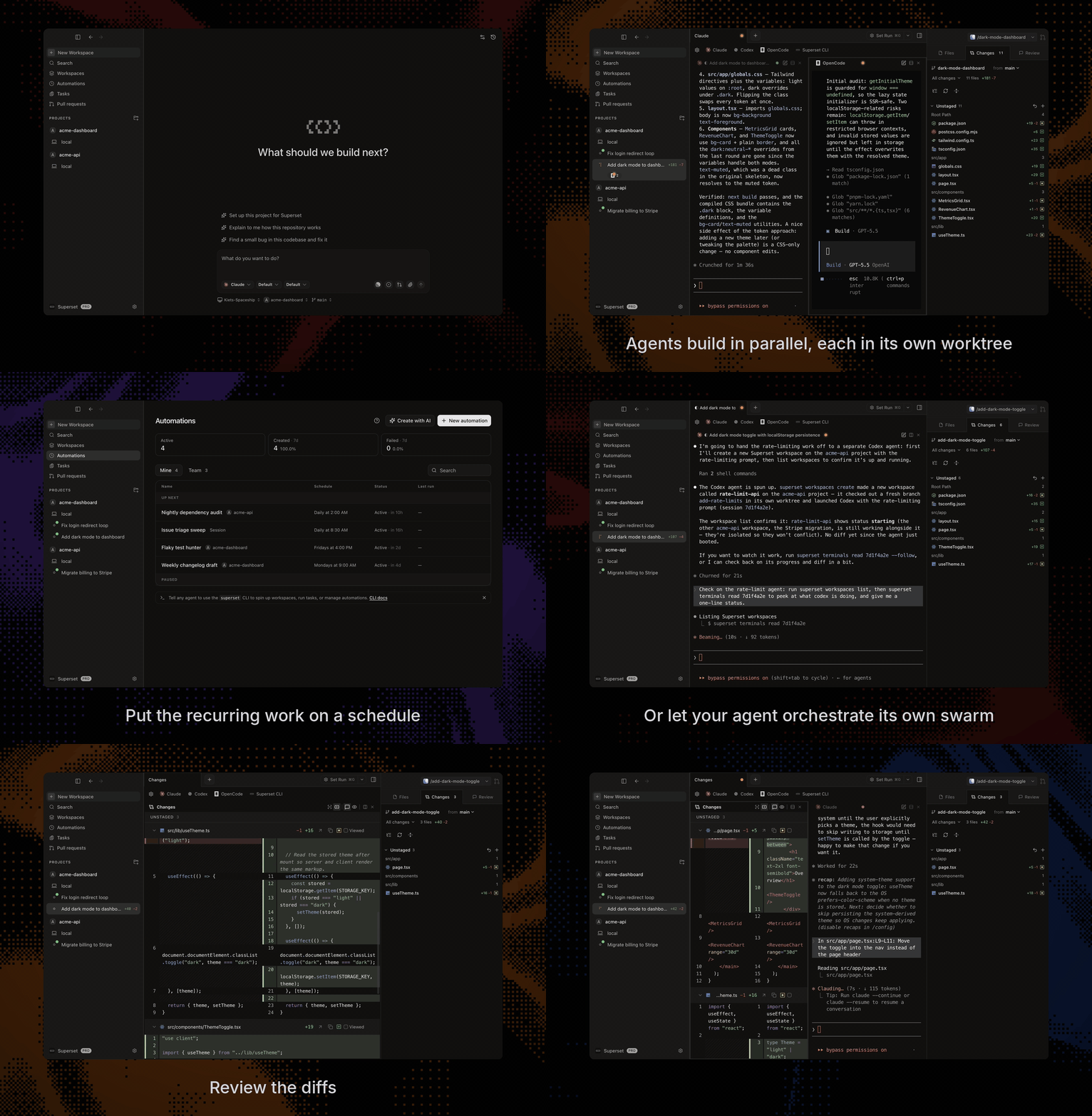
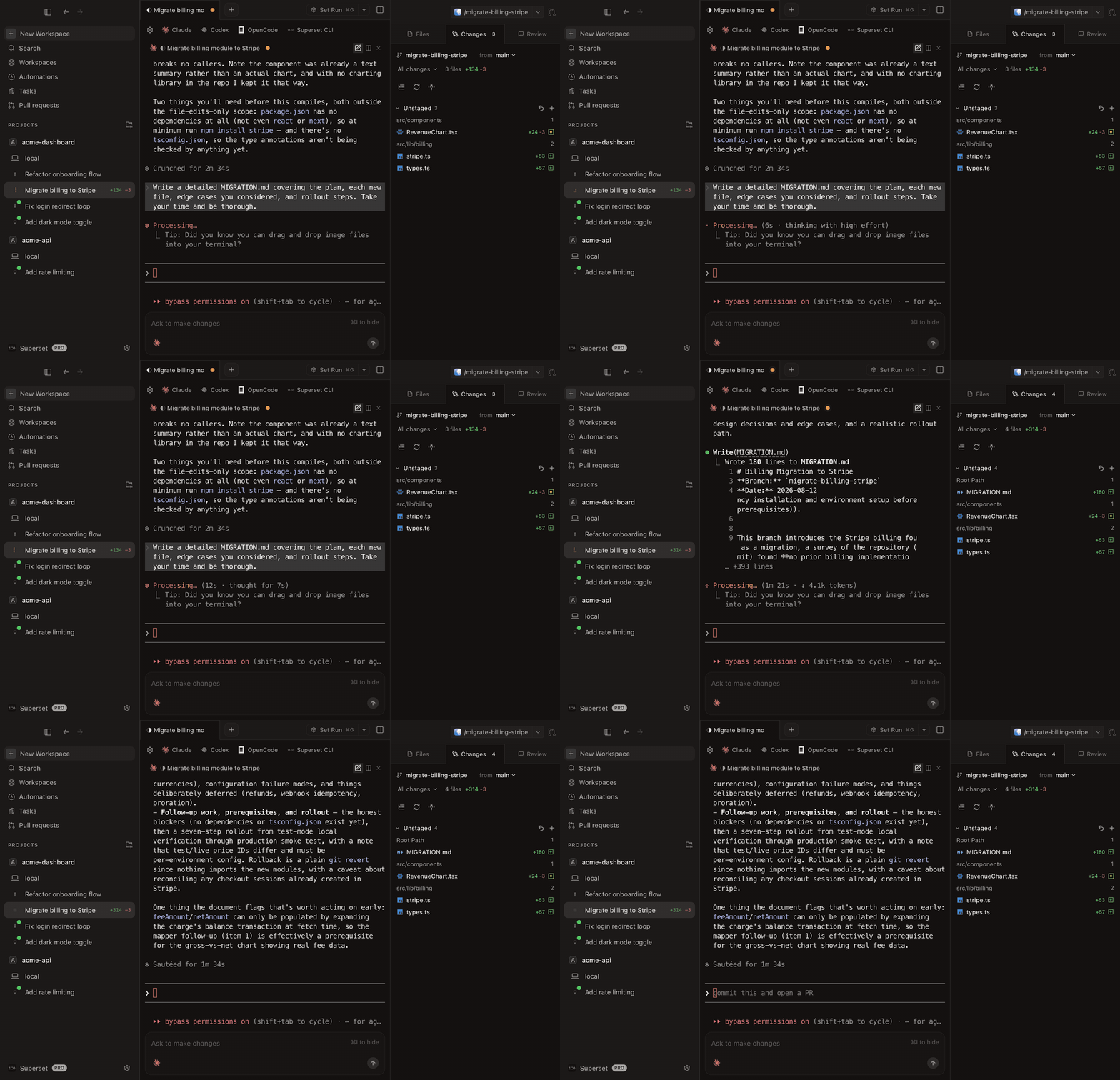
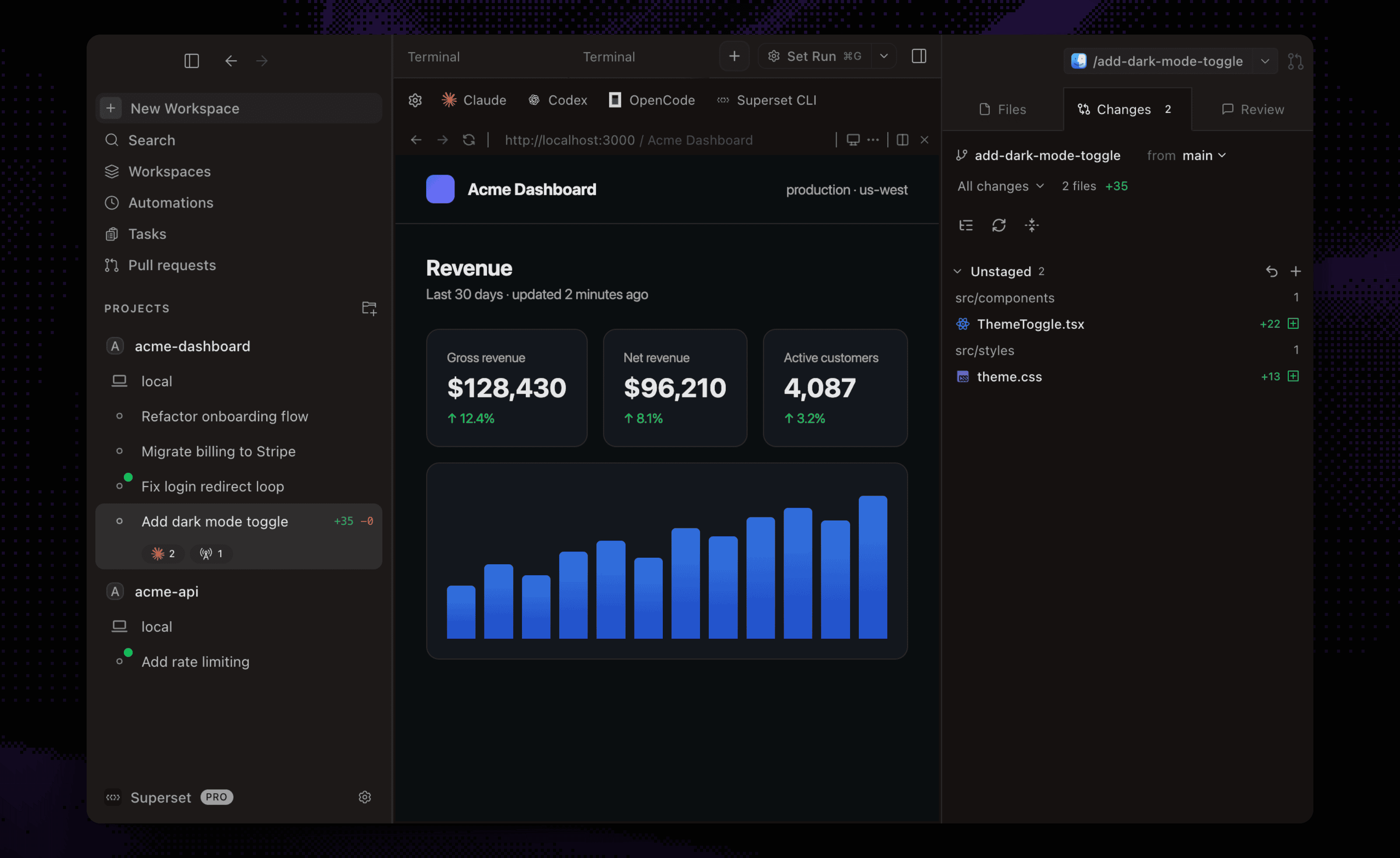
Parallel WorkspacesRun 100+ coding agents at once, each in its own git worktree with its own branch, terminal, and environment. Compare the results and merge the winner. |
|
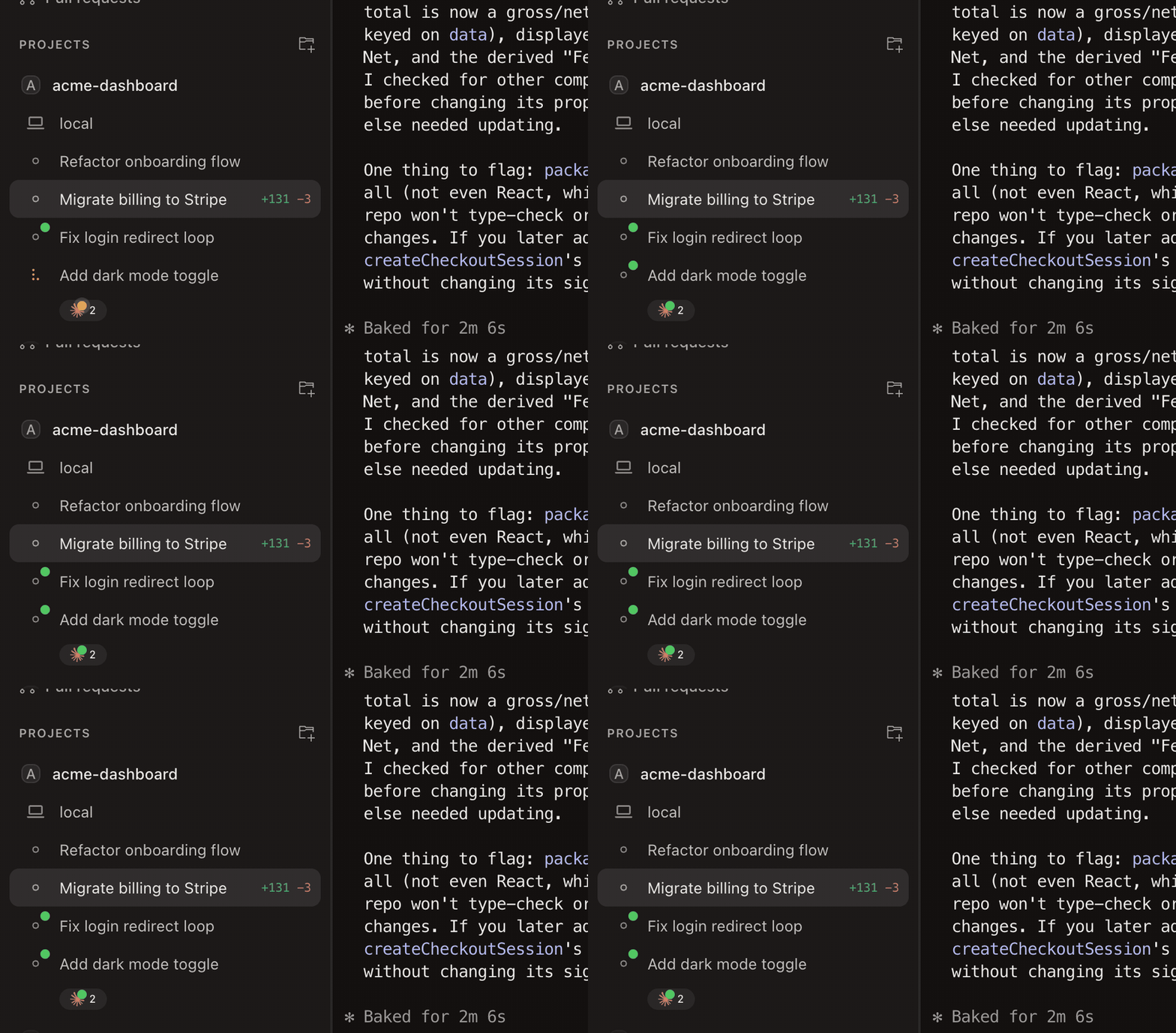
Agent MonitoringTrack every agent from the sidebar, with working indicators, completion chimes, and dock badges when one needs your attention. |
|
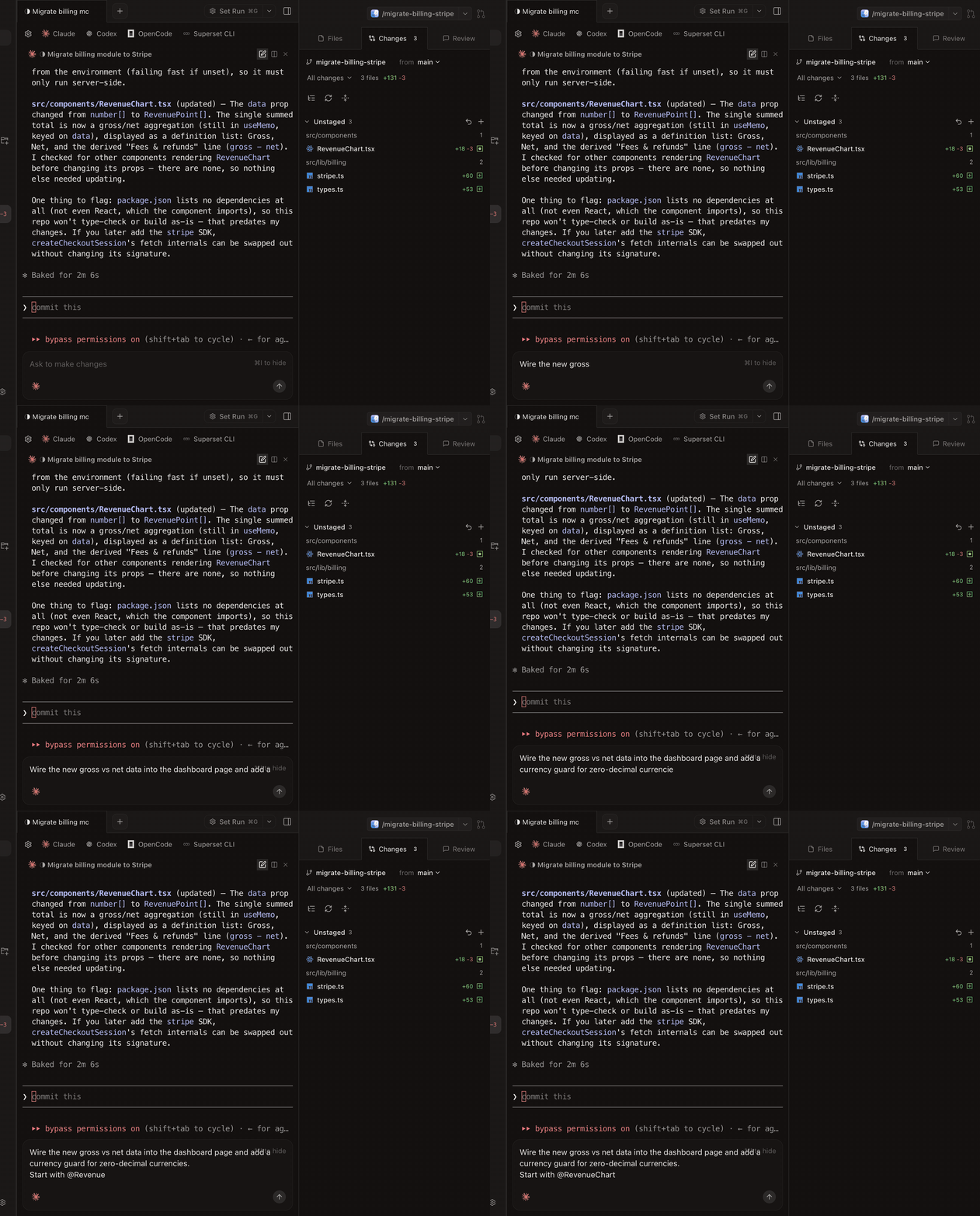
Built-in TerminalTabs, infinite splits, presets, and persistent sessions that survive restarts. Press ⌘I for a rich prompt editor with multiline editing and @-file mentions. |
|
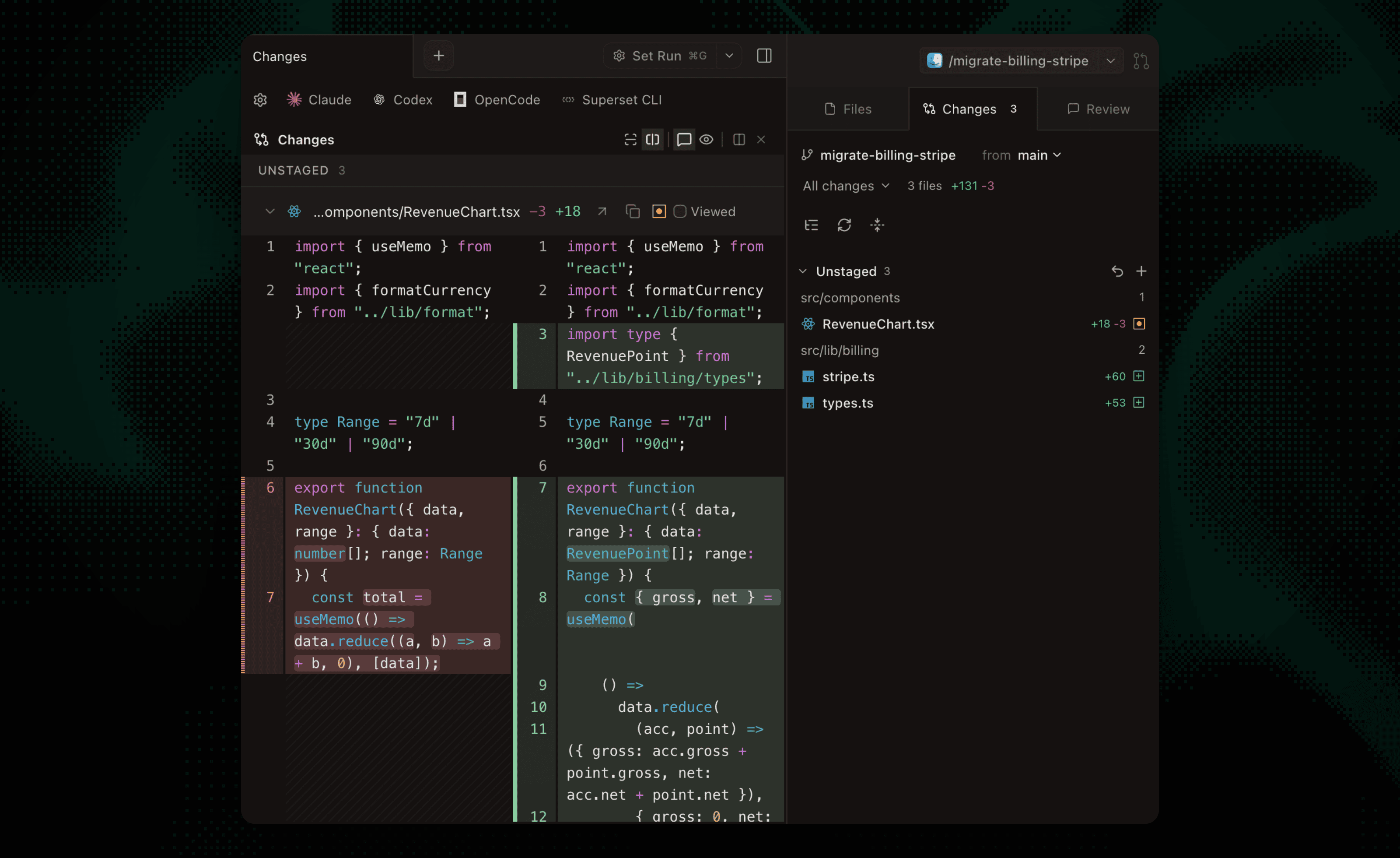
Built-in Diff ViewerInspect, comment on, and edit agent changes without leaving the app, then commit and push when it's ready. |
|
In-App Browser & PortsPreview running dev servers in a browser pane. Ports are detected per workspace, so every worktree gets its own preview. |
|
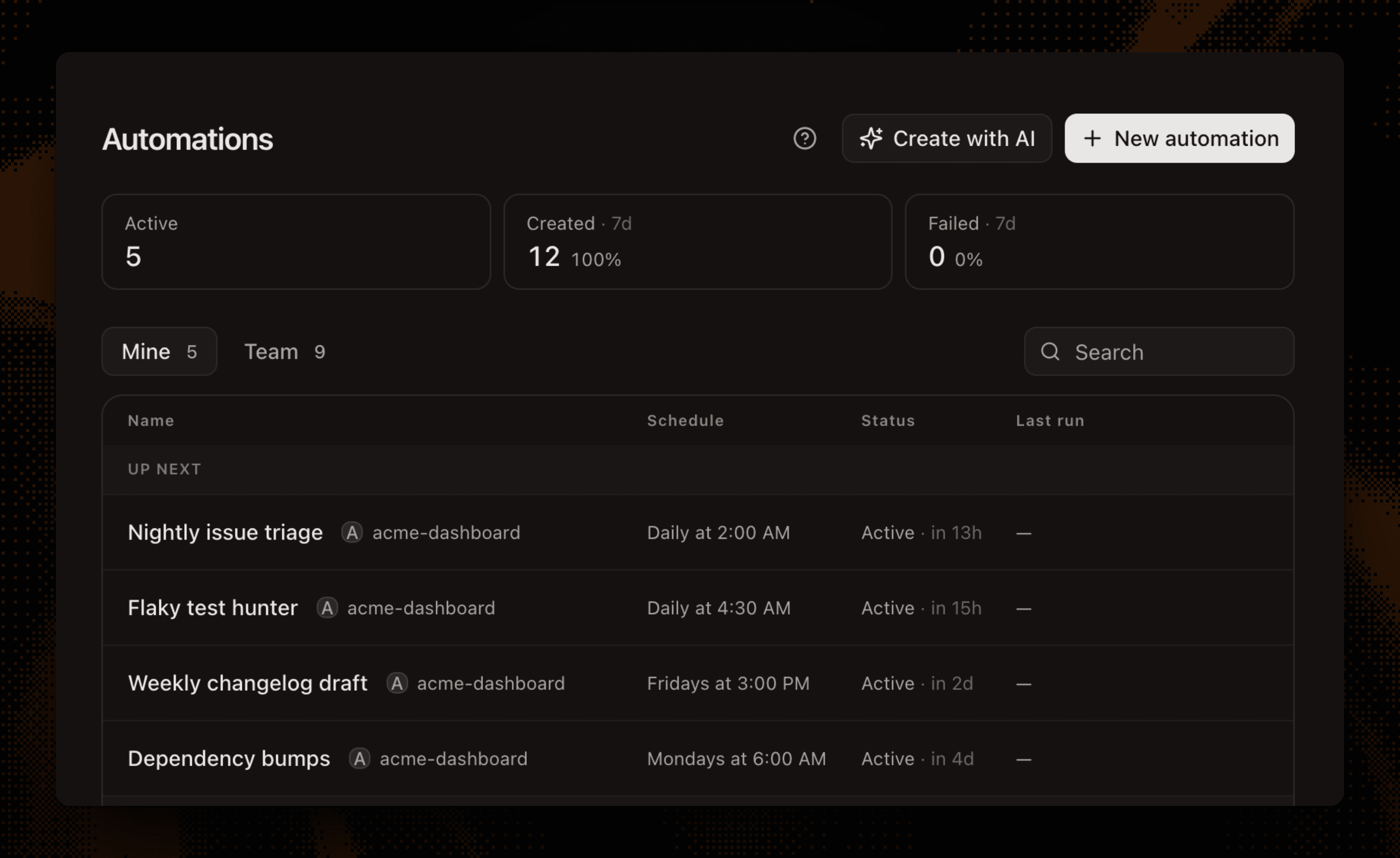
AutomationsRun agent sessions on a schedule: triage issues overnight, draft the weekly changelog, keep dependencies fresh. |
|
Remote AccessConnect another machine and reach its workspaces from anywhere: the desktop app, the CLI, or your phone. Wake offline hosts with a custom command. |
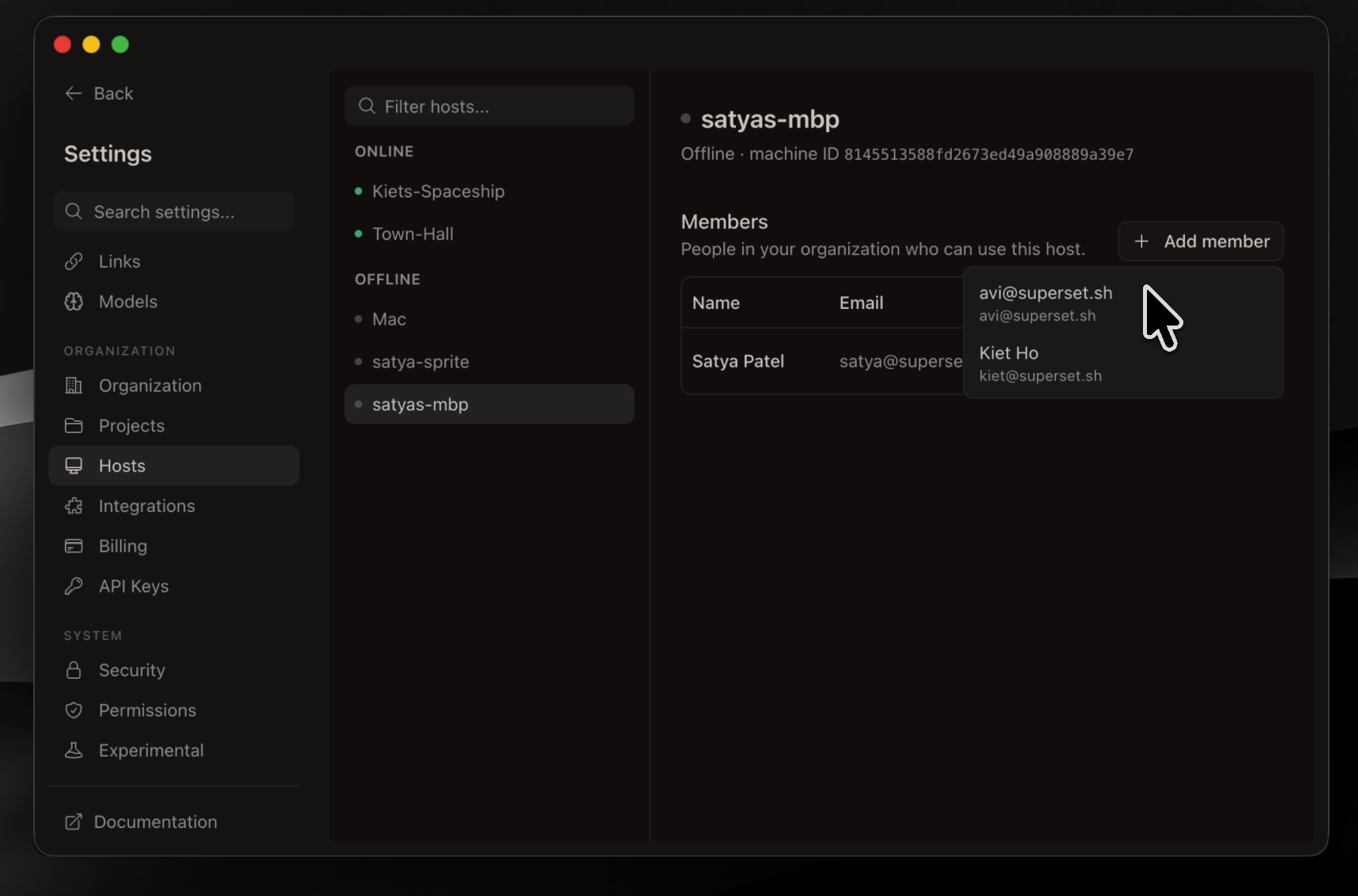
|
Superset CLIScript it from any shell: create workspaces, launch agents, read their terminals, and manage automations with a single binary. If an agent can run a command, it can drive Superset. |
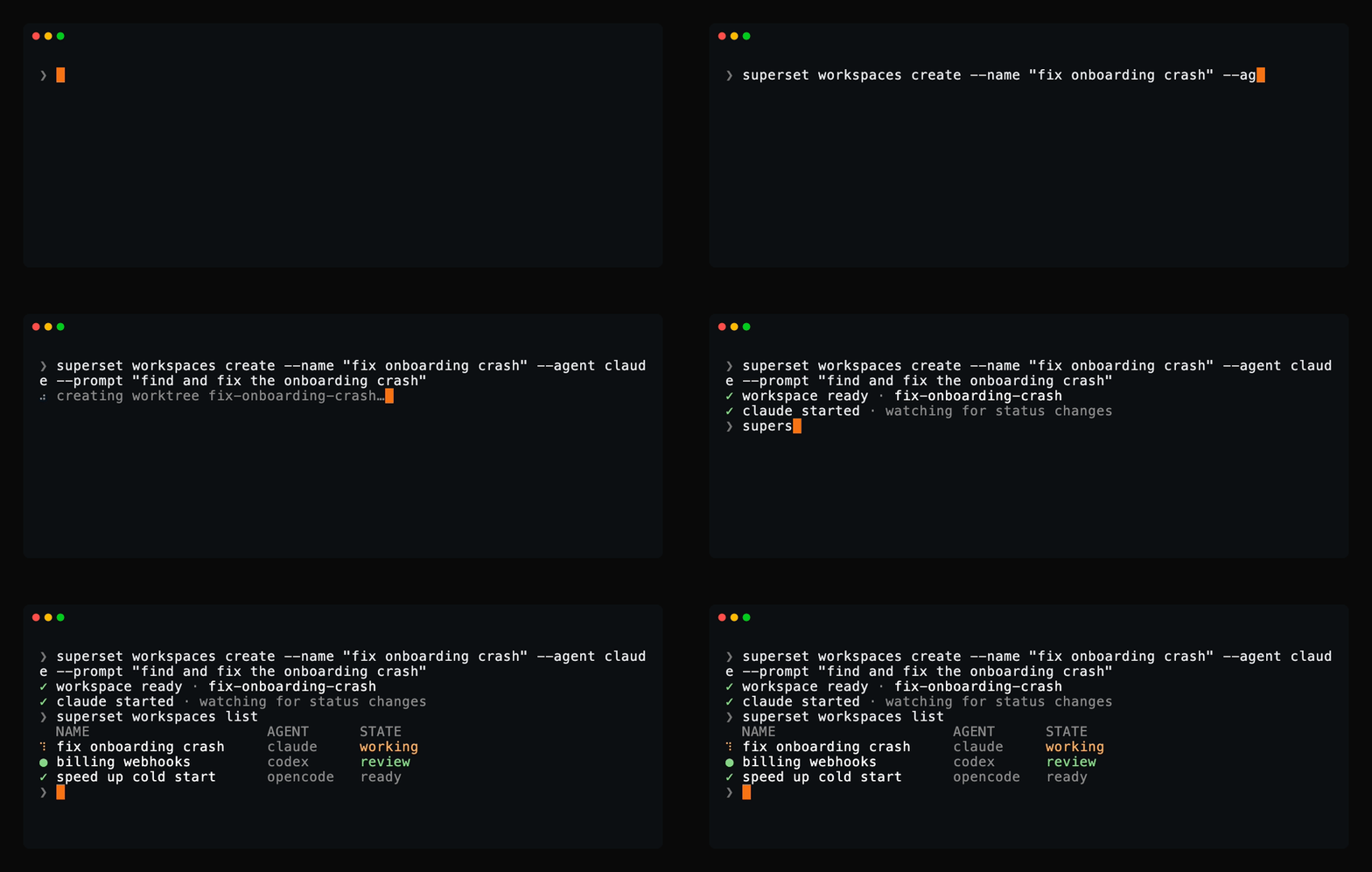
|
Command PaletteJump to any workspace, action, or setting from one search box. |
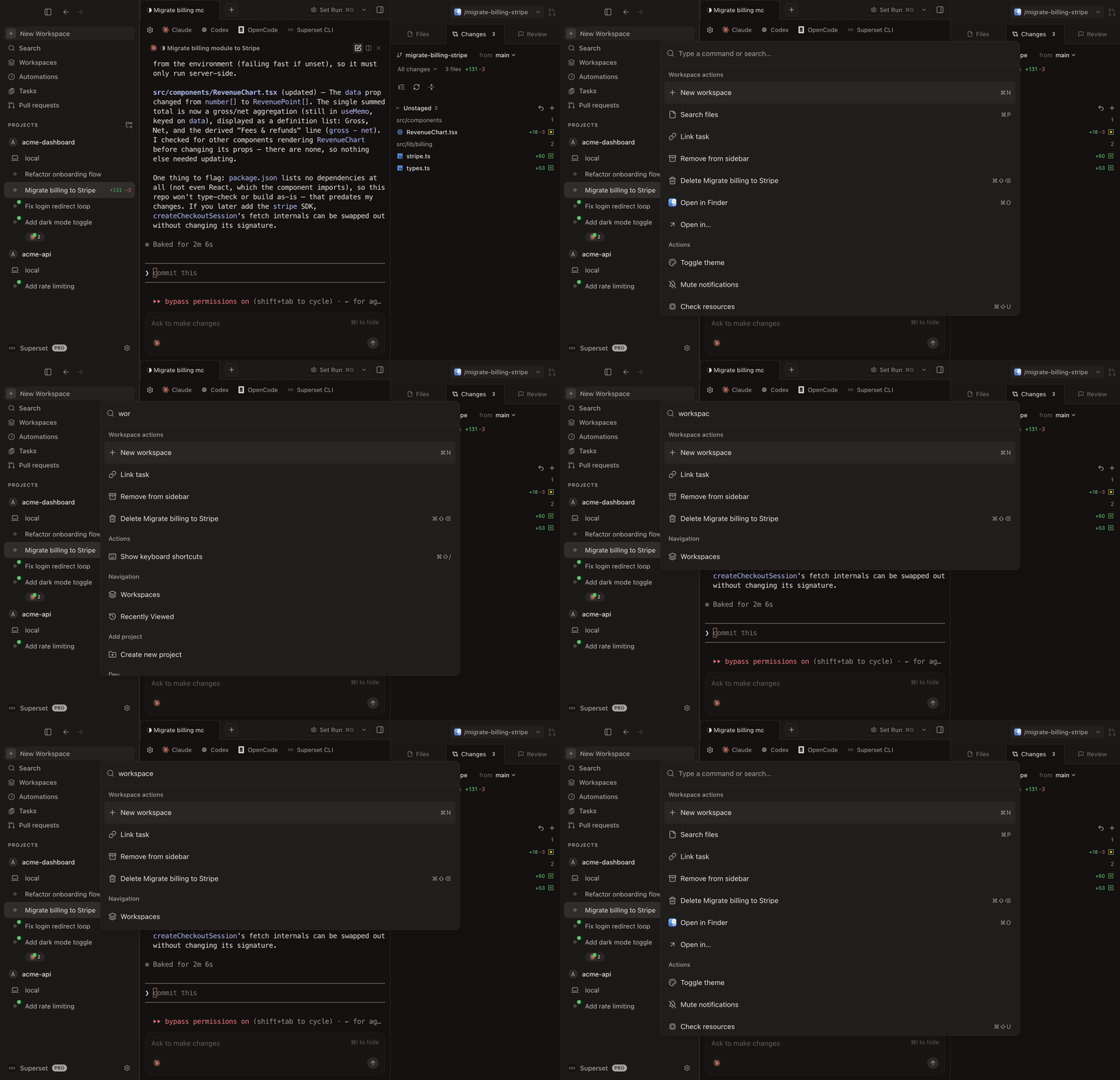
|
Also in the box:
- Built-in skills: agents come pre-loaded with
superset:*skills (orchestrate parallel agents, schedule automations, file feedback, diagnose issues), provisioned automatically at launch - Model picker & custom agents: choose a model and reasoning effort at launch, and add any terminal agent with its own icon
- Workspace setup scripts: automate env setup, dependency installs, and dev servers per workspace
- Terminal presets: save agent and shell layouts and open them with one keystroke
- Slack & Linear: spin up workspaces from Slack messages or Linear issues
- Open in your IDE: one-click handoff to Cursor, VS Code, or any editor
- Custom themes: build, edit, and import theme files
- Keyboard shortcuts: every action is remappable via Settings → Keyboard Shortcuts (⌘/)
- Bring your own providers: connect OpenRouter, Bedrock, Vertex, or Vercel AI Gateway
- And many more: we ship daily, so this list is perpetually behind. The changelog is the real feature list.
Supported Agents
Superset works with any CLI-based coding agent, including:
| Agent | Status |
|---|---|
 Amp Code Amp Code |
Fully supported |
 Antigravity CLI Antigravity CLI |
Fully supported |
 Claude Code Claude Code |
Fully supported |
 OpenAI Codex CLI OpenAI Codex CLI |
Fully supported |
 Cursor Agent Cursor Agent |
Fully supported |
 Droid Droid |
Fully supported |
 fx fx |
Fully supported |
 Gemini CLI Gemini CLI |
Fully supported |
 GitHub Copilot GitHub Copilot |
Fully supported |
 Grok Grok |
Fully supported |
 Hermes Hermes |
Fully supported |
 Kimi Code Kimi Code |
Fully supported |
 Kiro Kiro |
Fully supported |
 Mastra Code Mastra Code |
Fully supported |
 Mistral Vibe Mistral Vibe |
Fully supported |
 Oh My Pi Oh My Pi |
Fully supported |
 OpenCode OpenCode |
Fully supported |
| Pi |
Fully supported |
 Polygraph Polygraph |
Fully supported |
| Any other CLI agent | Works without configuration |
If it runs in a terminal, it runs on Superset
Agents get more than a terminal:
- Model picker: choose a model and reasoning effort when you launch an agent
- Per-agent settings: tune launch commands, prompt templates, and model overrides in Settings → Agents
- Custom agents: add any terminal agent with its own icon and it works like a built-in
- Status and notifications: working indicators, completion chimes, and dock badges when an agent needs you
- Built-in chat: talk to models in a chat pane, with inline tool approvals and plan review
More Than a Desktop App
Every surface talks to the same workspaces, so you can start a task in the app and check on it from anywhere.
| Surface | What you get |
|---|---|
| Desktop App | The full IDE: terminals, diff viewer, in-app browser, automations |
| CLI | A single superset binary to manage workspaces, agents, terminals, and hosts from any shell |
| TypeScript SDK | Drive Superset programmatically with @superset_sh/sdk from Node, Bun, or Deno |
| MCP Server | Let Claude Code, Codex, Cursor, and other agents create and manage workspaces themselves |
The CLI comes bundled with the desktop app, or install it standalone:
curl -fsSL https://superset.sh/cli/install.sh | sh
# or
brew install superset-sh/tap/superset
An iOS app is coming soon so you can check on your agents from your phone.
Install
Download the desktop app:
- macOS: Apple Silicon (.dmg) · Intel (.dmg)
- Linux: x64 AppImage (experimental; macOS is the primary target)
- Windows: not yet available
- All builds
All you need installed is Git. gh is optional and unlocks the PR workflows; Superset offers to install it for you.
Development
Want to hack on Superset or contribute a PR? Clone the repository, add it to the installed Superset app, and create a workspace for your change:
git clone https://github.com/superset-sh/superset.git
Then run the development setup from that workspace terminal:
./.superset/setup.local.sh
bun run dev
Run setup.local.sh once in every new worktree. It configures workspace-specific
app identity and ports so the development desktop app can run alongside the
installed Superset app and other development worktrees.
No Neon account or third-party credentials are needed. setup.local.sh brings
up a local Postgres + Electric stack via Docker and seeds a dev account. Sign in
with the "Sign in as dev" button (or admin@local.test / supersetdev).
Prereqs: Bun v1.3.14+ (pinned in .bun-version), docker, jq, and caddy, which bun dev runs as the local HTTPS proxy (brew install jq caddy && caddy trust).
See DEVELOPMENT.md for the full guide: what the setup script does, manual setup against real services, common commands, troubleshooting, and how to build the desktop app. Contribution process lives in CONTRIBUTING.md.
Configuration
Configure workspace setup, teardown, and run scripts in .superset/config.json. See full documentation.
{
  "setup": ["./.superset/setup.sh"],
  "teardown": ["./.superset/teardown.sh"],
  "run": ["./.superset/run.sh"]
}
Keyboard shortcuts are customizable via Settings → Keyboard Shortcuts (⌘/); see the full shortcut list.
Tech Stack


Private by Default
- Source Available: full source is on GitHub under Elastic License 2.0 (ELv2).
- Explicit Connections: you choose which agents, providers, and integrations to connect.
Contributing
We welcome contributions! See CONTRIBUTING.md for how to get set up and open a PR. Bugs and feature requests go in issues.
Community
Join the Superset community to get help, share feedback, and connect with other users:
- Discord: chat with the team and community
- Twitter: follow for updates and announcements
- GitHub Issues: report bugs and request features
- GitHub Discussions: ask questions and share ideas
Team



License & what's free forever
The desktop app is free forever. Running agents in parallel on your own machine will never require payment. Anything we charge for will be an optional service on top.
The whole app is in this repo under the Elastic License 2.0: use it, fork it, modify it, self-host it for your team. The only thing off the table is repackaging Superset itself as a service you sell to others.