Stormkit
Deploy your app and get the pieces it needs — a Postgres database, end-user authentication, a transactional mailer, scheduled jobs and analytics — on infrastructure you own.
curl -sSL https://www.stormkit.io/install.sh | sh
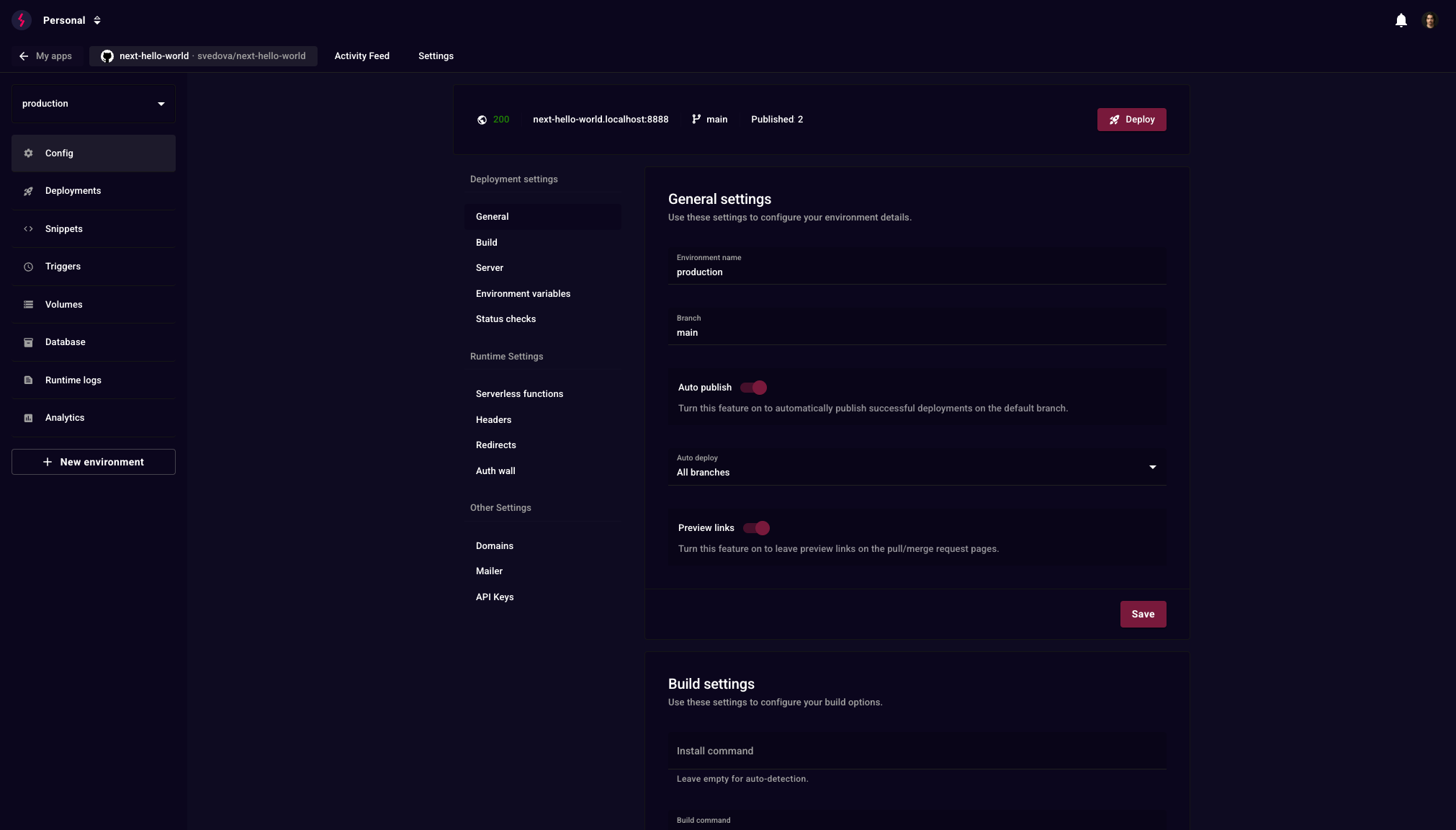
That is a working Stormkit on your own server: git push to deploy, a preview URL per branch, custom domains with automatic TLS.
What you get
| Deployments | Git push, UI, zip upload or API. A preview URL per branch, environments with their own config, status checks before publishing |
| Any language | Runtimes come from mise — Node.js, Go, Python, Ruby and anything else it supports. System packages from a flake.nix. A start command runs a long-lived server in any language |
| Database | PostgreSQL attached to an environment, with migrations run on deploy |
| Authentication | Stormkit Auth for your end users — email and password, magic links, Google and X — with sessions handled for you |
| A transactional mailer wired to your SMTP provider | |
| Scheduled jobs | Periodic triggers, without a separate cron box |
| Analytics | Server-side analytics that do not depend on client-side tracking |
| Also | Volumes, serverless API routes and SSR, redirects and rewrites, custom headers, snippet injection, Auth Wall, teams and roles |
Let an agent run it
Stormkit exposes the whole platform over MCP, so a coding agent can provision a server, deploy, publish and read the logs when something breaks — without you opening the dashboard.
curl -sSL https://www.stormkit.io/install.sh | sh -s -- --agent
The --agent install is hands-off: give it an SSH key and it provisions the
instance, creates the owner account and mints an MCP-ready API key.
Your app can be on the other side of that too. The OAuth 2.1 server turns an app you host into an authorization server, so MCP clients like Claude and ChatGPT connect to it as your end users rather than through a shared token.
Cloud or self-hosted
Stormkit Cloud is the managed option — deployments, previews, domains, mailer, triggers and analytics, with nothing to operate.
Self-hosted runs on your own infrastructure and is where the full platform lives: the database, Stormkit Auth, the OAuth 2.1 server and long-lived application runtimes are self-hosted only. Docker images:
ghcr.io/stormkit-io/workerserver:latest
ghcr.io/stormkit-io/hosting:latest
A PostgreSQL database and a Redis instance are required alongside them. See the self-hosting guide.
Documentation
www.stormkit.io/docs — or read it in this repo
under docs/.
License
Open core. The Community Edition in src/ce/ is AGPL-3.0. Enterprise
Edition components in src/ee/ are commercially licensed. See
LICENSE.
Contributing
Bug reports and pull requests are welcome. See CONTRIBUTING.md and the local development setup below.
Local Development
To run Stormkit locally:
Prerequisites
You can install go and node using Mise, which is a polyglot tool version manager.
# Trust the dependencies specified in `mise.toml` and install them
mise trust && mise install
Running the services
# Clone the repository
git clone https://github.com/stormkit-io/stormkit-io.git
cd stormkit-io

# Start all services (includes database setup and migrations)
make dev
After starting the services:
- The landing page will be available at
https://localhost:5500 - The application will be available at
https://localhost:5400 - The API will be available at
http://api.localhost:8888
Project Structure
stormkit-io/
├── src/
│   ├── ce/                   # Community Edition (AGPL-3.0)
│   │   ├── api/              # REST API server
│   │   ├── hosting/          # Hosting service
│   │   ├── runner/           # Build and deployment runner
│   │   └── workerserver/     # Background job processing
│   ├── ee/                   # Enterprise Edition (Commercial)
│   │   ├── api/              # Enterprise API features
│   │   ├── hosting/          # Enterprise hosting features
│   │   └── workerserver/     # Enterprise background services
│   ├── lib/                  # Shared libraries and utilities
│   ├── migrations/           # Database migrations
│   ├── mocks/                # Test mocks and fixtures
│   └── ui/                   # Frontend React
│   └── www/                  # Landing page React
├── scripts/                  # Build and deployment scripts
Component Overview
- Community Edition (
src/ce/): Open source components under AGPL-3.0 - Enterprise Edition (
src/ee/): Commercial features requiring a license - Shared Libraries (
src/lib/): Common utilities used by both editions - Frontend (
src/ui/): React-based web interface
Testing
Tests require PostgreSQL with a test database named sktest and Redis to be running.
Setup
# Start services
docker compose up -d db redis

# Create test database
docker compose exec db createdb -U ${POSTGRES_USER} sktest
Running Tests
# Run backend and frontend tests
make test

# Run only backend tests
make test-be

# Run only frontend tests
make test-fe
Generating mocks
When adding or changing interfaces under src/lib (or other packages) we generate testify mocks using mockery so tests can inject fakes.
Recommended command (run from the repository root):
# generate mocks for all interfaces in the repo that require the alibaba and imageopt build tags
mockery --case=underscore --dir ./ --tags=alibaba,imageopt --all --output=./src/mocks
Notes:
- You can run mockery via
go runif you don't want to install the binary globally:
go run github.com/vektra/mockery/v2@latest --case=underscore --dir ./ --tags=alibaba,imageopt --all --output=./src/mocks
- If you need expecter helpers for testify, add
--with-expecterto the command. - Use
--case=underscoreto match repository naming conventions for generated files. - After regenerating mocks, run
gofmt/go vetandgo test ./...and commit the updated files undersrc/mocks.
Troubleshooting
For detailed troubleshooting steps, see our dedicated troubleshooting guide.