

steampipe is a free, open source data engineering & integration project written in Go and released under AGPL-3.0. It has 7,955 GitHub stars, 341 forks and 17 open issues, and was last pushed 13 hours ago. On this registry it ranks #7 of 39 tracked projects in Data Engineering & Integration, with 5 head-to-head comparisons available.

What is steampipe?

Steampipe is an AGPL-3.0, Go-based zero-ETL tool that maps APIs and services to SQL tables, letting anyone who already writes SQL — cloud engineers, DevSecOps and security teams, data engineers — query live data from AWS, Azure, GCP, GitHub and Kubernetes without building a pipeline or running a database.

What it is

Steampipe is a single Go binary that translates APIs into database tables. Community and Turbot-maintained plugins map services such as AWS, Azure, GCP, Kubernetes, GitHub, Microsoft 365 and Salesforce to tables, and the project documents more than 2000 tables in total, each with copy/paste/run examples. It ships in several forms: the Steampipe CLI, which queries a Postgres instance bundled with Steampipe; Postgres Foreign Data Wrappers, which expose APIs as foreign tables in native Postgres; SQLite extensions, which expose them as SQLite virtual tables; standalone export binaries that pull data from APIs with no database; and Turbot Pipes, which runs Steampipe in the cloud. The project sits in the Data & Analytics / Data Engineering & Integration category and is maintained by Turbot.

The problem it solves is the ETL step itself. Instead of extracting API responses, loading them into a warehouse and querying a stale copy, Steampipe queries the API and returns rows in real time, running many data sources concurrently. What it replaces is the bespoke script or scheduled sync that would otherwise be written for each service, and because it is one binary it works the same on a laptop and in a CI/CD pipeline.

Key capabilities

  • Plugin catalogue maps APIs to tables; steampipe plugin install hackernews adds a source, with official plugins for AWS, Azure, GCP, Kubernetes, GitHub, Microsoft 365 and Salesforce.
  • Interactive SQL through steampipe query, for example select * from hackernews_new limit 10.
  • Postgres Foreign Data Wrappers expose the same APIs as foreign tables inside an existing Postgres instance.
  • SQLite extensions expose APIs as virtual tables for SQLite users.
  • Standalone export binaries pull data from APIs with no database required.
  • Single-binary deployment, usable locally or inside CI/CD pipelines.
  • Source builds via git clone, cd steampipe, make, placing the binary in /usr/local/bin/steampipe unless OUTPUT_DIR is set.

Who uses it and how

  • Cloud and DevSecOps teams querying AWS, Azure and GCP configuration data with SQL; the repository topics include CIS, CSPM and CNAPP, reflecting that posture and compliance checks are a primary use.
  • CI/CD pipelines, where the single binary can be installed and run without provisioning a database.
  • Security teams that want live answers about cloud resources rather than a nightly export.
  • Data engineers joining live API data against existing Postgres tables through the foreign data wrappers.
  • Practitioners who prefer SQLite, using the extensions as virtual tables in a local database.

Getting started

On macOS, install with brew install turbot/tap/steampipe; on Linux or Windows (WSL2), run the install script at https://steampipe.io/install/steampipe.sh. Then add a plugin with steampipe plugin install hackernews and start querying with steampipe query.

How it compares

The facts provided do not name any paid product that Steampipe replaces, and they name no comparable open-source tool either. On the evidence available, it stands alone in this registry.

When to use it — and when not to

Self-hosters of the CLI distribution operate a bundled Postgres instance and must supply credentials for every API they connect, though the export binaries and SQLite extensions avoid the database. The AGPL-3.0 licence and its copyleft obligations will not suit every organisation, and teams wanting a fully managed service without Turbot Pipes should look elsewhere. The README is also thin on its own — its demonstration section is a placeholder and the substantive material lives on steampipe.io/docs — so expect to read the documentation site rather than the repository.

project readme (upstream, from github) — read inline

Steampipe Logo

plugins   slack   maintained by

select * from cloud;

Steampipe is the zero-ETL way to query APIs and services. Use it to expose data sources to SQL.

SQL. It's been the data access standard for decades.

Live data. Query APIs in real-time.

Speed. Query APIs faster than you ever thought possible.

Concurrency. Query many data sources in parallel.

Single binary. Use it locally, deploy it in CI/CD pipelines.

Demo time!
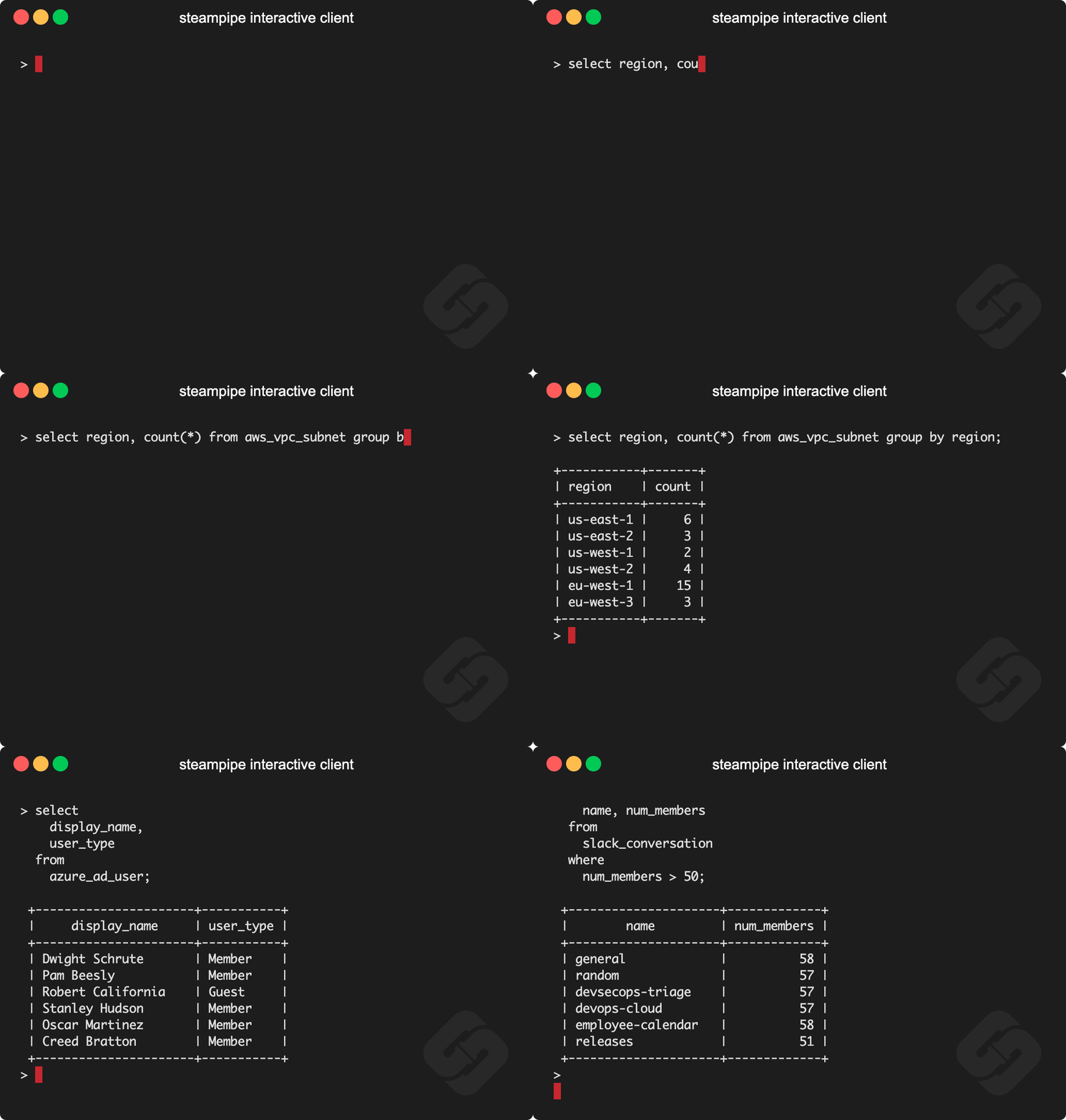
steampipe demo

Documentation

See the documentation for:

Install Steampipe

Install Steampipe from the downloads page:

# MacOS
brew install turbot/tap/steampipe
# Linux or Windows (WSL2)
sudo /bin/sh -c "$(curl -fsSL https://steampipe.io/install/steampipe.sh)"

Install a plugin for your favorite service (e.g. AWS, Azure, GCP, GitHub, Kubernetes, Hacker News, etc):

steampipe plugin install hackernews

Query!

steampipe query
> select * from hackernews_new limit 10

Steampipe plugins

The Steampipe community has grown a suite of plugins that map APIs to database tables. Plugins are available for AWS, Azure, GCP, Kubernetes, GitHub, Microsoft 365, Salesforce, and many more.

There are more than 2000 tables in all, each clearly documented with copy/paste/run examples.

Steampipe distributions

Plugins are available in these distributions.

Steampipe CLI. Run queries that translate APIs to tables in the Postgres instance that's bundled with Steampipe.

Steampipe Postgres FDWs. Use native Postgres Foreign Data Wrappers to translate APIs to foreign tables.

Steampipe SQLite extensions. Use SQLite extensions to translate APIS to SQLite virtual tables.

Steampipe export tools. Use standalone binaries that export data from APIs, no database required.

Turbot Pipes. Use Turbot Pipes to run Steampipe in the cloud.

Developing

If you want to help develop the core Steampipe binary, these are the steps to build it.

Clone
git clone [email protected]:turbot/steampipe
Build
cd steampipe
make

The Steampipe binary lands in /usr/local/bin/steampipe directory unless you specify an alternate OUTPUT_DIR.

Check the version
$ steampipe --version
steampipe version 0.22.0
Install a plugin
$ steampipe plugin install steampipe
Run your first query

Try it!

steampipe query
> .inspect steampipe
+-----------------------------------+-----------------------------------+
| TABLE                             | DESCRIPTION                       |
+-----------------------------------+-----------------------------------+
| steampipe_registry_plugin         | Steampipe Registry Plugins        |
| steampipe_registry_plugin_version | Steampipe Registry Plugin Version |
+-----------------------------------+-----------------------------------+

> select * from steampipe_registry_plugin;

If you're interested in developing Steampipe plugins, see our documentation for plugin developers.

Turbot Pipes

Bring your team to Turbot Pipes to use Steampipe together in the cloud. In a Pipes workspace you can use Steampipe for data access, Powerpipe to visualize query results, and Flowpipe to automate workflow.

Open source and contributing

This repository is published under the AGPL 3.0 license. Please see our code of conduct. Contributors must sign our Contributor License Agreement as part of their first pull request. We look forward to collaborating with you!

Steampipe is a product produced from this open source software, exclusively by Turbot HQ, Inc. It is distributed under our commercial terms. Others are allowed to make their own distribution of the software, but cannot use any of the Turbot trademarks, cloud services, etc. You can learn more in our Open Source FAQ.

Get involved

Join #steampipe on Slack →

Frequently asked questions

Is steampipe free to use?

steampipe is open source under the AGPL-3.0 licence. There is no licence fee and no seat count — you can self-host it or, where the project offers one, pay a vendor for a managed version instead.

What does steampipe do?

Zero-ETL, infinite possibilities. Live query APIs, code & more with SQL. No DB required.

What is steampipe written in?

steampipe is primarily written in Go. Its source is publicly available at https://github.com/turbot/steampipe, and it has 7,955 GitHub stars.